

The best ChatGPT prompts are specific, contextual, and clear about the output you want. A strong prompt gives ChatGPT five things: the task, the background, the constraints, the audience, and the format. This master list gives you copy-ready prompts for writing, work, research, coding, learning, marketing, sales, customer support, images, and everyday planning. It also shows how to turn broad templates into filled-in prompts and how to revise weak outputs instead of starting over.
Use each prompt as a starting point, then replace the bracketed placeholders with your real details. OpenAI’s own guidance emphasizes clear instructions, useful context, and iterative refinement, so the prompts below are written to be edited rather than treated as magic one-liners.[1]
How to use this master list
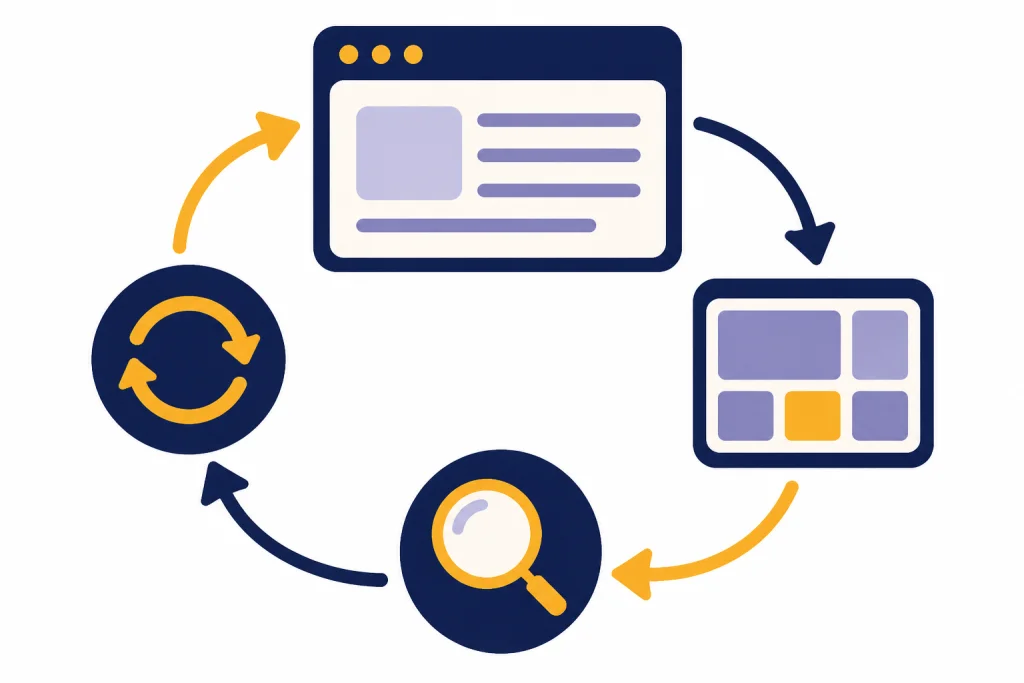
Start by picking the closest prompt, not the perfect prompt. Replace every bracketed placeholder. Add your real audience, source material, constraints, examples, and preferred format. If the first answer is close but not usable, ask for a revision instead of starting over. Good prompting is usually a short loop: ask, inspect, clarify, and tighten.
A prompt can be text, but OpenAI notes that prompts can also include other forms such as images or audio.[1] That matters because many of the best results come from giving ChatGPT the real object you want it to work with: a draft, a spreadsheet, a screenshot, a rubric, a support ticket, a job post, or a style sample.
A practical way to use this page is the copy, fill, test, revise method:
- Copy the closest prompt.
- Fill every placeholder with real facts, not generic labels.
- Test the answer against your actual need: Is it accurate, usable, and in the right format?
- Revise with targeted feedback such as “make it shorter,” “use only the pasted source,” or “show assumptions before the recommendation.”
Use this list as a prompt library. If you want to build reusable prompts around your own work, start with our ChatGPT prompt generator. If you need a dedicated tool comparison, see our guide to the Best ChatGPT Prompt Generator Tools.
The reusable prompt frame
Most useful prompts follow the same structure. They state the role, define the task, provide context, set constraints, and specify the final format. OpenAI’s prompt engineering guide recommends putting instructions at the beginning and separating instructions from context with clear delimiters.[2] OpenAI’s API documentation also notes that Markdown and XML-style sections can help separate supporting material, and that examples can steer a model toward the output you want.[3]
| Prompt part | What to write | Example phrase |
|---|---|---|
| Role | Tell ChatGPT which perspective to use. | Act as a senior editor. |
| Task | State the job in plain language. | Rewrite this draft for clarity. |
| Context | Add background, audience, source text, or goal. | The audience is busy managers. |
| Constraints | Set boundaries, tone, length, exclusions, and must-have points. | Keep it concise and avoid jargon. |
| Output | Define the format you want back. | Return a table with revision notes. |
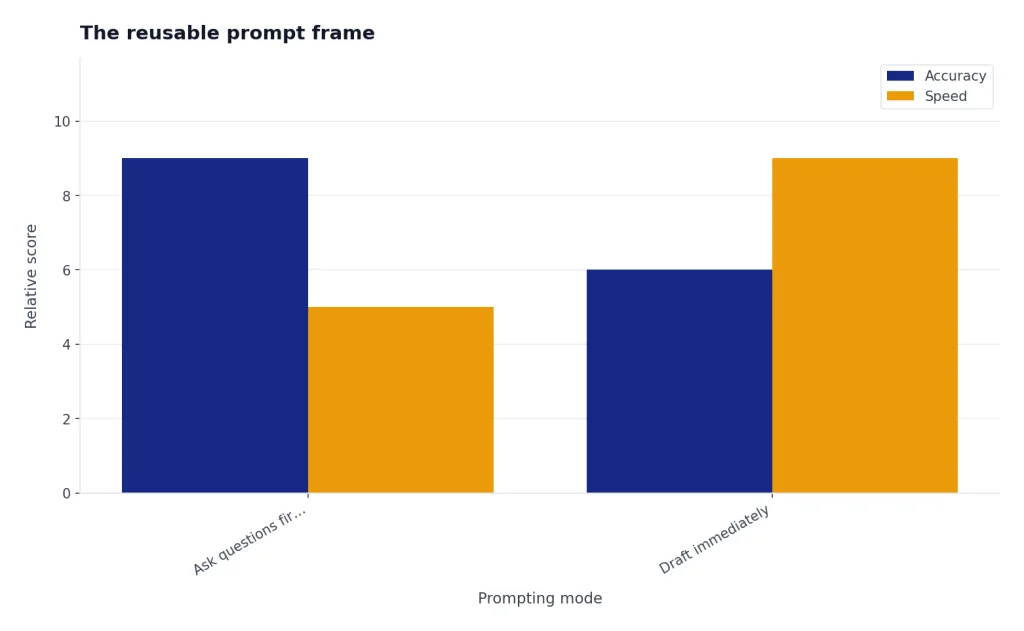
Act as [role]. Your task is to [task]. Context: [background, audience, source material, and goal]. Constraints: [tone, length, must include, must avoid]. Output format: [bullets, table, draft, checklist, JSON, email, plan, or script]. Before answering, ask up to three clarifying questions if the task is ambiguous.Use the clarifying-question line when accuracy matters. Remove it when you need speed. For repeated work, save a short version in custom instructions or a project. OpenAI says custom instructions let you share information you want ChatGPT to consider across chats, while projects can group chats, files, and project instructions in one workspace.[7][6]
Filled-in example:
Act as a senior editor for a B2B software newsletter. Your task is to rewrite the draft announcement below so it is clear, useful, and not hype-driven. Context: the audience is operations leaders at mid-sized companies, and the goal is to get readers to try the new scheduling dashboard. Constraints: 130 words max, plain English, no unsupported claims, include one concrete benefit and one next step. Output format: subject line plus final email body. Draft: [paste draft]Illustrative output excerpt: “Subject: Try the new scheduling dashboard. We’ve added one view for open shifts, conflicts, and pending approvals, so managers can spot coverage gaps before publishing the schedule. If you manage weekly staffing, open the dashboard this week and compare it with your usual workflow.”
Best prompts for writing and communication
Writing prompts work best when you provide the audience, purpose, source material, and desired voice. Do not ask only for “better writing.” Say what better means: clearer, shorter, warmer, more authoritative, more persuasive, more technical, or easier to skim.
Rewrite a rough draft
Act as a precise editor. Rewrite the draft below so it is clearer, more direct, and easier to read. Keep the meaning intact. Remove repetition. Preserve any important details. Return three parts: revised draft, list of major changes, and optional stronger headline. Draft: [paste draft]Before-and-after illustration:
Draft: We are writing to let you know that there has been a change to the dates for the onboarding sessions and the new dates are now available, so please review them and let us know if there are any problems.Example output: “The onboarding sessions have moved. Please review the new dates and tell us by Friday if any conflict with your schedule.”
Turn notes into a polished document
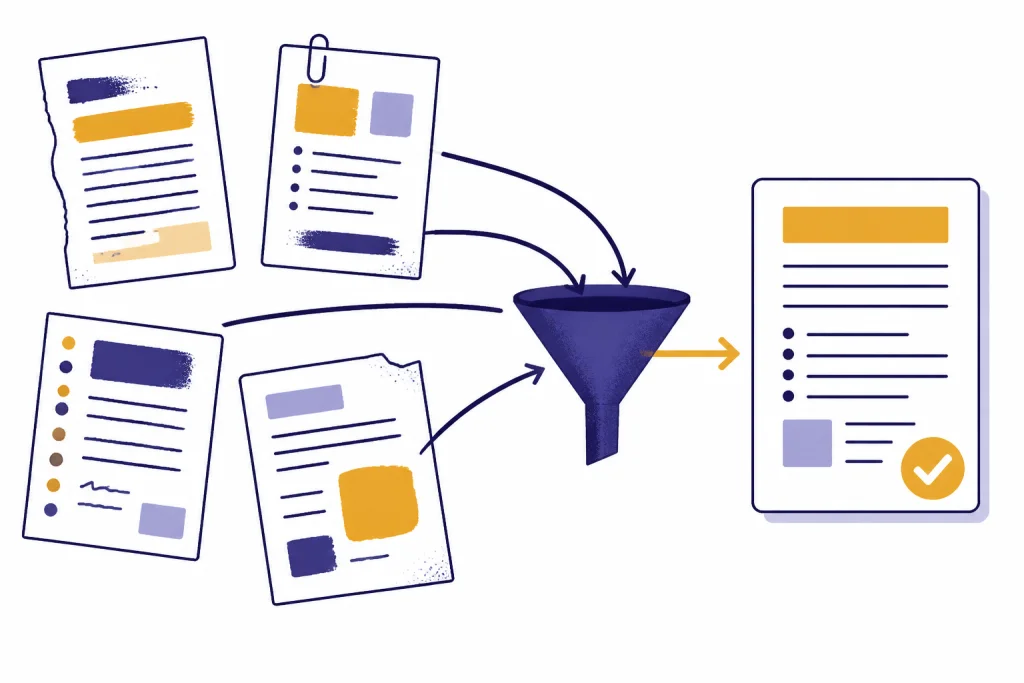
Turn these rough notes into a polished [memo, proposal, report, post, article, or brief]. Audience: [audience]. Goal: [goal]. Tone: [tone]. Include the strongest points first. Flag any missing information I should add. Notes: [paste notes]Write a professional email
Draft a professional email to [recipient]. Purpose: [purpose]. Context: [context]. Desired outcome: [what I want them to do]. Tone: polite, clear, and concise. Include a subject line and a version that is warmer but still professional.Improve a resume bullet
Rewrite these resume bullets for a [target role] application. Make them specific, achievement-focused, and credible. Do not invent metrics. If a metric is missing, mark where I should add one. Job description: [paste job description]. Current bullets: [paste bullets]Filled-in resume example:
Rewrite these resume bullets for a customer success manager application. Make them specific, achievement-focused, and credible. Do not invent metrics. If a metric is missing, mark where I should add one. Job description: asks for onboarding, renewal support, CRM hygiene, and cross-functional communication. Current bullet: Helped customers get started and answered questions.Illustrative output: “Supported new customer onboarding by answering product questions, coordinating handoffs with sales and support, and maintaining accurate account notes in the CRM. Add metric if available: onboarding volume, response time, retention rate, or renewal influence.”
For job-search work, pair this prompt with our guide to AI resume builder tools. For classroom writing and study help, see ChatGPT Student Prompts for Better Grades. For language work, use our ChatGPT translation prompts for quality output.
Best prompts for analysis, learning, and coding
For analysis and technical work, give ChatGPT the data, the success criteria, and the level of detail you need. ChatGPT’s data analysis feature can work with uploaded formats including Excel, CSV, PDF, and JSON files, and it can create tables and charts from uploaded data.[5] When the task depends on a file, ask ChatGPT to cite the rows, columns, passages, or assumptions it used.
Analyze a spreadsheet
Analyze the uploaded spreadsheet. First identify the columns, data quality issues, and any missing values. Then answer this question: [business question]. Return a short executive summary, the key findings, the assumptions you made, and a table of recommended next steps.A stronger version adds the exact decision the analysis should support:
Analyze the uploaded CSV of support tickets. Decision to support: which three ticket categories should we reduce first next quarter? First identify the columns, missing values, and duplicate rows. Then summarize the top categories by volume and severity. Return an executive summary, assumptions, a table of recommended fixes, and the columns you used for each finding.Explain a difficult concept
Teach me [topic] from first principles. Assume I know [current level]. Use plain language, one analogy, and a short practice exercise. After the explanation, quiz me with questions that reveal whether I actually understand it.Create a study plan
Create a study plan for [subject or exam]. Time available: [schedule]. Current level: [level]. Weak areas: [list]. Deadline: [date]. Include daily tasks, review sessions, practice questions, and a method for tracking progress.Debug code
Act as a senior developer. Debug this code. Explain the likely cause, show the smallest safe fix, and then suggest a more robust improvement. Do not rewrite unrelated parts. Code: [paste code]. Error message: [paste error]. Expected behavior: [describe]For spreadsheet-heavy workflows, see ChatGPT Excel Prompts for Power Users. For guided self-study, use ChatGPT Learning Prompts for Self-Study. For deeper data workflows in ChatGPT, our ChatGPT tutorial explains how to approach analysis step by step.
Best prompts for business, marketing, and customer work
Business prompts should name the customer, the decision, the constraint, and the output. This keeps ChatGPT from returning generic strategy language. If the work affects legal, financial, medical, employment, or safety decisions, use ChatGPT for drafting and issue-spotting, then verify with a qualified professional.
Build a business plan outline
Act as a practical small-business advisor. Build a lean business plan for [business idea]. Customer: [target customer]. Offer: [product or service]. Constraints: [budget, team, location, timeline]. Return a plan with positioning, risks, first offers to test, sales channels, and weekly priorities.Create a marketing campaign
Create a marketing campaign for [offer]. Audience: [audience]. Main pain point: [pain point]. Proof points: [proof]. Channels: [channels]. Tone: [tone]. Return the campaign angle, messaging pillars, sample posts, email sequence, and measurement plan.Filled-in marketing example:
Create a marketing campaign for a local bookkeeping service. Audience: solo consultants who are behind on monthly bookkeeping. Main pain point: tax-time stress and unclear cash flow. Proof points: monthly reconciliations, simple owner reports, no long-term contract. Channels: LinkedIn posts and a three-email nurture sequence. Tone: calm, practical, not fear-based. Return the campaign angle, messaging pillars, sample posts, email sequence, and measurement plan.Illustrative output excerpt: “Campaign angle: Stop treating bookkeeping like a once-a-year emergency. Messaging pillars: clean monthly records, clearer owner decisions, and fewer last-minute surprises. Measurement plan: track consultation requests, email replies, and booked cleanup calls.”
Draft a sales follow-up
Write a sales follow-up after a call with [prospect type]. Context: [what happened]. Their likely objection: [objection]. Next step I want: [meeting, trial, proposal, intro]. Make it brief, specific, and useful. Include a subject line and a softer version.Respond to a customer complaint
Draft a customer support reply. Customer issue: [issue]. What we can offer: [resolution]. What we cannot promise: [limits]. Tone: calm, accountable, and helpful. Include an apology only if appropriate. End with a clear next step.Use ChatGPT Business Prompts for Owners for broader planning, ChatGPT Sales Prompts for Closers for deal work, and ChatGPT Customer Service Prompts and Templates for support teams. For people operations, see our ChatGPT HR prompts for hiring and onboarding. For legal drafting support, read ChatGPT Legal Prompts and treat it as a drafting aid, not legal advice.
Best prompts for creative and image tasks
Creative prompts need boundaries. Give ChatGPT the genre, style constraints, audience, reference points, and what to avoid. OpenAI’s ChatGPT capabilities overview says ChatGPT can analyze uploaded images and generate visuals from text prompts, as well as modify images through natural-language requests.[4] That means image prompts should describe the visible subject, composition, medium, lighting, palette, and exclusions.
Generate story ideas
Generate story concepts in [genre]. Audience: [audience]. Mood: [mood]. Constraints: avoid clichés, include a strong central conflict, and give each idea a surprising but plausible hook. Return each concept with premise, protagonist, conflict, and ending possibility.Create social media posts
Create social posts for [platform] promoting [topic or offer]. Audience: [audience]. Voice: [voice]. Goal: [awareness, clicks, replies, saves, signups]. Return hooks, captions, and variants for testing. Avoid hype and unsupported claims.Write an image prompt
Create a detailed image prompt for [subject]. The image should show [visible objects and composition]. Style: [style]. Mood: [mood]. Lighting: [lighting]. Colors: [palette]. Avoid [things to exclude]. Return only the final image prompt.Filled-in image prompt example:
Create a detailed image prompt for a website hero image about organizing messy meeting notes. The image should show a clean desk with scattered sticky notes transforming into a structured checklist on a tablet. Style: modern editorial illustration. Mood: calm and productive. Lighting: soft morning light. Colors: muted blues, warm white, and one yellow accent. Avoid brand logos, readable private text, and distorted hands. Return only the final image prompt.For fiction and ideation, try ChatGPT Creative Prompts for Storytellers. For platform-specific content, see our ChatGPT social media prompts for every platform. For visual work, use Best ChatGPT Image Prompts. If you make video content, ChatGPT for YouTubers gives prompts for scripts, titles, outlines, and thumbnails.
Prompt patterns that make any prompt better
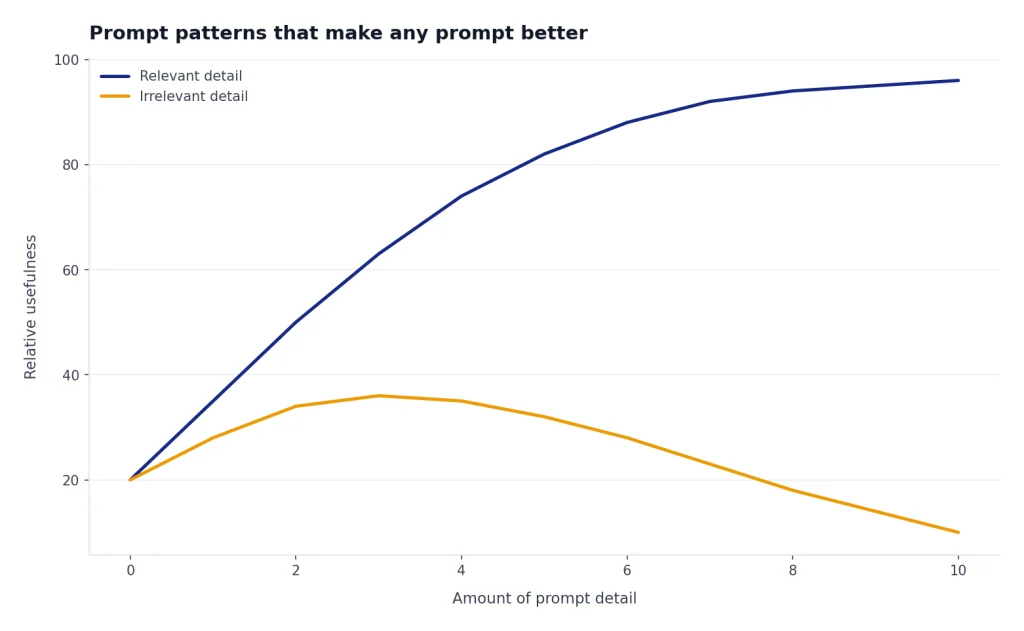
The strongest prompts are not always longer. They are better organized. Use the patterns below when a prompt returns a vague, generic, or unusable answer.
| Pattern | Use it when | Add this line |
|---|---|---|
| Ask for questions first | The task has missing details. | Ask clarifying questions before drafting. |
| Give examples | You have a preferred style or format. | Match the structure of the examples below. |
| Separate source text | You are pasting long context. | Use only the material inside the source section. |
| Require assumptions | The answer could depend on hidden choices. | List the assumptions before the recommendation. |
| Force a format | You need skimmable output. | Return the answer as a table with columns for issue, fix, and priority. |
| Request critique | You already have a draft or plan. | Find weaknesses before rewriting. |
Here is the same weak prompt upgraded with the pattern approach:
Weak prompt: Make my landing page better.
Stronger prompt: Act as a conversion-focused editor. Review the landing page copy below for a time-tracking app for freelance designers. Goal: increase trial signups without sounding pushy. Audience: solo designers who forget to bill for small tasks. Return a table with issue, why it matters, suggested rewrite, and priority. Use only the pasted copy; mark unknowns instead of inventing product features. Copy: [paste page]
Use canvas when you are revising a longer document or code file. OpenAI describes canvas as an interface for writing and coding projects that need editing and revisions, with support for inline feedback and direct edits.[8] Use memory or custom instructions for stable preferences, such as your tone, role, or recurring constraints. OpenAI says memory can use saved memories and chat history to make future responses more personalized, with controls to turn memory off or delete saved memories.[9]
The best prompt is the one that makes the next step obvious. If the output is too broad, narrow the audience. If it is too polished, ask for a rougher version. If it misses context, paste the source material. If it invents details, tell it to mark unknowns instead of filling gaps.
Frequently asked questions
What is the best ChatGPT prompt overall?
The best general prompt is a structured request that includes role, task, context, constraints, and output format. A useful default is: Act as [role], help me [task], use this context [context], follow these constraints [constraints], and return [format]. This works better than a one-line command because it gives ChatGPT enough direction to produce a usable first draft.
How do I make ChatGPT answers less generic?
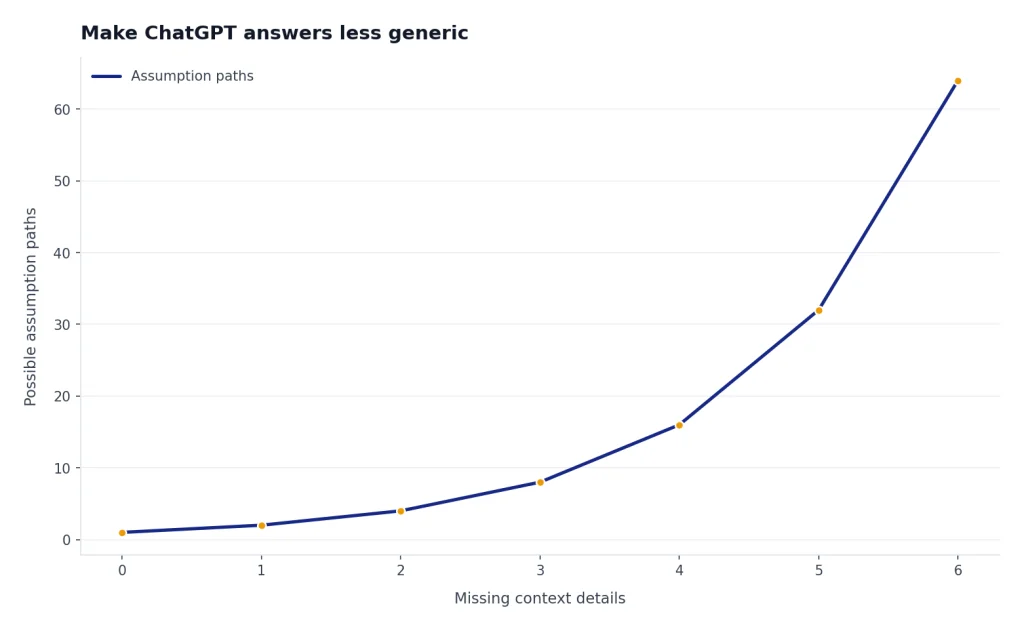
Add your real audience, source material, examples, and decision criteria. Generic prompts produce generic answers because ChatGPT has to infer too much. Ask it to list assumptions, identify missing information, and revise after you give feedback.
Should I tell ChatGPT to act as an expert?
Role prompting can help, but it is not enough by itself. “Act as a lawyer, teacher, editor, or analyst” only sets the perspective. You still need to provide the facts, goal, constraints, and verification standard for the task. For regulated or high-stakes areas, use the answer as a draft or checklist and verify it independently.
Can I reuse the same prompt every day?
Yes, if the task is recurring. Save reusable prompts for weekly reports, meeting summaries, lesson planning, support replies, or content briefs. Update the context each time so the answer reflects the current situation.
Are longer prompts always better?
No. Longer prompts are better only when the extra detail is relevant. A short prompt with clear context and output instructions often beats a long prompt full of vague preferences. Remove anything that does not change the answer.
Can ChatGPT write prompts for me?
Yes. Ask ChatGPT to interview you about your goal, then turn your answers into a reusable prompt. This is often faster than trying to write the perfect prompt from scratch, especially for complex workflows.