

ChatGPT for YouTubers works best as a planning and editing partner, not as a one-click video factory. Use it to turn a rough idea into a video brief, script outline, hook, title set, thumbnail concept, description, chapters, Shorts cutdowns, and follow-up ideas. The best results come when you feed it your audience, premise, examples, tone rules, and constraints before asking for copy. You still need to fact-check claims, protect your channel voice, avoid misleading titles, and review YouTube’s disclosure rules when you use realistic synthetic media. This guide gives you practical prompts and workflows for making stronger scripts and titles with ChatGPT.
Where ChatGPT fits in a YouTube workflow
ChatGPT is most useful before and after recording. Before recording, it can help you sharpen a topic, define the viewer promise, build a story arc, write a cold open, outline talking points, draft a script, and create title options. After recording, it can help you turn the transcript into chapters, a description, pinned comment ideas, community posts, Shorts hooks, and follow-up episode ideas.
OpenAI describes ChatGPT as useful for drafting from scratch, rewriting, tightening, changing tone, and turning rough notes into clearer communication.[1] Those are exactly the tasks most YouTubers repeat every week. If you already have a strong idea, ChatGPT can help you package it. If your idea is vague, it can help you find the tension, audience, and structure before you waste time filming.
The mistake is asking for “a viral YouTube script” with no context. That prompt usually produces generic pacing, inflated claims, and a voice that sounds like every other AI-assisted channel. A better approach is to treat ChatGPT as an assistant producer. Give it your channel niche, audience level, recurring segments, examples of past videos, and the viewer action you want.
If your work overlaps with other formats, use related workflows too. A creator who publishes recipes can adapt ideas from chatgpt for cooking. A fitness channel can borrow planning methods from this guide to ChatGPT for Fitness. A tutorial creator who writes long companion posts can use ideas from chatgpt for blog writing.
Start with a video brief before the script
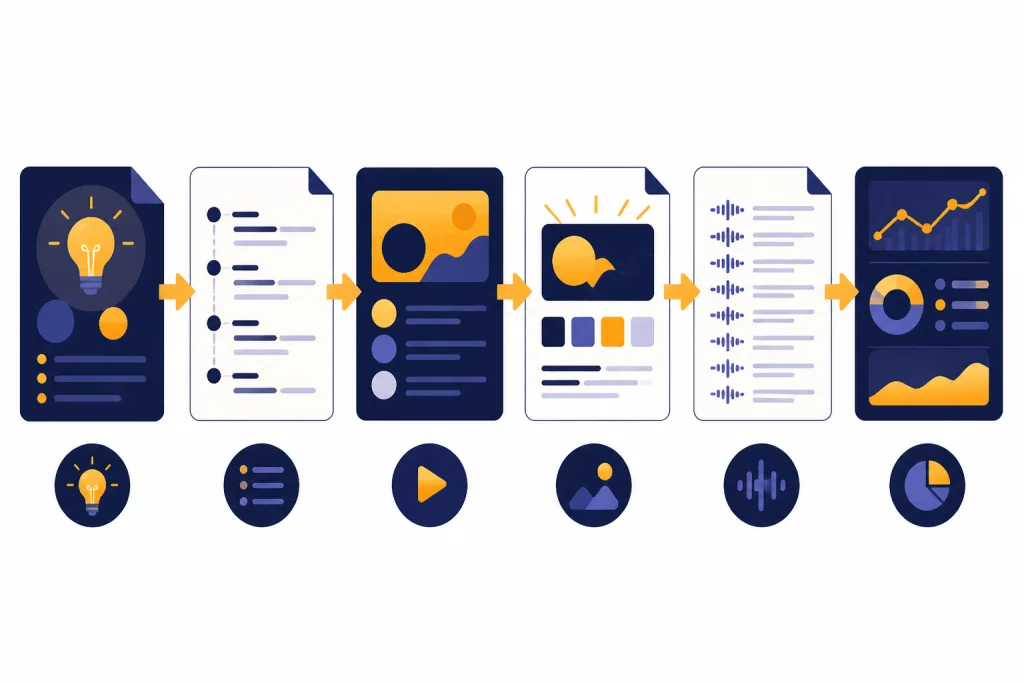
A video brief is the fastest way to get useful output from ChatGPT. It gives the model the job behind the words. Without a brief, ChatGPT guesses the audience, format, promise, and level of detail. With a brief, it can produce a script that serves a defined viewer.
Open a dedicated project or long-running chat for the channel. OpenAI says Projects in ChatGPT can group chats, uploaded reference files, and custom instructions so ChatGPT can stay on topic.[3] For a YouTube channel, that project can hold your channel positioning, banned phrases, sponsor rules, intro style, examples of strong comments, and transcripts from videos you like.
Use this brief template before asking for a script:
Act as my YouTube producer. Build a video brief before writing any script.

Channel: [niche and format]
Audience: [beginner, intermediate, advanced, buyer, fan, skeptic]
Video idea: [rough idea]
Viewer problem: [what they are trying to solve or understand]
Promise: [what they will know, feel, or be able to do by the end]
Evidence available: [notes, links, transcript, demo, test results]
Tone: [plainspoken, funny, calm, technical, skeptical]
Constraints: [length, sponsor read, no hype, no medical claims, no profanity]
Output: Give me the core angle, video structure, key scenes, title directions, thumbnail directions, and questions I must answer before scripting.
The brief should make hard choices. It should decide what the video is not about. A tutorial titled “How I Fixed My Home Network” should not also become a router buying guide, cybersecurity explainer, and smart home rant. Ask ChatGPT to flag scope creep before you write.
| Brief field | What to give ChatGPT | Why it matters |
|---|---|---|
| Viewer | One specific viewer type, not “everyone” | Controls vocabulary, pace, and assumptions |
| Promise | The result the viewer gets by the end | Keeps the script from wandering |
| Proof | Your data, demo, test, story, or source material | Prevents empty advice |
| Format | Review, tutorial, essay, list, reaction, case study, vlog | Shapes the structure |
| Retention risk | Where viewers might get bored or confused | Helps improve pacing before filming |
| Packaging angle | The title and thumbnail tension | Connects the script to the click |
This is also where research matters. If the video depends on current facts, product specs, prices, laws, medical guidance, or breaking news, ask ChatGPT to separate confirmed facts from assumptions. For source-heavy videos, OpenAI describes deep research as a ChatGPT feature that can search, analyze, and synthesize information into a documented report with citations.[12] Use that for background work, then still verify anything important yourself.
Write scripts that sound like you
A strong YouTube script does not sound written. It sounds prepared. ChatGPT can help you get there if you make it revise toward your spoken voice instead of polished article prose.
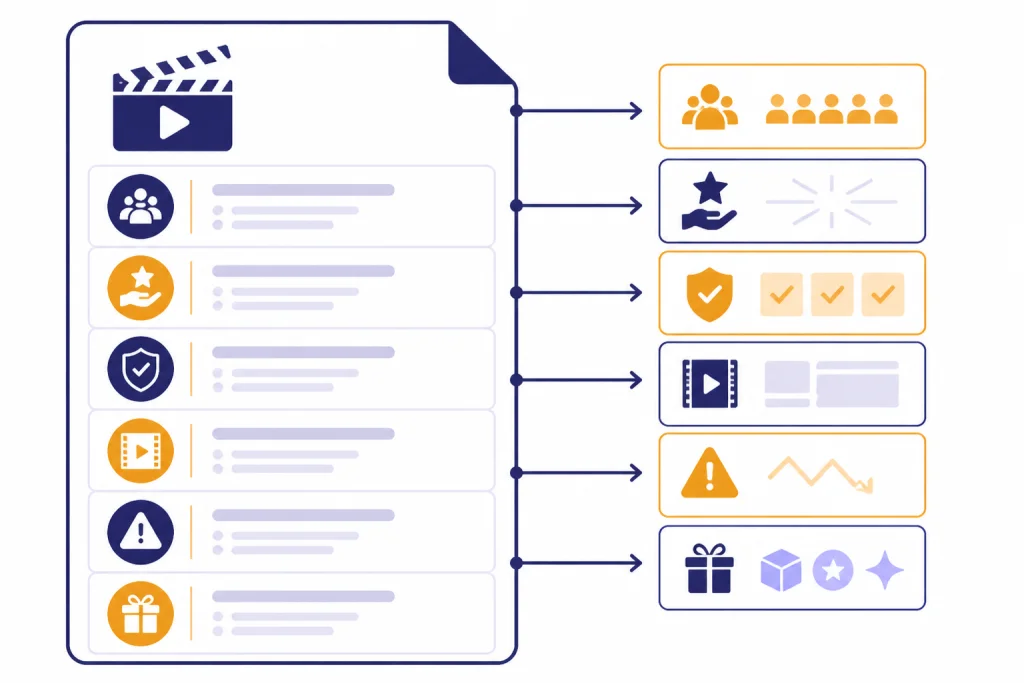
Start with an outline, not a full script. Ask for the hook, promise, setup, main beats, examples, transitions, and close. Then expand one section at a time. This keeps the model from overexplaining and makes it easier to replace generic claims with your own observations.
OpenAI’s Canvas feature lets users highlight specific portions of text and ask for edits or questions about that section, and it includes writing shortcuts for suggested edits, length changes, reading level changes, and final polish.[2] That makes it useful for YouTube scripts because most script problems are local. The intro may be too slow. The sponsor transition may be awkward. The explanation may need a simpler analogy. You do not need to rewrite the whole script every time.
Use this script prompt after the brief is approved:
Use the video brief below to draft a YouTube script outline.

Rules:
- Write for spoken delivery.
- Open with tension, not a greeting.
- Put the viewer promise in the first spoken section.
- Use short sentences.
- Mark places where I should add B-roll, screen recording, or a personal example.
- Avoid fake urgency, exaggerated claims, and generic creator phrases.
- End with a natural reason to watch a related video.

Brief:
[paste brief]
After the outline looks right, ask ChatGPT to expand only the section you need:
Expand only section 2 into spoken script copy.
Keep it under [target length].
Use my voice notes:
[paste voice rules]
Include one concrete example and one visual suggestion.
Do not write the next section yet.
Voice rules matter. Paste a short transcript from your own channel and ask ChatGPT to extract patterns. Tell it not to imitate another creator. For example: “I use short setups, dry jokes, direct transitions, and I avoid motivational language.” That is safer and more durable than asking for a famous creator’s style.
If you write for multiple platforms, keep the YouTube version distinct. A blog post can support scanning. A YouTube script has to survive listening. For broader writing systems, see chatgpt for writing. For scripts that need search demand and keyword structure, pair this workflow with this guide to chatgpt for seo.
Generate YouTube titles without writing clickbait
Titles are not decorations. They are promises. The job is to make the right viewer understand the payoff quickly enough to click. ChatGPT can help by producing many angles, but you should judge each one against the actual video.
YouTube’s video metadata documentation says a video title has a maximum length of 100 characters and cannot contain the characters < or >.[5] YouTube Help also says video titles have a 100-character limit.[6] You do not need to use the whole limit. In many cases, shorter titles are clearer on mobile and easier to pair with a thumbnail.
Ask ChatGPT for title sets by angle, not just a random list:
Generate YouTube title options for this video.

Video promise: [promise]
Viewer: [viewer]
Actual proof in the video: [proof]
Do not imply results I do not show.
Keep every title under 100 characters.

Give me:
- Search-intent titles
- Curiosity titles
- Contrarian titles
- Beginner-friendly titles
- Direct tutorial titles
- Titles that pair with a visual thumbnail

For each title, explain the viewer expectation it creates.
The last line is the guardrail. If ChatGPT cannot explain the expectation, the title is probably vague. If the expectation is stronger than the video, the title is misleading. Reject it.
A useful title review prompt is:
Score these titles against the actual video.
Criteria:
- Clear viewer benefit
- Honest match to the content
- Specificity
- Curiosity without deception
- Works with a thumbnail that does not repeat the same words

Return a table with strengths, risks, and a revised version.
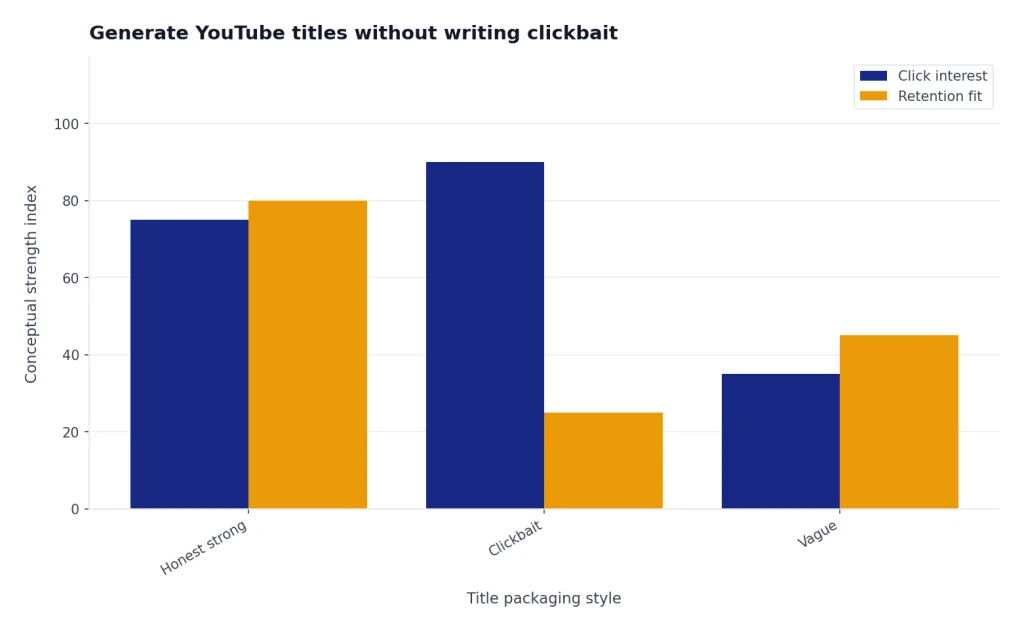
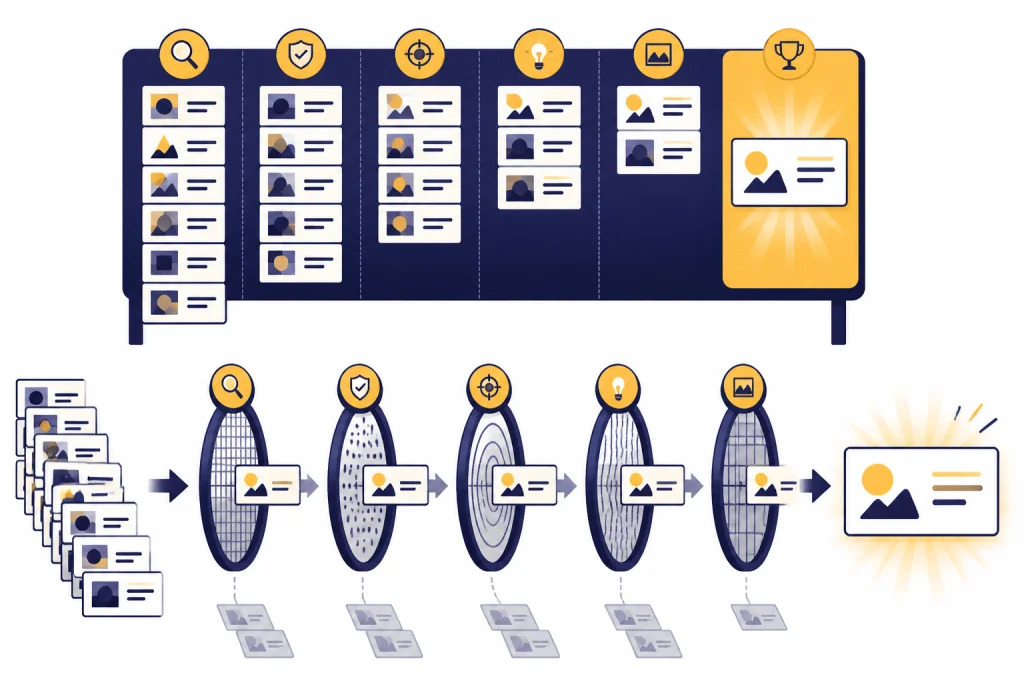
YouTube’s own guidance warns against trying to increase click-through rate with clickbait thumbnails or titles, because videos with high click-through rate and low average view duration are less likely to be recommended.[10] That should shape how you use ChatGPT. The best title is not the most dramatic title. It is the title that attracts the viewer who will actually stay.
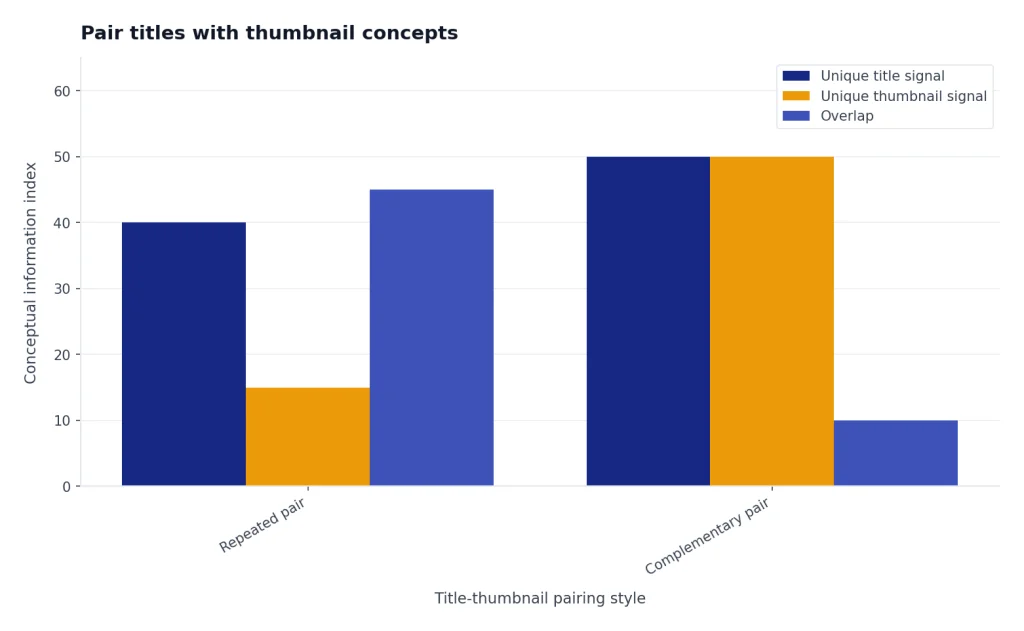
Pair titles with thumbnail concepts
A title and thumbnail should work as a pair. They should not repeat each other. If the title says “I Tested Cheap Studio Lights,” the thumbnail can show the visible difference between bad light and good light. If both say the same phrase, you waste space.
YouTube recommends custom thumbnails with a 1280 by 720 resolution, a minimum width of 640 pixels, JPG, GIF, or PNG format, and a 16:9 aspect ratio.[7] Its Data API documentation also lists the max-resolution thumbnail size for some video resources as 1280 by 720.[5] Use ChatGPT to plan the concept, but design the final thumbnail in a proper image editor.
Use this prompt for thumbnail ideation:
For each title below, create a thumbnail concept that does not repeat the title.

Rules:
- One main visual idea.
- One emotional or informational contrast.
- No misleading object, result, person, or screenshot.
- Describe the foreground, background, crop, and optional text.
- Explain why the thumbnail and title work together.

Titles:
[paste titles]
YouTube says thumbnails and titles should set viewer expectations and that creators can use the Audience tab in YouTube Analytics to check other videos their audience watched for ideas.[8] Do not copy another creator’s packaging. Instead, look for patterns: the level of specificity, the type of contrast, the visual density, and the promise being made.
For channels with enough access and data, YouTube’s Test and Compare feature can compare up to three thumbnails, and YouTube says winning results are based on watch time share rather than only click-through rate.[9] YouTube also says results may take a few days or up to two weeks to finalize.[9] This matters because ChatGPT can produce strong hypotheses, but your audience decides the winner.
For visual creators, this workflow connects naturally to ChatGPT for Designers. For creators who publish across YouTube, Instagram, LinkedIn, and TikTok, adapt the same title-thumbnail promise into platform-specific posts using chatgpt for social media content creation.
Repurpose one video into more channel assets
After you record, the transcript becomes raw material. ChatGPT can convert it into assets that support discovery, retention, and audience engagement. The key is to make those assets faithful to what the video actually says.
YouTube’s video metadata documentation says a video description has a maximum length of 5000 bytes.[5] That is enough room for a concise summary, relevant links, chapters, disclosures, product notes, and a call to watch another video. Do not let ChatGPT fill the description with keyword stuffing. Use it to make the first lines clear and useful.
YouTube says hashtags can be added to a title or description, and up to three hashtags from the description may appear by the video title.[11] Ask ChatGPT for a short hashtag set only after it reads the final transcript. Broad tags that do not match the video can create the wrong expectation.
Use this repurposing prompt:
Use this transcript to create YouTube publishing assets.

Return:
- A concise description that reflects the actual video
- Chapter timestamps if timestamps are included
- A pinned comment that starts a useful discussion
- Three Shorts ideas with exact hook lines
- A community post teaser
- Three follow-up video ideas
- A list of claims that should be fact-checked before publishing

Transcript:
[paste transcript]
If you use email to promote videos, turn the transcript into a short note for subscribers. The workflow in ChatGPT for Email Writing That Converts can help you keep that message concise. If you run sponsorships, product launches, or lead magnets, chatgpt for marketing can help connect the video to a broader campaign without turning the video itself into an ad.
Use analytics to improve the next draft
Do not ask ChatGPT to “analyze my channel” from vibes. Give it specific observations from YouTube Studio. You can paste a short table with title, thumbnail concept, impressions, click-through rate, average view duration, traffic source, retention drop-off notes, and comments. Remove private data you do not want to share.
YouTube defines impressions click-through rate as how often viewers watched a video after seeing a registered impression on YouTube.[10] YouTube also says half of all channels and videos have an impressions click-through rate that can range between 2% and 10%, while new videos, new channels, and videos with fewer than 100 views may see a wider range.[10] Treat that range as context, not a universal target.
Ask for diagnosis, not magic:
Review these YouTube performance notes and suggest what to test next.

Data:
[paste your table]

Rules:
- Do not claim causation from one video.
- Separate packaging problems from content problems.
- Suggest title and thumbnail tests only when the data supports it.
- Suggest script changes when retention notes support it.
- Give me one next experiment for the next upload.
This keeps ChatGPT from overreacting. A low click-through rate may mean the idea is unclear, the thumbnail is weak, the title is too broad, or the video was shown to a less familiar audience. A strong click-through rate with weak retention may mean the packaging promised something the intro did not deliver.
For larger channels, export performance data and use spreadsheet analysis. If you need help cleaning exports or building formulas, see chatgpt for excel. If your channel depends on audience surveys or niche research, borrow methods from ChatGPT for Market Research and Surveys.
Keep AI use original, accurate, and compliant
AI assistance does not remove your responsibility as the creator. You are still accountable for the claims, tone, footage, music, images, disclosures, and viewer expectations in the final upload.
YouTube requires creators to disclose altered or synthetic content when it appears realistic or meaningful.[13] That rule is especially relevant if you use AI-generated or altered footage, a synthetic voice, a realistic fake scene, or a depiction that viewers could mistake for real. Basic script drafting, outline help, or title brainstorming is different from realistic synthetic media, but you should review YouTube’s current upload disclosure prompts when publishing.
Protect originality. Do not ask ChatGPT to clone another creator’s script, steal a title pattern line by line, or summarize a video you do not have rights to republish. Use it to clarify your own angle. If you use public clips, screenshots, articles, studies, or product footage, check copyright, fair use, sponsorship, and platform rules before publishing.
Protect accuracy. ChatGPT can write confidently even when it is wrong. For factual videos, ask it to list claims separately from opinions and to mark anything that needs verification. For high-stakes topics such as health, finance, law, or safety, use qualified sources and human review. A medical channel should use a more cautious workflow like ChatGPT for Doctors and Healthcare Professionals. A legal channel should use professional review like ChatGPT for Lawyers.
Protect your data. OpenAI says ChatGPT Data Controls let users decide whether conversations and interactions help improve its models, and signed-in users can turn off “Improve the model for everyone” in settings.[4] If your scripts include unreleased products, sponsor terms, private audience data, or confidential client material, review your plan, settings, and company policy before uploading it to any AI tool.
Prompt library for YouTubers
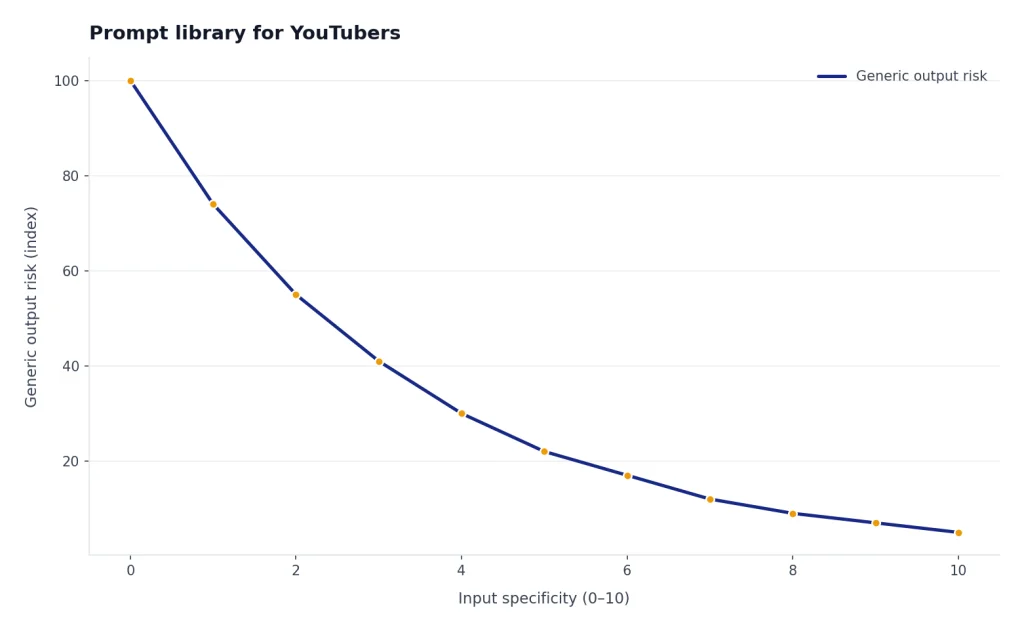
Use these prompts as starting points. Replace the bracketed fields. The more specific your inputs, the less generic the output.
Idea angle prompt
I have a YouTube idea: [idea].
My audience is [audience].
Give me five stronger angles.
For each angle, include the viewer problem, the promise, the conflict, proof I need, and why someone would click.
Hook prompt
Write ten possible opening hooks for this video.
The hook must start with the problem, result, contradiction, or visible demo.
Do not start with “Hey guys,” channel history, or generic setup.
Video brief: [brief]
Retention edit prompt
Review this script section for retention problems.
Mark slow setup, repeated points, unclear terms, missing examples, and places where a visual would help.
Then rewrite it for spoken delivery without changing the facts.
Script: [paste]
Title cleanup prompt
Rewrite these titles so they are clearer, more specific, and honest.
Keep each under 100 characters.
Do not use fake urgency, vague superlatives, or claims not supported by the video.
Titles: [paste]
Thumbnail contrast prompt
Create thumbnail concepts for this title: [title].
The thumbnail must show a clear contrast, result, mistake, or object from the video.
Do not repeat the title.
Give me three visual layouts and the expectation each one creates.
Transcript-to-assets prompt
Turn this final transcript into publishing assets.
Create a description, pinned comment, Shorts hooks, follow-up topics, and a checklist of claims to verify.
Keep every asset accurate to the transcript.
Transcript: [paste]
If you build a reusable prompt system, store your best prompts in a document and update them after each upload. The workflow in chatgpt prompt generator can help you turn these into a channel-specific library.
Frequently asked questions
Can ChatGPT write a full YouTube script?
Yes, but a full script is usually better after you create a brief and outline. Ask ChatGPT to draft one section at a time so you can keep your voice, add real examples, and correct weak assumptions. The final script should sound like something you would actually say.
Is it safe to use ChatGPT for YouTube titles?
Yes, if you use it for options and review each title against the actual video. Reject titles that imply results, drama, or proof the video does not deliver. YouTube’s own click-through guidance warns against clickbait packaging that creates poor watch behavior.[10]
Can ChatGPT make my videos go viral?
No. ChatGPT can improve your idea, structure, title, and packaging tests, but it cannot guarantee reach. Distribution depends on audience interest, competition, retention, satisfaction, timing, and the video itself.
Should I disclose that I used ChatGPT to write a script?
YouTube’s altered or synthetic content disclosure rule focuses on realistic or meaningful altered synthetic content, not ordinary writing assistance.[13] Still, check the upload flow and policy for your exact use case. If you use realistic AI visuals, synthetic voices, or altered scenes, disclosure may be required.
How do I make ChatGPT stop sounding generic?
Give it your transcript samples, banned phrases, pacing rules, audience level, and examples of what you dislike. Ask it to edit toward spoken delivery and to preserve your point of view. Do not ask for a famous creator’s style; build your own style guide.
Can ChatGPT help with thumbnails?
ChatGPT can help plan thumbnail concepts, contrasts, visual hierarchy, and title-thumbnail pairings. It should not be the final judge. Use YouTube Analytics, audience feedback, and Test and Compare when available.