

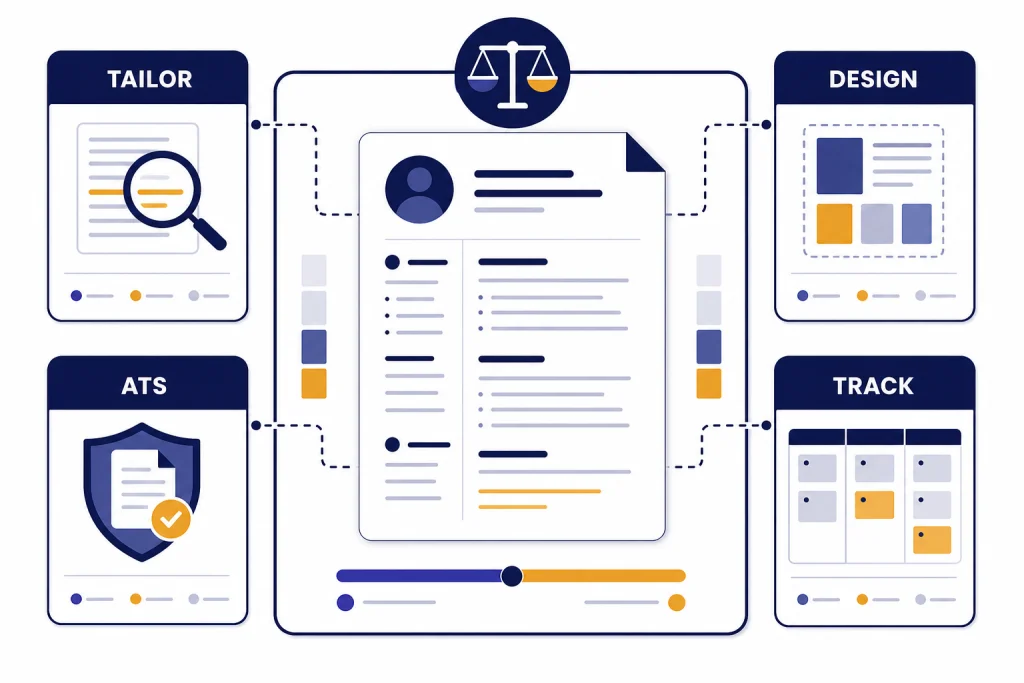
The best AI resume builder tools do more than reword bullet points. They help you tailor a resume to a job description, keep formatting readable, create cover letters, and track versions across a job search. Teal is the strongest all-around choice for applicants managing many roles. Rezi is best if you want a strict ATS-focused scoring workflow. Kickresume is best for polished documents and cover letters. Huntr is best if you want resumes, job tracking, and application workflow in one place. Resume.io and Zety are useful for fast templates, but their trial-to-subscription pricing deserves careful attention before you enter payment details.
Quick comparison of AI resume builder tools
AI resume builder tools now fall into three practical groups. The first group helps you tailor a resume to each job description. The second group focuses on polished formatting, templates, and cover letters. The third group adds job tracking, autofill, and workflow features for applicants sending many applications.
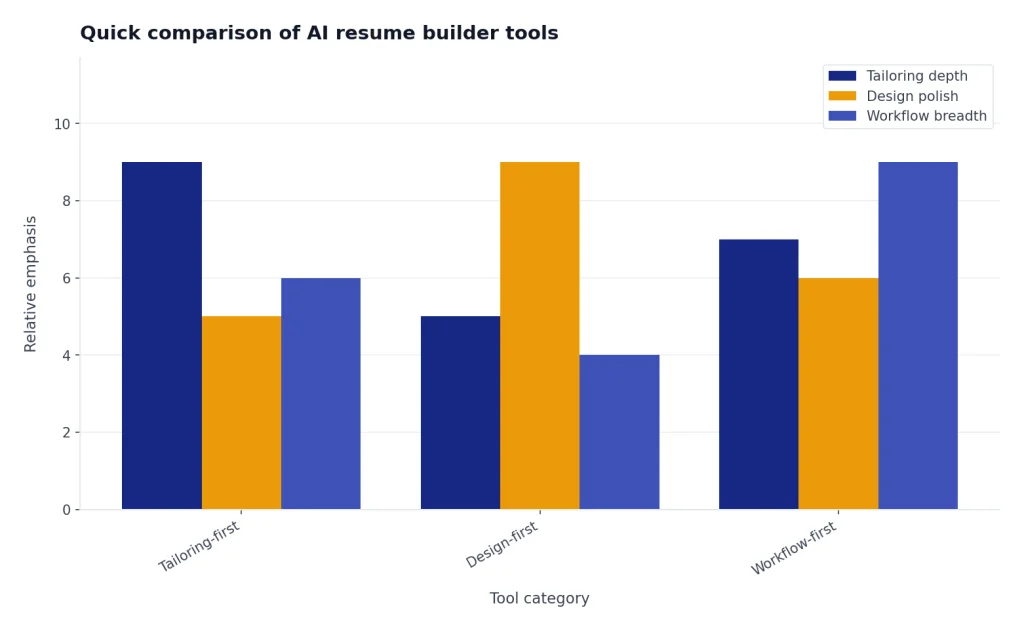
The best choice depends on how you apply. A software engineer applying to many similar roles needs fast tailoring and keyword comparison. A designer or marketer may care more about a clean visual layout. A new graduate may need a guided builder with examples. If you are comparing other AI productivity categories, our broader AI writing tools comparison and AI summarizer tools guide use a similar practical lens.
| Tool | Best fit | Free option | Paid pricing to know | What stands out |
|---|---|---|---|---|
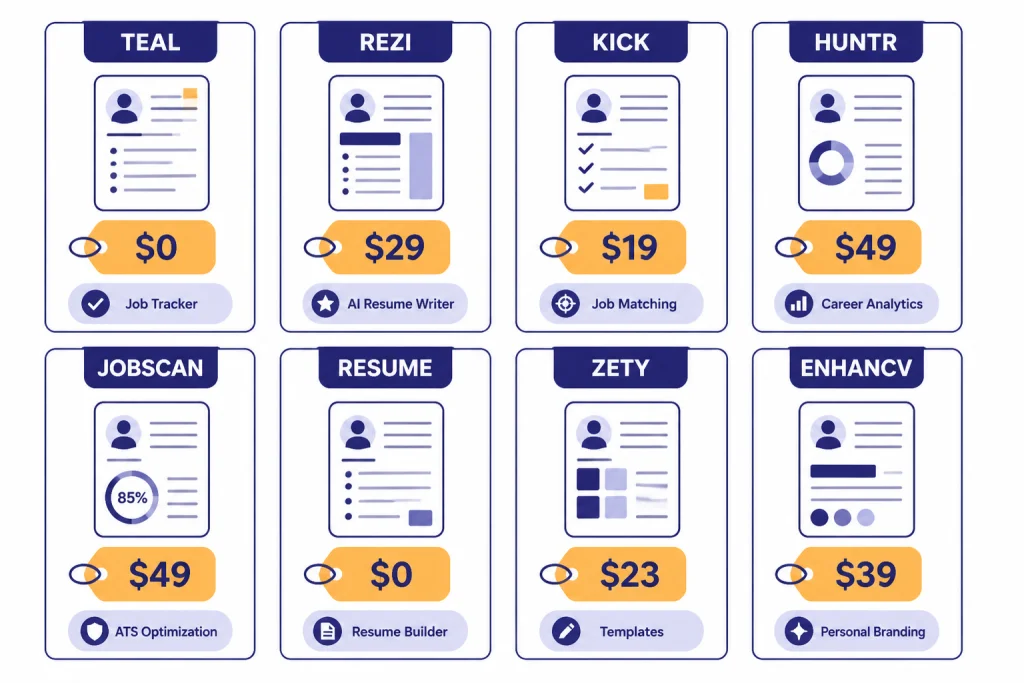
| Teal | Active job seekers managing many tailored resumes | Free forever tier | Teal+ shows $13 every 7 days, $29 every 30 days, or $79 every 90 days.[1] | Resume versions, keyword matching, job tracking, AI bullets, summaries, and cover letters |
| Rezi | ATS-focused resume editing | Free plan with 1 resume and limited AI tools | Pro is $29 per month; Lifetime is $149 one time.[2] | Rezi Score, keyword targeting, real-time content analysis, and simple formats |
| Kickresume | Polished resumes, matching cover letters, and personal websites | Free plan at $0 per month | Premium is $24 monthly, $18 monthly when billed quarterly, or $8 monthly when billed yearly.[3] | AI writer, ATS resume checker, 40 resume templates, 40 cover letter templates, and mobile apps |
| Huntr | Resume tailoring plus job-search operations | Free plan with unlimited base resumes, free PDF export, and 2 tailored resumes | Pro is $40 monthly, $90 every 3 months, or $160 every 6 months.[4] | Job tracker, application autofill, AI resume review, resume tailoring, and cover letters |
| Jobscan | Simple ATS-friendly resume structure | Free resume builder with unlimited downloads | Advanced AI tools are paid, but the builder page does not show public plan prices. | 9 ATS-friendly templates, LinkedIn import, skill suggestions, and scanner workflow[5] |
| Resume.io | Fast resume and cover letter creation | Free plan with TXT downloads only | $2.95 trial for 7 days; after that it auto-renews to $29.95 every 4 weeks. Quarterly is $49.95 every 3 months.[6] | Clean templates, PDF downloads on paid plans, and a quick builder |
| Zety | Guided resume creation with templates and checks | Free basic package with TXT downloads | $1.95 trial for 14 days; after that it auto-renews at $25.95 every 4 weeks. Annual is $5.95 per month, paid as $71.40 at once.[7] | Resume builder, cover letter builder, resume check, templates, and Word/PDF downloads on paid plans |
| Enhancv | Modern resumes with more visual personality | Free plan valid for 7 days | The pricing page describes a free plan and Pro Quarterly plan; pricing can vary by region and checkout state.[8] | Resume tailoring, design tools, ATS check, real-time content suggestions, and visual sections |
How we evaluated these tools
We evaluated each tool by the job seeker problem it solves, not by the number of AI labels on the page. A useful resume builder should keep the resume readable, make edits easy to review, avoid inventing experience, and let you export a file you can actually submit.
We weighted five factors. First, job-description tailoring. Second, control over the final text. Third, ATS-safe formatting. Fourth, export limits and pricing clarity. Fifth, workflow value beyond the resume itself. A tool that writes strong bullets but hides PDF export behind a trial is less useful than it looks. A tool with conservative templates can beat a beautiful design tool for roles where applicant tracking systems matter.
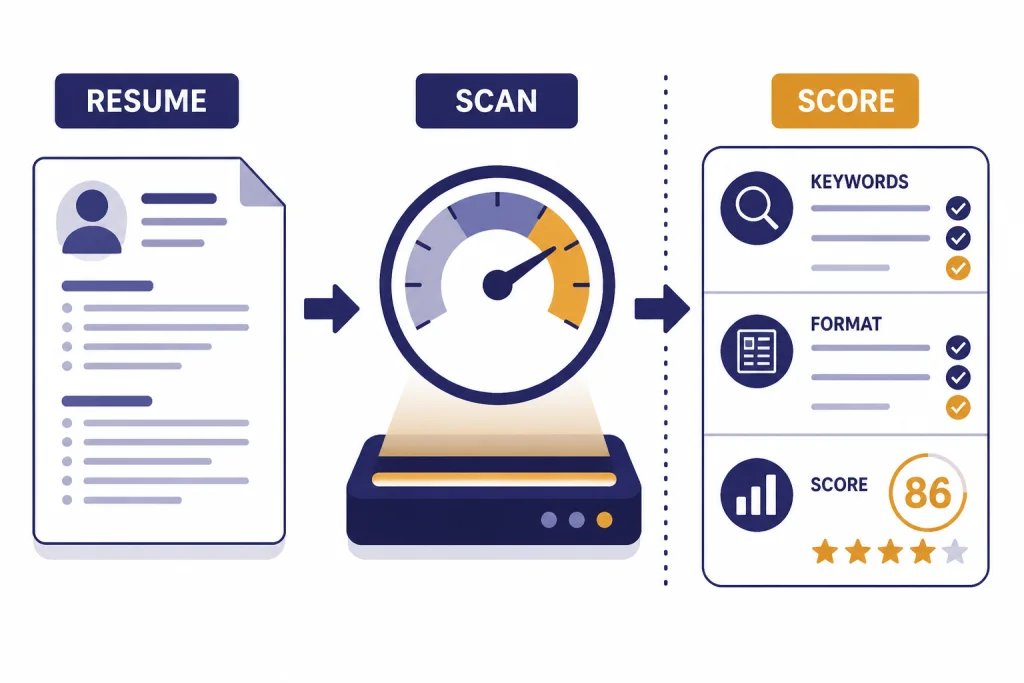
Applicant tracking systems are often described too mysteriously. They are not magic resume judges. They parse fields, store resumes, and help employers search or filter applicants. Jobscan’s own resume scanner page explains the keyword logic plainly: the scanner compares a resume with a job description and identifies important keywords.[9] That does not mean you should stuff keywords. It means you should use the employer’s vocabulary where it truthfully matches your experience.
We also looked for signs of safe AI use. A resume tool should help you express real work more clearly. It should not fabricate metrics, add tools you never used, or turn every bullet into generic corporate language. If you are worried about how AI-written text may be judged elsewhere, see our guide to AI detectors for teachers and schools. Resume screening is a different context, but the same principle applies: over-optimized machine-sounding writing can work against you.
Best overall: Teal
Teal is the best all-around choice for most job seekers because it combines resume building, job tracking, keyword matching, AI writing, and application organization in one workflow. Its free tier is unusually useful for starting a search. The paid Teal+ plan unlocks deeper resume-builder functionality, unlimited advanced resume analysis, resume keyword matching, and more.[1]
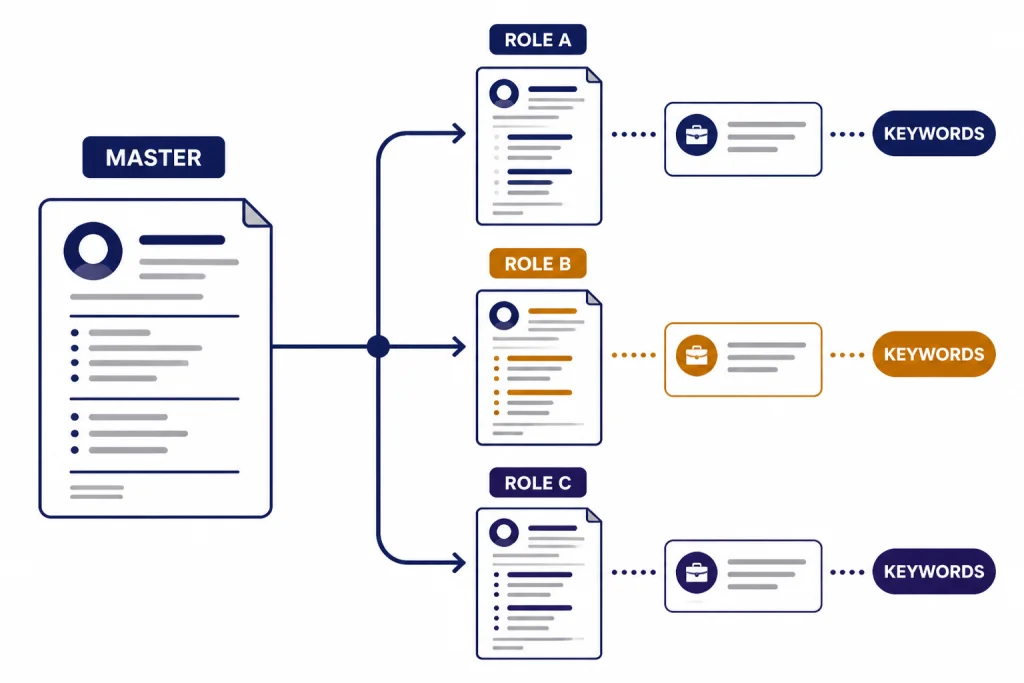
Teal works best when you already have a base resume and want to create role-specific versions. You can keep one master experience bank, attach a job description, and adjust bullets or summaries without starting from scratch each time. The feature list also separates free and paid limits clearly. The free side includes limited keyword matching and AI credits, while Teal+ moves many of those items to unlimited access.[1]
The pricing is flexible but still subscription-based. As of the page we reviewed, Teal+ listed $13 every 7 days, $29 every 30 days, and $79 every 90 days.[1] That structure makes sense for a concentrated job search. It is less compelling if you need one resume this afternoon and do not want another recurring tool to manage.
Choose Teal if you are applying to several roles each week. Skip it if you only need a static resume template. If you mostly want prompt ideas for rewriting your own bullets in ChatGPT, our ChatGPT prompt generator tool roundup may be a better starting point.
Best for ATS-focused editing: Rezi and Jobscan
Rezi is the stronger paid ATS workflow
Rezi is built around a more structured ATS optimization loop. Its pricing page lists Rezi Score, AI Keyword Targeting, Real Time Content Analysis, AI Resume Writer, AI Resume Editor, and AI Resume Summary Writer among its resume technologies.[2] That makes it a strong fit for applicants who want specific scoring feedback instead of broad writing suggestions.
The free plan is limited to 1 resume and limited AI tools, while Pro gives unlimited resumes, AI features, and downloads at $29 per month.[2] The Lifetime plan costs $149 one time and includes premium access, but it does not include the monthly expert review that Pro includes.[2] That one-time option is useful if you expect to revisit your resume across several job searches.
Rezi’s weakness is also its strength. The formats are intentionally simple. That is good for parsing and consistency, but it may feel plain if you work in a visual field. Use it when the job description is dense, the competition is high, and you need disciplined tailoring.
Jobscan is useful when you want conservative structure
Jobscan’s free resume builder is a good option if your main goal is an ATS-readable document. Its builder page says you can create and download unlimited ATS-compatible resumes for free and choose from 9 ATS-friendly templates.[5] The same page emphasizes plain formatting because flashy graphics can confuse ATS software.[5]
Jobscan is less of a full AI writing environment than Teal, Rezi, or Huntr. It is better understood as an ATS structure and scanner ecosystem. If you want a clean resume you can then edit manually, it is a safe choice. If you want full AI rewriting, job tracking, and cover letters in one subscription, compare it with Teal or Huntr first.
Best for polished design: Kickresume and Enhancv
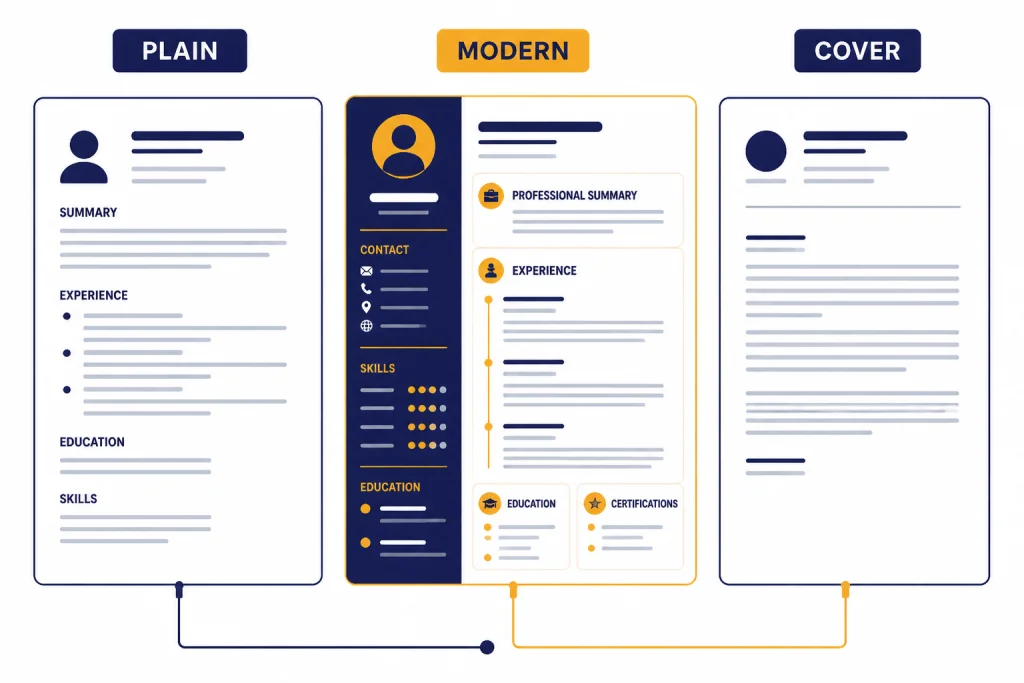
Kickresume is the best design-and-document bundle
Kickresume is the best choice if you want a resume, matching cover letter, and optional personal website with less manual formatting. The Premium comparison lists 40 resume templates, 40 cover letter templates, 7 personal website templates, an AI Resume Checker, and an AI Resume & Cover Letter Writer.[3] It also includes unlimited resumes, cover letters, and downloads across the plan comparison.[3]
Pricing is straightforward. The free plan is $0 per month. Premium is $24 per month when paid monthly, $18 per month when paid quarterly, and $8 per month when paid yearly.[3] The annual plan is the best value if you will use it throughout a long search, but the monthly plan may be safer if you only need one application package.
Kickresume is strongest for job seekers who want a polished, professional document without building layouts by hand. It is not the most rigorous ATS scoring loop in this comparison. For candidates applying to conservative corporate roles, use its cleaner templates and avoid over-designed elements.
Enhancv gives more visual personality
Enhancv is a better fit when presentation matters and you want more control over the story of the resume. Its pricing page describes resume tailoring that lets you paste a job ad into the builder, plus Pro features such as 150 resumes and cover letters, all templates, real-time content suggestions, ATS check, Pro sections, no branding, unlimited section items, and design options.[8]
The caveat is pricing clarity. The page we reviewed showed a free plan valid for 7 days and displayed regional checkout behavior for Pro pricing.[8] Check the final billing screen before relying on a monthly estimate. Enhancv is best for marketing, product, design, leadership, and other roles where a modern document can help, but it is still wise to keep a plain version for applicant systems that parse resumes poorly.
Best for full job-search workflow: Huntr
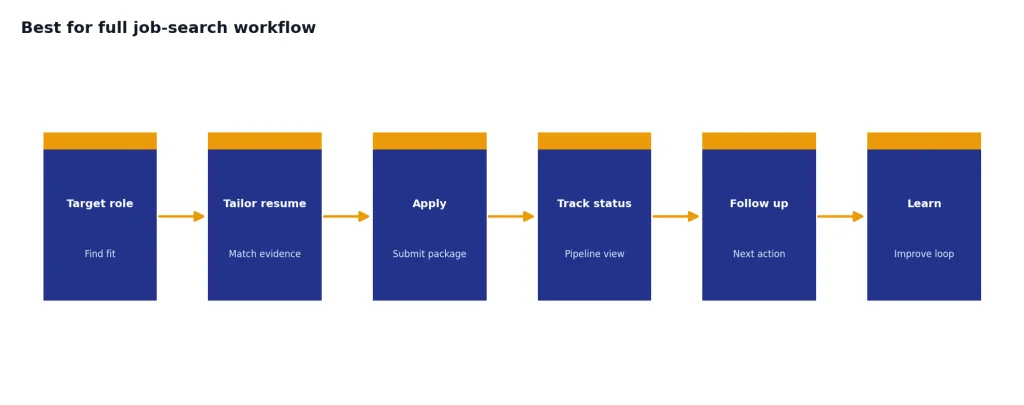
Huntr is the strongest pick if your resume builder needs to live inside a larger job-search system. The free plan includes a resume builder, unlimited base resumes, free PDF export, 2 job-tailored resumes, 2 application packets, access to all resume templates, basic job matching, basic resume scoring, a job tracker, and tracking for up to 100 jobs.[4]
The paid plan is expensive compared with single-purpose builders, but it covers more ground. Huntr Pro is $40 per month, $90 every 3 months, or $160 every 6 months.[4] Pro adds unlimited job-tailored resumes, unlimited AI resume generations, AI-powered job-tailored resumes, unlimited AI cover letters, AI resume review and tailoring, advanced job matching, advanced resume scoring, unlimited job tracking, and application workflow features.[4]
Choose Huntr when you are treating the job search like a pipeline. It helps you manage documents, jobs, contacts, and autofill rather than just a resume file. That matters if you are applying at volume. It matters less if you are making a single high-stakes application and want to spend most of your time polishing one document.
Huntr also pairs well with manual review. Let the tool create a tailored draft, then check every line against your actual experience. AI can improve phrasing, but it cannot decide whether a claim is true. For broader tool comparisons, see our AI research tools for academics and AI coding assistants of 2026 if your job search includes research or technical portfolio work.
Fast template builders: Resume.io and Zety
Resume.io and Zety are useful when speed matters. They guide you through a resume, provide templates, and make it easy to create a document quickly. They are not the first tools we would choose for heavy role-by-role AI tailoring, but they can be practical for a first draft.
Resume.io offers a free plan, but it limits downloads to TXT format. Its paid trial is $2.95 for 7 days and then auto-renews to $29.95 billed every 4 weeks if you do not cancel. Its quarterly plan is $49.95 billed every 3 months.[6] The trial includes access to resume tools, templates, cover letters, and download formats during the trial period.[6]
Zety follows a similar “build first, pay for premium export” pattern. Its free basic package includes TXT downloads. The Pro Package lists a $1.95 trial for 14 days, then auto-renews at $25.95 every 4 weeks. The Annual Package is $5.95 per month, paid as $71.40 at once.[7] Zety also lists PDF, Word, and TXT downloads as premium export formats.[7]
Use these tools if you value guided creation and template convenience. Be careful with trials. Set a cancellation reminder before you pay, and download an editable copy immediately. If you are comparing writing and originality tools for related documents, our plagiarism checker roundup may help with essays, portfolios, or writing samples.
When to use ChatGPT instead of a resume builder
A dedicated resume builder is not always necessary. ChatGPT can help rewrite bullets, compare a resume with a job description, generate a cover letter draft, and convert dense work history into clearer achievement statements. The tradeoff is that you must manage formatting, truth-checking, version control, and exports yourself.
Use ChatGPT manually when you already have a clean resume template and want better wording. Ask it to preserve facts, avoid adding numbers, and show changes in a table. Then edit the final language yourself. This is especially useful for senior roles where nuance matters more than a generic match score.
Use a resume builder when you need structure. Builders help with templates, consistent formatting, job-description matching, and repeated application versions. They also reduce the copy-and-paste sprawl that happens when you keep several resumes in separate files.
A good hybrid workflow is simple. Keep a master resume. Use a builder such as Teal, Rezi, or Huntr to compare it with a job description. Use ChatGPT only for targeted rewrites where you provide the exact bullet, job requirement, and factual constraints. If you work mostly in the browser, our ChatGPT Chrome extension picks and ChatGPT desktop app guide can make that workflow easier.
Buying advice before you pay
Start with the free version whenever possible. Teal, Rezi, Kickresume, Huntr, Jobscan, Resume.io, Zety, and Enhancv all provide some way to begin before a long commitment, although export limits and AI limits vary. The important question is not whether the landing page says “free.” The important question is whether you can download a useful file in the format you need.
- Check export formats first. TXT-only free plans may be fine for copying text, but they are not enough if you need a polished PDF or Word file.
- Prefer transparent pricing. Teal, Rezi, Kickresume, Huntr, Resume.io, and Zety publish specific prices on the pages reviewed for this article.[1][2][3][4][6][7]
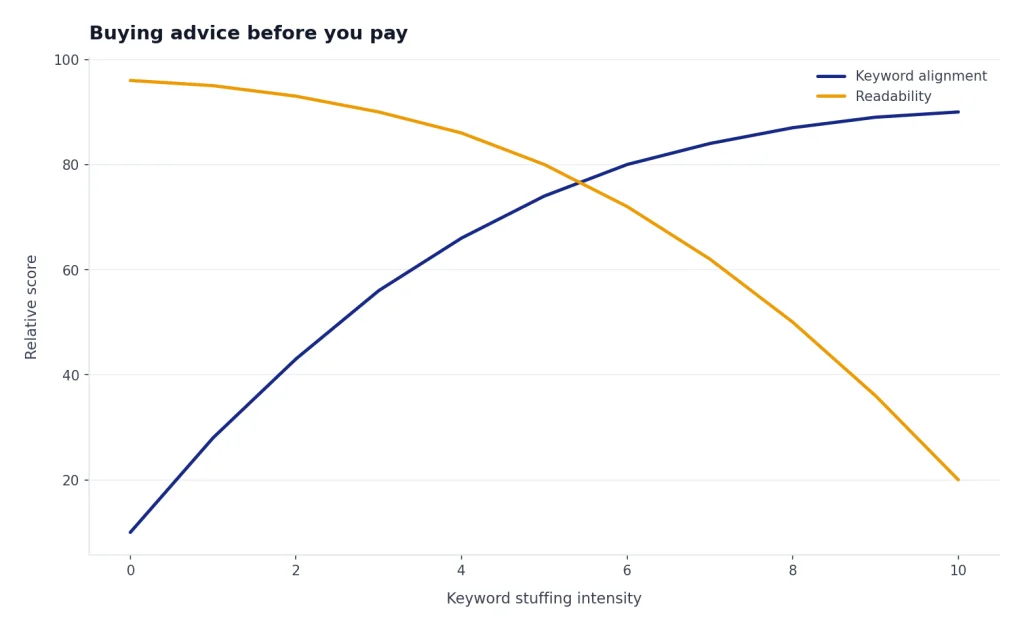
- Do not chase a perfect ATS score. A truthful, relevant, readable resume beats a keyword-stuffed document.
- Keep a plain version. Even if you use a visual template, maintain a clean single-column version for portals that parse poorly.
- Cancel trials immediately if you only need one download. Resume.io and Zety both disclose automatic renewal after their trial periods.[6][7]
- Review every AI rewrite. Remove invented metrics, tools, clients, certifications, or responsibilities.
For most readers, the decision is straightforward. Pick Teal if you want the best balanced tool. Pick Rezi if ATS scoring is the priority. Pick Kickresume if you want polished documents. Pick Huntr if you need a job-search command center. Pick Jobscan if you want conservative ATS-friendly structure. Use Resume.io or Zety for quick drafts, but read the billing terms first.
Frequently asked questions
What is the best AI resume builder tool overall?
Teal is the best overall pick for most job seekers because it combines resume building, keyword matching, AI writing, and job tracking. It is especially useful when you are applying to several roles and need tailored versions. Rezi is a better choice if your main priority is ATS-focused scoring.
Are AI resume builders worth paying for?
They are worth paying for during an active job search if they save time and help you tailor applications accurately. A monthly subscription is harder to justify if you only need one resume. Try the free tier first, export a draft, and pay only when the tool improves your actual workflow.
Can AI resume builders pass ATS systems?
No tool can guarantee that a resume will “pass” every ATS. The useful tools help with readable formatting, keyword alignment, and clear section structure. Avoid keyword stuffing and keep a plain, single-column version for applications where parsing accuracy matters.
Which AI resume builder is best for free downloads?
Jobscan is strong for free ATS-friendly resume downloads because its builder page says users can create and download unlimited ATS-compatible resumes for free.[5] Huntr also offers free PDF export with its free plan, along with limited tailored resumes.[4] Resume.io and Zety allow free TXT downloads, but premium formats require paid access.[6][7]
Should I use Canva for a resume?
Canva can work for a visual resume, but it is not the safest default for ATS-heavy applications. If you use Canva, choose a simple layout with selectable text, standard headings, and minimal graphics. Keep a plain Word or PDF version for online portals.
Is it safe to let AI write my resume?
It is safe only if you treat the AI output as a draft. Check every claim, remove anything invented, and make the language sound like you. The strongest resumes use AI for clarity, not for exaggeration.