

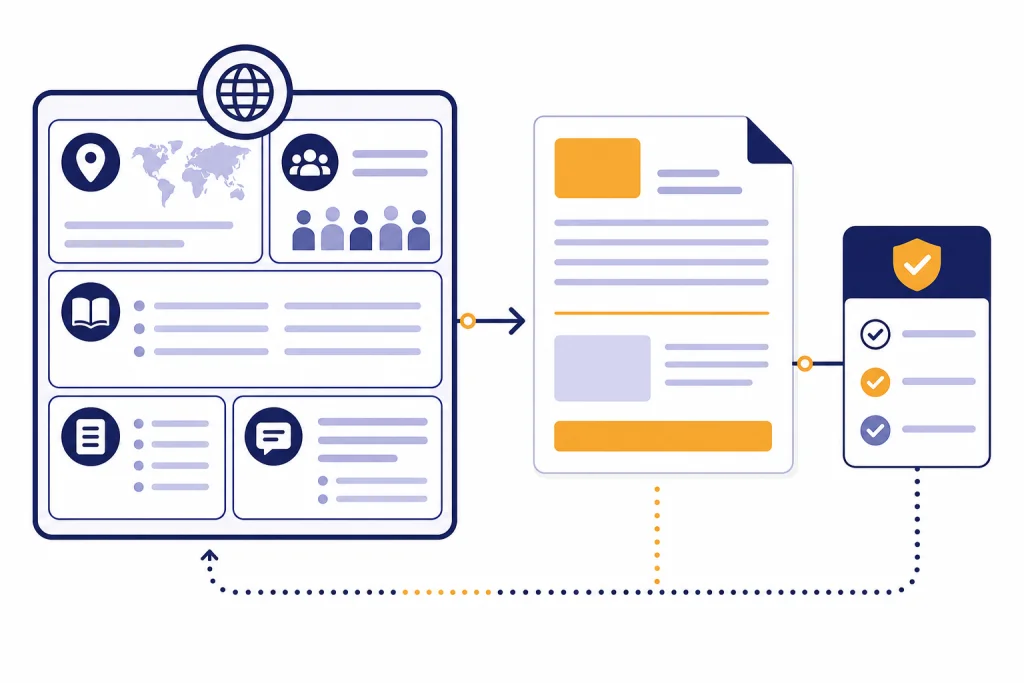
The best ChatGPT translation prompts do more than say “translate this.” They define the target language, locale, audience, tone, terminology rules, formatting constraints, and review process. That structure matters because ChatGPT can handle multilingual tasks, but translation quality still depends on context and verification. OpenAI has documented multilingual evaluation work for GPT-4 and multilingual capability gains for GPT-4o, but it has not published an official guarantee that ChatGPT output is suitable for every legal, medical, certified, or brand-critical translation.[1][2] Use the prompts below to get cleaner first drafts, stronger localization, and a repeatable review workflow.
What makes a strong ChatGPT translation prompt
A strong translation prompt gives ChatGPT the same context you would give a professional translator. The model needs to know who will read the translation, where they live, what the text must accomplish, and which words should stay fixed. A literal translation may be fine for an internal note. A landing page, contract summary, help-center article, recipe, or sales email needs more direction.
The most common mistake is asking for a translation without naming the locale. “Spanish” is not enough if the audience is in Mexico, Spain, Colombia, or a mixed U.S. Hispanic audience. “Portuguese” is not enough if the reader expects Brazilian Portuguese rather than European Portuguese. Locale affects vocabulary, formality, idioms, punctuation, and sometimes the entire sentence structure.
The second mistake is skipping a terminology rule. If a product name, feature name, legal term, brand phrase, ingredient, or technical command must remain unchanged, say that before the translation. ChatGPT may otherwise localize or paraphrase it. That can be helpful for natural language, but risky for product UI, medical instructions, software commands, and legal references.
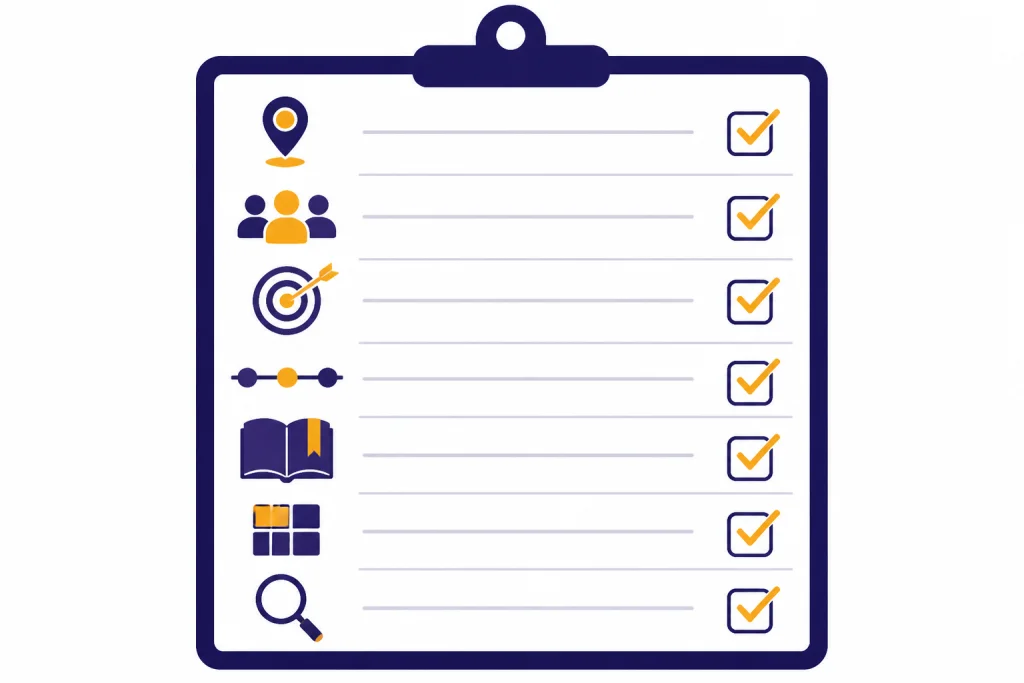
Use this table as your checklist before you paste any source text.
| Prompt element | What to include | Why it improves output |
|---|---|---|
| Language and locale | Target language, country or region, and script if relevant | Reduces awkward regional wording and false assumptions |
| Audience | Age group, role, reading level, and familiarity with the topic | Controls vocabulary, sentence length, and explanations |
| Purpose | Inform, sell, teach, support, warn, entertain, or comply | Helps the translation preserve intent, not just wording |
| Tone | Formal, neutral, warm, concise, technical, playful, or urgent | Prevents tone drift across languages |
| Terminology | Words to preserve, approved translations, and forbidden terms | Keeps brand, product, and technical language consistent |
| Formatting | Markdown, table, line breaks, placeholders, tags, or character limits | Protects structure for websites, apps, subtitles, and documents |
| Review request | Ask for notes on uncertain phrases, cultural risks, and alternatives | Makes the output easier to check before publication |
For broader prompt-building habits, pair this article with our chatgpt prompt generator. If your translation work overlaps with spreadsheets, product catalogs, or CSV files, our ChatGPT Excel prompts may also help you prepare clean source text before translating it.
The reusable master translation prompt
Start with a master prompt when accuracy matters. It creates a repeatable pattern. You can then modify only the variables: source language, target locale, audience, tone, glossary, and output format.
You are a professional translation assistant.

Translate the text below from <SOURCE_LANGUAGE> into <TARGET_LANGUAGE_AND_LOCALE>.

Audience: <AUDIENCE>
Purpose: <PURPOSE>
Tone: <TONE>
Reading level: <READING_LEVEL>

Rules:
- Preserve all names, product names, URLs, code, placeholders, variables, and bracketed text exactly as written.
- Use natural phrasing for the target locale, not word-for-word translation.
- Keep the original formatting, line breaks, bullets, and headings unless I ask otherwise.
- Use the glossary below when applicable.
- If a phrase is ambiguous, choose the most likely meaning and add a short note after the translation.
- Do not add new claims or remove meaning from the source.

Glossary:
<TERM> = <APPROVED_TRANSLATION_OR_KEEP_AS_IS>

Output format:
1. Translation
2. Notes on ambiguous wording or cultural issues
3. Optional alternate phrasing for any sentence that may sound unnatural

Source text:
<PASTE_TEXT>
This prompt works because it separates translation from review. The translation stays clean, while the notes reveal where ChatGPT had to make a judgment call. That makes the output easier to inspect, especially when you do not speak the target language fluently.
When the source text is long, break the job into sections. Ask ChatGPT to translate one section at a time while keeping the glossary and style guide constant. If you are working with uploaded documents, OpenAI says ChatGPT file uploads can support tasks such as comparing documents and analyzing sentiment or tone in a document.[3] That is useful for preparing source material, but you should still ask for segment-by-segment review if the translation will be published.
For sensitive material, check your privacy settings before pasting text. OpenAI’s Data Controls let users choose whether conversations help improve models, and Temporary Chat is described as a blank-slate mode that does not use chats to improve models.[4] Do not paste confidential client, legal, medical, HR, or customer data unless your organization has approved that workflow.
Prompt library by translation job
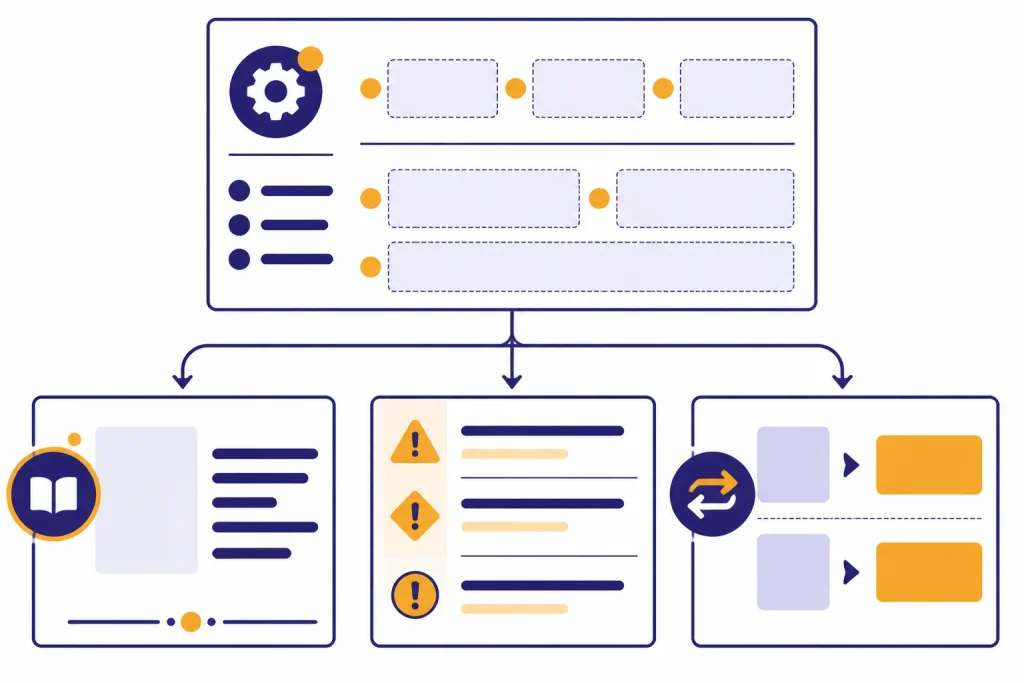
Different translation jobs need different instructions. A product page needs persuasive localization. A support article needs clarity. A legal summary needs caution and scope control. Use the following prompts as starting points, then add your own glossary and house style.
Natural translation prompt
Translate the following text into <TARGET_LANGUAGE_AND_LOCALE> for native readers.
Keep the meaning complete, but make the wording natural and idiomatic.
Avoid literal phrasing if it would sound awkward.
Keep paragraph breaks and formatting.
After the translation, list any phrase where you changed the wording significantly to preserve meaning.

Text:
<PASTE_TEXT>
Formal business translation prompt
Translate this business text into <TARGET_LANGUAGE_AND_LOCALE>.
Use a polished, professional tone suitable for clients, partners, and executives.
Do not make the message sound overly casual or promotional.
Preserve dates, names, job titles, numbers, legal entity names, and formatting.
If a business phrase has more than one possible translation, choose the safest standard usage and explain it briefly after the translation.

Text:
<PASTE_TEXT>
Marketing localization prompt
Localize this marketing copy for <TARGET_LANGUAGE_AND_LOCALE>.
Goal: make it sound natural, persuasive, and culturally appropriate for <AUDIENCE>.
Keep the same offer and meaning, but adapt idioms, rhythm, and calls to action when needed.
Do not invent discounts, features, guarantees, or claims.
Preserve brand names and product names exactly.
Return:
- Localized version
- Literal back-translation into English
- Notes on cultural changes you made

Copy:
<PASTE_TEXT>
Website and SEO translation prompt
Translate and localize this website copy into <TARGET_LANGUAGE_AND_LOCALE>.
Audience: <AUDIENCE>.
Keep HTML tags, markdown, links, slugs, and placeholders unchanged.
Preserve the meaning of headings and calls to action.
Use natural search-friendly language, but do not keyword-stuff.
If a keyword has no natural equivalent, suggest a better localized phrase.

Source:
<PASTE_TEXT>
Customer support translation prompt
Translate this customer support message into <TARGET_LANGUAGE_AND_LOCALE>.
Tone: clear, calm, respectful, and helpful.
Use plain language.
Keep instructions in the same order.
Preserve product names, settings names, button labels, error messages, and placeholders exactly unless the glossary says otherwise.
After the translation, flag any instruction that may be unclear for the target audience.

Message:
<PASTE_TEXT>
Subtitle or transcript translation prompt
Translate this transcript into <TARGET_LANGUAGE_AND_LOCALE> for subtitles.
Keep each line concise and easy to read.
Preserve speaker labels and timestamps.
Do not merge lines unless needed for natural reading.
If a joke, idiom, or cultural reference does not translate directly, adapt it and explain the choice after the transcript.

Transcript:
<PASTE_TEXT>
Creators can combine this subtitle prompt with our guide to ChatGPT for YouTubers. Support teams should also see our customer service prompt templates, since many translation tasks begin as customer replies. Marketers can pair the localization prompt with ChatGPT social media prompts or ChatGPT SEO prompts when they need multilingual campaigns.
How to control tone, terminology, and locale
Translation quality often fails in the small choices. The sentence may be grammatically correct but too stiff, too informal, too regional, or inconsistent with your product language. Fix that by adding constraints before the source text.
Use tone instructions that describe the relationship between writer and reader. “Formal” is useful, but “formal, respectful, and appropriate for a government notice” is better. “Friendly” is useful, but “warm customer support tone without slang” is better. The more concrete the tone, the less ChatGPT has to guess.
Use a glossary for any term that matters. A glossary can be small. It may include a product name that stays in English, a feature label that has an approved translation, or a phrase that your company never wants translated. Put the glossary before the source text so ChatGPT sees it as an instruction rather than an afterthought.
Use this glossary exactly:
- Account workspace = <APPROVED_TRANSLATION>
- Checkout = <APPROVED_TRANSLATION>
- Smart Sync = keep in English
- Enterprise plan = <APPROVED_TRANSLATION>
- Do not translate text inside {{double_braces}}

Now translate the source text into <TARGET_LANGUAGE_AND_LOCALE>.
If a sentence conflicts with the glossary, follow the glossary and note the conflict after the translation.
Use locale instructions when the text must feel native. Ask for “French for readers in Canada,” “Spanish for a neutral Latin American business audience,” or “English for readers in the United States.” This is especially important for food, fitness, education, real estate, HR, and legal topics, where units, customs, job titles, and compliance language can vary. For specialized workflows, see our guides to ChatGPT for cooking, ChatGPT for fitness, real estate prompts for agents, and HR prompts for hiring and onboarding.
When tone and locale both matter, ask for a short rationale after the translation. Do not ask for a long essay. Ask ChatGPT to list only material changes, glossary issues, and phrases that may need native review. This keeps the review useful.
| Need | Prompt phrase to add | What to check afterward |
|---|---|---|
| Native-sounding copy | “Use idiomatic phrasing for the target locale.” | Whether idioms still match the brand voice |
| Conservative accuracy | “Stay close to the source and do not embellish.” | Whether the result sounds too literal |
| Product consistency | “Follow the glossary exactly.” | Whether every product term matches the glossary |
| Plain-language support | “Use short, direct sentences and avoid slang.” | Whether instructions remain complete |
| Marketing localization | “Adapt idioms and calls to action, but do not invent claims.” | Whether the localized copy changes the offer |
Quality review workflow for ChatGPT translations
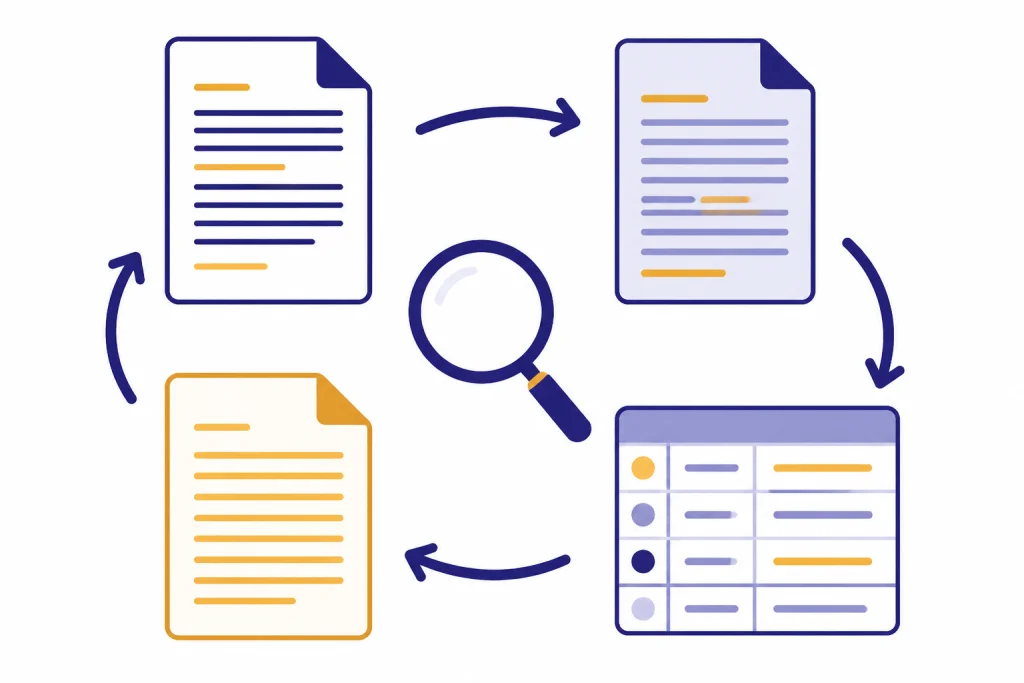
A good translation workflow has more than one pass. First, ask for the translation. Then ask for a targeted review. Finally, ask for a clean final version after you approve changes. This prevents ChatGPT from mixing draft notes into the final copy.
Use this review prompt after the first draft:
Review the translation below against the source text.
Check for:
- Missing meaning
- Added meaning
- Wrong tone
- Awkward phrasing in <TARGET_LOCALE>
- Terminology conflicts with the glossary
- Formatting changes
- Cultural references that may not work

Return a table with three columns:
Issue, why it matters, suggested fix.
Do not rewrite the full translation yet.

Source:
<SOURCE_TEXT>

Translation:
<TRANSLATION>

Glossary:
<GLOSSARY>
After you review the table, ask for the final version:
Apply the approved fixes below and return only the final translation.
Do not include notes, explanations, headings, or markdown unless they exist in the source.
Keep the original formatting.

Approved fixes:
<PASTE_APPROVED_FIXES>

Current translation:
<PASTE_TRANSLATION>
If you do not read the target language, add a back-translation step. Ask ChatGPT to translate the result back into your language in plain, literal wording. Back-translation will not prove accuracy, but it can reveal missing claims, changed tone, or a phrase that drifted from the source.
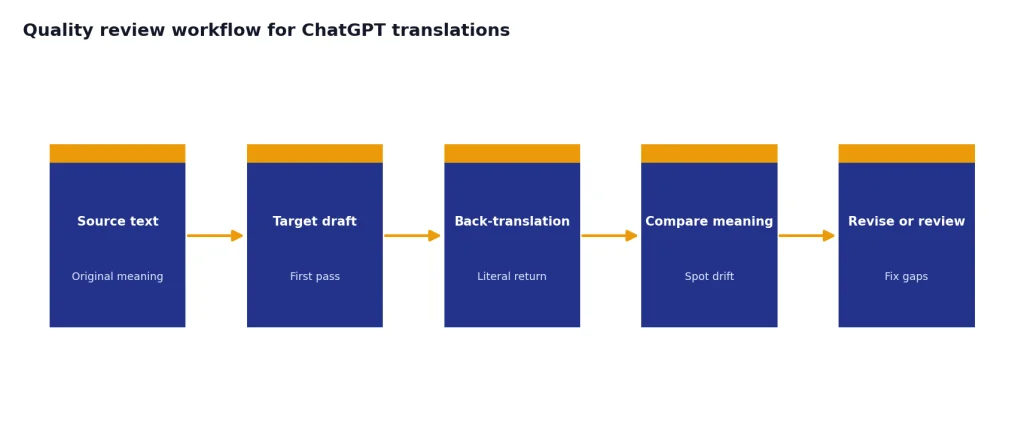
For higher-risk work, use human post-editing. ISO 18587:2017 provides requirements for full human post-editing of machine translation output and post-editor competence.[5] ISO 17100:2015 covers requirements for translation services and quality processes for professional translation service providers.[6] Those standards are a reminder that publishable translation is a process, not only a first draft.
When not to rely on ChatGPT alone
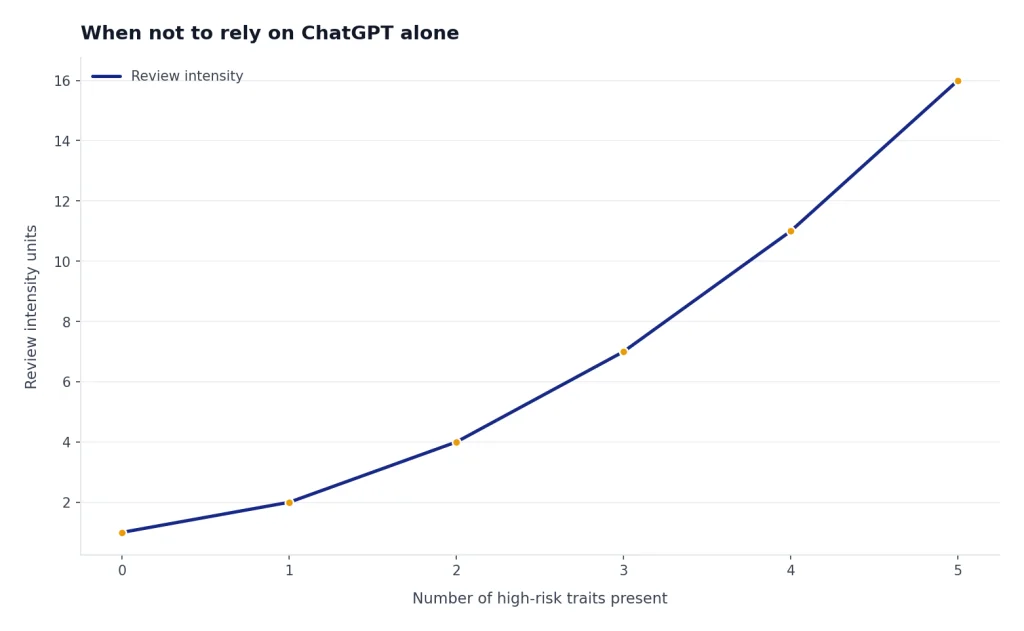
ChatGPT can be useful for drafting, comparison, localization ideas, and review prompts. It should not be the only checkpoint for every translation. Use a qualified human translator, reviewer, attorney, clinician, or subject-matter expert when the cost of an error is high.
Do not rely on ChatGPT alone for certified translations, court filings, immigration documents, medical instructions, pharmaceutical labeling, safety warnings, contracts, employment policies, financial disclosures, or regulated advertising. If a translation must be accepted by an agency, court, school, employer, or regulator, check the required format before using AI. Some documents need a certified translator, sworn translator, notarized statement, or bilingual reviewer.
Confidentiality is a separate issue. The American Translators Association has warned that free machine translation tools can be unsuitable for confidential or professional communication when transmitted data is captured for training, unless specialized privacy protections apply.[7] OpenAI provides user data controls for ChatGPT, but your organization may still have stricter rules for client files, legal documents, medical records, student data, employee records, or unreleased business information.[4]
Use ChatGPT as a drafting assistant when speed and iteration matter. Use professional review when accountability matters. That split gives you the main benefit of AI translation prompts without pretending they replace the human judgment required for sensitive work. If your task touches legal language, start with our ChatGPT legal prompts and add a human legal review step before relying on the result.
A practical rule: the more public, permanent, regulated, emotional, or expensive the text is, the more review it needs. A restaurant menu draft, internal announcement, or rough travel note may only need a careful scan. A safety manual, contract clause, or patient instruction needs expert review.
Frequently asked questions
Can ChatGPT translate accurately?
ChatGPT can produce useful translations, especially when you provide language, locale, audience, tone, glossary, and formatting rules. OpenAI has documented multilingual evaluation work for its models, including GPT-4 and GPT-4o.[1][2] Accuracy still depends on the language pair, subject matter, ambiguity, and review process.
What is the best ChatGPT prompt for translation?
The best prompt is a structured brief, not a single sentence. Tell ChatGPT the source language, target language and locale, audience, purpose, tone, glossary, formatting rules, and desired review notes. Use the master prompt in this article when the translation will be shared outside a casual chat.
Should I ask for literal translation or localization?
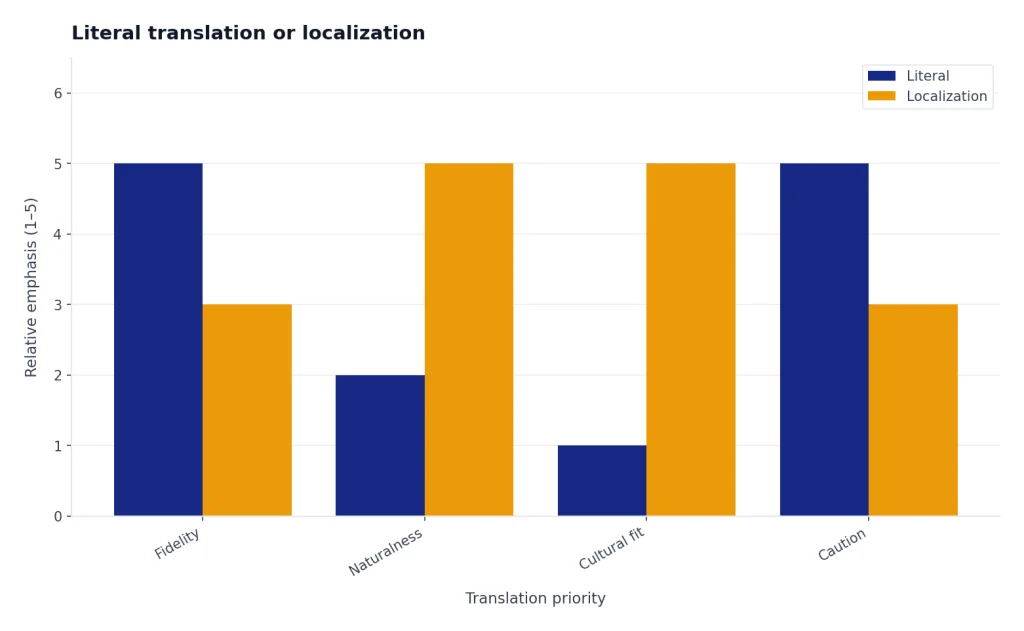
Ask for literal translation when you need a close reading of the source or when legal, technical, or academic meaning must stay tightly aligned. Ask for localization when the text needs to persuade, instruct, or feel natural to native readers in a specific region. For marketing, product, and support copy, localization is usually more useful than word-for-word translation.
How do I keep ChatGPT from translating product names?
Add a glossary before the source text. Tell ChatGPT which product names, feature names, placeholders, URLs, variables, and code snippets must remain unchanged. Then ask it to flag any conflict between the glossary and the source text.
Can I use ChatGPT for certified translation?
Do not assume so. Certified, sworn, notarized, immigration, court, academic, and regulatory translations often have formal requirements that AI output alone will not satisfy. Check the receiving organization’s rules and use a qualified human translator when required.
How can I check a ChatGPT translation if I do not speak the language?
Ask for a back-translation, a glossary compliance check, and a table of possible issues. This can catch obvious meaning drift, missing sections, and tone problems. It cannot replace a native speaker or subject-matter expert for high-risk material.