

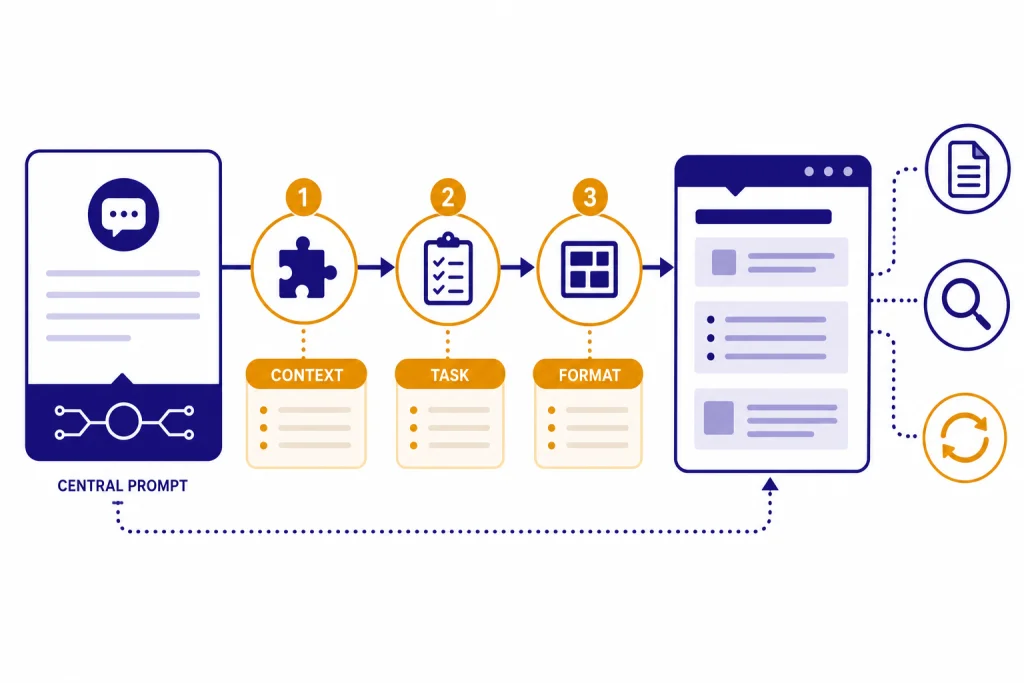
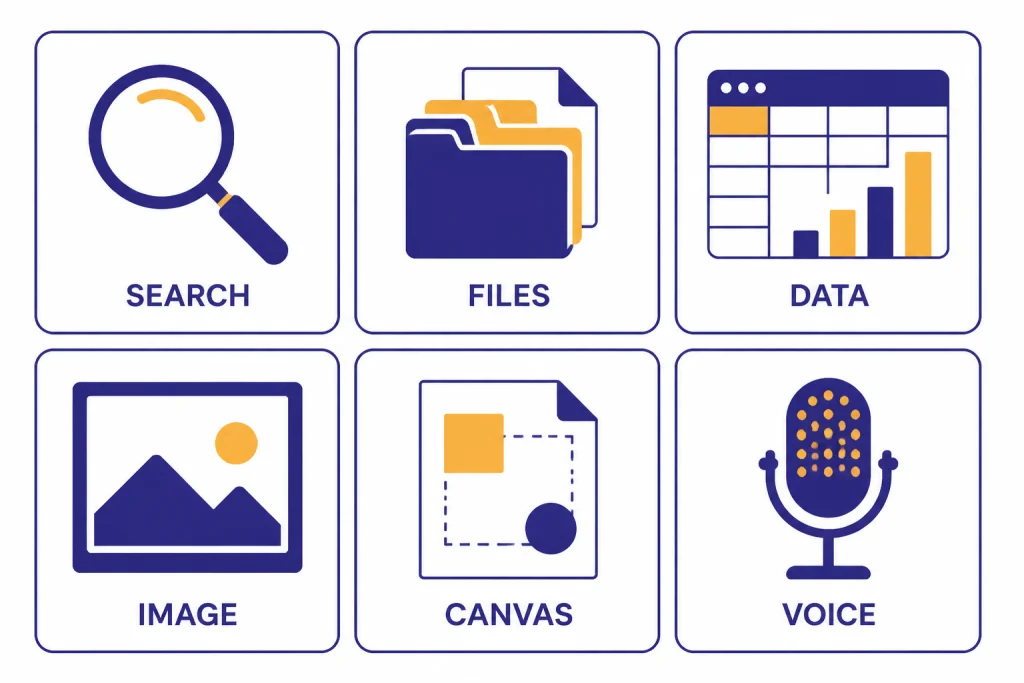
To use ChatGPT effectively, treat it less like a search box and more like a capable assistant that needs a clear assignment. Tell it the goal, audience, context, constraints, source material, and output format. Ask for a first draft, then revise with targeted follow-ups instead of starting over. Use ChatGPT’s tools when they fit the job: search for current facts, file uploads for documents, image inputs for visual material, data analysis for spreadsheets, canvas for long drafts, voice for conversation, and memory for preferences. The biggest improvement comes from one habit: make your request specific enough that a smart person could complete it without guessing.
Start with a specific task
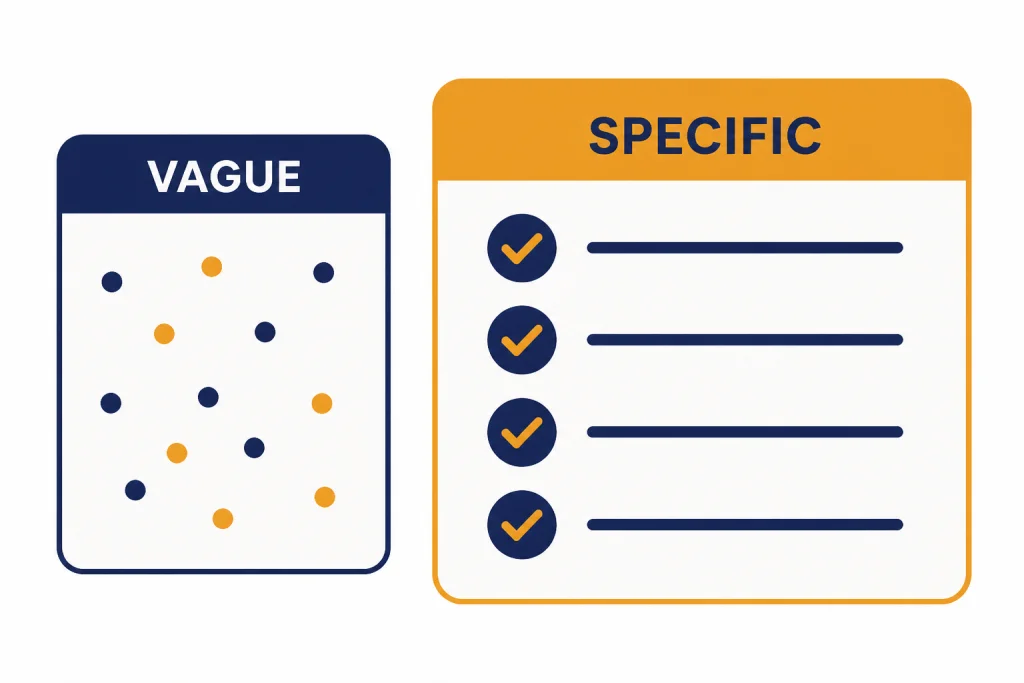
The most common mistake is asking ChatGPT a broad question and expecting a finished result. “Help me with my resume” is too open. “Rewrite this resume bullet for a senior customer success role, keep it under 25 words, and emphasize retention impact” gives ChatGPT a job it can complete.
OpenAI’s own guidance says clear, detailed prompts help ChatGPT understand your goals faster and produce more relevant, accurate responses.[1] You do not need to write a complicated prompt. You need to remove guesswork.
Before you type, answer three quick questions for yourself: What result do I want? What should ChatGPT use as input? What would make the answer useful or unusable? Those answers become your prompt.
Bad prompt: “Write a meal plan.” Better prompt: “Create a 5-day vegetarian dinner plan for two adults. Avoid mushrooms. Keep each meal under 40 minutes. Include a shopping list grouped by grocery aisle.” The better version gives constraints, audience, exclusions, and output structure.
If you are still learning the basics, start with our beginner explainer on what ChatGPT is. If you need setup first, use our guide to download the ChatGPT app before applying the workflows below.
Use the context-task-format prompt
A reliable prompt has three parts: context, task, and format. Context tells ChatGPT what situation it is working in. Task tells it what to do. Format tells it how to deliver the answer.
| Prompt part | What to include | Example line |
|---|---|---|
| Context | Audience, background, goal, constraints | “I run a small accounting firm and need a plain-English email for clients.” |
| Task | The action you want ChatGPT to perform | “Draft a reminder about estimated tax payments.” |
| Format | Length, structure, tone, examples, exclusions | “Use 3 short paragraphs, a friendly tone, and no legal jargon.” |
| Quality check | A final instruction that catches weak output | “Flag any assumptions before the draft.” |
Here is a reusable version:
Context: [Who I am, who this is for, what matters]
Task: [What I want you to do]
Constraints: [Length, tone, must-include items, must-avoid items]
Output format: [Bullets, table, checklist, email, outline, JSON, etc.]
Before answering: Ask up to three clarifying questions if anything important is missing.
The last line is useful when the task has missing details. It tells ChatGPT not to invent requirements. For a simple task, skip the clarifying-question line and ask for the output directly.
You can also ask ChatGPT to improve your prompt before doing the work. Try: “Rewrite my prompt so it is clearer, then ask me for any missing details before you answer.” This is useful for complex work such as travel planning, lesson design, product copy, data analysis, and long documents.
Give ChatGPT source material when accuracy matters
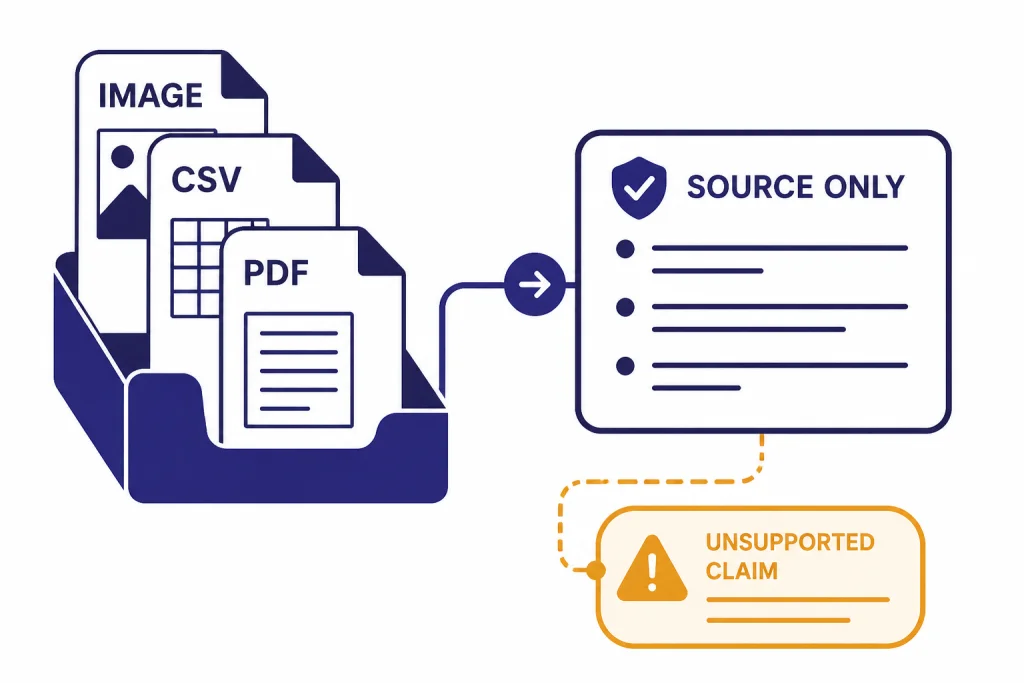
ChatGPT performs better when you give it the material it should use. Paste the policy, attach the spreadsheet, upload the image, or provide the notes. Then ask it to work from that material instead of relying on general knowledge.
OpenAI describes ChatGPT capabilities that include image inputs, file uploads, data analysis, voice mode, canvas, and memory, depending on the user’s plan and interface.[3] Those tools matter because they let you move from “guess from my description” to “analyze this actual thing.”
For documents, ask ChatGPT to quote or point to the relevant section before it summarizes. For spreadsheets, ask it to describe the columns and assumptions before it creates charts or conclusions. For images, ask it to separate visible facts from interpretation. If you work with screenshots, photos, receipts, diagrams, or whiteboards, see our guide on how to upload images to ChatGPT.
OpenAI’s file upload documentation lists a hard limit of 512MB per file, a 2M-token cap for text and document files, and a 20MB limit per image; OpenAI’s connected-apps upload documentation repeats the same restrictions for files added from cloud storage.[4][5] These limits can change, so treat them as product limits rather than writing limits. If a file is dense, messy, scanned, or full of tables, smaller chunks often produce cleaner answers.
A strong file prompt looks like this:
Use only the attached contract. First, list the sections that mention termination, renewal, fees, or data handling. Then summarize the practical obligations in a table. If a point is not stated in the document, write “not specified.”That prompt gives ChatGPT a source boundary. It also tells it how to handle missing information. This reduces confident but unsupported answers.
Iterate instead of reprompting from scratch
Good ChatGPT work usually takes more than one turn. The first answer is a draft, not the finish line. Your follow-up questions are where the quality improves.
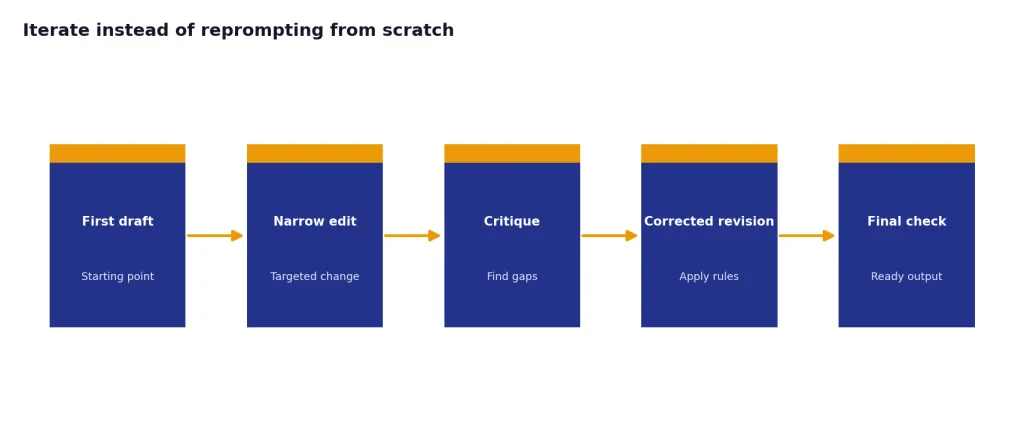
Use narrow edits. Instead of “try again,” say “keep the structure, but make the opening more direct,” or “remove the sales language and add one concrete example.” If the answer is too generic, ask: “What details would you need from me to make this specific?” If the answer is too long, ask it to preserve the main points while cutting the length by half.
Here are useful follow-ups:
- “List the assumptions you made.”
- “Give me three stronger versions with different tones.”
- “Turn this into a checklist I can act on.”
- “What is missing from this answer?”
- “Challenge your own recommendation and revise it.”
- “Ask me the next five questions you need answered.”
For long writing, keep the conversation focused. Do not ask for strategy, research, writing, editing, and formatting in one message. Work in stages: outline first, then section draft, then revision, then final formatting. If you want ChatGPT to sound natural, pair this workflow with our guides on making ChatGPT write like a human and making ChatGPT sound more human.
When the answer goes off track, do not argue with it. Restate the rule it missed and ask for a corrected version. Example: “You used claims that are not in the source text. Rewrite using only the pasted notes. If the notes do not support a claim, omit it.”
Choose the right ChatGPT tool for the job
Effective use is not only about wording. It is also about selecting the right mode for the task. A normal chat is fine for brainstorming, rewriting, planning, and explanation. Other jobs need tools.
| Job | Best ChatGPT approach | Prompt pattern |
|---|---|---|
| Current facts | Use search and inspect citations | “Search the web, cite sources, and separate confirmed facts from uncertainty.” |
| Long document review | Upload the file and set source boundaries | “Use only the attached PDF and summarize the obligations by party.” |
| Spreadsheet work | Use data analysis | “Inspect the columns, clean obvious errors, then show the top trends.” |
| Image or screenshot help | Upload an image | “Describe what is visible first, then explain likely causes.” |
| Long draft or code project | Use canvas | “Open this in canvas and help me revise section by section.” |
| Hands-free discussion | Use voice mode | “Interview me about this idea and summarize the decisions at the end.” |
ChatGPT search can be accessed from ChatGPT on the web and in desktop and mobile apps, and OpenAI says search responses include inline citations when search is used.[6] Use it for changing information such as laws, product details, medical guidance, sports, travel, prices, and recent news. Then click the sources. Do not accept a cited answer if the cited page does not support the claim.
Canvas is designed for writing and coding projects that need editing and revisions, and OpenAI lists canvas availability on web, Windows, and macOS.[8] Use it when you are building a document, revising a draft, or debugging code over several passes. If you work on desktop, our platform guides for ChatGPT on Mac and ChatGPT on Windows can help you choose the best setup.
Voice mode is useful when you think better out loud. OpenAI describes voice conversations as available to logged-in users in ChatGPT mobile apps and on desktop web.[9] Use voice to brainstorm, rehearse, study, or talk through a decision. For device-specific steps, see our guide to using ChatGPT voice mode.
Control style, tone, and length
ChatGPT often writes in a polished but generic style unless you give it a target. Do not only say “make it professional.” Define what professional means for your situation.
Use concrete style rules:
- “Use short sentences and active voice.”
- “Avoid hype, clichés, and exaggerated claims.”
- “Write for a nontechnical reader.”
- “Keep the answer under 300 words.”
- “Use a calm, direct tone.”
- “Include one example after each rule.”
Examples work better than adjectives. If you want a certain voice, paste a short sample and say: “Match the sentence length, directness, and level of detail in this sample. Do not copy the wording.” If you want to avoid a style, paste a bad sample and say what to avoid.
You can also create a small style card:
Style rules:
- Use plain American English.
- Prefer concrete nouns and verbs.
- No emojis, exclamation points, or marketing clichés.
- Use headings and bullets when they improve scanning.
- Define technical terms the first time they appear.
For recurring preferences, memory can reduce repetition. OpenAI says ChatGPT memory has two controls: Reference saved memories and Reference chat history.[7] Saved memories are useful for stable preferences, such as “I prefer concise answers” or “I write for beginner small-business owners.” Do not rely on memory for sensitive or temporary details. Put those details in the current chat instead.
Verify important answers
ChatGPT can be useful and still be wrong. OpenAI’s accuracy guidance says ChatGPT may produce incorrect or misleading outputs, including fabricated quotes, studies, citations, or references.[2] Treat ChatGPT as a drafting and reasoning assistant, not as the final authority for important facts.
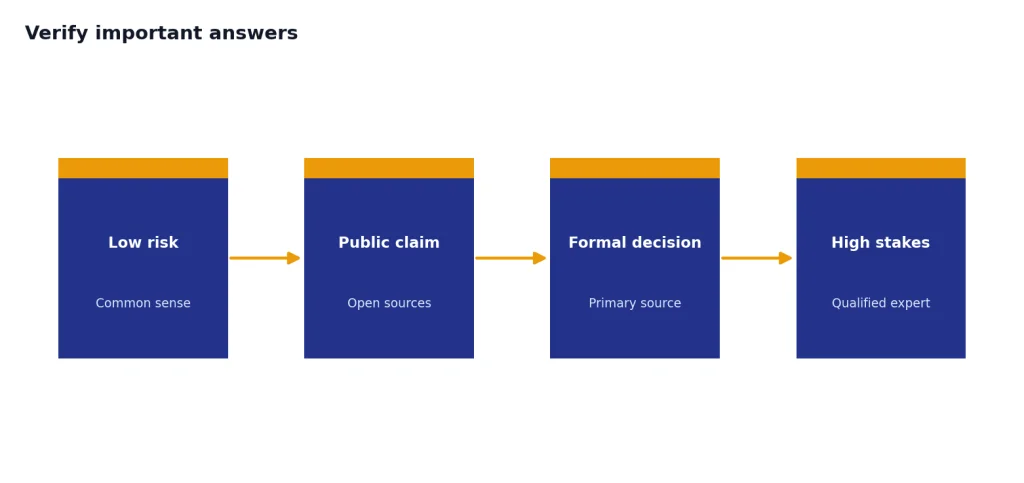
Verification depends on the risk. For a dinner idea, you may only need common sense. For a contract, medical question, tax issue, academic citation, or public claim, you need primary sources or a qualified professional.
Use this verification prompt:
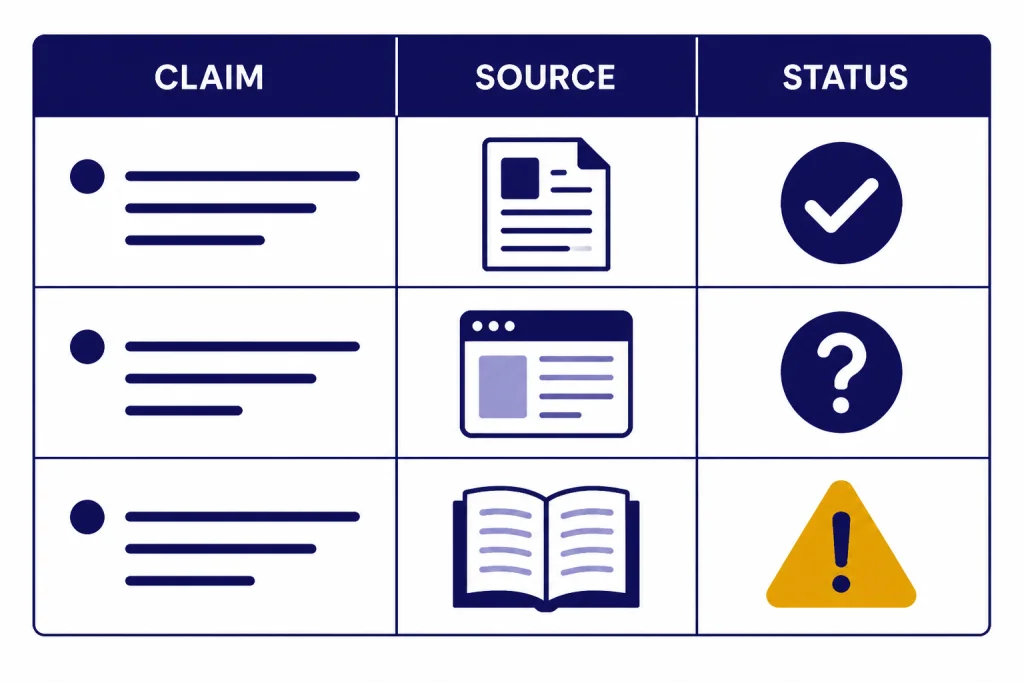
Review your answer for factual risk. Create a table with three columns: claim, confidence, how to verify. Mark any claim that needs a primary source. Do not invent citations.For research, ask ChatGPT to distinguish between source-backed facts, reasonable interpretation, and speculation. For quotes, require exact source links and then open the links yourself. For calculations, ask it to show the formula and inputs. For academic work, follow your institution’s rules; if you need formatting help, see our guides for citing ChatGPT in MLA, Harvard style, or Chicago style.
Build repeatable workflows
The best ChatGPT users do not invent a new method every time. They build repeatable workflows for common tasks. A workflow is a series of prompts that move from input to output with review steps in between.
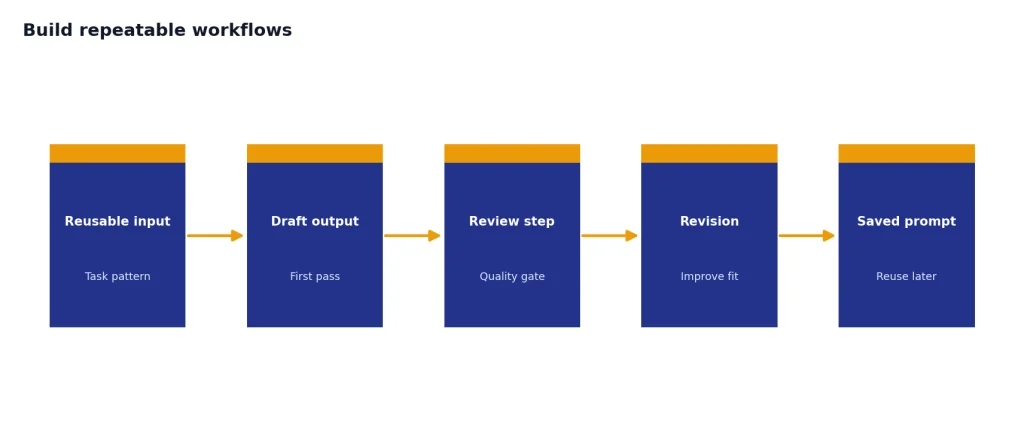
For example, a writing workflow might look like this:
- Ask ChatGPT to interview you about the topic.
- Ask for an outline based only on your answers.
- Revise the outline manually.
- Draft one section at a time.
- Ask for a critique against your audience and goal.
- Revise for style, accuracy, and length.
- Ask for a final checklist of weak spots.
A data workflow might start with column inspection, then cleaning rules, then summary tables, then charts, then a plain-English explanation. A study workflow might start with a concept explanation, then examples, then quiz questions, then correction of your answers.
Save your best prompts. If a conversation matters, save it before you lose the thread. Our guides explain how to save a ChatGPT conversation, share a ChatGPT conversation, and export your ChatGPT data.
Repeatable does not mean rigid. Keep the workflow, but adapt the context. The more clearly you describe the audience, source material, constraints, and success criteria, the more useful ChatGPT becomes.
Frequently asked questions
What is the best way to prompt ChatGPT?
The best way is to include context, task, constraints, and output format. Tell ChatGPT who the answer is for, what you want done, what rules it must follow, and how you want the result structured. If the task is complex, ask it to clarify missing details before answering.
How do I get less generic answers from ChatGPT?
Add specific details. Generic prompts create generic answers because ChatGPT has to fill in too many blanks. Include your audience, goal, examples, source material, constraints, and what a good answer should avoid.
Should I use one long prompt or several shorter prompts?
Use several shorter prompts for complex work. Start with planning or analysis, then move to drafting, then revision. A long prompt can work when it is well structured, but multi-step work is usually easier to control across several turns.
Can ChatGPT replace Google search?
Not completely. ChatGPT search is useful for getting synthesized answers with sources, but you should still open and inspect sources when accuracy matters. For current facts, prices, laws, medical topics, and public claims, verification is part of using ChatGPT effectively.
How do I use ChatGPT effectively for work?
Use it for drafting, summarizing, brainstorming, checklists, analysis, and first-pass review. Give it the actual source material when possible. Do not paste confidential company information unless your organization allows it and you understand your workspace’s data settings.
Why does ChatGPT sometimes ignore my instructions?
Instructions can conflict, be too vague, or be buried in a long prompt. Put the most important rules near the end or in a clearly labeled section. If it misses a rule, restate that rule and ask for a corrected version rather than starting a new chat.