

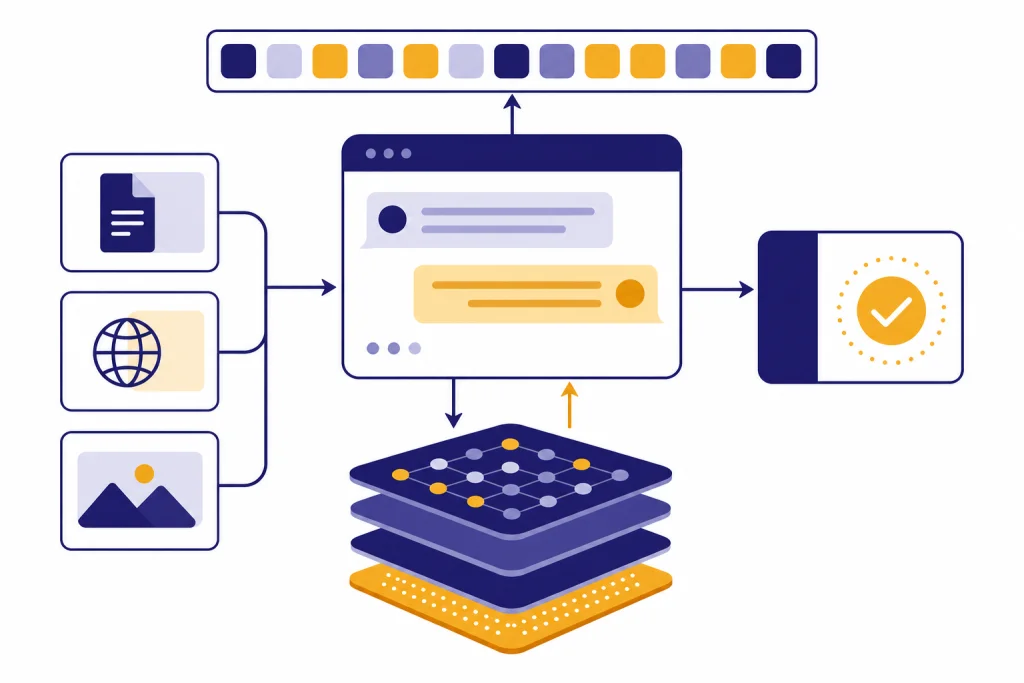
ChatGPT is an AI assistant from OpenAI that lets you talk to an AI model in normal language. You type a request, attach a file or image when available, and the system returns a draft, explanation, plan, calculation, summary, code suggestion, or other response. OpenAI describes ChatGPT as useful for brainstorming, writing, studying, planning, math, coding, analyzing images and files, and more.[1] It is not a person, a search engine by default, or a guaranteed source of truth. The simplest way to use it is to ask a clear question, add context, and check important answers before acting.
What ChatGPT means in plain English
ChatGPT is a chat-based way to use OpenAI’s AI models. You do not need to write code or choose a database. You type a message, and ChatGPT responds in the same conversation. That conversational format is the main idea.
OpenAI released ChatGPT to the public on November 30, 2022, and described it as a model designed to interact in a conversational way. HISTORY also records November 30, 2022, as the public release date.[2][3] Since then, ChatGPT has become a general-purpose AI assistant rather than a single-purpose chatbot.
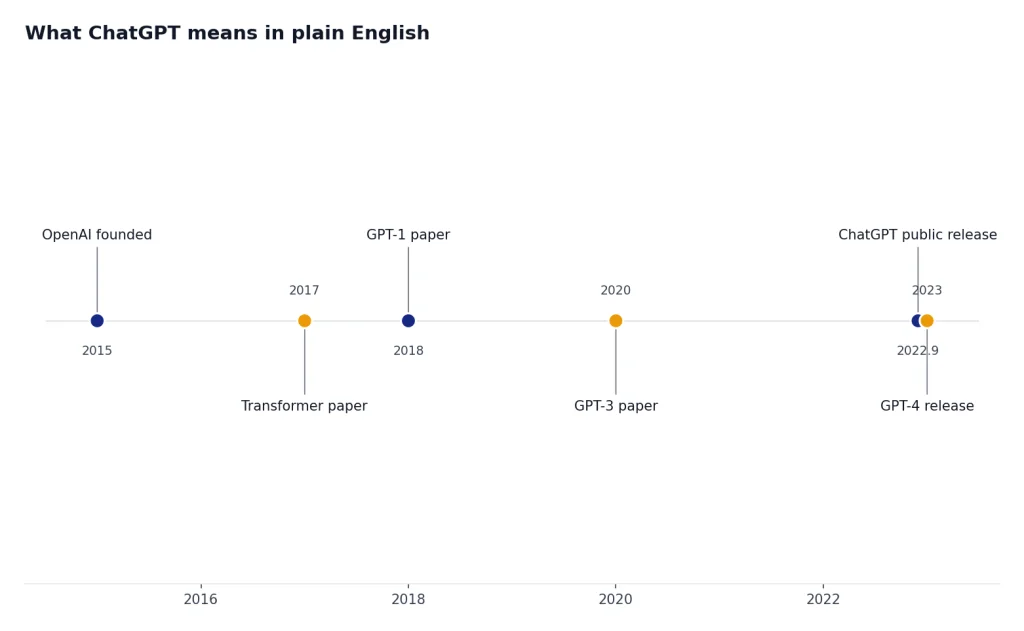
The word ChatGPT combines the chat interface with GPT-style models. GPT means Generative Pre-trained Transformer.[7] If you want the acronym broken down word by word, start with what ChatGPT stands for and what GPT means.
The most important beginner distinction is this: ChatGPT is the product you use, while GPT refers to a model family and technical approach. OpenAI can change the model behind the product, add tools, or adjust limits. The chat box stays familiar even when the system behind it evolves.
How ChatGPT works at a beginner level
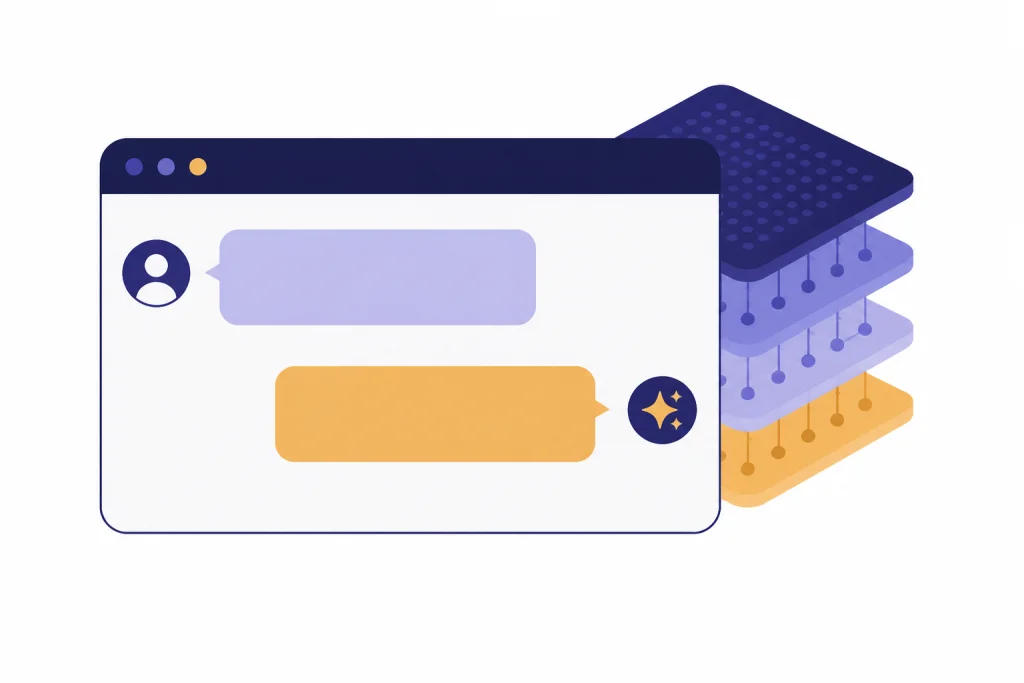
ChatGPT has three useful layers to understand. The first layer is the chat interface. The second layer is the model that processes your request. The third layer is a set of optional tools, such as search, file analysis, image understanding, voice, or data analysis, depending on your plan and settings.[4]
The model does not look up one saved answer like a traditional FAQ page. It processes your prompt, the recent conversation, and any tool-provided context, then generates a response. OpenAI says the foundation models that power ChatGPT are developed from several sources, including public information on the internet, information from third-party partnerships, and information provided or generated by users, human trainers, and researchers.[5]
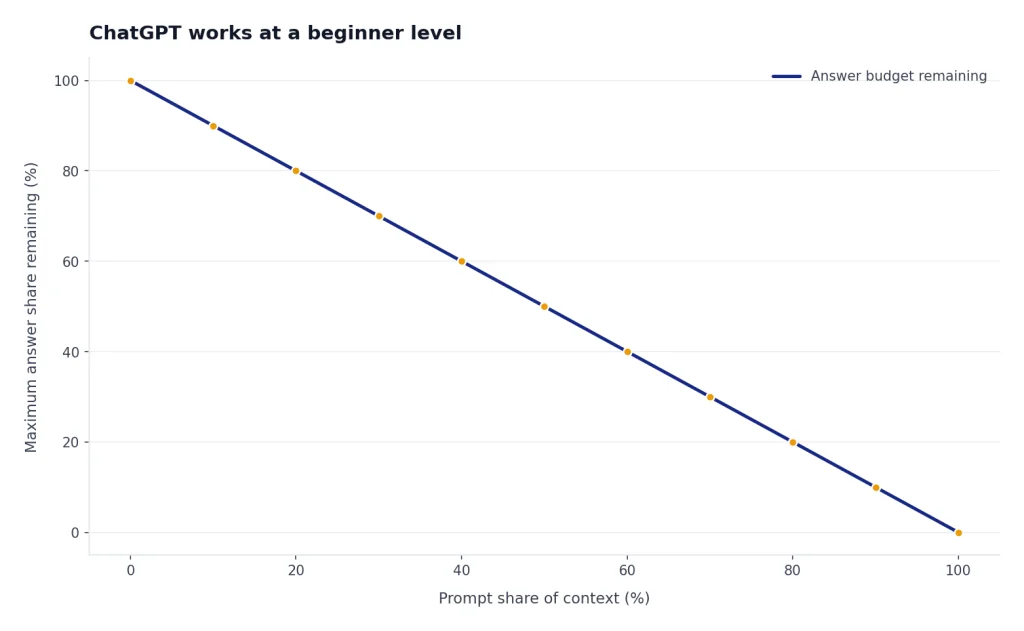
Before a model can work with text, it breaks text into tokens. Tokens are chunks of text, and the prompt plus the generated answer must fit within the model’s maximum context length.[6] For a fuller plain-English explanation, see our guide to tokens in ChatGPT and the beginner guide to a context window.
The word Transformer matters because it points to the architecture behind GPT-style language models. The original Transformer paper described a neural network architecture based on attention mechanisms rather than older recurrent or convolutional sequence models.[8] In beginner terms, attention helps the model weigh relationships among parts of the input.
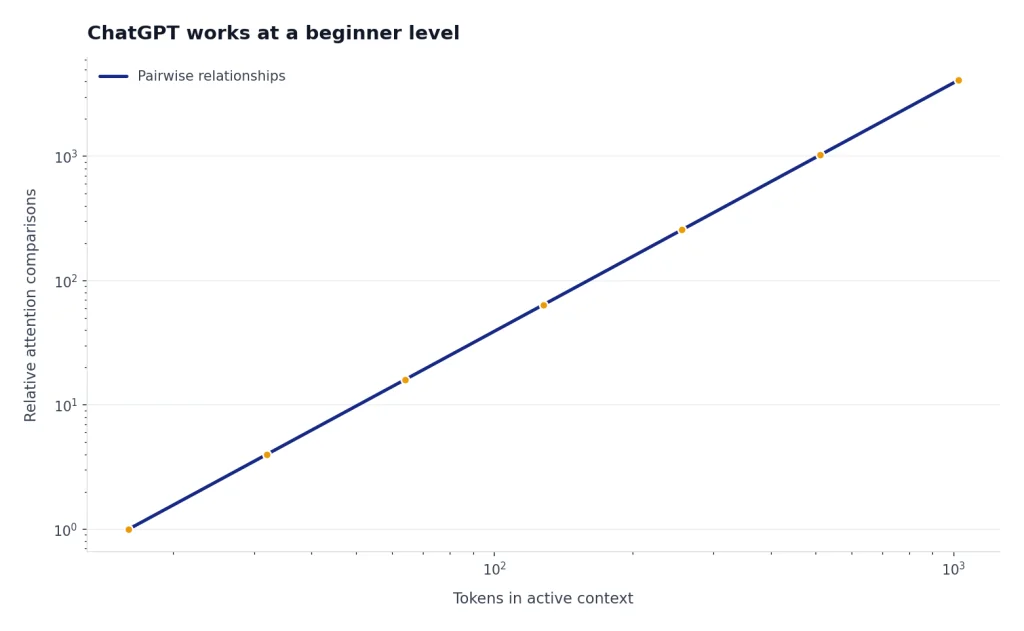
The original ChatGPT release also used fine-tuning and human-feedback methods to make the model better at dialogue, following instructions, and rejecting some unsafe requests.[2] Those ideas are why terms like RLHF, fine-tuning in AI, and large language model show up so often in ChatGPT explanations.
A simple request flow
- You type a prompt, such as a question, instruction, file request, or draft.
- ChatGPT converts the active text into tokens the model can process.[6]
- The model considers the available context, including earlier turns that still fit within the context window.
- If a tool is needed and available, ChatGPT may search the web, analyze a file, interpret an image, run code, or use another built-in capability.[4]
- The model generates an answer back to you, and you can refine it with follow-up questions.

What ChatGPT can do
ChatGPT is strongest when you treat it as a flexible assistant for language, reasoning, and structured work. OpenAI lists core uses such as answering questions, explaining concepts, drafting, rewriting, summarizing, creative suggestions, logical problem solving, and translation.[4] The beginner mistake is to ask only one broad question and accept the first answer. Better results come from giving context and asking for revisions.
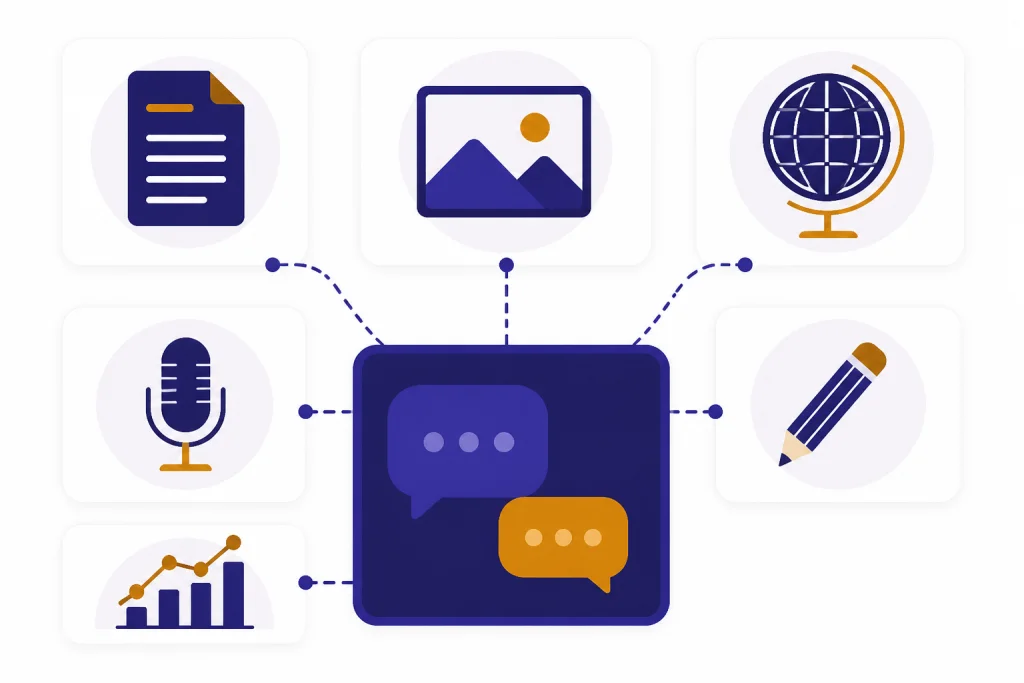
OpenAI says ChatGPT is available on the web and through iOS and Android mobile apps.[1] In supported experiences, ChatGPT can also search the web and cite sources when it needs current information.[1] For modern ChatGPT, text is only one input type. Files, images, voice, and generated images are part of the broader shift toward multimodal AI with vision, voice, and text.
- Writing: Ask for outlines, rewrites, summaries, tone changes, email drafts, and editing notes.
- Learning: Ask for step-by-step explanations, practice questions, analogies, and feedback on your answer.
- Coding: Ask for code examples, debugging help, comments, tests, and explanations of unfamiliar errors.
- Research support: Ask for search-backed summaries when current information matters.
- Document work: Upload supported files when available and ask for summaries, comparisons, or extracted points.[4]
- Data work: Use data analysis features when available to inspect spreadsheets, summarize trends, and create charts.[4]
- Images and voice: Use image input, image generation, and voice mode when those features are available in your plan or workspace.[4]
ChatGPT is usually most valuable as a first-draft partner, explainer, critic, or organizer. It can help you move from a blank page to a workable version. It still needs human judgment for facts, priorities, taste, and final decisions.
What ChatGPT cannot do reliably
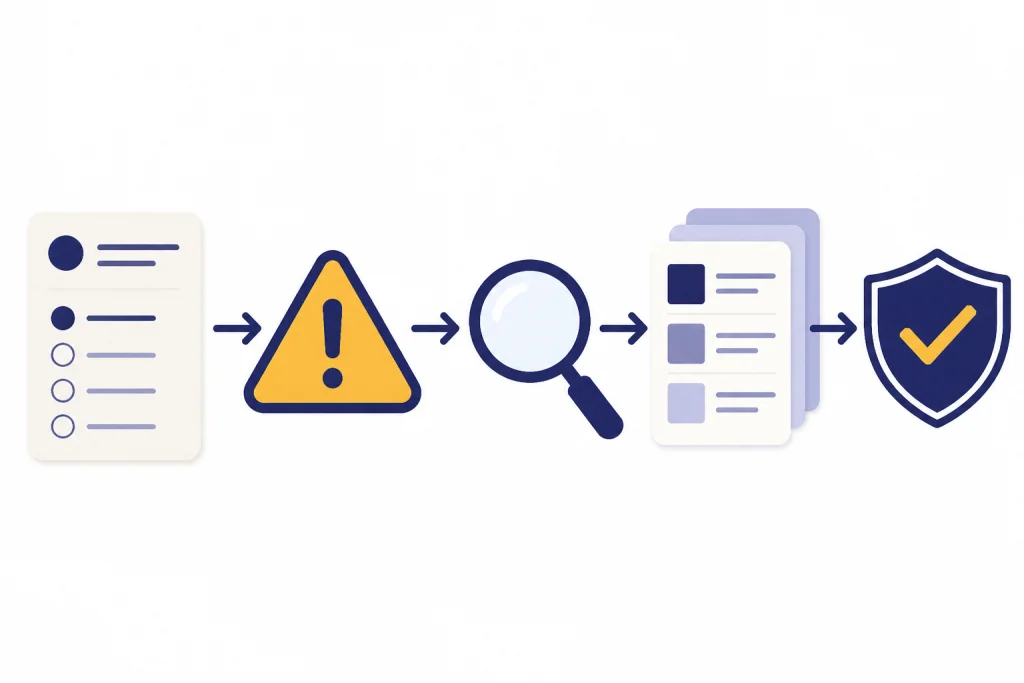
ChatGPT can be useful and still be wrong. OpenAI says ChatGPT can produce incorrect or misleading outputs and may sound confident even when it is wrong. OpenAI also identifies this as hallucination when a model produces responses that are not factually accurate.[9]
ChatGPT also does not automatically know every current fact. OpenAI explains that models have knowledge cutoffs and do not incorporate events beyond that point unless tools are used.[9] If the answer depends on today’s law, price, schedule, medical guidance, software version, or news event, ask ChatGPT to search and show sources, or verify the answer yourself.
- It can invent details. Names, citations, dates, quotes, code behavior, and legal references can look real while being wrong.
- It can miss context. If your instructions are vague, it may fill gaps with assumptions.
- It can lose track in long chats. Older details may fall outside the active context window or be summarized imperfectly.
- It can be overconfident. A polished answer is not the same as a verified answer.
- It should not be your only authority. Use qualified professionals and primary sources for medical, legal, financial, safety, and compliance decisions.
The safe mental model is simple. Use ChatGPT to generate, explain, compare, and organize. Use verification for decisions that carry cost, risk, or public consequences.
ChatGPT terms beginners should know
You do not need to master AI vocabulary to use ChatGPT. A few terms make the product much easier to understand.
| Term | Plain-English meaning | Why it matters |
|---|---|---|
| ChatGPT | The AI assistant product you use in a conversation. | It is the interface, not one fixed model.[1] |
| OpenAI | The organization that released ChatGPT. | It builds the product, models, tools, and policies behind the assistant.[2][3] |
| GPT | Short for Generative Pre-trained Transformer. | It is the model concept behind many OpenAI language models.[7] |
| Large language model | An AI model trained to process and generate language patterns. | It explains why ChatGPT is good at text, explanations, summaries, and code-like patterns.[5] |
| Transformer | A neural network architecture based on attention mechanisms. | It is the technical idea represented by the T in GPT.[8] |
| Token | A chunk of text the model processes. | Tokens affect how much prompt, file text, and answer can fit in one request.[6] |
| Context window | The model’s maximum combined space for input and output. | It explains why very long chats and documents may need trimming, splitting, or summarizing.[6] |
| Prompt | The instruction or question you give ChatGPT. | Clear prompts usually produce clearer answers. |
| RLHF | A training approach that uses human feedback to guide model behavior. | It helps explain why ChatGPT tries to follow instructions and be helpful.[2] |
| RAG | Retrieval-augmented generation, which combines retrieved documents with model generation. | It is useful when answers should be grounded in private, current, or selected sources.[12] |
| Fine-tuning | Additional training that adapts a model toward a task or behavior. | It is different from ordinary prompting and is more technical to set up.[2] |
| AI agent | A tool-using AI workflow that can plan and take steps toward a goal. | OpenAI describes ChatGPT agent as able to navigate websites, run code, conduct analysis, and ask before consequential actions.[11] |
How to start using ChatGPT well
The best beginner prompt is specific, but not complicated. Tell ChatGPT the task, the audience, the context, the constraints, and the format you want. Then treat the first answer as a draft.
Task: Explain [topic or problem].
Context: I am [audience or role], and I need this for [purpose].
Constraints: Keep it [short, practical, beginner-friendly, technical, neutral].
Output: Give me [bullets, table, checklist, email, plan, code].
Checks: State assumptions and tell me what I should verify.
For example, instead of writing, ‘Explain mortgages,’ write: ‘Explain a 30-year fixed mortgage to a first-time buyer in the United States. Use simple language, include the main costs, and end with five questions I should ask a lender.’ That prompt gives the model a role, scope, audience, and output shape.
- Ask follow-up questions. OpenAI notes that ChatGPT remembers context within a chat.[1]
- Ask for alternatives. A useful prompt is, ‘Give me three options and the tradeoffs.’
- Ask for a critique. Try, ‘What is weak or missing in this plan?’
- Ask it to ask you questions before answering when the task is unclear.
- Start a new chat when the topic changes. It reduces irrelevant context.
- Use source-backed answers for current or high-stakes facts.
Good prompting is not magic phrasing. It is clear communication. The more you explain the job, the audience, and the definition of success, the less the model has to guess.
How ChatGPT compares with search, apps, and agents
ChatGPT overlaps with search engines, writing apps, calculators, and automation tools, but it is not identical to any of them. The table below gives a practical beginner comparison.
| Task | ChatGPT | Better alternative when needed |
|---|---|---|
| Find a current fact | Useful when search is available and sources are cited.[4] | A search engine, official website, database, or primary source. |
| Draft or rewrite text | Strong for outlines, summaries, tone changes, and first drafts.[4] | A human editor for final judgment, voice, and accountability. |
| Do exact calculations | Useful when data analysis or code tools are available.[4] | A calculator, spreadsheet, accounting tool, or audited system. |
| Answer from your documents | Useful with file upload, knowledge, or RAG-style retrieval.[12] | A document management system when permissions, audit trails, and records matter. |
| Complete multi-step work | Agentic ChatGPT features can navigate websites, filter results, run code, and conduct analysis with user control.[11] | A dedicated workflow system for repeatable business processes. |
The key difference is flexibility. Search returns links. A spreadsheet calculates. A writing app edits text. ChatGPT can combine explanation, drafting, reasoning, and tool use in one conversation. For a deeper look at tool-using systems, read our guide to AI agents. For document-grounded answers, read the guide to RAG.
Safety, privacy, and data basics
Treat ChatGPT like any cloud service that receives the information you type or upload. Do not paste passwords, secret keys, private customer data, health details, legal material, or confidential company documents unless you are allowed to use that information in your ChatGPT plan or workspace.
OpenAI says that when people use individual services such as ChatGPT, it may use their content to train models. OpenAI also says users can opt out, and that new conversations are not used for training after opt-out.[10] Temporary Chat does not appear in history, does not use or create memories, and is not used to train models.[10]
Business handling is different. OpenAI says it does not train on inputs or outputs from business products, including ChatGPT Business, ChatGPT Enterprise, and the API, by default.[10] If you use ChatGPT at work, follow your organization’s policy rather than assuming a personal account is approved.
- Use Temporary Chat when you do not want a conversation in history or memory.
- Redact sensitive details before pasting examples.
- Ask for uncertainty and assumptions when an answer matters.
- Use official sources for laws, health, finance, security, and product documentation.
- Keep a human reviewer in the loop for public, legal, financial, medical, or safety-critical work.
Frequently asked questions
Is ChatGPT an app, a model, or a company?
ChatGPT is the AI assistant product you use in a chat interface. OpenAI is the company that released it, and GPT is the model concept behind many OpenAI language models.[1][7] In everyday speech, people often mix these terms, but they mean different things.
Who created ChatGPT?
OpenAI created and released ChatGPT. The public release date was November 30, 2022.[2][3] If you want the company background, read our separate guide to who created ChatGPT.
Does ChatGPT search the internet?
ChatGPT can search the web in supported experiences, and OpenAI says it can cite sources when it needs current information.[1] That does not mean every answer uses live search. Ask for search and citations when current facts matter.
Can I trust ChatGPT’s answers?
You can use ChatGPT as a helpful assistant, but you should verify important answers. OpenAI says ChatGPT can produce incorrect or misleading outputs and may sound confident when it is wrong.[9] Treat it as a drafting and reasoning tool, not as final authority.
Is ChatGPT free?
OpenAI lists a Free option with basic limits and paid plans with higher limits and more tools.[1] Limits can vary by plan and model and can change over time.[1] Check the plan screen in ChatGPT for current availability before relying on a specific limit.
What is the best first prompt to try?
Start with a real task and give context. A strong beginner prompt is: ‘Explain this topic to me as a beginner, ask me two clarifying questions first, then give a short example and a checklist.’ That structure makes ChatGPT slow down, tailor the answer, and produce something easier to evaluate.