

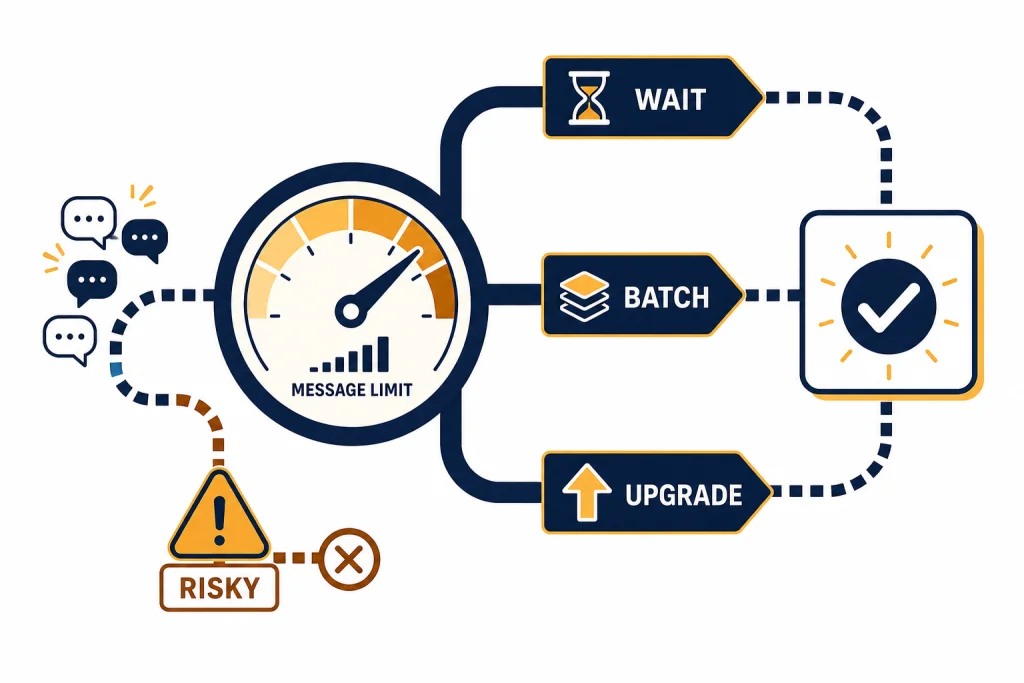
The legitimate way to bypass a ChatGPT message limit is not to trick the system. It is to reduce wasted messages, use the right plan, wait for the reset, switch to an available model or feature, or move high-volume work to an approved API workflow. Message limits exist to manage capacity, abuse, and fair access. They also change by plan, model, tool, region, and demand. This guide explains what you can do safely when ChatGPT says you have reached a limit, what usually works fastest, and which “bypass” tricks can put your account, data, or subscription at risk.
What the ChatGPT message limit means
A ChatGPT message limit is a usage boundary on how many prompts, tool calls, or advanced-model interactions your account can make in a given period. It is not always one simple counter. ChatGPT can limit messages, uploads, image generation, deep research, agent mode, voice, Codex, or specific models separately.
OpenAI’s public pricing page describes Free as having limited messages and uploads, Go as having more messages, and paid plans such as Plus, Pro, Business, and Enterprise as having broader access with plan-specific conditions.[1] OpenAI also says Plus is a paid subscription for $20/month, billed monthly, with higher limits and expanded features compared with Free.[2]
The most important point is that message limits are not always published as a fixed number. If you are looking for an exact daily Free cap or a universal Plus cap, OpenAI has not published an official figure for this on its general public pricing page. The live limit you see in ChatGPT is usually the best source for your account.
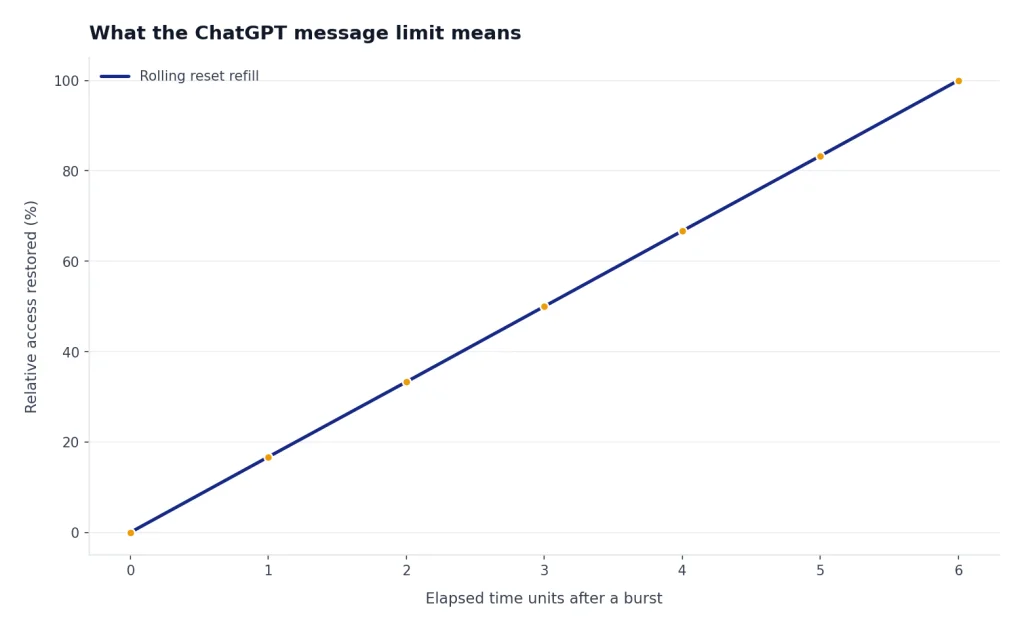
Limits can also reset on a rolling schedule rather than at midnight. That means waiting a few hours may restore access even if the calendar day has not changed. If you are using ChatGPT for school, client work, coding, or research, treat the limit message as a planning signal. Save your current output, batch the next prompts, and choose the cheapest legitimate route before you keep trying.
Legitimate options that actually work
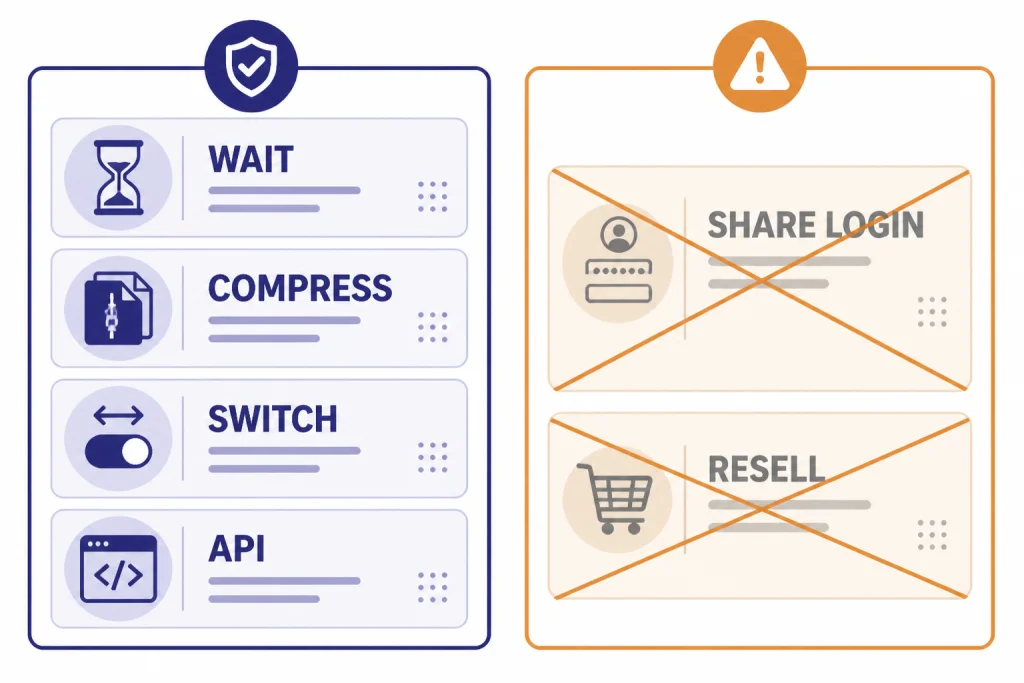
There are several legitimate ways to get more useful work done after you hit a limit. They fall into two groups. The first group reduces the number of messages you need. The second group moves you to an access path that OpenAI allows for heavier use.
| Method | Best for | How fast it helps | Risk level |
|---|---|---|---|
| Wait for the reset | Occasional users who can pause | Usually the simplest option | Low |
| Compress prompts | Writing, studying, planning, coding reviews | Immediate | Low |
| Switch to an available model or tool | Tasks that do not need the strongest reasoning model | Immediate if available | Low |
| Upgrade plan | Daily heavy use inside ChatGPT | Usually immediate after billing | Low |
| Use Business or Enterprise | Teams, companies, schools, shared workspaces | Depends on admin setup | Low |
| Use the API | Automated, batch, or production workloads | Fast after setup | Low if you follow rate limits |
| Share one paid login | Trying to split cost | Not recommended | High |
| Buy “unlimited” third-party access | Cheap access claims | Unreliable | High |
If your goal is simply to continue a conversation, waiting or switching to an available lower-demand option is often enough. If your goal is to run many prompts every day, upgrading or using the API is usually cleaner than fighting the consumer app.
OpenAI’s account sharing policy says your account is meant for the individual who created it, while also noting that you may use your own account on multiple devices and that usage limits may apply by account activity and subscription level.[4] That distinction matters. Using your laptop and phone is normal. Giving other people your login to stretch a paid plan is not.
Use fewer messages without getting worse answers
The fastest legitimate bypass is better prompting. Most people burn messages because they ask one small question at a time, correct missing context after each reply, or make ChatGPT guess the format. You can often cut a long exchange into a few dense prompts without reducing quality.
Batch related tasks into one prompt
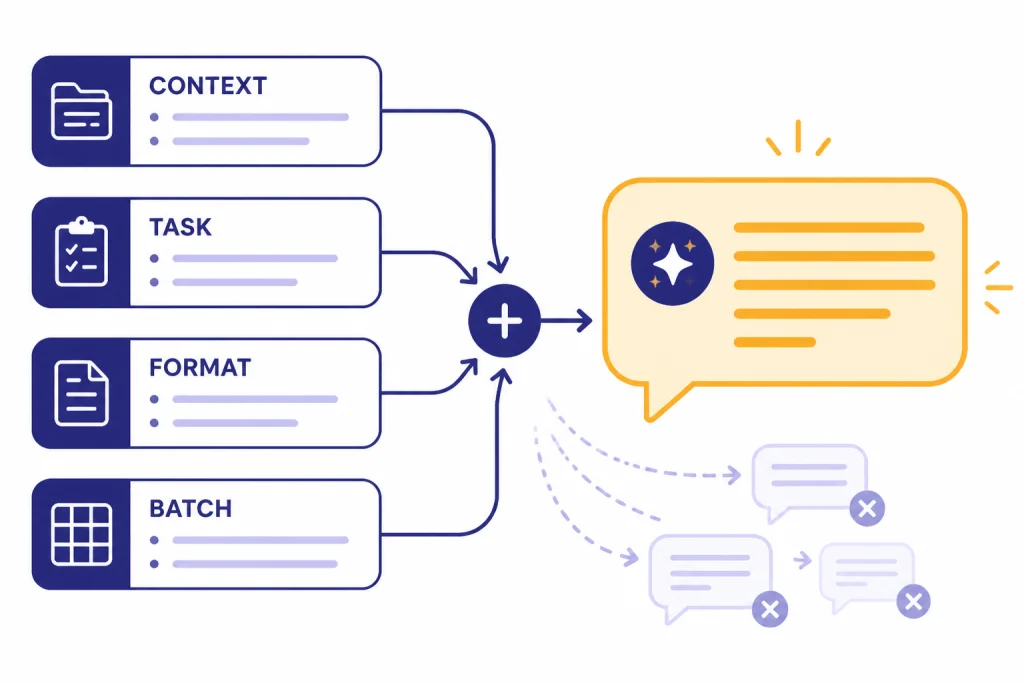
Instead of sending five separate prompts for outline, tone, examples, objections, and final draft, send one structured request. Use clear sections: context, task, constraints, output format, and review criteria. This gives ChatGPT the information it needs before it starts answering.
Context: I am writing a 900-word guide for beginners.
Task: Create an outline, draft the intro, list 5 examples, and flag weak assumptions.
Constraints: Use plain American English. Avoid hype. Keep sections short.
Output format: Return a heading outline first, then the intro, then examples, then issues to fix.
Ask for a complete first pass
Many users spend messages asking ChatGPT to “continue,” “make it longer,” or “add examples.” Ask for the full deliverable up front. If the output may be long, tell ChatGPT how to divide it: “Return the full answer in four labeled sections, not as separate messages unless you hit a length limit.”
Reuse saved instructions
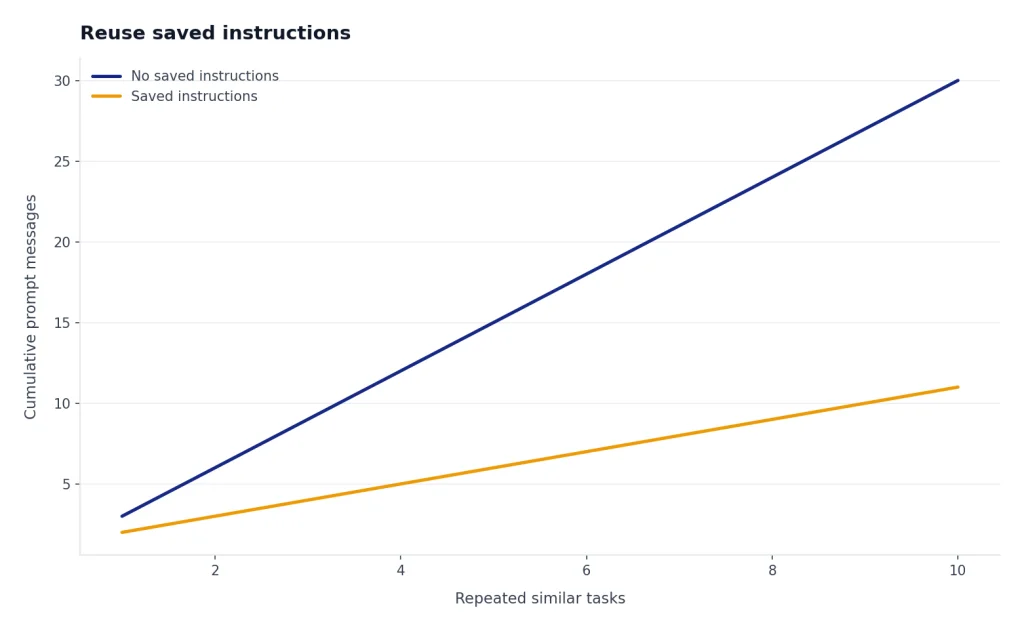
If you repeatedly need the same style, save a reusable prompt in a note, text expander, or project brief. For writing tasks, you can also use our guides on making ChatGPT write like a human and making ChatGPT sound more human to reduce repeated revision prompts.
Keep one working thread per project
Starting fresh chats can waste messages because you must restate context. For a long-running task, keep a project summary at the top of your notes. Paste the summary when needed, not the entire chat. If you need to preserve important work before a limit hits, see how to save a ChatGPT conversation or save ChatGPT conversations as PDF.
Upgrade, switch plans, or use a workspace
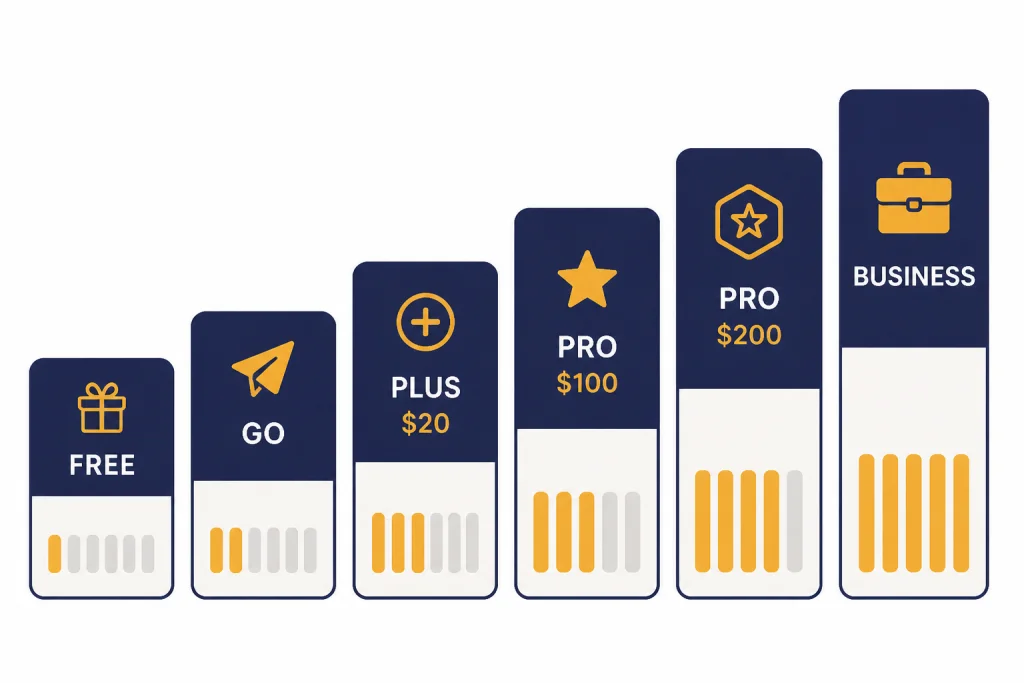
If you hit limits often, a paid plan may cost less than the time you lose. OpenAI’s public plan lineup includes Free, Go, Plus, Pro, Business, and Enterprise.[1] Plus is listed by OpenAI Help as $20/month, billed monthly.[2] OpenAI’s Pro help page describes Pro $100 and Pro $200 options, with the $100 plan offering 5x higher usage than Plus and the $200 plan offering 20x higher usage than Plus.[3]
Do not upgrade blindly. First identify what you are actually running out of. A writing-heavy user may need more general messages. A developer may need more Codex access. A researcher may need more deep research. A team may need admin controls, a dedicated workspace, and data controls rather than a pile of individual subscriptions.
| Use pattern | Plan path to consider | Why it may help |
|---|---|---|
| Light personal use | Free or Go | Enough for occasional questions and drafts |
| Daily individual use | Plus | Higher limits and expanded features for one person |
| Heavy individual projects | Pro | Higher usage allowances and Pro-level access |
| Small team collaboration | Business | Workspace features, billing, and admin controls |
| Large organization | Enterprise | Custom controls, support, and broader governance |
| Automated volume | API | Designed for programmatic workloads |
For teams, do not pass one login around. Use a workspace plan or separate accounts. OpenAI’s Terms of Use say users may not share account credentials or make an account available to someone else.[5] If your organization needs multiple people to use ChatGPT, a business workspace is the legitimate route.
If you are on the wrong device or account, solve that first. Our setup guides cover how to log in to ChatGPT, how to download the ChatGPT app, using ChatGPT on iPhone, and using ChatGPT on Windows. A limit problem sometimes turns out to be a plan, account, or app-store subscription mismatch.
Use the API for high-volume workflows
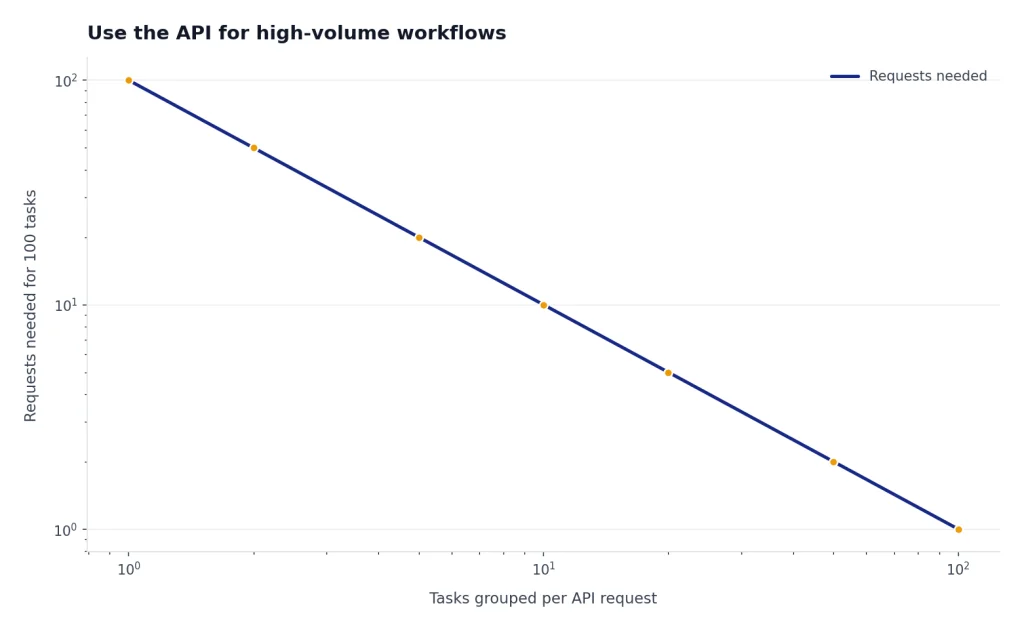
The ChatGPT app is built for interactive use. The OpenAI API is built for programmatic use. If you are sending hundreds of similar prompts, processing files in bulk, generating content from a spreadsheet, or powering an internal tool, the API is usually the more legitimate path.
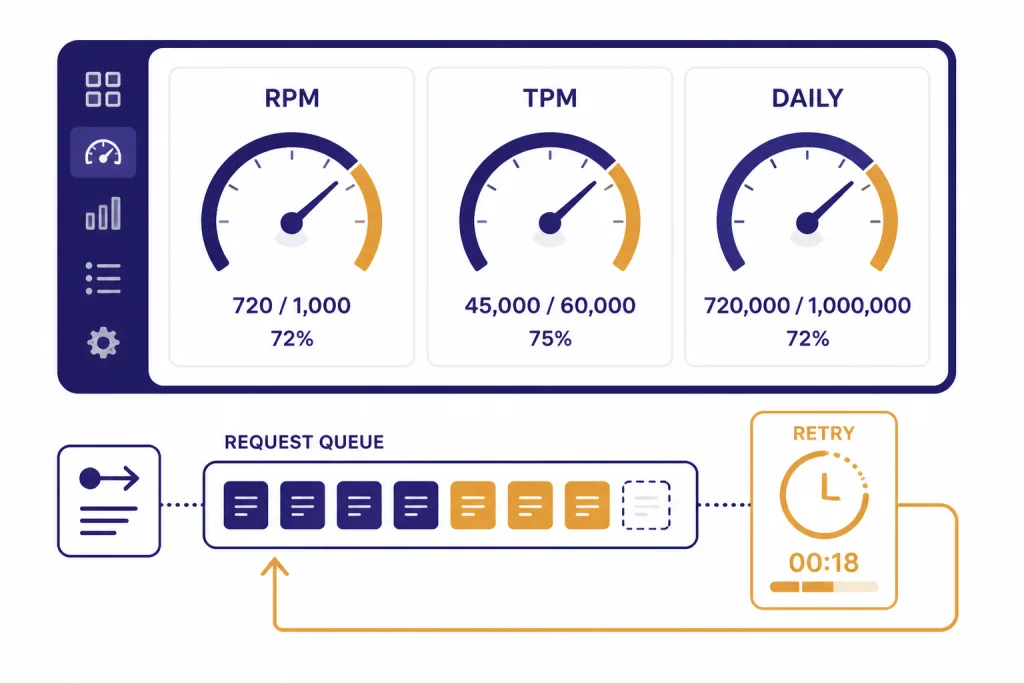
OpenAI’s API documentation explains that API rate limits can be measured by requests per minute, requests per day, tokens per minute, tokens per day, and images per minute.[6] This is different from a simple ChatGPT message counter. It lets developers design queues, retries, batching, and cost controls instead of manually pasting prompts into a chat window.
The API is not automatically included with every ChatGPT subscription. Treat it as a separate product with separate billing, model pricing, and rate limits. OpenAI publishes API pricing separately from ChatGPT plan pricing.[7] If you need a detailed model-by-model cost view, start with our OpenAI API pricing guide before moving a workflow out of ChatGPT.
A simple API migration pattern looks like this: collect inputs in a spreadsheet, group similar tasks, send requests through a small script, store outputs, then review a sample before using the results. This avoids wasting ChatGPT messages on repetitive work and gives you clearer spending controls.
The API is not the right choice for everyone. If you do not want to manage keys, billing, logs, retries, or privacy settings, staying inside ChatGPT may be safer. If you are a developer, analyst, or operations team, the API can be the cleanest way to stop bumping into consumer message limits.
Avoid risky bypasses
Some “bypass” advice creates more problems than it solves. Avoid methods that rely on hiding your identity, sharing credentials, reselling access, scraping ChatGPT, or buying access from unofficial sellers. These approaches can expose your chats, payment details, and account.
- Do not share your paid account. OpenAI says accounts are meant for the individual who created them.[4]
- Do not resell access. OpenAI’s Pro help page says unlimited access must follow the Terms of Use and specifically calls out reselling access and making ChatGPT power third-party services as prohibited behavior.[3]
- Do not use automation against the ChatGPT web app. If you need automation, use the API instead.
- Do not buy discounted “lifetime” accounts. ChatGPT Go, Plus, and Pro subscriptions are not a safe product to buy from strangers.
- Do not create throwaway accounts to evade limits. This can cause login, billing, and trust issues, and it may violate platform rules depending on how it is done.
Also be careful with browser extensions that ask for session tokens or full chat access. Some extensions are useful, but any tool that handles your login session can become a security risk. If your real need is to export, save, or share work, use safer workflows such as exporting your ChatGPT data or sharing a ChatGPT conversation.
Using ChatGPT without logging in may help for casual questions, but it is not a serious workaround for heavy usage. If you need the tradeoffs, read our guide to using ChatGPT without logging in. If you are hoping to avoid limits by going offline, read our reality check on using ChatGPT offline.
Quick decision guide
Use this short checklist when you hit a ChatGPT message limit.
- Save your work. Copy the useful output or save the conversation before experimenting.
- Read the limit message. Check whether it names a model, image tool, upload, voice, deep research, or general message limit.
- Wait if the task is not urgent. Many limits reset without any action from you.
- Batch your next prompt. Combine context, task, constraints, and format into one message.
- Use a lower-demand option if it fits. Do not spend advanced-model messages on simple formatting, summaries, or brainstorming.
- Upgrade only if the pattern repeats. A one-time limit does not always justify a higher plan.
- Move repetitive work to the API. Do this when the task is structured, repeated, and worth automating.
- Avoid account sharing and unofficial access. The short-term gain is not worth the security or account risk.
The practical answer to how to bypass ChatGPT message limit warnings is to work with the product’s allowed paths. Make each message count, choose the right access tier, and use the API when your workload stops looking like a conversation.
Frequently asked questions
Can I bypass the ChatGPT message limit for free?
You can sometimes keep working for free by waiting for the reset, using fewer messages, or switching to an available lower-demand option. You should not use fake accounts, shared logins, or unofficial sellers. Those methods can create account and security problems.
Does ChatGPT Plus remove all message limits?
Not necessarily. Plus gives higher access than Free and is listed by OpenAI as $20/month, but limits can still vary by feature, model, and demand.[2] If you need much heavier use, compare Pro, Business, Enterprise, or the API instead.
Is ChatGPT Pro unlimited?
OpenAI describes Pro as a higher-usage plan, but it also says unlimited access is subject to abuse guardrails and the Terms of Use.[3] That means Pro is not permission to automate scraping, share your account, or resell access.
Can I use the same ChatGPT account on my phone and computer?
Yes. OpenAI’s account sharing policy says you may use your own account on multiple devices, while noting that usage limits may still apply based on account activity and subscription level.[4] That is different from letting other people use your login.
Is the API better than upgrading ChatGPT?
Use ChatGPT if you want an interactive assistant. Use the API if you need programmatic, repeated, or batch processing. The API has separate pricing and rate limits, so it is better for workflows you can measure and automate.[6]
Why did my limit appear sooner than usual?
Your limit may depend on the model, tool, file size, context length, demand, or recent account activity. Some tasks consume more capacity than simple text prompts. If the warning names a specific feature, reduce that feature first before changing your whole plan.