

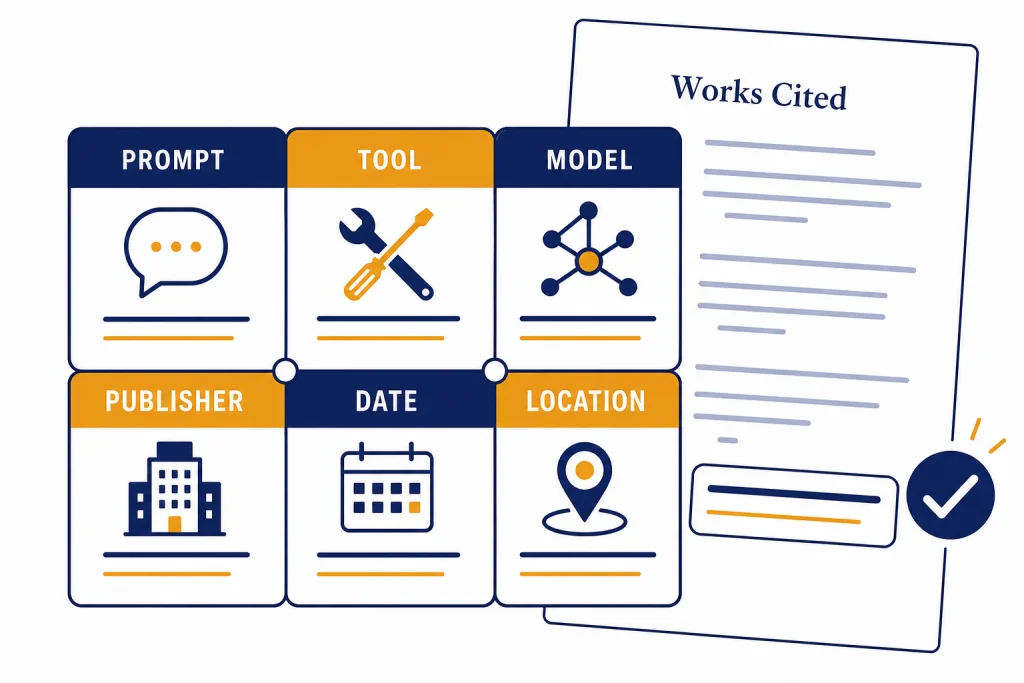
To cite ChatGPT in MLA format, start the Works Cited entry with a short description of the prompt or generated content, not with ChatGPT as the author. Then list ChatGPT as the container, add the model or version if you can identify it, name OpenAI as the publisher, give the date you generated the response, and finish with a stable shared link or the general ChatGPT location. In the body of your paper, use the shortened title or prompt description in parentheses. This guide gives copy-ready MLA examples for quoted text, paraphrases, brainstorming help, editing help, images, and shared conversations.
Quick answer: the MLA ChatGPT citation format
The current MLA guidance is simple: cite generative AI when you quote, paraphrase, or incorporate content it created, and do not treat the AI tool as the author. MLA updated its generative AI guidance on 13 Aug. 2025, adding clearer advice on shareable links and recommending that writers include the specific AI model or model version when possible.[1]
For most student papers, your ChatGPT Works Cited entry should follow this pattern:
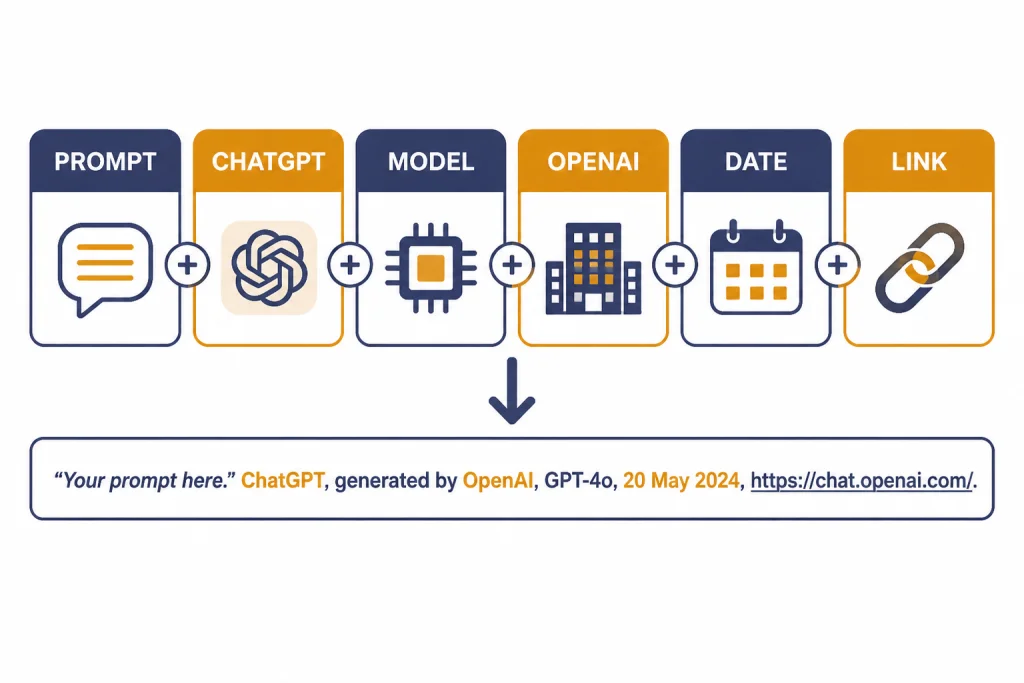
“Description of prompt or generated content.” ChatGPT, model or version if known, OpenAI, day month year generated, stable shared link or general ChatGPT location.If you quoted ChatGPT’s response to a prompt about symbolism in a novel, your entry might look like this:
“Explain three possible symbols in the opening chapter of The Great Gatsby” prompt. ChatGPT, model GPT-4o, OpenAI, 3 Apr. 2026, stable shared link.Replace the model, date, and location with the details from your own chat. If you do not know the model, do not invent one. If your instructor wants the full transcript attached as an appendix, follow that local rule.
When you need to cite ChatGPT
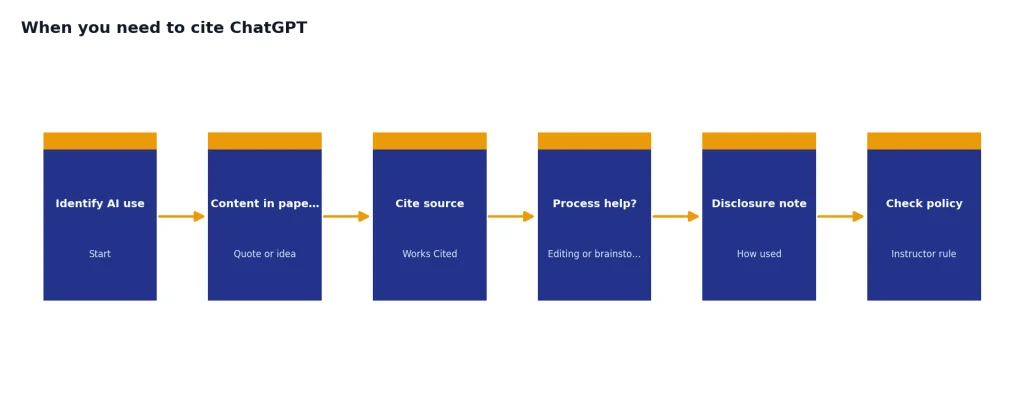
You need an MLA citation when ChatGPT supplies words, ideas, structure, summaries, data, images, or other generated content that becomes part of your work. MLA says writers should cite a generative AI tool whenever they paraphrase, quote, or otherwise incorporate content created by it.[1]
You also need to acknowledge functional uses of AI, such as editing, translating, outlining, or refining your prose, even if no ChatGPT sentence appears in the final draft.[1] The exact placement can vary. Some instructors want a note. Some want a statement after the Works Cited page. Some ban AI use entirely. Penn State Libraries advises students to check the syllabus and instructor guidance before using generative AI in class assignments.[4]
A useful rule is this: cite ChatGPT when the reader needs to know that AI-generated material influenced the content. Disclose ChatGPT when the reader needs to know that AI helped with the process. Those are related tasks, but they are not always the same.
If your problem is preserving the exact exchange, save the conversation before you write the citation. Our guide to saving a ChatGPT conversation explains the practical options, and our walkthrough on saving ChatGPT chats as PDF is useful if your instructor wants a static copy.
The Works Cited template to use
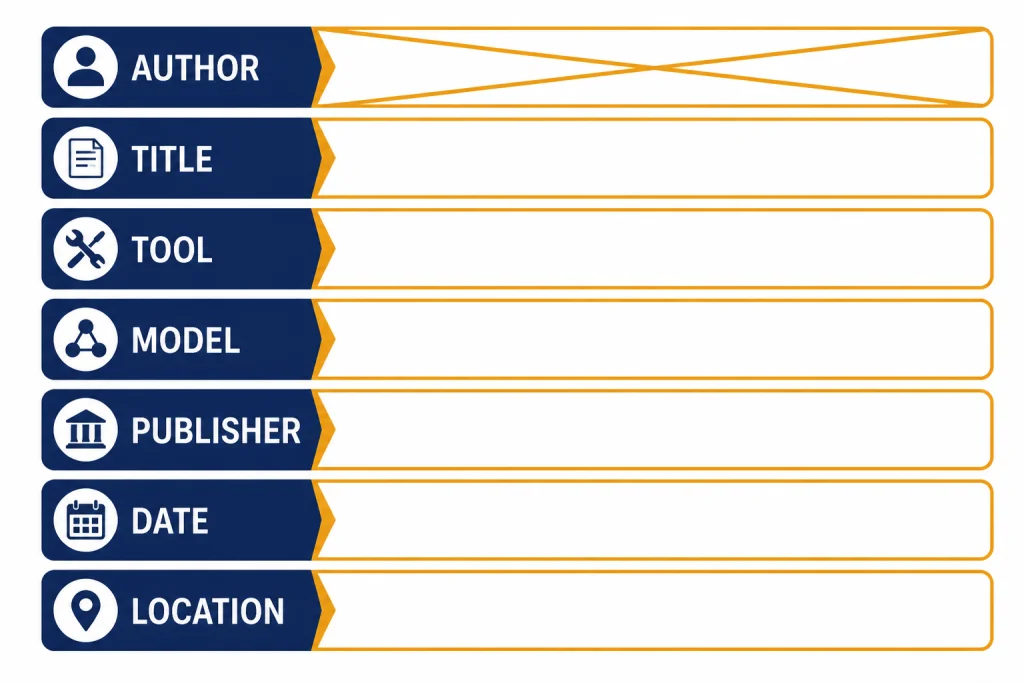
MLA Works Cited entries are built from common source facts, called core elements, and those elements are assembled in a specific order.[2] For ChatGPT, the usual elements are a description of what was generated, the tool name, the model or version, the publisher, the date generated, and the location.
MLA’s AI guidance maps those elements this way: do not use the AI tool as the author; describe the generated material in the source title position; use ChatGPT as the container; name the specific model or model version if possible; list the company that made the tool as publisher; give the date the content was generated; and use a stable, shareable URL if available.[1]
| MLA element | What to put for ChatGPT | Example wording |
|---|---|---|
| Author | Usually omit it | Start with the prompt description instead |
| Title of source | A concise description of the prompt or generated content | “Summarize the causes of the 1894 Pullman Strike” prompt |
| Container | The AI tool name | ChatGPT |
| Version | The model or version, if known | model GPT-4o |
| Publisher | The company that made the tool | OpenAI |
| Date | The day you generated the response | 3 Apr. 2026 |
| Location | A stable shared link, or the general tool location if no stable link is available | stable shared link |
Keep the description short. You are not trying to paste the whole prompt into the Works Cited entry if it is long. If the prompt is central to your argument, include the complete prompt and response in an appendix, then cite the short title in the text.
How to write the in-text citation
In MLA, the in-text citation points the reader to the first element of the Works Cited entry. Since ChatGPT is not listed as the author, the parenthetical citation usually uses a shortened version of the prompt description.
If your Works Cited entry begins with “Explain three possible symbols,” your in-text citation can be:
(“Explain three possible symbols”)If you introduce the prompt description in the sentence, you may not need to repeat the full phrase in parentheses:
In a response to the prompt “Explain three possible symbols,” ChatGPT identifies light, color, and movement as recurring image patterns.Do not use a page number unless your instructor has supplied a transcript with stable page numbers. Most ChatGPT responses do not have MLA-style page locations. A shared link, appendix, or saved PDF can give your reader a way to inspect the exchange, but that does not automatically create page numbers.
If you are switching styles, the format changes. Compare this article with our guides to citing ChatGPT in Harvard style and citing ChatGPT in Chicago style before you reuse the same entry across classes.
MLA examples for common ChatGPT uses
These examples use fictional prompts so you can see the pattern without copying a class-specific citation. Adjust the wording, model, date, and location for your own work.
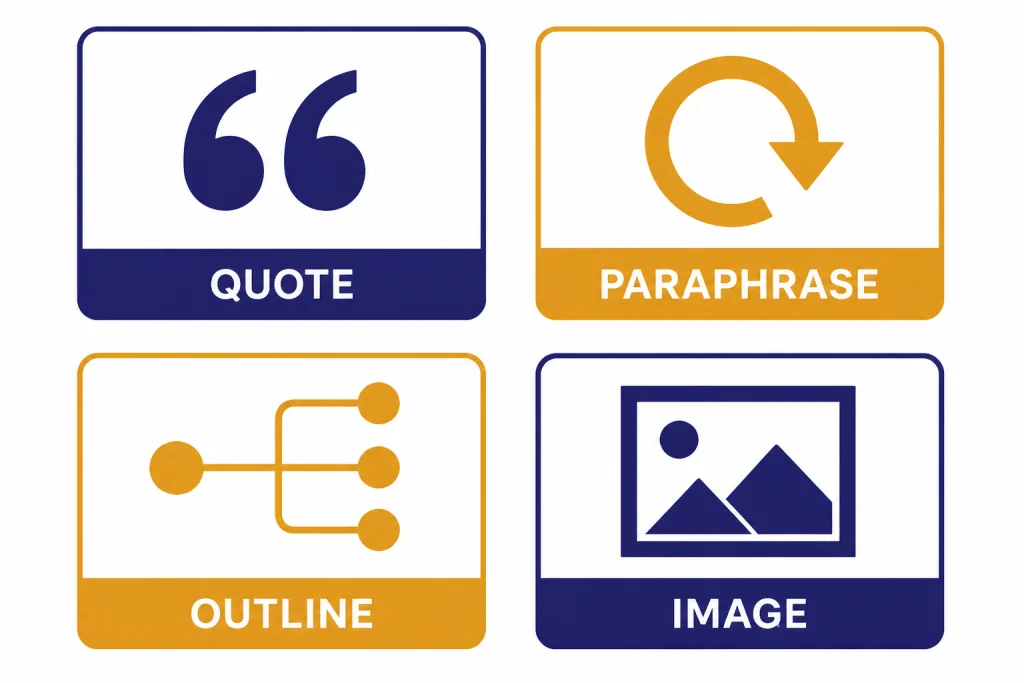
Quoted ChatGPT response
Use this when you quote ChatGPT’s generated wording directly.
Works Cited entry:
“Explain why the narrator in ‘The Tell-Tale Heart’ is unreliable” prompt. ChatGPT, model GPT-4o, OpenAI, 3 Apr. 2026, stable shared link.

In-text citation:
(“Explain why the narrator”)
Paraphrased ChatGPT response
Use this when you restate ChatGPT’s generated ideas in your own words. You still cite it because the idea came from the tool.
Works Cited entry:
“List possible themes for an essay on Their Eyes Were Watching God” prompt. ChatGPT, model GPT-4o, OpenAI, 3 Apr. 2026, stable shared link.

In-text citation:
(“List possible themes”)
Brainstorming or outlining help
If ChatGPT only helped you brainstorm and none of its generated language or claims appear in the final paper, your instructor may prefer a disclosure note instead of a Works Cited entry. If the outline shaped the argument, cite or acknowledge it.
Possible note:
I used ChatGPT to generate a preliminary outline for this essay. I revised the structure, checked all claims against assigned sources, and wrote the final draft myself.
Editing, tone, or grammar help
If ChatGPT helped polish your prose, a note is often clearer than a source citation. Keep it factual. Do not imply that ChatGPT only checked commas if it rewrote whole paragraphs. If you are trying to improve style without hiding AI use, our guide to making ChatGPT write more naturally can help you separate drafting, revision, and disclosure.
Possible note:
I used ChatGPT for sentence-level editing suggestions after completing my draft. I accepted, rejected, and revised suggestions manually.
AI-generated image made with ChatGPT
MLA’s updated guidance also covers generative AI images and says a caption may be appropriate when you incorporate an AI-generated image in your work.[1] The same basic elements apply: describe the prompt, name the tool, include the model or version if available, name the publisher, give the date, and provide the location.
Figure caption:
Fig. 1. “Create a diagram of three competing interpretations of a poem” prompt, ChatGPT, model GPT-4o, OpenAI, 3 Apr. 2026, stable shared link.
If you upload images to ChatGPT as part of your work, keep the original file, the prompt, and the generated output together. See our guide on uploading images to ChatGPT if you need a repeatable workflow.
What to do with shared links and privacy
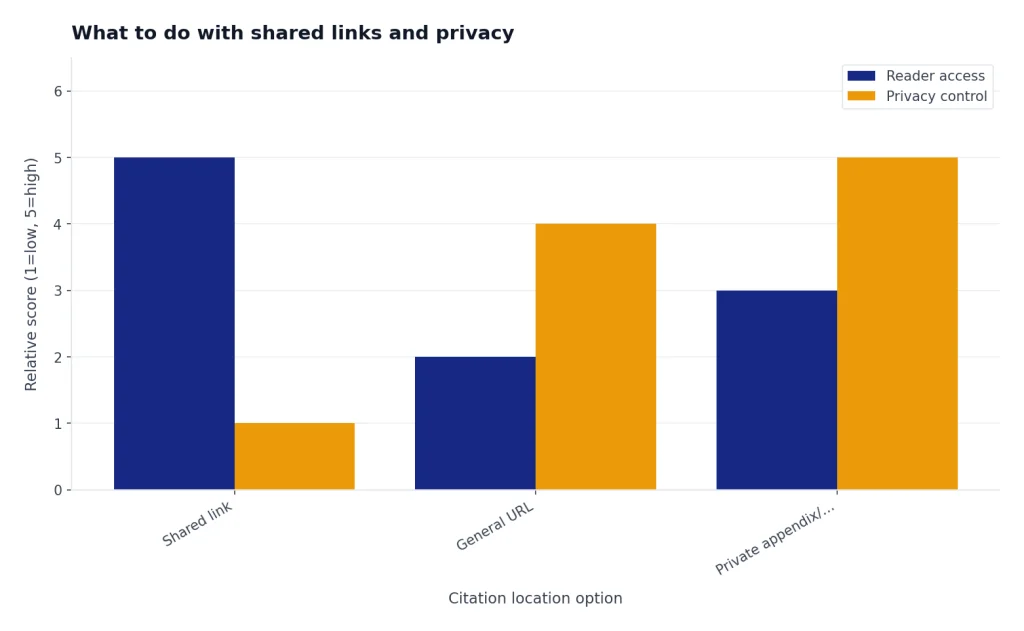
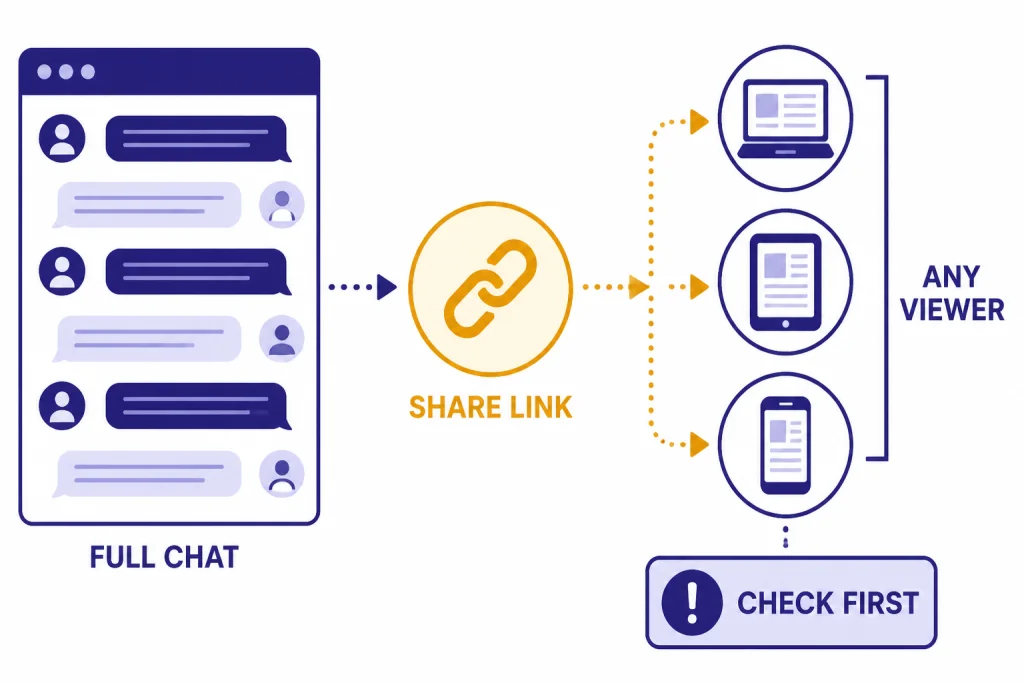
MLA prefers a stable, shareable URL for the generated content when the tool provides one.[1] ChatGPT shared links can supply that location, but they also create a privacy issue. OpenAI says anyone with access to a shared link can view the linked conversation, and it warns users not to share sensitive content through those links.[3]
A shared link is also a snapshot of the conversation up to the point when you create the link. OpenAI states that if a conversation has many prompts and responses before you share it, the shared link includes that earlier history.[3] Before you cite a shared link, check the whole conversation. Remove private details, unrelated requests, names, grades, medical information, account details, and anything you would not want a reader to see.
If you need to cite a ChatGPT response but cannot safely share the full chat, ask your instructor whether you may use the general ChatGPT location and provide a private appendix, screenshot, or PDF submission instead. Our guide to sharing a ChatGPT conversation explains what shared links expose, and our guide to exporting your ChatGPT data covers a more complete record.
When a disclosure note is better than a citation
A citation tells the reader where specific source material came from. A disclosure note tells the reader how you used a tool. In many AI assignments, you may need both.
Use a Works Cited entry when ChatGPT’s output functions as a source. This includes quoted language, paraphrased ideas, generated examples, translated text, AI-created images, summaries, or analysis that appears in the paper.
Use a disclosure note when ChatGPT helped with the writing process but did not supply final content. This includes brainstorming, grammar feedback, tone suggestions, title ideas, or practice questions. MLA says substantive AI uses that go beyond citation should be acknowledged, and its updated AI post points readers to separate guidance on acknowledging AI use.[1]
Here is a clear disclosure note:
AI use note: I used ChatGPT to brainstorm possible research questions and to identify weak transitions in my draft. I verified all factual claims with assigned course readings and wrote the final essay myself.Avoid vague notes such as “AI was used.” They do not tell the reader what happened. Also avoid claiming “ChatGPT edited grammar only” if it generated paragraphs, citations, or evidence.
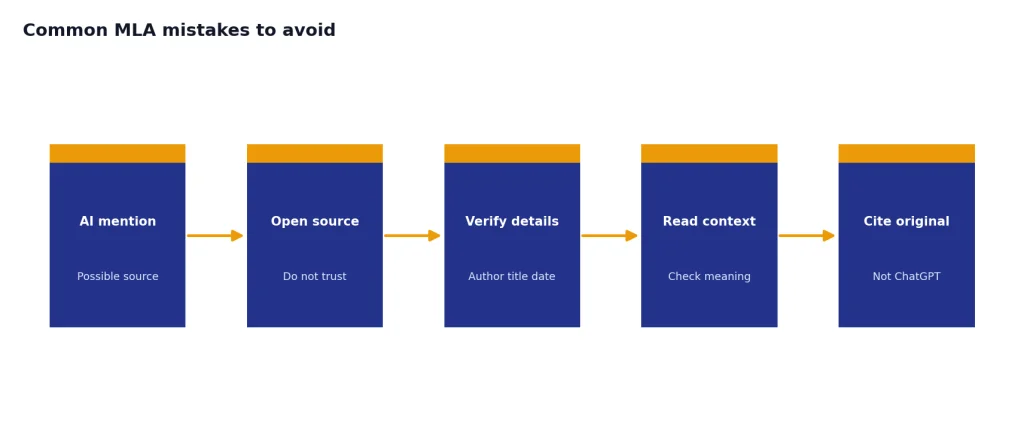
Common MLA mistakes to avoid
- Listing ChatGPT as the author. MLA says not to treat the AI tool as the author.[1] Start with a description of the prompt or generated content.
- Leaving out the model when you know it. MLA recommends naming the specific AI model or version as specifically as possible.[1] If you cannot confirm it, do not guess.
- Citing ChatGPT instead of the original source. If ChatGPT points you to a book, article, or website, consult that source directly and cite the real source when possible. MLA warns that AI tools can hallucinate sources or summarize referenced content incorrectly.[1]
- Using a shared link without checking the whole conversation. A shared link can include the earlier chat history up to the point of sharing.[3]
- Confusing citation with permission. A correct citation does not mean your class allows AI use. Check the assignment instructions first.[4]
- Forgetting to save evidence. ChatGPT output can change if you rerun a prompt. Save the exact response you used.
The safest workflow is: ask the prompt, save or share the response, record the model if visible, record the generation date, write the Works Cited entry, then add a disclosure note if the assignment requires one. If you used ChatGPT on a phone, desktop app, or browser, the citation logic stays the same. For setup help, see our guides to using ChatGPT on iPhone and using ChatGPT on Mac.
Frequently asked questions
Do I cite ChatGPT as the author in MLA?
No. MLA says not to treat the AI tool as the author.[1] Start the Works Cited entry with a short description of the prompt or generated content, then list ChatGPT as the container.
What date do I use in a ChatGPT MLA citation?
Use the date you generated the response. MLA’s AI guidance says to give the date the content was generated.[1] Do not use the date you wrote the paper unless that is also the date you generated the ChatGPT output.
What if I do not know the ChatGPT model?
Include the model or version if you can identify it. If you cannot, do not invent a model name. Use the rest of the citation elements and ask your instructor whether “version unknown” or omission is preferred.
Do I need a Works Cited entry if ChatGPT only checked grammar?
Often, a disclosure note is better than a Works Cited entry when ChatGPT only helped with editing or process. MLA says functional uses of generative AI should be acknowledged in a note, text, or another suitable location.[1] Your instructor’s rule controls if it is stricter.
Can I cite a ChatGPT shared link in MLA?
Yes, if it is stable and safe to share. MLA prefers a stable, shareable URL when one is available.[1] Check the full shared conversation first because OpenAI says anyone with the link can view it.[3]
Should I cite the sources ChatGPT mentions?
If ChatGPT points you to a real source, open that source, verify it, and cite it directly. MLA warns that AI tools can make up sources or summarize them incorrectly.[1] Do not rely on a ChatGPT citation unless you have checked the underlying source yourself.