

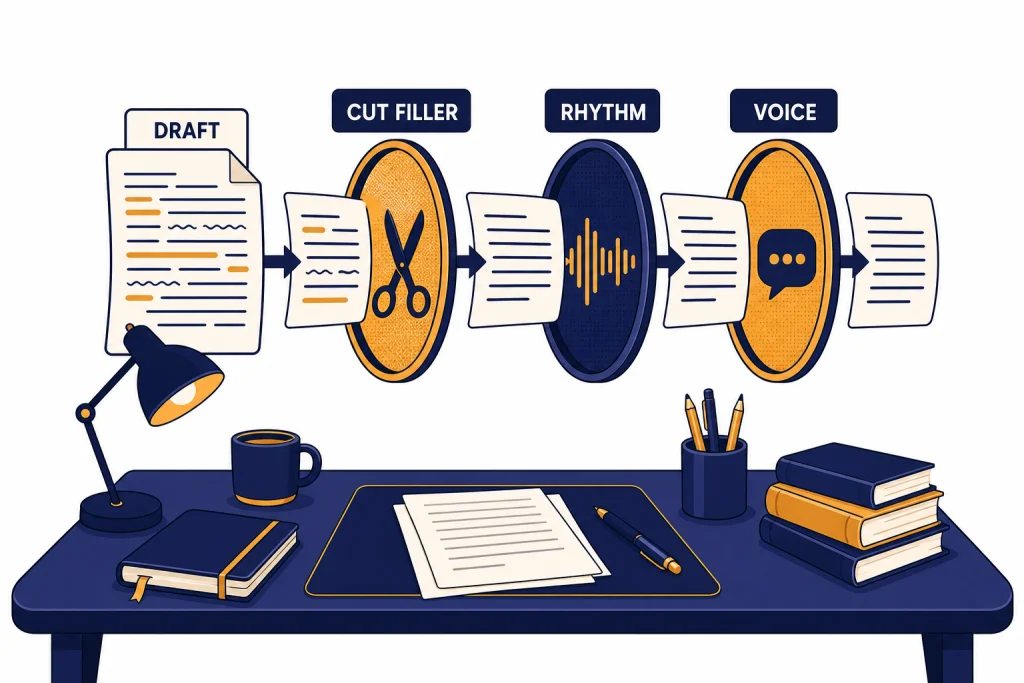
To make ChatGPT sound more human, stop asking for “human-like” writing and give it a clear voice target: audience, situation, desired tone, sentence length, words to avoid, and a short sample of your own writing. The best results usually come from a two-step workflow: first ask for a draft, then ask ChatGPT to revise it for natural rhythm, fewer generic phrases, and more specific detail. For sensitive or technical material, add one more rule: preserve the facts, terms, quotes, numbers, and uncertainty level. You can also save your preferred style in custom instructions, use memory for recurring preferences, edit longer drafts in canvas, and use Voice Mode when you want conversational practice instead of polished text.
Quick version
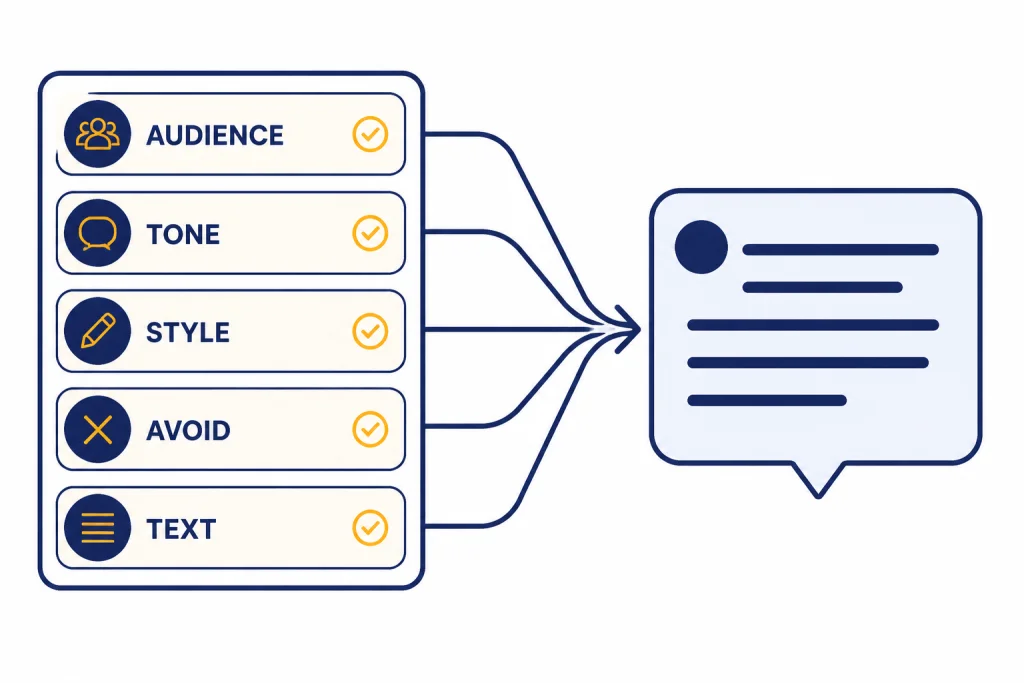
The shortest path is to give ChatGPT a style brief before it writes. Include the audience, format, purpose, tone, and constraints. OpenAI’s prompt guidance says clear and specific prompts give the model better context, and descriptive tone words can guide the response.[1]
Use this simple prompt:
Rewrite this so it sounds like a real person wrote it.
Audience: [who will read it]
Situation: [where it will appear]
Tone: warm, direct, and practical
Style rules:
- Use short and medium sentences.
- Avoid corporate filler.
- Avoid hype, clichés, and over-explaining.
- Keep my meaning intact.
- Preserve technical terms, numbers, quotes, and uncertainty.
- Add concrete details only where they make the point clearer.
Text:
[paste your draft]
If the output still sounds generic, do not start over. Ask for a revision. Say what feels wrong: too formal, too cheerful, too polished, too wordy, too vague, too much like an essay, or accurate but not in your voice. ChatGPT usually improves when you react to a draft with plain feedback.
Appropriate-use note: making AI-assisted writing sound natural should not mean pretending you wrote something you did not, hiding required disclosure, evading school or workplace rules, or manufacturing a false identity. Use these techniques to edit your own ideas, clarify drafts, rehearse conversations, or adapt tone. Follow your institution’s disclosure rules, and do not use ChatGPT to misrepresent authorship, credentials, experience, or consent.
If your goal is written content, you may also want how to make ChatGPT write like a human. This article focuses on sound: tone, rhythm, warmth, spoken delivery, and the cues that make a response feel less mechanical.
Why ChatGPT sounds AI-generated
ChatGPT often sounds artificial when the prompt is too broad. “Make this sound human” gives a direction, but not a voice. The model may respond by adding friendliness, transitions, and polished language. That can make the text less natural, not more natural.
Most AI-sounding output has the same symptoms. It uses balanced sentence structures. It adds summary phrases. It avoids strong opinions. It explains obvious points. It chooses safe words instead of the words a real sender would use in that situation.
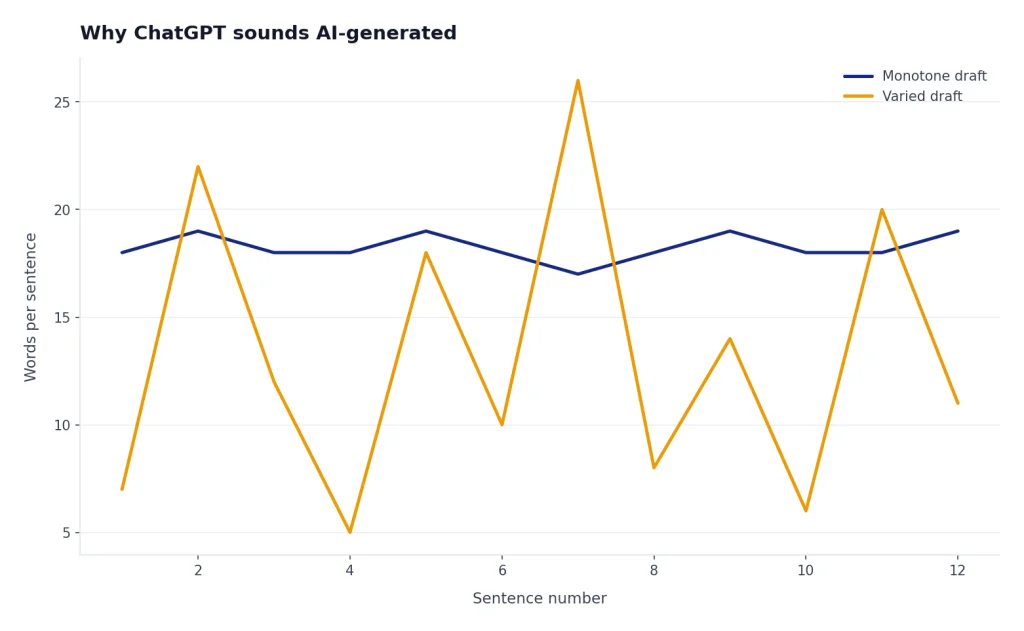
A more human result needs friction. Real writing has priorities. It leaves out unneeded context. It uses the speaker’s vocabulary. It has a reason for each sentence. It does not treat every message like a public announcement.
| AI-sounding pattern | Why it feels off | Better instruction |
|---|---|---|
| “In today’s world” openings | They delay the point. | “Start with the direct answer.” |
| Overly balanced paragraphs | They sound generated instead of chosen. | “Vary sentence length naturally.” |
| Generic enthusiasm | It adds emotion the sender may not feel. | “Keep it calm and matter-of-fact.” |
| Corporate filler | It blurs the message. | “Use plain words a coworker would say.” |
| Too many transitions | They make the draft feel like an essay. | “Use transitions only when needed.” |
The fix is not to ask for more personality. The fix is to define the right personality for the task. A customer apology, a dating profile, a Slack update, a college discussion post, and a YouTube script all need different signals.
Use this prompt framework
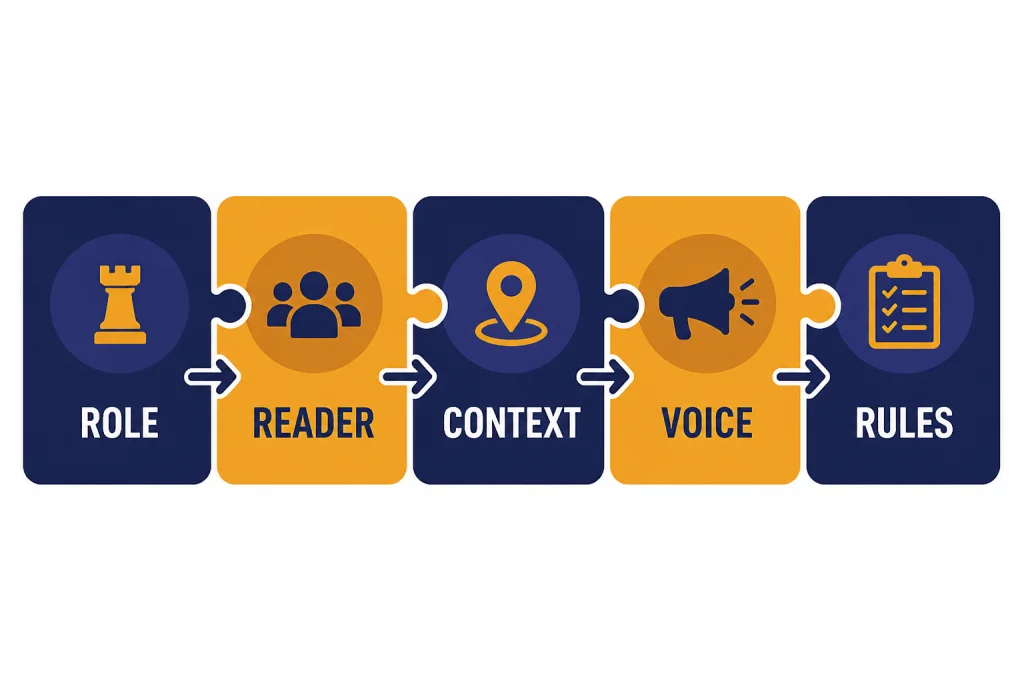
The best prompt for natural output has five parts: role, reader, context, voice, and editing rules. You do not need a long prompt. You need the right constraints.
1. Name the real situation
Tell ChatGPT where the text will be used. “Write a note to my manager after missing a deadline” is better than “write a professional apology.” The first prompt gives social context. The second prompt invites a generic template.
2. Define the reader
Human tone depends on who receives the message. A note to a close teammate can be brief and casual. A note to a client needs more care. A public post needs fewer assumptions.
3. Give a tone pair, not one vague word
Single tone words are easy to misread. “Friendly” can become cheerful. “Professional” can become stiff. Use pairs such as “warm but brief,” “direct but not cold,” “casual but not sloppy,” or “confident but not salesy.”
4. Add a do-not list
A do-not list is often more useful than a style request. Tell ChatGPT not to use clichés, not to start with a broad claim, not to add fake enthusiasm, not to use em dashes if you dislike them, and not to make the message longer than the original.
For technical or high-stakes drafts, make the do-not list protect accuracy too. Natural language should not flatten a careful claim into a confident one.
Rewrite this for a non-specialist reader, but do not simplify away accuracy.
Rules:
- Keep all product names, measurements, citations, and caveats unchanged.
- Do not turn “may,” “can,” or “is associated with” into “will” or “causes.”
- If a sentence is unclear, rewrite it plainly instead of adding new facts.
- After the rewrite, list any wording that could change the meaning.
5. Paste a small writing sample
If you want ChatGPT to sound like you, give it a short sample. A few natural paragraphs are enough for a single task. Ask it to match the rhythm and vocabulary, not to copy the sample’s topic.
Use this sample as a style reference only. Do not reuse its facts or phrases.
Style sample:
[paste something you wrote]

Now rewrite this draft in that voice:
[paste draft]
A useful follow-up is: “Tell me what you changed about the voice.” If the explanation sounds wrong, correct the diagnosis before asking for another rewrite. For example: “You made me sound more upbeat, but my style is dry and concise. Try again with less enthusiasm and more precision.”
Before and after examples
The easiest way to see the difference is to compare weak and strong prompts. The weak prompt asks for a human result. The strong prompt describes the human situation.
| Task | Weak prompt | Better prompt |
|---|---|---|
| Email to a manager | “Make this sound human.” | “Rewrite this as a concise note to my manager. Tone: accountable but not dramatic. Keep it under two short paragraphs. Do not over-apologize.” |
| LinkedIn post | “Make this more engaging.” | “Rewrite this as a first-person LinkedIn post for peers in my field. Tone: reflective, specific, not inspirational. Start with the concrete moment, not a lesson.” |
| Customer support reply | “Make this friendly.” | “Rewrite this for a frustrated customer. Tone: calm and helpful. Acknowledge the issue once, explain the next step, and avoid cheerful language.” |
| Technical explanation | “Make this easier to read.” | “Rewrite this for a smart non-expert. Keep all terms, numbers, and caveats accurate. Explain jargon once, but do not add claims.” |
| Dating profile | “Make me sound fun.” | “Rewrite this in a relaxed first-person voice. Keep one dry joke, remove résumé-style claims, and make it sound like something I would say out loud.” |
Here is a practical example.
Original: “I am writing to inform you that I will be unable to attend the meeting due to a scheduling conflict. I apologize for any inconvenience this may cause.”
More human: “I can’t make the meeting today because another appointment ran long. Sorry for the late notice. I’ll read the notes afterward and follow up if anything needs my input.”
The second version is not casual for its own sake. It gives a reason, removes stiff phrases, and says what will happen next. That is why it feels more real.
Technical example, original: “The update may reduce battery drain in background tasks, but results vary by device configuration and app behavior.”
More human, still accurate: “The update can help with battery drain when apps are running in the background. It is not a guaranteed fix, though; the result still depends on your device settings and the apps you use.”
Notice the rewrite sounds less formal without changing “may” into “will.” That is the difference between humanizing a sentence and overselling it.
When the draft is “not my voice”: instead of saying “make it better,” try: “This is clear, but it does not sound like me. Keep the point, make it drier, remove the cheerful opener, and use shorter sentences.”
Save your voice with custom instructions
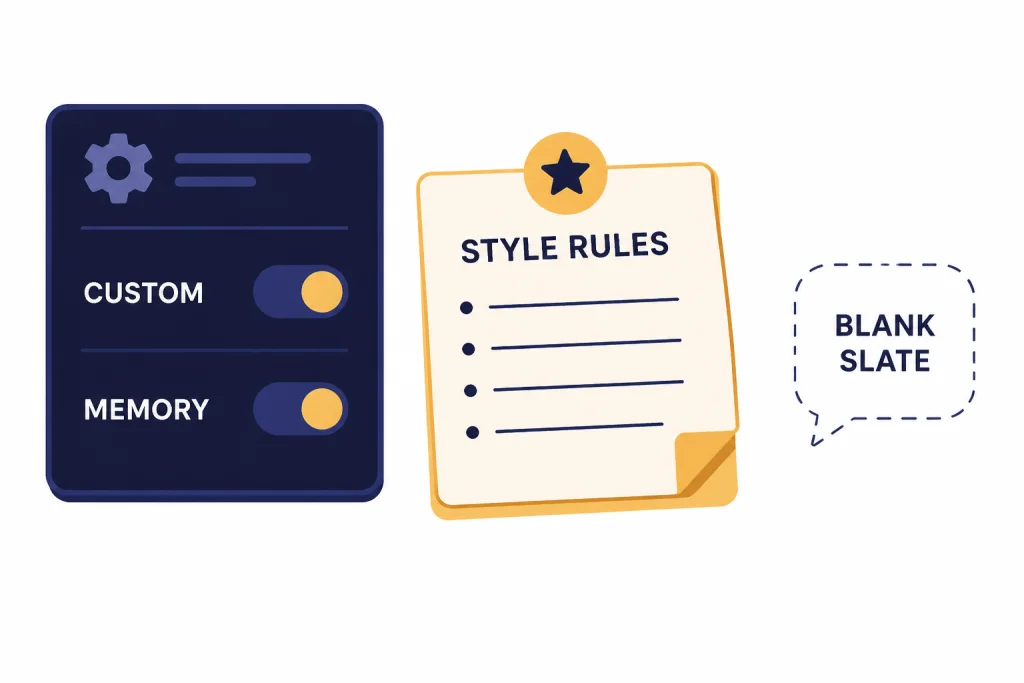
If you want ChatGPT to sound more human in most chats, use custom instructions instead of retyping your style rules every time. OpenAI says custom instructions let you share preferences for ChatGPT to consider, are applied immediately to chats, and are available on web, desktop, iOS, and Android.[2]
Use custom instructions for stable preferences. Good examples include preferred tone, reading level, formatting, words you dislike, and how direct you want responses to be. Do not use them for one-off details that only matter in the current conversation.
When writing for me, use a natural, direct voice. Prefer plain words over polished corporate language. Use contractions when they fit. Do not start with broad setup phrases. Avoid hype, filler, and obvious summaries. If my draft is already clear, improve only what needs improvement.Memory can also help when you want ChatGPT to retain recurring preferences. OpenAI describes memory as saved memories and chat history reference, and says these can be turned off in settings.[3] If you are still learning how memory affects replies, read our ChatGPT memory power-user tips.
Use Temporary Chat when you do not want the current conversation to use or update memory. OpenAI says Temporary Chat starts with a blank slate, does not appear in history, and does not remember what you discuss.[4] This is useful when you are testing a different voice, drafting sensitive text, or helping someone else with their writing style.
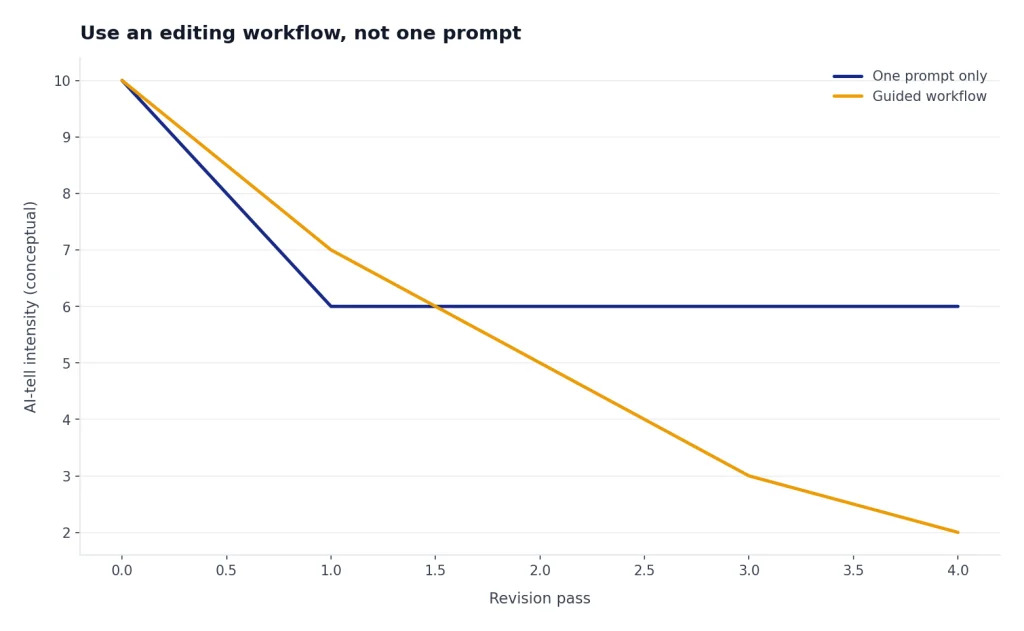
Use an editing workflow, not one prompt
One prompt can improve a draft. A workflow improves it more reliably. Treat ChatGPT like an editor that needs direction after each pass.
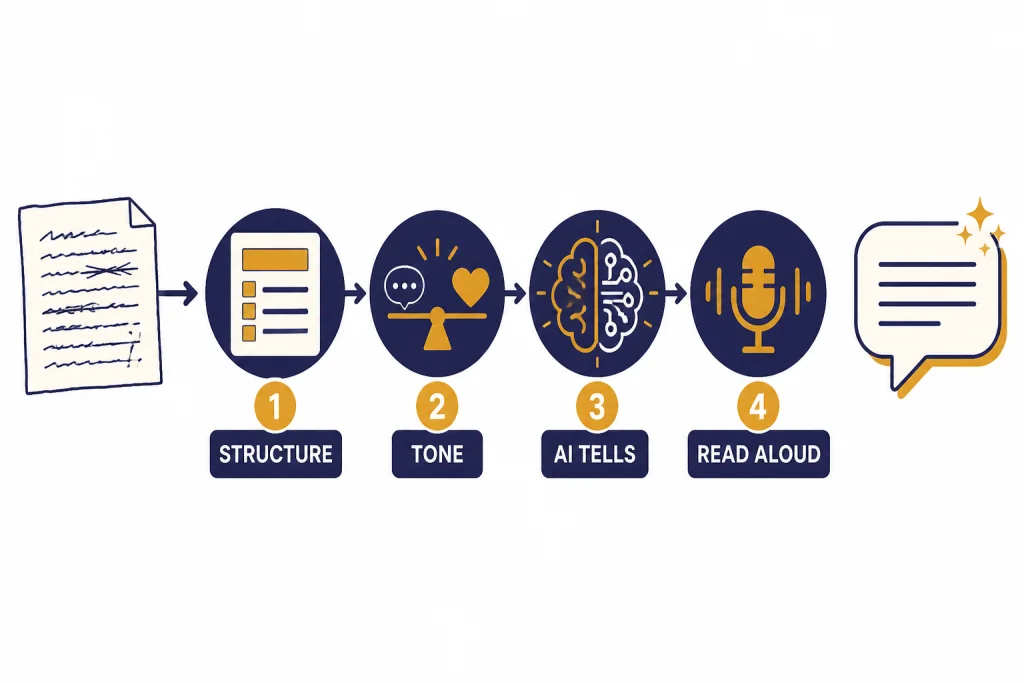
Pass 1: Fix meaning and structure
Ask ChatGPT to make the point clearer before you ask for style. A natural-sounding sentence still fails if the argument is confusing. Start with structure: what should come first, what should be cut, and what the reader needs to know.
Pass 2: Make the tone fit the reader
After the structure works, ask for tone. Tell ChatGPT the emotional distance you want. For example: “less apologetic,” “more relaxed,” “less polished,” “more like a quick note,” or “less like a press release.”
Pass 3: Remove AI tells
Then ask for a cleanup pass. Tell ChatGPT to remove generic transitions, repeated sentence patterns, filler adjectives, and phrases that sound like a template. Ask it to preserve useful specifics.
Pass 4: Read it out loud
Read the final version out loud. If you would not say it, revise it. A human-sounding draft should pass the spoken test even when it is meant to be read silently.
For longer documents, canvas is a better place to revise. OpenAI describes canvas as an interface for writing and coding projects that need editing and revisions; it can provide inline feedback, adjust length, change reading level, and add final polish.[6] If you write articles, scripts, or long emails, our canvas tutorial goes deeper.
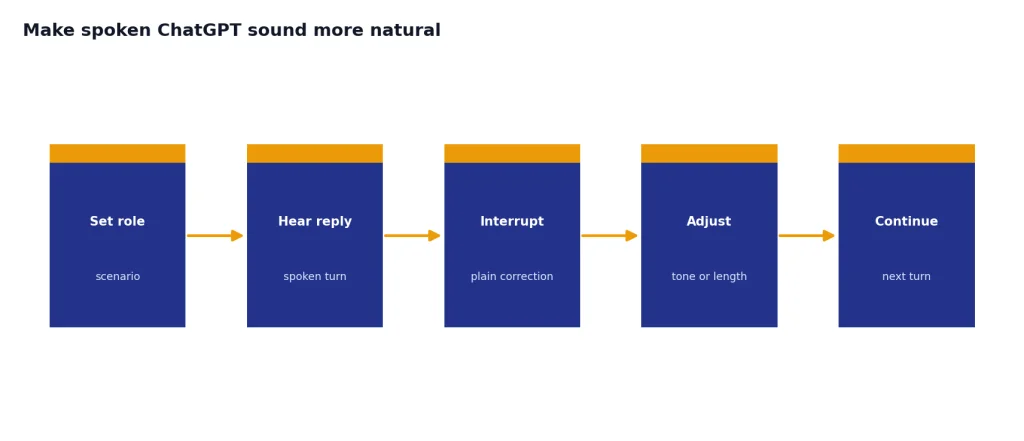
Make spoken ChatGPT sound more natural
If you mean spoken sound, use Voice Mode and steer the conversation the same way you would steer text. OpenAI says voice conversations let you speak with ChatGPT and receive spoken responses, and they are available to logged-in users in the ChatGPT mobile apps and on desktop web.[5]
Start by choosing a voice that fits the setting. Then tell ChatGPT how to respond. Say, “Keep answers brief and conversational,” “Pause after each question,” “Do not summarize unless I ask,” or “Talk to me like a patient tutor, not a presenter.”
Voice Mode works best when you interrupt and correct it. If it sounds too formal, say so. If it explains too much, ask for shorter answers. If you are practicing an interview, sales call, language lesson, or difficult conversation, give ChatGPT the role and the emotional tone before you begin.
Concrete corrections work better than vague ones. Try: “That sounded scripted; answer in one sentence and ask me a follow-up.” Or: “You softened my point too much. Keep it respectful, but make the boundary clear.” For interview practice, you might say: “Stay in character. Do not coach me until I say ‘feedback.’”
I want to practice this conversation out loud. Play the other person. Keep your replies natural and brief. Do not give advice during the role-play. After I say “feedback,” tell me where I sounded clear and where I sounded stiff.Example correction during practice:
User: That sounded like a presentation. Try again like we are on a quick phone call.
ChatGPT: Got it. I will keep it shorter and more conversational.
User: Also, ask one question at a time.
ChatGPT: Understood. One question at a time, then I will pause.
Mistakes to avoid
Do not ask for “more human” without defining human
Human can mean casual, flawed, warm, terse, funny, skeptical, regional, expert, or emotionally restrained. Give ChatGPT the version you want.
Do not add fake personal details
Specifics help, but invented specifics can create trust problems. Use real details or ask ChatGPT to leave placeholders where details are missing. Do not ask it to invent lived experience, credentials, client stories, sources, or personal opinions that are not yours.
Do not overcorrect into slang
Slang can make writing sound less authentic if it does not match you or your audience. Natural writing usually means clear, situated, and specific. It does not mean casual everywhere.
Do not let ChatGPT erase your point of view
Many revisions become smoother but weaker. Ask ChatGPT to keep your opinion, preserve your level of certainty, and avoid softening strong claims unless they are inaccurate.
Do not share sensitive drafts carelessly
Be careful with private messages, client details, health information, legal issues, and workplace conflicts. If you plan to share the finished chat with someone else, remember that OpenAI says shared links can be viewed by anyone who has the link.[7] Our guide to sharing a ChatGPT conversation explains safer sharing habits.
If you need to preserve a strong result, save it outside the chat. You can use our guides to save a ChatGPT conversation, save ChatGPT as a PDF, or export your ChatGPT data.
Copy-paste prompts
Use these as starting points. Replace the bracketed parts with your situation.
General human rewrite
Rewrite this so it sounds natural and specific, not AI-generated. Keep the meaning. Use a [tone] tone for [audience]. Remove filler, clichés, and overly polished phrases. Vary sentence length. Do not add facts I did not provide.

Text:
[paste]
Match my writing style
Analyze the style of this sample. Focus on sentence length, word choice, level of formality, humor, and rhythm. Then rewrite my draft in a similar voice without copying phrases from the sample.

Style sample:
[paste]

Draft:
[paste]
Make an email less stiff
Rewrite this email so it sounds like a real person wrote it. Keep it professional, but remove stiff phrases. Make it clear, brief, and respectful. Do not over-apologize. End with a concrete next step.

Email:
[paste]
Make a post less generic
Rewrite this post with a more personal, grounded voice. Start with a specific observation or moment. Remove broad claims and motivational language. Keep the main point, but make it sound like one person’s actual perspective.

Post:
[paste]
Final anti-AI pass
Do a final editing pass. Flag anything that sounds generic, overly polished, repetitive, or unlike normal speech. Then provide a cleaner version. Keep useful details and do not make the text longer unless needed.Frequently asked questions
Can ChatGPT really sound human?
It can sound more natural, but it will not automatically know your voice. You get better results when you give it a reader, situation, tone target, and examples. You should still edit the final draft yourself.
What is the best prompt to make ChatGPT sound human?
The best prompt is specific: “Rewrite this for [audience] in a [tone] voice. Keep the meaning, remove filler, vary sentence length, and avoid phrases I would not say.” Add a short sample of your own writing if you want a closer match.
Why does ChatGPT overuse polished phrases?
Broad prompts encourage safe, polished language. ChatGPT may add transitions, summaries, and balanced wording because those patterns fit many generic writing tasks. A tighter brief helps it choose a more specific voice.
Should I use custom instructions for tone?
Yes, if you want the same style across many chats. Save broad preferences such as “be direct,” “avoid corporate filler,” or “ask before expanding a draft.” Use per-chat prompts for details that change by task.
How do I make ChatGPT sound like me?
Give it a writing sample and ask it to match the rhythm, formality, and word choice. Tell it not to reuse phrases or invent personal details. Then revise anything that still does not sound like something you would say.
Can I make ChatGPT Voice Mode sound less robotic?
You can improve the interaction by choosing a voice you like and giving conversational rules. Ask for shorter replies, fewer summaries, more pauses, or a specific role-play style. Correct it during the conversation when it drifts.