

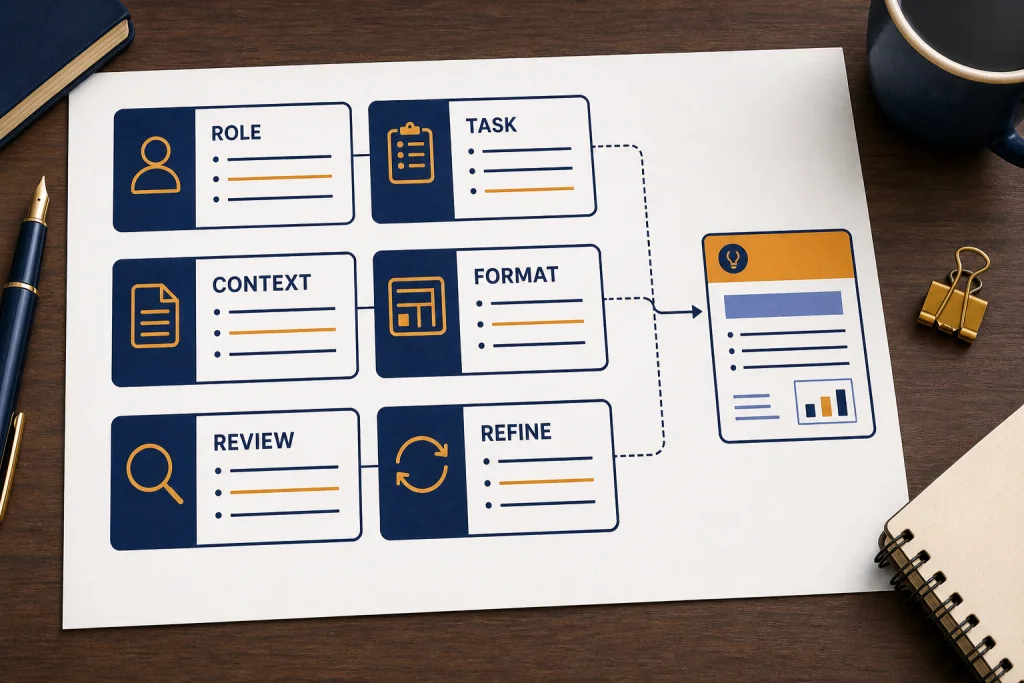
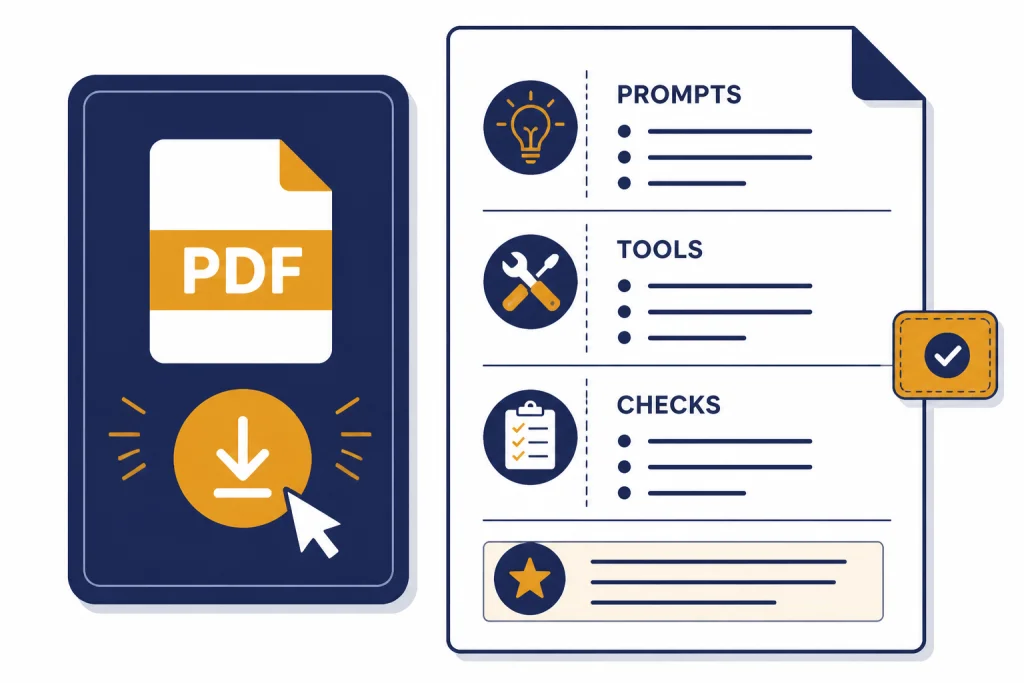
This ChatGPT cheat sheet PDF gives you a practical, printable reference for better prompts. It focuses on what beginners and working professionals need most: a reliable prompt formula, reusable prompt patterns, tool-selection tips, privacy reminders, and quick fixes for weak answers. Use it when you write, summarize, research, analyze files, draft emails, plan projects, or troubleshoot code. The PDF is not a list of magic phrases. It is a one-page workflow you can keep beside your browser and apply to almost any ChatGPT task.
Download the ChatGPT cheat sheet PDF
Free download: click the button below to open or save the printable file.
If the PDF opens in your browser, use your browser’s download icon or choose Save as PDF. Print it at 100% scale for a desk reference, or keep it in a notes app and copy the prompts when you start a new chat.
The free ChatGPT cheat sheet PDF is designed as a quick-reference sheet, not a full course. Use it to decide what context to provide, what format to request, what constraints to set, and how to ask ChatGPT to improve its own output.
ChatGPT can answer questions, explain concepts, draft or rewrite content, summarize text, offer creative suggestions, solve problems, and translate between languages, so a useful cheat sheet must cover more than generic prompt templates.[1] It should help you match the prompt to the task.
The PDF is organized around everyday work: writing, research, planning, coding, spreadsheet help, document review, and quality control. If you are brand new, start with what ChatGPT is and how it works. If you already use prompts daily, pair this page with our prompt engineering techniques guide for more advanced patterns.
One-page preview: what the PDF contains
- Prompt formula: role, task, context, constraints, format, and review.
- Starter prompts: summarize, rewrite, plan, learn, debug, and analyze data.
- Tool picker: standard chat, file upload, data analysis, Canvas, and deep research.
- Quality checks: ask for assumptions, missing information, source limits, and revision steps.
- Privacy reminder: remove sensitive details and follow workplace or school policy before uploading files or connecting apps.
The best way to use the download is simple: pick the pattern that matches your job, replace the bracketed placeholders, run the prompt, then use a follow-up prompt to refine the answer. Do not memorize the whole PDF. Treat it like a checklist.
Use the core prompt formula
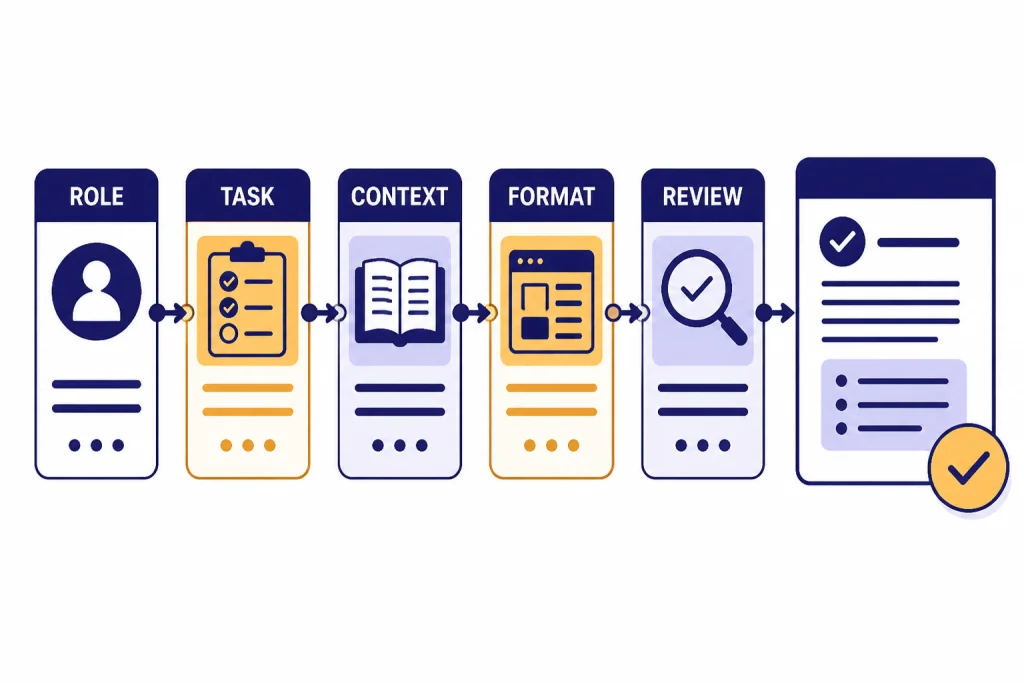
Most weak ChatGPT results come from vague inputs. The core formula in the cheat sheet is: role, task, context, constraints, format, and review. You do not need every element every time. You do need enough information for ChatGPT to understand what success looks like.
Role tells ChatGPT what perspective to use. A useful role is specific enough to shape judgment, but not so theatrical that it distracts from the task. Act as a technical editor for a beginner audience is better than act as the world’s greatest genius.
Task states the output you want. Use direct verbs such as summarize, compare, rewrite, classify, outline, debug, critique, extract, or convert. If you need several outputs, define the order.
Context gives the background. Paste the draft, describe the audience, share the goal, or upload the source material. ChatGPT can work with uploaded files such as PDFs, presentations, plain text documents, and spreadsheets for tasks like summarizing, comparing, analyzing tone, and applying a rubric.[2] For a document-specific workflow, use our PDF reading and summarizing tutorial.
Constraints prevent drift. Tell ChatGPT what to include, what to avoid, what assumptions to make, and what level of detail is appropriate. Strong constraints include audience level, tone, source limits, forbidden claims, and formatting rules.
Format defines the shape of the answer. Ask for a table, checklist, outline, email, executive summary, JSON object, spreadsheet-ready CSV, or step-by-step plan. If the output will be pasted into another tool, say that up front.
Review asks ChatGPT to check itself. Add a final instruction such as, Before answering, identify missing information and state any assumptions. This turns the model from a first-draft generator into a collaborator that can flag uncertainty.
Reusable prompt: Act as [role]. Your task is to [task]. Use this context: [context]. Follow these constraints: [constraints]. Return the answer as [format]. Before finalizing, list any assumptions or gaps that could affect the answer.
Before and after example: meeting summary
Weak prompt: Summarize these notes.
Better prompt: Act as an operations assistant. Summarize the pasted meeting notes for a project manager. Separate decisions, owners, deadlines, risks, and open questions. Keep it under 200 words and flag anything unclear.
Illustrative output: Decisions: launch checklist moves to Friday; support team owns customer FAQ. Risks: pricing copy still needs approval. Open questions: who signs off on the final landing page?
Copy and adapt these prompts
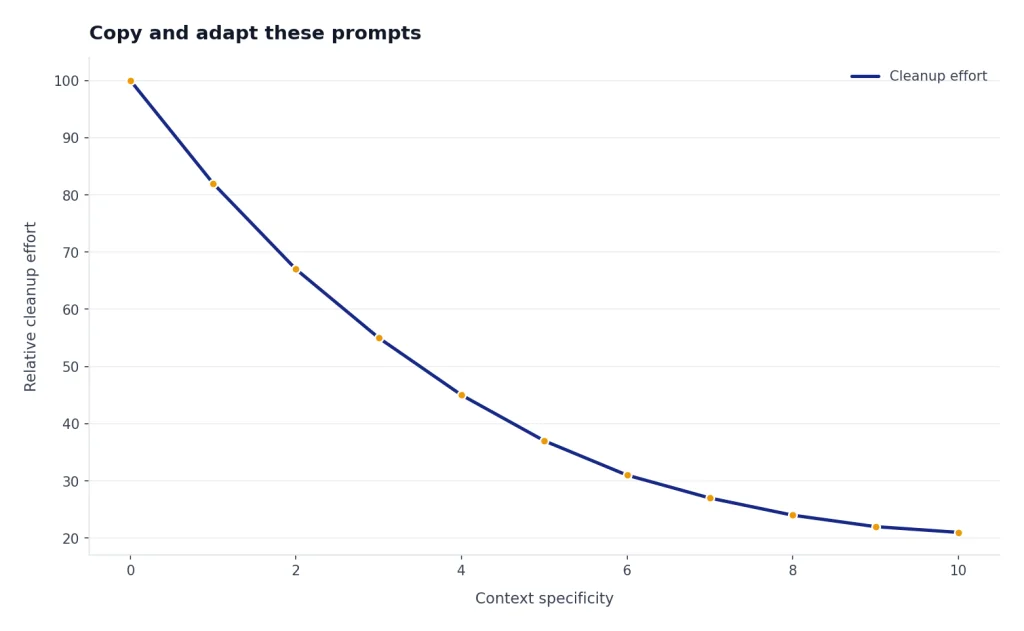
The cheat sheet includes starter prompts for common work. Copy them as a base, but do not leave the placeholders generic. The more specific your context, the less cleanup you usually need later.
| Use case | Prompt pattern | Best follow-up |
|---|---|---|
| Summarize a document | Summarize the pasted material for [audience]. Separate key points, risks, decisions, and open questions. | Turn this into an executive brief with only the facts that affect action. |
| Improve writing | Rewrite this for clarity and flow while preserving the meaning, evidence, and voice. | Show the biggest edits you made and explain why they improve the draft. |
| Plan a project | Create a practical plan for [goal] using [resources]. Include milestones, dependencies, and risks. | Convert this into a weekly checklist with owners and deliverables. |
| Learn a topic | Teach me [topic] for [purpose]. Start with the mental model, then give examples and practice questions. | Quiz me and adapt the next explanation based on my answers. |
| Debug code | Review this code and error message. Identify the likely cause, explain the fix, and provide a corrected version. | Suggest tests that would catch this bug in the future. |
| Analyze spreadsheet data | Inspect this dataset. Explain the columns, find patterns, flag quality issues, and suggest useful charts. | Create a short decision memo based on the strongest findings. |
For writing-heavy work, save a few tone and structure prompts from our ChatGPT writing tutorial. For code review, debugging, tests, and refactoring, use the practical examples in our ChatGPT coding workflow guide. For spreadsheet formulas, cleanup, and pivot-table help, keep the ChatGPT Excel prompts guide nearby.
Workflow example: spreadsheet cleanup
Prompt: I uploaded a customer export. Identify duplicate rows, inconsistent date formats, blank required fields, and columns that should be split or renamed. Return a cleanup checklist first, then suggest formulas or steps I can apply manually in Excel.
Illustrative output: 1. Standardize dates in SignupDate. 2. Check duplicates using email plus company name. 3. Split Full Name only if your CRM requires first and last name fields. 4. Review blank values in Plan before charting revenue by segment.
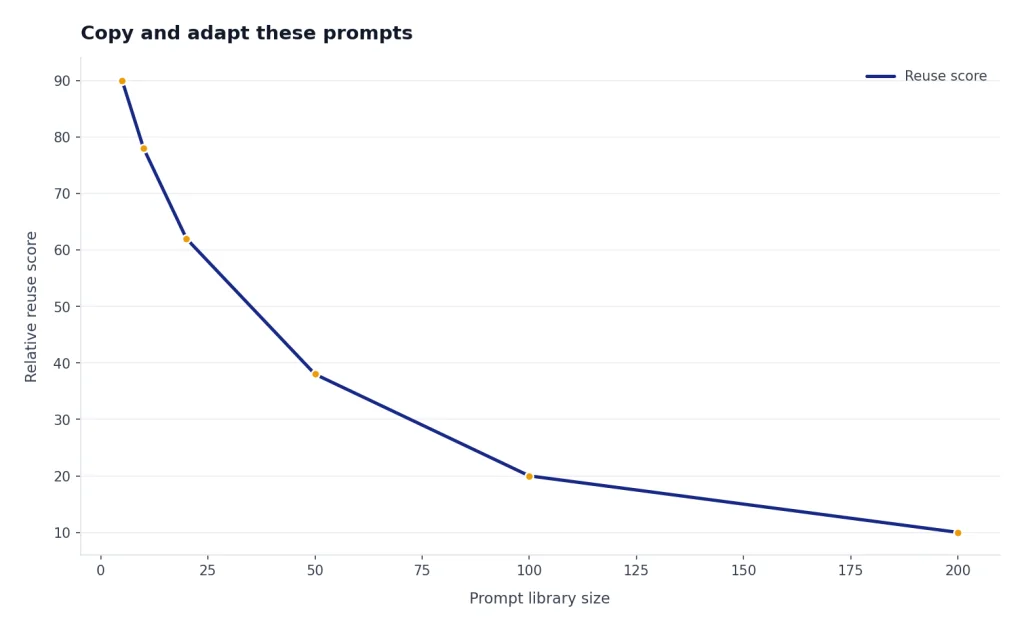
A good prompt library should be small. If you collect hundreds of prompts, you will stop using them. Keep the prompts that solve repeat problems, then edit them as your work changes. A useful prompt is not the one that sounds clever; it is the one you can run every week with only minor changes.
Choose the right ChatGPT tool
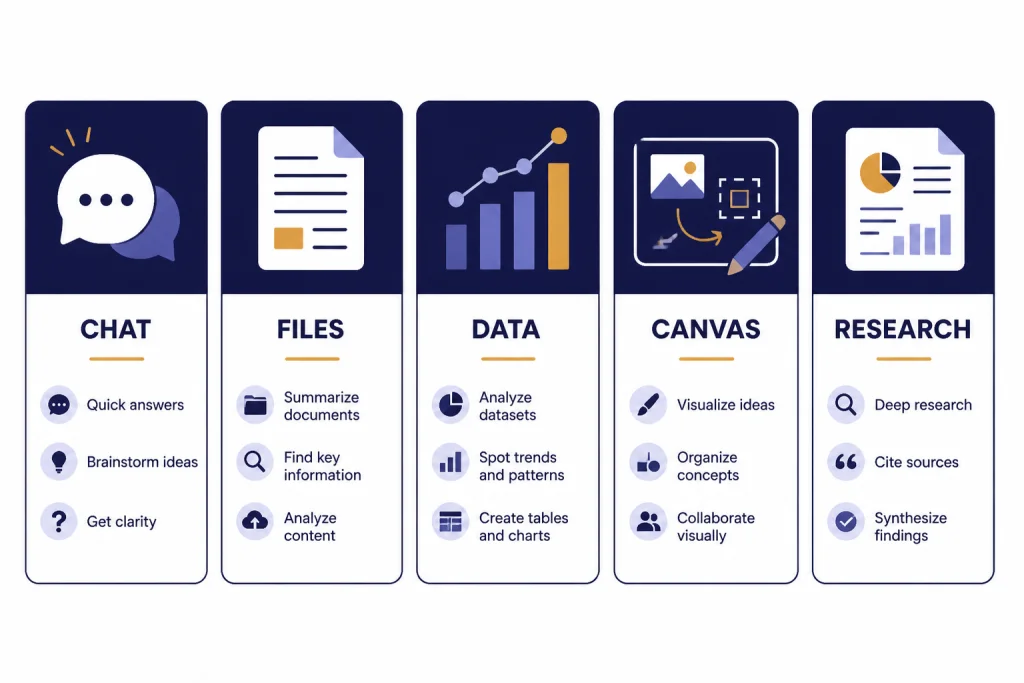
The PDF includes a tool-choice matrix because prompt quality is only part of the workflow. Sometimes you need a normal chat. Sometimes you need file upload, data analysis, Canvas, voice, or deep research. As of May 2026, model labels and feature availability can differ by plan, workspace, region, and rollout status, so treat the matrix as a decision guide rather than a guarantee that every button appears in every account.
ChatGPT data analysis can create static and interactive tables and charts from uploaded data, and OpenAI’s help documentation lists supported data file types including Excel, CSV, PDF, and JSON.[3] For a guided walkthrough, read our ChatGPT data analysis tutorial.
Canvas is a workspace for writing and coding projects where you can edit directly, highlight sections for targeted help, and work with longer drafts or code in a side-by-side interface.[4] If you draft articles, policies, lesson plans, or scripts, see our ChatGPT Canvas tutorial.
Deep research is built for multi-step research tasks. It can use the public web, uploaded files, selected websites, and connected apps, then return a documented report with citations or source links.[7] Use our ChatGPT deep research tutorial when you need a repeatable research workflow.
| Need | Best mode | Use it when | Access and privacy boundary |
|---|---|---|---|
| Fast answer | Standard chat | You need drafting, explanation, brainstorming, or a quick rewrite. | Do not rely on it for fresh facts unless browsing or source-backed tools are available. Avoid sharing sensitive details you do not need to include. |
| Document review | File upload | You need summary, extraction, comparison, or feedback on a source file. | Upload only files you are allowed to share. Remove personal, confidential, regulated, or client-identifying data when possible. |
| Spreadsheet work | Data analysis | You need cleaning, pattern finding, chart suggestions, or calculations. | Check formulas and conclusions before acting. For audited finance, compliance, or scientific work, use controlled review outside ChatGPT. |
| Long draft | Canvas | You need revision, structure, comments, or code editing in context. | Feature access can vary. Keep sensitive drafts in approved workspaces and follow your organization’s retention rules. |
| Source-backed report | Deep research | You need synthesis across sources with traceability. | Connected apps may expose private files, email, or workspace content. Connect only approved accounts and review every cited source. |
For workplace accounts, assume your organization may have its own admin settings, data controls, connectors, and acceptable-use policy. Before uploading a contract, HR file, customer list, source code repository, or internal spreadsheet, confirm that the account and tool are approved for that data.
Make ChatGPT more consistent
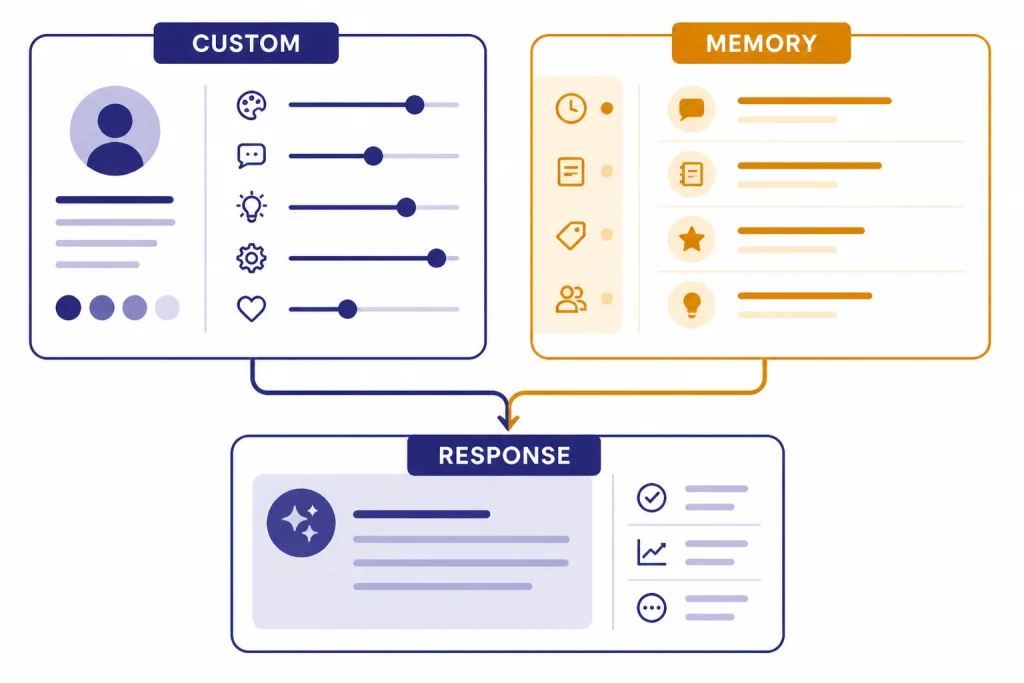
A cheat sheet helps in the moment. Settings help across conversations. The first setting to understand is custom instructions. OpenAI says custom instructions let you share what you want ChatGPT to consider in its responses, apply immediately to chats, and are available on web, desktop, iOS, and Android.[5]
Use custom instructions for stable preferences: your role, preferred writing style, default audience, formatting rules, or company editorial principles. Do not use them for temporary facts that only matter for one conversation.
Memory is different. OpenAI describes memory as a way for ChatGPT to remember useful details between chats, while giving users controls to delete memories, clear saved memories, turn memory off, or use Temporary Chat when they do not want memory used or updated.[6] For a deeper setup, read our ChatGPT memory tutorial.
Here is a practical split. Put durable preferences in custom instructions. Let memory handle recurring personal context that may change over time. Put project-specific facts inside the chat or uploaded files. This keeps the model from mixing old context into new work.
Custom instruction example: Write in plain American English. Prefer short paragraphs. When facts are uncertain, say so. For business writing, lead with the answer, then give the reasoning.
If you regularly reuse the same prompt patterns, build a small library. Our ChatGPT prompt generator guide shows a simple way to turn recurring tasks into saved templates without overcomplicating your workflow.
Avoid common cheat sheet mistakes
The most common mistake is treating the PDF as a script. A prompt that worked for someone else may fail for you because your audience, source material, constraints, and standards are different. Use the cheat sheet as a starting point, then adapt it.
Another mistake is asking for a polished final answer too early. Better results often come from a staged workflow: outline the approach, identify missing information, draft the answer, critique the draft, then revise. This takes longer than a one-shot prompt, but it usually produces cleaner work.
Illustrative staged workflow
- Plan: Ask ChatGPT to list the sections, assumptions, and missing information.
- Draft: Ask for the first version in your required format.
- Critique: Ask what is unclear, unsupported, too long, or risky.
- Revise: Ask for a final version that fixes the critique without adding new claims.
Do not outsource judgment. ChatGPT can draft and analyze, but you remain responsible for accuracy, privacy, legality, and final decisions. Verify facts, especially for medical, legal, financial, academic, and current-events work. If the output cites sources, open them and check whether they support the claim.
Do not paste sensitive information unless you are allowed to share it. Remove private identifiers, confidential business details, and regulated data when possible. If you work inside a company or school account, follow your organization’s data policy.
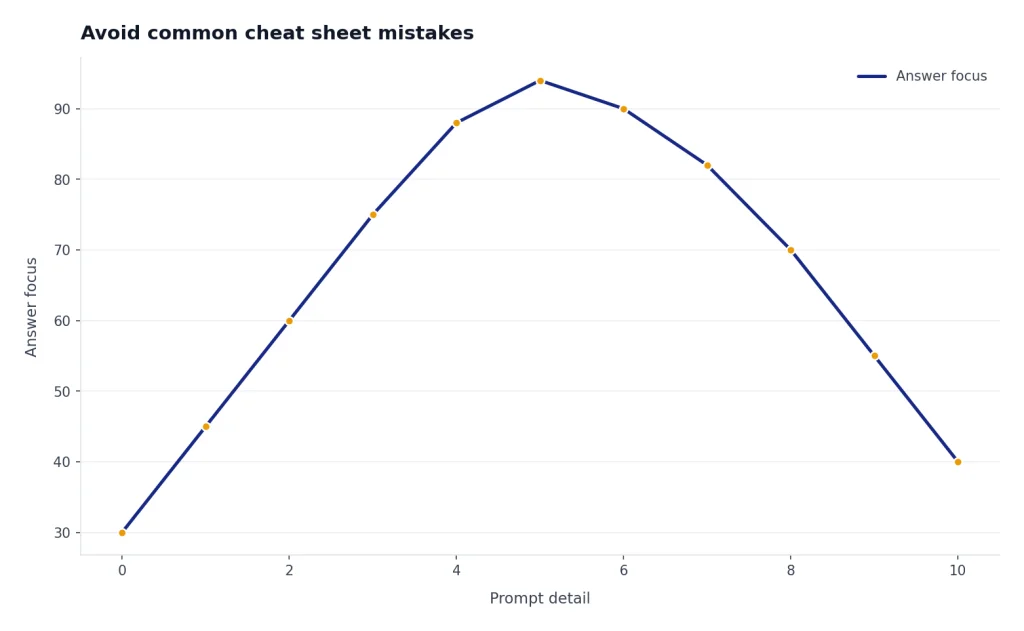
Finally, do not confuse a longer prompt with a better prompt. A prompt should include the information ChatGPT needs, not every detail you can imagine. If the model gives an unfocused answer, tighten the task, add constraints, and request a specific format.
Keep your cheat sheet current
ChatGPT changes often. Features, plan access, model names, file handling, and interface labels can shift. As of May 2026, ChatGPT users may see different GPT-5.x model options depending on product surface and plan. The safest habit is to keep your personal cheat sheet focused on durable prompting patterns, not temporary button names.
Review your saved prompts when you notice friction. If a prompt starts producing too much text, add a tighter format. If it misses context, add a required input field. If it invents details, add a rule that it must separate known facts from assumptions.
For advanced users, keep separate prompt sets by workflow. A writer may need research, outlining, editing, and headline prompts. A marketer may need positioning, campaign planning, and analytics prompts. A developer may need debugging, documentation, test generation, and architecture review prompts. Our guides to SEO workflows with ChatGPT, marketing with ChatGPT, and advanced prompt engineering techniques can help you expand beyond the PDF.
The PDF should become less important as your habits improve. Once you naturally provide role, task, context, constraints, format, and review instructions, you will not need to look up a prompt every time. You will know how to build the right prompt from the problem in front of you.
Frequently asked questions
What is included in the ChatGPT cheat sheet PDF?
It includes a one-page prompt formula, reusable prompt patterns, a tool-selection matrix, quality checks, and privacy reminders. It is built for practical work rather than theory.
Is this cheat sheet only for beginners?
No. Beginners can use it to learn better prompt structure. Experienced users can use it as a compact checklist for repeat workflows, especially when switching between writing, research, data, and coding tasks.
Will these prompts work with every ChatGPT plan?
The prompt patterns work broadly, but some workflows depend on features such as file uploads, data analysis, Canvas, deep research, connected apps, or specific model access. Feature access can vary by plan, workspace, country, admin settings, and product updates, so check your ChatGPT interface before relying on a tool for critical work.
Can I use the cheat sheet for work or school?
Yes, if your organization allows ChatGPT use for that task. Follow your workplace or school policy, remove sensitive information when possible, use approved accounts for file uploads or connected apps, and verify the output before submitting or publishing it.
What is the best prompt on the cheat sheet?
The best prompt is the core formula: role, task, context, constraints, format, and review. It works because it adapts to the job instead of relying on a fixed phrase.
How often should I update my prompt cheat sheet?
Update it whenever a saved prompt stops producing useful results or when ChatGPT adds a workflow you use often. Keep durable prompt patterns and remove templates that no longer match your real work.