

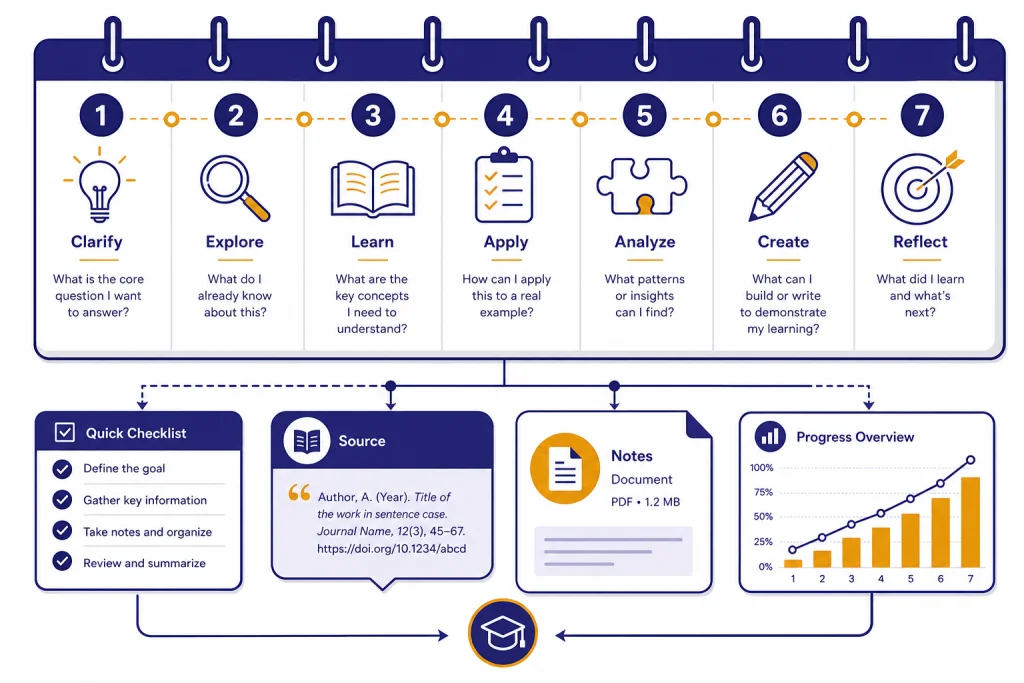
You can master ChatGPT in 7 days if you define “master” as building dependable habits, not memorizing every feature. This plan teaches the core workflow: set up privacy and memory, write clearer prompts, use files and search, verify answers, analyze data, revise drafts in Canvas, and turn repeated work into reusable systems. ChatGPT now includes features for web search, deep research, file uploads, data analysis, voice, Canvas, memory, projects, and custom GPTs, but beginners usually improve fastest by practicing one capability per day.[1] Use this schedule as a compact course. By the end, you should have a small prompt library and a repeatable review process.
What you will learn in 7 days
This course is for people who use ChatGPT casually and want to become consistent. It is not a shortcut to expert judgment. It is a structured way to learn when to ask, how to ask, how to check, and how to reuse what works.
The goal is practical control. You will learn how to turn vague requests into clear assignments, how to add context without overloading the model, how to ask for options instead of one premature answer, and how to verify any claim that matters. If you are brand new, read this beginner explanation of ChatGPT first, then return to this plan.
The plan also introduces the main surfaces inside ChatGPT. OpenAI describes ChatGPT as supporting tasks such as search, deep research, file uploads, data analysis, voice conversations, Canvas, memory, projects, scheduled tasks, and custom GPTs.[1] You will not master every corner of those tools in one week. You will learn where each one belongs.
By the end, you should have three assets: a reusable prompt template, a small library of tested prompts, and a checklist for reviewing AI output before you use it. That combination matters more than any single prompt trick.
Setup before day one
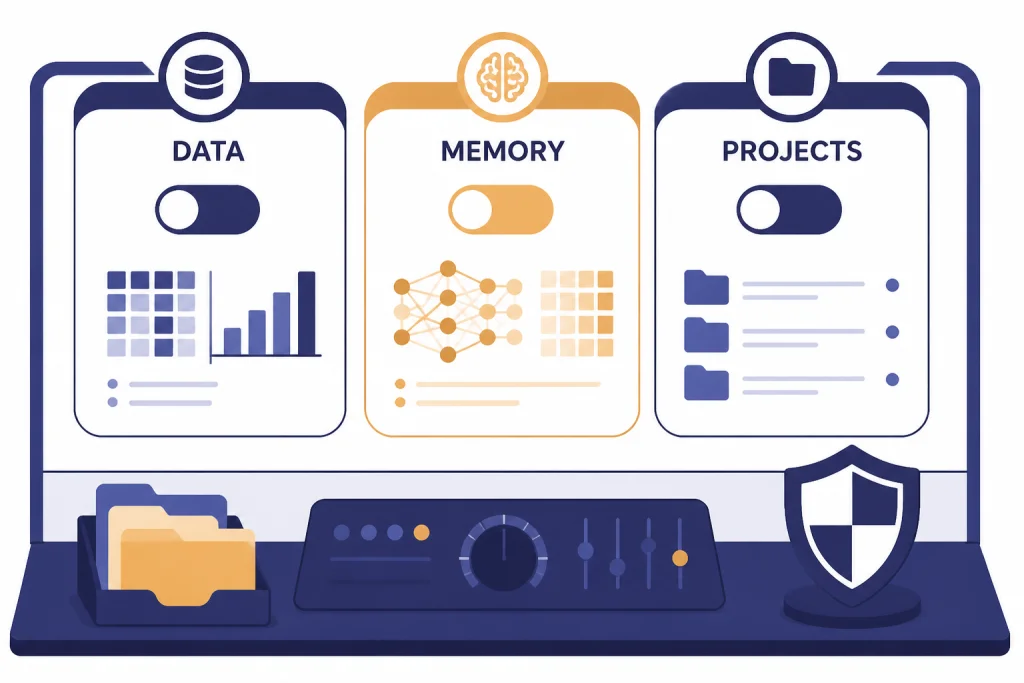
Start by setting up ChatGPT so your practice sessions are clean. Review your data controls, memory settings, and working folders before you begin. OpenAI says Data Controls let you decide whether your conversations help improve its models, with options that vary depending on whether you are signed in.[2] If you use ChatGPT for sensitive work, learn these settings before you paste anything important.
Next, check memory. OpenAI says ChatGPT memory can use saved memories and, when enabled, reference chat history to personalize future responses; users can view, delete, clear, or turn off memory controls.[3] For this course, memory is useful if you want ChatGPT to remember your role, tone preferences, or recurring projects. It is less useful when you are testing prompts that must work for anyone.
Create one working chat or project for the course. Projects can group chats, files, and instructions around a shared objective, which is useful for repeated or long-running work.[11] Name it something plain, such as “ChatGPT practice course.” Keep your practice prompts, outputs, and notes together so you can compare your first attempts with later results.
Finally, choose one real use case. Good choices include writing emails, summarizing PDFs, analyzing a spreadsheet, planning lessons, drafting code, improving SEO briefs, translating documents, or building a personal knowledge assistant. If your goal is writing, keep our writing workflow tutorial open as a companion. If your goal is formulas or spreadsheets, save the Excel prompt guide for the data day.
The daily lesson plan
The schedule below moves from basic control to applied workflows. Each day has one skill, one exercise, and one artifact to save. Do not skip the artifact. A saved prompt, checklist, or example output turns practice into a system.
Day 1: Learn the conversation loop
Your first skill is learning to direct the conversation. Ask ChatGPT for a task, inspect the answer, then revise the instruction. The loop is simple: assign the role, describe the outcome, add context, set constraints, request a format, and ask for clarifying questions before the final answer.
Exercise: ask ChatGPT to help with a real task you would normally do yourself. First, ask vaguely. Then ask again with context, constraints, and an output format. Compare the results. Save the better prompt and note what improved. For a deeper prompt framework, use these prompt engineering techniques after you finish the day.
Day 2: Add context without creating noise
Most weak ChatGPT results come from missing context or too much irrelevant context. Today, practice giving the model the same information a capable assistant would need: audience, goal, background, constraints, examples, and definition of done.
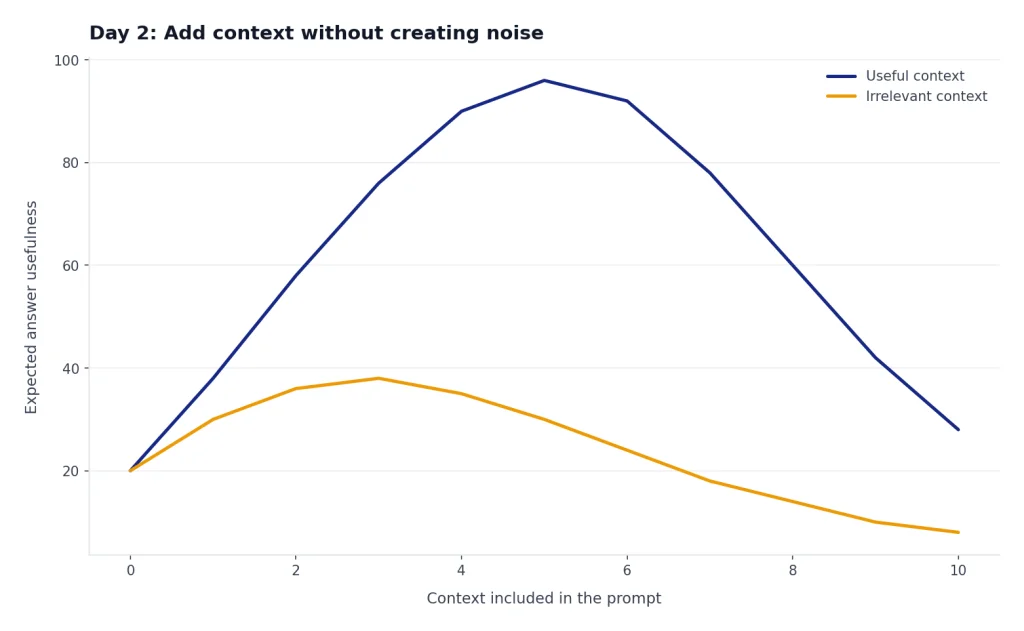
Exercise: rewrite one prompt three ways. In the first version, include no context. In the second, include everything you know. In the third, include only decision-relevant context. The third version should usually win. Save it as your “briefing prompt.”
Day 3: Use files and summaries responsibly
Today you will upload or paste source material and ask ChatGPT to extract, summarize, compare, and question it. OpenAI says common supported file types include XLSX, XLS, CSV, TSV, DOCX, PPTX, PDF, and TXT, while .gdoc is not currently supported directly.[5] If you need to use a Google Doc, export it to a supported format first.
Exercise: upload a document you are allowed to use. Ask for a summary, then ask for a list of uncertainties, missing context, and possible misreadings. The second request is the important one. Summaries feel useful, but the habit of asking “what might be wrong here?” is what makes ChatGPT safer. For a specialized walkthrough, use the PDF reading tutorial.
Day 4: Search, research, and verify
Today’s skill is knowing when ChatGPT needs current or sourced information. OpenAI says ChatGPT search can automatically search the web when a question may benefit from web information, and search answers can include inline citations and source panels.[6] Treat citations as starting points, not decoration. Open them when the answer matters.
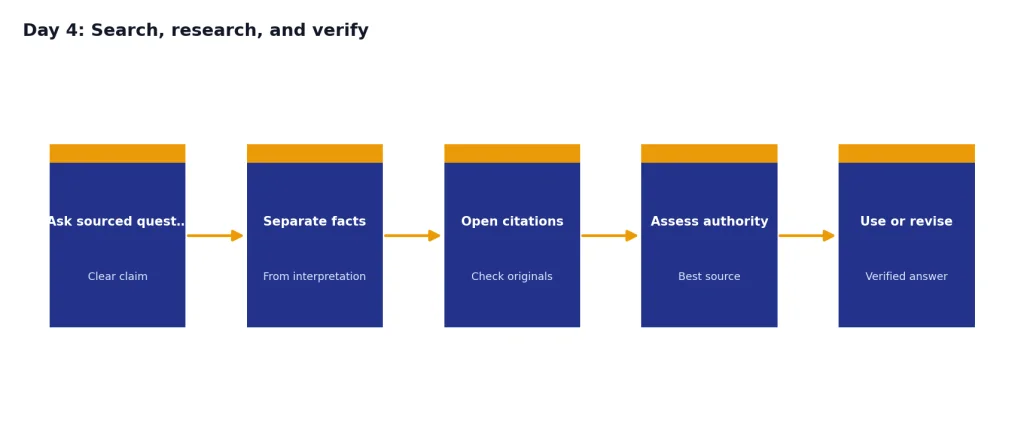
Exercise: ask a question that depends on current facts. Require ChatGPT to cite sources and separate facts from interpretation. Then ask it to identify which source is most authoritative and why. For deeper projects, OpenAI describes deep research as a workflow where you describe the outcome, choose sources, review a proposed research plan, follow progress, and receive a structured report with citations or source links.[7] Use our deep research tutorial when your task needs a report rather than a quick answer.
Day 5: Analyze data instead of guessing
Today you will move from text help to analytical help. OpenAI says ChatGPT data analysis can work with uploaded data, create tables and charts, and use Python libraries such as pandas and Matplotlib in a secure code execution environment.[4] This makes it useful for spreadsheets, CSV files, and structured datasets.
Exercise: upload a small spreadsheet or CSV that you are allowed to analyze. Ask ChatGPT to inspect the columns, describe data quality problems, create a simple chart, and explain the finding in plain English. Then ask it to show assumptions and provide the code or analysis steps if available. If you want a full workflow, continue with the step-by-step data analysis tutorial.
Day 6: Draft, revise, and code in Canvas
Today is about editing. Chat is good for conversation. Canvas is better when you need to work on a document or code file through multiple revisions. OpenAI describes Canvas as an interactive workspace for co-writing, editing, or debugging alongside ChatGPT, with inline suggestions and tools such as file upload and code editing.[9]
Exercise: open a draft in Canvas. Ask ChatGPT to improve structure, then tone, then accuracy. Do not ask for every improvement at once. For code, ask for a bug explanation before asking for a fix. Save the final version and the revision instructions that helped most. For more detail, use the Canvas tutorial or our coding workflow.
Day 7: Turn repeated work into a system
The final day turns your best prompts into reusable workflows. Start with your saved prompts from the week. Group them by job: briefing, drafting, checking, researching, summarizing, analyzing, and revising.
If you repeat the same task often, consider a custom GPT. OpenAI describes GPTs as custom versions of ChatGPT that users can tailor for specific tasks by combining instructions, knowledge, and capabilities; OpenAI also says no coding is required to create them.[8] A custom GPT is not necessary for every workflow. Use one when the same instructions, files, or behavior must be reused often. For a complete build process, follow the custom GPT tutorial.

Build your prompt library
A prompt library is a small set of tested instructions you trust. It should not be a giant folder of clever one-liners. Keep only prompts that solved a real problem for you.
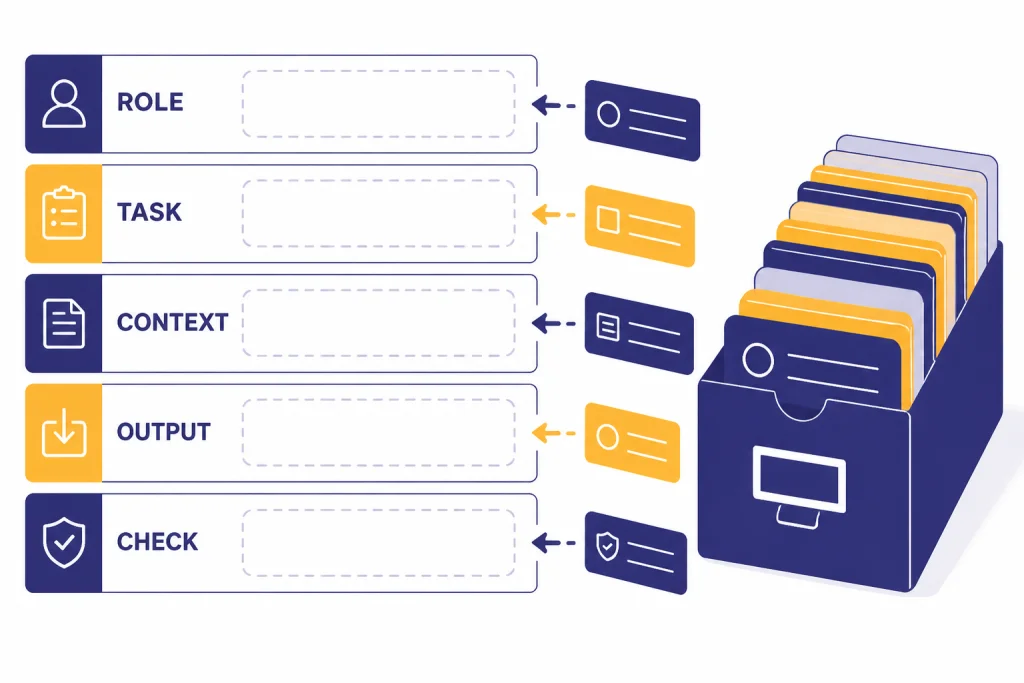
Use this base template:
Role: Act as [specific role].
Task: Help me [specific outcome].
Context: Here is the relevant background: [brief context].
Constraints: Follow these limits: [tone, audience, length, sources, exclusions].
Output: Return the answer as [format].
Quality check: Before finalizing, list assumptions, risks, and missing information.
Then create variants for your own work. A marketer might keep prompts for campaign briefs, landing pages, audience research, and content repurposing. A student might keep prompts for concept explanation, quiz generation, source critique, and study planning. A developer might keep prompts for bug isolation, test generation, documentation, and code review.
Do not save prompts that depend on hidden context. A good library prompt should remind you what information to add. If you often forget constraints, bake the constraints into the template. If you often accept weak answers, add a quality-check line. For a faster way to assemble variants, use the prompt generator workflow.
Practice schedule and expected outputs
Use the table as your checklist. The output column matters because learning ChatGPT is not just reading tips. You need saved examples you can reuse.
| Day | Main skill | Practice task | Save this artifact |
|---|---|---|---|
| Day 1 | Conversation control | Rewrite a vague prompt into a structured prompt | Best basic prompt |
| Day 2 | Context design | Compare no context, too much context, and useful context | Briefing prompt |
| Day 3 | File work | Summarize a document and identify uncertainties | Document review checklist |
| Day 4 | Verification | Ask a current question with citations and source review | Research prompt |
| Day 5 | Data analysis | Analyze a spreadsheet and explain a chart | Data question template |
| Day 6 | Revision | Edit a draft or debug code in Canvas | Revision instructions |
| Day 7 | Reuse | Package your best prompts into a workflow | Prompt library or custom GPT plan |
Adjust the examples to your field. If you are focused on SEO, replace the document task with a content brief and use the SEO workflow tutorial. If you need translation practice, replace the writing day with a translation workflow. The order still works because it teaches control before specialization.
How to measure progress
You are improving when your prompts become shorter, clearer, and easier to reuse. You are not improving if you need longer and longer prompts to rescue weak outputs.
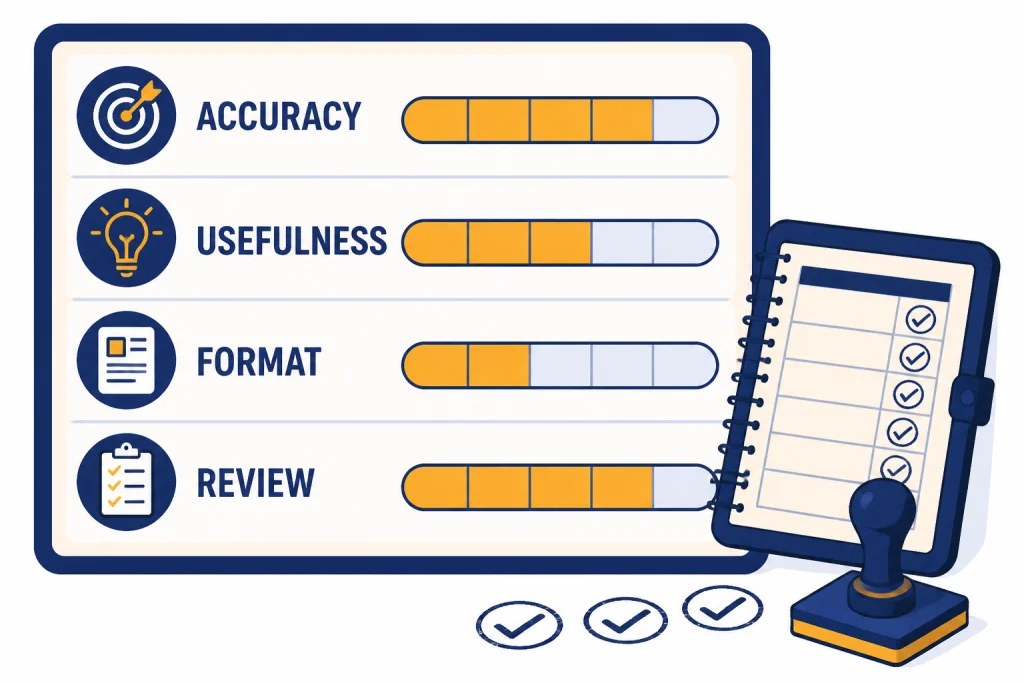
Score each practice output on four criteria: accuracy, usefulness, format fit, and reviewability. Accuracy asks whether the answer is factually sound. Usefulness asks whether it solves the real problem. Format fit asks whether it arrived in the structure you requested. Reviewability asks whether sources, assumptions, calculations, or reasoning steps can be checked.
Keep a simple log. Record the task, prompt, first answer, revision request, final answer, and one lesson learned. Patterns will appear quickly. You may find that ChatGPT performs well when you provide examples, struggles when you omit audience, or needs explicit source rules for research tasks.
For voice practice, use spoken prompts to test whether you can explain a task clearly without overthinking. OpenAI says voice conversations let logged-in users speak with ChatGPT in mobile apps and on desktop web, with spoken responses from ChatGPT.[10] Voice is useful for brainstorming, rehearsal, and coaching. Use text when precision, citations, or reusable prompts matter more.
Common mistakes to avoid
The first mistake is treating ChatGPT like a search box. Search asks for an answer. ChatGPT works better when you assign a job, provide context, and review the result. Use search when facts are current. Use deep research when the task needs multi-source synthesis. Use standard chat when you need drafting, explanation, planning, or iteration.
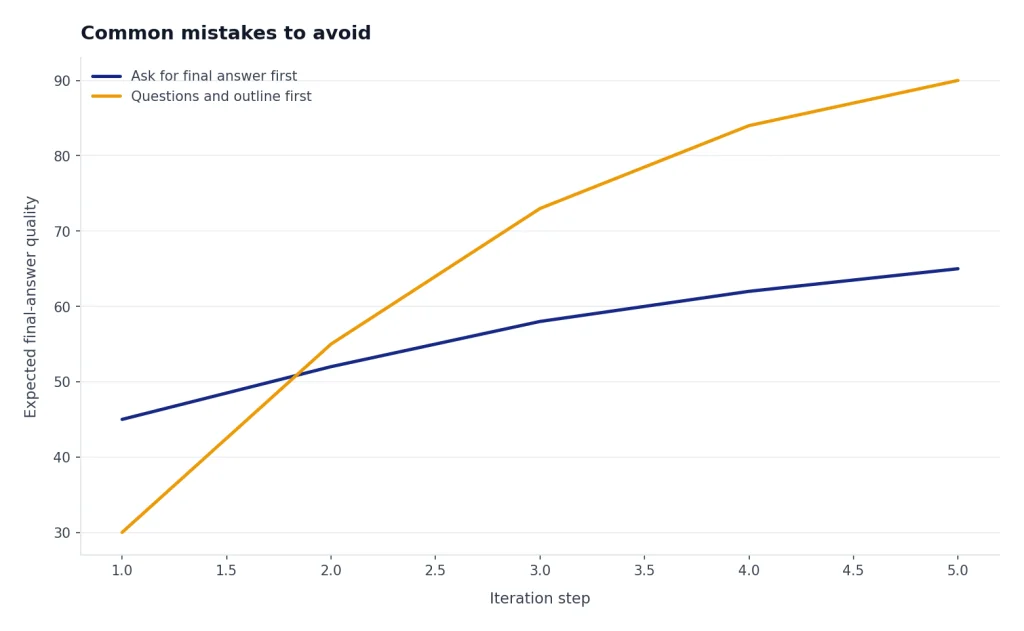
The second mistake is asking for a final answer too early. Ask for questions first when the task is ambiguous. Ask for an outline before a long draft. Ask for assumptions before a recommendation. This slows the first response but improves the final result.
The third mistake is trusting confident language. ChatGPT can sound polished even when it is wrong, incomplete, or too general. For important work, require citations, source links, calculations, or a checklist of assumptions. When a claim affects money, health, law, safety, or reputation, verify it outside the chat.
The fourth mistake is saving too many prompts. A useful prompt library is small. Delete prompts that did not survive real use. Improve the prompts that did.
The fifth mistake is ignoring privacy and permissions. Do not upload files you are not allowed to share. Do not paste secrets, private personal data, confidential client material, or regulated information unless your account, workspace, and policies permit it. When in doubt, remove sensitive details or use approved internal tools.
Frequently asked questions
Can I really master ChatGPT in 7 days?
You can master the basics in 7 days. You should be able to write clearer prompts, use files, verify web-backed answers, revise drafts, and build a small prompt library. Expert use takes longer because it depends on your field, judgment, and review habits.
How much time should I spend each day?
Spend enough time to complete the exercise and save the artifact. A focused practice session is better than a long browsing session. If you have limited time, do the exercise with one real task from your work or study life.
Do I need a paid ChatGPT plan for this lesson plan?
No single paid plan is required to learn the workflow. Some tools, limits, and model access vary by plan and may change. If a feature is unavailable in your account, practice the same skill with the closest available tool and check OpenAI’s current help pages before upgrading.
What is the most important ChatGPT skill for beginners?
The most important skill is giving useful context and then reviewing the answer. Prompt tricks help, but context and verification matter more. A good beginner prompt states the role, task, audience, constraints, output format, and quality check.
Should I use memory while learning?
Use memory if you want ChatGPT to personalize answers around stable preferences, such as your writing style or recurring projects. Turn it off or use a clean chat when you are testing prompts that should work without personal history. Review memory settings so you understand what ChatGPT may reference.
When should I build a custom GPT?
Build a custom GPT when you repeat the same workflow often and want the same instructions, files, or capabilities available every time. Do not build one for a task you have not tested manually. First prove the workflow in normal chat, then package it.