

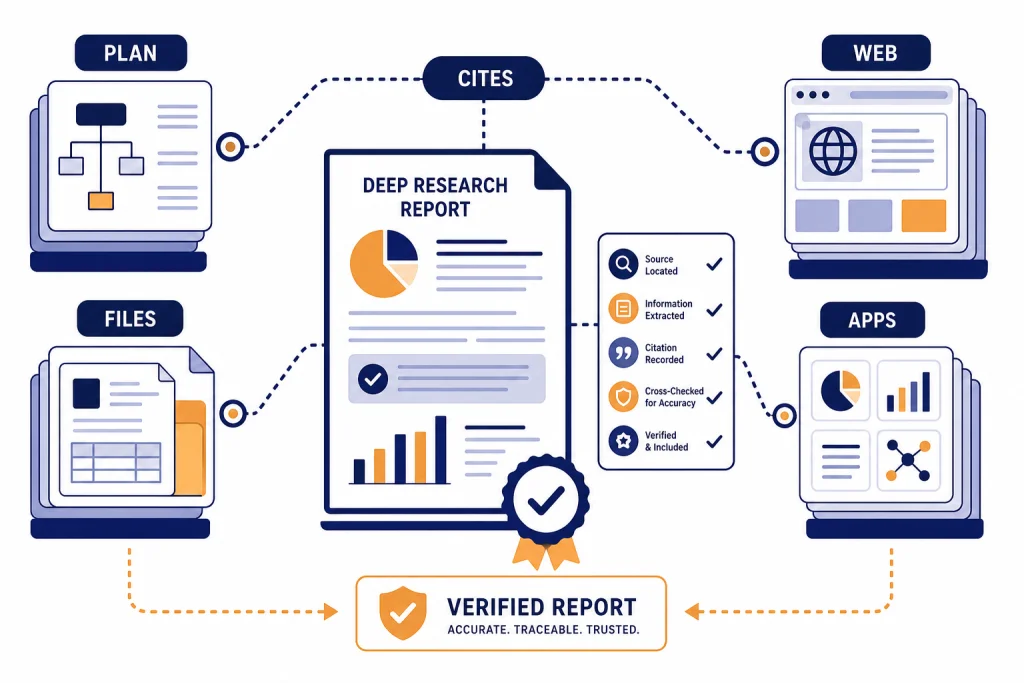
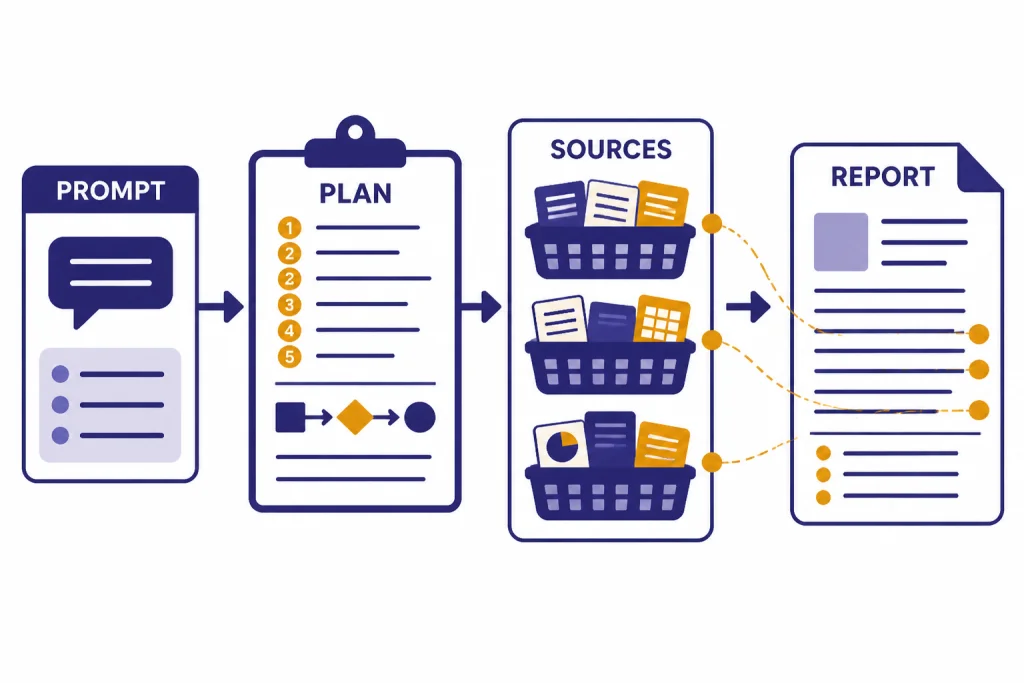
ChatGPT Deep Research is best for projects that need source-heavy synthesis, not quick answers. Use it when you want ChatGPT to search across the web, uploaded files, selected sites, or connected apps, then return a documented report you can audit. The workflow is simple: define the decision or deliverable, set source boundaries, review the proposed plan, let the task run, and verify the report before using it. This ChatGPT tutorial deep research workflow shows how to run a project from blank prompt to finished brief without treating the output as automatically true.
What Deep Research does
Deep Research is a ChatGPT research agent for multi-step questions. OpenAI describes it as a tool that can reason, research, and synthesize information into a documented report, using sources such as the public web, uploaded files, specific websites, and enabled ChatGPT apps.[1]
OpenAI launched Deep Research on February 2, 2025, and described the original system as able to find, analyze, and synthesize hundreds of online sources in tens of minutes for complex research tasks.[2] That does not mean every report is correct. It means the tool is designed to do more than a standard web lookup.
The main advantage is not speed alone. The advantage is structure. Deep Research can propose a plan, follow a thread across sources, adapt as it finds new material, and return a report with citations or source links that you can check.[1] If you are new to the basics, start with what ChatGPT is before using this workflow.
| Task type | Use this mode | Why |
|---|---|---|
| Quick fact check | Regular ChatGPT search | Faster for simple, narrow questions. |
| Market scan, literature scan, vendor comparison, policy brief | Deep Research | Better for source aggregation, synthesis, and traceable reports. |
| Summarizing a known document | File upload or PDF workflow | Better when the source set is already fixed. |
| Analyzing a spreadsheet or dataset | Data analysis workflow | Better when the core work is calculation, cleaning, or charting. |
Use Deep Research when the research question is broad enough to require judgment, but narrow enough that a report can answer it. If your work is mainly a PDF reading task, use our PDF reading and summarizing workflow. If your work is mainly numerical, use the data analysis tutorial.
Pick the right research project
A good Deep Research project has a clear decision behind it. “Research electric vehicles” is too broad. “Compare the warranty, charging, ownership costs, and reliability tradeoffs for three compact electric SUVs sold in the United States for a family that drives mostly in winter” is much better.
Start by naming the output. Ask for a buyer brief, board memo, competitive landscape, literature review, risk register, timeline, source table, or annotated bibliography. The output type controls the research path. It also makes the report easier to judge when it comes back.
Deep Research is strongest when the answer depends on several kinds of evidence. A product comparison may need manufacturer pages, owner forums, safety data, warranty terms, and professional reviews. A policy brief may need statutes, agency guidance, court opinions, and commentary. A content strategy may need competitor pages, search intent, audience pain points, and examples. For SEO-specific work, pair this tutorial with our SEO workflow that ranks.
A weak Deep Research project asks for taste, prediction, or a private answer the model cannot verify. “Tell me which startup will win” invites speculation. “Summarize the funding history, product positioning, customer segments, and known risks for these named startups using only official filings, company pages, and reputable business coverage” creates an auditable task.
Use this project test
- The question has a real decision or deliverable.
- The answer needs more than one source.
- You can name acceptable source types.
- You know what a good final format looks like.
- You are willing to verify the important claims.
Prepare your question, files, and source rules
Do not begin with a vague prompt. Give Deep Research the same context you would give a human analyst. State the audience, decision, scope, exclusions, source rules, and final format. OpenAI’s Help Center says a good Deep Research prompt should describe the question, desired outcome, and relevant constraints so ChatGPT can propose a plan you can review before research begins.[1]
Source control matters. By default, Deep Research can use the public web and uploaded files.[1] It can also use connected apps and data services you have access to, including examples such as Google Drive, SharePoint, FactSet, PitchBook, and Scholar Gateway.[1] OpenAI’s February 10, 2026 release notes also describe improvements for focusing Deep Research on specific websites and a larger collection of connected apps as trusted sources.[3]
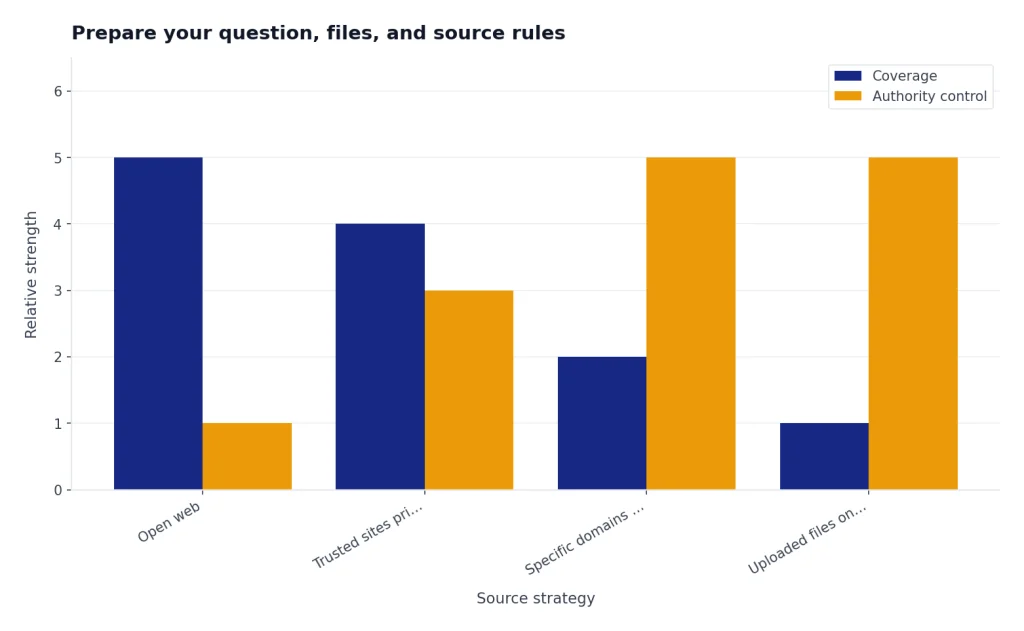
Use specific sites when source quality matters more than coverage. For example, tell it to prioritize official product pages, regulator pages, standards bodies, court sites, company filings, or peer-reviewed sources. The Help Center says you can restrict research to entered websites or domains, or prioritize those sites while allowing broader web search.[1]
If you use connected apps, think about access before you run the task. OpenAI says apps may have different capabilities for interactive use, search, Deep Research, sync, write actions, custom MCP connections, and other functions.[4] For sensitive work, confirm that the right workspace controls, app permissions, and data settings are in place before you expose internal files.
For long-running research habits, consider a reusable instruction pattern. A custom GPT can hold a preferred report structure, citation checklist, and source policy. See our Custom GPT tutorial for that setup. For one-off projects, a strong prompt is enough.
The five-part setup prompt
Run Deep Research on this question: [question].
Audience: [who will read it].
Decision: [what this research will help decide].
Scope: include [topics], exclude [topics].
Sources: prioritize [source types or sites], avoid [source types].
Output: produce [format], with citations for all factual claims and a short uncertainty section.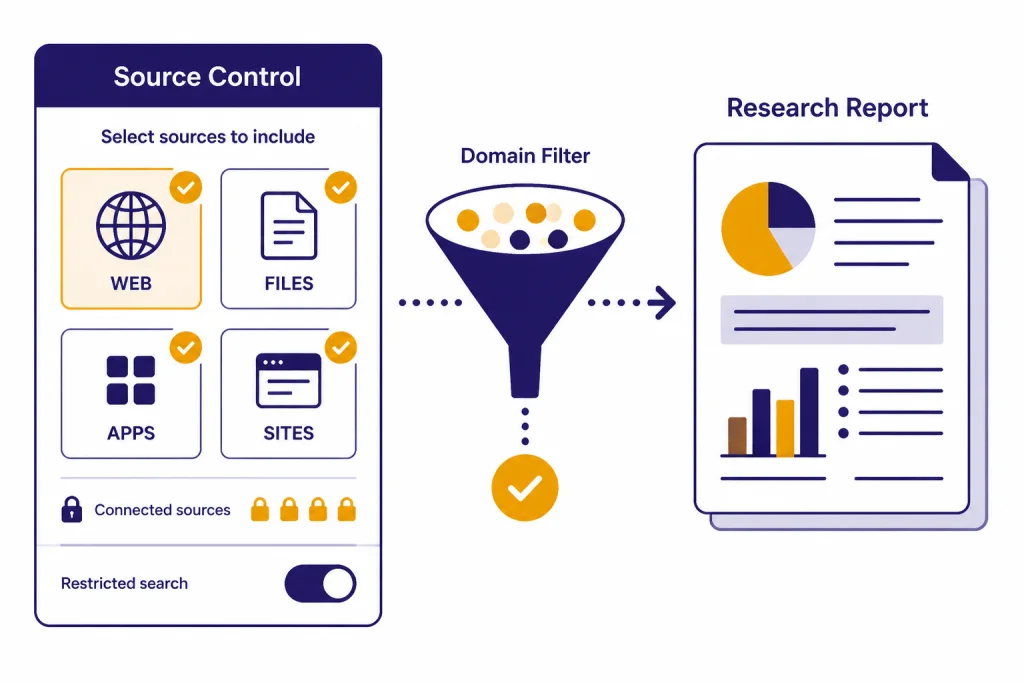
Run the Deep Research task
You can start Deep Research by typing /Deepresearch in the ChatGPT prompt window, choosing Deep Research from the tools menu, or selecting it from the sidebar.[1] After you enter the prompt, ChatGPT can ask clarifying questions and create a proposed research plan.[1]
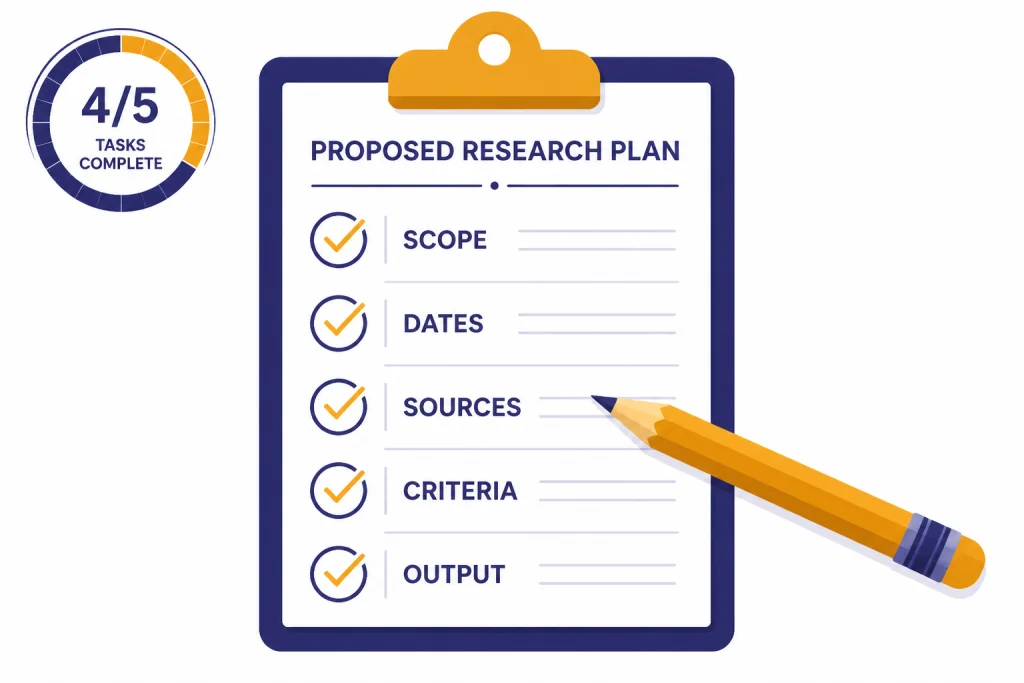
Do not skip the plan review. This is the point where you catch scope drift before the model spends the task. Look for missing source categories, weak definitions, unclear geography, outdated time windows, and output formats that will be hard to reuse.
When the plan appears, edit it like a project brief. Replace fuzzy verbs with concrete ones. “Discuss competitors” becomes “compare pricing model, target customer, integrations, funding stage, and public customer evidence.” “Recent sources” becomes “sources published or updated after a named date.” Avoid relative language when the timeline matters.
OpenAI says Deep Research usage varies by plan and that the in-product usage counter shows remaining tasks. For plans with a fixed monthly allowance, the counter resets every 30 days from the date of first use.[1] OpenAI’s April 24, 2025 update listed monthly Deep Research allowances of 5 for Free users, 25 for Plus, Team, Enterprise, and Edu users, and 250 for Pro users, with automatic switching to a lightweight version after full-version limits are reached.[2] Check the counter in ChatGPT before starting a large batch.
While the task runs, monitor the activity if ChatGPT shows it. OpenAI’s current Help Center says you can follow progress and interrupt at any time to refine the focus, including changing which sources it can access.[1] Use that control if the system starts following an irrelevant branch, overweights low-quality sources, or misses a required site.
What to change during the plan stage
- Source mix: add official sources, filings, standards, academic databases, or internal folders.
- Jurisdiction: specify country, state, market, language, or region.
- Time window: define the earliest acceptable publication or update date.
- Decision criteria: name the evaluation factors before the report is written.
- Output structure: require an executive summary, evidence table, recommendation, and uncertainty notes.
Review the report like an editor
A Deep Research report is a starting draft with citations, not a finished authority. OpenAI says completed reports include citations or source links, a table of contents, a sources used section, and an activity history for reviewing how the research progressed.[1] Use those features.
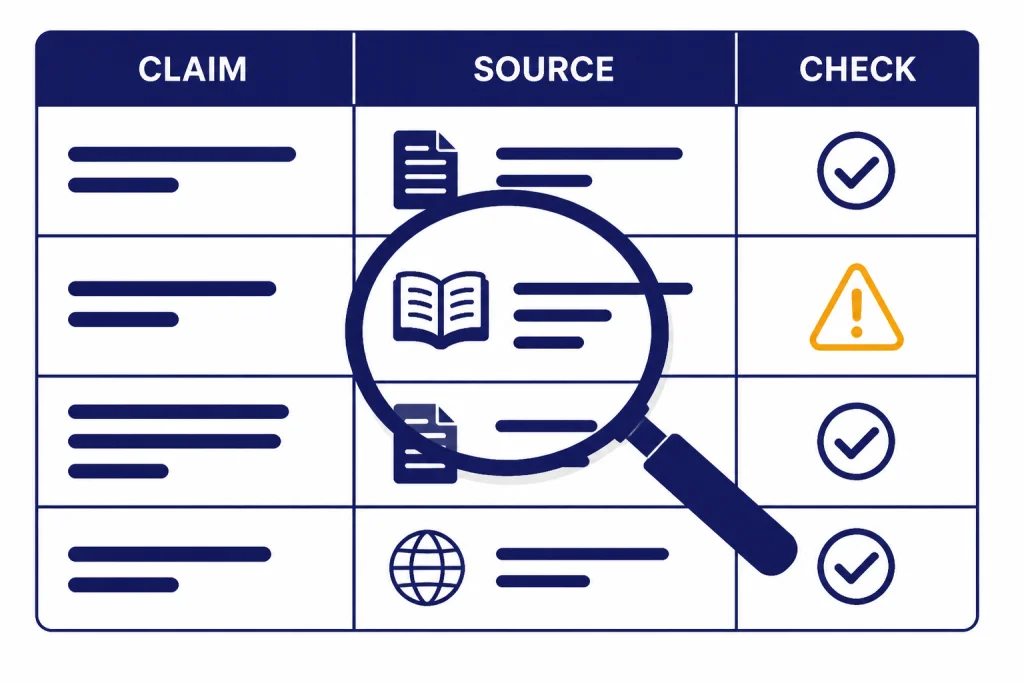
First, read the executive summary without editing. Write down the report’s main claims. Then inspect the citations behind those claims. Open the sources that support recommendations, comparisons, prices, legal claims, medical claims, dates, rankings, or safety statements. If a claim affects a decision, it needs direct verification.
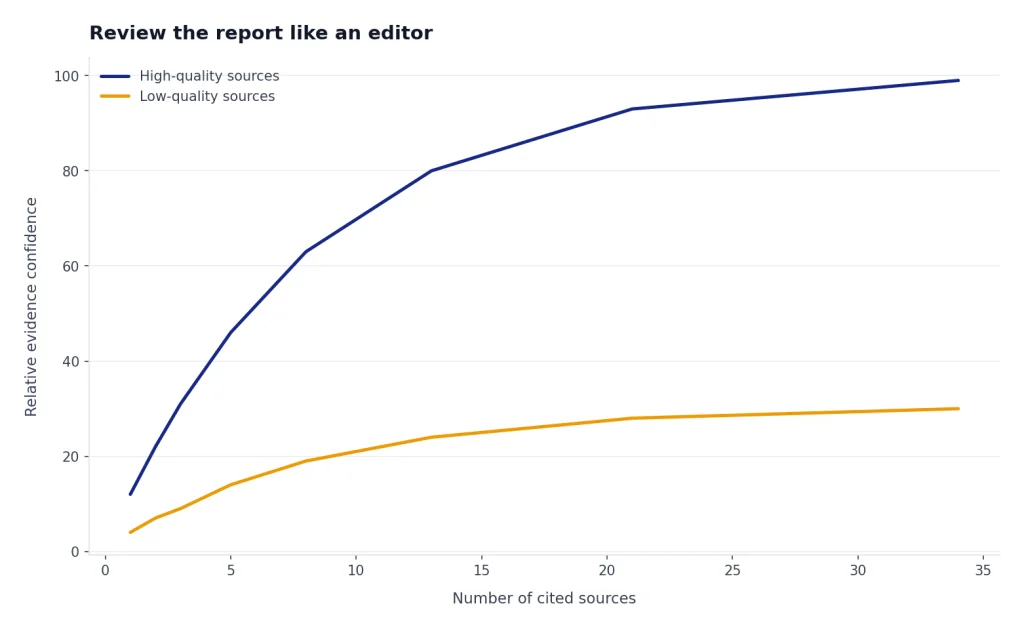
Second, check whether the report used the right evidence. Deep Research may cite many sources, but volume does not equal quality. A source list full of thin blog posts may look impressive while missing primary material. Ask ChatGPT to produce a source audit table with columns for source, publisher, date, claim supported, source type, and confidence.
Third, look for absence. The most important error is often a missing counterexample. Ask for “the strongest evidence against the recommendation” and “what sources would change this conclusion.” This turns the report from a summary into a decision aid. For academic-style work, combine this tutorial with our academic research workflow.
Fourth, separate facts from analysis. Facts should trace to sources. Analysis should explain reasoning. If the model blends them, ask it to rewrite the report with separate sections for verified findings, interpretation, assumptions, and open questions.
Report review checklist
- Every decisive claim has a working citation.
- Primary sources are used when available.
- The report names uncertainty instead of hiding it.
- The report includes counterevidence or limitations.
- Dates, geography, and definitions match your prompt.
- The conclusion follows from the evidence table.
Turn the report into usable work
The report becomes more valuable after you reshape it for the real task. Ask ChatGPT to convert it into the format your team will use: a memo, slide outline, source matrix, risk register, customer interview guide, comparison table, brief, or implementation plan.
OpenAI says completed Deep Research reports can be downloaded in multiple formats, including Markdown, Word, and PDF.[1] Use Markdown when you want to edit the structure, Word when you need comments and tracked changes, and PDF when you need a stable review copy.
For drafting, move the refined report into a document workflow. Our Canvas tutorial explains how to develop structured drafts without losing the thread. For charts, tables, and quantitative follow-up, use the Code Interpreter mastery tutorial after the research phase.
You can also ask for derivative outputs. Good follow-up requests include “turn this into a one-page board memo,” “make a source-by-source evidence table,” “extract all claims that require legal review,” “make a buyer shortlist with disqualifying criteria,” and “write an annotated bibliography.” Each follow-up should preserve the citations from the original report.
Do not let the report become an unverified content mill. If you turn Deep Research into a blog post, white paper, investor memo, or marketing page, keep a source table. For writing polish after verification, use our writing better content tutorial. For prompt design, see prompt engineering techniques that work.
Prompt templates for Deep Research
Use templates as scaffolding, not scripts. Replace every bracketed field. The best template is specific to the decision, source rules, and output format.
Competitive landscape prompt
Run Deep Research on the competitive landscape for [category] in [market].
Audience: product and strategy team.
Decision: whether to enter this market in the next planning cycle.
Include: named competitors, positioning, pricing model, target users, integrations, public traction signals, and risks.
Prioritize: company pages, documentation, filings, reputable business coverage, customer review patterns, and analyst sources where available.
Avoid: unsourced listicles and copied directory pages.
Output: executive summary, comparison table, opportunity map, risks, and cited source table.
Academic scan prompt
Run Deep Research on [research topic].
Audience: graduate student preparing a literature review.
Decision: identify the main schools of thought, methods, evidence gaps, and debates.
Sources: prioritize peer-reviewed papers, university pages, government reports, and reputable datasets.
Output: thematic synthesis, key papers table, methods comparison, unresolved questions, and sources to read first.
Purchase decision prompt
Run Deep Research to compare [products] for [user profile].
Decision: choose the best option under [constraint].
Criteria: total cost, reliability, warranty, service availability, safety, support, and owner complaints.
Sources: prioritize manufacturer documentation, official safety databases, professional reviews, and credible owner evidence.
Output: recommendation, ranked table, disqualifiers, tradeoffs, and verification links.
Internal knowledge prompt
Run Deep Research using the connected internal sources I select.
Question: [internal question].
Audience: [team].
Use: [folders, apps, or repositories].
Do not use: [restricted or irrelevant areas].
Output: concise brief with source links, contradictions, missing documents, and recommended next questions.
Quality checks and limits
Deep Research can reduce research labor, but it cannot remove editorial responsibility. OpenAI’s launch post lists limitations such as possible hallucinations, difficulty distinguishing authoritative information from rumors, and potential formatting errors in reports or citations.[2] Treat the report as an analyst draft that needs review.
Privacy also matters. OpenAI says conversations using Deep Research follow the same data handling and privacy settings as regular ChatGPT conversations, and that users can manage retention and training preferences in data controls.[1] OpenAI’s Data Controls FAQ says signed-in users can turn off “Improve the model for everyone” under Settings and Data Controls, and that conversations remain in history but are not used to train ChatGPT after that setting is off.[5]
For confidential work, do not upload materials unless your plan, workspace policy, and permissions allow it. Use business controls where required. If you are using ChatGPT apps or connected sources, verify which apps are enabled and what data they can access before running the research.
Deep Research is also available as an API capability for developers. OpenAI’s API documentation lists o3-deep-research and o4-mini-deep-research models for complex analysis and research tasks, with supported data sources such as web search, remote MCP servers, and file search over vector stores.[6] That is separate from this ChatGPT tutorial, but it matters if your team wants repeatable research workflows inside an application.
The practical rule is simple. Use Deep Research for breadth and synthesis. Use your judgment for source quality. Use citations for verification. Use follow-up prompts to expose uncertainty. For more autonomous workflows, compare this with our Agent Mode tutorial and web browsing with Atlas tutorial.
Frequently asked questions
Is Deep Research better than normal ChatGPT search?
It is better for multi-step research, synthesis, and documented reports. Normal search is better for quick facts, recent lookups, and short answers. Use Deep Research when you need a structured answer that compares sources and explains uncertainty.
How long should a Deep Research project take?
OpenAI describes Deep Research as a tool for work that can take tens of minutes rather than a quick chat response.[2] Plan for a longer run when the question is broad, the source set is large, or connected apps are involved. If you need an instant answer, use regular ChatGPT search first.
Can Deep Research use my uploaded files?
Yes. OpenAI says Deep Research can use uploaded files as a source, along with the public web, specific websites, and connected apps.[1] Upload only files you are allowed to use in ChatGPT, and state whether the files should be treated as primary sources or background context.
Should I restrict Deep Research to specific websites?
Restrict sources when authority matters more than coverage. This is useful for legal, medical, policy, finance, technical, and academic work. If you are exploring an unfamiliar market, you may prefer to prioritize trusted sites while still allowing broader web search.
Can I trust the citations in a Deep Research report?
Trust them only after checking the important ones. Citations make verification easier, but they do not guarantee that the source supports the exact claim. Open the sources behind decisions, numbers, quotes, legal claims, medical claims, and recommendations.
What is the best first Deep Research project?
Choose a low-risk project with a clear deliverable, such as a product comparison, reading list, competitor scan, or background brief. Avoid legal, medical, financial, or personnel decisions until you have a review process. The goal of the first project is to learn how plans, source controls, citations, and follow-ups behave.