

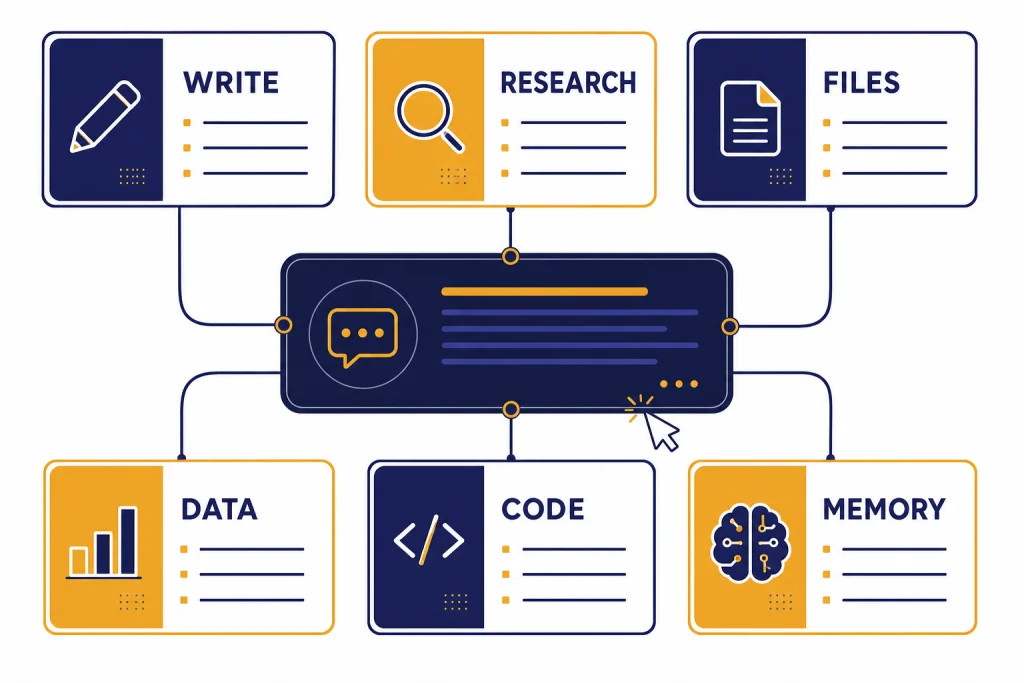
This ChatGPT cheat sheet gives you the practical commands most people need in one place. Use it as a prompt menu, not as a rigid script. ChatGPT responds best when you give it a role, a clear task, useful context, an output format, and a quality check. The commands below cover writing, research, PDFs, spreadsheets, coding, images, voice, Canvas, memory, projects, custom GPTs, and troubleshooting. Some are natural-language prompt starters. Others map to ChatGPT features such as Search, file uploads, data analysis, Canvas, memory, and custom GPTs, all of which OpenAI documents as current ChatGPT capabilities.[1]
How to use this cheat sheet
ChatGPT does not have one official list of magic words. The best “commands” are repeatable prompt patterns that tell the model what job to do, what material to use, and what finished answer you want. OpenAI’s own prompt engineering guidance defines prompt engineering as writing effective instructions so a model produces output that meets your requirements.[2]
Use this page in three ways. First, copy a command exactly when you need a fast result. Second, swap in your own topic, audience, file, or format. Third, combine commands. For example, you can ask ChatGPT to summarize a PDF, turn the summary into a table, critique the gaps, and draft follow-up questions.
If you are new, start with the core commands. If you already know the basics, pair this page with prompt engineering techniques that actually work and then move to advanced prompt engineering techniques when you need more control.
The universal ChatGPT command formula
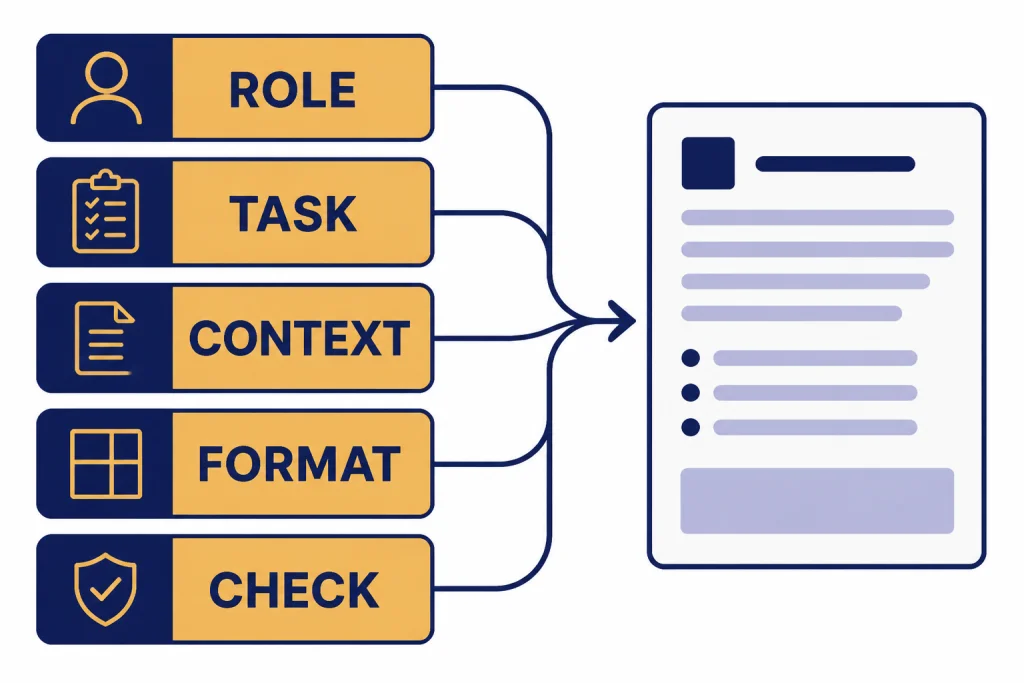
The most reliable ChatGPT command has five parts: role, task, context, format, and check. You do not need all five every time, but adding the missing parts usually improves the answer.
| Part | What to write | Example |
|---|---|---|
| Role | Tell ChatGPT what perspective to use. | Act as a patient Excel tutor. |
| Task | State the exact job. | Explain this formula. |
| Context | Add source material, constraints, audience, or goal. | I know basic functions but not arrays. |
| Format | Specify the shape of the answer. | Use a table and one plain-English example. |
| Check | Ask ChatGPT to verify, critique, or ask questions. | List assumptions and ask me what is missing. |
Template: Act as [role]. Your task is [task]. Use this context: [context]. Return [format]. Before answering, ask clarifying questions if needed; after answering, list assumptions and next steps.
This structure also works for longer workflows. If you are building a reusable library, see our ChatGPT prompt generator for organizing prompts by role, goal, and output format.
Core ChatGPT commands
These are the daily commands that make ChatGPT useful. They work in normal chats, and many also work inside projects, custom GPTs, and file conversations.
| Command | Use it when | Copy-and-paste prompt |
|---|---|---|
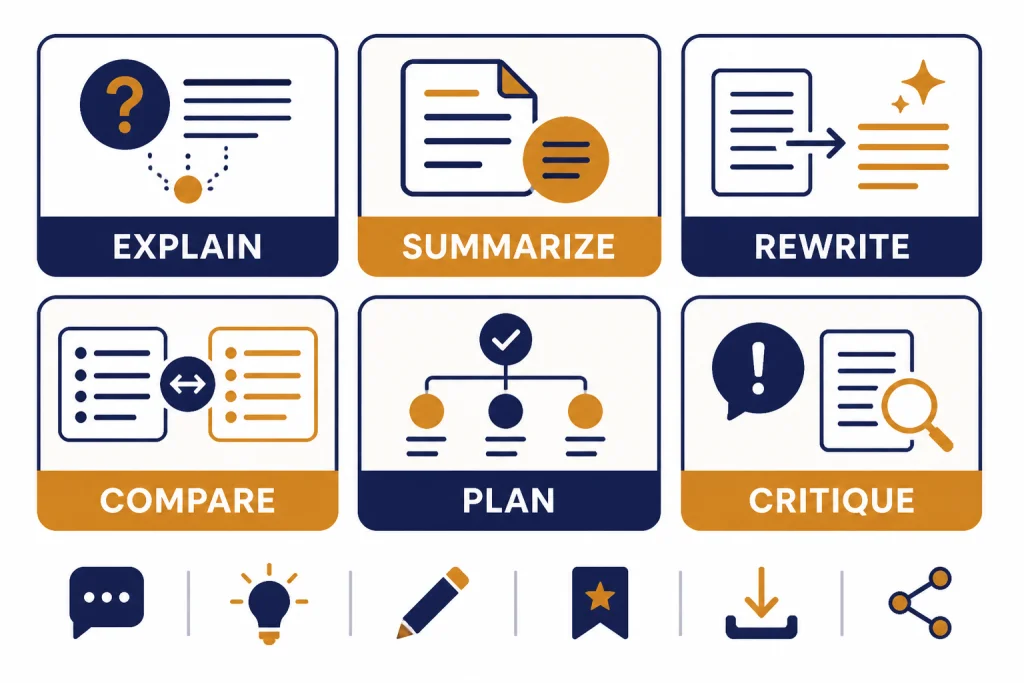
| Explain | You need a clear introduction. | Explain [topic] in plain English for a beginner. Use one analogy and one example. |
| Summarize | You have too much text. | Summarize this into the key points, decisions, risks, and next actions. |
| Rewrite | You like the idea but not the wording. | Rewrite this for [audience]. Keep the meaning. Make it [tone]. |
| Compare | You need a decision. | Compare [option A] and [option B] in a table. Include pros, cons, cost drivers, risk, and best use case. |
| Brainstorm | You need options. | Give me 20 ideas for [goal]. Group them by effort level and explain the top 5. |
| Plan | You need a sequence. | Create a step-by-step plan to [goal]. Include milestones, dependencies, and common mistakes. |
| Critique | You need a second opinion. | Critique this draft. Identify unclear claims, weak logic, missing evidence, and better phrasing. |
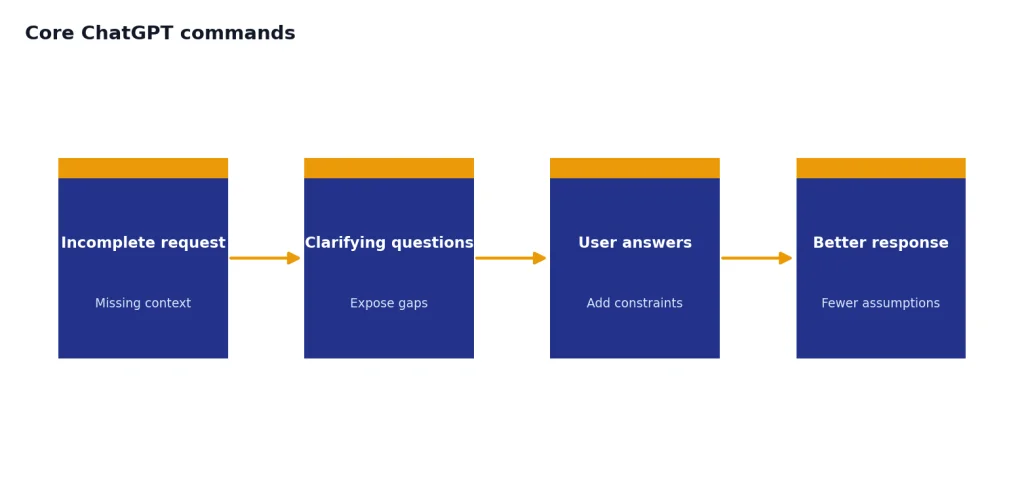
| Ask questions | Your request is incomplete. | Before answering, ask up to five clarifying questions that would improve the result. |
| Format | You need structure. | Turn this into a table with columns for item, owner, deadline, risk, and next step. |
| Compress | You need brevity. | Reduce this to the shortest version that keeps all important details. |
The “ask questions” command is underrated. It prevents ChatGPT from filling gaps with assumptions. Use it for business strategy, legal-adjacent writing, technical specs, and anything where missing context can change the answer.
Research and web commands
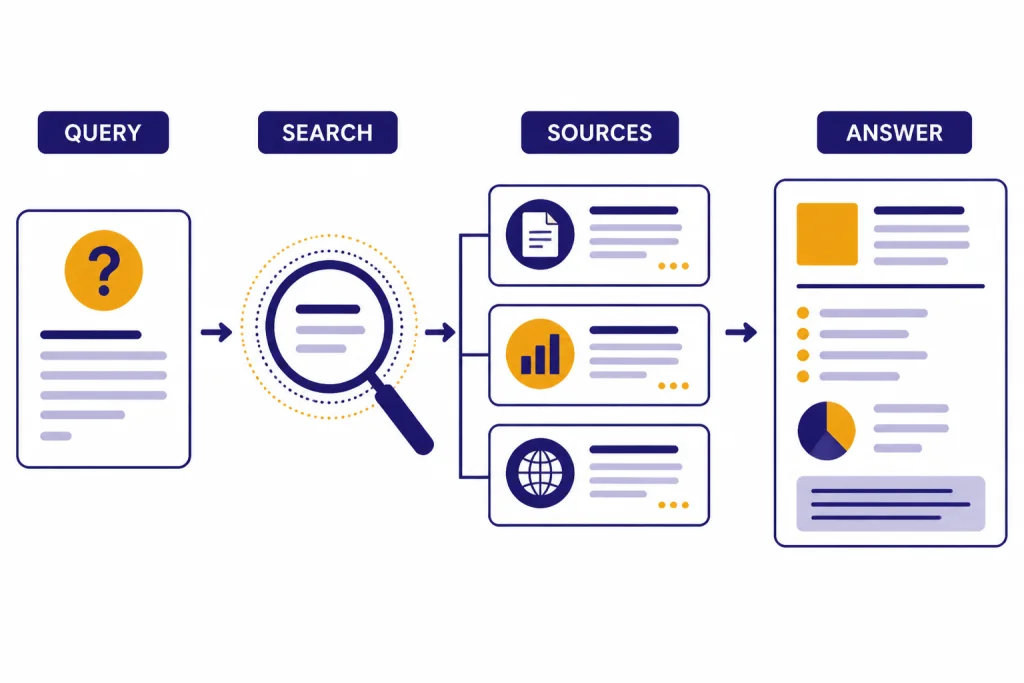
Use research commands when the answer depends on current information, citations, or source quality. ChatGPT Search is available in ChatGPT on the web and in desktop and mobile apps, and OpenAI says ChatGPT may automatically search the web when a question would benefit from online information.[3]
Start simple: Search the web for current information on [topic]. Use reputable sources. Cite your claims and separate facts from interpretation.
| Research job | Command |
|---|---|
| Find current facts | Search for the latest reliable information on [topic]. Give me the date, source, and why it matters. |
| Verify a claim | Check whether this claim is true: [claim]. Find primary sources first. If sources disagree, explain the disagreement. |
| Build a source list | Find the best sources on [topic]. Group them into primary sources, expert analysis, and background reading. |
| Compare coverage | Compare how three reputable sources describe [event or issue]. Note what each source includes or omits. |
| Create a briefing | Write a one-page briefing on [topic] with summary, timeline, stakeholders, open questions, and citations. |
| Audit evidence | Review the evidence behind this article or report. Identify unsupported claims, dated data, and missing context. |
For larger projects, ask for an outline before the full report: Design a research plan for [question]. List the subquestions, likely source types, search terms, and decision criteria before you start. If you need a full workflow, use our deep research project tutorial or the broader academic research workflow.
File, PDF, and data commands
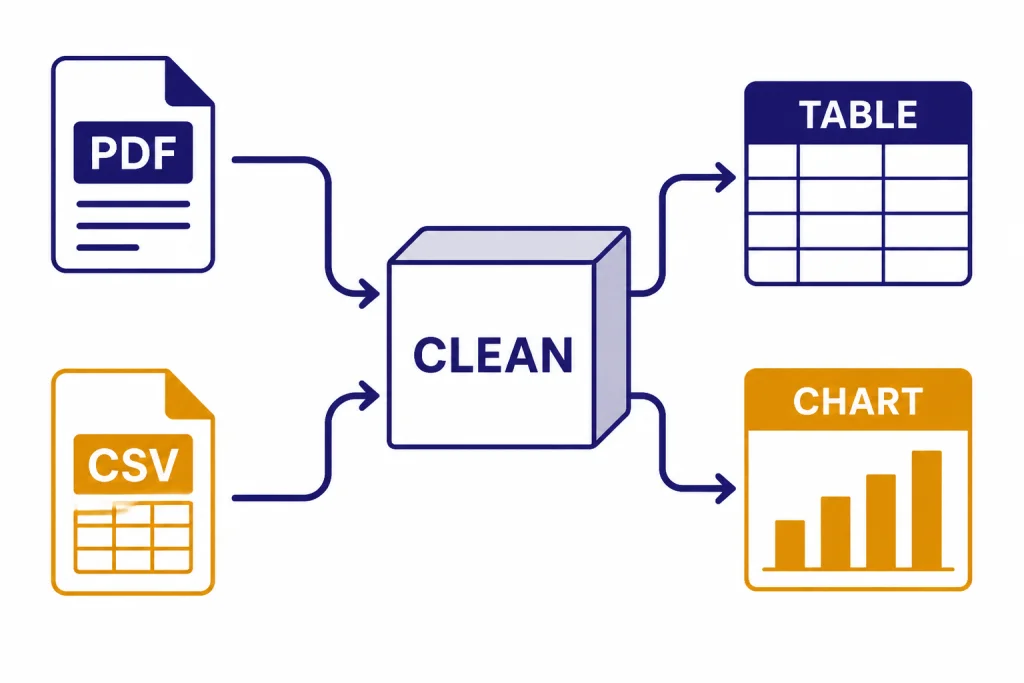
File commands are for uploaded documents, spreadsheets, presentations, and other source material. OpenAI describes file uploads as useful for tasks such as summarizing research papers, comparing documents, analyzing sentiment or tone, and working with spreadsheets such as CSV files.[4]
Data commands go further. OpenAI says ChatGPT data analysis can create interactive tables and charts from uploaded data, choose chart types, customize charts, run regressions, and use a secure code execution environment with Python libraries.[5]
| File or data task | Command |
|---|---|
| Summarize a PDF | Read this PDF. Give me the thesis, main evidence, limitations, and five takeaways for [audience]. |
| Extract obligations | Extract every deadline, requirement, owner, and dependency from this document into a table. |
| Compare documents | Compare these two documents. Show what changed, what stayed the same, and what requires review. |
| Clean a spreadsheet | Inspect this spreadsheet for duplicate rows, missing values, inconsistent labels, and outliers. Explain every change before making it. |
| Analyze trends | Analyze this dataset. Find trends, anomalies, segments, and possible explanations. Show the calculations you used. |
| Create charts | Recommend the best chart types for this data. Create the charts and explain what each one shows. |
| Build a model | Run a simple model to estimate [outcome]. Explain assumptions, limitations, and what data would improve it. |
For hands-on walkthroughs, use PDF reading and summarizing, data analysis step by step, Excel formulas and pivot tables, and our Code Interpreter mastery guide.
Writing, coding, and Canvas commands
Canvas is the best place to work on long drafts, code files, and iterative edits. OpenAI describes Canvas as an interface for writing and coding projects where you can highlight sections, ask for focused edits, get inline feedback, directly edit text or code, and restore previous versions.[6]
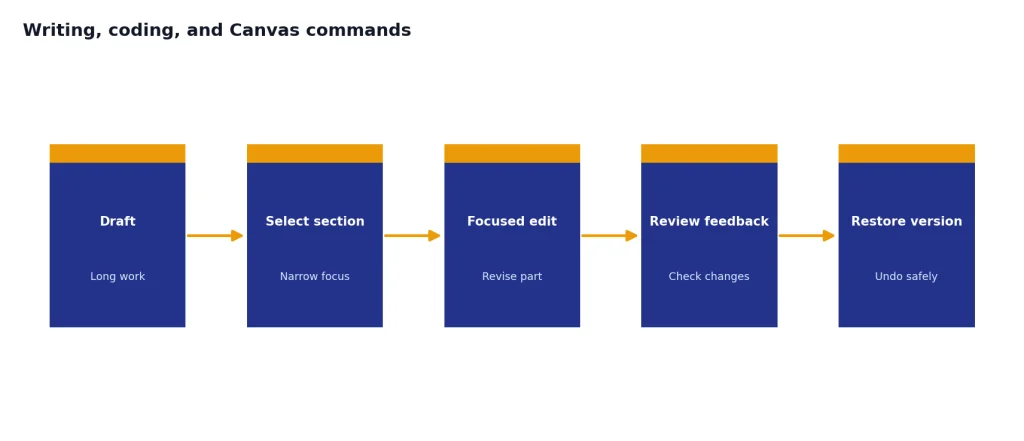
Use this command when a chat answer is not enough: Open this in Canvas so we can edit it section by section. OpenAI also documents that you can ask ChatGPT to “use canvas,” open a blank canvas, or use the backslash command for Canvas in the prompt composer.[6]
| Work type | Command |
|---|---|
| Draft from scratch | Draft [asset] for [audience]. Use this outline: [outline]. Keep the style [style]. |
| Improve a draft | Edit for clarity, structure, and flow. Keep my voice. Mark major changes before rewriting. |
| Change tone | Rewrite this in a [tone] tone for [audience]. Keep it accurate and avoid exaggeration. |
| SEO draft | Create an SEO outline for [keyword]. Include search intent, H2s, FAQs, and internal link opportunities. |
| Explain code | Explain what this code does. Identify inputs, outputs, dependencies, and risky lines. |
| Debug code | Find the bug in this code. Explain the root cause, propose a fix, and provide a test case. |
| Refactor code | Refactor this for readability and maintainability. Keep behavior the same and explain tradeoffs. |
OpenAI lists Canvas writing shortcuts such as suggested edits, length adjustment, reading-level changes, final polish, and emoji addition; it also lists coding shortcuts such as adding logs, adding comments, fixing bugs, porting to another language, and code review.[6] For deeper workflows, see writing better content, coding like a 10x engineer, SEO workflow that ranks, and Build Documents in Canvas.
Memory, project, and custom GPT commands
Use memory commands when you want ChatGPT to personalize future answers. OpenAI says ChatGPT can remember useful details across chats, and that memory settings include saved memories and reference to chat history.[7] Memory is best for high-level preferences, not exact templates or large blocks of text.[7]
Useful memory commands include: Remember that I prefer concise answers with examples. What do you remember about me? Forget that preference. Do not use memory for this chat.
Use custom instructions for stable preferences. OpenAI says custom instructions apply across chats and can be edited or deleted, and the longer custom-instruction fields have a 1,500-character limit.[8] A good instruction is specific: When I ask for a tutorial, assume I am a beginner, define jargon, include one worked example, and end with a checklist.
Projects are better for long-running work. OpenAI describes projects as a way to group chats, upload reference files, add custom instructions, and keep ChatGPT focused with project memory.[9] Use this command inside a project: Use the project files and instructions as the source of truth. If the answer conflicts with general knowledge, flag the conflict before answering.
Custom GPTs are best for repeatable jobs. OpenAI describes GPTs as configured versions of ChatGPT for a specific purpose, with instructions, knowledge, and selected capabilities; it also says you can type @ in a conversation to bring in a GPT.[11] For setup help, use our custom GPT tutorial and memory power-user tips.
Troubleshooting commands
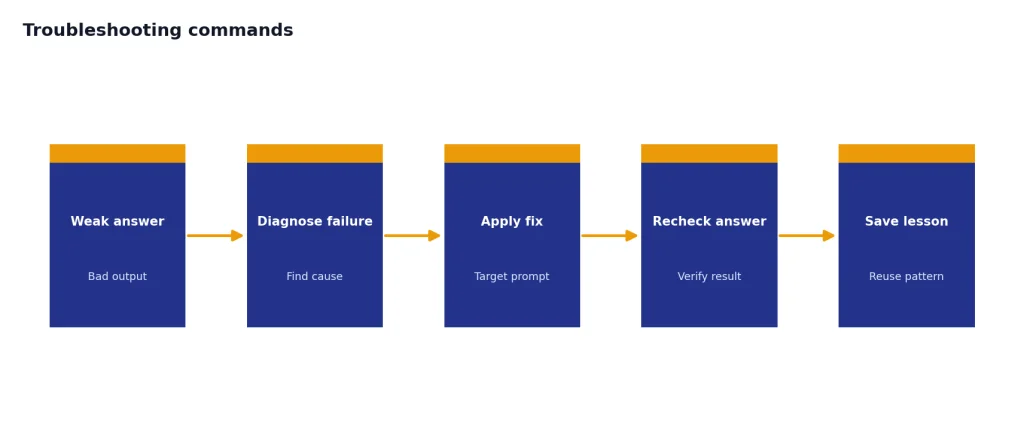
When ChatGPT gives a weak answer, do not start over. Diagnose the failure. Most bad outputs come from missing context, vague success criteria, too much source material, or no requested format.
| Problem | Fix command |
|---|---|
| Answer is too generic | Make this more specific to [audience, industry, file, goal]. Use concrete examples. |
| Answer is too long | Cut this by half. Keep the decisions, risks, and next actions. |
| Answer is shallow | Go one level deeper. Explain causes, tradeoffs, edge cases, and counterarguments. |
| Answer may be wrong | Check this answer for errors. Separate verified facts, assumptions, and uncertain claims. |
| Wrong format | Reformat this as [table, checklist, email, JSON, outline]. Do not add new information. |
| Too many assumptions | List every assumption you made. Ask me the minimum questions needed to improve the answer. |
| Needs sources | Add citations for factual claims. Use primary sources where possible and say when no source is available. |
For scheduled work, you can also ask ChatGPT to create a task. OpenAI says tasks can run prompts later, trigger at specific times or recur, send push or email notifications, and run even when the user is not online.[10] OpenAI also documents a limit of 10 active tasks at any time.[10]
Copy-and-paste master cheat sheet
Save this block as your one-page ChatGPT cheat sheet. Replace the bracketed text with your own details.
GENERAL
Act as [role]. Help me [task]. Ask clarifying questions before answering.
Explain [topic] for [audience]. Use an analogy and an example.
Summarize this into key points, risks, decisions, and next actions.
Rewrite this for [audience] in a [tone] tone. Keep the meaning.
Compare [A] vs [B] in a table with pros, cons, risks, and best use case.
Critique this for clarity, logic, evidence, and missing context.
Turn this into a checklist, table, outline, or step-by-step plan.

RESEARCH
Search the web for current information on [topic]. Cite sources.
Verify this claim: [claim]. Use primary sources first.
Create a one-page briefing with summary, timeline, stakeholders, and open questions.
List what is known, unknown, disputed, and worth checking next.

FILES AND DATA
Read this file and extract the thesis, evidence, limitations, and takeaways.
Compare these documents and show changes, conflicts, and review items.
Clean this spreadsheet and explain every data-quality issue.
Analyze this dataset for trends, anomalies, segments, and drivers.
Create charts and explain what each chart shows.

WRITING AND CODE
Open this in Canvas so we can revise it section by section.
Draft [asset] for [audience] using this outline: [outline].
Edit for clarity and flow while preserving my voice.
Explain this code, then identify bugs, risky lines, and tests.
Refactor this code without changing behavior.

MEMORY AND PROJECTS
Remember that I prefer [preference].
What do you remember about me?
Forget [memory].
Use the project files and instructions as the source of truth.
If context is missing, ask questions before answering.

TROUBLESHOOTING
Make this more specific.
Cut this by half.
Go one level deeper.
Check this for errors and assumptions.
Reformat without adding new information.
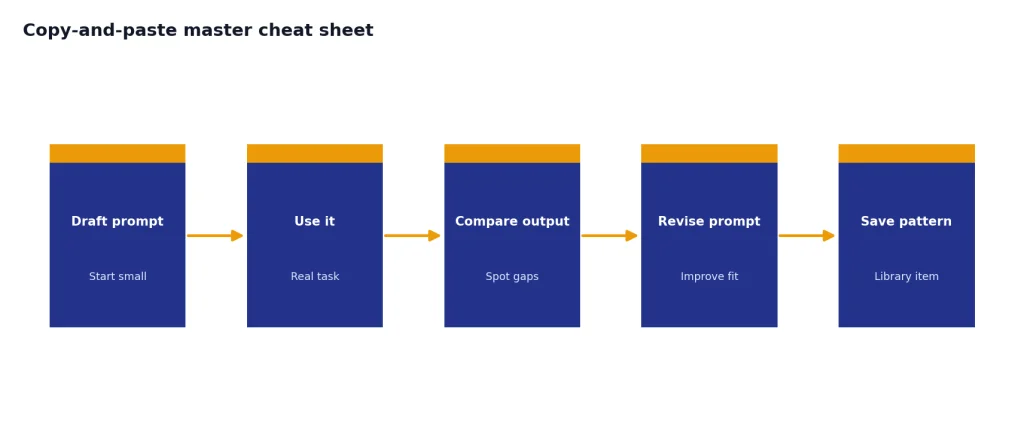
The best next step is to create a small personal prompt library. Keep one prompt for research, one for writing, one for data, one for coding, and one for planning. Improve each prompt after real use rather than trying to design a perfect system upfront.
Frequently asked questions
What is the best ChatGPT command?
The best general command is: “Act as [role]. Help me [task]. Ask clarifying questions before answering, then return [format].” It works because it gives ChatGPT a perspective, a job, and a definition of success.
Are ChatGPT commands the same as slash commands?
No. Most ChatGPT commands are natural-language prompts. Some ChatGPT features also have interface shortcuts, such as Canvas through the composer tools or a backslash command documented by OpenAI.[6]
How do I make ChatGPT stop giving generic answers?
Add audience, goal, constraints, examples, and a required format. Then ask ChatGPT to list its assumptions before answering. Generic answers usually mean the model had to guess what mattered.
When should I use Search instead of normal ChatGPT?
Use Search for current facts, prices, laws, release details, local information, and anything where sources matter. OpenAI says ChatGPT can search the web and provide links to relevant web sources instead of requiring a separate search engine.[3]
When should I use memory?
Use memory for stable preferences, recurring personal context, and high-level details that should carry across chats. Do not use it as a storage system for exact templates or long text blocks, because OpenAI says memory is intended for high-level preferences and details.[7]
Can I use this cheat sheet for work documents?
Yes, but use your organization’s data rules. For sensitive work, prefer project-specific context, clear source files, and explicit instructions about what ChatGPT may and may not use. If you connect outside apps or files, review the relevant settings first.