

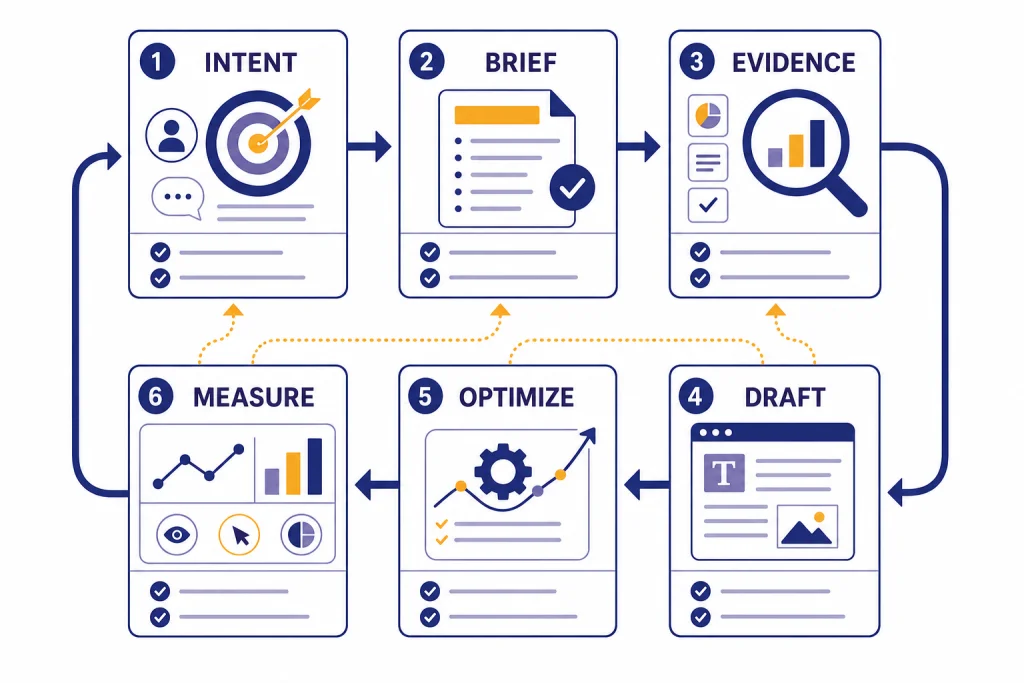
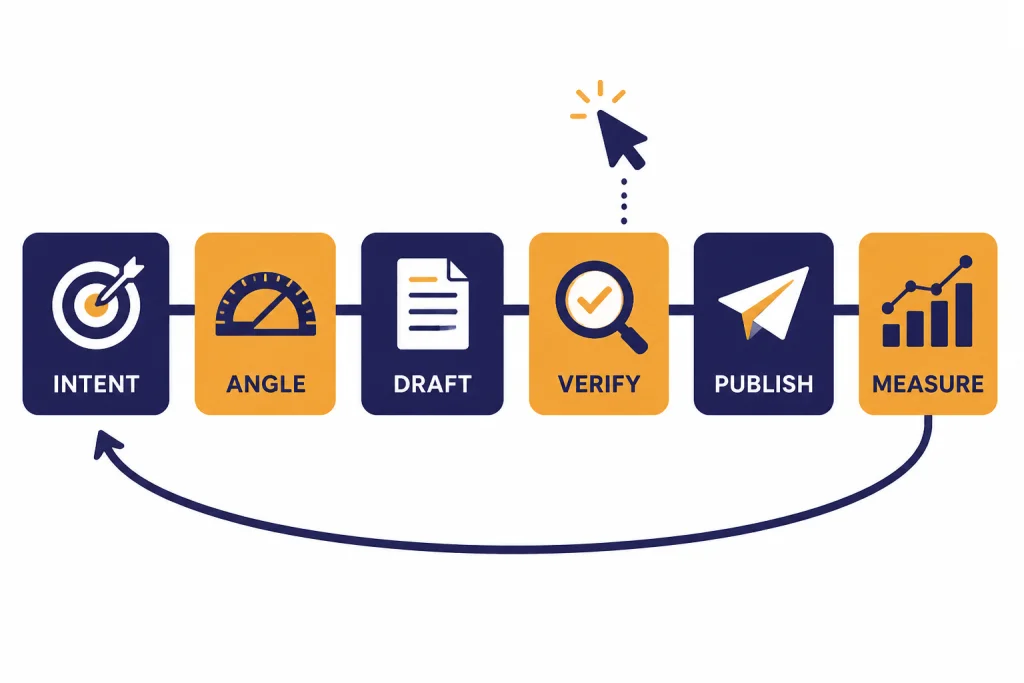
This ChatGPT tutorial SEO workflow shows how to use ChatGPT as a structured assistant, not as a shortcut for mass-producing generic pages. The core process is simple: define the search intent, build a useful brief, gather first-hand or source-backed material, draft section by section, edit for accuracy and originality, publish with clean on-page SEO, then measure and refresh based on Search Console data. ChatGPT can speed up research synthesis, outlines, title tests, meta descriptions, internal-link planning, and revision passes. It should not replace expertise, fact-checking, or a clear reason for the page to exist. The pages most likely to perform are still the ones that solve a real reader problem better than competing results.
The SEO workflow in one view
A strong ChatGPT SEO workflow begins before the first draft. The mistake is asking for “an SEO article about X” and publishing the result. That produces a page with the surface shape of SEO content but little original value. Use ChatGPT to structure decisions, expose missing angles, and accelerate revisions. Keep the judgment with a human editor.
Google’s public guidance says its systems are designed to prioritize helpful, reliable, people-first information rather than content created mainly to manipulate rankings.[1] Google also says AI-generated content is not automatically against its rules; the issue is whether automation is used primarily to manipulate rankings rather than help people.[2] That distinction matters. The workflow below treats ChatGPT as a production assistant inside a quality process.
| Stage | What ChatGPT can do | What you must own |
|---|---|---|
| Intent | Summarize likely reader goals and questions. | Choose the real audience and business reason for the page. |
| Brief | Turn notes into a section plan and content checklist. | Decide the angle that makes the page worth reading. |
| Evidence | Organize sources, quotes, examples, and product notes. | Verify every factual claim before publication. |
| Draft | Draft sections from your brief and source notes. | Add experience, examples, judgment, and exclusions. |
| Optimize | Suggest titles, headings, internal links, and snippets. | Keep the page natural, accurate, and useful. |
| Refresh | Analyze performance exports and propose updates. | Choose what to rewrite, merge, expand, or retire. |
If you want a broader foundation before using this SEO-specific process, start with our general ChatGPT tutorial. If your main blocker is writing quality, pair this article with our ChatGPT writing workflow.
Build a search-intent brief before you draft
The brief is the control surface for the whole article. It tells ChatGPT what the page is for, what the reader already knows, what the page must avoid, and where your experience belongs. A weak brief leads to a generic draft. A strong brief gives you a page with a point of view.
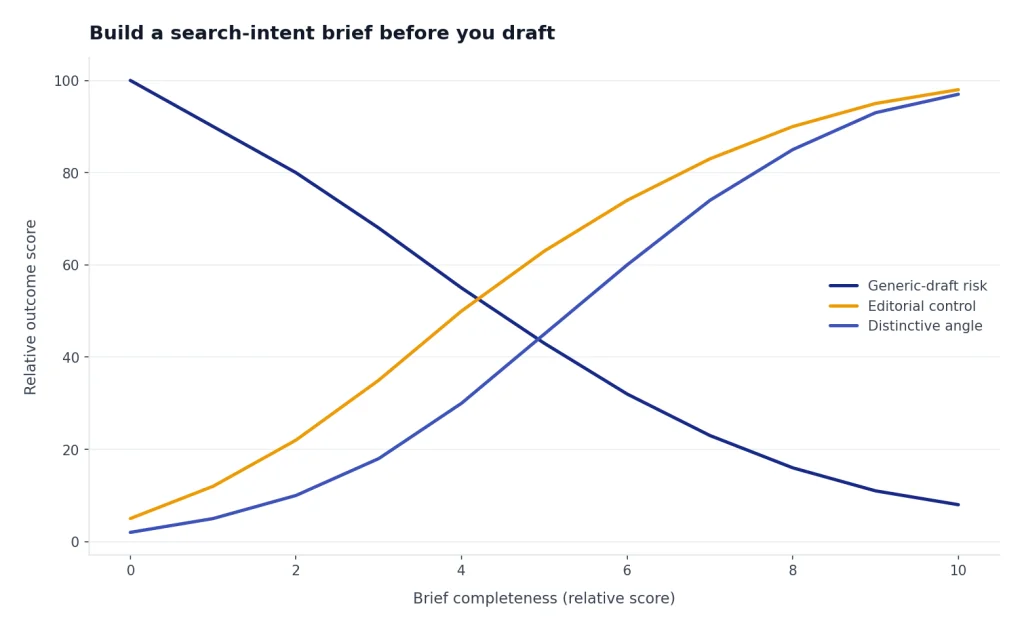
Start by writing the target keyword, but do not stop there. Add the reader’s likely situation, the decision they need to make, the level of detail they expect, and the reason existing results may be insufficient. Then ask ChatGPT to challenge the brief. This is where the model is useful: it can identify vague sections, missing comparisons, weak examples, and unsupported claims before you spend time drafting.
Use this briefing pattern:
- Primary query: the exact topic the page should satisfy.
- Reader state: beginner, practitioner, buyer, researcher, or returning customer.
- Promise: the useful outcome the article must deliver.
- Required proof: screenshots, data, official sources, examples, test results, or expert notes.
- Exclusions: topics the page should not cover because they belong elsewhere.
- Internal links: related pages that help the reader continue.
For this article, the brief would say that the reader wants a repeatable SEO workflow, not a list of clever prompts. It would also say that the workflow must respect Google’s people-first content guidance and avoid scaled-content tactics. Google’s spam policies describe scaled content abuse as producing many pages mainly to manipulate rankings and not help users, including pages made with generative AI tools that add little value.[3]
For prompt design, use the same principle you would use in a content brief: add constraints. Our prompt engineering techniques guide explains how constraints, examples, and evaluation criteria improve output. For a reusable SEO assistant, consider building a private workflow in a custom GPT that stores your preferred brief format.

Use ChatGPT for research, but keep evidence separate
ChatGPT can help you search, cluster, and summarize, but your evidence file should remain separate from the draft. That file is where you store source URLs, official documentation, screenshots, interviews, product notes, customer language, and original observations. If the evidence is not visible, the draft becomes hard to audit.
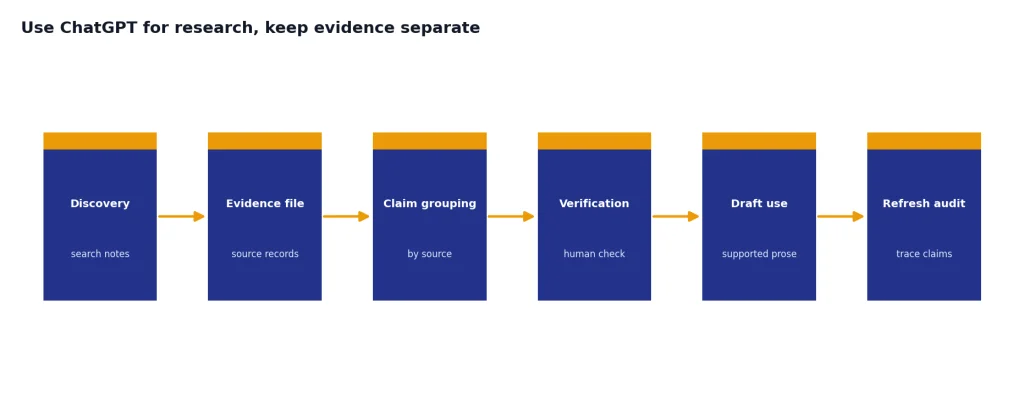
OpenAI’s help documentation says ChatGPT Search can search the web, provide source links, show cited sources, and automatically search when a question may benefit from current web information.[9] Use that for discovery and orientation. Then open the sources yourself, confirm the claim, and paste the verified notes into your brief. For deeper projects, use the workflow in our Deep Research tutorial before drafting.
A clean evidence file can use this format:
Claim:
Source:
Date accessed:
Exact support:
How this affects the article:
Risk if wrong:
This format prevents a common SEO problem: claims that sound plausible but are not supported. It also helps when you refresh the page later. You can quickly see which claims depend on product documentation, which claims depend on search behavior, and which claims come from your own testing.
Use ChatGPT to summarize source notes into plain English, but ask it to keep claims grouped by source. Do not ask it to blend everything into prose too early. Blending hides weak evidence. A useful prompt is: “Group these notes by claim. For each claim, say whether the evidence is official, third-party, anecdotal, or my own observation. Flag anything that should not be stated as fact.”
If your source material is in spreadsheets, exports, or long documents, use our data analysis tutorial and PDF workflow to prepare the inputs before writing.
Draft with prompts that preserve expertise
The best SEO draft prompt is not “write the article.” It is “write this section using this brief, these notes, this audience, and these boundaries.” Section-level drafting gives you more control. It also makes it easier to add first-hand details before the article hardens into a generic structure.
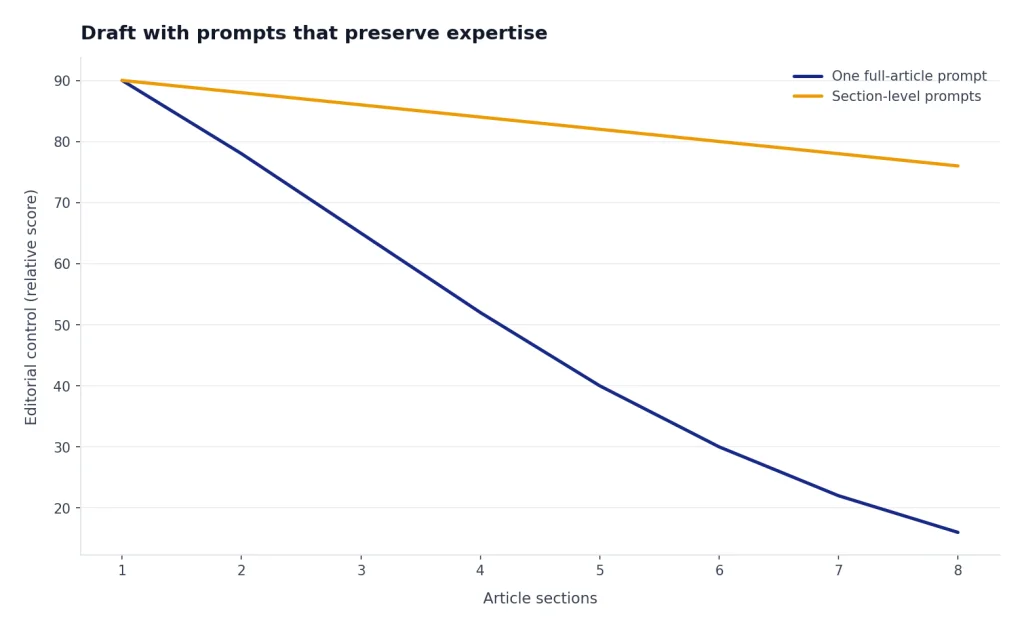
Use a section prompt like this:
You are helping draft one section of an SEO article.
Audience: [reader type]
Section goal: [what this section must help the reader do]
Use only these notes: [paste evidence and examples]
Required angle: [your point of view]
Do not add unsupported facts.
Write in clear American English.
End with a short transition to the next section.
After each section, run a critique prompt instead of moving straight to the next section:
Critique this section for SEO usefulness.
Check for vague advice, missing examples, unsupported claims, repeated ideas, and search-engine-first phrasing.
Return a table with: issue, why it matters, suggested fix.
This is where ChatGPT often helps most. It can spot repeated claims, weak transitions, and sections that answer the heading too slowly. You still decide whether the critique is right. A page can be grammatically polished and still fail because it lacks experience, specificity, or a clear reader outcome.
For long-form editing, Canvas can be useful because OpenAI describes it as an interface for writing and coding projects that require editing and revisions.[10] If you prefer to revise in a side-by-side workspace, see our Canvas tutorial. If you are building an SEO process around content production, our ChatGPT marketing tutorial covers campaign-level planning beyond a single article.
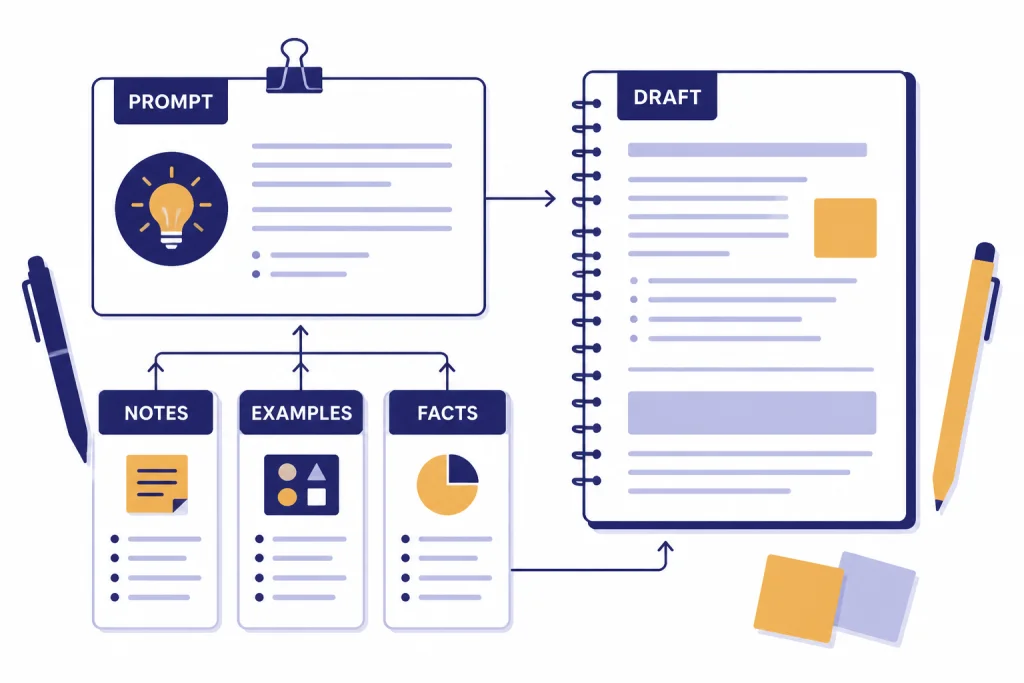
Turn the draft into a search-ready page
On-page SEO is not a decoration pass. It is the work of making a useful page easier to understand, navigate, and evaluate. ChatGPT can help, but it should work from the finished article, not a blank prompt.
Ask ChatGPT to produce a page audit with columns for element, current version, issue, and recommended fix. Include the title tag, meta description, H2 structure, introduction, internal links, image alt text, tables, schema opportunities, and unanswered reader questions. Then make the edits yourself.
Google’s SEO Starter Guide says good titles should be unique to the page, clear, concise, and accurately describe the page’s contents.[4] Google’s title-link documentation also says Search may use sources such as the title element, the main visual title, heading elements, prominent text, anchor text, and related signals to generate title links.[6] That means your title should match the page, not just chase clicks.
For meta descriptions, ask ChatGPT for several options, then choose the one that accurately summarizes the page. Google’s SEO Starter Guide explains that snippets come from page content and may sometimes come from the meta description tag.[4] Treat the meta description as a helpful summary, not a ranking incantation.
Internal links deserve the same care. Google’s link best-practices documentation says internal-link anchor text can help both people and Google understand pages and find other pages on your site.[5] Ask ChatGPT to suggest links only after you provide a list of real candidate URLs or slugs. Do not let it invent pages. In this article, for example, a reader who wants SEO content production may also need Code Interpreter-style analysis for exports, or ChatGPT image generation for article graphics.
Use this on-page prompt after your draft is complete:
Audit this article for on-page SEO and reader usefulness.
Return a table with these rows: title, meta description, intro, headings, internal links, examples, evidence, images, conclusion.
For each row, give the current issue, the recommended edit, and the reason.
Do not suggest keyword stuffing.
Run a human quality-control pass
The human edit is where the article becomes publishable. ChatGPT can improve clarity, but it cannot know whether your examples are true, whether your recommendations are responsible, or whether your page says something worth reading.
Use a quality-control checklist that separates language issues from substance issues. Language issues include repetition, passive phrasing, cluttered sentences, and inconsistent terminology. Substance issues include unsupported claims, missing caveats, stale facts, thin examples, misleading headings, and advice that does not match the reader’s situation.
Run these checks before publishing:
- Search intent: Does the page answer the real task behind the query?
- Original value: Does the page include examples, judgment, or experience not obvious from the top results?
- Evidence: Can every factual claim be traced to a reliable source or first-hand observation?
- Structure: Can a reader skim the headings and understand the workflow?
- Internal links: Do links help the reader, or are they present only for SEO?
- Risk: Could the advice cause harm if applied without context?
Google’s people-first guidance includes self-assessment questions that push creators to evaluate whether content is useful, trustworthy, and made for readers.[1] Use those questions as an editorial standard. If a page exists only because a keyword has volume, the page is already weak.
A useful final ChatGPT prompt is: “Act as a skeptical editor. Identify anything in this article that feels generic, overconfident, unsupported, redundant, or written mainly for search engines. Do not rewrite yet. Give me the issues first.” This keeps the model in critique mode and prevents it from smoothing over the problems.
Publish, measure, and refresh
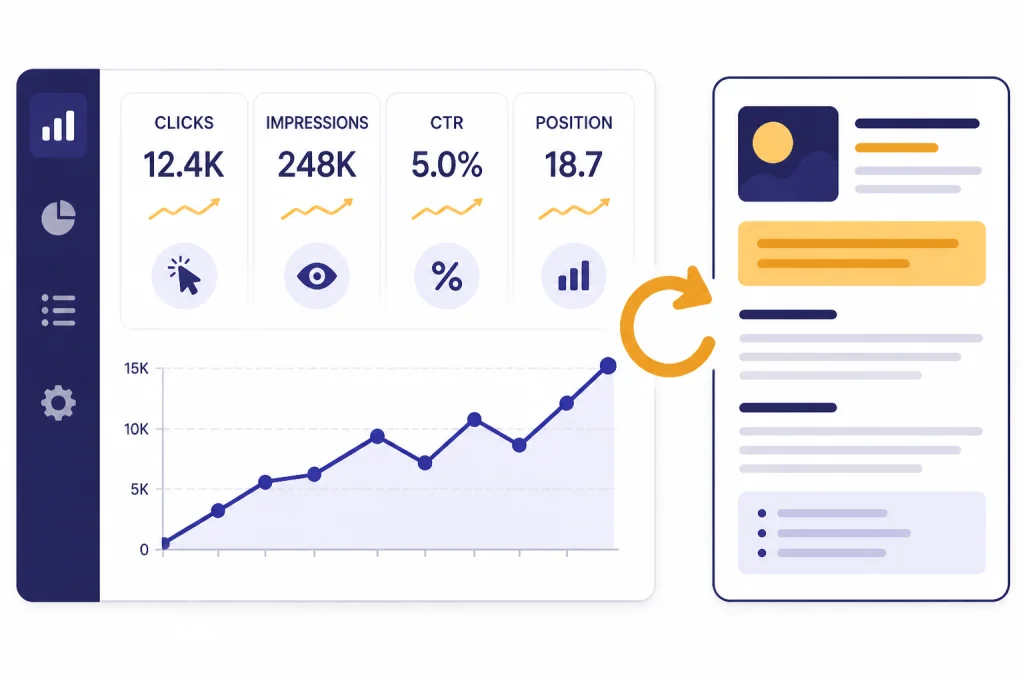
Publishing is not the finish line. A ChatGPT-assisted SEO workflow improves when you feed real performance data back into the planning process. Use Search Console data, analytics data, reader feedback, sales or support questions, and internal search queries to decide what to update.
Search Console’s performance reporting includes metrics such as clicks, impressions, click-through rate, and average position.[7] Those metrics should not be read in isolation. A page with impressions and low clicks may have a title or snippet problem. A page with clicks and weak engagement may have a content mismatch. A page with no impressions may have an indexing, internal-linking, or demand problem.
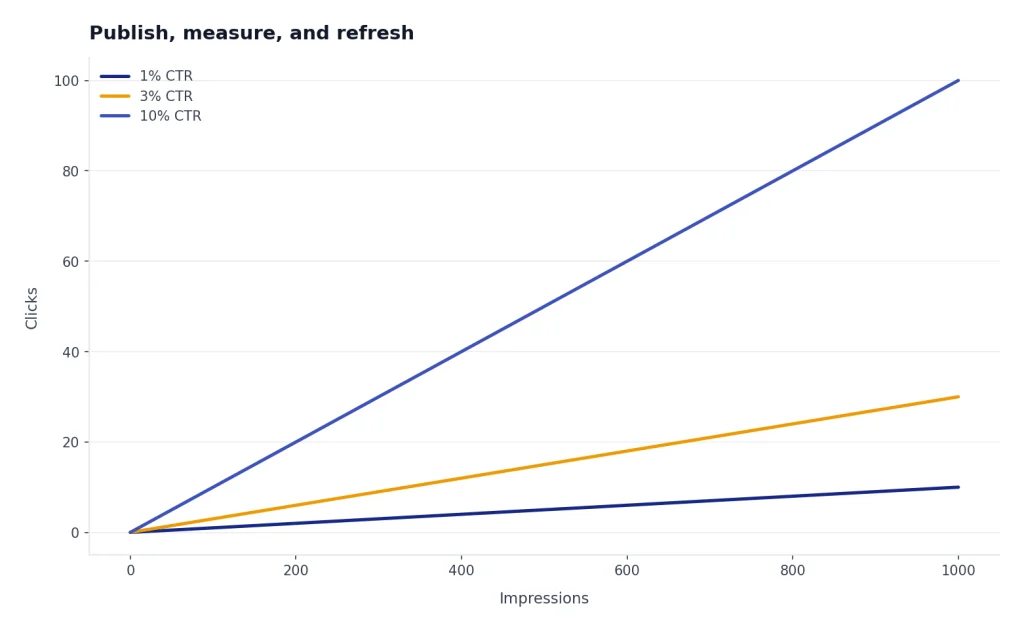
For important updates, Google says you can request that Google re-index a changed page, and that the URL Inspection tool can be used for a single page when you have owner or full-user access in Search Console.[8] Requesting indexing is not a ranking guarantee. It only asks Google to revisit the URL.
| Signal | Likely diagnosis | ChatGPT task | Human decision |
|---|---|---|---|
| High impressions, low clicks | The result may not look compelling or specific enough. | Generate title and meta-description alternatives from the actual page. | Choose the version that stays accurate and matches intent. |
| Clicks, poor conversions | The page may attract the wrong reader or fail to answer the next question. | Compare the intro and headings against the offer or reader task. | Rewrite the promise, examples, or call to action. |
| Ranking decline | The article may be stale, thin, or overtaken by better pages. | Summarize gaps between your page and new source notes. | Add real updates, merge overlap, or retire the page. |
| No meaningful visibility | The page may lack demand, links, indexability, or differentiation. | Audit the brief, internal links, and competing angles. | Decide whether to rebuild or stop investing. |
Use ChatGPT for refresh analysis by pasting your current article, a Search Console export, and your source updates. Ask it to separate cosmetic edits from substantive updates. Cosmetic edits rarely change the page’s usefulness. Substantive updates add missing answers, correct stale facts, improve examples, or make the article easier to act on.
Copy-and-adapt prompt kit
Use these prompts as starting points. Replace the bracketed fields with your own audience, notes, and constraints. The goal is not to make ChatGPT “do SEO.” The goal is to make your editorial decisions explicit enough that the model can help without taking over.
Search-intent brief prompt
Create an SEO content brief for this topic: [topic].
Audience: [reader].
Business goal: [goal].
Reader goal: [goal].
Use this point of view: [angle].
Return: search intent, required sections, missing proof, internal-link opportunities, and risks.
Flag anything that would make the article generic.
Evidence audit prompt
Audit these notes before drafting.
Group them into verified facts, source-backed claims, first-hand observations, assumptions, and weak claims.
Tell me which claims need a better source before publication.
Section draft prompt
Draft only this section: [heading].
Use this brief: [brief].
Use these notes only: [notes].
Audience: [reader].
Tone: clear, direct, practical.
Include one concrete example.
Do not add facts that are not in the notes.
Refresh prompt
Review this existing article and performance summary.
Identify the highest-impact refresh opportunities.
Separate fixes into: accuracy, search intent, examples, structure, internal links, and title/snippet.
Do not recommend changes only for keyword density.
Save your best prompts in a repeatable library. If you publish often, a prompt library is easier to maintain than scattered chat history. Our ChatGPT prompt generator guide shows how to organize reusable prompts by task.
Frequently asked questions
Can ChatGPT-written content rank in Google?
Yes, AI-assisted content can rank when it is helpful, accurate, original, and made for people. Google’s guidance focuses on content quality and intent, not a blanket ban on AI-generated text.[2] The risk rises when you publish unreviewed, low-value pages at scale.
Should I let ChatGPT choose my keywords?
Use ChatGPT to brainstorm keyword angles, but verify demand and intent with real search data or your own audience data. ChatGPT is better at clustering and framing than confirming current search volume. Treat its keyword suggestions as hypotheses.
What is the safest way to use ChatGPT for SEO?
The safest workflow is to use ChatGPT for briefs, outlines, drafts, edits, and audits while keeping source verification and final judgment with a human editor. Keep an evidence file beside the draft. Do not publish claims that you cannot trace.
Can ChatGPT write title tags and meta descriptions?
Yes. Give ChatGPT the finished article and ask for options that accurately summarize the page. Google says title links can be influenced by several page signals, including the title element and headings, so the title should match the content rather than overpromise.[6]
How often should I refresh ChatGPT-assisted SEO content?
Refresh when performance data, product changes, reader feedback, or source updates show that the page is stale or incomplete. Search Console data can show clicks, impressions, click-through rate, and average position, which can help diagnose what changed.[7] Do not refresh only to change wording.
Is this workflow only for blog posts?
No. The same process works for tutorials, landing pages, comparison pages, help-center articles, and product documentation. The brief changes by format, but the core pattern stays the same: define intent, gather evidence, draft carefully, optimize honestly, and measure results.