

ChatGPT prompts work best when they give the model a clear job, useful context, constraints, and a defined output format. OpenAI describes a prompt as an input that starts a conversation or triggers a model response, and its prompt guidance emphasizes clarity, specificity, context, tone, and iterative refinement.[1] This guide gives you 100+ practical ChatGPT prompts you can adapt for writing, marketing, coding, resumes, learning, business, social media, image generation, and everyday tasks.
What tested means here: these are not benchmark scores, live model-run transcripts, or guarantees. The templates were checked against a practical prompt-quality rubric: clear task, usable context slot, constraints, output format, and a realistic next step. Several filled-in examples below show how a generic one-line prompt becomes a stronger brief, along with illustrative sample outputs. Use the prompts as starting points, then replace the bracketed details with your own information and run them on your actual task.
How to use these ChatGPT prompts
Start by copying a prompt, then replace the bracketed placeholders with your own details. Do not treat a prompt as a magic phrase. Treat it as a short brief. The better the brief, the better the first draft.
ChatGPT can help with tasks such as answering questions, explaining concepts, drafting, rewriting, summarizing, creative ideation, reasoning, and translation. Depending on your plan and settings, it may also support tools such as search, image input and generation, file uploads, data analysis, voice mode, Canvas, memory, projects, and custom GPTs.[2] That range is why a single prompt style rarely fits every use case.
- For writing: include the audience, purpose, tone, length, and format.
- For research: ask for assumptions, source requirements, and uncertainty flags.
- For coding: include the language, framework, error message, expected behavior, and constraints.
- For work tasks: include the business goal, decision criteria, and what a good output looks like.
- For images: include subject, composition, style, lighting, aspect ratio, and what to avoid.
Model-specific tip as of May 2026: use stronger reasoning models such as GPT-5.5, GPT-5.5-pro, or a “Thinking” option when the prompt involves strategy, code debugging, long documents, or trade-off analysis. Use faster chat options for quick rewrites and brainstorming. For image work, prompts should be written for the image model available in your interface, with GPT-image-2 representing the current top image tier; for video storyboards, prompts should be more scene-by-scene, especially when using Sora-2 or Sora-2-pro. The prompt still matters, but model choice affects how much planning and correction you may need.
When a prompt is important, run it once, inspect the answer, then add missing context. If you want to build a reusable personal library, use our chatgpt prompt generator after you test the examples below on your own tasks.
The prompt formula that works across tasks
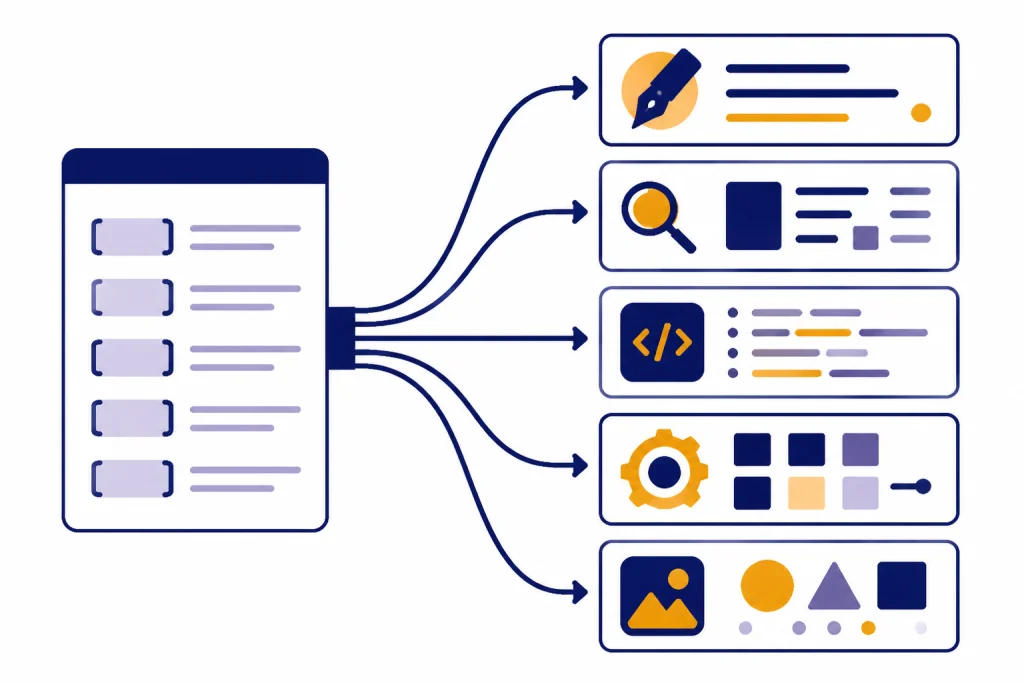
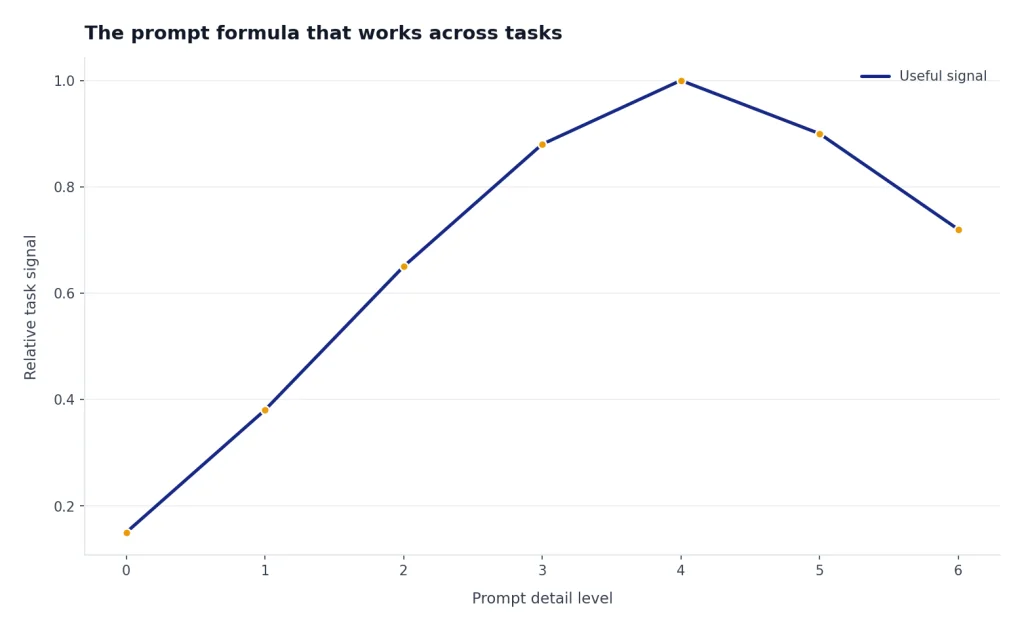
Most strong ChatGPT prompts follow the same structure. You do not need every part every time, but the six-part version is reliable for important work.
| Prompt part | What to include | Example phrase |
|---|---|---|
| Role | The perspective ChatGPT should use | Act as a senior product marketer. |
| Context | Background, audience, source material, or constraints | We sell payroll software to U.S. startups. |
| Task | The specific action you want | Write a landing page outline. |
| Criteria | What good looks like | Make it practical, direct, and conversion-focused. |
| Format | The shape of the answer | Return a table with sections, copy points, and CTA ideas. |
| Follow-up | How ChatGPT should handle missing information | Ask up to three questions if anything is unclear. |
OpenAI’s prompt guidance recommends being specific about the desired context, outcome, length, format, style, and other requirements.[1] The formula above turns that advice into a reusable checklist.
For spreadsheet-heavy work, adapt the same formula with cell ranges, desired formulas, and expected outputs. See ChatGPT Excel Prompts for Power Users for more focused examples.

Filled-in example 1: turning a vague writing prompt into a usable brief
| Weak prompt | Better prompt version | Illustrative output excerpt |
|---|---|---|
| Write an intro about email marketing. | Act as a B2B SaaS content editor. Write a 120-word introduction for an article about email onboarding for early-stage SaaS founders. Be practical, avoid hype, mention activation and retention, and end with what the reader will learn. | Email onboarding is not just a welcome note. For a SaaS product, the first few messages help new users reach the first useful action, understand the product’s value, and return before interest fades. This guide shows how to plan an onboarding sequence around activation, retention, and clear next steps. |
Filled-in example 2: adding guardrails to a resume prompt
| Context | Prompt | Illustrative output excerpt |
|---|---|---|
| Original bullet: Managed reports for sales team. Target role: RevOps analyst. | Rewrite this resume bullet for a RevOps analyst role. Do not invent credentials, tools, metrics, or results. If impact is missing, use a stronger action verb and add a bracket where I should insert a real number. | Built and maintained sales performance reports for the revenue team, improving visibility into pipeline health and weekly priorities. Add real detail if true: [reporting cadence], [team size], or [measurable time saved]. |
Filled-in example 3: making a business decision prompt less hand-wavy
| Context | Prompt | Illustrative output excerpt |
|---|---|---|
| A small agency is choosing between hiring a contractor or buying automation software. | Create a decision memo comparing contractor support versus automation software for a five-person agency. Use criteria: cost predictability, implementation time, quality control, client experience, and reversibility. Separate assumptions from facts, and recommend what to verify with an accountant or attorney before deciding. | Recommendation: choose the option that reduces delivery bottlenecks without locking the agency into a tool it cannot support. Assumptions to verify: expected monthly workload, contractor classification rules, software data-security terms, and the true cost of onboarding. |
Failure case to watch for: if you ask, “Make this better,” ChatGPT may rewrite style while missing the real goal. Add the failure you want to avoid: “Do not make it longer,” “Do not add claims,” “Keep the technical terms,” or “Flag anything you cannot verify from the source text.”
Prompt patterns to choose from
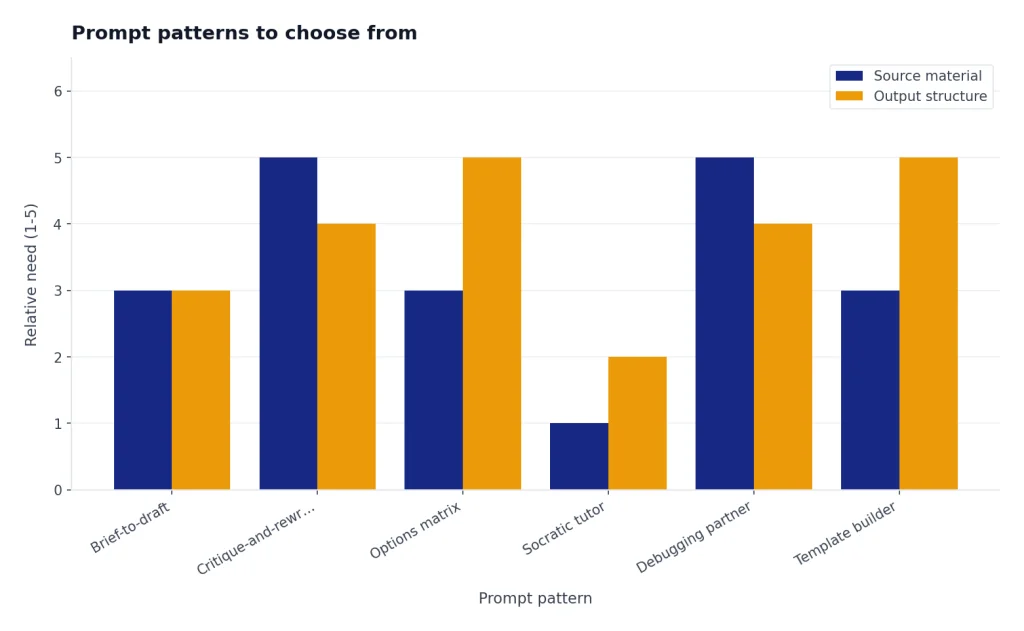
Use different prompt patterns for different jobs. A brainstorming prompt should not look like a legal review prompt. A coding prompt should not look like a social caption prompt.
| Pattern | Best for | Prompt starter |
|---|---|---|
| Brief-to-draft | Articles, emails, scripts, proposals | Use this brief to create a first draft. |
| Critique-and-rewrite | Improving weak text | Identify the problems, then rewrite the piece. |
| Options matrix | Decisions with trade-offs | Compare these options using these criteria. |
| Socratic tutor | Learning and self-study | Teach me by asking one question at a time. |
| Debugging partner | Code, formulas, workflows | Find the likely cause and propose fixes. |
| Template builder | Reusable workflows | Turn this task into a repeatable template. |
For education-specific workflows, use ChatGPT Teacher Prompts or ChatGPT Student Prompts for Better Grades. For language work, the same structure applies, but you should specify audience, dialect, tone, and review needs; see chatgpt translation prompts for quality output.

Pattern example: a weak debugging prompt is “Why is my app broken?” A stronger version is: “Act as a debugging partner. I’m using [language/framework]. Expected behavior: [what should happen]. Actual behavior: [what happens]. Error message: [paste exact error]. Recent change: [what changed]. Give the three most likely causes, the quickest test for each, and a minimal fix.”
100+ ChatGPT prompts by category
The prompts below are written to be copied. Replace bracketed details, add source text when needed, and ask ChatGPT to separate facts from assumptions for high-stakes work. For health, finance, legal, hiring, or safety decisions, treat the output as a draft and verify with a qualified professional.
Writing and editing prompts
- Rewrite this draft for [audience] in a clear, professional tone. Preserve the meaning and reduce fluff: [paste draft].
- Turn these rough notes into a structured article outline with H2s, H3s, key points, and examples: [notes].
- Write an introduction that answers the main question directly, avoids hype, and makes the reader want to continue.
- Find weak claims, vague language, and unsupported statements in this draft. Return a revision plan before rewriting.
- Summarize this text for a busy executive in five bullets, then give one recommended next action: [text].
- Change this paragraph from academic language to plain American English without dumbing it down: [paragraph].
- Create three headline options for this article. Make each one specific, accurate, and under [length].
- Copyedit this text for grammar, clarity, sentence length, and consistent tone. Show the revised version only: [text].
- Turn this transcript into a polished blog post while keeping the speaker’s main ideas intact: [transcript].
Before/after writing example: Weak source sentence: “Our platform helps teams improve productivity with AI.” Better prompt: “Rewrite this as concrete homepage copy for operations managers. Avoid generic AI claims and name the workflow benefit.” Illustrative output: “Cut the time your operations team spends turning status updates into weekly reports, without changing the tools they already use.”
Email prompts
- Write a concise follow-up email to [person] after [meeting/event]. Include thanks, the key decision, and next steps.
- Rewrite this email so it is polite, firm, and shorter: [email].
- Create a cold outreach email for [ideal customer] about [offer]. Avoid clichés and include a low-pressure CTA.
- Draft a customer apology email for [issue]. Take responsibility, explain the fix, and avoid sounding defensive.
- Write an internal announcement about [change]. Include who is affected, when it happens, and where to get help.
- Turn these bullets into a warm networking email: [bullets].
- Write three subject lines for this email. Make them specific and not clickbait: [email].
- Draft a reminder email for [deadline] that is brief and respectful.
- Write a meeting cancellation email that gives context, apologizes once, and proposes two alternatives.
Email failure case: if you ask for a “friendly” email without a boundary, the result can become too casual. Add: “Keep the tone warm but not apologetic,” or “Do not use exclamation points, emojis, or phrases like just checking in.”
SEO and marketing prompts
- Create an SEO outline for the keyword [keyword]. Include search intent, H2s, FAQs, and what to avoid.
- Analyze this landing page copy for clarity, objections, proof, and CTA strength: [copy].
- Write five value propositions for [product] aimed at [customer segment]. Make each one concrete.
- Generate a content brief for [topic] with audience, angle, sections, examples, and internal link ideas.
- Turn this feature list into benefit-focused website copy: [features].
- Create a simple launch plan for [product] across email, social, website, and sales enablement.
- Write meta title and meta description options for [page topic]. Keep them accurate and click-worthy.
- Identify gaps in this competitor page and suggest a better angle for our page: [competitor text].
- Create a one-page brand voice guide from these examples: [examples].
For focused marketing workflows, use ChatGPT Business Prompts for Owners for planning and chatgpt social media prompts for every platform for channel-specific posts.
Coding and data prompts
- Explain this code line by line, then summarize what it does in plain English: [code].
- Find the bug in this code. Explain the likely cause, then provide a corrected version: [code and error].
- Refactor this function for readability without changing behavior: [code].
- Write unit tests for this function using [framework]. Include edge cases: [code].
- Convert this [language A] code to [language B]. Explain any trade-offs: [code].
- Design a database schema for [app]. Include tables, fields, relationships, and indexing notes.
- Write a SQL query that answers this question from these tables: [schema and question].
- Analyze this CSV structure and suggest cleaning steps before analysis: [columns/sample rows].
- Create a debugging checklist for this API issue: [symptoms, logs, endpoint, expected behavior].
Coding gotcha: do not paste only the error message. Include the smallest reproducible code sample, the exact package or framework version if relevant, the expected behavior, and what you already tried. For larger codebases, ask ChatGPT to propose diagnostic steps before rewriting files.
Resume and job search prompts
Use resume prompts to improve wording and structure, not to invent credentials, employment history, tools, certifications, results, or measurable impact. If a metric is missing, ask ChatGPT to mark it as a placeholder for you to verify.
- Rewrite this resume bullet to emphasize measurable impact, scope, and action. Do not invent numbers; use [insert real metric] where needed: [bullet].
- Tailor my resume summary for this job description without inventing experience: [resume and job description].
- Write a cover letter for [role] at [company] using this background only: [background].
- Create interview answers using the STAR method for these experiences: [experiences].
- Identify missing keywords in my resume compared with this job description: [resume and job description].
- Turn this project into three resume bullets for a [target role]. Separate confirmed facts from suggested metrics to verify: [project details].
- Write a polite LinkedIn message to a recruiter about [role]. Keep it short and specific.
- Generate questions I should ask in an interview for [role] at [company type].
- Review this resume for clarity, repetition, and weak verbs. Return a prioritized fix list: [resume].
If you want tools beyond prompts, compare options in ai resume builder tools compared.
Learning prompts
- Teach me [topic] from beginner to intermediate level. Start with a simple mental model.
- Create a four-week study plan for [subject] based on [time available] and [goal].
- Quiz me on [topic] one question at a time. Wait for my answer before explaining.
- Explain [concept] using an analogy, then give a technical explanation.
- Find the gaps in my understanding from this explanation I wrote: [explanation].
- Create flashcards from this material. Use question-answer format: [material].
- Compare [concept A] and [concept B] in a table with examples.
- Give me practice problems for [skill], sorted from easy to hard.
- Act as a patient tutor. Help me solve this problem without giving the final answer immediately: [problem].
Learning example: Prompt: “Teach me recursion as a beginner Python student. Use one analogy, then one tiny code example, then quiz me with one question and wait.” Illustrative output excerpt: “Think of recursion like opening a smaller box inside a box until you reach the smallest box. In code, the base case is the smallest box; without it, the function keeps opening boxes forever.”
For more study structures, use ChatGPT Learning Prompts for Self-Study.
Business and productivity prompts
For business decisions, ask for trade-offs, risks, and missing information. Do not rely on ChatGPT alone for tax, legal, compliance, HR, medical, or financial decisions; use it to prepare questions for the right professional.
- Turn these meeting notes into decisions, action items, owners, and deadlines: [notes].
- Create a decision memo for [choice]. Include options, trade-offs, risks, assumptions, and a recommendation. Flag anything that needs professional review.
- Prioritize this task list using urgency, impact, effort, and dependencies: [tasks].
- Write a project brief for [project]. Include goal, scope, stakeholders, milestones, and risks.
- Create a weekly planning template for [role] with focus areas and review questions.
- Summarize this report for leadership and highlight decisions needed: [report].
- Turn this messy process into a standard operating procedure: [process notes].
- Draft a meeting agenda for [topic] with outcomes, timing, and prep work.
- Identify bottlenecks in this workflow and suggest practical fixes: [workflow].
For daily workflow systems, see chatgpt productivity prompts for daily workflow.
Customer service and sales prompts
- Write a customer support reply for [issue]. Be empathetic, clear, and action-oriented.
- Create a troubleshooting script for support agents handling [problem].
- Turn this angry customer message into a calm response that resolves the issue: [message].
- Write a sales discovery call question list for [buyer persona] considering [product].
- Create objection-handling responses for these objections: [objections].
- Write a follow-up email after a sales demo. Include recap, value, and next step.
- Summarize this customer conversation into CRM notes: [transcript].
- Create a renewal risk checklist for accounts using [product/service].
- Draft a help center article for [feature] using simple steps and common errors.
For more templates, use ChatGPT Customer Service Prompts and Templates and ChatGPT Sales Prompts for Closers.
Social media and YouTube prompts
- Turn this article into five LinkedIn post ideas for [audience]: [article].
- Create a 30-day content calendar for [brand] on [platform]. Include themes and post types.
- Write three short-form video hooks about [topic]. Make them specific and natural.
- Turn this YouTube idea into a title, thumbnail concept, outline, and opening script: [idea].
- Rewrite this caption to be clearer and more useful: .
- Create a thread outline that teaches [topic] in a practical way.
- Generate community poll ideas for [audience] about [topic].
- Repurpose this podcast transcript into clips, posts, and email ideas: [transcript].
- Write a creator bio for [platform] that explains who I help and how.
Filled-in social example: Prompt: Rewrite this caption for LinkedIn so it is clearer, more useful, and less promotional: “New blog is live! Check it out for tips.” Illustrative output: “If your onboarding emails feel random, start with one question: what action should a new user take first? I wrote a short guide to mapping each email to activation, retention, or support. Use it to audit your first week of messages.”
Social failure case: “Make it viral” usually produces clichés. A better instruction is: “Make the hook specific to [audience pain], avoid hype words, and give one practical takeaway in the first two lines.”
Creators can go deeper with ChatGPT for YouTubers.
Image generation prompts
- Create an image prompt for a clean editorial illustration of [concept]. Include subject, layout, color palette, and exclusions.
- Write a product mockup prompt for [product] on a neutral background with realistic lighting.
- Create a portrait prompt that describes pose, expression, wardrobe, background, and lighting without naming a living artist.
- Write a diagram-style image prompt that explains [process] using simple shapes and no text.
- Create three visual directions for a blog featured image about [topic].
- Improve this image prompt for composition, lighting, and specificity: [prompt].
- Write an image edit instruction that changes [element] while preserving [element].
- Create a prompt for a social media carousel cover about [topic]. Avoid clutter and text.
- Generate a brand-safe image prompt for [industry] that avoids stereotypes and sensitive imagery.
Image prompt example: Weak prompt: “Make an image about productivity.” Stronger prompt: “Create a clean editorial illustration of a weekly planning desk: notebook, calendar blocks, three priority cards, soft morning light, muted blue and cream palette, wide 16:9 composition, no readable text, no clutter, no human faces.”
For more visual examples, see Best ChatGPT Image Prompts, ChatGPT Caricature Prompts, and ChatGPT Action Figure Prompts.
Creative and fun prompts
- Give me ten story premises about [theme] with a clear conflict and twist.
- Help me build a fictional character with goals, fears, contradictions, and voice.
- Write a scene outline where [character] wants [goal] but [obstacle] gets in the way.
- Create a worldbuilding brief for [setting] with rules, culture, conflict, and daily life.
- Turn this bland idea into five more surprising versions: [idea].
- Write a playful roast of [safe subject] that is funny but not cruel.
- Create party game questions for [group] that are clever and appropriate.
- Generate names for [project/character/product] with short explanations.
- Write a dialogue between [character A] and [character B] where subtext matters more than exposition.
For more playful ideas, use ChatGPT Creative Prompts for Storytellers and Fun ChatGPT Prompts to Try Today.
Everyday personal prompts
Everyday prompts can be useful, but they still need boundaries. For meals, mention allergies, medical restrictions, budget, and available equipment. For workouts, include injuries, experience level, recovery needs, and whether a clinician or trainer has given you limits.
- Create a meal plan for [diet preference] using [ingredients] and [time limit]. Respect [allergies/medical restrictions], keep prep realistic, and suggest what I should verify with a dietitian if needed.
- Help me plan a realistic workout week for [goal], [equipment], and [experience level]. Avoid medical claims, account for [injuries/limitations], and tell me when to ask a qualified professional.
- Turn my messy packing list into categories for [trip type]: [list].
- Compare these purchase options using price, durability, maintenance, and fit: [options].
- Create a polite script for a difficult conversation about [situation].
- Help me break this overwhelming task into a simple plan: [task].
- Write a household checklist for [event/season] with priorities and timing.
- Create a simple budget review template for [income pattern] and [goals]. Do not give investment, tax, or legal advice.
- Act as a planning assistant for [event]. Ask questions first, then create a plan.
Filled-in personal example: Prompt: Create a three-day vegetarian meal plan using eggs, rice, lentils, spinach, yogurt, and frozen berries. Budget is tight, cooking time is under 30 minutes, and I want leftovers for lunch. I have no allergies, but this is not medical advice. Illustrative output excerpt: Day 1 breakfast: yogurt with berries. Lunch: lentil rice bowl with spinach. Dinner: egg fried rice with spinach. Prep note: cook extra lentils and rice once, then reuse them for lunches.
Filled-in workout example: Prompt: Plan a beginner workout week for general fitness using only dumbbells and walking. I have mild knee discomfort, so avoid jumping and tell me when to stop and consult a professional. Illustrative output excerpt: Monday: 20-minute walk plus upper-body dumbbell circuit. Wednesday: low-impact strength session with slow squats only if pain-free. Stop if pain increases, swelling appears, or discomfort changes your gait.
For everyday examples by domain, see chatgpt for cooking and ChatGPT for Fitness.
How to edit a prompt after the first answer
The first answer is often a draft, not the final result. OpenAI’s prompting advice includes iterative refinement: review the output, then adjust wording, add context, or simplify the request as needed.[1] The easiest way to improve a response is to give feedback in plain language.
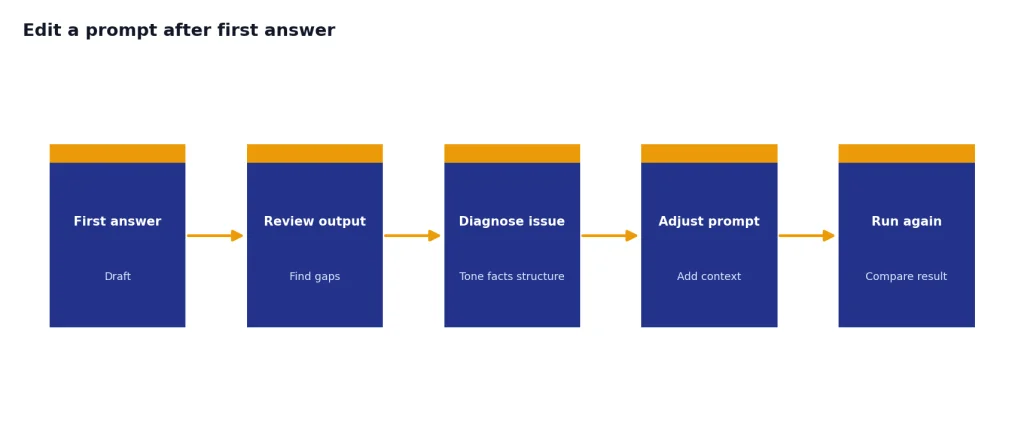
- If the answer is too generic: say, “Make this more specific to [audience] and include examples from [industry].”
- If the tone is wrong: say, “Rewrite this in a warmer, less formal tone while keeping it concise.”
- If the structure is weak: say, “Reorganize this into a table with problem, recommendation, reason, and next step.”
- If it invented details: say, “Remove any claims not supported by the source text and list missing information separately.”
- If it is too long: say, “Cut this by half while preserving the main recommendation.”
You can also ask ChatGPT to improve your prompt before answering. A useful meta-prompt is: “Before completing this task, rewrite my prompt to make it clearer. Then ask me any essential questions.” For complex workflows, Best ChatGPT Prompt Generator Tools can help you compare dedicated prompt-building options.
Revision example: If the first answer gives a generic marketing plan, do not restart with “try again.” Instead write: “This is too broad. Revise it for a two-person service business with no paid ads budget. Return only the first seven days of actions, with owner, time estimate, and success signal.”
Privacy, accuracy, and safety checks
Do not paste sensitive personal, legal, medical, financial, or confidential company information unless you understand your account settings and the risk. OpenAI says ChatGPT Data Controls let users decide whether conversations and interactions help improve models, and signed-in users can turn off “Improve the model for everyone” under Settings and Data Controls.[4]
Also check facts. OpenAI says ChatGPT can produce incorrect or misleading outputs, including incorrect definitions, dates, facts, fabricated references, and overconfident answers to ambiguous questions.[3] Use it as a drafting and thinking partner, not as the final source for important claims.
- Ask for uncertainty flags when accuracy matters.
- Ask it to separate source-backed facts from assumptions.
- Verify quotes, statistics, citations, and legal or medical claims.
- Use search or deep research when current information is required.
- Remove private identifiers before pasting documents.
- Do not let ChatGPT invent credentials, client results, revenue numbers, medical advice, legal advice, or safety instructions.
For legal-adjacent workflows, use ChatGPT Legal Prompts as drafting support only, then have a qualified professional review the result.
Frequently asked questions
What is a ChatGPT prompt?
A ChatGPT prompt is the instruction, question, source text, or media you give ChatGPT to start a response. Strong prompts give enough context for the model to understand the task and the desired output. They usually include the audience, goal, constraints, and format.
What makes a good ChatGPT prompt?
A good prompt is clear, specific, and tied to a concrete outcome. It tells ChatGPT what role to take, what information to use, what to avoid, and how to format the answer. If the first response misses the mark, refine the prompt instead of starting over.
Can I use the same prompt for every task?
No. Reusable templates help, but different tasks need different context. A resume prompt needs job details and verified accomplishments, while a coding prompt needs the language, error message, and expected behavior.
Should I ask ChatGPT to act as an expert?
Role prompts can help set perspective, but they do not guarantee expertise or accuracy. Use a role to shape the answer, then verify important information. For high-stakes topics, treat the output as a draft for review.
How do I stop ChatGPT from giving generic answers?
Add specific context, examples, audience details, constraints, and a format. Ask for trade-offs, assumptions, and concrete examples. Generic answers usually mean the prompt did not define what useful means.
Can ChatGPT prompts improve image results?
Yes. Image prompts work better when they describe the subject, composition, lighting, style, color palette, and exclusions. Avoid vague phrases like “make it professional” and describe the visible result you want.