

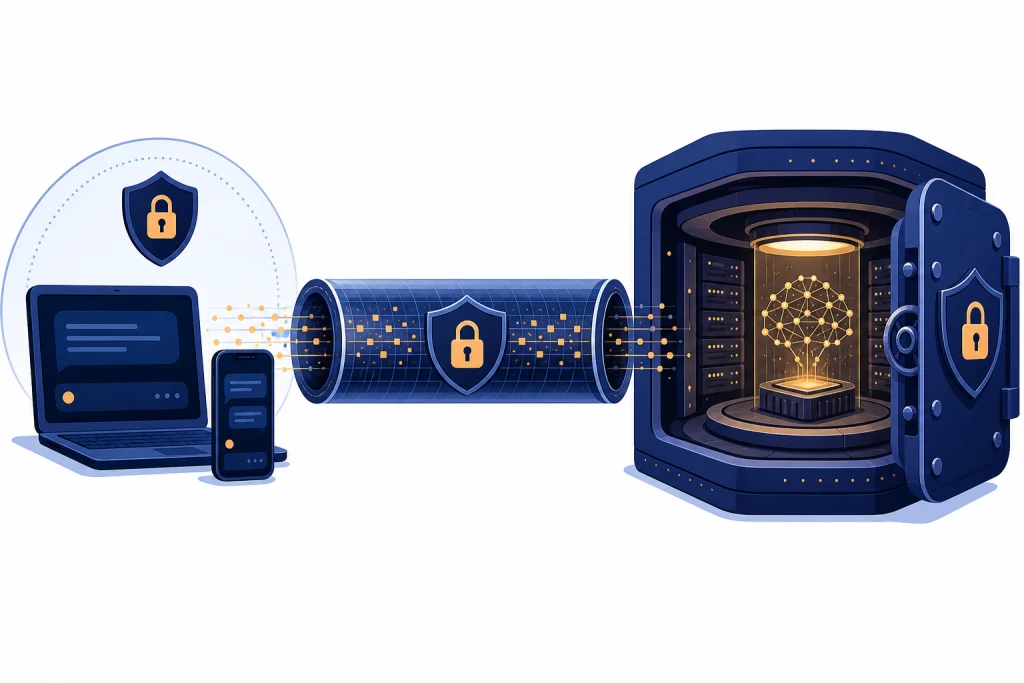
ChatGPT is encrypted, but not end-to-end encrypted in the strict privacy sense used by apps like Signal or WhatsApp. OpenAI says user content is encrypted in transit and at rest, which means your messages are protected while traveling between your device and OpenAI and while stored on OpenAI-controlled systems.[1] That does not mean only you can read the chat. ChatGPT must process your prompt on OpenAI’s servers to generate a response, so the service is not designed as a zero-knowledge vault. Treat ChatGPT as a cloud AI service with encryption and access controls, not as a private diary, encrypted messenger, lawyer, therapist, or medical records system.
The short answer
If your question is simply is ChatGPT encrypted, the answer is yes. OpenAI says content is encrypted at rest and in transit between users and OpenAI, and between OpenAI and its service providers.[1] For business services, OpenAI also states that it uses AES-256 encryption at rest and TLS 1.2 or higher in transit.[2]
The more important question is whether ChatGPT is end-to-end encrypted. OpenAI has not published an official statement saying that normal ChatGPT conversations are end-to-end encrypted. The official wording is encryption in transit and at rest, not end-to-end encryption.[1] That distinction matters because ChatGPT must receive your prompt in a readable form to run the model, produce an answer, apply safety systems, provide account features, and support service operations.
In practice, ChatGPT is closer to encrypted cloud email or a hosted productivity app than to an end-to-end encrypted messenger. Encryption helps protect your chat from outsiders on the network and from raw storage exposure. It does not make your conversation unreadable to OpenAI’s systems. If you want the broader privacy picture, read our ChatGPT Privacy guide and our ChatGPT Data Protection Practices explainer.
What ChatGPT encryption actually protects
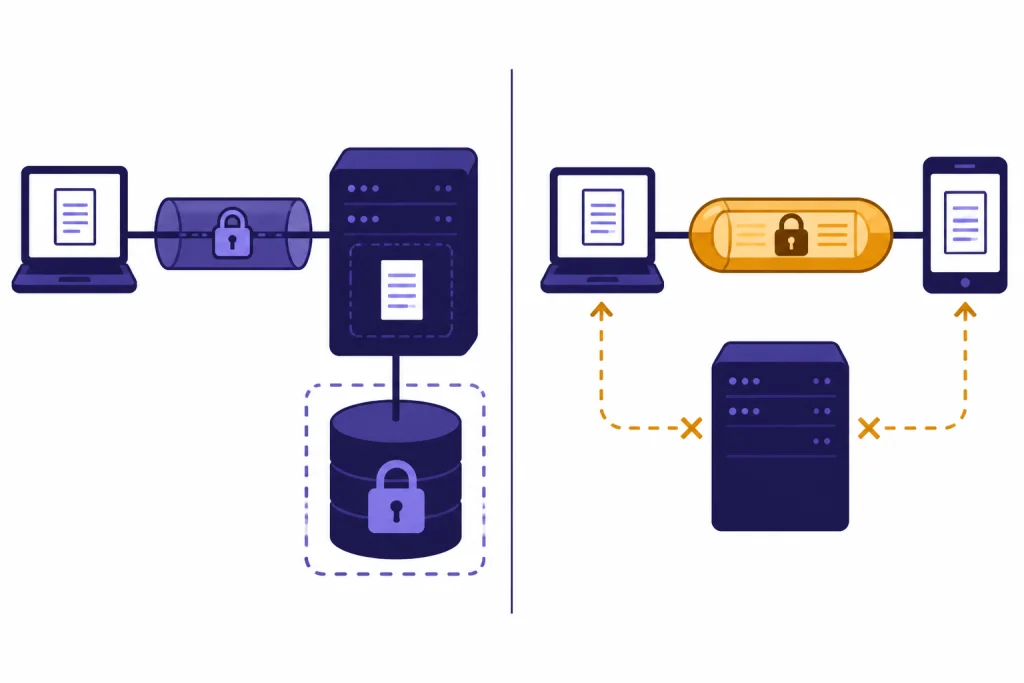
Encryption is not one thing. It depends on where the data is, who holds the keys, and whether the service provider can read the data while performing the service. For ChatGPT, the official baseline is encryption in transit and encryption at rest.[1]
Encryption in transit protects data while it moves across networks. When you send a prompt from your browser or app to OpenAI, transit encryption helps prevent people on the same Wi-Fi network, an internet service provider, or a network attacker from casually reading the content. OpenAI’s enterprise privacy materials describe transit encryption as TLS 1.2 or higher for business data.[2]
Encryption at rest protects stored data. If content sits in databases, backups, file storage, logs, or other infrastructure, at-rest encryption helps reduce the risk that raw storage exposure immediately reveals readable text. OpenAI’s enterprise privacy materials describe at-rest encryption as AES-256 for business data.[2]
Those protections are meaningful. They are part of standard cloud security. They also do not answer every privacy question. Encryption at rest can still be decrypted by the service when it needs to provide the product. Encryption in transit does not stop the recipient from reading the message after it arrives. That is why the phrase “encrypted” can be technically true while “end-to-end encrypted” is not.
| Protection type | What it protects against | What it does not protect against | How it applies to ChatGPT |
|---|---|---|---|
| Encryption in transit | Network interception between your device and the service | The service reading your prompt after it arrives | OpenAI says content is encrypted in transit.[1] |
| Encryption at rest | Direct exposure of stored databases, files, or backups | Authorized service processing, account features, legal demands, or policy-based review | OpenAI says content is encrypted at rest.[1] |
| End-to-end encryption | The provider being unable to read message content in normal operation | Endpoint compromise, screenshots, copied text, or data you share elsewhere | OpenAI has not published an official claim that standard ChatGPT chats use this model. |
If you are also asking whether ChatGPT is secure overall, see is ChatGPT secure? encryption explained. Security includes encryption, but also account protection, access controls, retention, sharing, compliance, and human behavior.
Why ChatGPT is not end-to-end encrypted
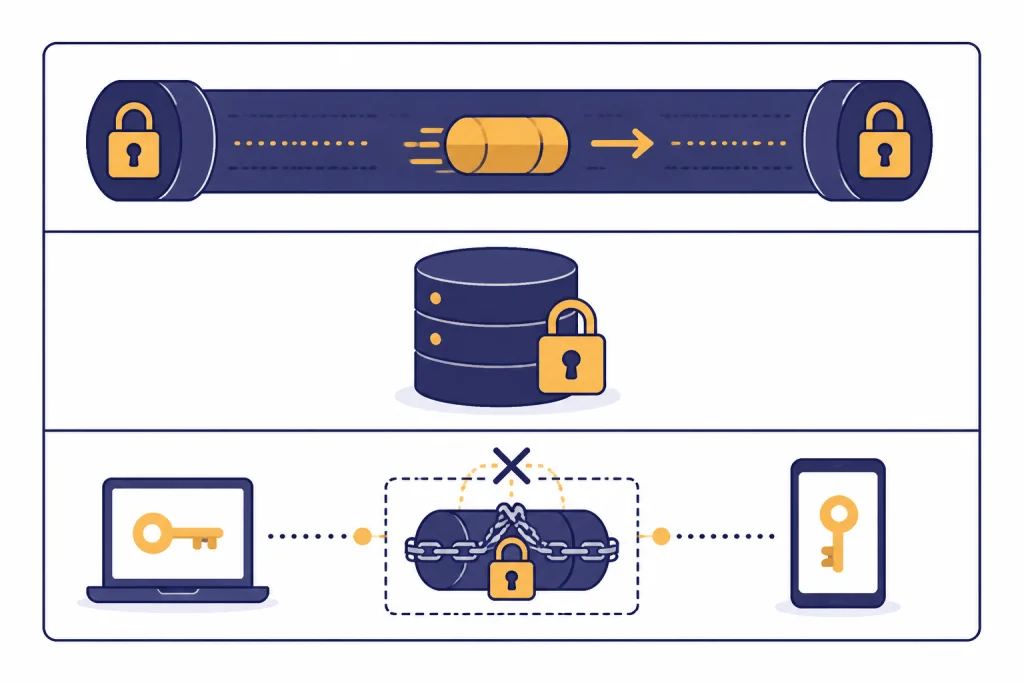
End-to-end encryption usually means only the endpoints can read the content. In a messaging app, the endpoints are typically the sender’s device and the recipient’s device. The provider routes encrypted data but does not hold the keys needed to read the message content.
ChatGPT works differently. You are not sending a sealed message to another person. You are asking a remote AI system to read your prompt, infer what you want, and generate new text, code, images, analysis, or actions. The model cannot answer a prompt it cannot process. That means the content has to be available to OpenAI’s systems at some point in the workflow.
This is the core privacy tradeoff of cloud AI. The service can be encrypted against outside interception and encrypted in storage, while still not being end-to-end encrypted against the provider. That is normal for many cloud products, but users often misread the word “encrypted” as “nobody at the company could ever access it.” Those are different claims.
OpenAI’s official security page says content is encrypted at rest and in transit. It also describes privacy controls that let individual users choose how data is used for training and model improvement.[1] OpenAI’s Data Controls FAQ says ChatGPT users can manage whether conversations help improve models.[3] These controls are useful, but they are not the same thing as end-to-end encryption.
There is also a design conflict. If a product offered strict end-to-end encryption where OpenAI never received readable prompt content, then server-hosted model inference, safety checks, cloud memory, conversation search, shared links, file analysis, connected apps, and many account features would need a different architecture. Some privacy-preserving AI designs may use local models, trusted execution environments, or customer-managed keys for limited use cases. That is not the same as saying everyday ChatGPT chats are end-to-end encrypted.
How privacy differs by plan and setting
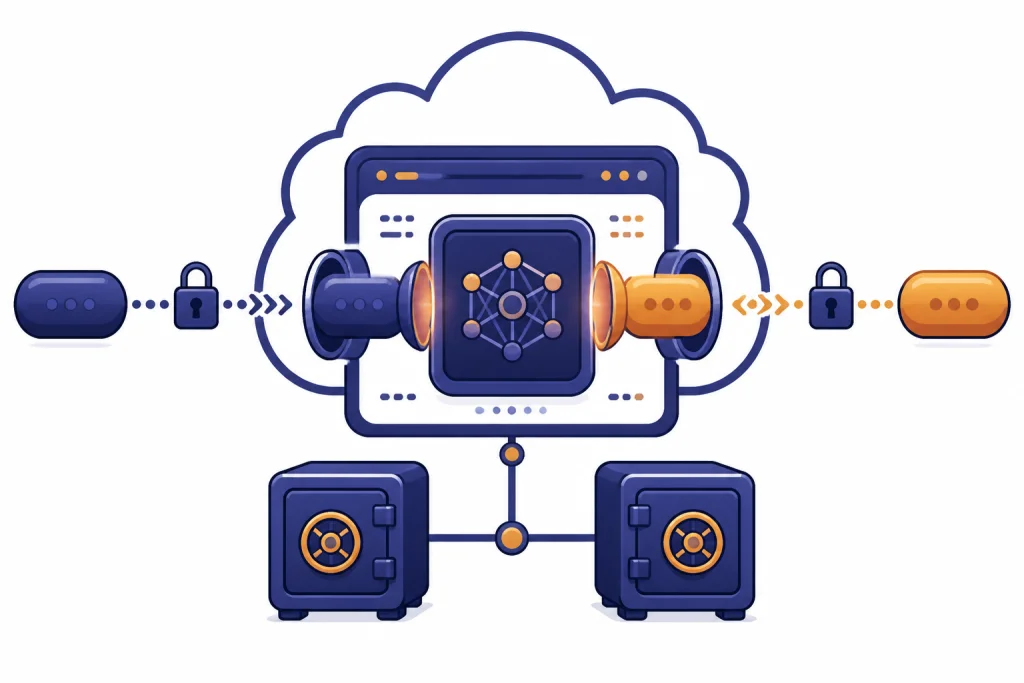
ChatGPT privacy is not identical for every user. The plan you use, the workspace you belong to, and your settings affect training use, administrative controls, and data handling. The encryption baseline still matters, but it is only one part of the privacy model.
For individual users, OpenAI says you can decide whether your data is used for training and model improvement.[1] The Data Controls FAQ says signed-in users can use Data Controls to choose whether conversations help improve models, export data, or delete an account.[3] If you are trying to understand stored conversations specifically, start with Does ChatGPT Save Your Chats? and Does ChatGPT Save Your Data?.
For business products, OpenAI’s enterprise privacy page says business data includes inputs and outputs from ChatGPT Business, ChatGPT Enterprise, ChatGPT for Healthcare, ChatGPT Edu, ChatGPT for Teachers, and the API Platform, and says OpenAI does not train models on that data by default.[2] OpenAI’s business data page repeats that organization data is encrypted at rest and in transit, and describes AES-256 at rest and TLS 1.2 or higher in transit.[4]
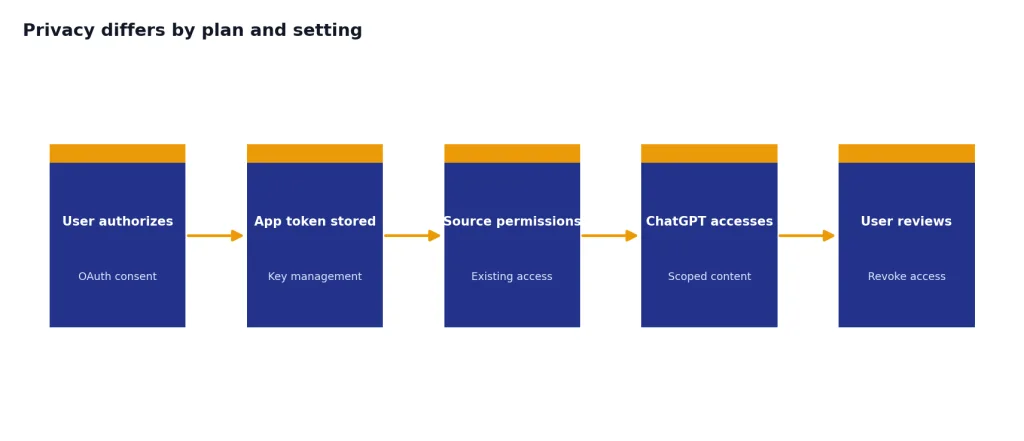
For connected apps and workspace integrations, encryption is only part of the risk. OpenAI’s help page for apps says OAuth tokens are stored with audited key-management practices, each user authorizes their own account, and ChatGPT accesses content within that user’s existing permissions.[5] If you connect a calendar, drive, code repository, or other business system, you should review both OpenAI’s controls and the connected service’s permissions.
| User situation | What encryption covers | Main privacy question | Practical takeaway |
|---|---|---|---|
| Personal ChatGPT account | OpenAI says content is encrypted at rest and in transit.[1] | Whether your settings allow model improvement use | Check Data Controls before sharing anything sensitive.[3] |
| ChatGPT Business or Enterprise workspace | OpenAI describes business data encryption at rest and in transit.[4] | Workspace policy, admin controls, retention, and connected apps | Ask your admin what is enabled and what is logged. |
| API or regulated workflow | OpenAI’s enterprise privacy commitments cover the API Platform.[2] | Retention, compliance terms, and whether a signed agreement is required | Use the correct product terms for legal or regulated data. |
| Shared link or exported chat | Encryption does not control what happens after you share or download content | Who can open the link or file | Treat shared chats like documents you intentionally disclose. |
For legal-region questions, see our chatgpt and gdpr guide. For broader sharing questions, read Does ChatGPT Share Your Data?.
What not to put into ChatGPT
The safest rule is simple: do not put information into ChatGPT that you would not put into another cloud service unless you understand the plan, settings, and legal terms that apply. Encryption reduces risk. It does not erase the fact that you are sending the content to a third-party service.
Avoid pasting passwords, private keys, recovery codes, Social Security numbers, full bank details, unreleased company documents, confidential contracts, trade secrets, medical records, therapy notes, or personal information about someone else unless you have a clear authorization basis and the right product setup. If your employer, school, clinic, or client has an AI policy, follow that policy instead of assuming encryption makes the use acceptable.
Medical and mental health prompts deserve extra care. People often write to ChatGPT in a vulnerable, diary-like style. That can be useful for brainstorming or organizing thoughts, but it is not the same as speaking to a licensed professional under a confidential relationship. If you use ChatGPT for emotional support, read chatgpt and mental health and our guide to ChatGPT Psychosis for additional context about safety and limits.
Workplace data deserves the same caution. A prompt that contains a client list, draft acquisition plan, source code secret, unreleased earnings language, internal investigation, or employee health detail may create obligations that encryption alone cannot solve. If you need to use AI with sensitive company information, use the organization-approved workspace and confirm the retention, training, access, and audit settings.
Also watch what you attach. Files, images, screenshots, copied emails, browser context, and connected app results can contain more sensitive information than the sentence you type. Multimodal tools expand what ChatGPT can process, but they also expand what you might accidentally disclose. Our what is multimodal AI? vision, voice, and text primer explains why screenshots and voice inputs can carry hidden context.
Steps that make ChatGPT more private
You do not have to stop using ChatGPT to improve your privacy. You need to treat it like a powerful cloud assistant and reduce unnecessary disclosure.
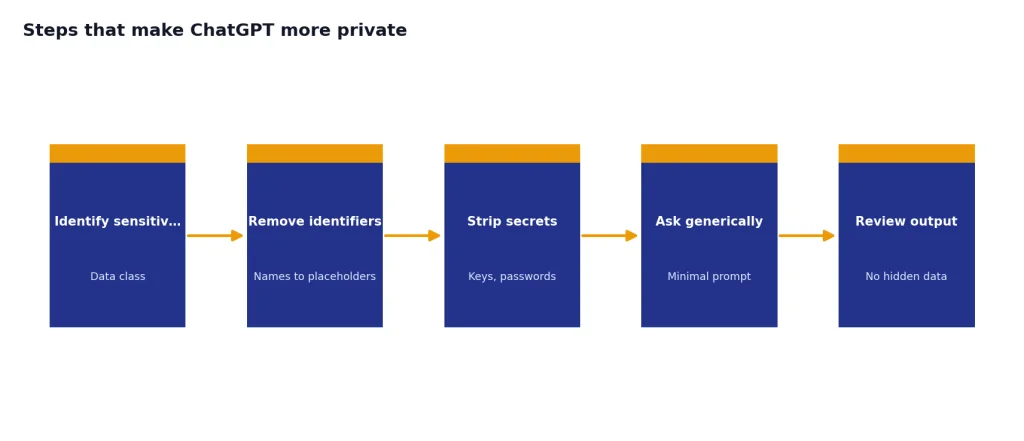
- Check Data Controls. OpenAI says Data Controls let users decide whether conversations help improve models.[3] Review this setting before using ChatGPT for anything personal.
- Remove identifiers before asking. Replace names, account numbers, addresses, client names, and other identifiers with placeholders. Ask for a structure, summary, or rewrite without exposing the real subject.
- Use approved business workspaces for work data. OpenAI says business data is not used to train models by default for covered business services.[2] That protection depends on using the right workspace and terms.
- Limit connected app permissions. OpenAI says connected app access follows each user’s existing permissions.[5] That means overbroad permissions in the source system can become overbroad AI access.
- Do not rely on encryption for compliance. GDPR, HIPAA, student privacy, employment law, privilege, and client confidentiality can require more than encryption. They may require contracts, access logs, retention controls, deletion rights, or approved vendors.
- Use strong account security. A private chat is not private if someone can access your account, email, browser profile, shared computer, or exported data.
If you are deciding whether ChatGPT is appropriate for a particular task, compare the sensitivity of the input with the value of the output. For low-risk brainstorming, drafting generic text, learning concepts, or summarizing public material, ordinary ChatGPT use may be reasonable. For regulated records, credentials, highly personal disclosures, or confidential business plans, use a stricter workflow or do not send the data at all. Our guides to Is ChatGPT Safe to Use Personal Data In? and chatgpt privacy concerns you should know go deeper on that decision.
Frequently asked questions
Is ChatGPT encrypted end-to-end?
No official OpenAI source we reviewed says standard ChatGPT conversations are end-to-end encrypted. OpenAI says content is encrypted in transit and at rest.[1] That is useful security, but it is not the same as a zero-knowledge messaging design where the provider cannot read message content.
Can OpenAI read my ChatGPT conversations?
ChatGPT must process your prompts on OpenAI’s systems to generate responses. That means the service is not designed so that OpenAI is technically unable to process the content. Access to stored or logged content is governed by OpenAI’s systems, policies, settings, and product terms, not by end-to-end encryption.
Does turning off training make ChatGPT end-to-end encrypted?
No. Training controls affect whether conversations are used to improve models. OpenAI’s Data Controls FAQ says users can choose whether conversations help improve models.[3] That does not change the basic architecture into end-to-end encryption.
Is ChatGPT safe for passwords or private keys?
No. Do not paste passwords, API keys, seed phrases, recovery codes, private keys, or authentication tokens into ChatGPT. Encryption does not make that a safe practice because the secret still leaves your control and may appear in logs, history, exports, screenshots, or connected workflows.
Is ChatGPT Business more private than a personal account?
It can be, depending on how the workspace is configured. OpenAI says it does not train models on business data by default for covered business services.[2] Business workspaces may also add administrative controls, but users should confirm their organization’s retention, sharing, connector, and audit settings.
Does encryption mean my ChatGPT chats cannot be leaked?
No. Encryption lowers certain technical risks, especially interception and raw storage exposure. Leaks can still happen through account compromise, shared links, copied text, screenshots, browser extensions, connected apps, device malware, legal demands, or user mistakes. Privacy depends on the whole workflow, not encryption alone.