

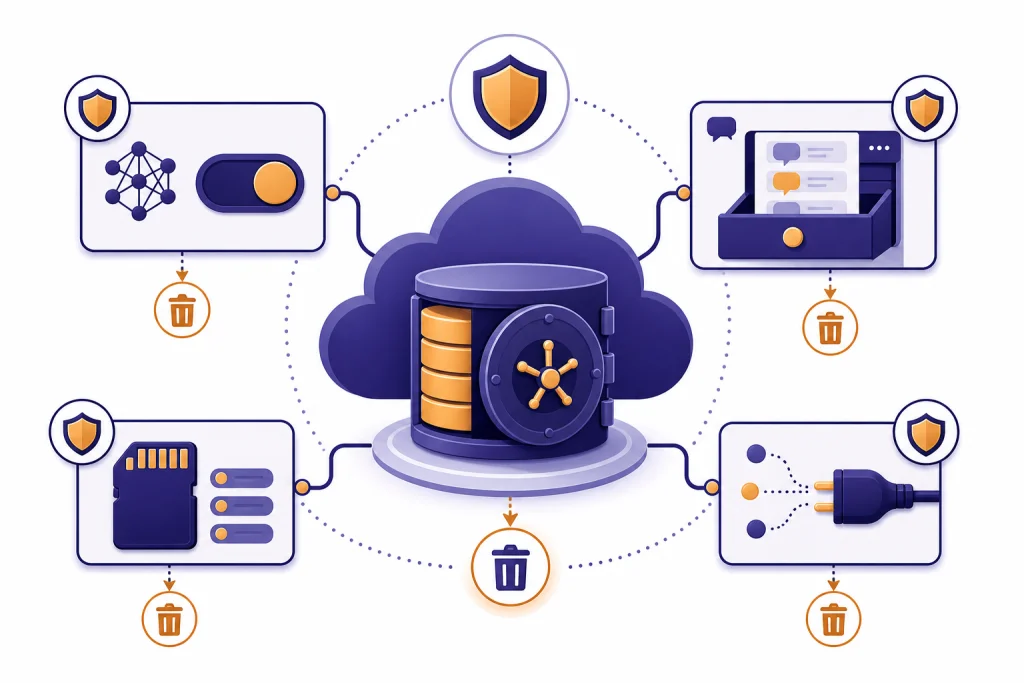
ChatGPT privacy depends on the plan you use, the settings you choose, and the kind of information you enter. On personal ChatGPT plans, conversations may be used to improve OpenAI’s models unless you turn that setting off; on business products, OpenAI says inputs and outputs are not used for training by default.[3] ChatGPT can save chats, files, memories, and account data, but it also gives users controls for deleting chats, disabling model training, using Temporary Chat, exporting data, and managing memory. The practical rule is simple: treat ChatGPT like a cloud service, not a private notebook.
What ChatGPT collects when you use it
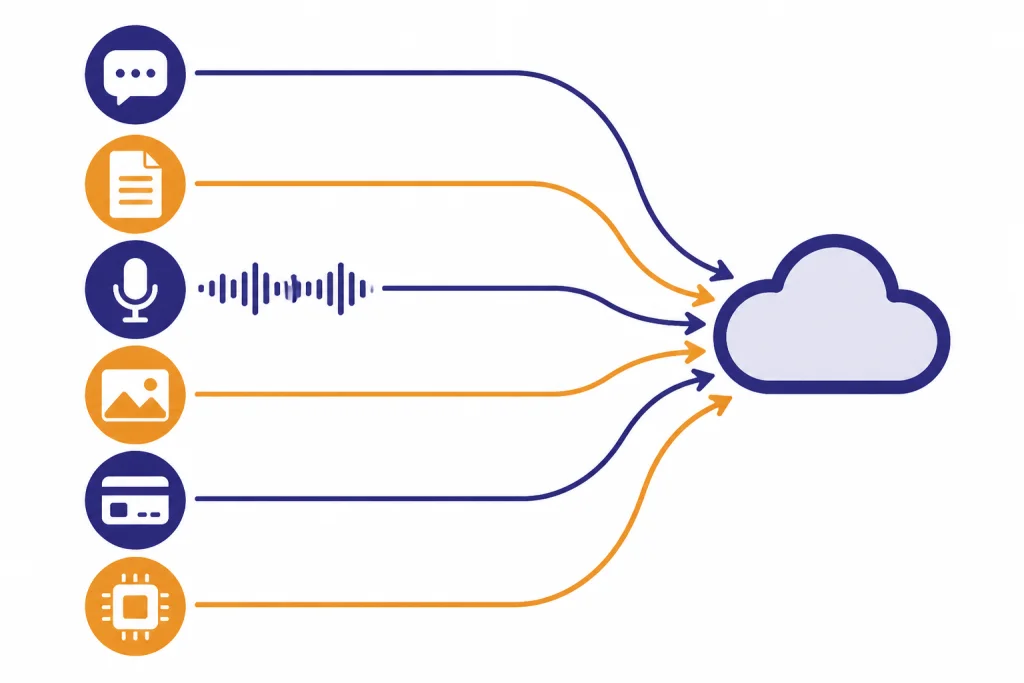
ChatGPT privacy starts with the data you provide. That can include prompts, uploaded files, images, voice interactions, feedback, account details, payment records, device information, approximate location from your IP address, and support messages. OpenAI’s privacy policy describes this broadly as personal data collected from or about users when they use OpenAI services.[1]
The most sensitive category is content. Content is what you type, paste, upload, say, or ask ChatGPT to process. It can include private business plans, legal drafts, health details, student records, code, credentials, screenshots, or family information. ChatGPT may feel conversational, but the safer mental model is a hosted software tool that processes whatever you send to it.
Account data is different from chat content. Your name, email address, login credentials, payment history, and subscription data are handled as account-related personal data. If you use paid ChatGPT features, OpenAI may retain payment and transaction-related information for accounting, dispute, and regulatory reasons even when other data is deleted.[1]
For a narrower look at saved conversations, see Does ChatGPT Save Your Chats?. For a broader explanation of saved account and usage information, read Does ChatGPT Save Your Data?.
How training works for personal and business accounts
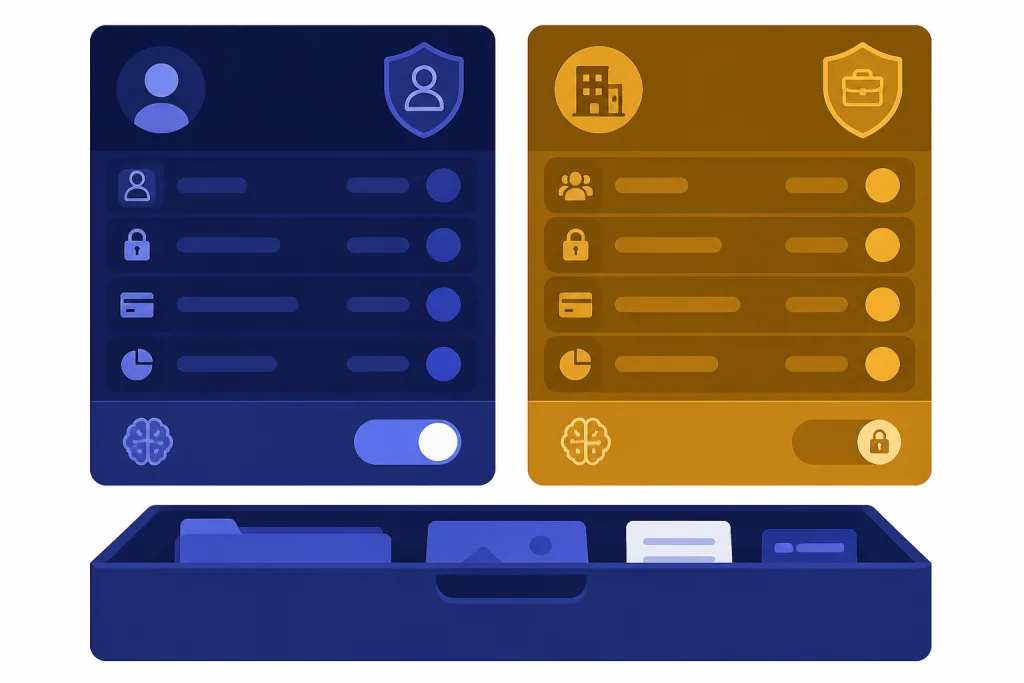
The most important ChatGPT privacy distinction is personal versus business use. OpenAI says that for ChatGPT Free, Plus, and Pro users in a personal workspace, data sharing for model training is enabled by default, but users can turn it off in Settings under Data Controls.[3] OpenAI also says that after a user opts out, new conversations are not used to train its models.[3]
Business plans work differently. OpenAI says it does not train on inputs or outputs from ChatGPT Business, ChatGPT Enterprise, ChatGPT Edu, or the API by default.[4] That matters for companies, schools, and teams that need a stronger baseline for confidential work. It does not remove every privacy risk, but it changes the default training posture.
Model training is also separate from storage. Turning off model training does not mean ChatGPT stops saving your chats to your account. OpenAI’s Data Controls FAQ says conversations can still appear in chat history after you turn off the training setting.[2] That distinction is easy to miss.
| Use case | Training default | Storage implication | Best privacy move |
|---|---|---|---|
| Personal ChatGPT account | May be used for training unless you opt out | Chats can remain in history | Turn off “Improve the model for everyone” and delete sensitive chats |
| Temporary Chat | Not used to improve models | May be retained for safety for up to 30 days | Use for one-off sensitive questions, but still avoid secrets |
| Business, Enterprise, Edu, or API | Not used for training by default | Retention depends on product settings and agreements | Use managed workspaces for company data |
| GPT with external actions | Depends on plan and settings | Relevant input may go to a third party | Use only trusted GPTs and connected services |
If your main concern is whether OpenAI shares information outside ChatGPT, read Does ChatGPT Share Your Data?. If you need the legal-policy version, see ChatGPT Privacy Policy Explained Simply.
What is saved, deleted, or remembered
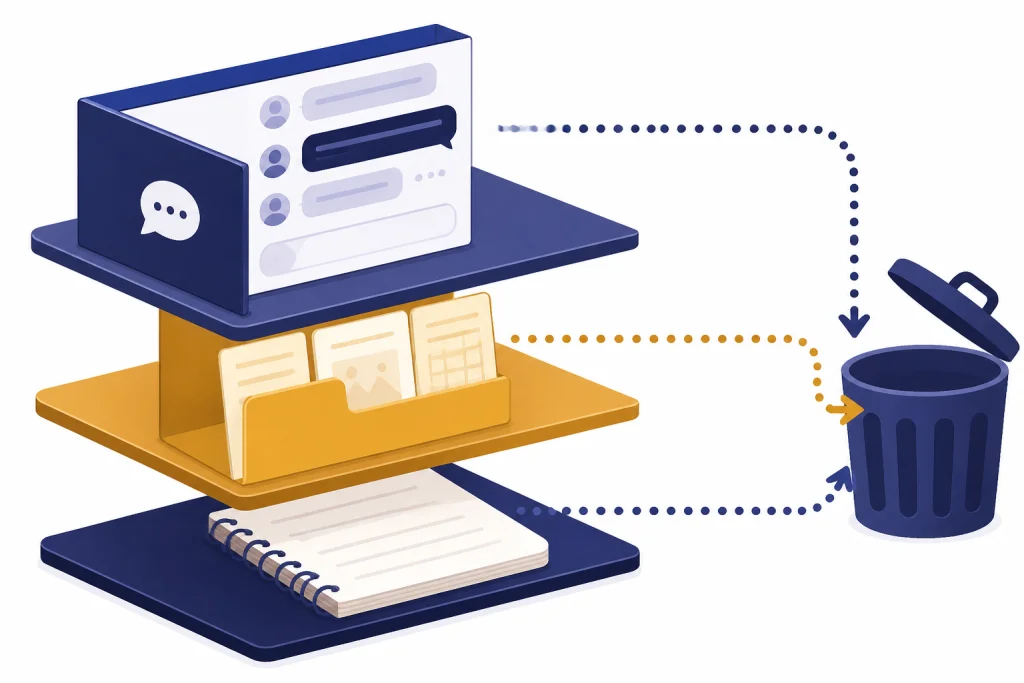
ChatGPT has several layers of persistence. A normal chat can stay in your account until you delete it. OpenAI says chats are saved to your account until manual deletion, and deleted chats are scheduled for permanent deletion from OpenAI systems within 30 days unless legal, security, or de-identification exceptions apply.[5]
Archiving is not deletion. If you archive a chat, you hide it from the main sidebar, but OpenAI says archived chats follow the same retention rules as unarchived chats.[5] Use archive for tidiness, not privacy cleanup.
Files need separate attention. OpenAI says files uploaded during a conversation may be stored in your Library and managed separately from chats; deleting a chat does not necessarily delete files saved to your Library.[5] If you uploaded a sensitive PDF, spreadsheet, image, or audio file, check the file area as well as the chat.
Memory adds another layer. OpenAI describes ChatGPT memory as working in two ways: saved memories and chat history reference.[7] Saved memories are details ChatGPT may use in future conversations, such as preferences or goals, while chat history reference lets ChatGPT use previous conversations for context.[7] Deleting a chat may stop chat history reference, but a saved memory from that chat can still matter unless you delete the memory too.[7]
For deeper coverage of security controls around stored data, see ChatGPT Data Protection Practices. If your question is whether ChatGPT is appropriate for personal information at all, read Is ChatGPT Safe to Use Personal Data In?.
Settings that reduce data exposure
The strongest privacy improvement for most personal users is to turn off model training. In ChatGPT, go to your profile, open Settings, choose Data Controls, and switch off “Improve the model for everyone.” OpenAI says this keeps new conversations from being used to train models.[3]
Temporary Chat is useful when you want a blank slate. OpenAI says Temporary Chats do not appear in history, do not use or create memories, and are not used to improve models.[4] OpenAI also says it may keep a copy of Temporary Chats for safety purposes for up to 30 days.[6]
Memory controls are the next step. Turn off saved memory if you do not want ChatGPT to retain personal facts across conversations. Review saved memories periodically and delete any that reveal health, finances, family details, location, or workplace information. OpenAI says users can reset memory, delete specific or all saved memories, or turn memory off in settings.[7]
- Disable training: Use Data Controls and turn off model improvement for personal accounts.
- Use Temporary Chat: Use it for one-off prompts that should not affect history or memory.
- Delete, do not archive: Archive only hides chats from view.
- Review memories: Delete saved facts that you would not want reused later.
- Delete files separately: Check uploaded files, not just chat threads.
- Limit sensitive inputs: Redact names, IDs, account numbers, secrets, and confidential documents before prompting.
Privacy settings do not turn ChatGPT into end-to-end encrypted messaging. For the encryption-specific question, read Is ChatGPT Encrypted End-to-End?. For a general safety view, see is ChatGPT secure? encryption explained.
GPTs, apps, files, and third-party sharing
Custom GPTs can create a different privacy situation from a normal chat. OpenAI says GPT builders cannot view individual conversations that users have with their GPTs.[8] That is reassuring, but it is not the whole story.
Some GPTs connect to external APIs or apps. OpenAI says that when you interact with a GPT using apps or external APIs, relevant parts of your input may be sent to the third-party service, and OpenAI does not audit or control how those services use or store that data.[8] This is one of the biggest practical privacy traps in ChatGPT.

Before using a GPT with actions, ask what it needs to send out. A travel GPT might send destination and schedule details. A sales GPT might send lead data to a CRM. A coding GPT might send snippets to a repository tool. If the data would be risky in the third-party service directly, it is risky through the GPT too.
Files also deserve caution. A file can contain hidden metadata, tracked changes, comments, author names, customer records, or embedded credentials. Redact before upload. If the file belongs to your employer, use your organization’s approved ChatGPT workspace or do not upload it.
Security, encryption, and legal limits
OpenAI says ChatGPT content is encrypted at rest and in transit between users and OpenAI, and between OpenAI and its service providers.[9] Encryption helps protect data from interception and unauthorized access, but it does not mean OpenAI cannot process content to provide the service.
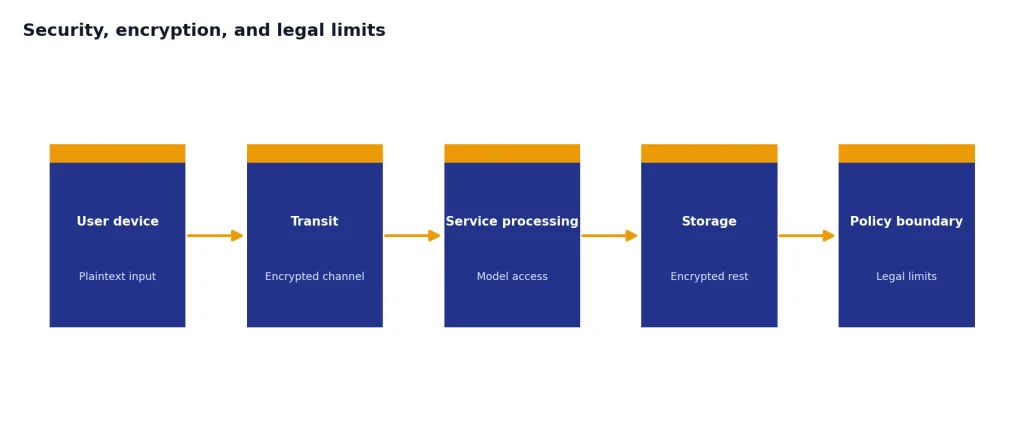
OpenAI’s security page says it has undergone a SOC 2 Type 2 examination for controls relevant to Security, Availability, Confidentiality, and Privacy for API and ChatGPT business product services.[9] It also lists ISO/IEC 27001:2022 and ISO/IEC 27701:2019 certifications for information security and privacy management systems supporting OpenAI API, ChatGPT Enterprise, and ChatGPT Edu services.[9]
Legal limits also matter. OpenAI’s privacy policy says it may disclose personal data to vendors, service providers, affiliates, government authorities, or other third parties in specified circumstances, including legal obligations, fraud prevention, safety, security, and protecting rights or property.[1] This is normal for a large cloud service, but it means ChatGPT is not a sealed vault.
If you handle regulated data, do not rely on a personal account. Ask whether your organization has a Business, Enterprise, Edu, API, or regulated workspace arrangement, and confirm whether a data processing addendum or business associate agreement is in place. For European users and companies, chatgpt and gdpr explains the compliance questions in more detail.
Practical privacy checklist
The safest ChatGPT privacy habit is data minimization. Give the model enough context to help, but not enough to expose a person, company, account, system, or confidential matter unnecessarily.

- Replace real names with roles, such as “employee A” or “client B.”
- Remove account numbers, Social Security numbers, addresses, API keys, passwords, and private tokens.
- Summarize sensitive documents instead of uploading the original when possible.
- Use business workspaces for business data.
- Turn off training for personal accounts if you do not want new chats used for model improvement.
- Use Temporary Chat for narrow, one-time questions.
- Delete sensitive chats and files after use.
- Review saved memories monthly if memory is enabled.
- Avoid GPTs with external actions unless you trust the connected service.
- Do not use ChatGPT as the only system of record for legal, medical, financial, or employment decisions.
Privacy is not only about OpenAI. It is also about your prompts, your browser, your employer, your connected apps, and the downstream services you authorize. For a risk-focused overview, read chatgpt privacy concerns you should know.
Frequently asked questions
Is ChatGPT private?
ChatGPT is private in the sense that other ordinary users cannot browse your chats. It is not private in the sense of an offline notebook or end-to-end encrypted messenger. OpenAI can process your content to provide the service, and your settings affect whether personal-account chats may be used for training.
Can I stop ChatGPT from using my chats for training?
Yes. For personal accounts, OpenAI says you can turn off “Improve the model for everyone” in Data Controls, and new conversations will not be used to train models after you opt out.[3] Business products are not used for training by default according to OpenAI.[4]
Does deleting a chat remove it immediately?
Deleting a chat removes it from your visible chat history immediately. OpenAI says deleted chats are scheduled for permanent deletion from its systems within 30 days unless de-identification, security, or legal exceptions apply.[5]
Is Temporary Chat fully private?
No. Temporary Chat is more private than a normal saved chat because it does not appear in history, does not use or create memories, and is not used to improve models.[4] OpenAI says it may still keep a copy for safety purposes for up to 30 days.[6]
Can GPT builders see my conversations?
OpenAI says GPT builders cannot view individual conversations that users have with their GPTs.[8] However, if a GPT uses external APIs or apps, relevant parts of your input may be sent to the third-party service.[8]
Should I put passwords or API keys into ChatGPT?
No. Do not paste passwords, private keys, API tokens, recovery codes, or production credentials into ChatGPT. If you need help debugging, redact the secret and show only the surrounding error, configuration shape, or placeholder value.