


Yes. ChatGPT can save your chats in your account so you can return to them later. OpenAI says normal chats stay saved until you delete them, archived chats are still retained, and deleted chats are scheduled for permanent deletion from OpenAI systems within 30 days unless a legal, security, or de-identification exception applies.[2] Temporary Chats do not appear in your history, are not used to train OpenAI’s models, and may be kept for up to 30 days for safety purposes.[3] The practical answer is simple: do not type anything into ChatGPT that you could not tolerate being stored, reviewed under policy, or produced under a valid legal obligation.
Short answer
ChatGPT saves ordinary conversations to your account history unless you use a setting or mode that changes that behavior. If you are signed in and start a normal chat, expect that conversation to appear in the sidebar and remain available until you archive it or delete it. OpenAI’s help documentation says chats you keep are saved to your account until you delete them manually.[4]
That does not mean every saved chat is used for model training. Storage and training are separate. OpenAI’s Data Controls let signed-in users turn off “Improve the model for everyone,” which keeps chats visible in history but stops those conversations from being used to train ChatGPT.[1] If you want a broader privacy baseline beyond chat history, read our ChatGPT Privacy guide.
The safest working rule is to treat ChatGPT like a cloud service, not a private notebook. It may store your prompts, uploaded content, generated responses, feedback, account details, device information, and settings depending on how you use it. For a broader data-level view, see Does ChatGPT Save Your Data?.
What “save” means in ChatGPT
When people ask whether ChatGPT saves chats, they usually mean several different things at once. One person may mean, “Will this show up in my sidebar?” Another may mean, “Can OpenAI use this to train models?” A third may mean, “Can ChatGPT remember this later?” Those are related, but they are not the same control.
Account history is the saved list of conversations tied to your ChatGPT account. It lets you reopen old chats, continue a thread, or search your own past work. Deleting a chat removes it from your visible history immediately and schedules permanent deletion from OpenAI systems within 30 days, subject to OpenAI’s stated exceptions.[2]
Model improvement is whether your content may be used to improve OpenAI’s models. OpenAI says individual services such as ChatGPT, Codex, and Sora may use content to train models unless you opt out where controls are available.[11] OpenAI also says that once you opt out, new conversations will not be used to train its models.[11]
Memory is personalization. ChatGPT may use saved memories or referenced chat history to tailor future answers, depending on your settings. OpenAI says saved memories are stored separately from chat history, so deleting a chat does not automatically delete a saved memory from that chat.[5]
Legal and security retention is the exception layer. OpenAI’s privacy policy says it retains personal data as long as needed to provide services or for legitimate business purposes such as disputes, safety, security, or legal obligations.[9] That matters because “delete” usually means deletion through the product retention process, not an absolute guarantee that no copy can ever remain under any legal or security exception.
How regular, archived, deleted, and Temporary Chats differ
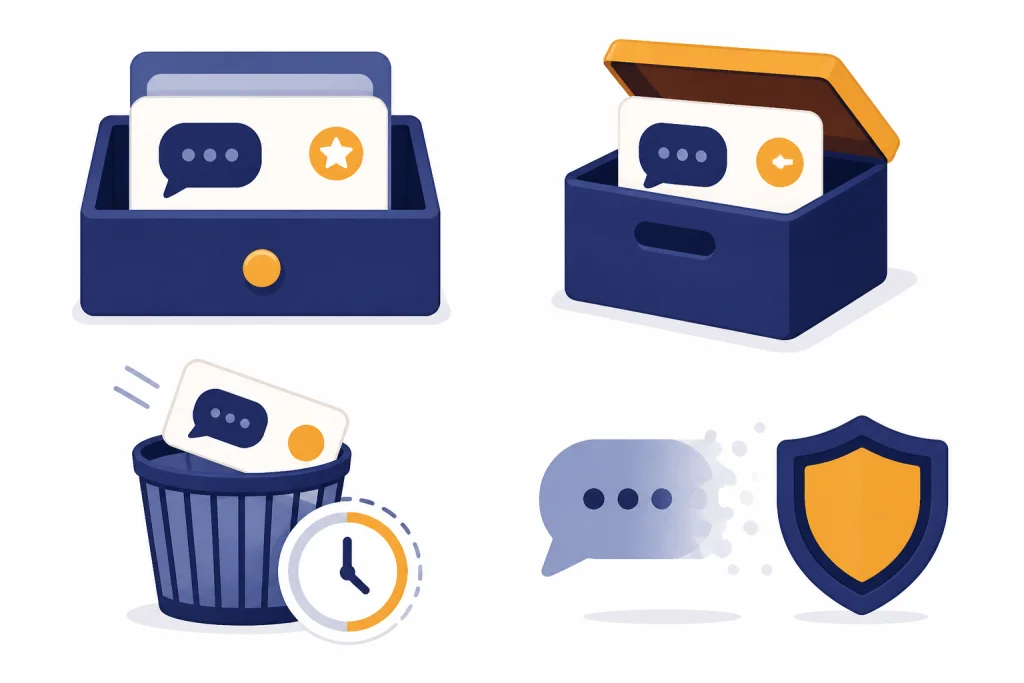
The most useful way to answer “does ChatGPT save your chats” is to compare the main chat states. These controls can look similar in the interface, but they do different things.
| Chat state | Appears in chat history? | What it means | Retention signal to remember |
|---|---|---|---|
| Regular chat | Yes | The conversation stays in your account and can be reopened. | Saved until you delete it manually.[4] |
| Archived chat | No, not in the main sidebar | The chat is hidden from the active list but still stored in your account. | Archiving does not delete the chat.[2] |
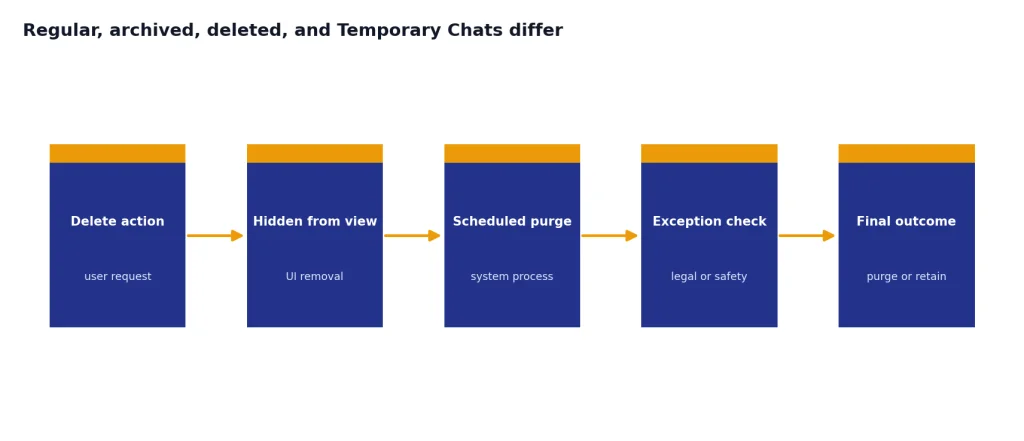
| Deleted chat | No | The chat is removed from your view and scheduled for deletion. | OpenAI says deletion from systems occurs within 30 days unless an exception applies.[2] |
| Temporary Chat | No | The chat starts with a blank slate and does not appear in history. | OpenAI says it may keep a copy for up to 30 days for safety and does not use it for training.[3] |
Archiving is easy to misunderstand. It is a cleanup tool, not a privacy deletion tool. If you archive a conversation, you are hiding it from the main sidebar. OpenAI says archived chats remain in your account under the same retention rules as unarchived chats.[2]
Deletion is stronger, but it is still a process. OpenAI says deleted chats cannot be recovered through the user interface, APIs, or support.[2] The company also states that deleted chats are scheduled for permanent deletion within 30 days unless they have already been de-identified and disassociated from your account, or must be retained for security or legal obligations.[2]
Temporary Chat is the better choice when you want a conversation that does not land in your history. OpenAI says Temporary Chats do not appear in history, do not create memories, and are not used to train models.[3] That still is not the same as zero retention, because OpenAI says it may keep a copy for up to 30 days for safety purposes.[3]
Storage, training, and memory are different
Many privacy mistakes happen because users collapse three concepts into one. A chat can be stored but not used for training. A memory can remain after a chat is deleted. A Temporary Chat can avoid history while still being retained briefly for safety. Understanding those distinctions gives you better control.
Storage is about whether the chat is kept
Storage covers whether the conversation exists in your account or in OpenAI systems. Regular and archived chats are stored in your account until you delete them.[4] Deleted chats are removed from your account view and then follow the deletion schedule.[2]
Training is about whether content can improve models
OpenAI’s consumer data controls let you keep chat history on while turning off model training. The setting to look for is “Improve the model for everyone.” OpenAI says turning it off stops your conversations from being used to train ChatGPT while leaving them visible in history.[1] For related risks around onward use and disclosure, read Does ChatGPT Share Your Data?.
Feedback is a separate edge case. OpenAI says that even if you have opted out of training, you may choose to provide feedback such as thumbs up or thumbs down, and the conversation associated with that feedback may be used to train models.[11] If the chat contains sensitive material, avoid submitting feedback on that conversation.
Memory is about whether ChatGPT can personalize future chats
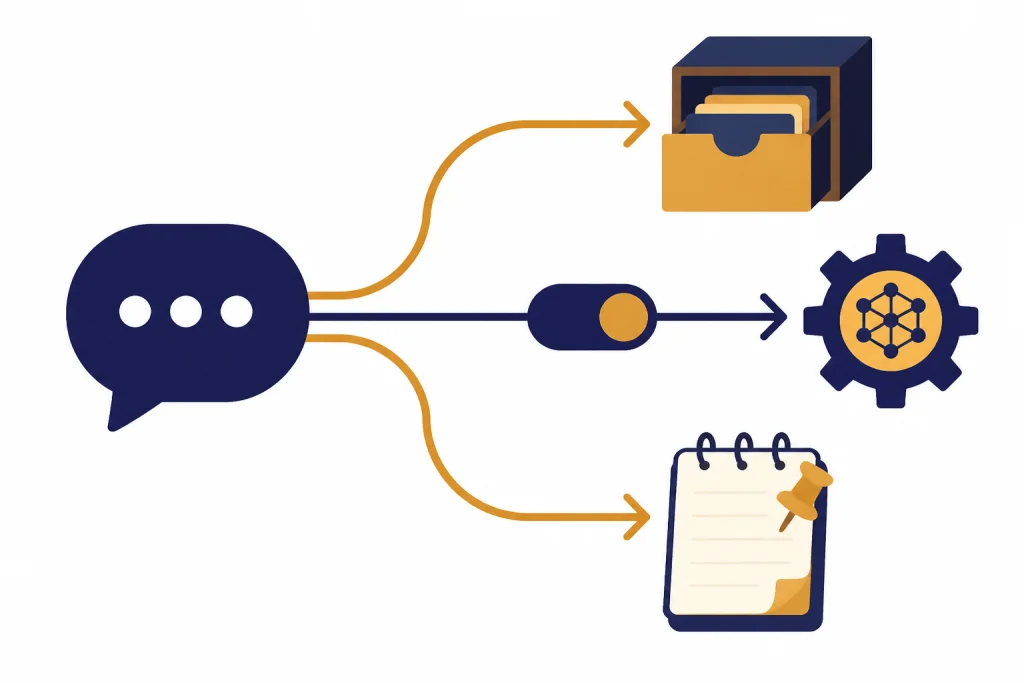
Memory changes what ChatGPT may bring into later conversations. OpenAI describes two memory-related controls: saved memories and reference chat history.[5] Saved memories are explicit or inferred details that can be used later. Reference chat history lets ChatGPT draw useful information from prior conversations when responding.[5]
This is why deletion can feel incomplete if you only delete one object. OpenAI says deleting a chat does not remove saved memory from that conversation; to fully remove a memory, you need to delete both the saved memory and the chat where you originally shared it.[5]
How Memory changes what ChatGPT can recall
Memory makes ChatGPT more useful, but it also changes the privacy profile of your chats. If you tell ChatGPT that you are a founder, a teacher, a patient, a parent, a lawyer, or a person managing a specific condition, that detail may become useful context later. If Memory is on, ChatGPT may use stored details or patterns from prior chats to shape future answers.
OpenAI says saved memories are stored separately from chat history.[5] That is the key point. A regular conversation and a saved memory are not the same record. If a chat led to a saved memory, deleting the chat alone may not remove the personalization detail.
OpenAI says you can ask ChatGPT what it remembers about you and ask it to forget something.[5] You can also manage saved memories in Settings. OpenAI says it may retain a log of deleted saved memories for up to 30 days for safety and debugging purposes.[5]
Memory also matters for sensitive topics. If you use ChatGPT for therapy-like journaling, medical questions, legal planning, workplace conflict, immigration questions, or family disputes, do not assume the thread is private just because it feels conversational. Our guides to chatgpt privacy concerns you should know and Is ChatGPT Safe to Use Personal Data In? cover that risk in more detail.
If you want a chat that does not use or update memory, use Temporary Chat. OpenAI says Temporary Chats do not create memories and do not appear in history.[3] That is useful for one-off questions where personalization is not worth the privacy tradeoff.
How to reduce what ChatGPT saves
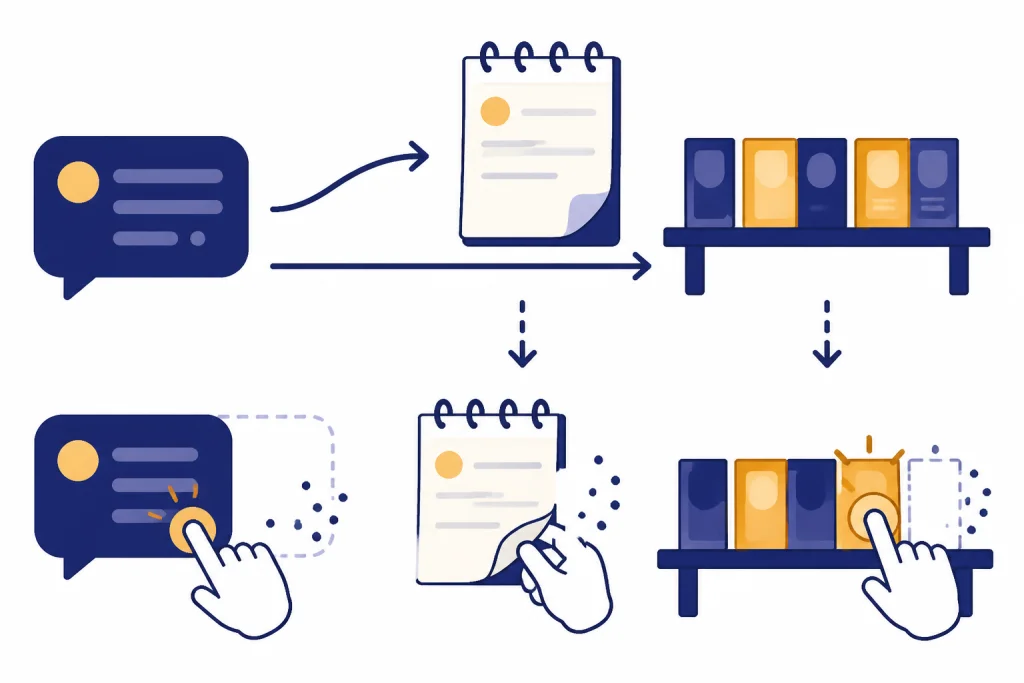
You cannot make every risk disappear, but you can reduce how much ChatGPT saves and how your content is used. The right setup depends on whether you want convenience, personalization, or minimum retention.
| Your goal | Control to use | What it does | What it does not do |
|---|---|---|---|
| Keep history but stop training use | Turn off “Improve the model for everyone” | OpenAI says new conversations will not be used for model training after opt-out.[11] | It does not remove chats from your history. |
| Hide a chat from the sidebar | Archive the chat | Moves it out of the active chat list. | It does not delete the chat.[2] |
| Remove a chat from your account | Delete the chat | Removes it from view and schedules system deletion. | It may still be retained under OpenAI’s stated exceptions.[2] |
| Avoid history for a one-off conversation | Use Temporary Chat | Keeps the chat out of history and model training. | OpenAI may keep a copy for up to 30 days for safety.[3] |
| See what OpenAI has associated with your account | Export your data | OpenAI says exports include chat history in a chat.html file and other account data.[6] | It is not itself a deletion request. |
Step-by-step privacy cleanup
- Turn off model training if you do not want new personal chats used to improve models. Use Settings, then Data Controls, then “Improve the model for everyone.”[1]
- Use Temporary Chat for sensitive one-off questions that do not need history or memory.[3]
- Delete old chats you no longer need instead of archiving them.
- Review Memory and delete saved memories that reveal personal, medical, workplace, family, or financial details.
- Export your data if you want to inspect what is associated with your account before deleting more broadly. OpenAI says the export download link expires after 24 hours.[6]
Do not paste secrets into ChatGPT just because you changed a setting. Settings reduce some uses of your content. They do not turn ChatGPT into an end-to-end encrypted diary. For the encryption side of this question, read Is ChatGPT Encrypted End-to-End? and is chatgpt secure? encryption explained.
Also watch files. If you upload a spreadsheet, contract, image, medical record, or PDF into a chat, the file can become part of the conversation context. OpenAI’s chat and file retention documentation says deleting a chat removes it from visible chat history and the system after the retention window, while files follow their own retention rules tied to the chat and workspace.[4]
What changes for business, school, and API users
Business and education accounts have different defaults from personal accounts. OpenAI says it does not use data from ChatGPT Enterprise, ChatGPT Business, ChatGPT Edu, ChatGPT for Healthcare, ChatGPT for Teachers, or the API platform to train or improve models by default.[7] This is one of the biggest practical differences between individual and organizational use.
OpenAI’s enterprise privacy page also says business customers own and control their data, and that ChatGPT Enterprise, ChatGPT for Healthcare, and ChatGPT Edu customers can control how long their data is retained.[8] If your employer, school, or organization manages your workspace, your admin settings may matter as much as OpenAI’s default policy.
Do not assume a work account means private from your organization. Admins may have compliance, security, eDiscovery, connector, or retention tools depending on the plan and configuration. If you use ChatGPT for work, follow your company policy and avoid entering customer data, credentials, unreleased financial results, source code secrets, or regulated information unless your organization has approved that use.
For deeper organizational storage questions, see our guides to ChatGPT Data Protection Practices, chatgpt data centers and storage, and chatgpt and gdpr.
Privacy limits to remember
ChatGPT privacy controls are useful, but they have limits. OpenAI’s privacy policy says personal data may be retained for service delivery, disputes, safety, security, and legal obligations.[9] That means a deletion control is not a promise that every trace disappears instantly under every circumstance.
Legal demands are one visible example. In 2025, OpenAI published a post about The New York Times’ data demands and said it was working to protect user privacy while responding to litigation-related requirements.[10] The broader lesson is not specific to that case: cloud service providers may have to preserve or produce data when valid legal obligations apply.
Third-party tools can add another layer. OpenAI’s Temporary Chat FAQ says that if a GPT has actions, data sent to third parties through those actions is subject to the recipient’s privacy policy.[3] In plain English, if a chat triggers an external service, OpenAI’s settings may not control what that external service keeps.
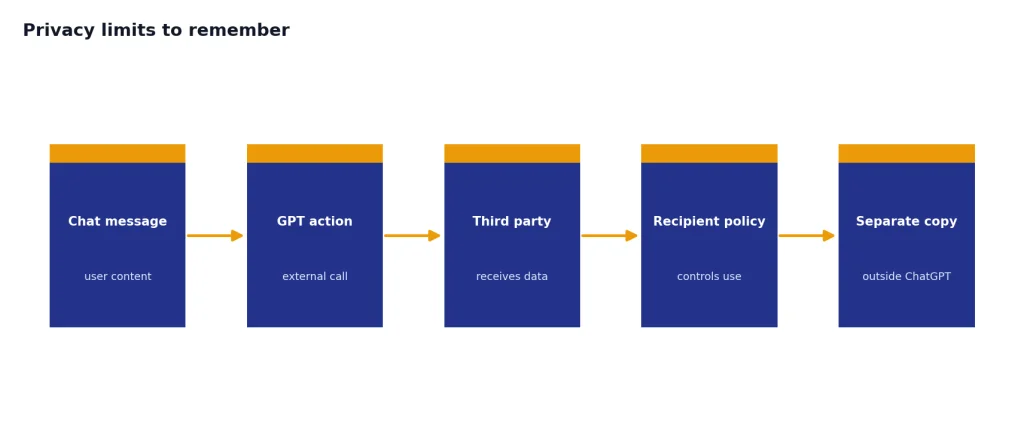
Your own sharing behavior matters too. If you copy a ChatGPT response into email, a shared document, a ticketing system, a code repository, or a public forum, you have created another copy outside ChatGPT. Deleting the original chat will not delete those copies.
The practical privacy rule is conservative. Use ChatGPT for drafts, explanations, brainstorming, and analysis. Avoid raw Social Security numbers, passwords, private keys, medical records, confidential client files, trade secrets, and anything covered by a legal or workplace duty unless you have an approved setup. For the plain-language policy background, read ChatGPT Privacy Policy Explained Simply.
Frequently asked questions
Does ChatGPT save every conversation?
Normal signed-in chats are saved to your account history until you delete them.[4] Temporary Chats are different because they do not appear in your history and are not used for training, although OpenAI says it may keep a copy for up to 30 days for safety.[3]
Can OpenAI use my saved chats to train models?
For individual services, OpenAI says it may use content to train models unless you opt out where controls are available.[11] You can turn off “Improve the model for everyone” in Data Controls, and OpenAI says new conversations will not be used for model training after that opt-out.[11]
Does deleting a chat delete it immediately?
Deleting a chat removes it from your visible history immediately. OpenAI says it is then scheduled for permanent deletion from OpenAI systems within 30 days unless an exception applies.[2]
Does archiving a chat protect my privacy?
No. Archiving hides a chat from the main sidebar, but it does not delete the conversation. OpenAI says archived chats remain in your account under the same retention rules as unarchived chats.[2]
Can ChatGPT remember something after I delete the chat?
Yes, if the information was saved as a memory. OpenAI says saved memories are stored separately from chat history and deleting a chat does not remove saved memory from that conversation.[5] To fully remove it, delete both the saved memory and the chat where you shared it.[5]
Is Temporary Chat private?
Temporary Chat is more private than a normal saved chat in important ways. It does not appear in history, does not create memories, and is not used to train models, but OpenAI says it may keep a copy for up to 30 days for safety.[3]