


The biggest ChatGPT privacy concerns are not mysterious. They come from what you type, what you upload, what the system remembers, who can access your workspace, and whether your conversations may be used to improve models. ChatGPT is useful, but it is not a private diary, attorney-client vault, medical record system, or secure corporate knowledge base by default. Treat every prompt as data you are choosing to disclose to a cloud service. You can reduce risk by using Temporary Chat, turning off model improvement, deleting old chats and files, limiting memory, avoiding shared links for sensitive content, and using business controls for work data.
What to worry about first
ChatGPT privacy risk starts with the prompt. If you paste private facts, confidential files, medical notes, customer records, source code, or legal strategy into ChatGPT, you have disclosed that material to OpenAI’s service. That does not mean the data is automatically public. It does mean you should understand how the product stores, processes, reviews, shares, and may use that content.
The most important concern is model improvement. OpenAI says content submitted to consumer services such as ChatGPT may be used to improve model performance, while users can opt out and new conversations after the opt-out are not used for that purpose.[3] That is a major distinction from business offerings, where OpenAI says it does not train on business inputs or outputs by default.[8]
The second concern is persistence. ChatGPT can save chat history, uploaded files, memory, and shared-link snapshots in different places. Deleting one item may not delete every related copy or derivative setting. For a deeper storage-focused walkthrough, see Does ChatGPT Save Your Chats? and Does ChatGPT Save Your Data?.
The third concern is context creep. Features such as memory, file uploads, custom GPTs, connectors, browsing, and shared links can make ChatGPT more useful, but each feature creates another path for sensitive information to persist, be referenced later, or move outside your original conversation. If you only remember one rule, make it this: do not put information into ChatGPT unless you would be comfortable explaining why you shared it with a third-party cloud vendor.
| Privacy concern | Why it matters | Lower-risk habit |
|---|---|---|
| Personal prompts | Prompts can include names, locations, health details, finances, or workplace secrets. | Redact identifiers before asking for help. |
| Model improvement | Consumer content may be used to improve models unless your settings prevent it. | Turn off model improvement or use Temporary Chat. |
| Saved history | Chats can remain in your account until deleted. | Delete old chats you no longer need. |
| Memory | Remembered facts can influence later conversations. | Review and clear saved memories regularly. |
| Shared links | Anyone with a shared link can view the linked conversation. | Avoid shared links for private material. |
| Work accounts | Admins may control or access business workspace content. | Follow your organization’s AI policy. |

What data ChatGPT can collect
OpenAI’s privacy policy describes several broad categories of personal data, including account information, user content, communication information, social information, and technical or usage information.[1] For ChatGPT users, the practical version is simple. The service can process what you type, what you upload, how you use the product, what account you use, and what device or browser information is associated with the session.
User content is the category most people underestimate. It can include prompts, responses, files, images, audio, and other material you provide while using the service. If you paste a client contract, upload a spreadsheet, dictate a medical question, or ask ChatGPT to summarize a private email thread, that material becomes part of the interaction.
Usage data matters too. Even if a prompt contains no obvious secret, logs can reveal patterns: when you use ChatGPT, what features you use, what devices you use, and which account generated the activity. That type of metadata can be relevant for support, security, abuse prevention, analytics, compliance, and legal requests.
ChatGPT privacy is therefore not only about “Will someone read my exact prompt?” It is also about whether your chats, files, memories, shared links, account settings, and workspace policies fit the sensitivity of your task. For a broader overview of the policy language, see ChatGPT Privacy Policy Explained Simply and our main ChatGPT Privacy guide.
Training, retention, and deletion limits
Training and retention are separate issues. Turning off training does not necessarily erase your visible chat history. Deleting a chat does not necessarily mean there was never a retained backup or legal hold. These controls solve different problems.
Model training
OpenAI says Data Controls let users decide whether ChatGPT conversations help improve its models. Signed-in users can go to Settings, then Data Controls, and turn off “Improve the model for everyone.” OpenAI says the setting applies across the account once changed.[2] If you are using ChatGPT for personal tasks that include private facts, this is one of the first settings to check.
Temporary Chat is another option. OpenAI says Temporary Chats do not appear in history, do not use or create memories, and are not used to improve models. OpenAI also says it may keep a copy for safety purposes for up to 30 days.[4]
Chat and file deletion
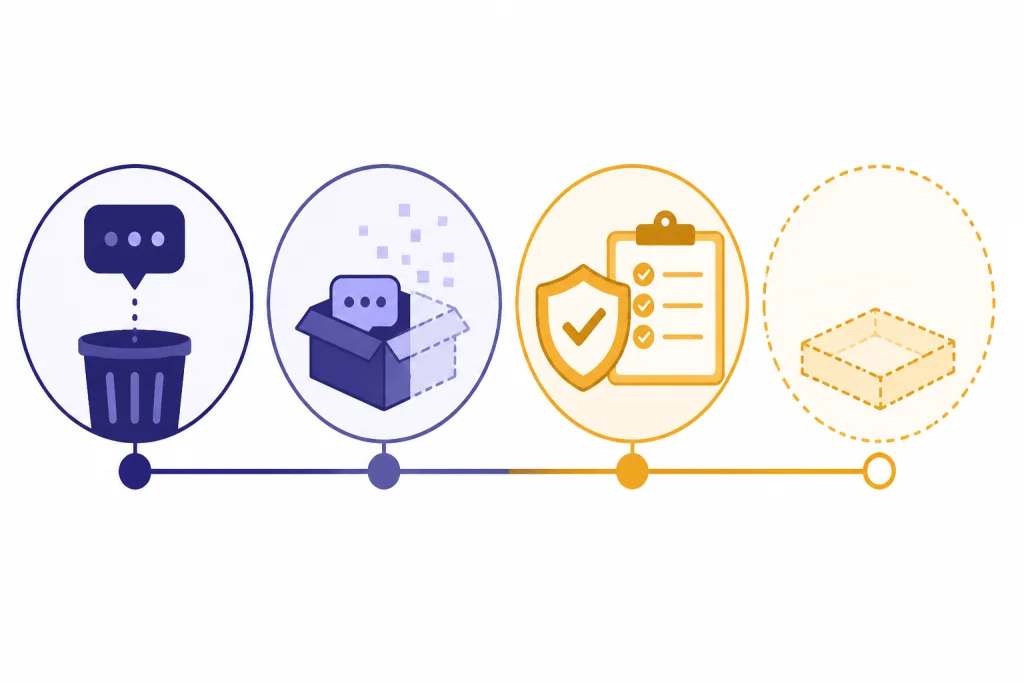
OpenAI’s Chat and File Retention Policies state that chats are saved to your account until you delete them manually. When you delete a chat or account, the chat is removed from the account immediately and scheduled for permanent deletion from OpenAI systems within 30 days, unless an exception applies, such as legal or security obligations.[5]
Files require extra attention. OpenAI says files uploaded during a conversation are tied to the conversation’s lifecycle, and files uploaded to a custom GPT or project are retained until that GPT or project is deleted. After deletion, the file is removed within 30 days unless legal or security exceptions apply.[5] If you use uploads often, do not assume clearing the sidebar is a complete file-retention strategy.
The practical takeaway is that “private,” “not used for training,” “not visible in history,” and “deleted” are not the same status. Use the control that matches your goal. If your goal is to avoid model improvement, change the training setting. If your goal is to remove account history, delete the chat. If your goal is to avoid persistent context, use Temporary Chat and keep memory off.
Features that change your privacy risk
Modern ChatGPT is not just a text box. It can remember preferences, accept files, create shareable links, use tools, and operate inside different account types. Each feature changes the privacy model.
Memory
Memory is useful when you want ChatGPT to remember your writing style, dietary needs, job role, or project preferences. It is risky when the remembered facts are sensitive, stale, or shared by mistake. OpenAI says saved memories are stored separately from chat history, and deleting a chat does not remove saved memories created from that chat.[6]
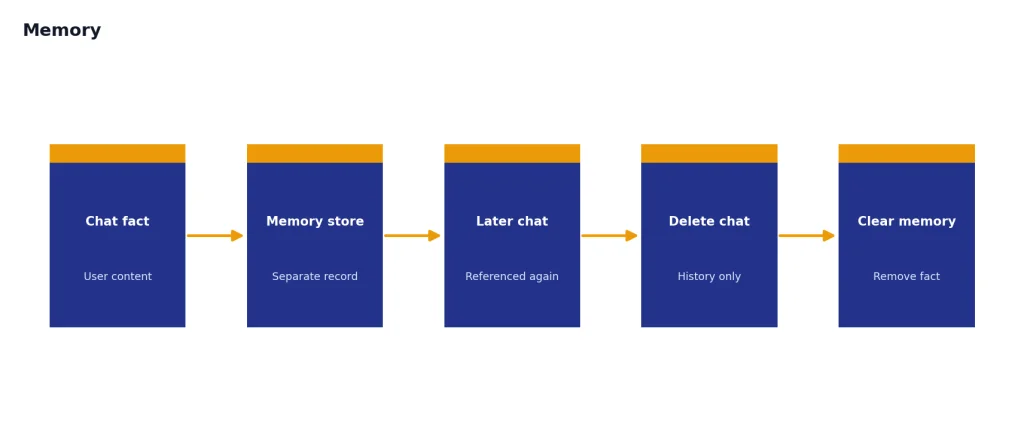
That design creates a common privacy trap. A user may delete a conversation but leave behind a memory derived from it. If you want to fully remove a remembered fact, review the memory settings and delete the relevant chat where the fact was originally shared. If you use ChatGPT for deeply personal topics, also read ChatGPT and Mental Health, because privacy and emotional dependence can overlap.
Shared links
Shared links are convenient, but they are not a permission system. OpenAI says anyone with access to a shared link can view the linked conversation, and it encourages users not to share sensitive content through shared links.[7] A shared link can include more of a conversation than the single answer you meant to show.
Use screenshots or copied excerpts when you need tighter control over what another person sees. If you do create a shared link, review the preview carefully and delete the link when it is no longer needed. Remember that another user may have copied, imported, screenshotted, or otherwise preserved what you shared.
Custom GPTs, actions, and third-party services
Custom GPTs and tool-connected workflows can send information beyond the base ChatGPT conversation. OpenAI’s Temporary Chat FAQ warns that if a GPT has actions, data sent to third parties through those actions is subject to the recipient’s privacy policy, and the recipient may keep that data for longer than 30 days.[4]
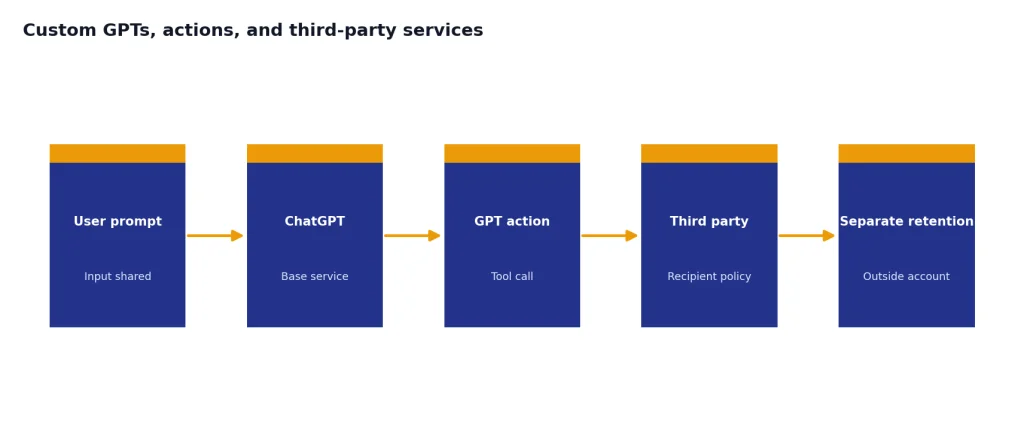
That makes tool choice part of privacy hygiene. Before using a GPT that connects to email, calendars, cloud files, code repositories, or customer systems, check who built it, what it can access, and whether your organization allows it. For the broader agent-style risk, see What Is an AI Agent?.
Work, school, and business use
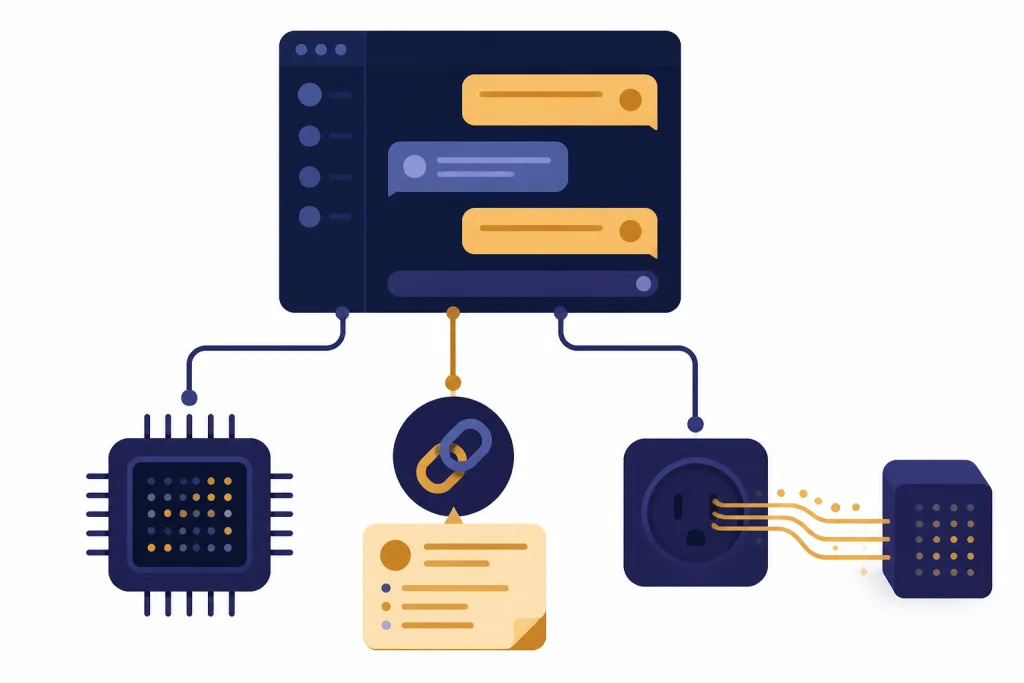
Work data deserves stricter rules than personal brainstorming. A prompt can contain trade secrets, customer data, student records, health information, unreleased financial results, source code, contracts, hiring notes, or privileged legal analysis. If you would not email the material to an outside vendor without approval, do not paste it into a personal ChatGPT account.
OpenAI separates consumer and business data practices. Its enterprise privacy page says business data includes inputs and outputs from ChatGPT Business, ChatGPT Enterprise, ChatGPT for Healthcare, ChatGPT Edu, ChatGPT for Teachers, and the API Platform. It also says OpenAI does not train models on that business data by default.[8] That difference is one reason organizations should prefer managed workspaces over employees using personal accounts for confidential work.
Business accounts also introduce administrator visibility. OpenAI’s privacy policy says business account administrators may access and control an OpenAI account when a user joins a ChatGPT Enterprise or business account, including being able to access content.[1] That is normal for enterprise software, but users should not assume a work ChatGPT account is private from their employer.
For security basics, see Is ChatGPT Secure? and Is ChatGPT Encrypted End-to-End?. For GDPR-specific questions, read ChatGPT and GDPR. If your organization is evaluating architecture and storage, ChatGPT Data Centers and Storage is the better next step.
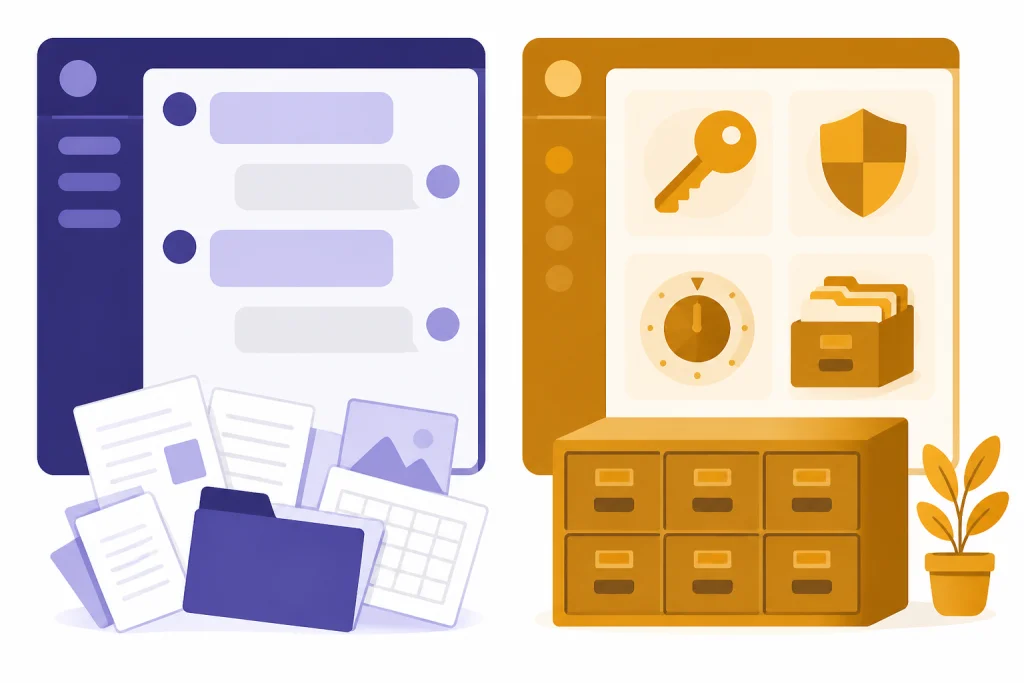
| Use case | Personal ChatGPT account | Managed business workspace |
|---|---|---|
| Casual drafting | Usually acceptable if no sensitive facts are included. | Acceptable when allowed by policy. |
| Customer records | High risk without explicit approval and redaction. | Use only under approved controls and contracts. |
| Source code | Risk depends on confidentiality and license obligations. | Prefer managed workspace and repository rules. |
| Student or patient information | Avoid unless your institution has approved the workflow. | Use only with compliance review. |
| Legal or HR matters | Do not paste privileged or personnel details casually. | Use approved tools and retention settings. |
Security incidents and regulator attention
Privacy concerns are not theoretical. OpenAI disclosed a March 20, 2023 ChatGPT outage caused by a bug in an open-source library. OpenAI said some users could see titles from another active user’s chat history, and it also said payment-related information may have been visible for 1.2% of ChatGPT Plus subscribers active during a specific nine-hour window.[9]
Regulators have also examined ChatGPT’s data practices. The Italian data protection authority announced on December 20, 2024 that it had imposed a 15 million euro fine on OpenAI and required a six-month information campaign about how users and non-users could object to their personal data being used for generative AI training.[10] The European Data Protection Board published a ChatGPT taskforce report on May 24, 2024 to coordinate work on data protection questions raised by ChatGPT.[11]
These events do not prove ChatGPT is unsafe for every use. They show why privacy controls, vendor review, and prompt discipline matter. A mature approach treats ChatGPT like other powerful cloud software: useful, monitored, contract-dependent, and inappropriate for some sensitive data unless controls are in place.
Practical privacy checklist
You do not need to stop using ChatGPT to take privacy seriously. You need a repeatable checklist.
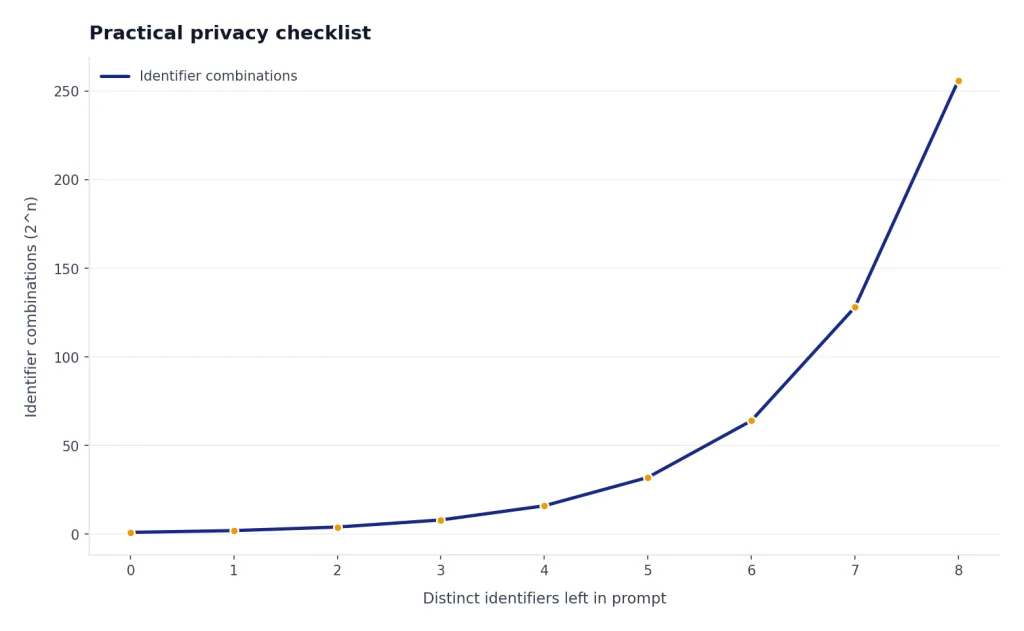
- Redact before you prompt. Replace names, account numbers, addresses, contract IDs, patient details, and customer identifiers with placeholders.
- Turn off model improvement when appropriate. Use Data Controls if you do not want future conversations used to improve models.[2]
- Use Temporary Chat for sensitive one-off questions. OpenAI says Temporary Chats do not appear in history, do not use or create memories, and are not used for model improvement.[4]
- Review memory. Ask ChatGPT what it remembers, then delete anything too personal, outdated, or work-related.
- Delete old chats and files. Do this especially after uploading documents, spreadsheets, screenshots, or images.
- Avoid shared links for private topics. Anyone with the link can view the shared conversation.[7]
- Separate personal and work use. Use an approved workspace for business data rather than a personal account.
- Check third-party GPTs and actions. Do not connect sensitive systems without understanding where data goes.
- Do not use ChatGPT as a secure records system. Keep official records in approved tools, not chat history.
- Assume outputs may be wrong. Privacy and accuracy are separate risks; never rely on ChatGPT alone for legal, medical, financial, or safety decisions.
For a broader safety review, read Is ChatGPT Safe to Use? and Is ChatGPT Safe to Use Personal Data In?. For sharing-specific questions, see Does ChatGPT Share Your Data?.
Frequently asked questions
Is ChatGPT private?
ChatGPT is not public by default, but that does not make it private in the way an encrypted personal journal is private. OpenAI can process your content to provide the service, enforce policies, support users, comply with law, and, depending on settings and account type, improve models. Treat ChatGPT as a cloud service that may handle sensitive data only when your settings, account type, and use case support that risk.
Can OpenAI use my ChatGPT conversations for training?
For consumer services, OpenAI says it may use content to improve model performance, and users can opt out so new conversations are not used for that purpose.[3] OpenAI says business products such as ChatGPT Business, ChatGPT Enterprise, and the API are not used for training by default.[8] Always check the current setting in the account you are actually using.
Does deleting a chat delete everything ChatGPT knows about it?
Not always. OpenAI says deleted chats are scheduled for permanent deletion within 30 days unless exceptions apply.[5] Memory is separate, so deleting a chat may not remove a saved memory derived from that chat.[6] Review memory and file storage separately.
Is Temporary Chat enough for sensitive information?
Temporary Chat reduces several risks because OpenAI says it does not appear in history, does not create memories, and is not used to improve models.[4] It is not a guarantee that you should enter highly sensitive data. OpenAI says it may keep a copy for safety purposes for up to 30 days.[4]
Are shared ChatGPT links safe?
Shared links are safe only for content you are comfortable exposing to anyone who receives the link. OpenAI says anyone with access to a shared link can view the linked conversation.[7] Do not use shared links for private conversations, customer data, health information, confidential work, or personal disputes.
Should I use ChatGPT for work documents?
Use ChatGPT for work documents only if your organization allows it and you are using the approved account type. A personal account is usually the wrong place for confidential business data. A managed business workspace can provide stronger defaults, contracts, administrative controls, and retention options, but it still requires policy review.