

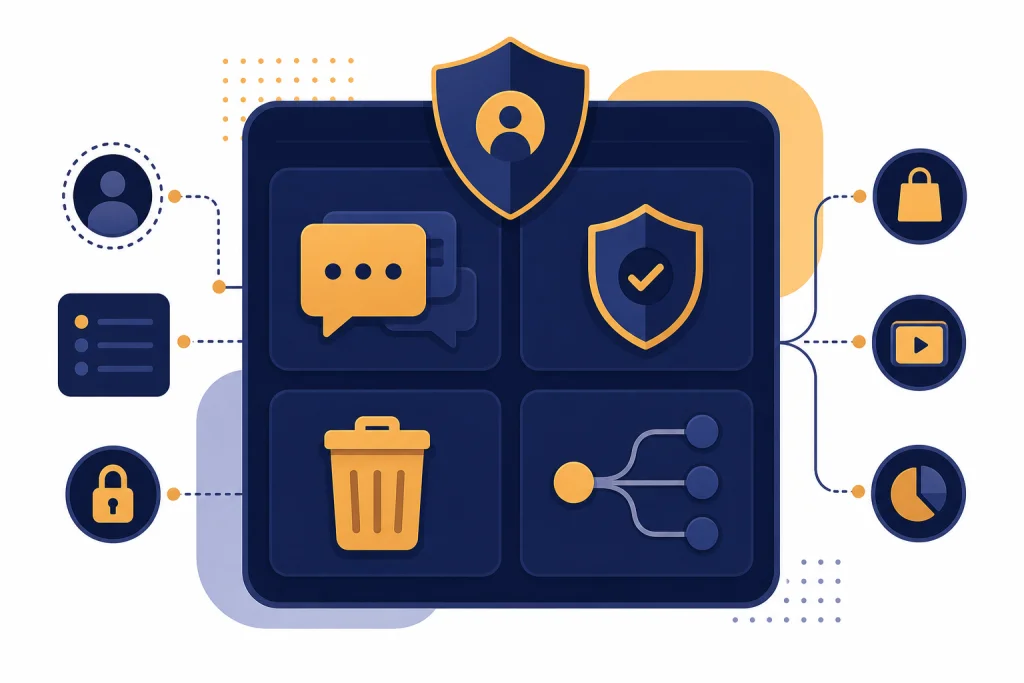
The ChatGPT privacy policy explains what personal data OpenAI collects, how it uses that data, when it may share it, and what controls users have. In plain English, ChatGPT is not a private diary, a legal vault, or a medical record system. OpenAI may collect account details, prompts, uploaded files, images, audio, device data, and other information tied to your use of its services. You can reduce some risks by turning off model training, using Temporary Chat for lower-retention conversations, deleting old chats, exporting your data, and avoiding sensitive inputs. The safest rule is simple: do not type anything into ChatGPT that you would not want stored, reviewed for safety, or processed by a cloud service.
Plain-English summary
The ChatGPT privacy policy says OpenAI collects personal data from and about users when they use services such as ChatGPT and Sora. That includes information you provide directly, content you enter or upload, technical information from your device, and information related to account, payment, and product use.[1]
The most important practical point is that your prompts can be data. If you paste a contract, describe a health issue, upload an image, dictate voice input, or connect an outside app, you may be giving OpenAI or a connected service information that needs protection. For a broader overview of how ChatGPT handles data, read our guide to ChatGPT Privacy.
The policy does not mean every employee reads every chat. It also does not mean ChatGPT is fully private. OpenAI says it uses data to provide and maintain services, improve and develop services, personalize experiences, communicate with users, prevent abuse, comply with law, and protect rights and safety.[1]
Think of ChatGPT as a cloud service with privacy controls, not as an encrypted notebook. If your use involves regulated data, trade secrets, client files, student records, patient details, legal strategy, or credentials, you need stricter rules than the average user.
What OpenAI collects when you use ChatGPT
OpenAI’s policy groups collection into several practical buckets. The first is account information. If you create an account, OpenAI may collect details such as your name, contact information, account credentials, date of birth, payment information, and transaction history.[1]
The second bucket is user content. OpenAI says this can include prompts and other uploaded content, including files, images, audio, video, Sora characters, and data from connected services, depending on which features you use.[1] If you are trying to understand whether chats remain available later, start with Does ChatGPT Save Your Chats?.
The third bucket is information created by your use of the service. That can include log data, usage data, device information, browser information, approximate location, and information collected through cookies or similar technologies.[1] This is normal for many online services, but it matters because privacy is not only about the text of your prompt.
The fourth bucket is information from other sources. For example, OpenAI says it may collect information from security partners, vendors, marketing providers, and third-party services you use to sign in or interact with OpenAI services.[1]
| Data type | Plain-English example | Privacy concern |
|---|---|---|
| Account data | Email address, login method, subscription or billing records | Identifies you as the account holder |
| Chat content | Prompts, uploaded PDFs, images, voice inputs, copied messages | May contain sensitive personal or business information |
| Usage and device data | Browser, device, log, and product activity data | Can reveal behavior patterns and security signals |
| Connected-service data | Information brought in from an app or external service | May expand what ChatGPT can access |

How OpenAI says it uses that data
OpenAI says it uses personal data to provide, analyze, and maintain services; improve and develop services; conduct research; personalize and customize user experiences; communicate with users; prevent fraud and abuse; comply with legal obligations; and protect users, OpenAI, or others.[1]
That language covers routine product operation. If you ask ChatGPT a question, the service has to process your prompt to answer it. If you report a bug, OpenAI may need account and technical information to investigate it. If the system detects abuse, OpenAI may process data for safety and security.
The part that deserves extra attention is improvement and development. For consumer ChatGPT use, your conversations may be used to improve models unless you use the available controls to opt out. OpenAI’s Data Controls FAQ says users can turn off “Improve the model for everyone,” and conversations will still appear in chat history but will not be used to train ChatGPT after that setting is off.[2]
If your main concern is whether ChatGPT is protected in transit and at rest, see our separate guide: Is ChatGPT Encrypted End-to-End?. Encryption helps protect data movement and storage. It does not make every use private, anonymous, or outside the reach of product processing.
Training, history, and Temporary Chat
There are three settings concepts that users often mix up: saved chat history, model training, and Temporary Chat. They overlap, but they are not the same thing.
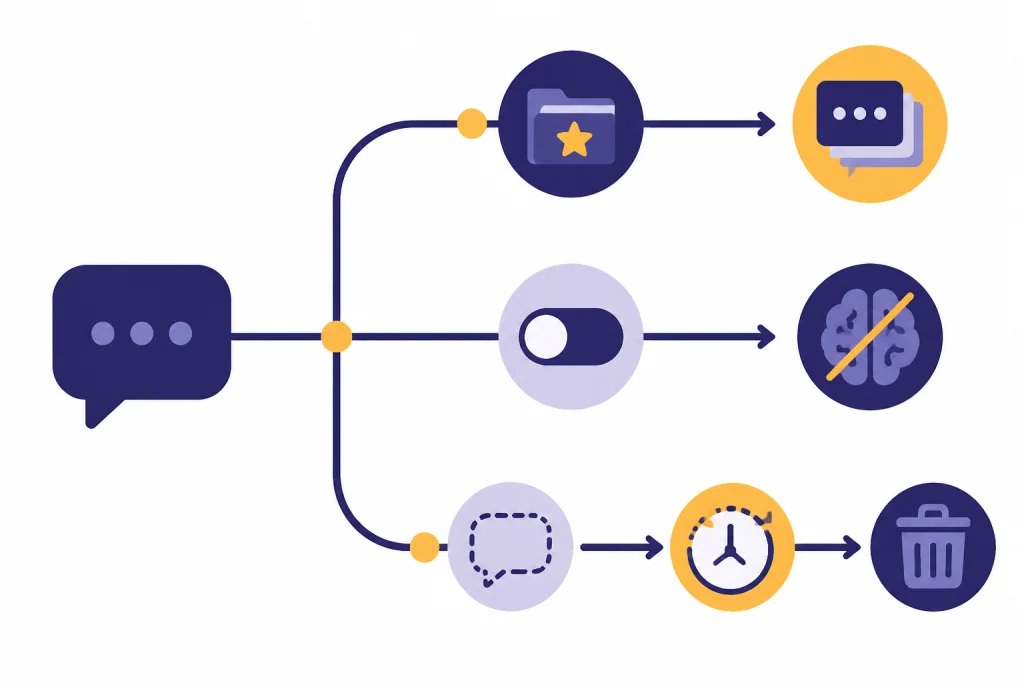
Saved history controls whether conversations remain visible in your account. Model training controls whether your conversations may help improve ChatGPT. Temporary Chat creates a blank-slate conversation that does not appear in history, does not create memories, and is deleted from OpenAI systems after 30 days, though it may be reviewed only to monitor for abuse.[2]
Turning off model training is not the same as deleting your existing history. OpenAI’s Data Controls FAQ says that when you turn off “Improve the model for everyone,” conversations still appear in history but are not used to improve ChatGPT.[2] If you want a deeper treatment of saved content, read Does ChatGPT Save Your Data?.
Temporary Chat is useful for lower-retention tasks, but it is not a guarantee of zero storage. The key published number is 30 days. OpenAI says Temporary Chats are deleted from its systems after 30 days and are not used to train models.[2]
| Choice | Appears in history | Used for training | Best use |
|---|---|---|---|
| Normal chat with training on | Yes | May be used | Low-sensitivity everyday prompts |
| Normal chat with training off | Yes | Not used after opt-out | Ongoing personal use where history matters |
| Temporary Chat | No | No | One-off prompts that should not stay in history |
Retention, deletion, and export
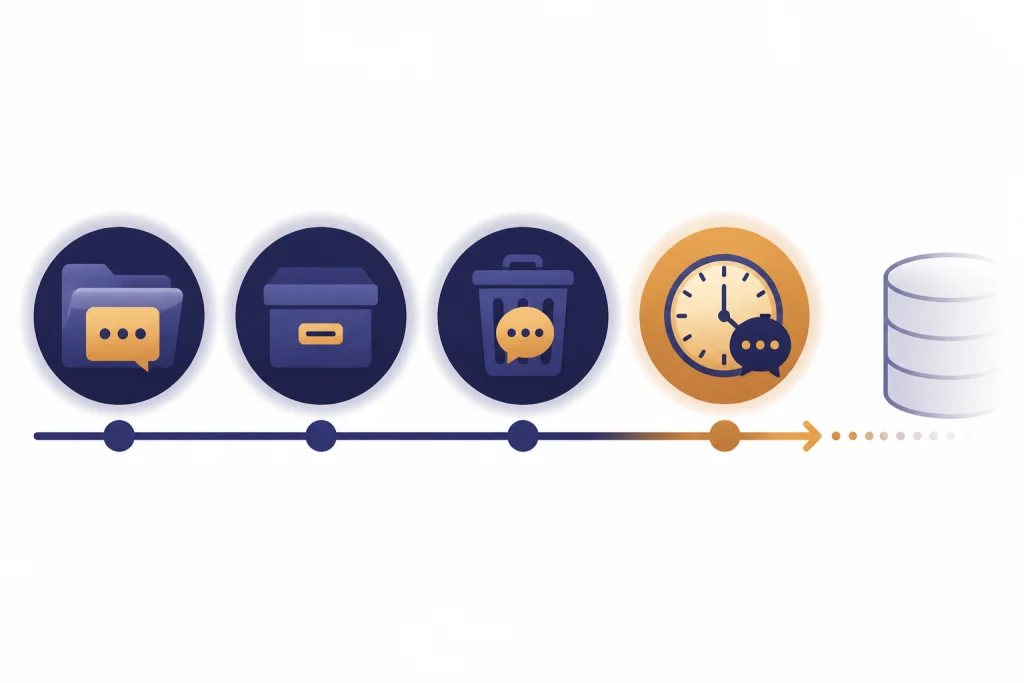
OpenAI’s chat retention help page says chats you keep, including archived chats, are saved in your account until you delete them. It also says deleted chats are removed from view immediately and scheduled for permanent deletion from OpenAI systems within 30 days, unless de-identification or legal exceptions apply.[3]
Archive is not deletion. If you archive a conversation, the conversation remains stored in your account under the standard retention settings. If that conversation used connected app data, the referenced connected app data may remain stored with the conversation.[3]
Deleting a conversation is stronger than archiving it, but it still has limits. OpenAI says deleting a chat removes the conversation and any connected app data retained within that conversation from your account, subject to standard retention and legal obligations.[3]
You can also export your ChatGPT data. OpenAI says users can request a copy through the Privacy Portal or through ChatGPT Settings under Data Controls. The export email link expires after 24 hours, and exports can take up to 7 days to arrive.[4]
- Use delete when you no longer need a conversation.
- Use archive only to clean up the sidebar, not to reduce retention.
- Export first if you need a record before deleting.
- Review connected apps if conversations pulled in outside data.
Who may receive your data
OpenAI’s privacy policy says it may disclose personal data to vendors and service providers, affiliates, business account administrators, other users or third parties you interact with, government authorities or other third parties when required by law or to protect safety and rights, and parties involved in business transfers.[1] For a focused version of this topic, see Does ChatGPT Share Your Data?.
Shared links are one obvious user-controlled disclosure. If you create a link to a chat and send it to someone else, you have made that conversation viewable according to the sharing settings. Do not use shared links for confidential material unless you are certain the audience and content are appropriate.
GPTs and connected apps add another layer. OpenAI’s GPT privacy documentation says GPTs can use external APIs and apps, and relevant parts of your input may be sent to the third-party service. It also says OpenAI does not audit or control how those services use or store your data.[6]
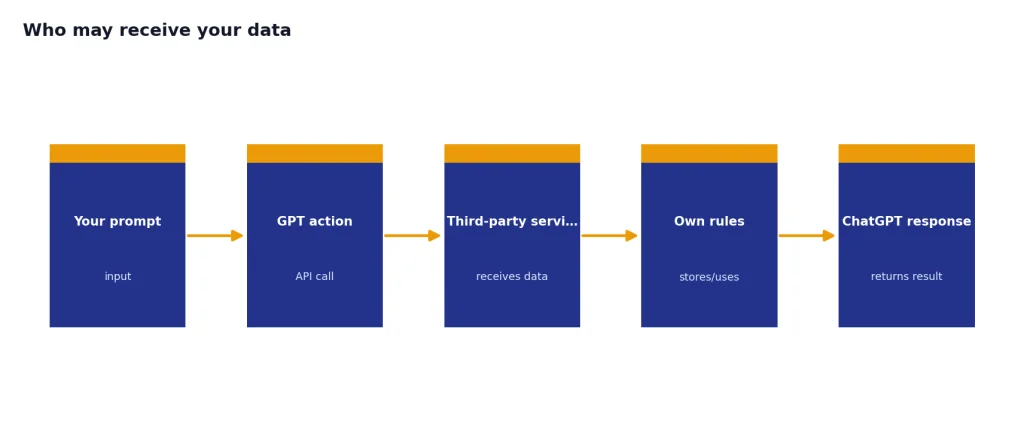
That means the privacy policy you need to consider may not be only OpenAI’s. If a GPT books travel, queries a database, sends a CRM request, or calls another API, the receiving service may have its own data rules. OpenAI’s app developer terms also restrict app developers from sending OpenAI personal information of children under 13 or the applicable age of digital consent.[7]
Consumer ChatGPT vs business plans
OpenAI draws an important line between consumer use and business offerings. Its Enterprise privacy page says business data includes inputs and outputs from ChatGPT Business, ChatGPT Enterprise, ChatGPT Edu, ChatGPT for Teachers, ChatGPT for Healthcare, and the API Platform. OpenAI says it does not train models on that data by default.[5]
For consumer plans, including Free, Plus, Go, and Pro, OpenAI’s GPT privacy documentation says conversations may be used for training depending on whether the user has opted out.[6] If you are comparing safety across use cases, our ChatGPT Data Protection Practices guide goes deeper into controls and safeguards.
Business plans may also add administrative controls. OpenAI’s Enterprise privacy page lists commitments such as data ownership and control, configurable retention for some enterprise products, SAML SSO, fine-grained access controls, and encryption at rest and in transit.[5]
| Use case | Training default | Control level | Best fit |
|---|---|---|---|
| Consumer ChatGPT | May be used unless opted out | Individual settings | Personal tasks and low-risk drafting |
| Consumer ChatGPT with training off | Not used after opt-out | Individual settings plus saved history | Personal work where history is useful |
| Business or enterprise workspace | Not used by default | Workspace and admin controls | Company, school, or team use with governance needs |
| API Platform | Not used by default for business data | Developer and organization controls | Custom apps and controlled data pipelines |
Privacy settings checklist
Most users do not need to read every line of the policy before making better choices. Start with the controls that change how ChatGPT handles your conversations.
- Turn off model training if you do not want new conversations used to improve ChatGPT. OpenAI says the setting is under Settings, Data Controls, and “Improve the model for everyone.”[2]
- Use Temporary Chat for one-off conversations that should not appear in history or create memories. OpenAI says Temporary Chats are deleted after 30 days.[2]
- Delete old chats instead of only archiving them. Deleted chats are scheduled for permanent deletion within 30 days, subject to exceptions.[3]
- Export your data before deleting if you need a copy. OpenAI says export links expire after 24 hours and exports can take up to 7 days.[4]
- Review GPTs and apps before sending sensitive data. Relevant prompt content may go to third-party services when a GPT uses external APIs or apps.[6]
If you are in the European Economic Area, United Kingdom, or Switzerland, privacy rights may also depend on GDPR-style rules. See our separate guide to ChatGPT and GDPR for that legal angle.
What not to put in ChatGPT
The policy and settings reduce risk, but they do not remove your responsibility to avoid oversharing. A good prompt should contain only the information needed to get the answer.
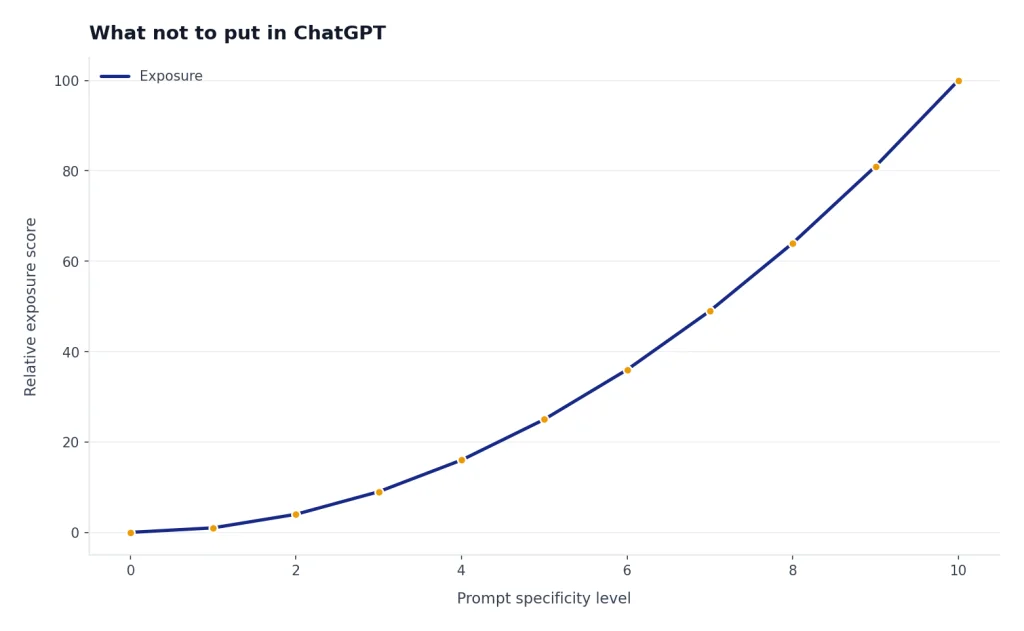
Do not paste passwords, API keys, private keys, recovery codes, Social Security numbers, full medical records, confidential legal strategy, unreleased financial results, sensitive HR records, or client data unless your organization has approved the use case and account type. If you need to ask about a sensitive matter, summarize it with placeholders. For example, write “a client in California” instead of the client’s full name, email, and case file.
Be especially careful with health, mental health, and safety topics. ChatGPT can help organize questions, draft notes, or explain general concepts, but it should not be treated as a confidential therapist, doctor, lawyer, or crisis service. For related risks, see ChatGPT Privacy Concerns You Should Know and our evidence-focused guide to ChatGPT and Mental Health.
The safest workflow is to redact first, ask second, and verify third. Remove names, identifiers, addresses, account numbers, exact dates of birth, and unique facts that can identify someone. Then check the output before using it anywhere important.
Frequently asked questions
Is ChatGPT private?
ChatGPT has privacy controls, but it is not fully private in the way an offline note stored only on your device is private. OpenAI may process your prompts and account data to provide the service, maintain safety, comply with law, and improve products depending on your settings.[1] Treat it as a cloud service.
Can I stop ChatGPT from using my chats for training?
Yes, for consumer ChatGPT you can turn off “Improve the model for everyone” in Data Controls. OpenAI says conversations will still appear in your history, but they will not be used to train ChatGPT after the setting is off.[2]
Does deleting a chat delete it immediately?
Deleting a chat removes it from your view immediately. OpenAI says deleted chats are scheduled for permanent deletion from its systems within 30 days, unless de-identification or legal exceptions apply.[3]
Is Temporary Chat the same as private browsing?
No. Temporary Chat prevents the conversation from appearing in history, prevents it from creating memories, and keeps it out of model training. OpenAI still says Temporary Chats may be kept for up to 30 days for abuse monitoring before deletion.[2]
Can GPT builders see my conversations?
OpenAI says GPT builders cannot view individual conversations users have with their GPTs. However, if a GPT uses external APIs or apps, relevant parts of your input may be sent to that third-party service, which has its own handling practices.[6]
Is ChatGPT Business more private than regular ChatGPT?
For organization use, yes, the defaults are different. OpenAI says it does not train models on business data by default for products such as ChatGPT Business, ChatGPT Enterprise, ChatGPT Edu, ChatGPT for Teachers, ChatGPT for Healthcare, and the API Platform.[5] Admin controls and retention options may also matter for teams.