

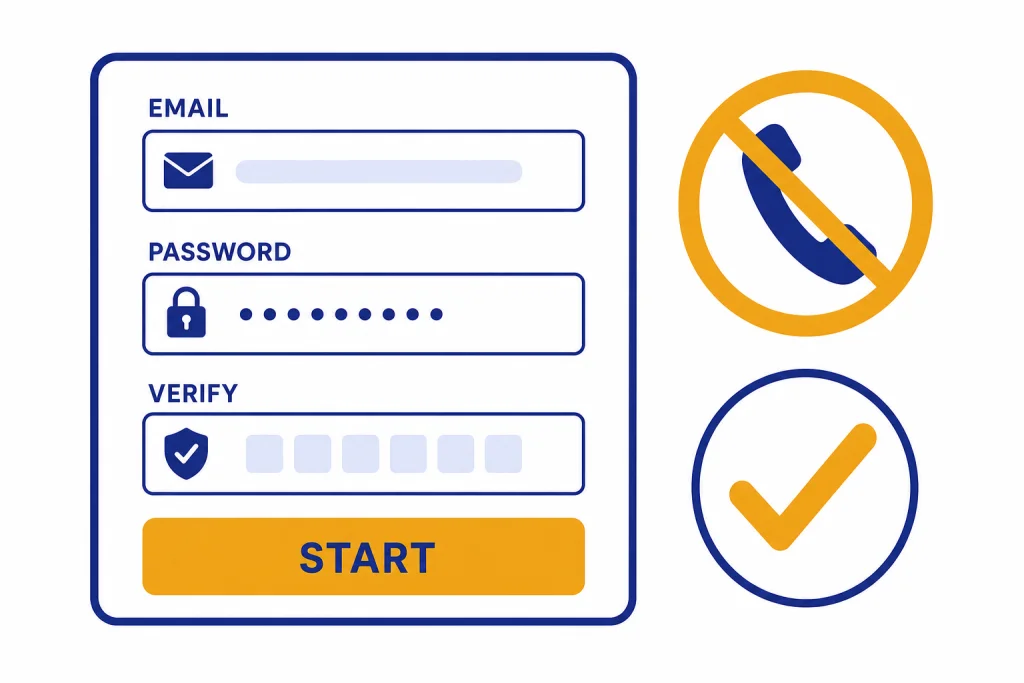
You can sign up for ChatGPT without a phone number by creating an OpenAI account with an email address, Google, Microsoft, or Apple login. OpenAI says phone verification is no longer required for new OpenAI account creation or ChatGPT usage.[1] The main exception is the OpenAI API: phone verification is required when a new account generates its first API key.[1] If you only want to chat, save conversations, use apps, or sync your history, you should not need to enter a mobile number. Do not use throwaway SMS services or someone else’s number. Use a normal sign-up method, keep the same login method, and troubleshoot the account flow if a prompt looks wrong.
The bottom line
For normal ChatGPT use, the practical answer is simple: sign up with email or a supported social login and skip any phone-only route. OpenAI’s help documentation says phone verification is no longer required for new OpenAI account creation or ChatGPT usage.[1] That means the phrase “how to sign up for ChatGPT without phone number” is no longer a workaround question for most readers. It is the standard account flow.
The important distinction is between ChatGPT and the OpenAI API. ChatGPT is the consumer product you use in the browser and apps. The API is the developer platform used to generate API keys and build software. OpenAI says phone verification is required on the API platform when a new account generates its first API key, but not for later API keys on that account.[1] If your goal is only to use ChatGPT, avoid the API setup path.
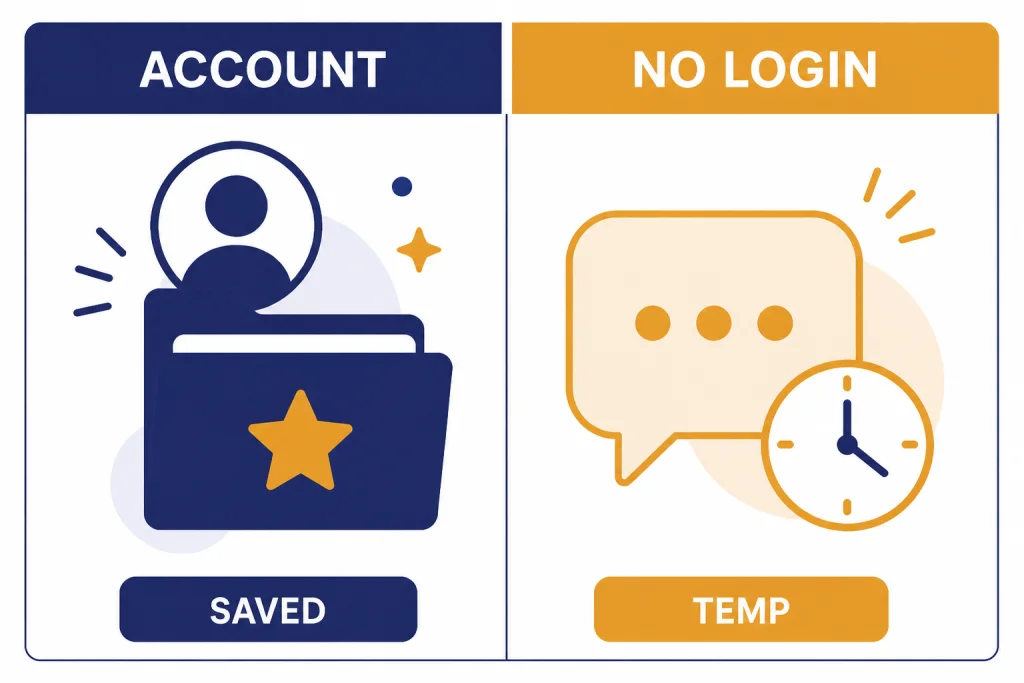
You can also try ChatGPT before creating an account in supported regions. OpenAI says logged-out users can start from the ChatGPT home page, but logged-out use is limited because chats are not saved the same way and only one conversation is supported at a time.[2] If you want the no-account route first, read our separate guide to how to use ChatGPT without logging in.
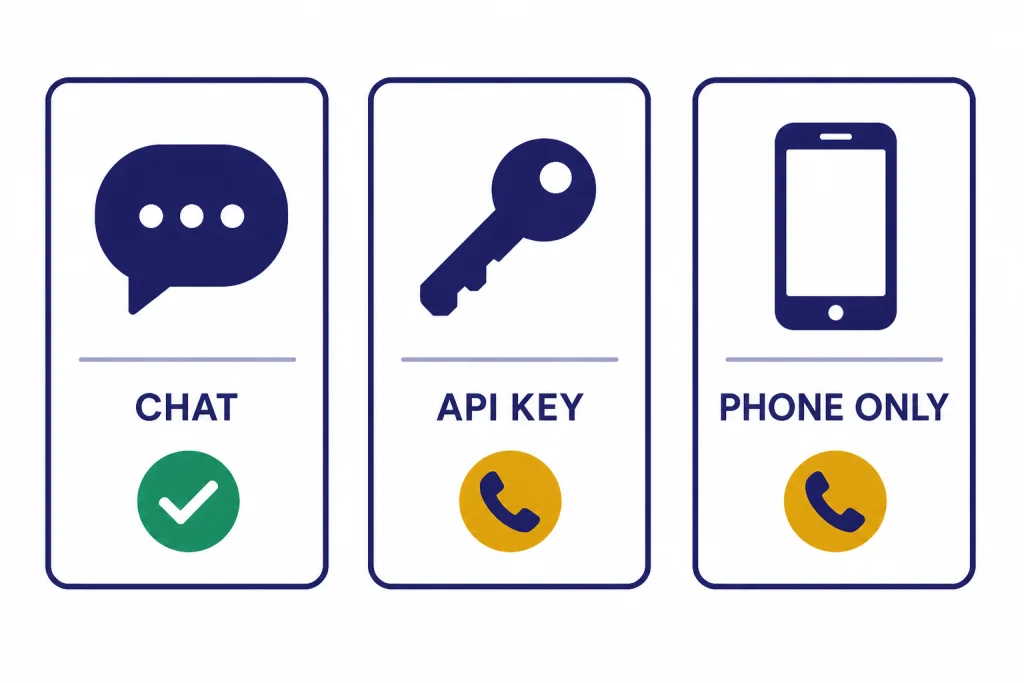
How to sign up for ChatGPT without a phone number
Use this route if you want a regular ChatGPT account without giving OpenAI a phone number during signup.
- Open ChatGPT in a browser or install the official app for your device.
- Select Sign up.
- Choose email and password, or continue with Google, Microsoft, or Apple. OpenAI’s login guidance recognizes those as common sign-in methods for ChatGPT accounts.[4]
- Complete the email or identity-provider verification step.
- Enter your name and any required account details accurately. OpenAI’s Terms of Use say registration information must be accurate and complete.[8]
- Start a new chat after the account opens.
If you used Google, Microsoft, or Apple, keep using that same method when you return. OpenAI warns that using different sign-in methods can create separate accounts or make it look like the wrong account has no subscription or history.[4] If you later need help getting back in, our how to log in to ChatGPT guide covers the common login loops.
If you prefer mobile, download the official app first and then create the account inside the app. That avoids fake app listings and keeps the account tied to the same OpenAI login. We have device-specific setup guides for downloading the ChatGPT app, using ChatGPT on iPhone, and using ChatGPT on Android.
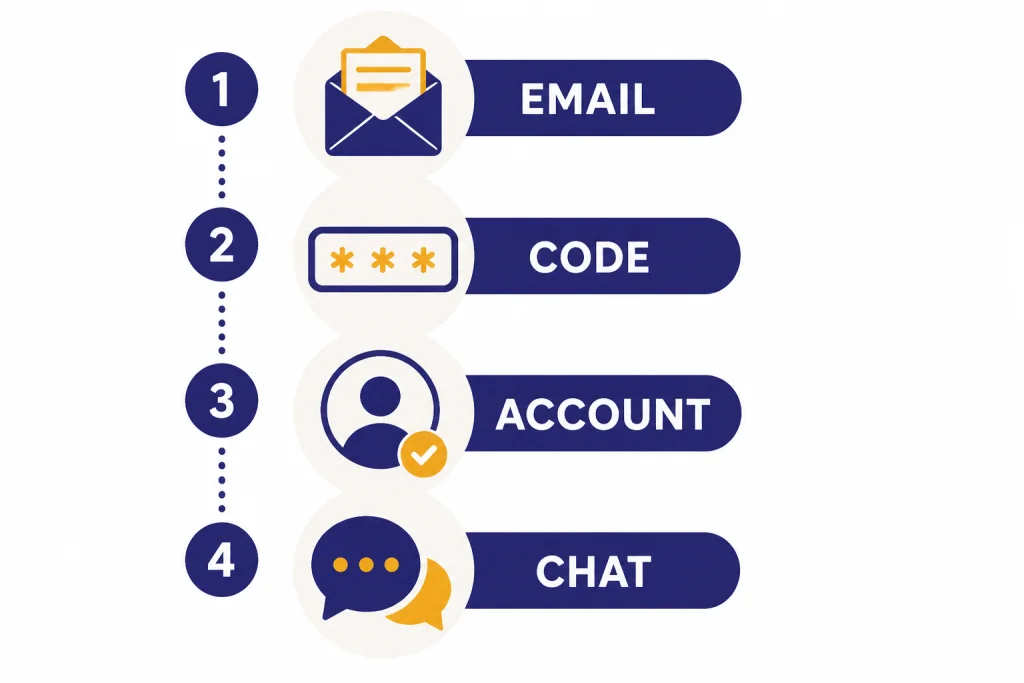
Choose the right access path
Not every way to access ChatGPT creates the same account state. Pick the path that matches what you need instead of chasing a phone-number workaround.
| Path | Phone number needed? | Best for | Main tradeoff |
|---|---|---|---|
| Email or social signup | No for normal ChatGPT use, according to OpenAI’s phone verification help page.[1] | Saving chats, using apps, syncing history, and personalizing ChatGPT. | You must keep track of the login method you chose. |
| Use ChatGPT while logged out | No account required in supported regions.[2] | Trying ChatGPT quickly before creating an account. | OpenAI says logged-out users can only have one conversation at a time.[2] |
| OpenAI API setup | Yes when generating the first API key on a new account.[1] | Developers building apps with OpenAI models. | This is not needed for ordinary ChatGPT chatting. |
| Phone-only signup beta | Yes, because the phone number is the signup credential. | Users in places where OpenAI offers that beta and who prefer phone-based access. | It is the wrong choice if your goal is avoiding a phone number. |
For most readers, the first row is the answer. Use a normal account signup with email or a supported social login. Use the logged-out path only if you do not care about saving the session. Use the API path only if you are creating developer keys. If you run into message caps after signup, do not try to create extra accounts with phone numbers; read legitimate ways to handle ChatGPT message limits instead.
When OpenAI may still ask for a phone number
The most common legitimate phone prompt is for the API platform. OpenAI says phone verification is required when a new account generates its first API key on platform.openai.com, and that the verification is not required for later API key generation after that first key.[1] If you landed on a developer page by mistake, go back to ChatGPT instead of continuing.
OpenAI also documents phone-only signups as a beta. That feature is mostly rolled out to new users in the United States, the Netherlands, France, Spain, the United Kingdom, Poland, Germany, Japan, India, Pakistan, Algeria, Uzbekistan, and Ukraine, with no other regions planned in the cited help article.[7] A phone-only account uses the phone number as the signup path, so it does not solve the “without phone number” problem.
Phone-number reuse also has limits. OpenAI says a phone number can be used for phone verification up to three times for first API key generation across accounts.[6] OpenAI also says that, with some exceptions, a permanently deleted ChatGPT consumer account may release the phone number from OpenAI’s system after thirty days if the account was not disabled for policy violations.[6] Those rules matter if you previously used a number for API verification, but they do not mean you need a phone number for a normal new ChatGPT account.
Country support is separate from phone verification. OpenAI publishes a list of countries and regions where ChatGPT is supported, and warns that accessing or offering access outside supported locations may result in an account being blocked or suspended.[3] If ChatGPT is unavailable in your location, a fake SMS number will not fix the underlying region problem.
Privacy and safety tips
Avoid temporary SMS websites, recycled phone numbers, borrowed numbers, and “verification sellers.” They can lock you out later, expose account recovery messages, or violate account rules. OpenAI’s Terms of Use require accurate and complete registration information, and they prohibit interfering with or circumventing rate limits, restrictions, protective measures, or safety mitigations.[8]
Use an email address you control for the long term. If you sign up through Apple and use a private relay address, remember that your account may be tied to that relay identity rather than the personal email address you expected. OpenAI’s login help specifically notes that Apple’s Hide My Email can cause confusion when users later try another login method.[4]
OpenAI’s Terms of Use also set age rules. You must be at least thirteen years old, or the minimum age required in your country, and users under eighteen need permission from a parent or legal guardian.[8] Do not create an account for someone who cannot use it under the applicable terms.
After you create the account, review your data controls before sharing sensitive information. OpenAI says account creation unlocks tools such as saved chat history, export, sharing, and personalization with custom instructions.[2] If you care about recordkeeping, see our guides on exporting ChatGPT data, saving a ChatGPT conversation, and sharing a ChatGPT conversation.
Troubleshooting signup problems
If the sign-up page still asks for a phone number, first confirm that you are signing up for ChatGPT rather than generating an API key. The API path has different verification requirements.[1] If you are in the normal ChatGPT flow, refresh the page, try a private browsing window, or switch browsers.
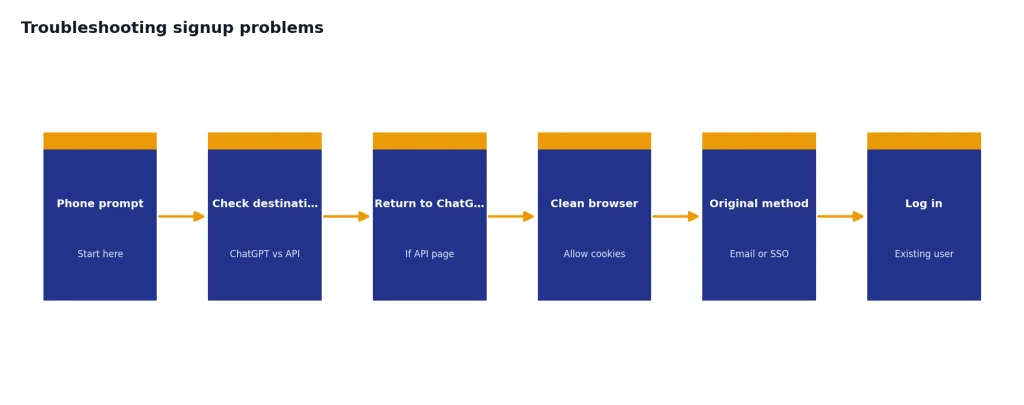
Browser tools can also break account creation. OpenAI’s login troubleshooting page says cookie-consent overlays, cookie managers, and ad or tracker blockers may block login buttons or verification flows, and recommends allowing cookies for ChatGPT, OpenAI, and the OpenAI authentication domain before retrying.[4]
If you see “This user already exists,” do not keep trying to create a new account. OpenAI says that message usually means you already began the sign-up process and should try logging in instead.[4] If you receive a welcome email but no verification email, OpenAI recommends visiting the ChatGPT login page and trying to log in with the signup method you used.[4]
If you used the wrong sign-in method, switch back to the original one. OpenAI says users who originally signed up with Google, Microsoft, or Apple should continue with that same method.[4] OpenAI also says that if an account originally used email and password, it can later add a matching social login, but accounts that initially used SSO or a social login generally cannot switch to email and password later.[5]
What to do after you create the account
Once your account works, make one test chat and check that it appears in your sidebar after you refresh. That confirms you are not in a logged-out session. OpenAI says logged-out chats can disappear because history is not saved while logged out.[2]
Next, decide where you will use ChatGPT most. If you work mostly from a laptop, our ChatGPT on Windows tutorial and ChatGPT on Mac guide cover desktop setup. If you plan to ask questions by speaking, start with ChatGPT voice mode on any device.
Finally, save your sign-in method in a password manager or account note. Do not store the password in a chat. The most common avoidable account problem is not phone verification. It is forgetting whether the account was created with email, Google, Microsoft, Apple, or a private relay identity.
Frequently asked questions
Can I sign up for ChatGPT without a phone number?
Yes. OpenAI says phone verification is no longer required for new OpenAI account creation or ChatGPT usage.[1] Use email and password, Google, Microsoft, or Apple instead.
Why is OpenAI asking me for a phone number?
The most likely reason is that you are in the API setup flow, not the normal ChatGPT signup flow. OpenAI requires phone verification when a new account generates its first API key.[1] Go back to ChatGPT if you only want to chat.
Can I use a temporary SMS number for ChatGPT?
You should not. Temporary or borrowed numbers can create recovery and ownership problems. OpenAI’s Terms of Use require accurate and complete registration information.[8]
Can I use ChatGPT without creating an account at all?
In supported regions, yes. OpenAI says ChatGPT can be accessed before creating an account, but logged-out users can only have one conversation at a time and chats are not saved like account chats.[2]
Does deleting an old account free my phone number?
Sometimes. OpenAI says that, with some exceptions, a permanently deleted ChatGPT consumer account can release its phone number after thirty days if it was not disabled for terms or policy violations.[6] That rule mainly matters for phone-verified or phone-only account situations.
What is the safest signup method?
Use an email address or social login you control and will keep. Then continue using the same login method every time. OpenAI warns that changing methods can create confusion or separate account states.[4]