

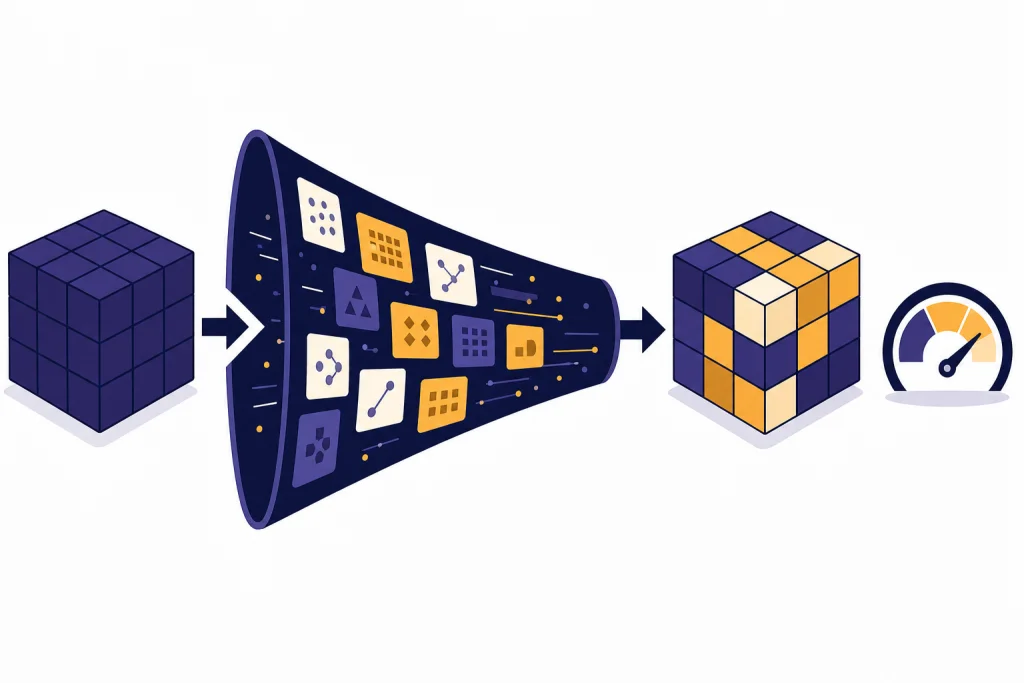
Fine-tuning in AI means taking a pre-trained model and training it further on examples that match the job you want it to do. Instead of building a model from scratch, you start with a model that already understands language, code, images, or other patterns, then adjust it toward a narrower behavior. In practical terms, fine-tuning can make an AI model follow a required output format, classify inputs more consistently, match a brand voice, or perform a specialized task with fewer prompt examples. OpenAI describes fine-tuning as a way to provide expected inputs and outputs so a base model can excel at the task used in your application.[1]
What fine-tuning means
Fine-tuning is a specialization step. A general model has already learned broad patterns during pretraining. Fine-tuning gives that model a smaller set of examples that show the behavior you want. The model is not merely reading those examples at request time. It is being adjusted during a training job so the learned behavior becomes part of how the customized model responds.
A beginner-friendly analogy is an employee handbook. A new hire may already know how to write emails. A handbook and repeated examples teach that employee how your company writes support replies, escalates complaints, uses product names, and closes tickets. Fine-tuning does something similar for a model. It teaches a pattern by example.
IBM describes the core idea as using a pre-trained base model and adapting it for a specific purpose, which is usually easier and cheaper than training a new model from the beginning.[5] That is why fine-tuning matters in modern AI. Large models already contain broad capabilities. The fine-tuning step narrows those capabilities toward a task that needs repeatable behavior.
If you are still learning the basics, it helps to understand what is a large language model, what is GPT, and what is a token before going deeper. Fine-tuning depends on all three ideas: a model, a task, and training examples that the model can process.
How fine-tuning works
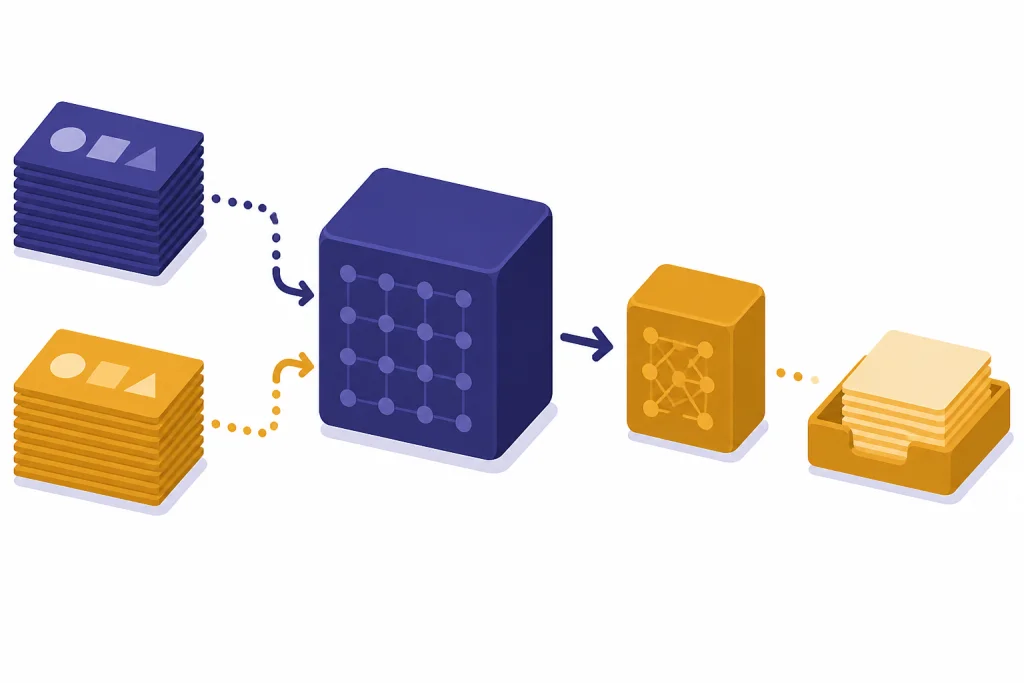
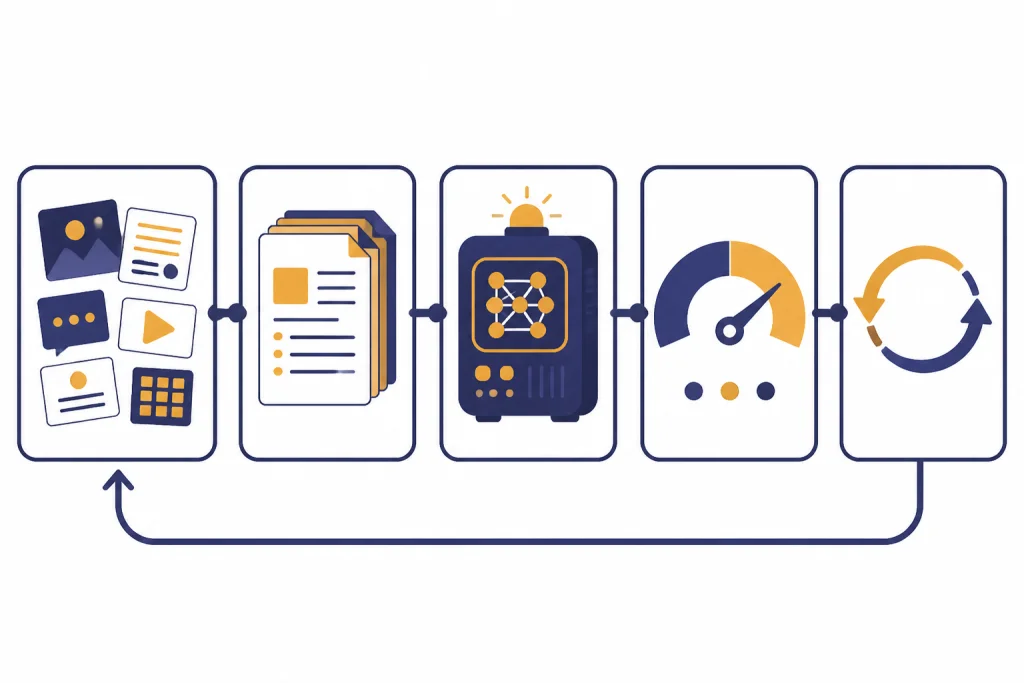
Fine-tuning usually follows a simple workflow. You collect examples, format them for training, run a fine-tuning job, evaluate the result, and repeat if the output is not good enough. OpenAI’s model optimization guide presents fine-tuning as part of a broader loop that also includes evaluations and prompt engineering.[1]
The training examples are the heart of the process. For a chat model, each example may look like a small conversation: a user input and the ideal assistant output. For a classifier, each example may show an input and the correct category. For a structured-output task, each example may show a messy request and the exact JSON shape the model should return.
In the OpenAI API, supervised fine-tuning requires a base model, a training file, and a method setting. The training data is uploaded, then a fine-tuning job creates a customized model that can later be used through the API like a base model.[2] The API reference describes fine-tuning jobs as resources used to tailor a model to specific training data.[4]
Here is a simple example. Suppose a company wants every support reply to include a short diagnosis, a safe next step, and an escalation note when needed. A prompt can ask for that format. Fine-tuning can train the model on many realistic tickets and ideal replies so the format becomes more reliable across edge cases.
Fine-tuning does not remove the need for testing. OpenAI recommends comparing a fine-tuned model against a holdout set, which is data kept separate from the training data, to see whether the customized model actually improves over the base model.[2]
Types of fine-tuning
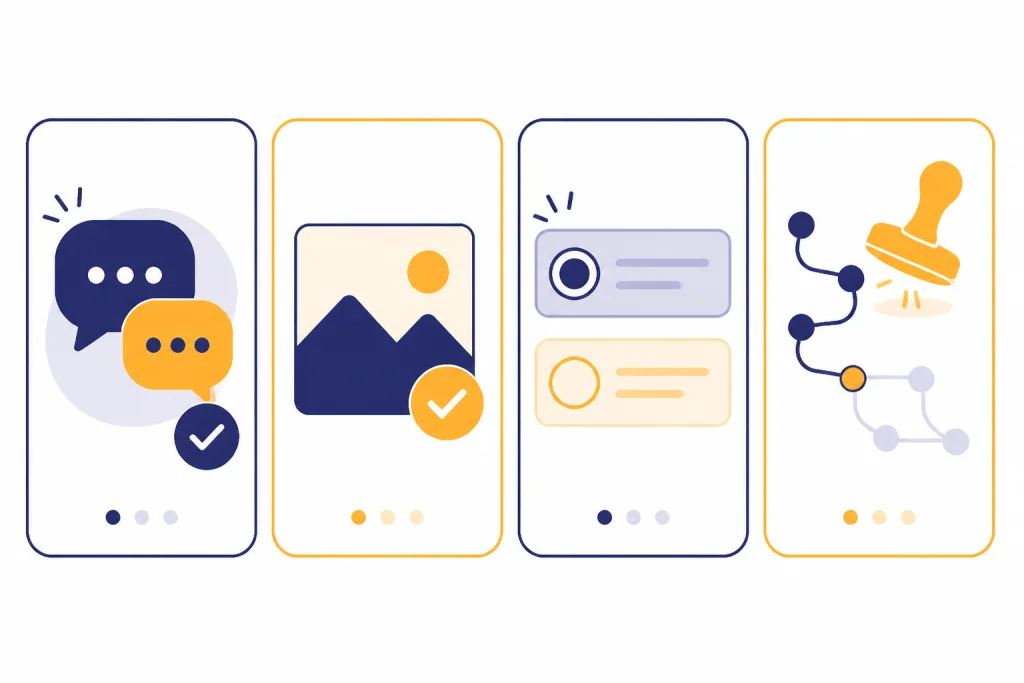
People use the term fine-tuning in more than one way. The most common beginner meaning is supervised fine-tuning, where examples show the model the preferred answer. OpenAI also documents vision fine-tuning, direct preference optimization, and reinforcement fine-tuning as supported model customization methods in its platform.[1]
| Method | What the training data shows | Best beginner example |
|---|---|---|
| Supervised fine-tuning | Inputs paired with correct outputs | Teach a model to return support tickets in a fixed structure |
| Vision fine-tuning | Image inputs paired with desired responses | Improve a model’s handling of a narrow image classification task |
| Direct preference optimization | A prompt with a preferred and rejected answer | Teach a model which of two response styles is better |
| Reinforcement fine-tuning | Model outputs scored by expert grading | Improve performance on a specialized reasoning workflow |
OpenAI lists supervised fine-tuning for model IDs including gpt-4.1-2025-04-14, gpt-4.1-mini-2025-04-14, and gpt-4.1-nano-2025-04-14; vision fine-tuning for gpt-4o-2024-08-06; and reinforcement fine-tuning for o4-mini-2025-04-16.[1] Model availability changes, so check current model documentation before planning a production project.
You may also hear about parameter-efficient fine-tuning. That family of techniques changes a smaller part of a model or adds lightweight trainable pieces instead of updating every internal weight. For a beginner, the important point is simpler: different fine-tuning methods change different parts of the training process, but all aim to make the model perform a narrower job better.
When fine-tuning is worth it
Fine-tuning is worth considering when prompting works sometimes but fails often in the same way. The strongest cases involve repeatable tasks with clear examples. If your desired behavior can be shown in input-output pairs, the task may be a good candidate.
Good use cases include classification, consistent formatting, tone control, structured extraction, domain-specific rewriting, and tool-call patterns. OpenAI says fine-tuning can help a model format responses consistently, handle novel inputs, use shorter prompts, and train a smaller model to perform a specific task where a larger model would not be cost-effective.[1]
Fine-tuning is not the first step for most beginners. Start with a better prompt. Then test whether examples inside the prompt solve the issue. If the problem is missing knowledge, consider retrieval instead. Our guides to prompt engineering skills, RAG, and context windows explain those neighboring approaches.
A practical rule: fine-tune behavior, retrieve facts. If the model needs to know the latest refund policy, product inventory, or contract text, use a retrieval system. If the model already has the needed information but keeps answering in the wrong format or style, fine-tuning may help.
Fine-tuning vs. prompting vs. RAG
Fine-tuning is one way to improve AI output, not the only way. Prompting changes the instructions sent with each request. RAG, or retrieval-augmented generation, fetches relevant information from an external source and adds it to the prompt. Fine-tuning changes the model’s behavior through training. IBM describes prompt engineering, RAG, and fine-tuning as three optimization methods for getting more value from large language models.[6]
| Approach | What changes | Use it when | Avoid it when |
|---|---|---|---|
| Prompt engineering | The instructions in the request | You need a quick improvement or a clearer task description | The prompt becomes too long, brittle, or packed with repeated examples |
| RAG | The context supplied to the model | The answer depends on private, current, or source-specific facts | The main problem is response style, formatting, or classification consistency |
| Fine-tuning | The model behavior learned from examples | You need a repeatable style, structure, classification rule, or task pattern | You lack clean examples or the facts change often |
These methods can work together. A production support assistant might use RAG to fetch the right help-center article, prompt instructions to define the response policy, and a fine-tuned model to keep replies short and structured. A more complex system may also involve AI agents, tool calls, or multimodal inputs. For image, voice, and text systems, see our guide to multimodal AI.
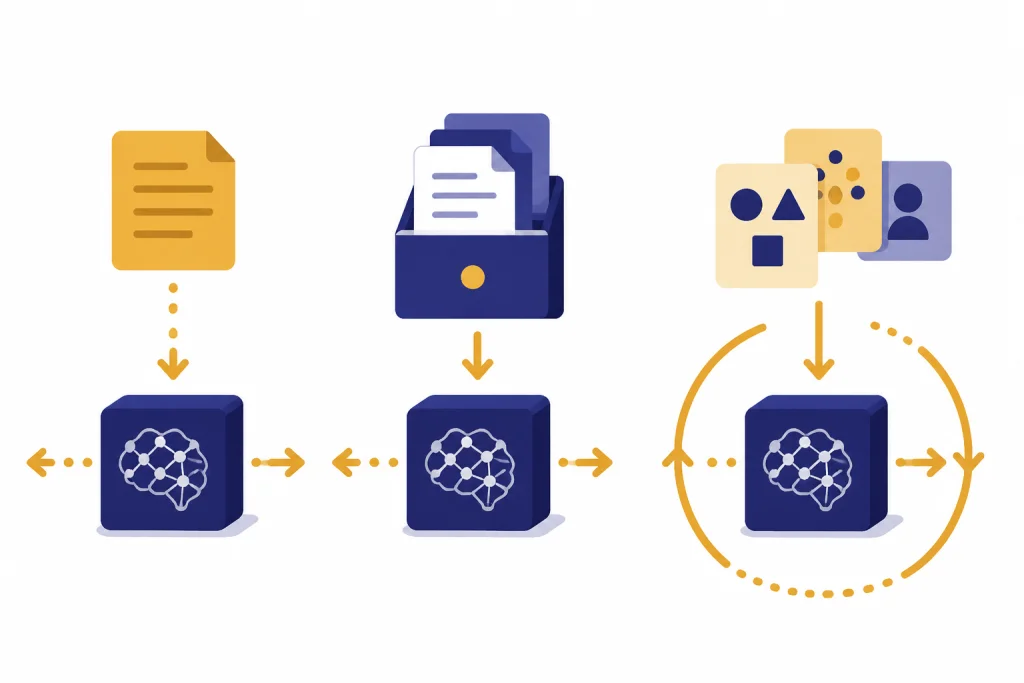
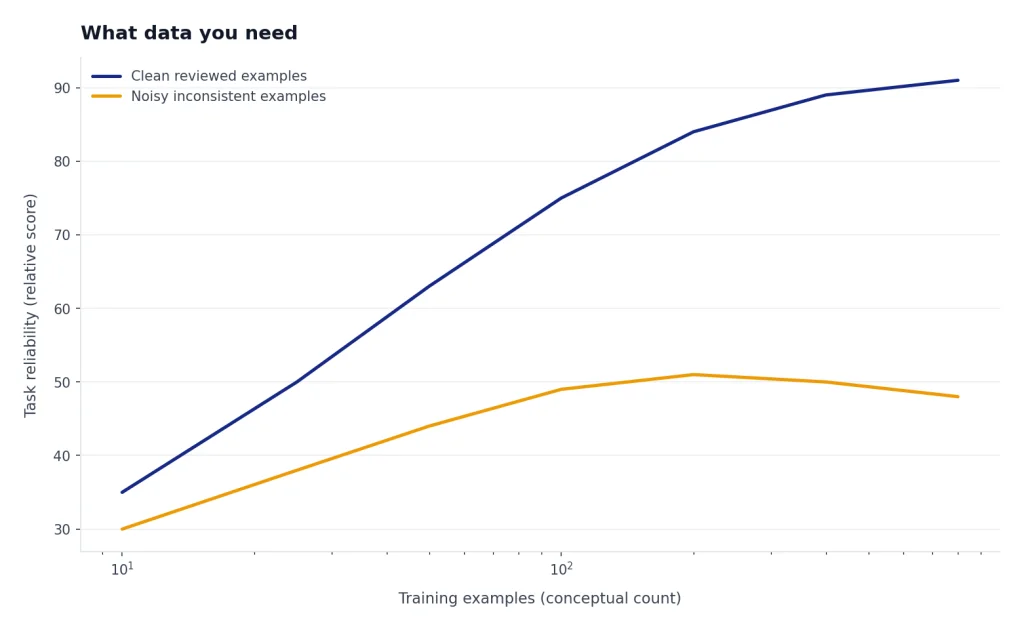
What data you need
Fine-tuning data should look like the real requests your model will receive. If production users write short, messy questions, your examples should include short, messy questions. If the model must produce strict JSON, the assistant side of each example should show valid JSON. If the model must refuse unsafe requests in a specific way, include realistic refusal examples.
OpenAI’s best-practices documentation recommends splitting collected examples into training and test portions, using the training set for fine-tuning jobs and the test set for evaluations.[3] It also recommends including the instructions and prompts that worked best before fine-tuning inside the training examples, especially when the dataset is relatively small.[3]
Quality matters more than volume for a first project. A small set of carefully reviewed examples can teach a narrow pattern better than a large set of inconsistent examples. Remove duplicates, fix wrong answers, normalize output formats, and include edge cases. If your examples disagree with each other, the fine-tuned model will learn that confusion.
Do not use fine-tuning data as a dumping ground for documents. If you want a model to answer from a policy manual, index the manual for retrieval. If you want the model to summarize policy questions in a specific internal template, fine-tuning may be useful after you have examples of that template.
Risks and limits
Fine-tuning can make a model better at a task, but it can also make a model worse if the data is poor. The main risks are overfitting, stale knowledge, hidden bias, privacy exposure, and false confidence. Overfitting happens when the model memorizes training examples instead of learning a general pattern. OpenAI’s supervised fine-tuning guide describes checkpoints as useful when a model improves early and then begins memorizing the dataset.[2]
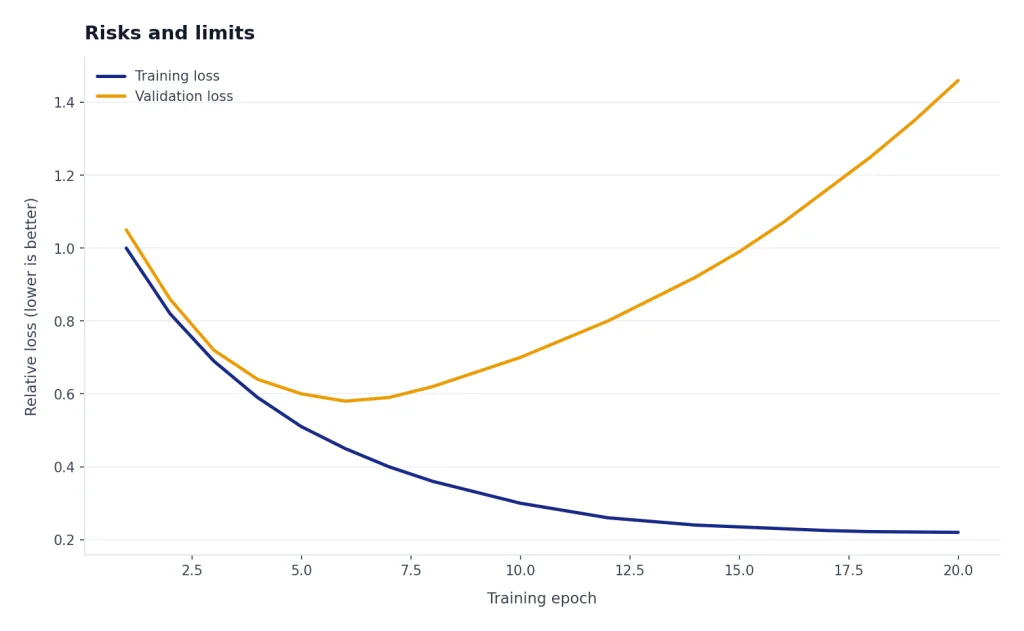
Fine-tuning also does not guarantee factual accuracy. A fine-tuned model can still hallucinate. It can still misunderstand a user request. It can still need guardrails, evaluation, monitoring, and fallback logic. Treat a fine-tuned model as a component in a system, not as a finished product.
Privacy deserves special attention. Training examples may contain customer data, internal strategy, credentials, health information, or legal material. Remove data that the model does not need. Follow your organization’s data policies. If the task can be solved with prompts or retrieval over access-controlled documents, that may be simpler than creating a trained copy of sensitive behavior.
There is also an operational limit. A fine-tuned model needs versioning. When the task changes, the examples change. When the base model changes, behavior may change. When your evaluation set reveals failures, you need a process for updating data and retraining. This is why fine-tuning belongs in an evaluation loop rather than a one-time experiment.
Beginner checklist
Use this checklist before you decide to fine-tune a model.
- Define the behavior. Write one sentence that says what should improve.
- Try prompting first. If a clearer instruction solves the problem, do not fine-tune yet.
- Separate knowledge from behavior. Use retrieval for changing facts and fine-tuning for stable patterns.
- Collect real examples. Use inputs that match production traffic, not only ideal demo prompts.
- Write ideal outputs. Make the target answers consistent in structure, tone, and policy.
- Hold out test data. Keep a separate evaluation set so you can measure improvement.
- Compare against the base model. Fine-tuning is only useful if it beats a simpler baseline.
- Monitor after launch. Save failures, review them, and use them to improve the next dataset.
For most beginners, the best path is prompt first, retrieval second if facts are missing, and fine-tuning third if the model still needs a stable learned behavior. If you are comparing OpenAI models before a project, our GPT models comparison, context window comparison, and OpenAI API pricing guides can help you plan the surrounding system.
Frequently asked questions
Is fine-tuning the same as training an AI model?
No. Training from scratch starts with an untrained model and usually requires huge datasets and compute. Fine-tuning starts with a pre-trained model and adapts it to a narrower task. IBM distinguishes fine-tuning from pretraining in this way.[5]
Can fine-tuning teach a model new facts?
It can influence the model with domain examples, but it is usually not the best way to manage changing facts. Use RAG when the model needs current documents, citations, policies, or product data. Fine-tuning is usually better for stable behavior such as format, tone, routing, or classification.
Do I need to fine-tune ChatGPT for personal use?
Usually no. Most personal tasks are better handled with clear prompts, saved instructions, custom GPT-style configuration, or document retrieval. Fine-tuning is more useful for developers and teams that need repeatable behavior in an application.
What is the biggest mistake beginners make with fine-tuning?
The biggest mistake is using messy or unrepresentative examples. Fine-tuning learns from the pattern you provide. If the examples contain conflicting formats, weak answers, or unrealistic inputs, the customized model may become less reliable than the base model.
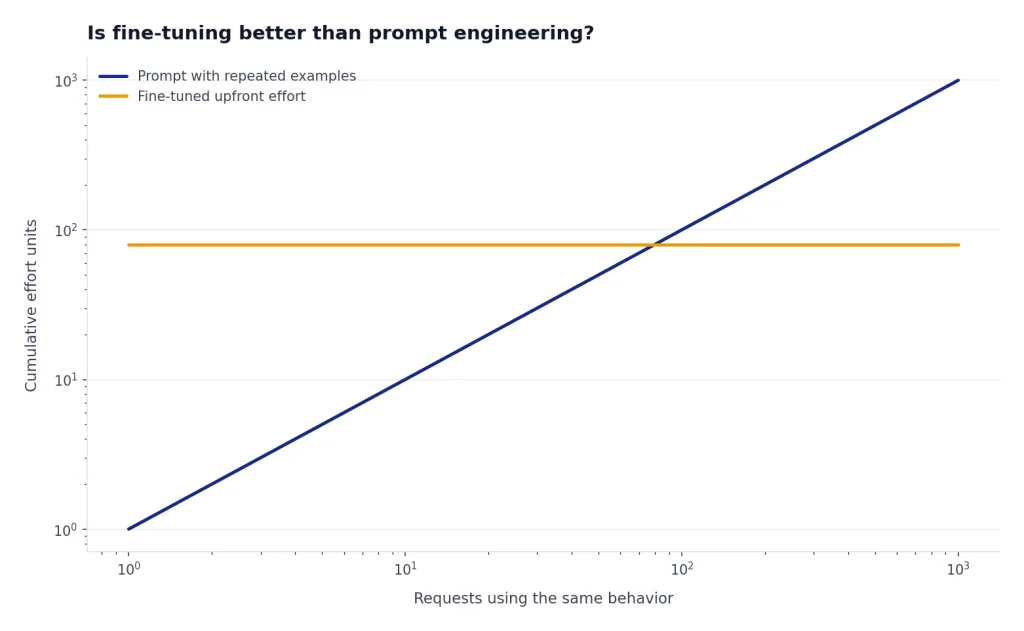
Is fine-tuning better than prompt engineering?
Not always. Prompt engineering is faster, cheaper to test, and easier to change. Fine-tuning is better when the same behavior must hold across many requests and repeated prompt examples are no longer practical.
How do I know if fine-tuning worked?
Measure it against a test set that was not used for training. Compare the fine-tuned model with the base model using the same inputs. Keep the fine-tuned model only if it improves the metric that matters, such as format validity, classification accuracy, escalation quality, or human review score.