

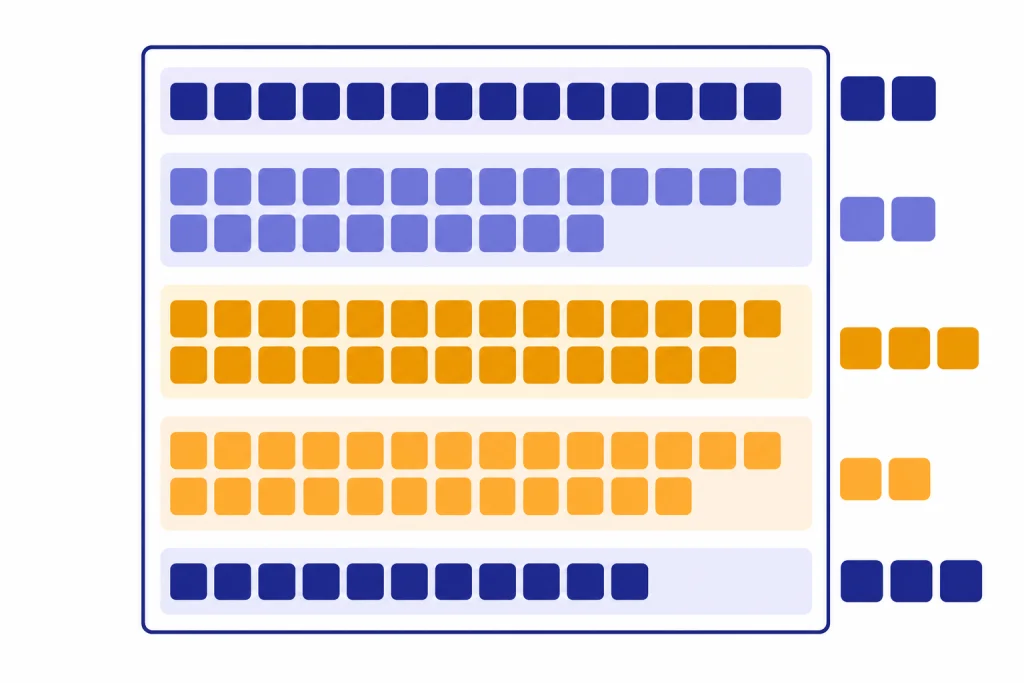
A context window is the working area an AI model can use while answering you. It includes your current prompt, relevant earlier messages, attached text, tool results, hidden system instructions, and the model’s own response budget. When that space fills up, the model cannot reliably use everything you gave it. It may shorten the answer, drop older conversation details, or reject the request. Context windows matter because they set the practical size limit for long chats, document analysis, coding sessions, and AI agents. A larger window helps, but it does not guarantee better answers. Clear structure and selective context still matter.
Quick definition
A context window is the maximum number of tokens a language model can use in a single request. OpenAI describes this limit as the total token space available for input, output, and, for reasoning models, internal reasoning tokens.[1] If you ask ChatGPT to summarize a document, the document, your instruction, any earlier chat messages sent along with the request, and the answer all compete for that same space.
The simplest analogy is a desk. You can spread papers across it while working. If the desk is small, you must remove some pages before adding more. If the desk is large, you can keep more material visible. But a large desk still becomes messy if you cover it with irrelevant notes.
Context windows are measured in tokens, not pages or words. Tokens are chunks of text that can be a character, a partial word, a full word, punctuation, or spacing. OpenAI’s English rule of thumb says one token is about four characters, about three quarters of a word, and about 100 tokens is about 75 words; Google gives a similar rough estimate that a token is about four characters and 100 tokens is about 60 to 80 English words.[2][7] For a deeper beginner explanation, read What Is a Token in ChatGPT?.
That estimate is only a guide. Code, tables, non-English text, emojis, whitespace, and unusual formatting can use tokens differently. A short-looking block of code can consume more context than a plain paragraph. A scanned document converted with messy OCR can also waste space.
How the context window budget works
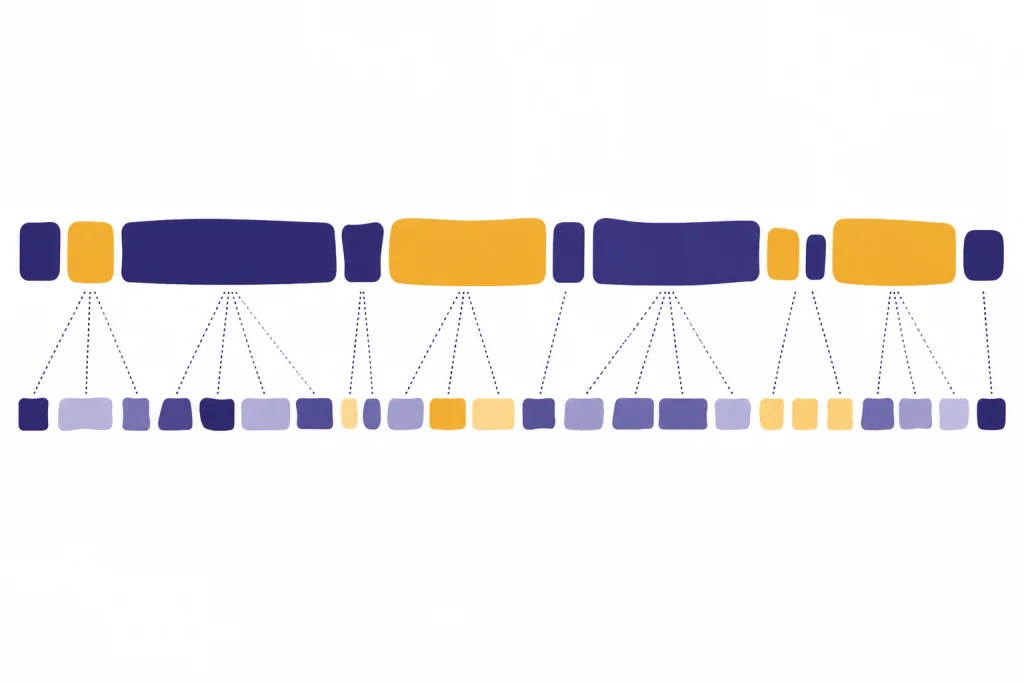
The context window is not just the message you type. It is a combined budget. OpenAI’s conversation-state guidance says users need to consider both output-token limits and context-window limits as inputs become more complex or as a conversation includes more turns.[1] That means a long prompt can crowd out the model’s answer. It also means a long answer needs room before generation starts.
For example, OpenAI’s documentation lists gpt-4o-2024-08-06 with a total context window of 128,000 tokens and a maximum output of 16,384 output tokens.[1] If a request used nearly the full window before the answer began, there would not be enough space left for the longest possible response.
OpenAI’s GPT-4.1 model page lists a 1,047,576-token context window and 32,768 maximum output tokens, and OpenAI’s April 14, 2025 launch post described the GPT-4.1 family as supporting a 1 million token context window.[3][4] Those figures show why model-specific documentation matters. “Can handle long context” is not precise enough. The exact model, endpoint, plan, and tool setup can change what happens in practice.
| What uses the window | Plain-English meaning | Why it matters |
|---|---|---|
| System and developer instructions | Hidden or app-supplied rules that shape the answer | They consume space before your visible prompt is counted. |
| Your current prompt | The question, command, or pasted material you send | Long pasted text can leave less room for the reply. |
| Conversation history | Earlier turns that the app sends back to the model | Old details may be removed or summarized as the chat grows. |
| Retrieved documents | Passages pulled in by search, file search, or RAG | Bad retrieval can waste context on irrelevant text. |
| Reasoning tokens | Internal planning tokens used by some models | They may count against the same total budget even when not visible.[1] |
| Output tokens | The answer the model generates | A larger requested answer needs reserved space. |
The main point is simple. A model does not remember a chat the way a person remembers a relationship. It uses the information supplied inside the current request. Apps can store summaries, memories, files, or database records outside that request, but the model still needs relevant material placed into the active context before it can use it. This is one reason What Is RAG? matters for long documents and knowledge bases.

Why size limits matter
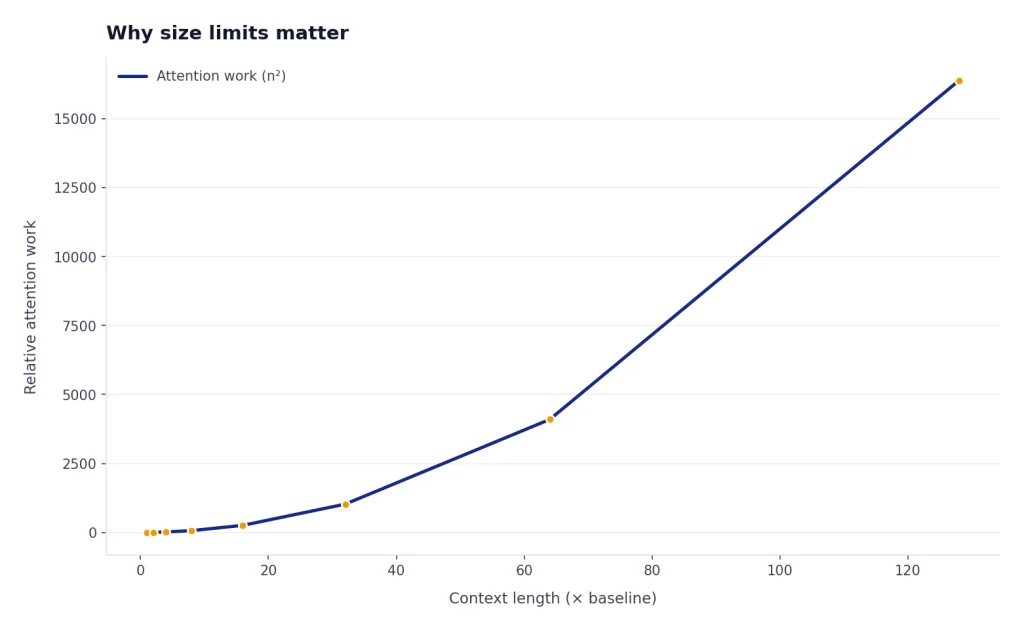
Context limits affect three everyday tasks: long chats, long documents, and complex projects. In a long chat, the app may stop sending the earliest turns to the model. In a long document task, the full file may not fit. In a coding or research workflow, tool outputs and intermediate notes can crowd out the original goal.
When the limit is exceeded, the result depends on the product and API settings. OpenAI’s Responses API reference describes a truncation option where auto can drop items from the beginning of the conversation if the input exceeds the model’s context window, while the default disabled setting can cause the request to fail with a 400 error.[6] In a consumer app, the same basic problem may appear less explicitly. The model may seem to forget something, answer from incomplete context, or ask you to resend material.
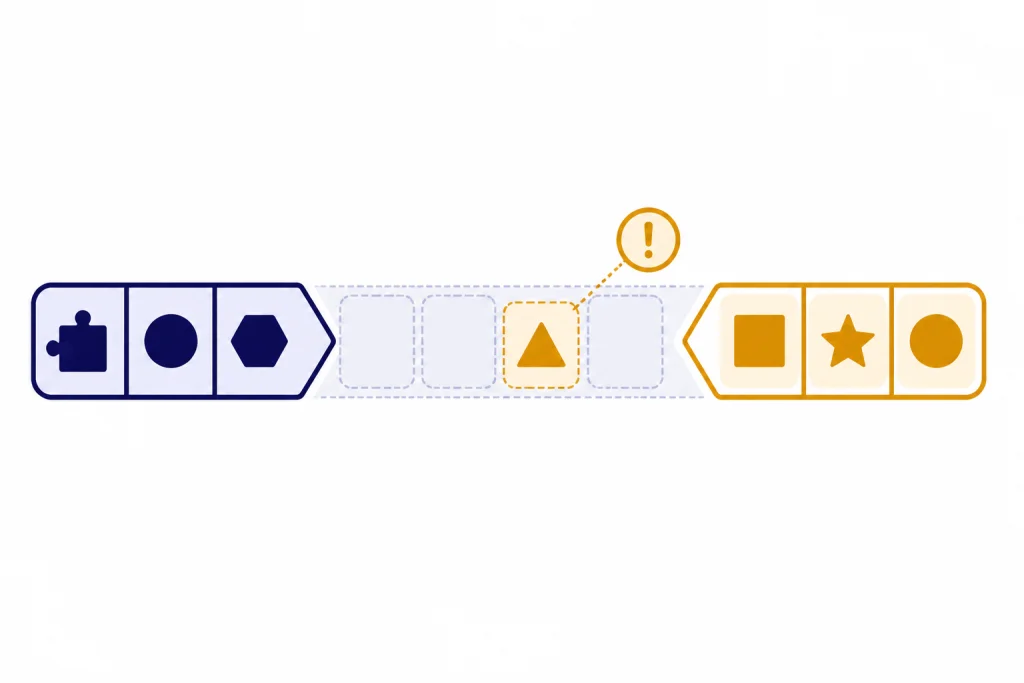
There is also a quality issue. Long-context models do not always use every part of a long prompt equally well. The “Lost in the Middle” paper found that performance often drops when relevant information appears in the middle of a long input, even for models designed for long context.[5] This does not mean long windows are useless. It means placement, structure, and relevance still matter.
Size limits also affect cost and speed when you use an API. More input tokens usually mean more tokens to process. Longer outputs take more time to generate. If you are building with the OpenAI API, context planning belongs next to model choice, pricing, and latency planning. See OpenAI API Pricing and Fastest GPT Model for the related trade-offs.
Context window vs. memory, RAG, and fine-tuning
People often use “context,” “memory,” “training,” and “knowledge” as if they mean the same thing. They do not. The context window is the immediate working set for one request. Other systems can help decide what enters that working set, but they do not remove the limit.
| Concept | What it is | Best use | What it does not do |
|---|---|---|---|
| Context window | The active token budget for one model request | Supplying the facts, instructions, and examples needed right now | Store permanent knowledge by itself |
| Chat memory | Saved user preferences or summaries outside the current request | Remembering stable preferences across sessions | Guarantee that every old message is sent back every time |
| RAG | Retrieval-augmented generation that fetches relevant passages | Answering from large document collections | Make irrelevant documents safe to dump into the prompt |
| Fine-tuning | Training a model variant on examples for behavior or style | Teaching repeatable patterns, formats, or domain phrasing | Inject every current fact at answer time |
| Prompt engineering | Designing instructions and inputs for better results | Making context easier for the model to use | Bypass the model’s maximum token limit |
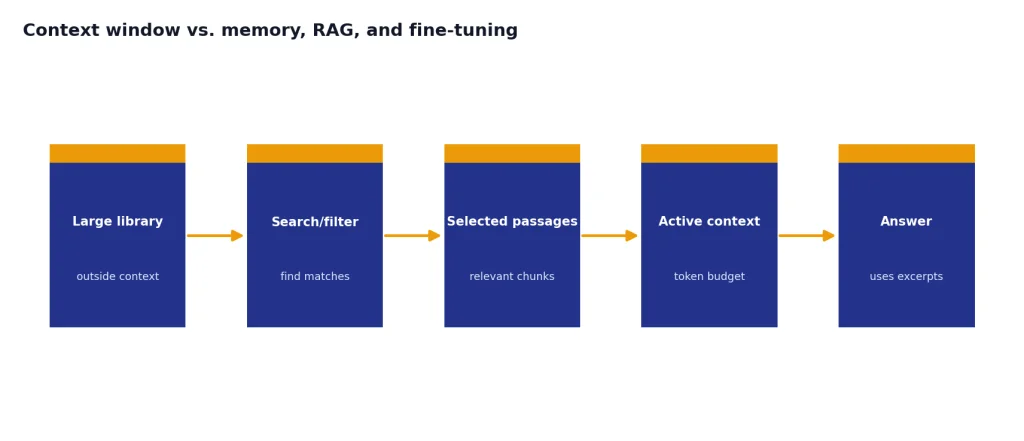
RAG is useful when the full source library is too large. It searches or filters first, then sends only selected passages into the context window. Fine-tuning is useful when you want the model to follow a repeated pattern without including many examples every time. Prompt engineering helps you arrange the information that does fit. These approaches can work together.
If you are learning the broader vocabulary, start with What Is a Large Language Model?, What Is GPT?, and What Is Generative AI?. If your use case involves autonomous workflows, What Is an AI Agent? explains why agents can burn through context quickly when they call tools, read files, and keep intermediate plans.

How to work inside the limit
The best way to manage context is to treat it as a scarce resource. Do not paste everything by default. Put the most relevant facts where the model can find them. Remove duplicates. Ask for summaries when a thread gets long. Keep the current task visible.
- State the task first. Tell the model what to do before adding source material.
- Separate instructions from evidence. Use headings such as “Task,” “Constraints,” and “Source material.”
- Keep source text relevant. Include the pages, functions, tickets, or rows that matter.
- Summarize old turns. Replace a long back-and-forth with a concise project brief.
- Reserve answer space. If you need a long report, do not fill the entire window with input.
- Ask the model to cite source sections. This helps reveal whether it is using the supplied material.
- Split multi-step work. Use one request for extraction, another for analysis, and another for drafting.
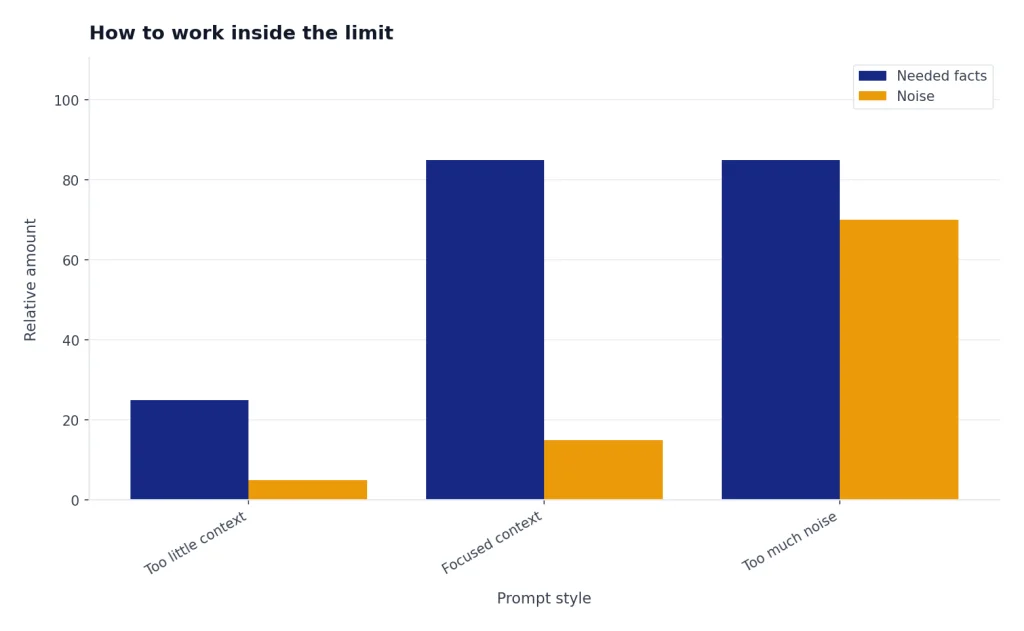
For prompts, shorter is not always better. A vague short prompt can fail because it lacks necessary context. A long prompt can fail because it contains too much noise. The target is not minimum length. The target is useful density. Our prompt engineering guide covers this skill in more detail.
For API work, count tokens before sending large requests. OpenAI points developers to tokenizer tools and the tiktoken library for checking token counts before a request.[1][2] For production systems, add safeguards. Reject oversized inputs gracefully. Summarize or chunk documents. Log token usage. Decide whether truncation is acceptable before users hit the limit.
A practical prompt pattern is: goal, key constraints, relevant source excerpts, requested output format, and final reminder. The final reminder can restate the most important rule near the end of the context. That placement can help because long prompts may make middle information easier to miss.
When a larger context window helps
A larger context window helps most when the task genuinely depends on many separated pieces of information. Examples include comparing several contracts, reviewing a codebase, analyzing a long transcript, searching across policy documents, or asking an agent to keep track of a multi-step workflow.
It helps less when the task needs only a few facts. If the answer depends on three paragraphs, sending an entire manual can make the model slower and more distractible. Retrieval is usually better than dumping a full archive into the window. This is especially true for support bots, internal knowledge bases, and legal or compliance research where the right passage matters more than the largest possible prompt.
A larger window also does not fix outdated knowledge. If the model lacks a current fact, you must supply that fact through context, retrieval, browsing, or another tool. It does not fix ambiguous instructions. It does not guarantee perfect recall. It simply gives the model more working room.
For model-by-model limits, use a current comparison rather than a rule of thumb. We maintain a separate context window comparison for GPT models, and All GPT Models Compared Side by Side puts context size next to speed, modality, and intended use. If images or audio enter the request, What Is Multimodal AI? explains why non-text inputs still need to be represented in a form the model can process.
Frequently asked questions
Is a context window the same as memory?
No. A context window is the active token budget for one request. Memory is information saved outside that request and later inserted, summarized, or used by the app. A model can only use saved memory when the system makes it available in the active context.
Why does ChatGPT forget earlier messages?
Long chats can exceed the amount of history the app sends to the model. Older details may be omitted, summarized, or outweighed by newer instructions. If an earlier detail matters, restate it briefly in the current message.
Does a bigger context window always mean a better model?
No. Context size is one capability, not a full quality score. A smaller model can be better for a short, simple task if it is faster, cheaper, or better tuned for that job. Long-context research also shows that models can use different positions in a long prompt unevenly.[5]
What happens if I exceed the context window?
The request may fail, the output may be truncated, or the system may drop earlier context depending on the product and settings. OpenAI’s Responses API documents both automatic truncation and an error path when truncation is disabled.[6] In a chat app, the symptom may look like forgetting.
How many words fit in a context window?
There is no exact word conversion because tokenization depends on the text. For English, OpenAI’s rough guide is one token is about four characters or three quarters of a word, with about 100 tokens equaling about 75 words.[2] Code, tables, and non-English text can change the ratio.
Should I paste a whole document into ChatGPT?
Only if the whole document is needed and fits comfortably. For most tasks, it is better to provide the relevant section, ask for an outline first, or use retrieval over the document. This reduces noise and leaves more room for the answer.