

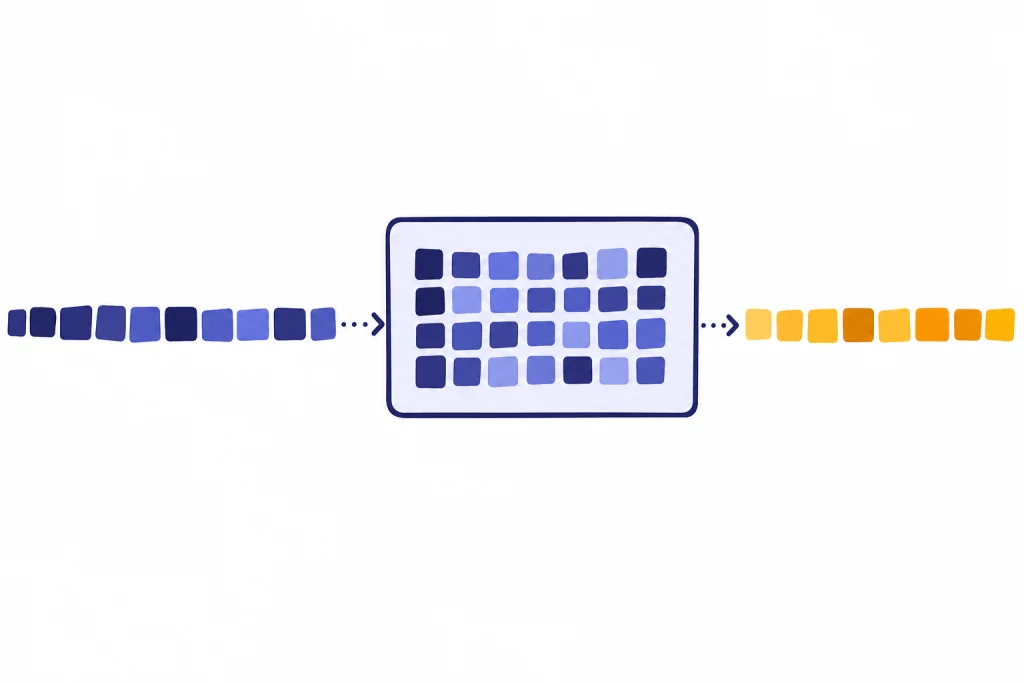
A token in ChatGPT is a small piece of text that the model uses to read your prompt and write its answer. A token can be a whole word, part of a word, a punctuation mark, a space attached to a word, or sometimes a single character. Tokens matter because ChatGPT does not process text as pages or paragraphs. It processes token sequences. That affects how much text can fit in one chat, how long an answer can be, how API usage is billed, and why some languages or code snippets consume more room than you expect. If you understand tokens, you can write shorter prompts, manage long conversations, and avoid hitting context limits.
What a token is
A token is the unit of text that an OpenAI language model processes. OpenAI describes tokens as the building blocks of text, and says they can be as short as a single character or as long as a full word depending on the language and context.[1]
That definition is more useful than the common shortcut “a token is a word.” A token is not always a word. The word running might be stored as one token in one tokenizer or as smaller pieces in another. A comma can be a token. A space plus the next word can be a token. A rare name, a typo, or a code symbol can be split into several pieces.
ChatGPT uses tokens because models do not reason over raw text the way people read a page. They convert text into token IDs, process those IDs, predict likely next tokens, and then convert the result back into readable text. For the broader model background, see our plain-English guide to what is a large language model and our explanation of what GPT means.
The practical takeaway is simple. If a chat feels long, the model is not counting pages. It is counting tokens.

How ChatGPT turns text into tokens
The splitting process is called tokenization. OpenAI’s tokenizer page describes tokens as common sequences of characters found in text, and the OpenAI Cookbook notes that GPT models see text in token form rather than as ordinary strings.[2][3]
A simplified flow looks like this:
- You type a prompt.
- The tokenizer breaks the prompt into tokens.
- The model reads the token sequence.
- The model predicts output tokens.
- The system converts those output tokens back into text.
OpenAI’s tiktoken library is a fast byte pair encoding tokenizer for OpenAI models.[4] Byte pair encoding is a method that tends to keep common text chunks together and split uncommon text into smaller chunks. That is why common words often fit neatly, while unusual strings can expand into more tokens.
This also explains a common ChatGPT surprise. Two strings that look similar to you may not have the same token count. Capitalization, punctuation, leading spaces, emoji, code syntax, and non-English text can all change how the tokenizer splits the input. OpenAI’s help article notes that spaces, punctuation, and partial words all contribute to token counts.[1]
Tokens vs. words, characters, and pages
For common English text, OpenAI gives several rough estimates: one token is about four characters, one token is about three-quarters of a word, and one hundred tokens is about seventy-five words.[1] These are estimates, not conversion rules. The OpenAI Tokenizer gives the same rough relationship for common English text.[2]
| Measure | Rough token relationship | How to use it |
|---|---|---|
| Characters | About one token per four English characters[1] | Useful for quick estimates in short prompts. |
| Words | About one token per three-quarters of an English word[1] | Useful for estimating articles, essays, and chat history. |
| One hundred tokens | About seventy-five English words[1] | Useful when budgeting response length. |
| One paragraph | About one hundred tokens in OpenAI’s rule of thumb[1] | Useful for rough planning, but exact counts vary. |
| Non-English text | Often a different token-to-character ratio[1] | Check with a tokenizer instead of assuming an English ratio. |
The estimate breaks down fastest with code, tables, lists of IDs, URLs, math, emoji, and mixed-language text. A short line of code can use more tokens than an ordinary sentence of similar length because symbols, indentation, and uncommon names are part of the sequence. A page count is even less reliable because font size, spacing, and formatting do not tell you how the tokenizer will split the text.
If you are learning the basics of ChatGPT itself, start with what ChatGPT is. If you are trying to write prompts that use the available token space well, our guide to prompt engineering skills is the better next step.

Why tokens matter in ChatGPT
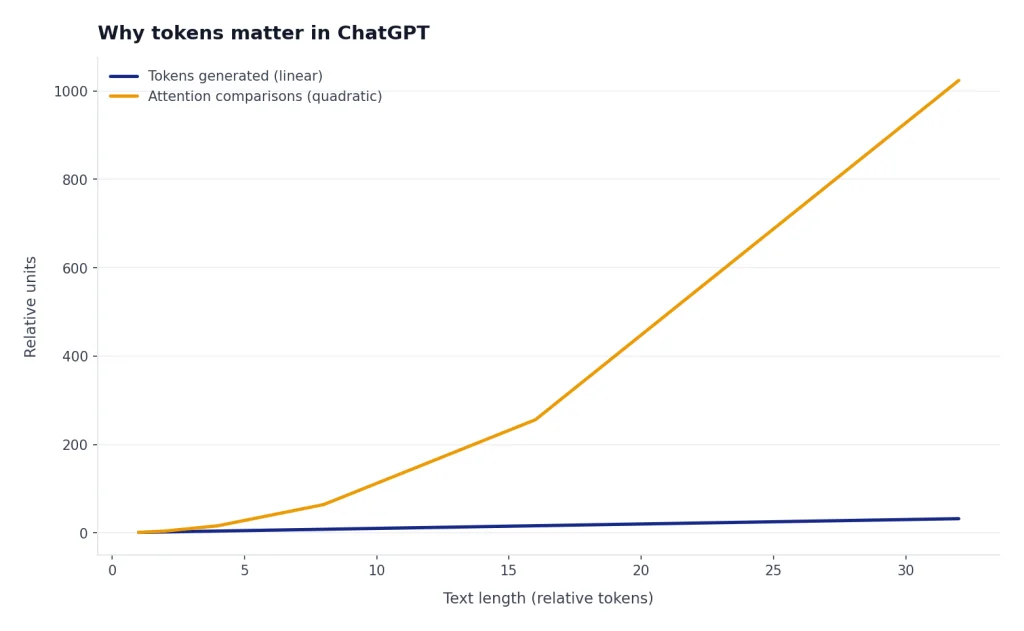
Tokens matter because they are the unit behind several things users notice every day.
- Prompt length. A long prompt may not fit if it exceeds the model’s available context.
- Answer length. The model’s output also consumes tokens.
- Conversation memory inside the current chat. Older messages compete with newer messages for space in the context window.
- API cost. OpenAI’s API pricing is based on token usage, with rates that vary by model and token type.[6]
- Latency. More text usually gives the model more to process and more to generate.
This is separate from ChatGPT memory features that may save facts about you across chats. A token context is the model’s working space for the current request. Long-term saved memory, when available, is a product feature. The context window is the immediate text budget. For a deeper explanation, read what a context window is.
Tokens also explain why adding “just one more document” can change the quality of an answer. If the model must consider too much text, some systems truncate, summarize, or omit parts of the conversation. More context is not always better. Cleaner context is often better.
Input, output, cached, and reasoning tokens
Not all tokens play the same role. OpenAI’s help center separates token usage into input tokens, output tokens, cached tokens, and reasoning tokens.[1]
| Token type | Plain-English meaning | Example |
|---|---|---|
| Input tokens | Tokens in what you send to the model.[1] | Your instructions, pasted text, uploaded text that is included, and recent chat history. |
| Output tokens | Tokens the model generates in its response.[1] | The answer you read after submitting the prompt. |
| Cached tokens | Tokens reused from earlier context, often billed differently in the API.[1] | A repeated system prompt or stable conversation prefix in an API workflow. |
| Reasoning tokens | Internal tokens used by some advanced models before producing the visible answer.[1] | Hidden planning work for a difficult math, coding, or analysis task. |
OpenAI’s separate help article defines prompt tokens as tokens you input into the model and completion tokens as tokens the model generates in response.[7] In newer API language, you will often see “input” and “output” instead of “prompt” and “completion,” but the core idea is the same.
This matters most for developers. If you send a long instruction block and ask for a long answer, both sides count. If a reasoning model uses internal reasoning tokens, those tokens can also occupy context space and affect billing according to OpenAI’s API documentation.[5] For pricing details by model, use our OpenAI API pricing guide alongside OpenAI’s official pricing page.
Tokens and the context window
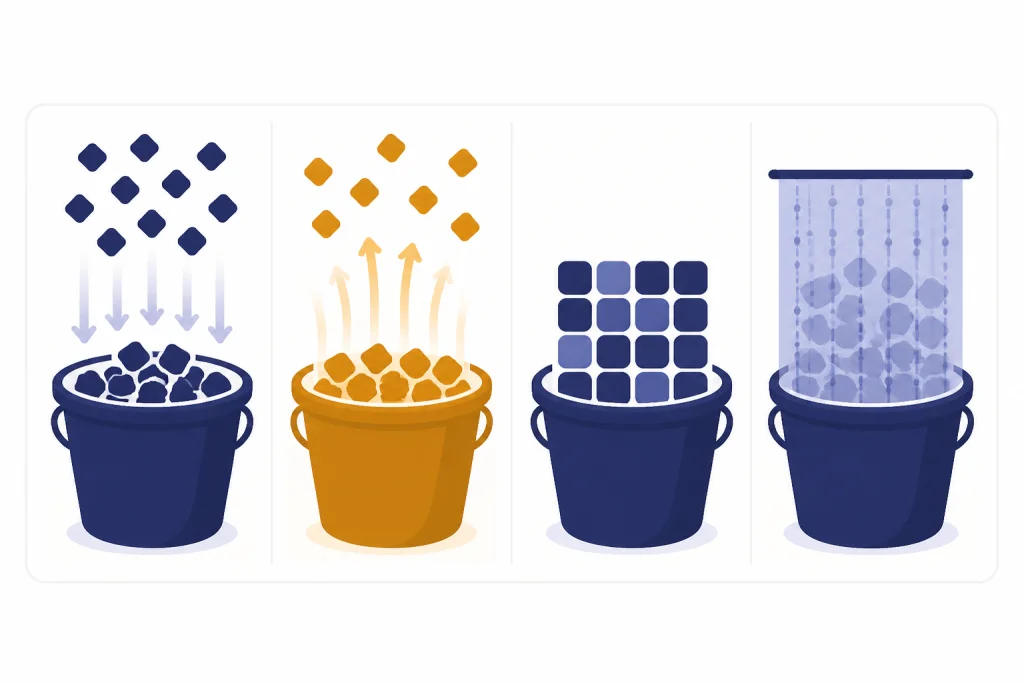
A context window is the total token budget a model can use for a request. OpenAI’s API documentation says the context window is the maximum number of tokens used in a single request and includes input, output, and reasoning tokens.[5]
Think of it as a fixed-size workbench. Your system instructions, user prompt, conversation history, tool results, files inserted into context, and the answer all need room on that workbench. If the input fills too much of it, the model has less room to answer. If the requested answer is too long, the response may stop early or be truncated.
OpenAI’s help center also says each model has a maximum combined token limit for input plus output, and that practical limits can vary by model version and usage tier.[1] That is why token limits are not universal across ChatGPT experiences, API models, or enterprise settings. Model choice matters.
Large context windows help with long documents, codebases, transcripts, and research packets. They do not remove the need to organize information. If you paste a large folder of unrelated notes, the model may still miss the part that matters. Retrieval systems can help by adding only relevant passages to the prompt. See what RAG is for that pattern.
How to estimate token counts
For casual ChatGPT use, the rough English estimate is usually enough: about one token for four characters, or about one hundred tokens for seventy-five words.[1] Use that only as a planning shortcut. It is not a guarantee.
For exact checks, use a tokenizer. OpenAI provides an interactive Tokenizer that shows how text is broken into tokens and gives the total count.[2] Developers can use tiktoken, which OpenAI describes as a tokenizer for OpenAI models.[4] The OpenAI Cookbook also shows how to count tokens with tiktoken and explains that counting tokens helps determine whether a string is too long and how much an API call may cost.[3]
A practical workflow looks like this:
- Draft the prompt in normal language.
- Remove repeated instructions and unnecessary examples.
- Check the token count with a tokenizer if the prompt is long.
- Reserve space for the answer.
- Split the task into smaller turns if needed.
Do not ask ChatGPT to count its own tokens as your only measurement method. It may estimate well enough for casual use, but a tokenizer is the right tool when the exact count matters.
How to use fewer tokens
Token control is not about making every prompt tiny. It is about spending tokens on the information that changes the answer.
- State the task first. Put the main instruction near the top instead of burying it after background.
- Delete duplicated context. Repeating the same rule in several places wastes space and can create conflicts.
- Use structured inputs. Short headings and bullets often beat long prose when the model needs to extract requirements.
- Summarize old context. For long chats, replace stale detail with a compact summary before continuing.
- Chunk long documents. Ask focused questions about one section at a time instead of pasting everything.
- Use retrieval when appropriate. A RAG system can fetch relevant passages instead of sending an entire knowledge base.
- Cap the requested answer. Ask for a concise answer, a table, or a fixed structure when you do not need a long essay.
Different AI workflows use tokens differently. Fine-tuning changes model behavior through training examples, while retrieval adds selected information at request time. If you are comparing those approaches, read what fine-tuning is after the RAG guide. If your task includes images, speech, or documents, our guide to multimodal AI explains how text fits into a wider input mix.
The best rule is to be specific, not verbose. Give the model the goal, the constraints, the relevant facts, and the desired format. Leave out history that does not affect the answer.
Frequently asked questions
Is a token the same as a word?
No. A token can be a word, part of a word, punctuation, a space attached to a word, or a single character. OpenAI’s rough English estimate is that one token is about three-quarters of a word.[1]
How many words are in one hundred tokens?
For common English text, OpenAI’s rule of thumb is that one hundred tokens is about seventy-five words.[1] The exact number changes with language, punctuation, formatting, and word choice.
Do spaces and punctuation count as tokens?
Yes. OpenAI says spaces, punctuation, and partial words all contribute to token counts.[1] A tokenizer may attach a space to the beginning of a word rather than count the space by itself.
Why do non-English prompts sometimes use more tokens?
Tokenization varies by language. OpenAI notes that non-English text often produces a higher token-to-character ratio, which can affect costs and limits.[1] If the count matters, check the text in a tokenizer instead of using an English estimate.
Do ChatGPT answers use tokens too?
Yes. Output tokens are the tokens generated by the model in response to your input.[1] A long answer consumes more of the available token budget than a short answer.
Can I see the token count inside ChatGPT?
ChatGPT may not always show exact token counts in the consumer interface. For exact text checks, use OpenAI’s Tokenizer or a programmatic tokenizer such as tiktoken.[2][4] Developers can also inspect API usage metadata when they make requests.