

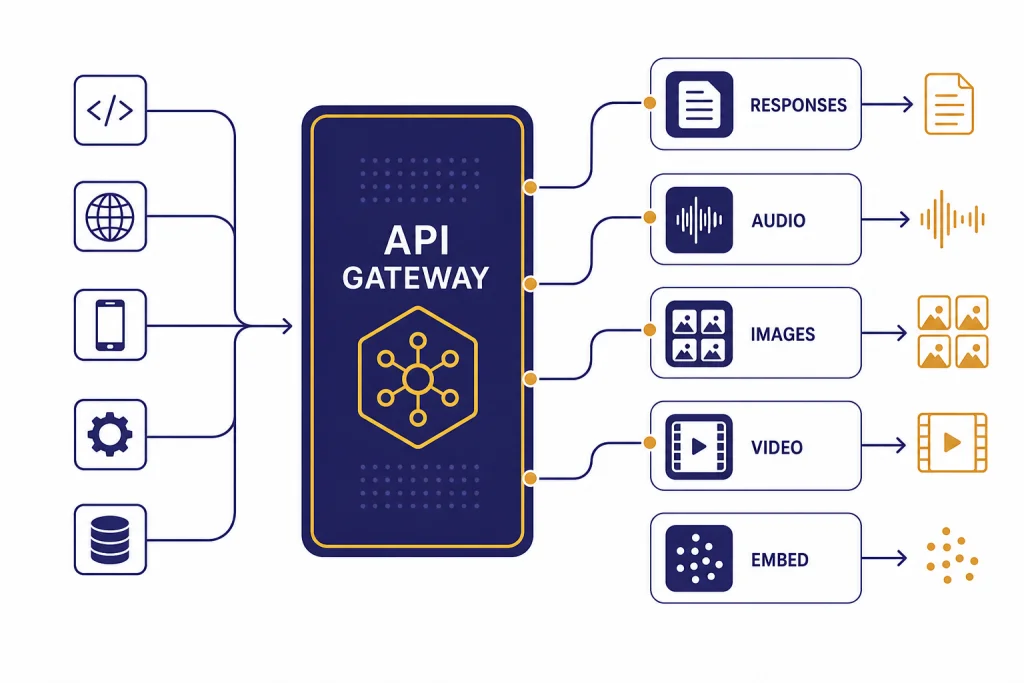
The OpenAI API lets developers add text generation, image understanding, structured JSON output, tool use, embeddings, speech, image generation, video generation, and realtime voice features to their own software. For beginners in 2026, the safest starting point is the Responses API, not the older Chat Completions or Assistants patterns. Create an API key, store it as an environment variable, make one small request, then add streaming, function calling, retrieval, or multimodal inputs only when your product needs them. This openai api overview explains the main endpoints, how billing works, which model families to compare, and the practical choices that keep early projects reliable.
What the OpenAI API includes
The OpenAI API is a set of hosted endpoints for calling OpenAI models from your own application. The developer quickstart describes API use for text generation, natural language processing, computer vision, audio, image generation, video, and agents.[1] In plain terms, your app sends input to an endpoint, chooses a model, and receives output that your app can display, store, validate, or pass into another system.
The main beginner mistake is treating the API like the ChatGPT website. They are separate products. ChatGPT is an app. The API is a developer platform. OpenAI says ChatGPT billing and API billing are managed in separate systems, so a ChatGPT subscription does not automatically cover API usage.[2] If you are deciding between the two, see our comparison of ChatGPT API vs ChatGPT Plus before you add a payment method.
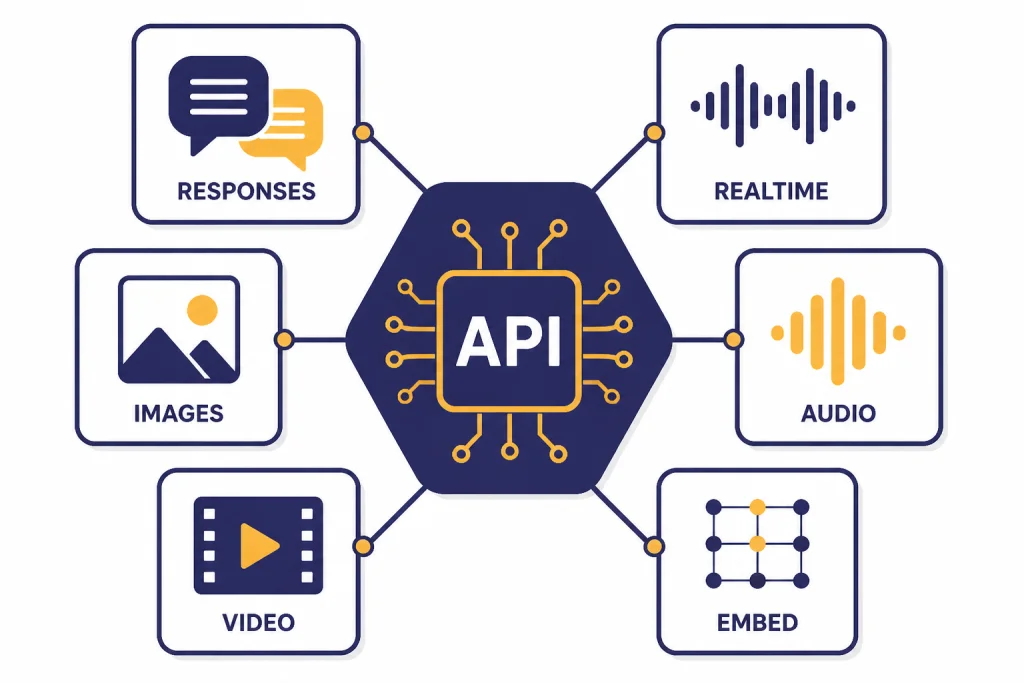
For new builds, think of the platform as a small menu of building blocks. Use Responses for most model calls. Use Embeddings for search and similarity. Use Realtime for low-latency voice or multimodal sessions. Use Images for image generation and editing. Use Videos for Sora jobs. Use Fine-tuning only after you have enough examples to justify training a custom variant.
How to get an OpenAI API key
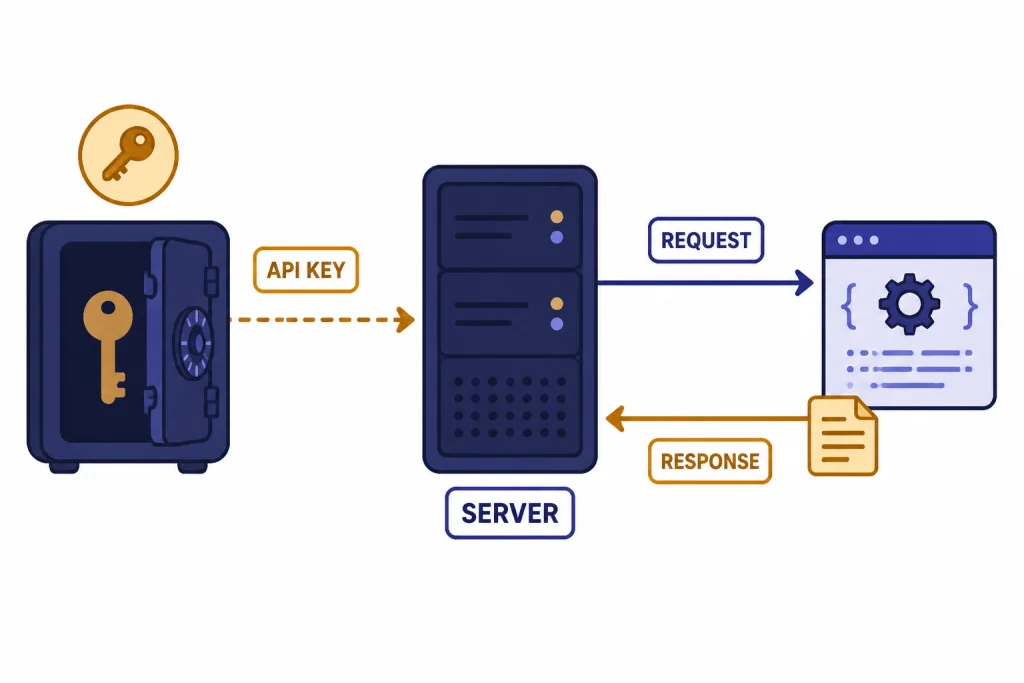
Start in the OpenAI Platform dashboard, create an API key, and store it outside your source code. The official quickstart tells developers to create an API key in the dashboard and export it as an environment variable such as OPENAI_API_KEY before running SDK examples.[1] Do not paste keys into browser JavaScript, mobile apps, public repositories, screenshots, or client-side configuration files.
- Create a project or use an existing project in the Platform dashboard.
- Create a new secret key for local development.
- Save it in your shell profile, deployment secret manager, or CI/CD secret store.
- Use a separate key for production instead of reusing your personal development key.
- Rotate the key if it appears in logs or version control.
Billing is also handled on the API platform, not inside ChatGPT. OpenAI says API users can use a pay-as-you-go plan by adding a payment method in API billing settings.[3] If you already pay for ChatGPT Plus, read Does ChatGPT Plus Include API Access? so you do not assume the subscription and API wallet are the same thing.
Your first API request
The quickest beginner path is to install an official SDK, set OPENAI_API_KEY, and call the Responses API. OpenAI’s quickstart shows this pattern with the official SDK and a client.responses.create call.[1] The example below uses the same mental model but keeps the prompt deliberately small.
from openai import OpenAI

client = OpenAI()

response = client.responses.create(
    model="gpt-5",
    input="Write a two-sentence summary of what an API does."
)

print(response.output_text)
The important parts are the client, the model, and the input. The Responses API reference describes it as OpenAI’s advanced interface for generating model responses, with support for text and image inputs, text outputs, stateful interactions, built-in tools, and function calling.[4] For a deeper walkthrough after this overview, use our Responses API examples.
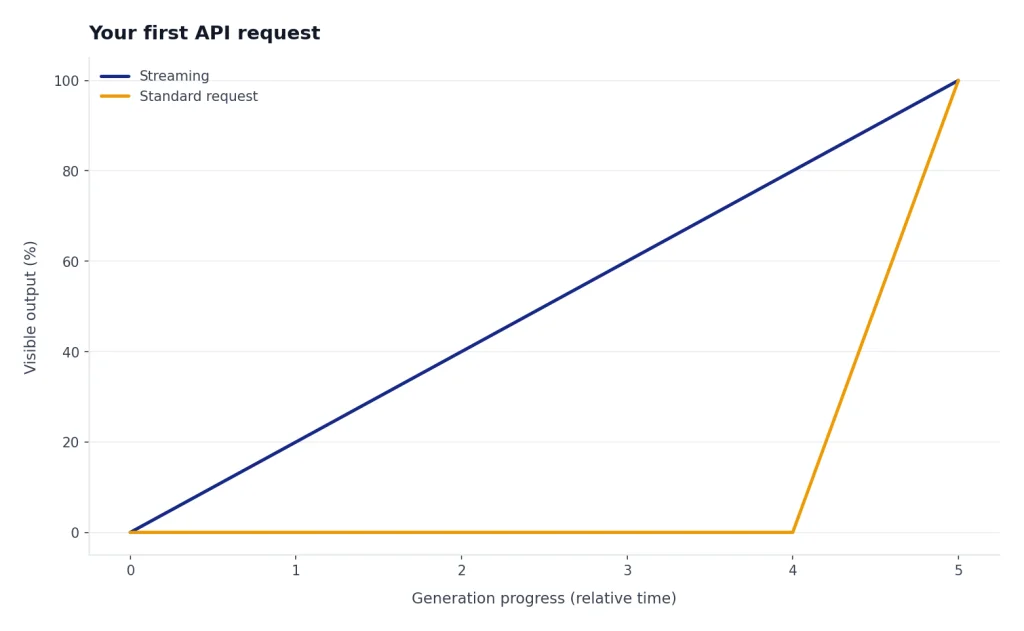
If you want output to appear as it is generated, add streaming later. OpenAI says standard requests generate the full output before returning one HTTP response, while streaming lets your app process the beginning of the output while the rest is still being generated.[5] We cover that pattern separately in streaming responses with the OpenAI API.
Responses API vs other interfaces
Beginners should usually start with Responses because it is the current general-purpose interface. OpenAI describes it as a unified interface for agent-like applications with built-in tools, multi-turn interactions, and native multimodal support.[6] Chat Completions remains supported, but OpenAI recommends Responses for new projects.[6]
The Assistants API deserves special care. OpenAI’s Assistants migration guide says the Assistants API has been deprecated and will shut down on August 26, 2026.[7] If you are starting from scratch in 2026, do not build a new product on Assistants. If you maintain an older assistant, plan a migration to Responses and Conversations.
| Interface | Best beginner use | Use it for new work? |
|---|---|---|
| Responses API | Text, vision, tools, structured output, agent-like flows | Yes |
| Chat Completions | Older chat integrations that already work | Only when compatibility matters |
| Assistants API | Maintaining older assistant integrations before migration | No, because it is deprecated |
| Realtime API | Voice agents and low-latency multimodal sessions | Yes, for realtime apps |
| Batch API | Large offline jobs that do not need immediate output | Yes, for async workloads |
Models and pricing
OpenAI prices API usage by model and modality. Text models are usually priced per million input tokens and output tokens. The pricing page also lists separate rates for cached input, image tokens, audio tokens, video seconds, built-in tools, embeddings, and fine-tuning.[8] For a bill estimate before launch, use our OpenAI API cost calculator or the full OpenAI API pricing breakdown.
For text generation, begin with a capable general model, then test smaller models against your own tasks. OpenAI lists gpt-5 at $1.25 per million input tokens, $0.125 per million cached input tokens, and $10.00 per million output tokens.[9] The same pricing page lists gpt-5-mini at $0.25 input and $2.00 output per million tokens, and gpt-5-nano at $0.05 input and $0.40 output per million tokens.[8]
| Model or service | Good first use case | Listed price signal |
|---|---|---|
gpt-5 | Reasoning, coding, agentic workflows | $1.25 input and $10.00 output per 1M text tokens[9] |
gpt-4.1 | Long-context, non-reasoning tasks | $2.00 input and $8.00 output per 1M text tokens[10] |
gpt-4o | Fast multimodal text and image-input tasks | $2.50 input and $10.00 output per 1M text tokens[11] |
text-embedding-3-small | Search, clustering, recommendations, classification | $0.02 per 1M embedding tokens[12] |
sora-2 | Programmatic video generation | $0.10 per second for 720p landscape or portrait output[13] |
Do not choose by price alone. A cheaper model that needs repeated retries can cost more than a stronger model that succeeds once. Measure latency, accuracy, refusal behavior, output length, and downstream review cost. For model-by-model context windows and tradeoffs, see all GPT models compared side by side and context window sizes for every GPT model.
Rate limits and errors
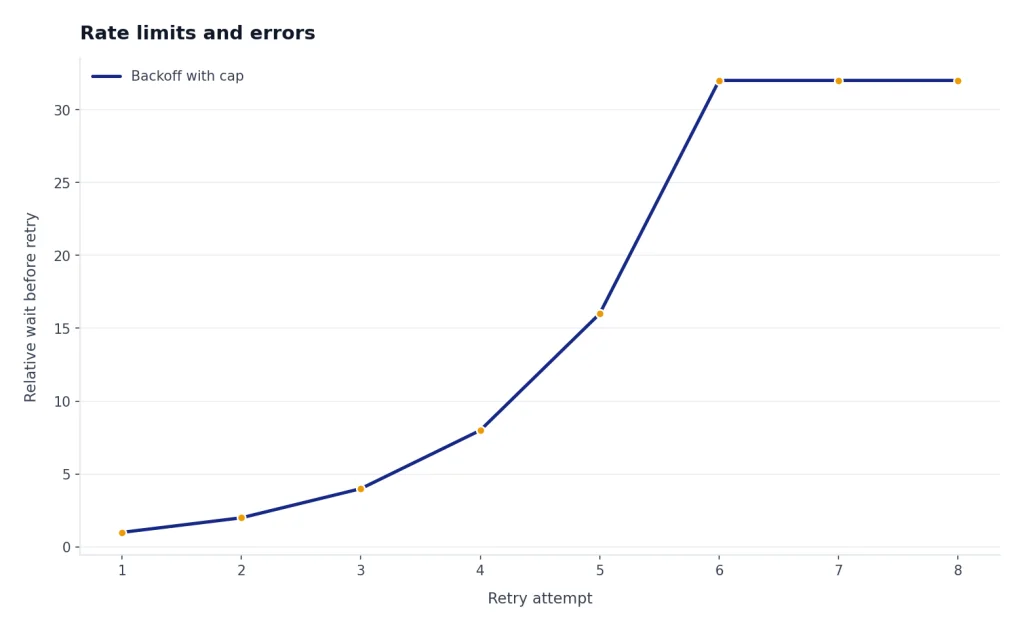
Rate limits protect the API from overload and help OpenAI allocate capacity fairly. OpenAI says limits apply to requests or tokens within a time period and that your usage tier determines how high those limits are set.[14] In practice, beginners usually hit limits when they run a loop, process a large CSV, test multiple prompts at once, or forget to cap user retries.
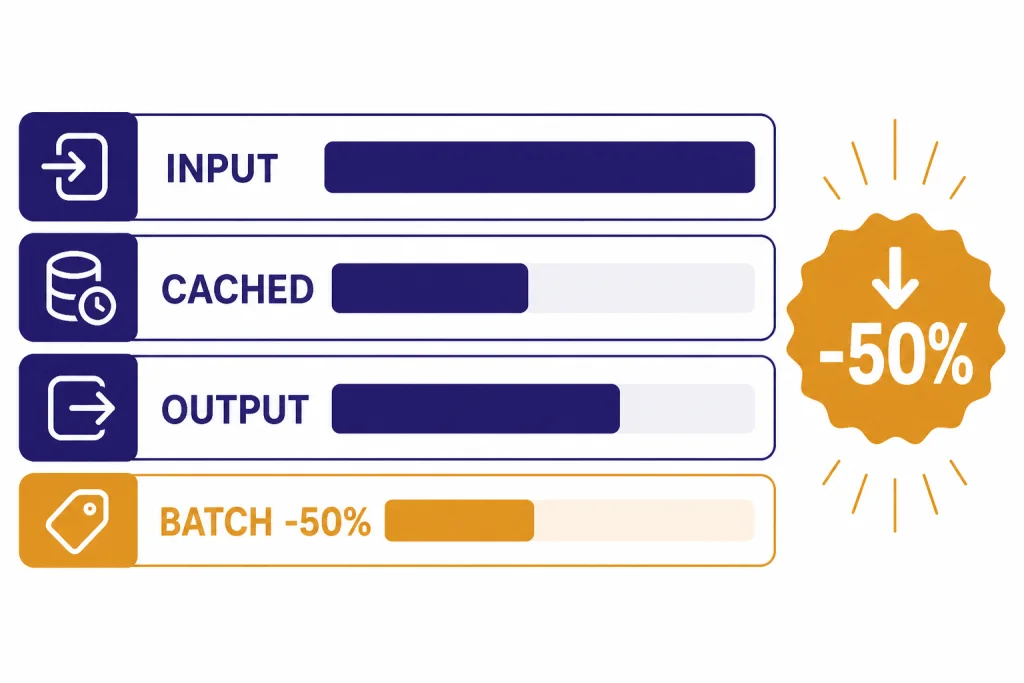
Handle rate limits in code instead of treating them as rare surprises. Queue background work. Use exponential backoff. Cap concurrent jobs. Cache repeated results. If the task is offline, use the Batch API. OpenAI says Batch provides a 50% cost discount compared with synchronous APIs and targets completion within 24 hours.[15] That makes it a better fit for evaluations, dataset classification, and bulk embedding jobs than a live request loop.
Common API failures include invalid keys, missing billing, unsupported model names, request size problems, content policy rejections, rate limits, and transient server errors. Keep error messages user-safe, but log enough detail for debugging. Our separate OpenAI API errors guide maps common codes to fixes.
Core features beginners should learn
Structured output
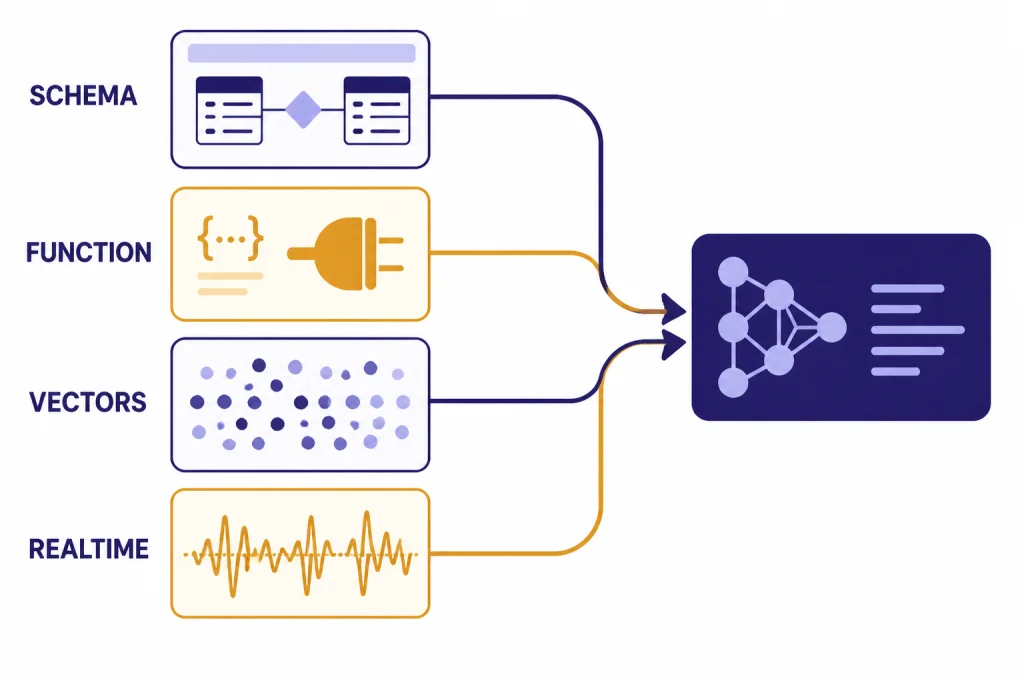
Structured output asks the model to return data that follows a schema instead of free-form prose. OpenAI’s structured output guide says it is available through function calling or through a structured response format, depending on whether the model is calling tools or responding directly to the user.[16] Use this for invoices, support tickets, lead scoring, product attributes, and any workflow where your application expects fields. Our guide to structured outputs with the OpenAI API goes deeper.
Function calling
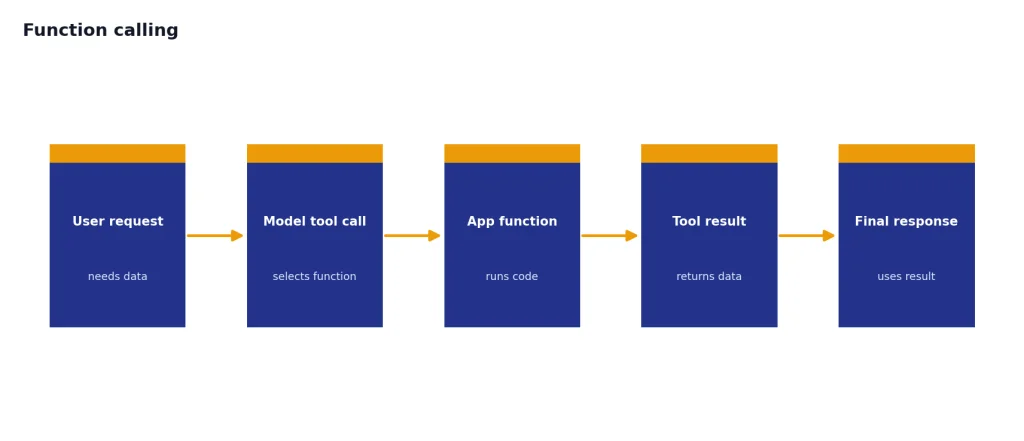
Function calling lets a model request that your application run a function, then return the result to the model. OpenAI describes tool calling as a multi-step conversation between your application and the model.[17] Use it when the model needs live inventory, account status, calendar data, shipping quotes, or another system outside the model. See function calling in OpenAI API explained for implementation patterns.
Embeddings
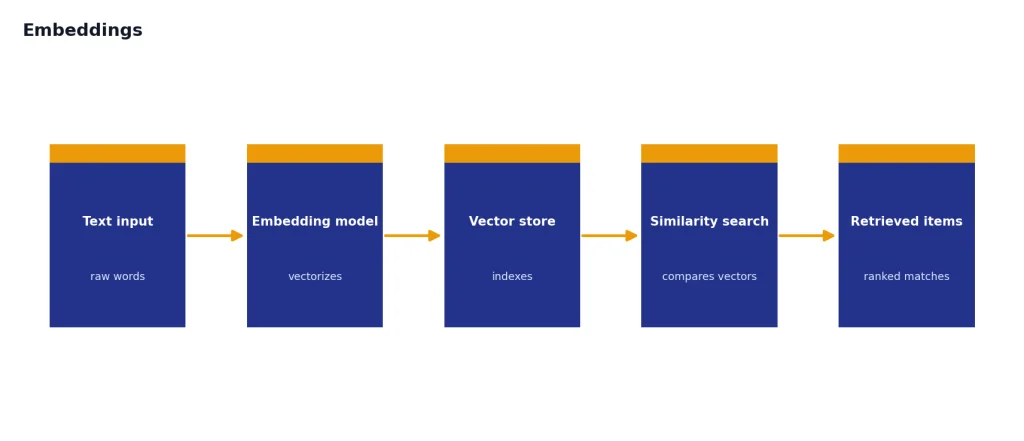
Embeddings turn text into vectors that can be compared mathematically. OpenAI’s embeddings reference says the endpoint creates an embedding vector representing input text.[18] This is the usual starting point for semantic search, recommendations, duplicate detection, and retrieval-augmented generation. See our OpenAI Embeddings API guide if your app needs to search private documents.
Images, audio, realtime, and video
Vision inputs let a model analyze images or documents. Image endpoints generate or edit images. Audio endpoints transcribe speech or generate speech. The Realtime API supports low-latency communication with models that can handle speech-to-speech interactions as well as multimodal inputs and outputs.[19] The Sora video guide describes the Video API as an asynchronous workflow where you create a job, check status, and download the completed MP4.[20] For specialized walkthroughs, use our guides to the OpenAI Vision API, Whisper API, DALL-E API, OpenAI Realtime API, and Sora API.
Production basics
A prototype can call the API directly. A production app needs guardrails. Put API calls behind your own server. Validate input before sending it to a model. Set maximum output lengths. Add timeouts. Retry only safe failures. Store request IDs and usage metadata. Review logs for cost spikes, repeated prompts, and content policy problems.
Use streaming when perceived latency matters, but remember that partial output can be harder to moderate. OpenAI’s streaming guide notes that streaming production output makes moderation more difficult because partial completions may be harder to evaluate.[5] For user-facing apps, combine streaming with server-side controls, stop buttons, and post-generation checks.
Use fine-tuning only after prompt design, retrieval, and examples have failed to reach your target. OpenAI’s fine-tuning reference says a fine-tuning job requires a model and a training file, and the uploaded file must use the fine-tune purpose.[21] Fine-tuning can help with format, tone, classification boundaries, and specialized examples, but it is not a replacement for fresh data retrieval. Start with our OpenAI fine-tuning guide when you have a real dataset.
For safety, add moderation where users can submit open text, images, or files. OpenAI’s pricing page says omni-moderation models are made available free of charge.[8] You still need application-level policy, abuse monitoring, and review flows for edge cases.
For a broader checklist, read our OpenAI API best practices for production before you move from a local demo to live users.
Beginner roadmap
Do not try to learn every endpoint at once. Build one useful workflow, measure it, and expand only when the product needs a new capability.
- Make one Responses API call from a server-side script.
- Add environment-based key management and basic error handling.
- Test two or three model choices on your own examples.
- Add structured output if your app needs fields instead of prose.
- Add function calling only when the model must use live external data.
- Add embeddings when your app needs semantic search or document retrieval.
- Add streaming, Realtime, images, audio, or video after the core text path works.
- Add monitoring, spend controls, retries, and safety review before launch.
The best beginner project is narrow. A support-ticket classifier, internal document search tool, quote extractor, meeting-summary pipeline, or product-description generator will teach the core API patterns without forcing you into every advanced feature at once.
Frequently asked questions
Is the OpenAI API the same as ChatGPT?
No. ChatGPT is an application for end users, while the API is a developer platform for adding model capabilities to your own software. OpenAI says ChatGPT and API billing are managed separately.[2]
Which OpenAI API endpoint should beginners use first?
Use the Responses API first for new text, vision, tool-use, and structured-output projects. OpenAI recommends Responses for new projects while Chat Completions remains supported.[6]
Do I need fine-tuning to build a useful app?
Usually not at the beginning. Most beginner apps improve faster through better prompts, clearer schemas, retrieval, examples, and evaluation. Consider fine-tuning only when you have a consistent dataset and a measured gap that prompting cannot close.
How do I estimate OpenAI API cost?
Estimate input tokens, output tokens, request volume, tool calls, and any non-text usage such as audio or video. OpenAI’s pricing page lists separate rates by model and modality.[8] Use a calculator before launch and monitor actual usage after launch.
What should I do when I hit rate limits?
Reduce concurrency, queue requests, add exponential backoff, and avoid automatic retry storms. For offline workloads, consider the Batch API because OpenAI says it has a separate pool of higher rate limits and a 24-hour turnaround target.[15]
Should I use the Assistants API in 2026?
Not for a new project. OpenAI says the Assistants API is deprecated and will shut down on August 26, 2026.[7] Use Responses for new agent-like applications.