

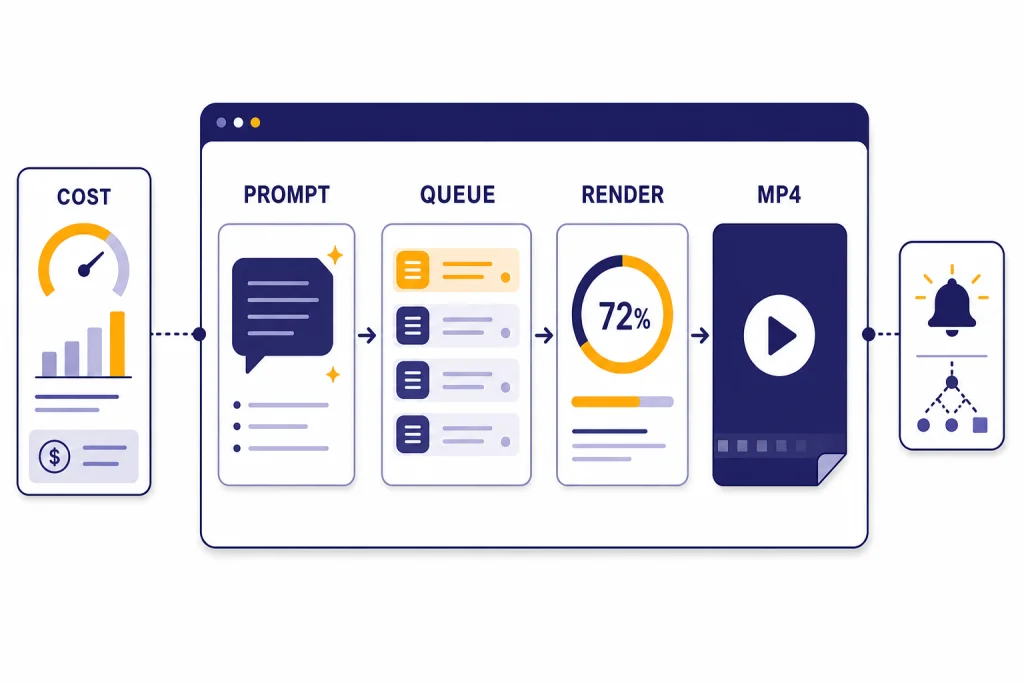
The Sora API lets developers create, edit, extend, and manage AI-generated videos from code through OpenAI’s Videos API. As of March 22, 2026, the main API models are `sora-2` for faster iteration and `sora-2-pro` for higher-quality production output, with prices listed per generated second rather than per token.[3][4][5] The practical pattern is asynchronous: create a render job, poll or receive a webhook, then download the finished MP4 and store it yourself.[1][2] This guide explains the workflow, the cost tradeoffs, and the engineering choices that matter before you put Sora behind a user-facing product.
What is the Sora API?
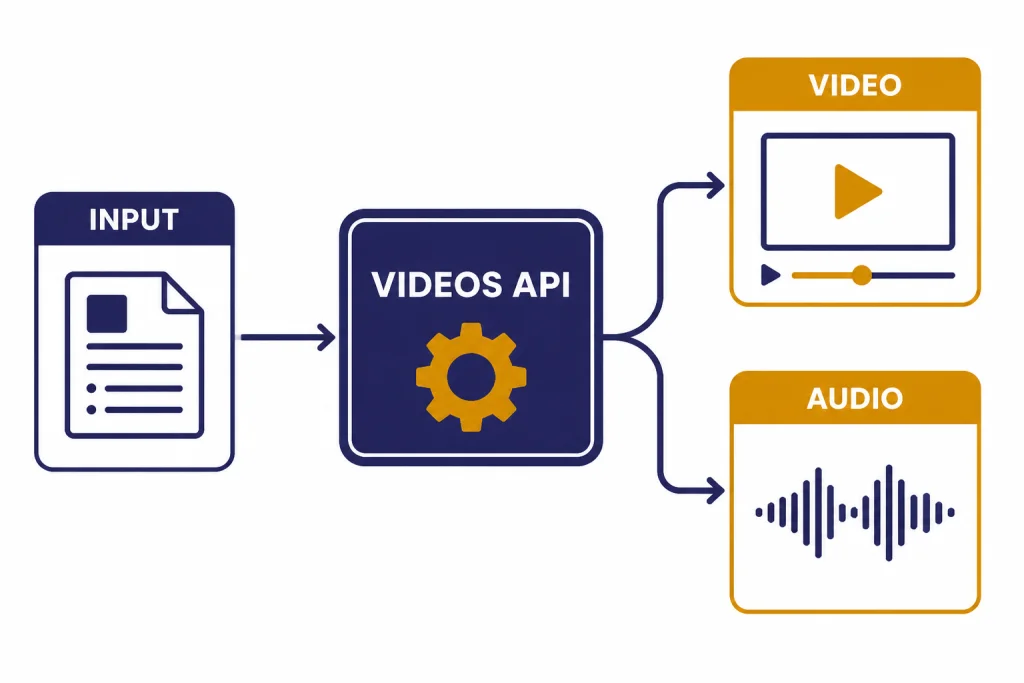
The Sora API is OpenAI’s programmatic video generation interface. It uses the Videos API, not the text-focused Responses API, to create video jobs from prompts, optional image references, and reusable character assets.[1][2]
The short answer: use the Sora API when your application needs generated video as a backend workflow, not when a user only wants to experiment manually in a consumer interface. The API is built for render queues, asset pipelines, review tools, campaign generators, and other systems that need repeatable inputs, job IDs, status tracking, downloads, and storage.
OpenAI first announced Sora 2 on September 30, 2025, describing it as a video-and-audio generation model with improved physical accuracy, controllability, and synchronized sound.[6][12] Sora 2 then appeared as an API option at OpenAI DevDay on October 6, 2025, alongside other developer platform updates.[7][8]
Sora API models and pricing
The Sora API has two main aliases to know: `sora-2` and `sora-2-pro`.[3][4] Use `sora-2` when you need fast creative exploration. Use `sora-2-pro` when visual stability, larger output sizes, or client-ready polish matter more than cost and latency.
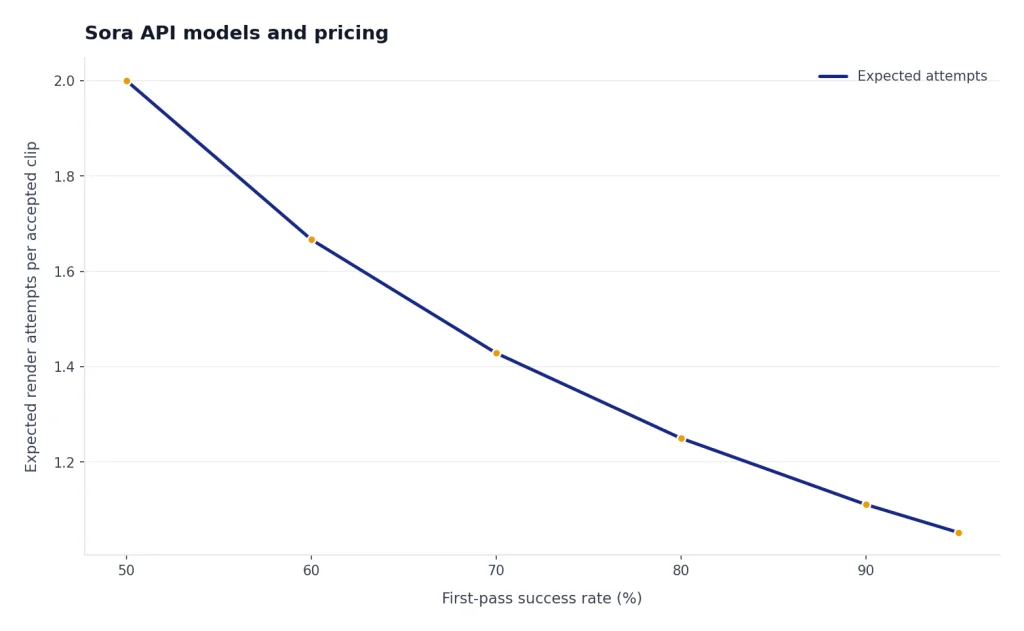
OpenAI prices Sora video generation per second of generated output. The official pricing page lists standard and Batch prices, and the model pages describe the same model family in product terms.[3][4][5] If you are comparing this to text models, do not think in tokens. Think in clip length, resolution, expected failure rate, and the number of variants your workflow needs.
| Model | Output size | Standard price | Batch price | Best use |
|---|---|---|---|---|
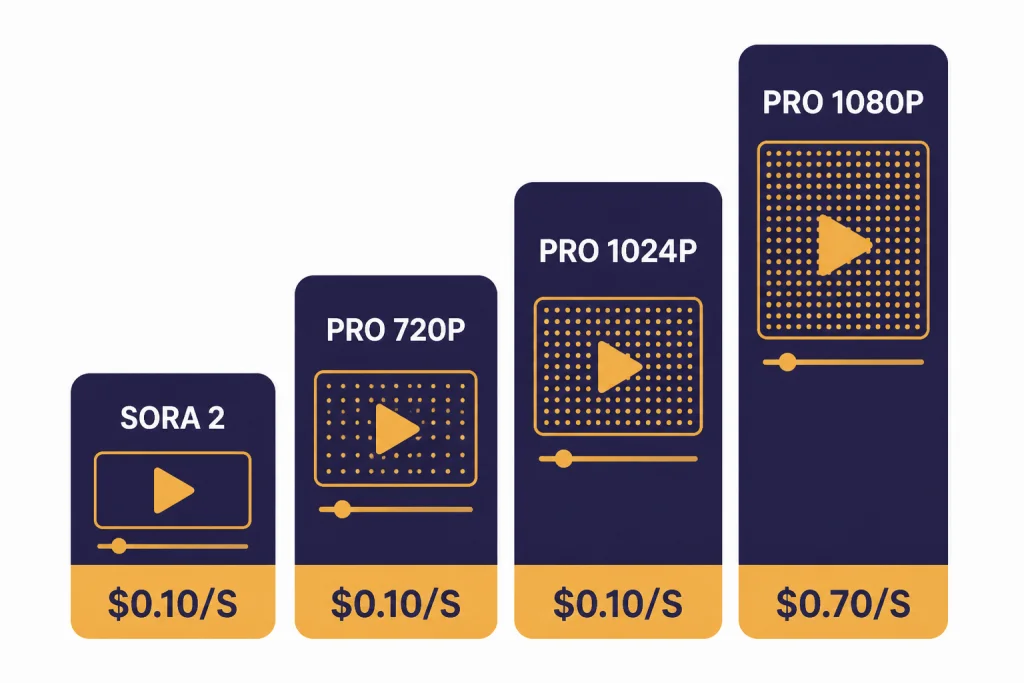
| `sora-2` | 720p: 720×1280 portrait or 1280×720 landscape | $0.10 per second | $0.05 per second | Prompt exploration, rough cuts, concept videos |
| `sora-2-pro` | 720p: 720×1280 portrait or 1280×720 landscape | $0.30 per second | $0.15 per second | Higher-quality drafts and production review |
| `sora-2-pro` | 1024p: 1024×1792 portrait or 1792×1024 landscape | $0.50 per second | $0.25 per second | Higher-resolution vertical or wide assets |
| `sora-2-pro` | 1080p: 1080×1920 portrait or 1920×1080 landscape | $0.70 per second | $0.35 per second | Final review exports and premium deliverables |
Those prices make cost estimation simple but unforgiving. A 20-second `sora-2` render at the 720p standard rate costs $2.00, while a 20-second `sora-2-pro` render at 1080p costs $14.00 before any retries, rejected prompts, or discarded variants.[4][5] For a cost-planning worksheet, use our OpenAI API cost calculator and keep video as its own line item.
The Batch column matters for studios and product teams. If a video does not need to appear while a user waits, Batch can cut the listed per-second price in half for the Sora rows shown above.[5] For more on when delayed processing makes sense, see our OpenAI Batch API guide.
How video generation works
Sora renders are asynchronous. Your app sends a request to `POST /videos`, receives a video job object, waits for a terminal status, and then downloads the finished MP4 from `GET /videos/{video_id}/content`.[1][2] This is different from a short text completion, where a response can often be shown immediately.
The Videos API reference lists the core resource operations: create, edit, extend, create a character, fetch a character, list videos, retrieve a video, delete a video, remix, and retrieve video content.[2] The guide recommends polling or webhooks for completion events, with webhook event types for completed and failed video jobs.[1]
| Step | Endpoint or object | What your app should store | Production note |
|---|---|---|---|
| Create | `POST /videos` | Video ID, prompt, model, size, requested seconds | Attach your own internal job ID before calling OpenAI. |
| Wait | `GET /videos/{video_id}` or webhook | Status, progress, error payload | Use webhooks for user-facing flows when possible. |
| Download | `GET /videos/{video_id}/content` | MP4 location in your storage | Move finished files to durable storage instead of relying on temporary download access. |
| Preview | `variant=thumbnail` or `variant=spritesheet` | Preview image and scrubber assets | Use preview assets for review queues and dashboards. |
| Maintain | `GET /videos` and `DELETE /videos/{video_id}` | Pagination cursor and retention state | Build deletion into your asset lifecycle from the start. |
There is one important documentation mismatch to watch. The Sora guide says both `sora-2` and `sora-2-pro` support 16-second and 20-second generations, and its Batch examples include 16-second and 20-second jobs.[1] The API reference schema, however, lists `VideoSeconds` as `4`, `8`, or `12`.[2] Treat the reference schema and your account’s live validation errors as the final source for your integration, and feature-flag longer durations until your own requests succeed.
This is also why you should build a thin Sora service inside your application rather than calling the API directly from product code. A service wrapper lets you normalize duration support, map errors to user-friendly messages, and change model aliases without rewriting every feature.

Code example: create, poll, and download
Before you call the API, create an OpenAI API key and load it on the server. OpenAI’s authentication docs require Bearer authentication, and OpenAI’s help center says API keys are managed from the API key page.[10][11] Do not expose the key in browser JavaScript, mobile app bundles, or client-visible environment variables.
The example below creates a Sora job, polls until completion, and writes the MP4 to disk. It uses `sora-2` and an 8-second landscape request because the API reference currently lists 8 seconds and 1280×720 as accepted schema values.[1][2]
import fs from "node:fs";
import OpenAI from "openai";

const openai = new OpenAI({
  apiKey: process.env.OPENAI_API_KEY,
});

async function sleep(ms) {
  return new Promise((resolve) => setTimeout(resolve, ms));
}

async function main() {
  let video = await openai.videos.create({
    model: "sora-2",
    prompt:
      "Wide locked-off product shot of a matte amber desk lamp turning on in a quiet studio, soft shadows, slow camera push.",
    size: "1280x720",
    seconds: "8",
  });

  while (video.status === "queued" || video.status === "in_progress") {
    await sleep(5000);
    video = await openai.videos.retrieve(video.id);
    console.log(`status=${video.status} progress=${video.progress ?? 0}`);
  }

  if (video.status !== "completed") {
    throw new Error(video.error?.message ?? "Video generation failed");
  }

  const content = await openai.videos.downloadContent(video.id);
  const buffer = Buffer.from(await content.arrayBuffer());
  fs.writeFileSync("sora-output.mp4", buffer);

  console.log("Saved sora-output.mp4");
}

main().catch((error) => {
  console.error(error);
  process.exit(1);
});
For a real application, add an idempotency layer around job creation. Store your own request record before calling OpenAI, then update that record when the Sora job ID returns. If a network timeout happens after OpenAI accepts the job but before your server receives the response, this record lets support staff reconcile the user action.
Use webhooks when a human is waiting on a render page. Polling is easier for a script, but a web app can waste requests if every browser tab polls every few seconds. The Sora guide says completed and failed events include the triggering video ID, which is enough to update your own job table and notify the user.[1] If you need streaming-style UX for other OpenAI models, see streaming responses with the OpenAI API, but do not treat Sora video generation as a token stream.
Image references, characters, extensions, and edits
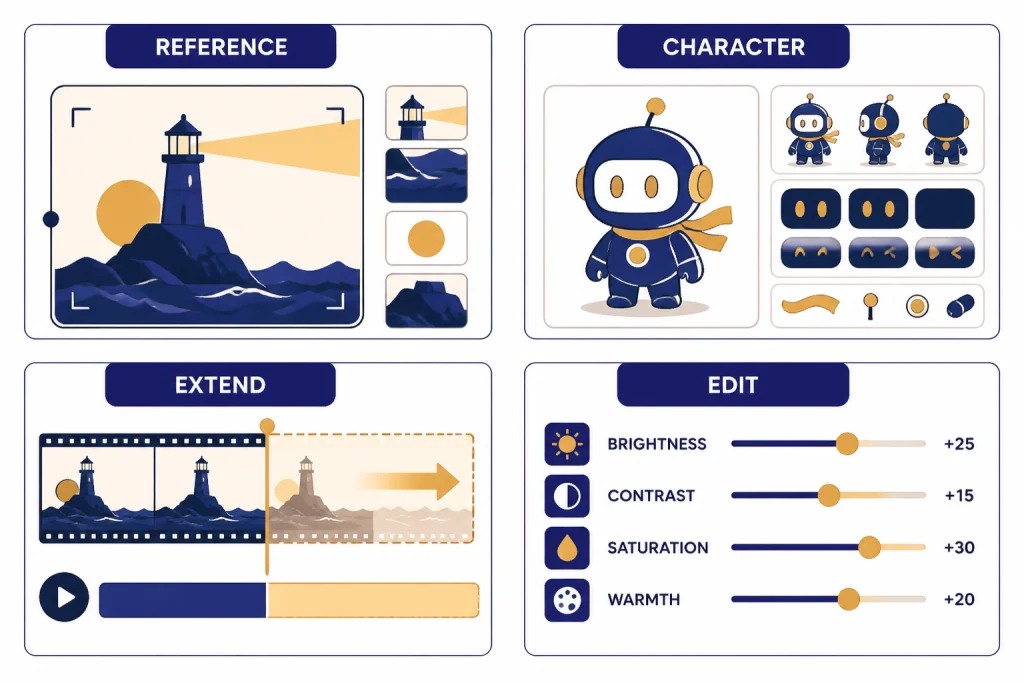
The basic text-to-video call is only the start. The Sora guide describes image references, reusable non-human character assets, extensions, and edits.[1] These features are where the API becomes useful for repeatable creative systems rather than one-off prompt experiments.
An image reference conditions the opening frame of a single generation. OpenAI’s guide says the input image must match the requested video size and supports `image/jpeg`, `image/png`, and `image/webp` formats.[1] If your application already uses visual inputs, pair this workflow with the OpenAI Vision API for analysis and the DALL-E API or image generation stack for asset creation.
Characters solve a different problem. They let you upload a reusable non-human subject and reference it across future generations. OpenAI says character uploads work best with short 2- to 4-second clips, 16:9 or 9:16 aspect ratios, and 720p to 1080p source quality; it also says a single video can include up to two characters.[1] That is useful for mascots, products, props, animals, and fictional non-human subjects that need continuity across a sequence.
Extensions continue a completed clip. OpenAI’s guide says each extension can add up to 20 seconds, and a single video can be extended up to six times for a maximum total length of 120 seconds.[1] Because this exact extension limit is stated in the guide but not corroborated in a second independent source retrieved for this article, treat it as an OpenAI-published limit to verify in your own account before promising long-form output to users.
Edits are the safest way to iterate when most of a clip already works. A targeted edit can preserve the structure, motion, and composition while changing a specific property such as color, staging, or an object detail.[1] This is cheaper operationally than asking users to start over, even when the per-second bill is similar, because it reduces review time and prompt churn.
Production architecture for Sora apps
A production Sora integration needs more than an API call. It needs job storage, prompt validation, cost controls, queue management, moderation, webhooks, durable file storage, and human review. Treat the generated MP4 as a media asset with a lifecycle, not as a transient response body.
- API gateway. Accept user requests, enforce account permissions, and hide the OpenAI key from clients.
- Prompt policy layer. Reject obvious policy conflicts before spending money on a render.
- Job database. Store internal job ID, Sora video ID, prompt, model, size, seconds, user ID, status, and cost estimate.
- Worker queue. Run Sora calls in a controlled background worker so spikes do not overwhelm your app.
- Webhook handler. Update job status when OpenAI sends completion or failure events.
- Asset storage. Copy final MP4s, thumbnails, and spritesheets to your own object storage.
- Review UI. Let users approve, edit, extend, delete, or regenerate clips.
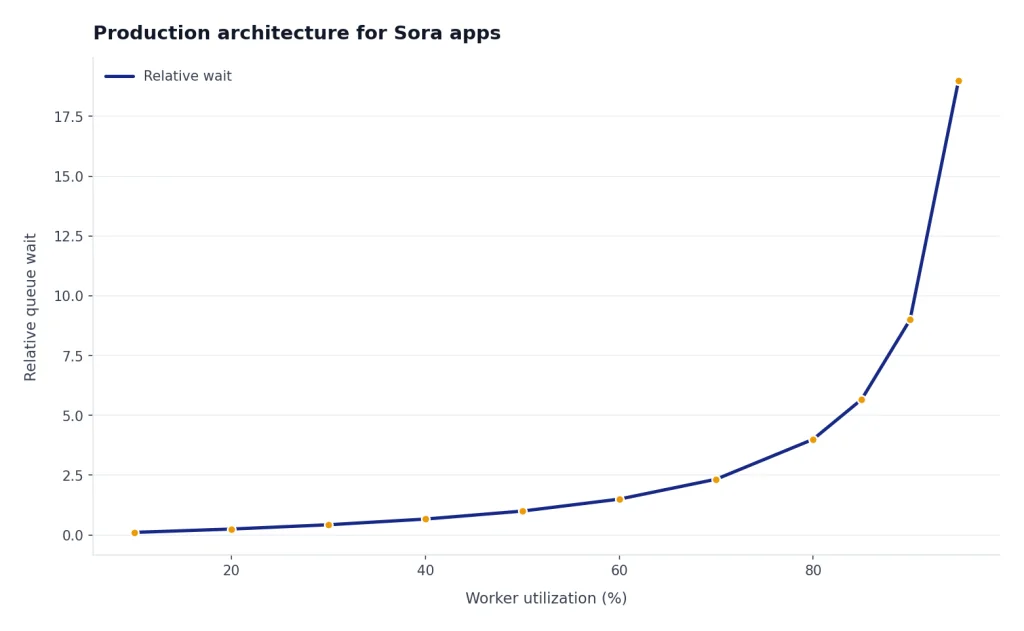
Rate limits should be handled as a normal operating condition. OpenAI’s model pages say Sora limits vary by usage tier and model, and the Sora 2 Pro page lists lower request-per-minute tiers than the Sora 2 page.[3][4] Because those exact RPM values are not corroborated by an independent non-OpenAI source retrieved for this article, do not hard-code them into product copy. Read live rate-limit headers, queue overflow jobs, and show users a delayed status instead of a generic failure. Our OpenAI API errors guide covers the broader error-handling pattern.
For developer security, follow the same practices you would use for any paid API. OpenAI says API keys should be loaded from an environment variable or key management service and should not be exposed in client-side code.[10] If you are still deciding whether a ChatGPT subscription gives you API access, read Does ChatGPT Plus include API access? before assigning costs to the wrong budget.
Structured metadata helps later. Store the prompt fields separately instead of saving only one long prompt string: subject, setting, camera, lighting, motion, brand constraints, safety tags, and reviewer notes. If your app uses an LLM to assemble prompts before calling Sora, use Structured Outputs with the OpenAI API so your prompt builder returns predictable JSON.
Finally, consider a two-stage workflow. First, use `sora-2` to generate cheap rough candidates. Second, promote only approved candidates or refined prompts to `sora-2-pro`. That pattern mirrors how human creative teams work: explore broadly, then spend on finishing.
Original analysis: the Sora API cost-latency-quality triangle
The hard part of the Sora API is not syntax. It is choosing which variable to protect: cost, latency, or quality. You can optimize for two, but the third usually moves against you.
If you optimize for cost, you choose shorter clips, lower resolution, `sora-2`, Batch processing, strict prompt templates, and fewer retries. That works for internal ideation and high-volume social variants. It does not work when a customer expects a polished, brand-safe final asset on the first attempt.
If you optimize for latency, you keep clips short, avoid 1080p, avoid long extension chains, and show progress states clearly. You may also accept a lower first-pass hit rate because the user can iterate quickly. This is the best pattern for interactive creative tools.
If you optimize for quality, you use `sora-2-pro`, higher resolutions, more detailed prompts, reference assets, character assets where appropriate, and a review loop. The table above shows why this has a direct cost impact: `sora-2-pro` at 1080p is listed at $0.70 per second in standard processing, compared with $0.10 per second for `sora-2` at 720p.[3][4][5]
The decision framework is simple. For idea generation, default to `sora-2`, short duration, and Batch where user waiting is not required. For product features, default to `sora-2` with a promotion path to `sora-2-pro`. For client deliverables, default to `sora-2-pro`, require human review, and price the workflow around multiple candidate renders.
This framework also helps you decide where other OpenAI APIs fit. Use the Responses API or function calling to gather user intent and structure a shot brief. Use the Moderation API before the render step. Use Sora only when the system is ready to spend video-generation dollars.
Safety, policy, and content limits
OpenAI’s Sora guide lists several API restrictions: content must be suitable for audiences under 18, copyrighted characters and copyrighted music are rejected, real people including public figures cannot be generated, human-likeness character uploads are blocked by default, and input images with human faces are currently rejected.[1] These restrictions affect product design as much as compliance.
Do not build a user flow that encourages people to upload faces, celebrities, movie characters, or commercial music and then discover the restriction only after a failed render. Put the rules next to the upload control. Validate file type, size, aspect ratio, and prompt text before the Sora call. Save failed-policy events separately from system errors so your support team can distinguish “try again later” from “this request is not allowed.”

OpenAI’s September 30, 2025 Sora 2 announcement emphasized consent and visibility for likeness features in the consumer app, including user control over who can use a character and the ability to revoke access.[6][12] The API guide is more restrictive for developers because human-likeness character uploads are blocked by default.[1] Build for the stricter API rule unless OpenAI grants your organization explicit eligibility.
For teams that already publish user-generated media, add provenance and review checkpoints. Generated video can create brand, legal, and trust risks faster than generated text because viewers may interpret motion, sound, and realism as evidence. Your safety plan should include prompt logging, reviewer notes, deletion tools, appeal paths, and a way to disable video generation for a customer account without disabling the rest of your product.
Frequently asked questions
Is there a Sora API?
Yes. OpenAI documents Sora through the Videos API, with endpoints for creating, retrieving, downloading, editing, extending, listing, and deleting video jobs.[1][2] The two main model aliases are `sora-2` and `sora-2-pro`.[3][4] OpenAI highlighted Sora 2 in the API at DevDay on October 6, 2025.[7][8]
How much does the Sora API cost?
OpenAI lists Sora prices per generated second. The pricing page lists `sora-2` at $0.10 per second for 720p standard processing and $0.05 per second for 720p Batch processing.[3][5] It lists `sora-2-pro` at $0.30 per second for 720p, $0.50 per second for 1024p, and $0.70 per second for 1080p in standard processing.[4][5]
Which model should I use, Sora 2 or Sora 2 Pro?
Use `sora-2` for speed, flexible exploration, prototypes, and rough cuts. Use `sora-2-pro` when the output needs higher fidelity or larger export sizes such as 1024p or 1080p.[4][5] A common production pattern is to generate candidates with `sora-2`, then spend on `sora-2-pro` only after a prompt or concept passes review.
Can the Sora API make 20-second videos?
OpenAI’s Sora guide says `sora-2` and `sora-2-pro` support 16-second and 20-second generations, and its Batch examples show 16-second and 20-second request bodies.[1] The API reference schema, however, lists accepted `VideoSeconds` values as `4`, `8`, and `12`.[2] Because those official docs conflict, test your account’s live API behavior before offering 16-second or 20-second controls to users.
Does the Sora API return video immediately?
No. Sora video generation is asynchronous. The create call returns a job with an ID and status, then your app polls `GET /videos/{video_id}` or receives a webhook when the job completes or fails.[1][2] After completion, your app downloads the MP4 from `GET /videos/{video_id}/content` and should copy it to durable storage.
Can I use an image as the first frame?
Yes. The Sora guide says `input_reference` can guide a generation and act as the first frame of the video.[1] The same guide says the image must match the requested video size and can be `image/jpeg`, `image/png`, or `image/webp`.[1] This is useful for product shots, brand assets, environments, and other cases where the first frame must be controlled.
Can the Sora API generate real people or public figures?
OpenAI’s Sora guide says real people, including public figures, cannot be generated through the API.[1] It also says human-likeness character uploads are blocked by default and input images with human faces are currently rejected.[1] If your product depends on likeness rights, do not assume API eligibility; design around non-human characters, objects, and approved brand assets unless OpenAI grants specific access.
Bottom line
The Sora API is best treated as a managed render pipeline. Build around asynchronous jobs, clear cost controls, strong prompt validation, and durable asset storage. Use `sora-2` for exploration and `sora-2-pro` for higher-quality output, with Batch processing when the user does not need an immediate result.[3][4][5]
What to watch next is documentation drift. The guide and API reference already differ on supported duration values, so production teams should keep Sora parameters behind configuration, run small validation tests after OpenAI updates the docs, and monitor the broader OpenAI API pricing and API best practices guidance before scaling volume.