

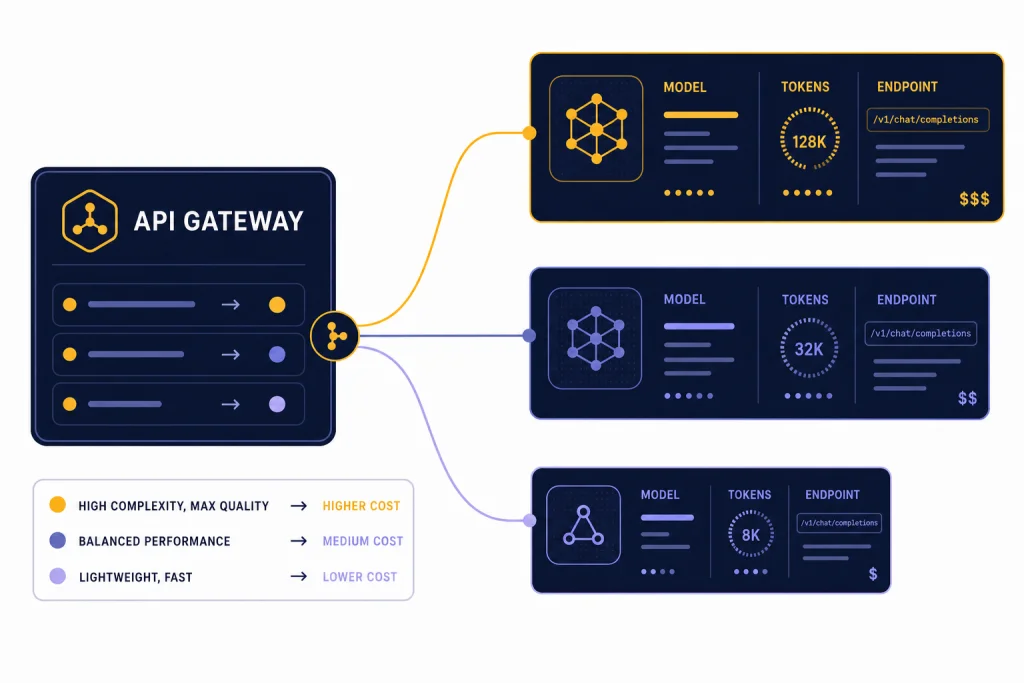
The GPT-4 API is still available, but most new OpenAI API projects should treat “GPT-4 API” as a model family rather than a single endpoint. The practical choices now include legacy GPT-4, GPT-4 Turbo, GPT-4o, GPT-4o mini, and the GPT-4.1 line. The right pick depends on cost, context window, latency, image input needs, and whether you need the newer Responses API. This guide explains the current pricing, supported endpoints, setup steps, and code examples for production use. It also clarifies the difference between paying for API usage and paying for ChatGPT, because the two billing systems are separate.
What the GPT-4 API means now
The phrase GPT-4 API can mean several different model choices. Legacy gpt-4 is an older high-intelligence model that OpenAI lists as usable in Chat Completions, with an 8,192-token context window and 8,192 max output tokens.[2] GPT-4 Turbo is also an older GPT-4 generation model, with a 128,000-token context window and 4,096 max output tokens.[3] GPT-4o and GPT-4.1 are newer practical choices for most GPT-4-class applications, especially when you need lower cost, image input, larger context, or newer platform features.[1][4]
This matters because your code does not call a generic “GPT-4 endpoint.” You call an API endpoint such as /v1/responses or /v1/chat/completions, then pass a model ID in the request body. If you are starting a new app, OpenAI’s text generation guide recommends the Responses API over the older Chat Completions API.[10] For a deeper endpoint walkthrough, see our Responses API guide.
Use legacy gpt-4 only when you have an existing integration that depends on that model’s behavior. For new builds, start by testing GPT-4.1, GPT-4o, or a smaller variant. If you are comparing the whole model lineup rather than only GPT-4-class models, use our OpenAI API pricing reference and GPT model comparison.
GPT-4 API pricing
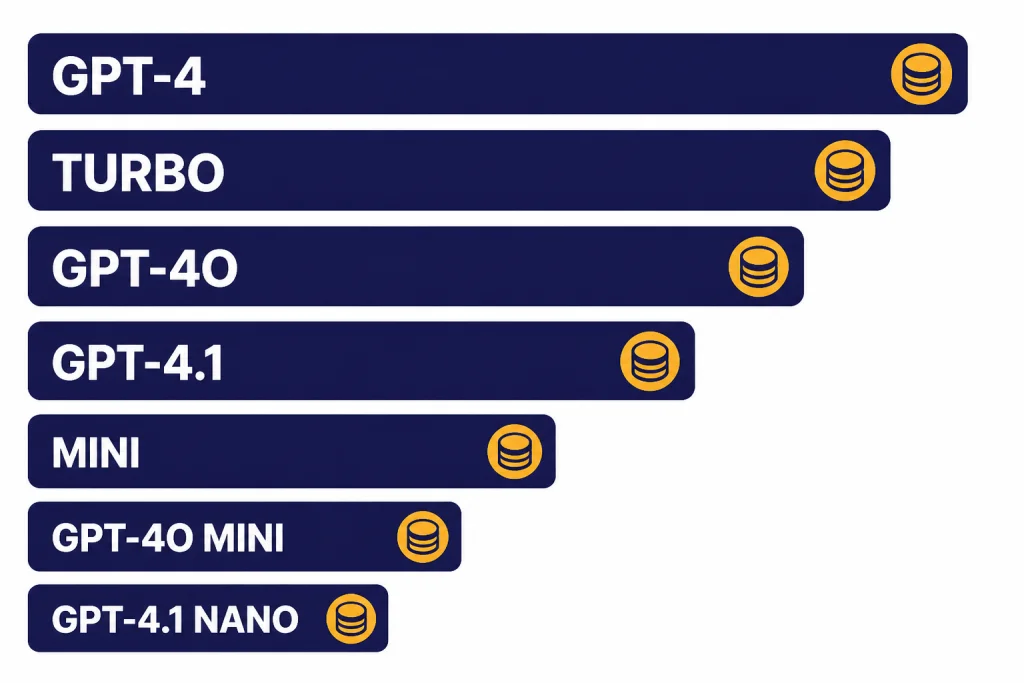
OpenAI bills GPT-4 API usage by tokens. Input tokens are the text and other model-readable content you send. Output tokens are the generated response. Cached input pricing applies only when the model supports prompt caching and your request qualifies. The prices below are listed per 1 million text tokens on the model pages retrieved for this article.
| Model | Best fit | Context window | Max output | Input | Cached input | Output |
|---|---|---|---|---|---|---|
| GPT-4.1[1] | High-quality non-reasoning work, long context, tool calling | 1,047,576 tokens | 32,768 tokens | $2.00 / 1M tokens | $0.50 / 1M tokens | $8.00 / 1M tokens |
| GPT-4.1 mini[5] | Lower-cost production workloads that still need long context | 1,047,576 tokens | 32,768 tokens | $0.40 / 1M tokens | $0.10 / 1M tokens | $1.60 / 1M tokens |
| GPT-4.1 nano[6] | High-volume classification, extraction, routing, and simple transforms | 1,047,576 tokens | 32,768 tokens | $0.10 / 1M tokens | $0.025 / 1M tokens | $0.40 / 1M tokens |
| GPT-4o[4] | Fast text and image-input applications | 128,000 tokens | 16,384 tokens | $2.50 / 1M tokens | $1.25 / 1M tokens | $10.00 / 1M tokens |
| GPT-4o mini[7] | Affordable focused tasks and fine-tuning-friendly workflows | 128,000 tokens | 16,384 tokens | $0.15 / 1M tokens | $0.075 / 1M tokens | $0.60 / 1M tokens |
| GPT-4 Turbo[3] | Existing GPT-4 Turbo apps that have not migrated | 128,000 tokens | 4,096 tokens | $10.00 / 1M tokens | Not listed | $30.00 / 1M tokens |
| GPT-4[2] | Legacy compatibility | 8,192 tokens | 8,192 tokens | $30.00 / 1M tokens | Not listed | $60.00 / 1M tokens |
The main pricing lesson is simple. Do not default to legacy GPT-4 unless you have a specific reason. GPT-4.1 is much cheaper than legacy GPT-4 on both input and output tokens, and the smaller GPT-4.1 variants reduce the cost further for routine workloads.[1][2][5][6] For bill planning, use our API cost calculator after you estimate average input size, output size, request volume, and cache hit rate.
Endpoints and when to use them
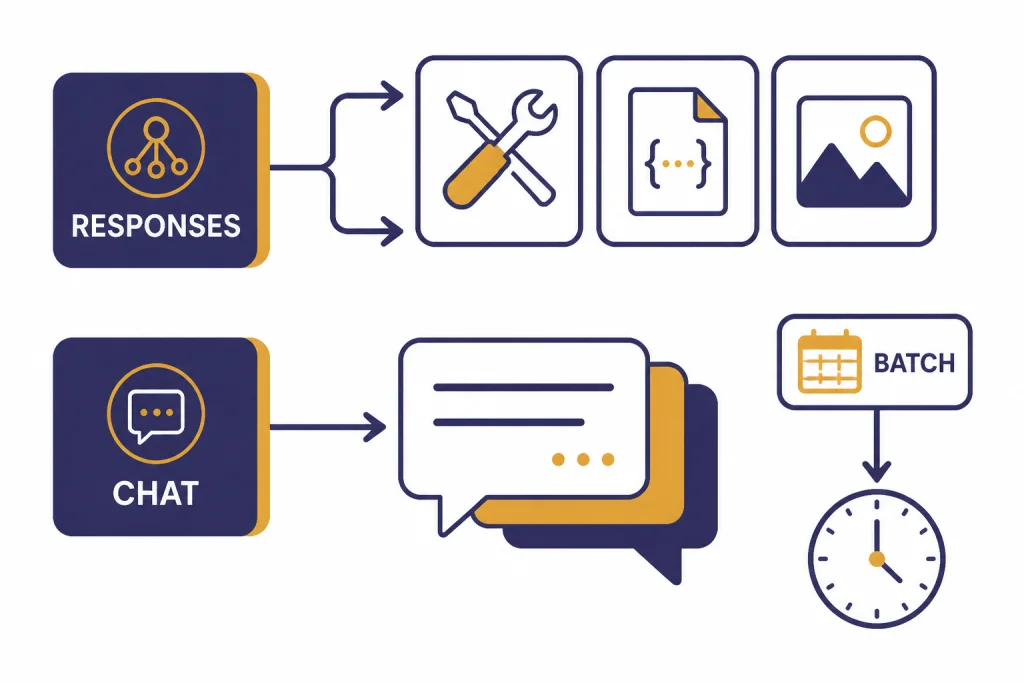
For most new GPT-4 API work, use POST /v1/responses. The Responses API creates model responses from text or image inputs, can return text or JSON, and can use tools such as file search, web search, code interpreter, image generation, and function calls depending on model support.[8] The older Chat Completions endpoint still works for many chat-style applications, but OpenAI recommends Responses for new text generation apps.[10]
| Endpoint | Use it for | Notes |
|---|---|---|
/v1/responses[8] | New text, JSON, tool-use, and multimodal workflows | Best default for new GPT-4-class projects. |
/v1/chat/completions[9] | Existing chat apps using message arrays | Good for compatibility, but not the preferred starting point for new apps. |
/v1/batch[13] | Offline jobs that can wait | OpenAI describes Batch as offering 50% lower costs and a 24-hour turnaround window. |
/v1/fine-tuning[1] | Supported model customization | Use only after you have strong evals and enough examples. |
Keep the endpoint decision separate from the model decision. You might call /v1/responses with gpt-4.1 for a long-context analysis task, then call the same endpoint with gpt-4.1-nano for a cheap classifier. If you need streaming output for a user-facing interface, see our streaming API guide. If you need the model to call your application code, pair this article with function calling in the OpenAI API.
How to get access and make your first call
You need an OpenAI API account, billing access, and an API key. OpenAI’s API reference says the API uses API keys for authentication and that keys should be sent with HTTP Bearer authentication.[11] It also warns not to share API keys or expose them in client-side code such as browsers and mobile apps.[11] If you are looking for a free key or trying to understand trial access, read our free OpenAI API key guide.
- Create or sign in to an OpenAI platform account.
- Create a project for the app, team, or environment you are building.
- Create a secret API key for that project.
- Store the key as a server-side environment variable, usually named
OPENAI_API_KEY. - Install the official SDK for your runtime, or send HTTPS requests directly.
- Make a small test request with a low-cost model before running a large job.
Do not put your key in frontend JavaScript. Your backend should call OpenAI, enforce your own user-level quotas, and return only the result your app needs. This protects your key, gives you a place to log request IDs, and lets you control cost spikes before they reach your OpenAI usage limit.

ChatGPT subscriptions are different from API billing. ChatGPT Plus does not automatically mean you have paid API credits. If you are deciding between the web app and the API for a project, compare ChatGPT API vs ChatGPT Plus and our explainer on whether ChatGPT Plus includes API access.
Code examples
These examples use GPT-4-class model IDs with current OpenAI API patterns. For new text generation apps, the Responses API is the better default.[10] Use environment variables for keys and keep examples small until you have measured token usage.
Node.js with the Responses API
import OpenAI from 'openai';

const client = new OpenAI({
  apiKey: process.env.OPENAI_API_KEY
});

const response = await client.responses.create({
  model: 'gpt-4.1',
  instructions: 'Answer as a concise technical support engineer.',
  input: 'Explain why my API request might return a 429 error.'
});

console.log(response.output_text);
This is the cleanest starting point for a server-side JavaScript app. Swap gpt-4.1 for gpt-4.1-mini or gpt-4.1-nano when your evals show that the smaller model handles the task well.[1][5][6]
Python with Chat Completions for an existing app
from openai import OpenAI

client = OpenAI()

completion = client.chat.completions.create(
    model='gpt-4',
    messages=[
        {'role': 'system', 'content': 'You write short, factual answers.'},
        {'role': 'user', 'content': 'Summarize the tradeoffs of GPT-4 Turbo.'}
    ]
)

print(completion.choices[0].message.content)
Use this pattern when you are maintaining an older Chat Completions integration. Legacy GPT-4 is listed as usable in Chat Completions, but it is also far more expensive than the newer GPT-4.1 options in the pricing table above.[2][1]
Structured JSON with GPT-4.1 mini
import OpenAI from 'openai';

const client = new OpenAI();

const response = await client.responses.create({
  model: 'gpt-4.1-mini',
  instructions: 'Extract fields from support tickets. Return only valid JSON.',
  input: 'Customer says: I was charged twice on April 12 and need a refund.'
});

console.log(response.output_text);
For production JSON, use the platform’s structured output features instead of relying only on prompt wording. GPT-4.1 mini lists Structured Outputs and function calling as supported features, making it a practical choice for extraction workflows.[5] See our structured outputs guide when the response shape must be enforced.

Rate limits, cost control, and production notes
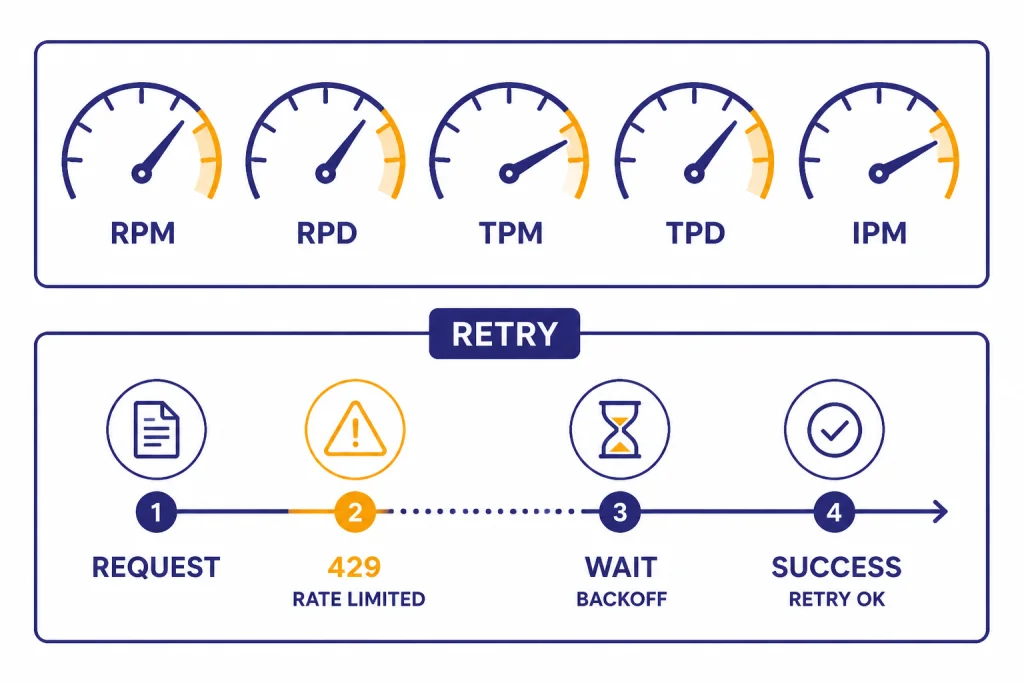
Rate limits are not one number. OpenAI’s rate-limit guide says limits are measured by requests per minute, requests per day, tokens per minute, tokens per day, and images per minute.[12] It also says limits vary by model and are defined at the organization and project level, not the individual user level.[12] That means your app should track usage internally if multiple customers or teams share one OpenAI project.
| Risk | What to do | Why it helps |
|---|---|---|
| 429 rate-limit errors | Retry with exponential backoff and jitter | OpenAI recommends backoff-style mitigation and notes failed retries still count against limits.[12] |
| Unexpected monthly spend | Set app-level quotas and usage alerts | One user can otherwise consume the project budget. |
| High output cost | Set response length expectations and test smaller models | Output tokens are often the expensive side of GPT-4-class calls. |
| Offline bulk jobs | Use Batch when latency is not important | Batch is described as 50% lower cost with completion within 24 hours.[13] |
| Debugging failures | Log request IDs, model IDs, and usage | It makes production incidents traceable. |
Most cost problems come from three sources: sending too much repeated context, allowing unbounded output, and using a premium model for tasks a smaller model can handle. Start with evals, not assumptions. Run a labeled test set through GPT-4.1, GPT-4.1 mini, and GPT-4.1 nano. If the smaller model passes your quality bar, it will usually be the better production default.[1][5][6]
For delayed work such as evaluation runs, nightly classification, large-scale summaries, or dataset enrichment, use the OpenAI Batch API. For reliability patterns beyond rate limits, read our OpenAI API errors and API production best practices guides.
Which GPT-4 model should you use?
Choose the cheapest model that meets your quality, latency, and context requirements. GPT-4.1 is a strong default when you need high-quality non-reasoning output, large context, and tool-calling support.[1] GPT-4.1 mini is the next model to test when the task is structured, repetitive, or high volume.[5] GPT-4.1 nano is the cost-first option for simple routing, classification, extraction, and normalization.[6]

Choose GPT-4o when your app benefits from its text and image-input profile or when you are maintaining a GPT-4o-specific workflow.[4] Choose GPT-4o mini when you want a small, affordable omni model for focused tasks.[7] Choose GPT-4 Turbo or legacy GPT-4 only for compatibility testing, migration support, or workloads that are already tuned to those models.[2][3] If you are deciding between GPT-4o and GPT-4.1 specifically, our GPT-4o API guide is the next useful read.
A practical migration plan is to run your existing GPT-4 prompts through GPT-4.1 first, then test GPT-4.1 mini. Track pass rate, refusal behavior, latency, output length, and total cost. If you later need stronger reasoning or the newest flagship capabilities, compare against the GPT-5 API rather than assuming a GPT-4-class model is still the best fit.
Frequently asked questions
Is there one GPT-4 API endpoint?
No. You choose an endpoint, then pass a GPT-4-class model ID in the request. For most new text generation projects, use /v1/responses and a model such as gpt-4.1, gpt-4.1-mini, or gpt-4o.[8][10]
Is GPT-4 still available in the API?
OpenAI’s model page lists GPT-4 as an older high-intelligence model usable in Chat Completions.[2] Its pricing is much higher than GPT-4.1, so most new projects should test newer GPT-4-class models first.[1][2]
How much does the GPT-4 API cost?
It depends on the model. Legacy GPT-4 is listed at $30.00 per 1 million input tokens and $60.00 per 1 million output tokens, while GPT-4.1 is listed at $2.00 per 1 million input tokens and $8.00 per 1 million output tokens.[2][1] Smaller variants such as GPT-4.1 nano are cheaper.[6]
Should I use GPT-4.1 or GPT-4o?
Use GPT-4.1 when you need long context and strong non-reasoning instruction following. Use GPT-4o when its omni model profile and image-input behavior fit your app. Test both on your real prompts because model behavior, cost, and latency matter more than the model name.[1][4]
Does ChatGPT Plus include GPT-4 API access?
No. ChatGPT subscriptions and OpenAI API billing are separate products. A ChatGPT plan may give you access to models inside ChatGPT, but API usage requires platform access, an API key, and API billing. See our ChatGPT Plus API access explainer for the full distinction.
Can I use GPT-4 API calls for image understanding?
Some GPT-4-class models support image input, including GPT-4.1, GPT-4.1 mini, GPT-4.1 nano, GPT-4o, and GPT-4o mini.[1][4][5][6][7] Legacy GPT-4 is listed with text input and output only.[2] For implementation details, see our OpenAI Vision API guide.