


Function calling lets an OpenAI model ask your application to run approved code, then use the result in its answer. It is how you connect a model to private data, business logic, searches, calculators, order systems, CRMs, booking flows, or any other system the model cannot access by itself. The model does not execute your function. It returns a structured tool call with a function name and JSON arguments. Your server validates the call, runs the real code, sends the output back, and asks the model to finish. OpenAI describes this as a five-step tool calling flow in the API.[1]
What function calling does
Function calling is the API pattern for giving a model controlled access to actions and data. You describe a function in the `tools` array. The model decides whether it needs that function, then returns a function call with arguments that match your schema. OpenAI also calls this tool calling in its documentation.[1]
The key idea is separation of responsibilities. The model chooses and formats the request. Your application executes it. That distinction matters for security. A model can request `lookup_order`, `create_ticket`, or `calculate_tax`, but only your code can decide whether the user is allowed to do that, whether the arguments are valid, and whether the action should proceed.
Use function calling when the answer depends on live, private, or procedural information. Good examples include checking inventory, retrieving a customer record, scheduling an appointment, summarizing a database row, calling a pricing engine, or handing off to a rules-based compliance check. If the model only needs to produce a JSON answer for your UI, use structured outputs instead.
Function calling works with both the newer Responses API and Chat Completions. For new projects, the Responses API is usually the cleaner starting point because it is OpenAI’s unified interface for text, image inputs, built-in tools, conversation state, and custom function calling.[2]

How the tool loop works
OpenAI documents function calling as a multi-step conversation between your application and the model. The application first sends the user request and available tools. The model returns a tool call. Your server executes the named function. Your server sends the tool output back. The model then returns a final answer or asks for another tool call.[1]
| Stage | Who acts | What happens | What to check |
|---|---|---|---|
| Request | Your app | Send the prompt plus allowed function definitions. | Only expose tools needed for this user and task. |
| Tool call | Model | Return a function name and JSON arguments. | Never treat arguments as trusted input. |
| Execution | Your app | Run the matching internal function. | Authorize, validate, rate-limit, and log. |
| Tool output | Your app | Send the result back to the model. | Return concise data, not entire internal objects. |
| Final answer | Model | Use the tool result to respond to the user. | Handle another tool call if the model asks for one. |
This loop is why function calling is better than asking the model to invent an answer from memory. The model can say, in effect, that it needs `get_invoice_status` with an `invoice_id`. Your server then retrieves the real invoice status and returns only the fields the model needs.
Design each function as a narrow capability. A function called `update_account` is too broad. A function called `change_billing_email` is safer because it has a clear purpose, a small input schema, and an obvious authorization check. This design also makes failures easier to debug with OpenAI API Errors and your own application logs.
Function schema anatomy
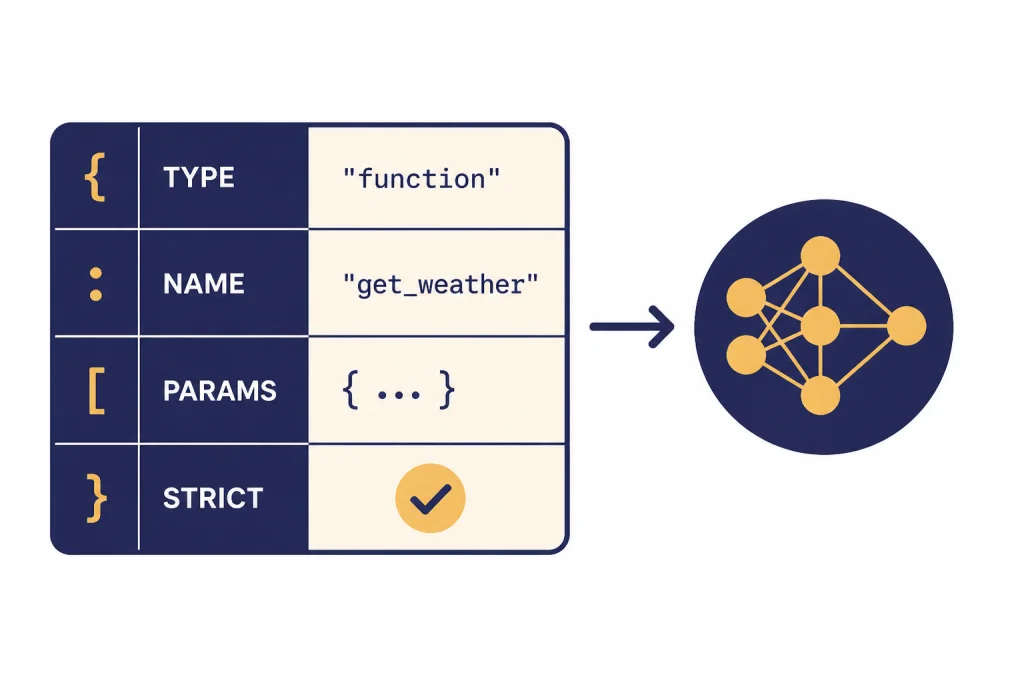
A function definition tells the model what it may call. OpenAI’s function schema includes `type`, `name`, `description`, `parameters`, and `strict` fields. The `type` should be `function`, the `name` identifies your callable function, `description` explains when to use it, `parameters` defines the input JSON Schema, and `strict` controls schema adherence.[1]
Descriptions matter. The model uses the name and description to decide whether a function is relevant. Write descriptions that state the business use, not just the implementation. For example, `Find a customer by verified email address before creating a support case` is more useful than `Queries customer table`.
tools = [
    {
        'type': 'function',
        'name': 'lookup_order_status',
        'description': 'Look up the current status of an order for an authenticated customer.',
        'parameters': {
            'type': 'object',
            'properties': {
                'order_id': {
                    'type': 'string',
                    'description': 'Internal order identifier provided by the user.'
                }
            },
            'required': ['order_id'],
            'additionalProperties': False
        },
        'strict': True
    }
]
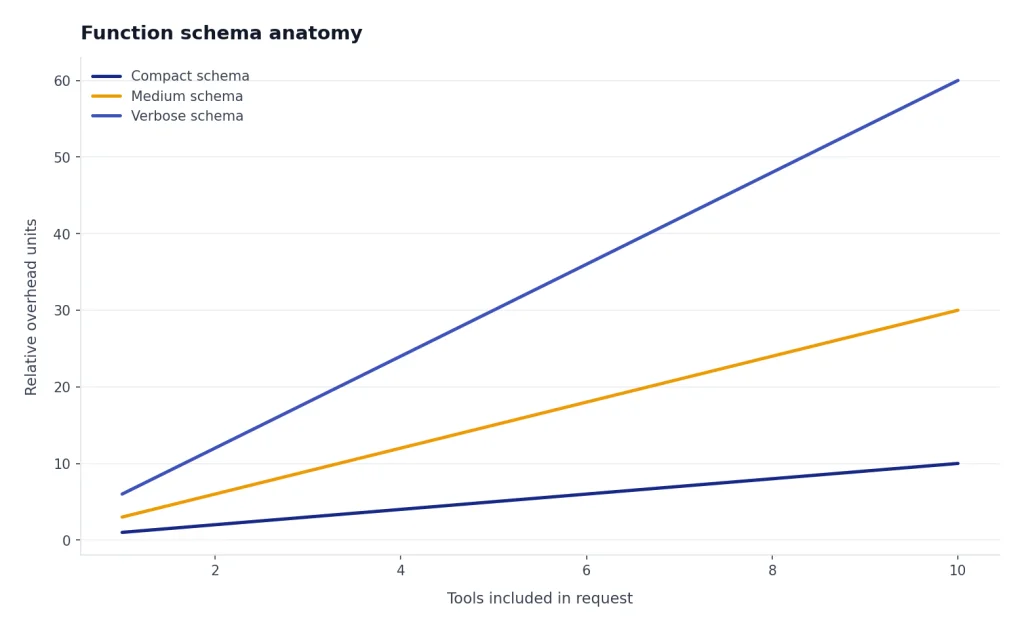
Keep schemas small. A smaller schema lowers confusion and reduces context overhead. OpenAI notes that function definitions are injected into the model context and count as input tokens, so long descriptions and large tool lists affect cost and context use.[1] Use OpenAI API pricing and an API cost calculator when you are deciding how many tools to include in high-volume flows.
Responses API example
The example below shows the core shape of a Responses API integration. It uses the `gpt-5` model name because OpenAI’s tools guide shows Responses examples with `gpt-5`, and OpenAI’s model page lists function calling as supported for GPT-5.[5]
from openai import OpenAI
import json

client = OpenAI()

TOOLS = [
    {
        'type': 'function',
        'name': 'lookup_order_status',
        'description': 'Look up order status for an authenticated customer.',
        'parameters': {
            'type': 'object',
            'properties': {
                'order_id': {'type': 'string'}
            },
            'required': ['order_id'],
            'additionalProperties': False
        },
        'strict': True
    }
]

def lookup_order_status(order_id):
    # Replace with your database or service call.
    return {'order_id': order_id, 'status': 'shipped'}

response = client.responses.create(
    model='gpt-5',
    input='Where is order A123?',
    tools=TOOLS
)

follow_up_input = []

for item in response.output:
    if item.type == 'function_call' and item.name == 'lookup_order_status':
        args = json.loads(item.arguments)
        result = lookup_order_status(args['order_id'])
        follow_up_input.append({
            'type': 'function_call_output',
            'call_id': item.call_id,
            'output': json.dumps(result)
        })

final = client.responses.create(
    model='gpt-5',
    previous_response_id=response.id,
    input=follow_up_input,
    tools=TOOLS
)

print(final.output_text)
The important field is `call_id`. It connects your function result to the exact tool call the model made. The Responses API reference defines function tool calls with a `call_id`, `name`, `arguments`, and `type`, and defines function tool call outputs with the matching `call_id` and `output`.[2]
You can also preserve state with `previous_response_id`. OpenAI’s conversation state guide says this parameter lets you chain responses and create a threaded conversation.[3] In a function-calling loop, that is convenient because the second request can refer back to the first model output without you rebuilding the full transcript yourself.
Do not copy this sample into production without adding authentication, authorization, input validation, and error handling. For broader reliability patterns, see our OpenAI API best practices for production.
Strict mode and validation
Set `strict` to `true` for most production functions. OpenAI says strict mode makes function calls reliably adhere to the function schema instead of being best effort.[1] It uses Structured Outputs under the hood, so it is the right default when your function expects predictable arguments.
Strict mode has schema requirements. OpenAI states that `additionalProperties` must be `false` for each object in `parameters`, and all fields in `properties` must be listed as required.[1] If a field is genuinely optional, represent that in the schema rather than leaving it out of `required` in a strict schema.
Strict mode is not a substitute for server-side validation. Treat the model output like any other external input. Parse JSON defensively. Reject unknown function names. Check enums. Enforce user permissions. Confirm side effects when needed. Add idempotency keys for actions such as refunds, cancellations, emails, purchases, or account changes.
Use a two-layer approach. The schema keeps the model on track. Your application policy decides whether to execute. That policy should be deterministic and testable. A customer service model may ask to issue a refund, but your refund service should still check account ownership, refund window, fraud flags, and maximum allowed amount.

Tool choice, parallel calls, and streaming
By default, the model decides when and how many tools to use. OpenAI’s function calling guide documents `tool_choice` options for automatic behavior, requiring a tool, forcing a specific function, restricting the model to allowed tools, or using no tools.[1]
| Control | Use it when | Risk if misused |
|---|---|---|
| `auto` | The model should decide whether a tool is needed. | It may answer without a tool when you expected a lookup. |
| `required` | The next step must involve a tool call. | It can force unnecessary calls for simple prompts. |
| Forced function | You already know the exact function needed. | It can hide routing bugs in your prompt or UI. |
| Allowed tools | You pass many tools but want a smaller active subset. | A needed tool may be excluded by policy. |
| `none` | You want a normal model answer without tools. | The model cannot access your external data. |
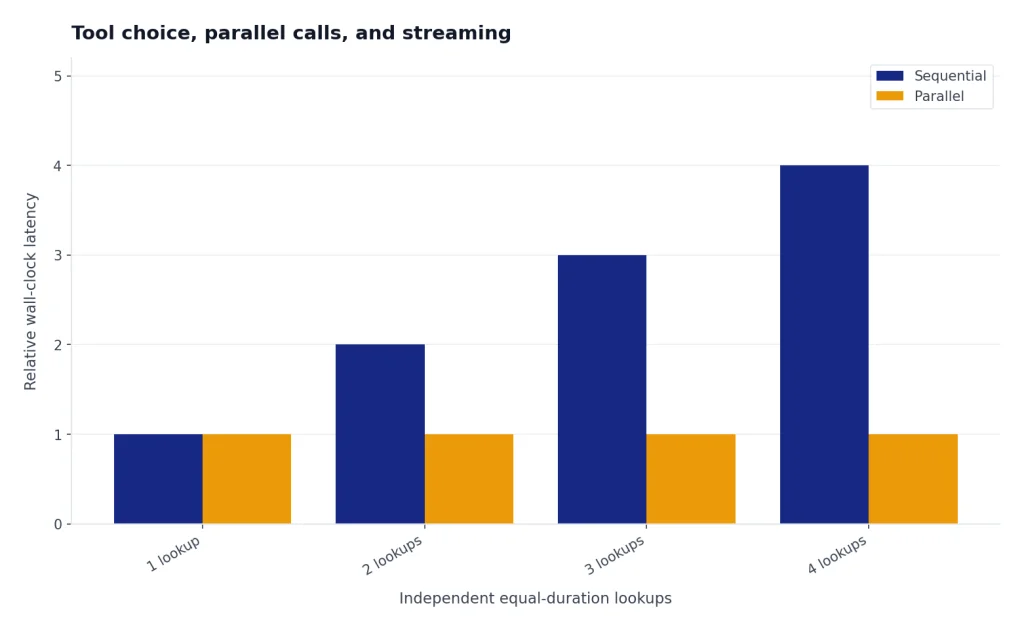
Parallel tool calls can improve latency when independent lookups can run at the same time. OpenAI says the model may call multiple functions in one turn, and you can set `parallel_tool_calls` to `false` to prevent that.[1] Disable parallel calls when ordering matters, when tools share mutable state, or when a fine-grained approval flow should happen between actions.
Streaming also works with function calls. The Responses streaming API includes `response.function_call_arguments.delta` for partial argument chunks and `response.function_call_arguments.done` when the arguments are finalized.[6] For user-facing apps, combine this with streaming responses when you want fast progress updates, but wait for the finalized arguments before executing a function.
Function calling vs other OpenAI features
Function calling overlaps with several OpenAI features, but each has a different job. Choose based on who needs the structure and who performs the action.
| Feature | Best for | Who executes | Common example |
|---|---|---|---|
| Function calling | Connecting the model to your code, APIs, and private systems. | Your application. | Look up an order, create a ticket, calculate a quote. |
| Structured Outputs | Forcing the model’s final response into a schema. | The model only returns structured text. | Return a UI-ready lesson plan or extraction object. |
| Built-in tools | Using OpenAI-hosted capabilities from the platform. | OpenAI-managed tool runtime. | File search, web search, image generation, or code interpreter. |
| Embeddings | Finding semantically similar content. | Your retrieval system. | Search a knowledge base before calling the model. |
| Fine-tuning | Changing model behavior or style with training examples. | The model at inference time. | Match a support tone or classify domain-specific cases. |
OpenAI’s Structured Outputs guide draws the core line clearly. Use function calling when you are connecting the model to tools, functions, data, or systems. Use a structured response format when you want to shape the model’s answer to the user.[4]
Retrieval is another common pairing. You might use the embeddings API to find relevant documents, then expose a function that retrieves exact records or applies access rules. For model selection, compare capabilities in all GPT models compared side by side before you standardize on one model for tool-heavy workloads.
Production checklist
A reliable function-calling integration is mostly normal backend engineering. The model adds flexible routing and natural language understanding, but your system still owns correctness.
- Expose fewer tools per request. Pass only the functions relevant to the current screen, role, and task.
- Use precise function names. Prefer `get_available_appointment_slots` over `calendar_tool`.
- Keep descriptions operational. State when the tool should be used and what it must not do.
- Validate twice. Use strict schemas for model adherence, then validate again in your backend.
- Separate read and write functions. A read function can run automatically. A write function may need confirmation.
- Add idempotency. Retried tool calls should not double-charge, double-email, or duplicate a ticket.
- Return compact tool outputs. Give the model the fields it needs, not raw database rows.
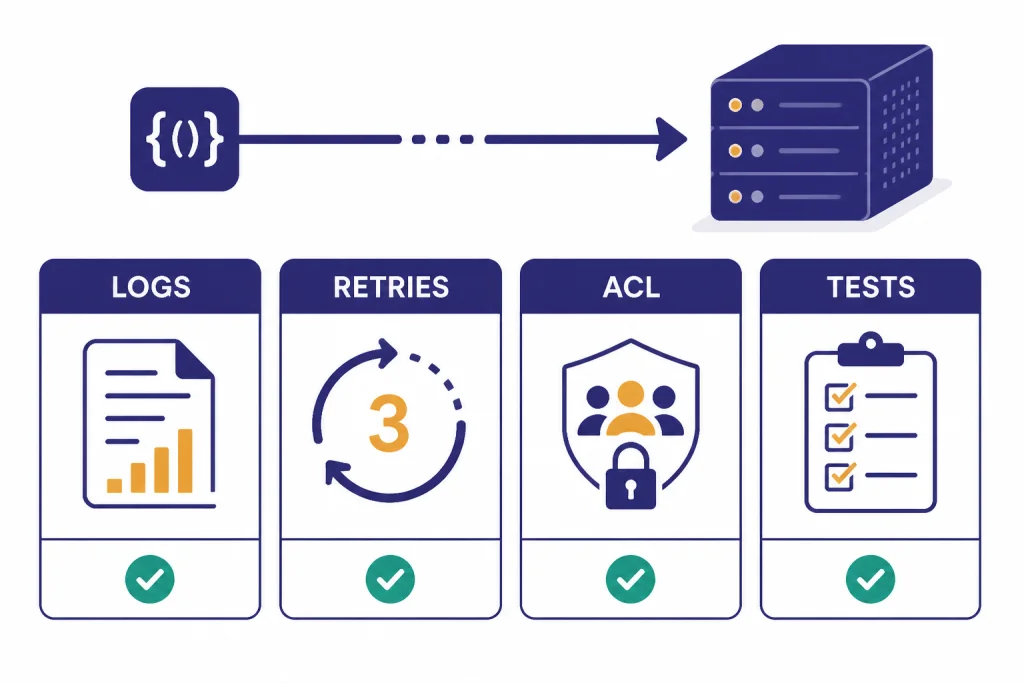
- Log the request path. Store the model response ID, tool name, arguments, validation result, execution result, and final response.
- Plan for failures. If a function times out, return a controlled error object and let the model explain next steps.
- Test adversarial prompts. Check whether users can pressure the model into calling tools outside policy.
Logging is especially important. OpenAI recommends logging request IDs in production deployments, and its official SDKs expose the value of the `x-request-id` header on top-level response objects.[7] Connect those IDs to your own traces so you can debug model output, tool execution, and user-visible errors in one place.
Finally, decide how function calling fits into your product architecture. For a synchronous support assistant, you may run one or two fast read functions during a chat turn. For background enrichment or large offline tasks, the OpenAI Batch API may be a better fit. For voice apps with low-latency interactions, compare the Realtime API before building your own streaming loop.
Frequently asked questions
Does the OpenAI model run my function?
No. The model returns a structured request to call a function. Your application parses the request, runs the actual code, and sends the result back to the model.
Is function calling the same as tools?
Function calling is one type of tool use. OpenAI’s tools documentation also lists built-in tools such as web search, file search, image generation, code interpreter, computer use, and remote MCP servers.[5] Function calling is the option for your own custom code.
Should I use strict mode?
Yes, in most production cases. OpenAI recommends enabling strict mode for function calling because it makes calls adhere to the schema more reliably.[1] You should still validate and authorize everything on your server.
Can one model response call multiple functions?
Yes. OpenAI says the model may choose multiple function calls in a single turn, and `parallel_tool_calls` can be disabled when you need at most one tool call.[1] Disable parallel calls for workflows with side effects or strict ordering.
When should I use Structured Outputs instead?
Use Structured Outputs when you want the model’s final answer to match a schema. Use function calling when the model needs your application to retrieve data or perform an action. Many applications use both.
Do function definitions add cost?
Yes. OpenAI says functions are injected into the model context and billed as input tokens.[1] Keep tool lists and descriptions concise, especially in high-volume applications.