

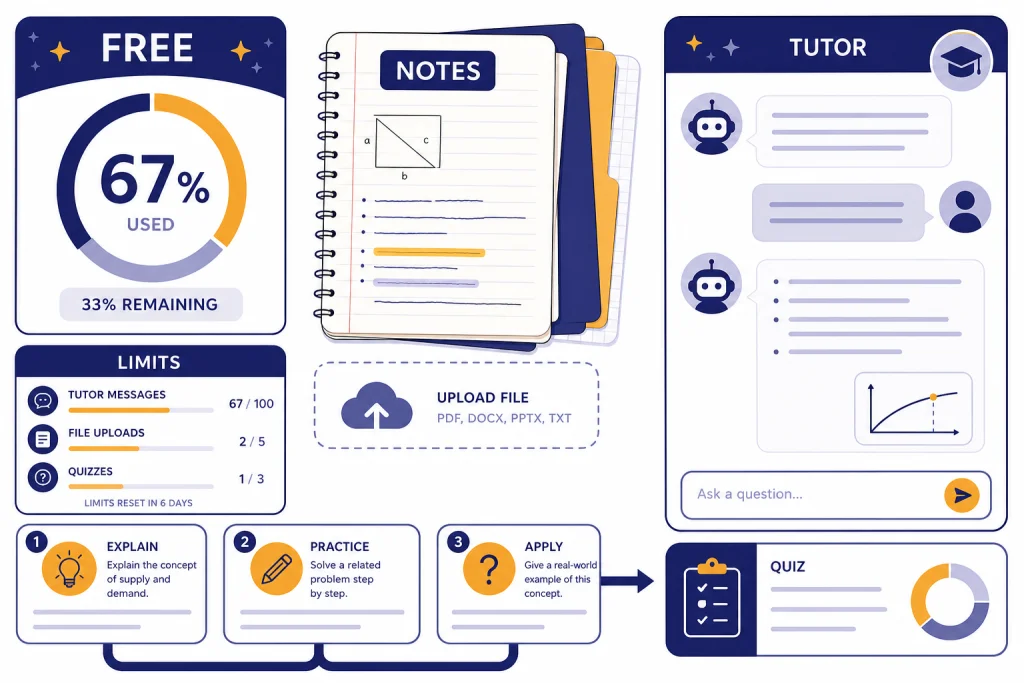
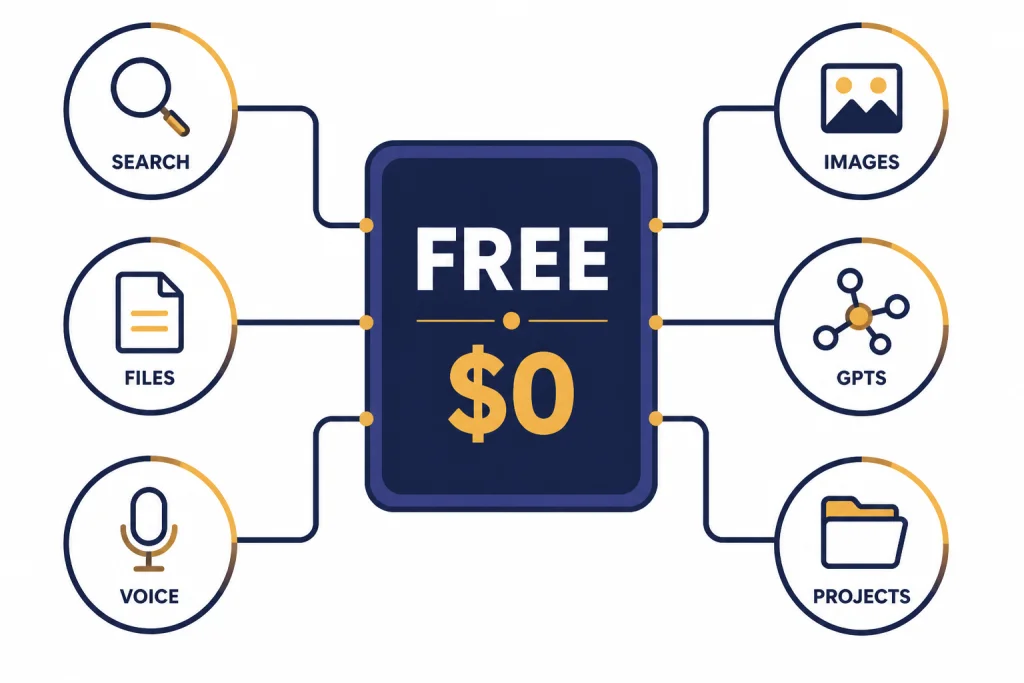
ChatGPT for college students works best when you treat the free tier like a limited study assistant, not an unlimited ghostwriter. The Free plan is listed at $0 per month and includes web search, limited access to file uploads, voice, image tools, custom GPTs, and projects.[1] OpenAI also says Free users can use advanced tools such as data analysis, file uploads, image prompts, web search, and GPTs, but those tools have stricter limits than paid plans.[2] The practical trick is to spend your free messages on high-value tasks: understanding readings, planning papers, checking reasoning, drilling for exams, and improving drafts you wrote yourself.
What college students get on the free tier
The free tier is good enough for many college tasks if you avoid wasting messages. OpenAI’s pricing page lists the Free plan at $0 per month and says it includes limited access to its flagship model GPT-5, real-time web data through search, limited file uploads, voice, image tools, custom GPTs, and projects.[1] That means a student can do more than ask simple questions. You can paste a confusing paragraph, ask for a practice quiz, upload a small document when limits are available, or use web search to check current context.
The key word is limited. The free tier is a rotating set of allowances. Some tools may be available, then unavailable until a reset. OpenAI’s Free Tier FAQ says Free users can search the web, analyze data, upload images or files, use GPTs, and create images, but the advanced tools have separate rate limits from the main text model limit.[2] For a student, that means you should not burn a file upload on a task that a simple pasted excerpt can handle.
If you are new to the product, start with what is ChatGPT? the complete beginner explanation before building a study workflow. If you already use it often, build a reusable prompt library with a chatgpt prompt generator so you do not rewrite the same instructions every week.
Free-tier limits to plan around
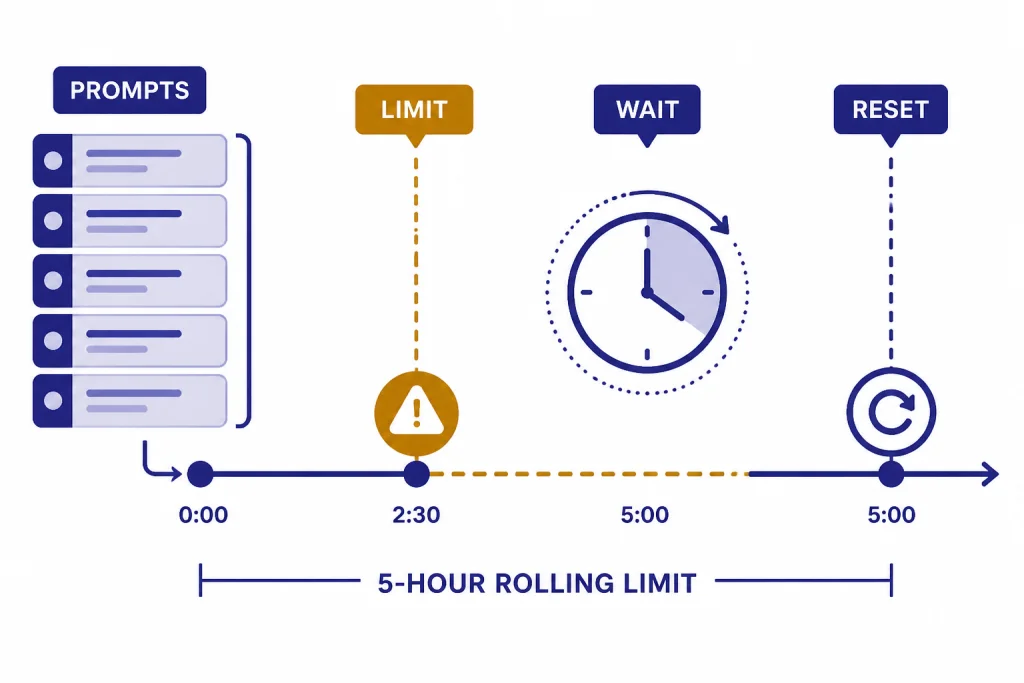
Do not try to “beat” the free tier by spamming shorter messages. The better move is to batch your work. OpenAI says Free users can use GPT-5 only a limited number of times within a five-hour window, and the product notifies users when they reach the limit.[2] OpenAI has not published an official universal message count for every Free user. Limits can vary by feature, demand, account state, and tool.
Use your strongest messages for tasks that need reasoning. Save lightweight tasks for later or for a less demanding model if ChatGPT offers one after you hit a limit. The table below shows a practical way to spend free-tier capacity during a normal school week.
| College task | Use the free tier for | Save messages by | Avoid |
|---|---|---|---|
| Reading dense material | Explaining one passage at a time | Pasting the exact paragraph and your confusion | Uploading an entire textbook chapter first |
| Exam prep | Generating practice questions and grading your answer | Asking for one concept cluster per prompt | Requesting a full course review in one vague message |
| Essay planning | Testing thesis options and outline logic | Providing the assignment rubric upfront | Asking for a finished paper |
| Data homework | Explaining formulas and checking reasoning | Using a small sample of rows or a summarized table | Uploading private datasets without checking rules |
| Group projects | Dividing tasks and drafting agendas | Asking for a meeting plan once, then reusing it | Letting it invent sources or responsibilities |
For file-heavy classes, learn the basics of data analysis before you spend uploads. Our chatgpt tutorial code interpreter explains the workflow for tables, charts, and files. If your main frustration is hitting caps, read How to Bypass ChatGPT Message Limits Legitimately; the safe options are planning, waiting for resets, using the right plan, and reducing unnecessary back-and-forth.
Use ChatGPT without crossing academic lines
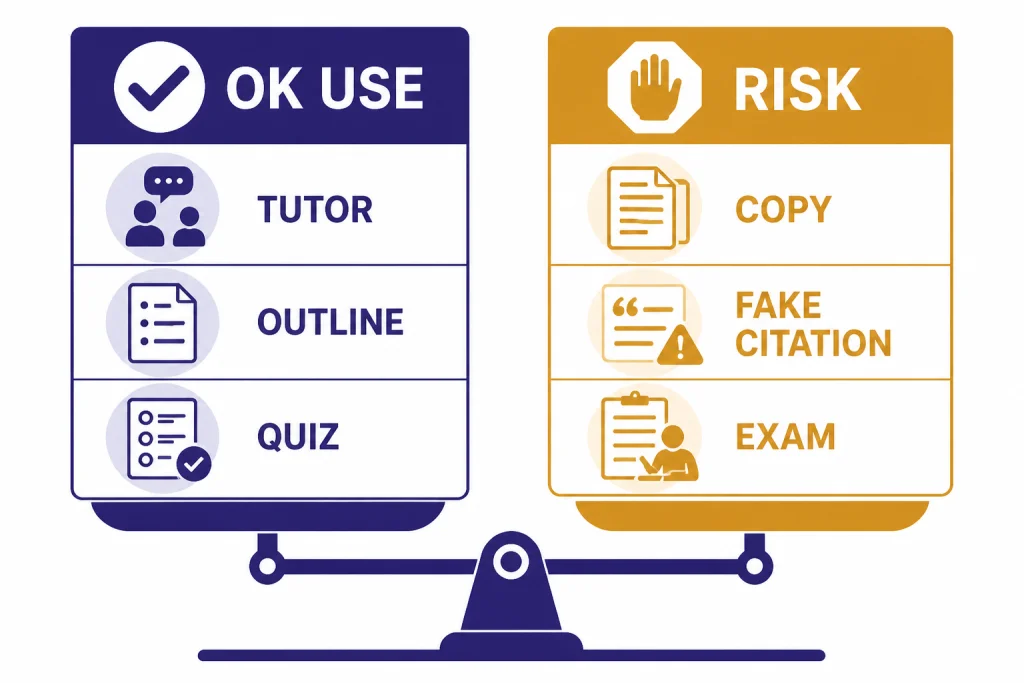
The safest rule is simple. Use ChatGPT to learn, plan, quiz, and revise. Do not submit AI-generated work as if you wrote it. Your professor’s policy controls the assignment. If the syllabus says no generative AI, do not use it for that assignment. If the syllabus allows limited AI help, stay inside that permission and disclose use when required.
University guidance varies, but the common pattern is attribution and instructor control. Cornell’s teaching guidance says students should follow the course AI policy and directly attribute quoted generative AI text when they use it.[8] Drexel’s academic integrity policy says sources for words, ideas, or data must be acknowledged with complete, accurate, and specific references, and verbatim statements need quotation marks.[9] Those are not universal rules for every campus, but they are good guardrails.
Use ChatGPT as a tutor. Ask it to explain, challenge, or question your work. Do not ask it to replace your work. This distinction also protects your learning. A polished answer you do not understand will hurt you on exams, labs, oral defenses, and follow-up assignments.
Low-risk academic uses
- Ask for a plain-English explanation of a concept from lecture.
- Ask for a Socratic tutor that gives hints instead of answers.
- Ask for practice questions on material you specify.
- Ask it to compare two thesis statements that you wrote.
- Ask it to find gaps in your outline before you draft.
- Ask it to explain why your solution step is wrong.
High-risk academic uses
- Submitting a ChatGPT-written essay as your own.
- Using it during a closed-book quiz or exam.
- Generating fake citations, quotes, survey data, or lab results.
- Uploading classmates’ work without permission.
- Using it when the assignment explicitly bans AI assistance.
If your professor permits AI but wants disclosure, keep a short log. Record the date, tool, prompt purpose, and what you changed afterward. This takes less time than reconstructing your process later.
Study workflows that save messages
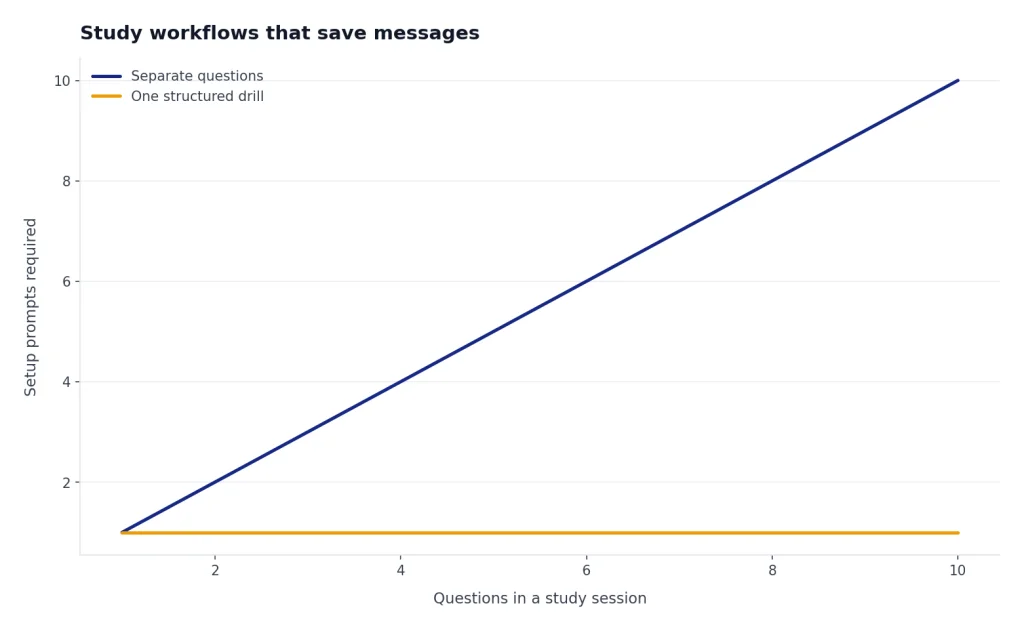
The best free-tier trick is to turn one good prompt into several rounds of studying. Instead of asking ten separate questions, give ChatGPT the course context, the exam format, and the exact topics in one message. Then ask it to run a drill. This reduces setup messages and produces better output.
The one-prompt exam drill
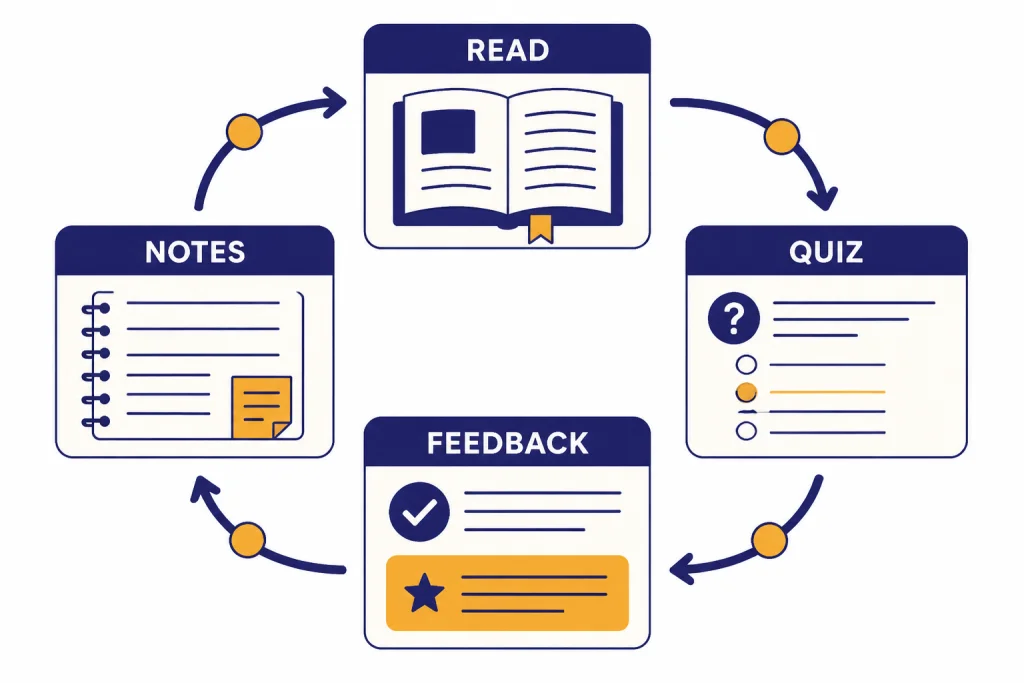
You are my study coach for an undergraduate [COURSE] exam. The exam covers [TOPICS]. Ask me 8 questions one at a time: 3 recall, 3 application, and 2 tricky misconception checks. After each answer, grade it as strong, partial, or weak. Give one hint before revealing the answer. Keep explanations short unless I ask for more.This prompt makes ChatGPT act like a tutor instead of a note generator. It also preserves your free messages because the structure is set once. You can reuse it for biology, economics, history, psychology, statistics, and many language courses.
The reading compression prompt
I will paste a passage from my assigned reading. Do not summarize the whole topic. Explain only this passage in 5 bullets, define any technical terms, and list 2 questions a professor might ask about it. Then give me one memory hook.This is better than asking for a chapter summary. It works on the exact material you are responsible for. It also avoids the common problem of ChatGPT generalizing beyond the assigned text.
The problem-set coach
I am working on this problem: [PASTE PROBLEM]. Do not solve it immediately. First identify the concept being tested. Then ask me for my first step. If I make an error, explain the error and give a hint. Only show the full solution after I try twice.This pattern is useful for math, chemistry, accounting, economics, computer science, and logic. If you work with spreadsheets, pair it with ChatGPT Excel Prompts for Power Users to ask better formula and data-cleaning questions.
For long-term study habits, memory can help, but you should understand what it stores. Our chatgpt tutorial memory covers power-user settings and cleanup habits.
Writing prompts that keep your voice
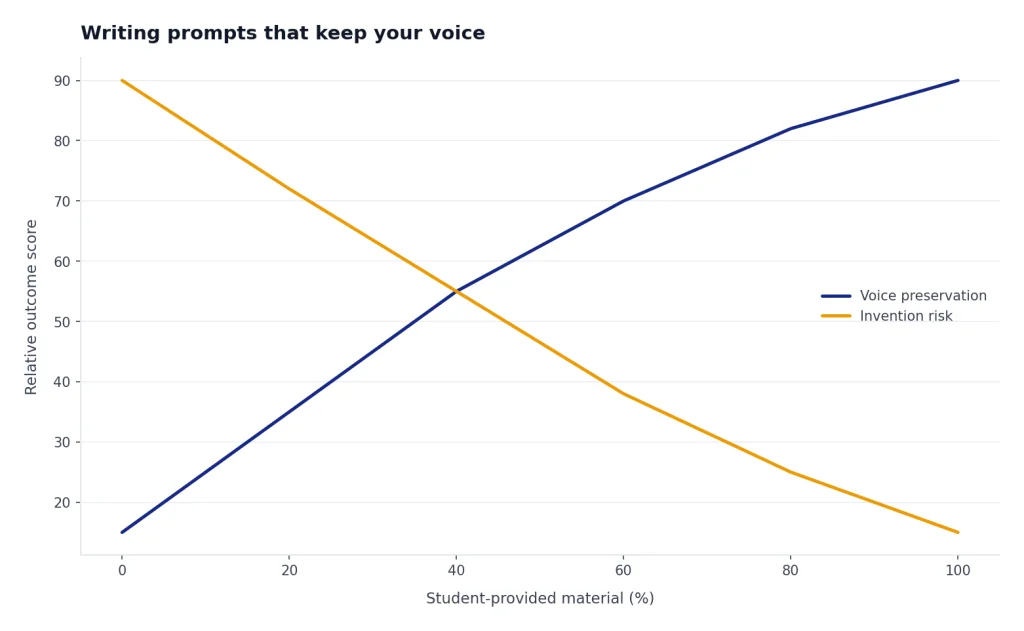
ChatGPT is most useful for writing when it improves decisions you already made. Use it for structure, clarity, counterarguments, and revision. Do not ask it to become your author. The more of your own material you provide, the more the output stays tied to your thinking.
Thesis stress test
Here is my draft thesis: [THESIS]. The assignment asks for [REQUIREMENTS]. Evaluate the thesis for arguability, specificity, scope, and evidence needs. Give 3 revised versions, but keep my core claim. Do not add facts I have not provided.Outline audit
Here is my outline: [OUTLINE]. Find gaps in logic, repeated points, missing counterarguments, and sections that do not support the thesis. Return a revised outline with brief notes explaining each change.Voice-preserving revision
Revise the paragraph below for clarity and flow, but preserve my wording where possible. Do not add new claims. After revising, list the 5 biggest edits you made and why.This is where chatgpt for writing overlaps with student work. The goal is not to generate a paper. The goal is to make your own argument clearer. For research-heavy assignments, use chatgpt for research to design search strategies, compare source types, and build better questions before you open databases.
Never accept citations that ChatGPT invents. Use your library database, assigned readings, DOI links, or your professor’s required sources. If ChatGPT suggests a source, verify that it exists before it goes into your notes.
Privacy settings before you upload coursework
Before you upload syllabi, drafts, lab data, transcripts, or screenshots, check both privacy and course rules. OpenAI’s Data Controls FAQ says signed-in users can go to Settings, open Data Controls, and turn off “Improve the model for everyone”; conversations remain in chat history but are not used to train ChatGPT.[5] OpenAI’s separate model-improvement page says individual services such as ChatGPT may use content to train models unless the user opts out, and that new conversations are not used for training after opting out.[6]
Temporary Chat can reduce persistence, but it is not a magic privacy shield. OpenAI says Temporary Chats are deleted from its systems after 30 days, are not used to train models, are reviewed only for abuse monitoring, and do not save to history or create memories.[5] Do not upload confidential research data, medical records, legal records, financial aid documents, or other sensitive material unless you are sure your institution permits it.
If your campus provides ChatGPT Edu, the privacy terms may be different from a personal Free account. OpenAI says it does not train its models on ChatGPT Edu, ChatGPT Business, ChatGPT Enterprise, ChatGPT for Healthcare, ChatGPT for Teachers, or API inputs and outputs by default.[7] Use the account your school tells you to use for coursework. Do not assume your personal account has the same protections.
A quick privacy checklist
- Turn off model training if you use a personal account for schoolwork.
- Use Temporary Chat for sensitive brainstorming when appropriate.
- Remove names, student IDs, addresses, grades, and private data before pasting.
- Ask your professor before uploading unpublished research, peer work, or lab data.
- Delete chats and files you no longer need.
- Use your institution’s approved AI workspace when available.
If you write in more than one language, be careful with personal details in translation prompts. Our ChatGPT Translation Prompts for Quality Output guide shows how to keep context without exposing unnecessary private information.
When to stay free and when to upgrade
Most students should start free. Upgrade only if the limits are costing you meaningful time or blocking required work. OpenAI lists Plus at $20 per month and describes it as adding extended limits, voice mode with video and screen sharing, access to deep research and multiple reasoning models, tasks, custom GPT creation and use, and opportunities to try new features.[1] OpenAI’s Help Center also describes ChatGPT Plus as a $20-per-month subscription with higher limits and expanded features.[3]
The upgrade question is not “Is Plus better?” It is “Will Plus replace enough friction to be worth the monthly price for my semester?” For many students, the answer changes during finals, capstone projects, internships, thesis work, or data-heavy classes.
| Stay on Free if | Consider Plus if |
|---|---|
| You use ChatGPT a few times per week. | You hit limits during most study sessions. |
| You mostly ask concept questions. | You frequently use file uploads, data analysis, images, or deep research. |
| You can wait for resets. | You need longer uninterrupted work sessions. |
| Your school provides an approved AI account. | Your personal workload depends on ChatGPT outside school systems. |
| You are still learning good prompt habits. | You already have repeatable workflows that save real time. |
A paid plan does not solve academic integrity. It only changes access and limits. If you upgrade, keep the same rules: disclose when required, verify sources, protect private data, and make sure you can explain every submitted claim.
You can also reduce friction without paying. Build reusable templates, keep a course glossary, summarize your own notes before asking for help, and use Canvas-style drafting when available. If you write long outlines or study guides, this guide to chatgpt tutorial canvas can help you organize drafts without starting over each time. If you are offline or on unreliable campus Wi-Fi, read how to use ChatGPT offline for a reality check on what works without a live connection.
Frequently asked questions
Is ChatGPT free for college students?
Yes. OpenAI lists a Free plan at $0 per month.[1] It includes useful tools, but access is limited. Students who rely on file uploads, data analysis, image tools, or long sessions may run into caps faster than casual users.
How many free ChatGPT messages do students get?
OpenAI has not published an official universal message count for every Free user. It says Free users can use GPT-5 only a limited number of times within a five-hour window.[2] Treat the limit as variable and plan your prompts before you start.
Can I use ChatGPT to write an essay?
You should not submit a ChatGPT-written essay as your own work. Use it to understand the prompt, test a thesis, improve an outline, or revise your own draft. Follow your professor’s AI policy and disclose use when required.
Can ChatGPT help with studying for exams?
Yes. It is especially useful for practice questions, concept explanations, misconception checks, and oral-style drills. Ask it to quiz you one question at a time and give hints before answers. That format helps you learn instead of passively reading a summary.
Should I upload lecture slides or PDFs?
Upload only when the content is allowed, not private, and worth spending a limited upload. For many tasks, pasting a short excerpt is better. Remove personal data and check your course rules before uploading unpublished material, peer work, or research data.
Is ChatGPT Plus worth it for students?
Plus can be worth it during heavy writing, research, coding, or finals periods if limits interrupt your work. OpenAI lists Plus at $20 per month and says it includes extended limits and additional features.[1] If you only need occasional explanations or practice questions, the Free plan is usually enough.