

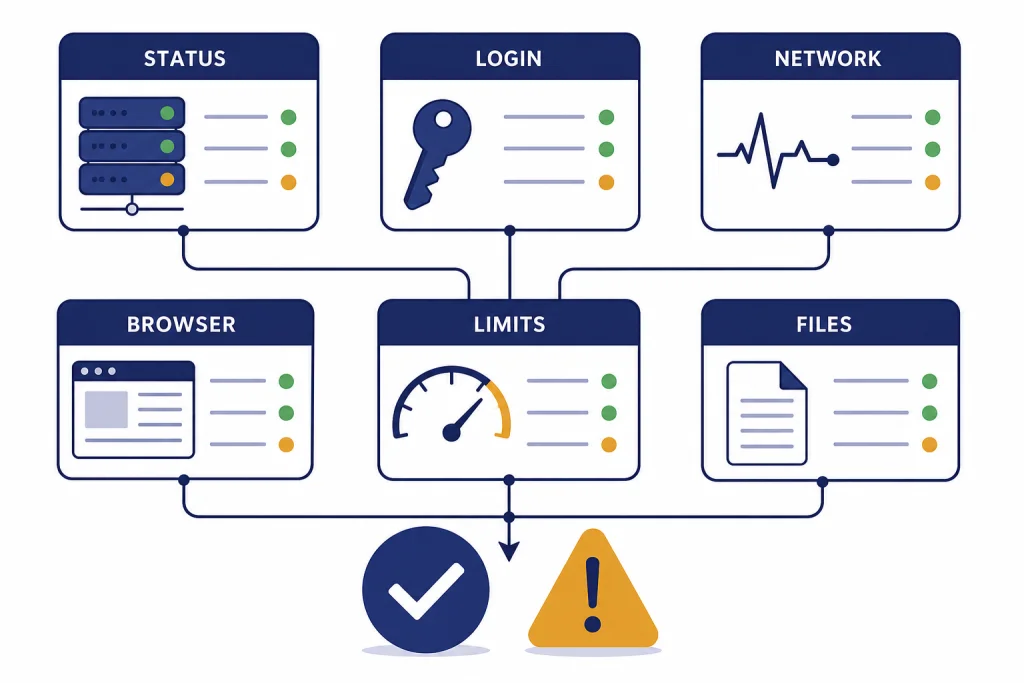
If ChatGPT is not working, the cause is usually one of four things: an OpenAI service issue, a local browser or app problem, a network or VPN block, or an account-level limit. Start by checking OpenAI Status, then test ChatGPT in a private browser window, on another network, and in a fresh chat. If only one feature is broken, such as file downloads, voice, images, or memory, troubleshoot that feature instead of reinstalling everything. This guide gives you a fast triage path and 12 common causes with fixes, so you can tell the difference between a real outage and something you can solve yourself.
Quick check before you change anything
Do not start by deleting your account, changing plans, or reinstalling every app. Start with a controlled test. Open ChatGPT in a private or incognito browser window. If it works there, the problem is probably a cookie, extension, browser profile, or cached session. If it fails there too, switch networks. Use mobile data instead of Wi-Fi, or try a different Wi-Fi network.
OpenAI’s own troubleshooting guidance says ChatGPT errors can come from network configuration, browser extensions, or temporary server-side problems.[1] That means the same symptom can have different causes. A spinning answer may be a bad browser extension. It may also be an OpenAI capacity problem. Your goal is to isolate the cause before applying fixes.
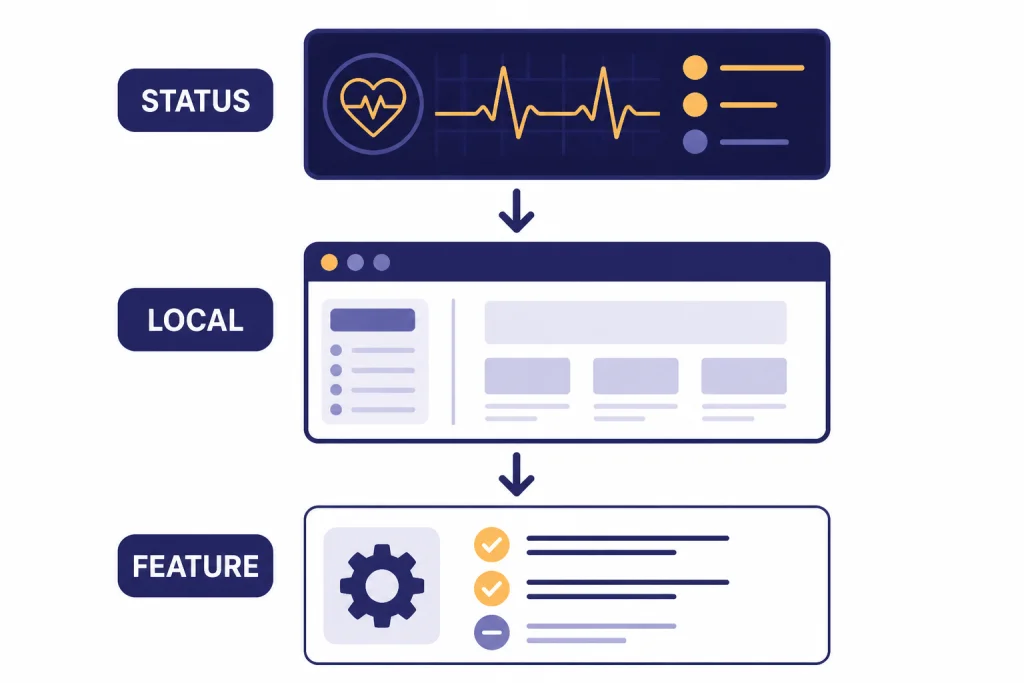
Use this order: check status, test a clean browser, test another network, test another device, then test a new chat. If the failure follows you across all of those tests, it is less likely to be your browser. If the failure disappears in one test, focus there.
12 causes and fixes
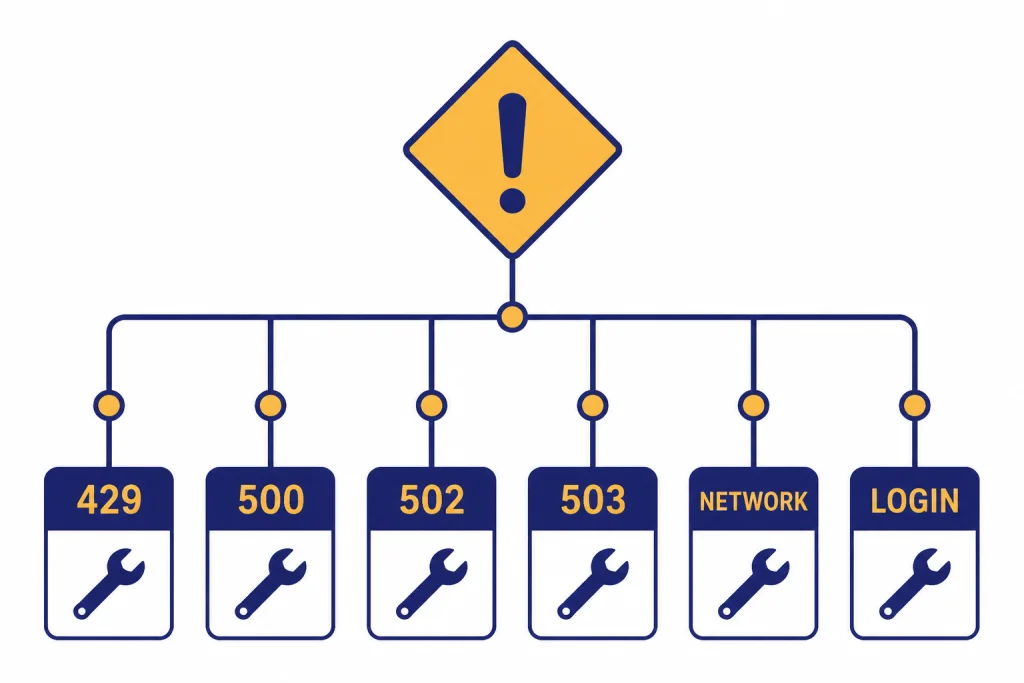
The table below covers the most common reasons ChatGPT stops working. Use it as a diagnostic map. If your issue is specific to login, start with ChatGPT login failed. If it is a server error, compare the message with ChatGPT internal server error, ChatGPT error 500 internal server, ChatGPT Error 502 Bad Gateway, and ChatGPT error 503 service unavailable.
| Cause | What it looks like | Fast fix |
|---|---|---|
| 1. OpenAI outage | Many users fail at once. Status page shows disruption. | Wait for recovery. Avoid repeated retries. |
| 2. Browser cache or cookies | Blank page, endless loading, login loop. | Clear site data or use a private window. |
| 3. Extension conflict | Buttons do not load, chat fails to prepare. | Disable blockers, script tools, and privacy extensions. |
| 4. VPN or proxy block | Network error, suspicious activity warning, access denied. | Turn off VPN or switch exit locations. |
| 5. Corporate or school network | Works on mobile data but not office Wi-Fi. | Ask IT to allow required traffic and authentication flows. |
| 6. Login method mismatch | Wrong authentication method or existing user message. | Use the same sign-in method you used when registering. |
| 7. Temporary login restriction | Suspicious login behavior after repeated attempts. | Stop retrying, wait, then test another network. |
| 8. Usage limit reached | Model becomes unavailable or a limit notice appears. | Wait for reset, choose another model, or reduce demand. |
| 9. Long or damaged chat thread | One conversation freezes but new chats work. | Start a new chat and paste only needed context. |
| 10. File or tool failure | Upload, download, analysis, or generated file fails. | Regenerate the file, check size, and test without VPN. |
| 11. Mobile app crash | App closes or hangs while web still works. | Relaunch, update, reinstall, or use web temporarily. |
| 12. Unsupported region or account status | Access blocked, account suspended, or region error. | Confirm supported access and check account emails. |
If the table points to a rate or usage problem, see ChatGPT Error 429 Too Many Requests, chatgpt too many requests in 1 hour, and ChatGPT daily limit. If ChatGPT works but feels slow, use Why Is My ChatGPT So Slow? 8 Easy Fixes.

What common error messages mean
“Something went wrong” is a generic message. OpenAI says it can indicate either a temporary server issue or a local setup problem, and recommends refreshing, checking status, clearing cache and cookies, using a private window, disabling extensions, turning off VPN or secure DNS tools, and switching networks.[1] Treat this as a broad diagnostic message, not as proof that ChatGPT is down.
“A network error occurred” or “An error occurred while connecting to the websocket” usually points to connection reliability. Start with VPN, proxy, secure DNS, corporate filtering, or Wi-Fi issues. If ChatGPT works on mobile data but not on your normal network, the service may be fine and your network path may be the problem.
“There was a problem preparing your chat” often points to a browser extension or URL blocker that prevents ChatGPT from loading the page correctly.[1] Open a clean browser profile before you delete conversations or change account settings. If the same prompt works in a new chat, the issue may be the thread rather than your whole account.
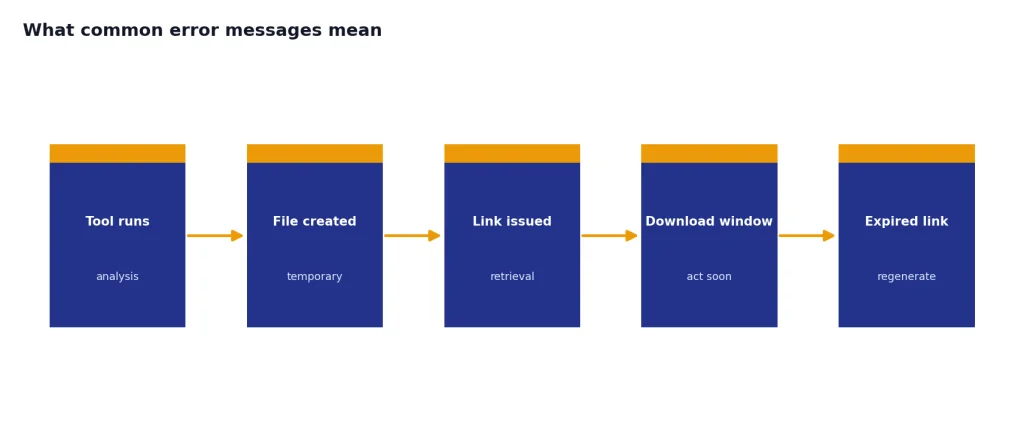
“Download failed” or “File Not Found” means the file link or generated file could not be retrieved. OpenAI says generated files can expire quickly and recommends checking that Code Interpreter is enabled for a custom GPT, disabling VPN or proxy connections, and making sure the downloaded file is within the documented file size limit.[1] For a deeper file checklist, use chatgpt file upload not working or code interpreter session expired.
Browser, network, and account checks
Browser checks
Browser problems are common because ChatGPT depends on cookies, scripts, authentication redirects, and live connections. Test in a private window first. If that works, disable extensions one by one. Start with ad blockers, privacy tools, script blockers, cookie managers, and security extensions. Then clear ChatGPT site data and sign in again.
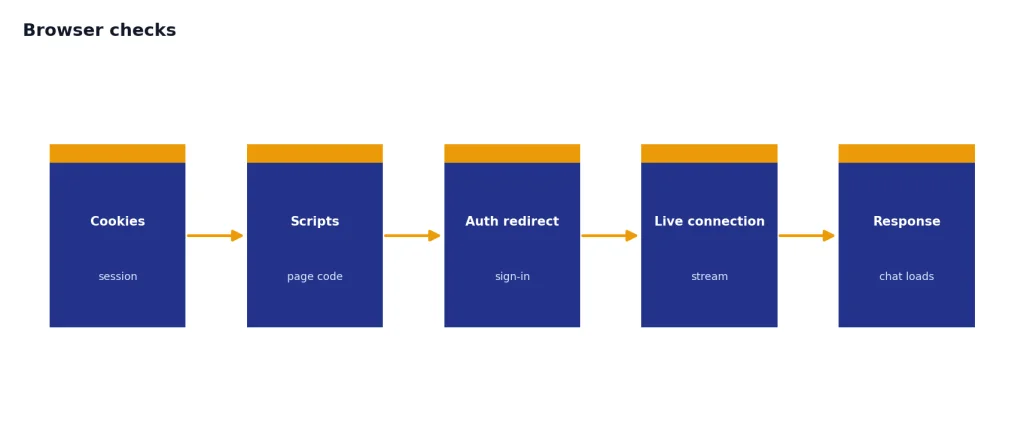
If a blank page or frozen page persists, OpenAI recommends hard refresh, signing out and back in, clearing site data or cookies, disabling extensions or content blockers, using a fresh browser profile, turning off VPN or secure DNS tools, switching networks or devices, and contacting support if the issue persists across browsers, devices, and networks.[1]
Network and VPN checks
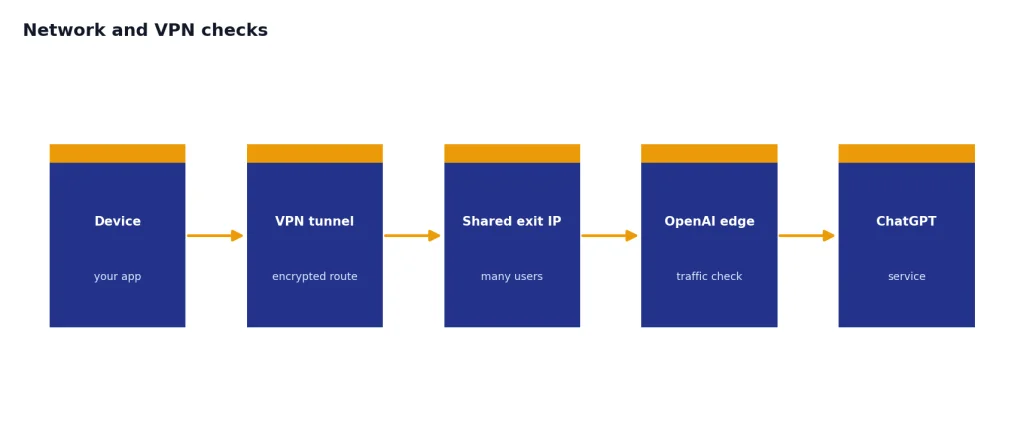
VPNs can help privacy, but they can also route your traffic through shared IP addresses that look automated or suspicious. OpenAI’s error guidance specifically tells users to disable VPNs or proxies for network errors and suspicious activity messages.[1] If you need a VPN, test a different region, a dedicated IP, or a split-tunnel rule for ChatGPT. See chatgpt not working with vpn for a VPN-specific workflow.
Login checks
Login problems often come from using the wrong authentication method. OpenAI says that if you signed up with Google, Microsoft, or Apple, you should continue using that same method.[2] If you see a suspicious login warning, OpenAI recommends clearing cache and cookies, trying a different network, turning off VPN, and waiting up to 1 hour before another attempt.[2] For generic login errors, OpenAI also recommends waiting at least 60 seconds, checking the status page, clearing cache and cookies, using incognito mode, trying another device or network, and disabling extensions.[2]
Region and account checks
OpenAI maintains a supported countries and regions list for ChatGPT access, and warns that accessing or offering access outside the listed countries and territories may result in an account being blocked or suspended.[4] If you travel, use a VPN endpoint in an unsupported location, or share access through another region, your access problem may not be a normal outage. For that path, read chatgpt region not supported.
When only one ChatGPT feature is not working
If normal chat works but one tool fails, do not treat it like a full outage. Feature-specific failures need feature-specific checks. File upload, file download, voice, image generation, memory, and mobile apps each have different failure modes.
- Files: Regenerate the file, download it soon after generation, try without VPN, and test a smaller file. OpenAI identified an issue with users downloading files from ChatGPT on March 10, 2026, with additional identified and monitoring updates on March 11, 2026.[8]
- Images: If text chat works but image generation fails, check whether only image tools are affected. Use chatgpt image generator not working.
- Voice: If typing works but speech does not, test microphone permissions, Bluetooth devices, app permissions, and network quality. Use chatgpt voice mode not working.
- Mobile app: OpenAI’s iOS failure guidance recommends relaunching the app and uninstalling and re-downloading it if crashes continue.[5] For mobile-specific steps, use chatgpt app not working.
- Memory: Memory issues may be settings-related. OpenAI says Reference Chat History can be turned on or off in Settings > Personalization, and that turning it off deletes remembered information from past chats within 30 days.[7] See chatgpt memory limit if ChatGPT is not remembering what you expect.
Usage limits can also feel like a broken feature. OpenAI says that when users hit certain model usage limits, a pop-up appears and the model can no longer be selected from the drop-down menu.[6] That is not the same as ChatGPT being down. It means your account has reached a plan or model-specific limit.
How to tell an outage from a local problem
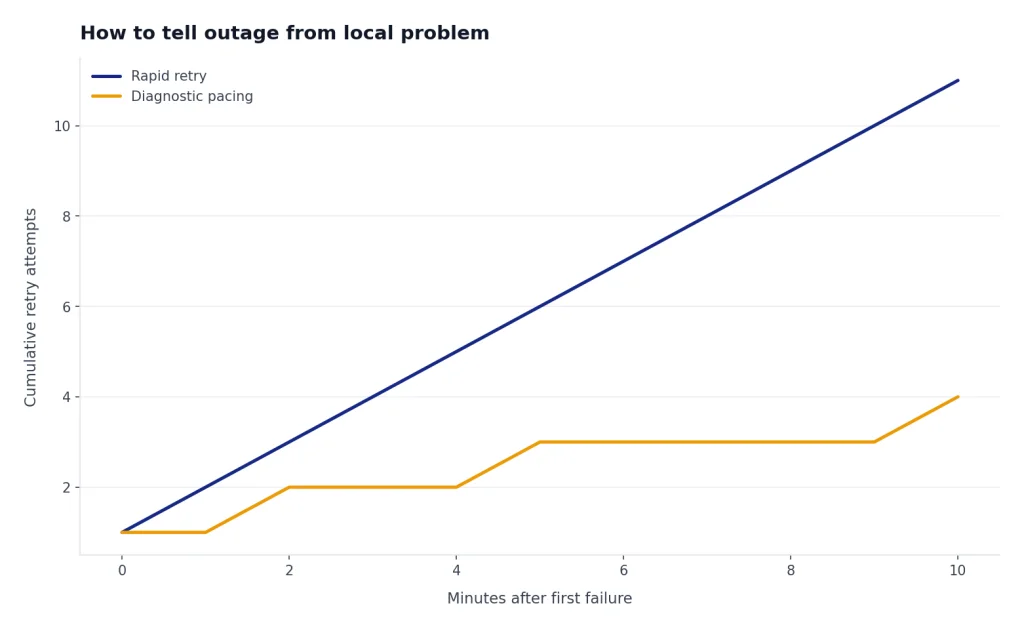
A real outage usually affects many users, multiple devices, and multiple networks. A local problem usually changes when you change browser, network, device, account, or conversation. The OpenAI Status page is useful, but read it carefully. OpenAI says availability metrics are reported at an aggregate level across tiers, models, and error types, and that individual availability may vary by subscription tier, model, and API feature.[3] In plain terms, the status page can look normal while your specific model or feature has trouble, and a listed incident may not affect your exact workflow.
Use a simple split test. If ChatGPT fails in Chrome but works in Safari, the problem is local. If it fails on home Wi-Fi but works on cellular, the problem is probably your network path. If it fails across multiple browsers, devices, and networks, and other users report the same thing, it is more likely to be a service-side incident. For broader context, compare current symptoms with chatgpt outages 2026 and ChatGPT Outage History.
Repeated retries can make troubleshooting harder. They can trigger rate limits, login restrictions, or duplicate failed uploads. If status shows an active incident, wait. If status is clean, run the local tests above before assuming your account is broken.
When to contact OpenAI support
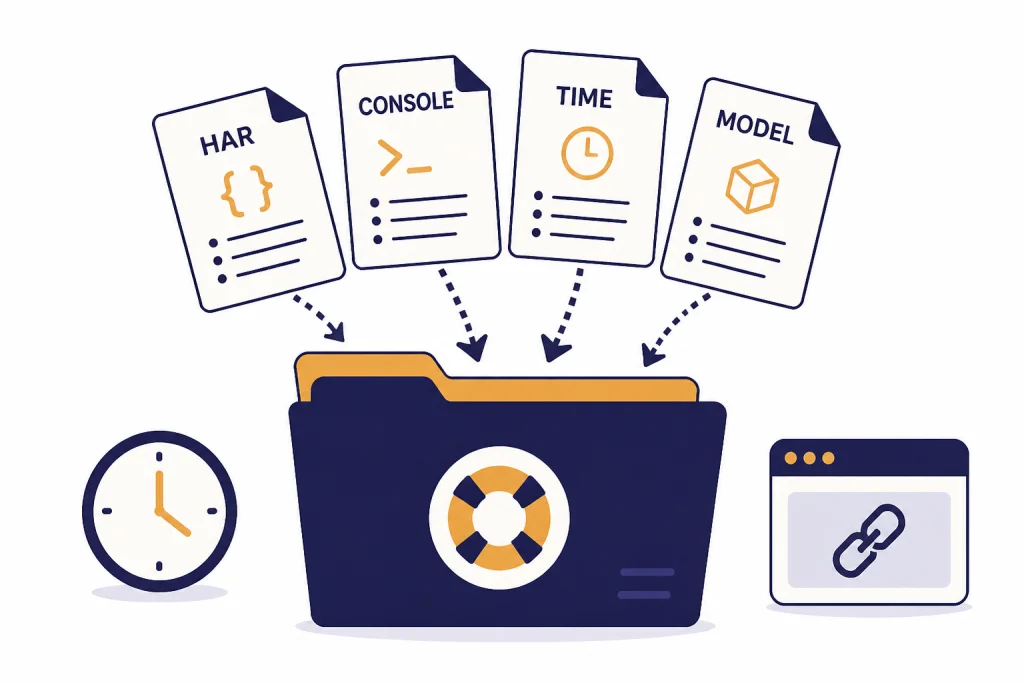
Contact support when the same problem persists across browsers, devices, and networks, or when the problem involves billing, account suspension, missing access, or repeated failed verification. OpenAI’s troubleshooting article says that if an issue persists across browsers, devices, and networks, users should collect a HAR file and browser console errors with timestamps, note the model used and the conversation URL or ID, then contact support.[1]
Send a concise report. Include the exact error text, the time it happened, your device and browser, whether a VPN was on, whether it happens in a private window, whether it happens on mobile data, and whether it affects all chats or one conversation. If you are dealing with chatgpt something went wrong error, chatgpt conversation not found error, or chatgpt network error, include the exact conversation behavior.
Do not send passwords, API keys, private documents, or unnecessary personal data. A good support packet proves that you isolated the problem. It saves time and reduces back-and-forth.
Frequently asked questions
Why is ChatGPT not working even though OpenAI Status looks normal?
Status pages are aggregate views, not a perfect mirror of your session. OpenAI says individual availability can vary by subscription tier, model, and API feature.[3] Test another browser, network, and device before assuming the status page is wrong.
Why does ChatGPT work on my phone but not my computer?
That usually points to a browser, extension, cookie, DNS, or local network problem on the computer. Try a private window, disable extensions, clear ChatGPT site data, and test another browser. If the phone is on cellular and the computer is on Wi-Fi, also test the computer on another network.
Why does ChatGPT say something went wrong?
It is a general error message. OpenAI says it can be caused by a temporary server issue or by your local setup.[1] Refresh once, start a new chat, then test private browsing and another network.
Can a VPN stop ChatGPT from working?
Yes. OpenAI’s guidance tells users to disable VPNs or proxies for network errors and suspicious activity messages.[1] If ChatGPT works when the VPN is off, use a different VPN region, a trusted network, or a split-tunnel rule.
Why did one ChatGPT conversation stop working?
A single long or corrupted thread can fail while new chats still work. Start a new chat and paste only the essential context. If the new chat works, the problem is probably the thread rather than your account.
Should I reinstall the ChatGPT app?
Reinstall only after simpler tests. Relaunch the app, confirm your connection, test ChatGPT in a browser, and check whether other users are affected. OpenAI’s iOS guidance lists relaunching first, then uninstalling and re-downloading if crashes continue.[5]