


If ChatGPT says your region is not supported, the safe “bypass” is not to hide your real location from OpenAI. It is to confirm that you are in a supported country or territory, remove tools that make your connection look unsupported, clear stale location data, and use the correct account, browser, and payment setup. OpenAI says ChatGPT access is supported only from listed countries and territories, and access from outside that list may lead to an account block or suspension.[1] This guide explains how to fix false region errors, what to do while traveling, and when the answer is simply that ChatGPT cannot be used from your current location.
What the region not supported error means
The chatgpt region not supported message means OpenAI believes your request is coming from a country, region, or territory where it does not currently support access. OpenAI’s ChatGPT support page says it provides access only in the listed supported countries, regions, and territories for web and mobile use.[1]
The error can appear during signup, login, normal ChatGPT use, or API key creation. OpenAI’s signup guidance says the unsupported-country error appears when someone tries to sign up or create an API key from somewhere that is not on the supported list.[2] That means the same symptom can come from two very different situations: your location is genuinely unsupported, or your connection is being misread.
The wording matters. A true region restriction is not the same as a temporary outage, a browser bug, a rate limit, or a Cloudflare challenge. If ChatGPT is down for many users, start with our ChatGPT outage history and 2026 outage timeline. If only your account or network sees the region message, keep working through this guide.
OpenAI does not publish a separate official list of unsupported ChatGPT regions on the ChatGPT support page. The practical rule is simpler: if your location is not on the official supported list, OpenAI does not say ChatGPT access is supported there.[1]
Safe bypasses versus risky bypasses
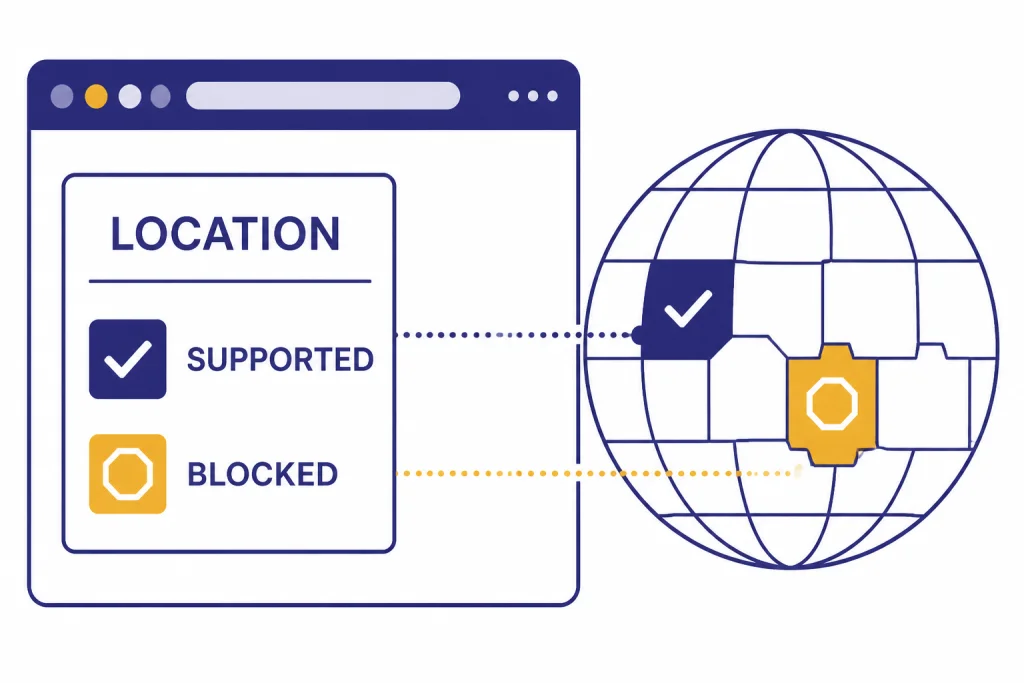
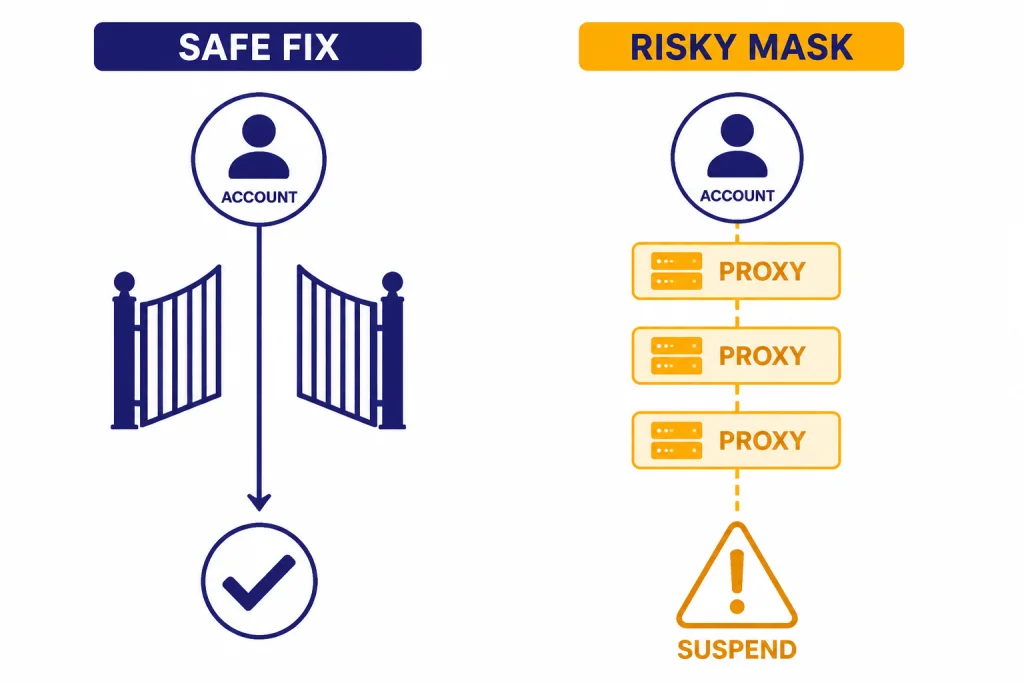
The word “bypass” causes confusion. There is a safe version and a risky version. The safe version fixes a false positive. The risky version tries to access ChatGPT from an unsupported location by masking where you are. This article covers the safe version.
OpenAI says accessing or offering access to ChatGPT or the OpenAI API from an unsupported country may result in an account block or suspension.[3] OpenAI also says using payment methods outside the supported-country list will result in being blocked from using its services.[3] Because of that, a VPN or proxy should not be treated as a magic workaround for an unsupported country. It can also make a supported-country user look suspicious or mislocated.
| Situation | Safe action | Risky action to avoid | Why it matters |
|---|---|---|---|
| You are in a supported country, but ChatGPT says otherwise | Clear cookies, disable VPN/proxy, try another network, and sign in again | Keep rotating VPN servers until one works | Rotating IPs can look like suspicious traffic and may not fix the underlying account state |
| You are traveling in an unsupported region | Wait until you are back in a supported region, then clear cache and retry | Mask your location to use the account while there | OpenAI warns that unsupported-location access may lead to blocking or suspension[3] |
| You need API access from a business system | Check the official API supported countries list before deploying | Route API calls through a third-party relay in another country | OpenAI’s API docs state that API services are supported only in listed countries and territories[8] |
| Your payment card is from an unsupported location | Use a valid payment method from a supported country if you have one | Use borrowed cards, fake billing details, or resold access | OpenAI says unsupported payment methods can lead to being blocked[3] |
If you are looking for legitimate limit workarounds rather than location workarounds, see our guide to bypassing ChatGPT message limits legitimately. That topic is different from regional availability.
Quick fix checklist
Use this checklist if you are physically in a supported country or territory and believe the error is wrong. Work in order. Do not change many variables at once, or you will not know which fix worked.
- Confirm your country is supported. Check the official ChatGPT supported countries page first.[1]
- Turn off VPNs and proxies. OpenAI’s ChatGPT troubleshooting guidance recommends disabling VPNs or proxy connections for several connection and generation errors.[5]
- Turn off secure DNS, web shields, or traffic filters. OpenAI specifically mentions secure DNS tools such as Web Protect in its troubleshooting guidance.[5]
- Clear ChatGPT cookies and cache. OpenAI recommends clearing browser cache and cookies when supported-location users see an unsupported-region error after travel.[4]
- Try a private or incognito window. OpenAI also recommends using a different browser or incognito mode for this travel-related false-positive case.[4]
- Try mobile data or a different Wi-Fi network. If one network routes traffic through a flagged or mislocated gateway, another network may identify you correctly.
- Try another device. This separates device-level browser state from account or network issues.
- Check OpenAI status. OpenAI’s status page reports incidents across ChatGPT and other services, although availability metrics are aggregated and may not match every individual account.[7]
If the same account works on mobile data but not on office Wi-Fi, the office network is the likely cause. If no device works from any network in a supported country, contact OpenAI support rather than trying more location masking.
Some users see region wording together with a broader login failure. If that describes your case, use this guide with our ChatGPT login failed walkthrough. Login-state problems and region-detection problems often overlap.

VPN, proxy, and network fixes
A VPN can cause two opposite problems. It can make a supported-country user appear to come from an unsupported location. It can also make a normal login look suspicious because many people share the same VPN exit IP. OpenAI’s login troubleshooting page says users stuck in Cloudflare verification loops should disable VPN or proxy services and refresh the page.[6]
Start with a clean network path. Turn off the VPN app. Turn off browser-level proxy extensions. Disable iCloud Private Relay, corporate secure web gateways, DNS filters, privacy browsers with network relays, and router-level VPN rules if you use them. Then fully close the browser, reopen it, and go back to ChatGPT.
If you must use a corporate VPN for work, test ChatGPT outside that environment before filing a support request. A managed network may route traffic through another country or through a security vendor that OpenAI does not identify cleanly. That does not prove your account is blocked. It proves the network path needs testing.
If turning off a VPN gives you a different error, branch to the more specific problem. Use ChatGPT not working with VPN for VPN-specific cases, ChatGPT error 1020 access denied for access-denied pages, and ChatGPT network error if the chat loads but responses fail midstream.
Network tests that produce useful evidence
- Try the same account on home Wi-Fi, then mobile data.
- Try the same browser with extensions disabled.
- Try a private window before clearing everything.
- Try another browser with no extensions installed.
- Ask whether a school, company, hotel, or carrier is routing traffic through another country.
Save the exact wording and time of the error. If you contact support, that evidence is more useful than saying “ChatGPT is blocked.”

If you are traveling or recently returned
Travel is one of the most common legitimate reasons for this error. OpenAI says that if you created a ChatGPT or API account in a supported country but travel to an unsupported region, you may have trouble logging in or accessing services.[4]
OpenAI also describes a second travel scenario: users in a supported country may still see unsupported-region errors after returning from an unsupported region. Its recommended first steps are to clear browser cache and cookies, then try a different browser or incognito mode.[4]
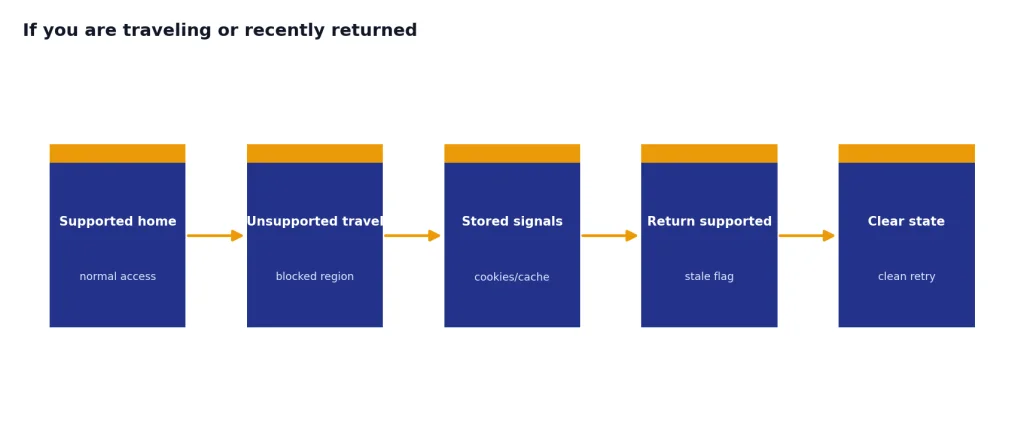
Here is the cleanest sequence after travel:
- Confirm you are now physically in a supported country or territory.
- Disconnect any VPN, proxy, secure relay, or travel eSIM routing tool.
- Clear cookies for ChatGPT and OpenAI domains.
- Restart the browser.
- Try a private window.
- Try a different network.
- If the error remains, contact OpenAI support.
If you are still in an unsupported country, the responsible answer is to wait until you are in a supported location. If you have a paid subscription and can no longer use the service because of travel or relocation, OpenAI’s travel guidance says support can help cancel subscriptions if you can no longer use the services.[4] For plan and billing context, see our ChatGPT Plus price explainer.
Signup, API, and payment cases
The same region restriction can show up in different products. ChatGPT access, API access, signup, and billing are related but not identical troubleshooting paths.
Signup says unsupported country
If the error appears before your account is created, first check whether your current country or territory is on the supported list. OpenAI says this signup error appears when someone tries to sign up or create an API key from a location outside its supported countries and territories.[2]
If you are in a supported place, remove VPNs and proxies, switch networks, and try a clean browser session. If you are not in a supported place, do not create a workaround account through a reseller or shared login. Shared and resold accounts can add security, billing, and suspension risk.
API key creation fails
Developers should check the API supported countries page, not only the ChatGPT list. OpenAI’s API documentation says API services are currently supported in listed countries and territories, and access outside that list may result in an account block or suspension.[8] If the issue is pricing rather than availability, use our OpenAI API pricing reference.
Payment method is the problem
A region error can also be tied to billing. OpenAI says using payment methods outside its supported-country list will result in being blocked from using its services.[3] That means a supported login location may not be enough if the payment method is not valid for supported access.
Do not use someone else’s card, fake billing details, or a marketplace account. If you cannot provide a supported payment method, the safer path is to use the free access available in your region if supported, wait for availability to change, or cancel paid service you cannot use.
When it is not a region problem
Not every access failure is a regional block. ChatGPT can fail because of outages, rate limits, browser state, security challenges, file tools, voice tools, or mobile app bugs. The key is to match the exact message.
OpenAI’s general troubleshooting page says “Something went wrong” can point to a temporary server issue or local setup problem, and it recommends checking status, clearing cache and cookies, using incognito mode, disabling extensions, turning off VPNs or secure DNS tools, and switching networks.[5] Those steps overlap with region troubleshooting, but the cause may be different.
Use this routing table to avoid wasting time:
| What you see | Likely category | Best next guide |
|---|---|---|
| “Region not supported” or “unsupported country” | Location, VPN, travel, signup, or billing | This guide |
| “Something went wrong” | General ChatGPT app or browser failure | ChatGPT something went wrong error |
| “Too many requests” | Rate limiting or repeated attempts | ChatGPT too many requests in 1 hour |
| HTTP 429 | Request rate limit | ChatGPT Error 429 Too Many Requests |
| HTTP 500, 502, or 503 | Server or gateway problem | ChatGPT error 503 service unavailable |
| Mobile app opens but will not load chats | App, session, or network problem | ChatGPT app not working |
If the error appears only when you upload files, generate images, use voice, or run code, troubleshoot that feature directly. We keep separate guides for ChatGPT file upload not working, ChatGPT image generator not working, ChatGPT voice mode not working, and code interpreter session expired.
The final test is simple. If ChatGPT works from a clean browser on a normal network in a supported country, the issue was local. If it fails everywhere and OpenAI support confirms your location or payment method is unsupported, there is no safe technical bypass.
Frequently asked questions
Can I bypass ChatGPT region not supported with a VPN?
A VPN can help only when it is the cause of a false error and you turn it off. It is not a safe way to use ChatGPT from an unsupported country. OpenAI says unsupported-country access may result in an account block or suspension.[3]
Why does ChatGPT say my region is unsupported when I am in the United States?
Your network may be routing traffic through a VPN, proxy, corporate gateway, secure DNS service, or privacy relay. The United States appears on OpenAI’s ChatGPT supported countries list.[1] Turn off traffic-routing tools, clear cookies, and test again on mobile data.
Does clearing cookies really fix the unsupported region error?
It can, especially after travel. OpenAI says supported-location users may see unsupported-region errors after visiting an unsupported region, and recommends clearing browser cache and cookies before trying another browser or incognito mode.[4]
Is the API supported everywhere ChatGPT is supported?
Do not assume that from memory. Check OpenAI’s API supported countries page before building or deploying API features. OpenAI’s API documentation says API access is supported only in the listed countries and territories.[8]
What should I do if I moved to an unsupported country?
Do not keep trying to mask your location. OpenAI warns that access from unsupported countries can lead to blocking or suspension.[3] If you have a paid subscription you can no longer use, contact OpenAI support about cancellation.
How do I know whether it is a region error or an outage?
Check the exact wording and compare it with OpenAI’s status page. The status page reports incidents across ChatGPT and other OpenAI services, but its availability metrics are aggregated and may not reflect every individual account.[7] If many users are affected, an outage is more likely; if only your network is affected, region or network detection is more likely.