

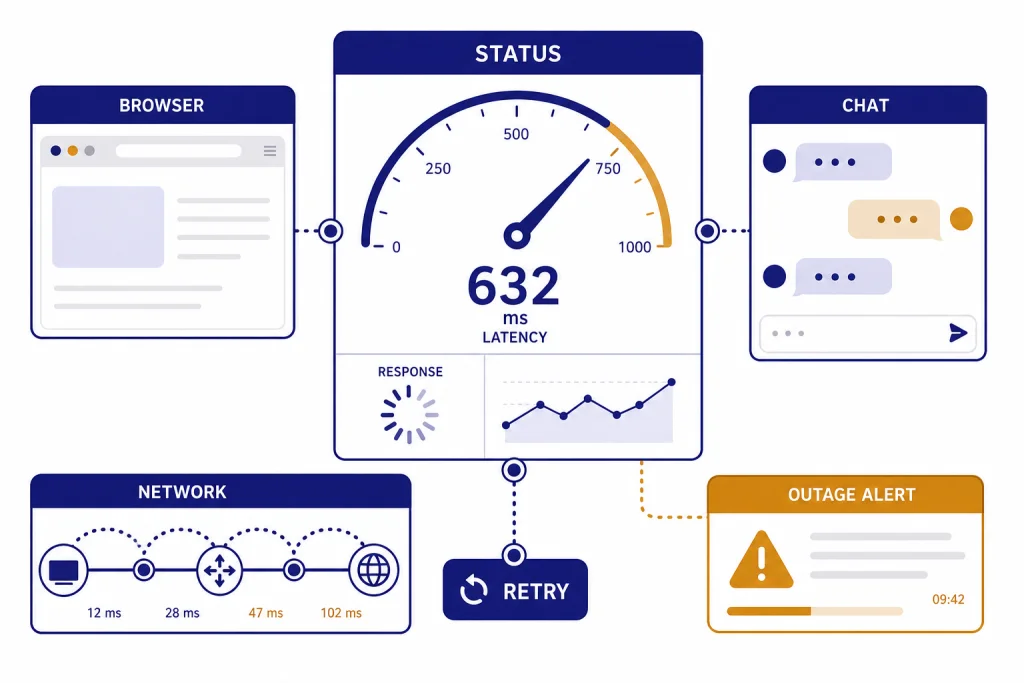
ChatGPT is usually slow for one of four reasons: OpenAI is having a service issue, your browser or app session is stuck, your network path is unstable, or the conversation has become too heavy to handle smoothly. The fastest fix is to check OpenAI’s status page, start a new chat, try an incognito window, turn off VPN or security filtering, and test another network or device. If other websites are fast but ChatGPT hangs on “Thinking” or “Generating,” treat it as a ChatGPT-specific problem. If every site is slow, start with your internet connection instead.
Quick check before you change anything
If ChatGPT suddenly feels slow today, do not start by reinstalling everything. First decide whether the slowdown is global, account-specific, device-specific, network-specific, or conversation-specific. OpenAI’s own guidance for slow ChatGPT responses points users to the status page, browser troubleshooting, device and network testing, and diagnostics if the issue continues.[1]
Use this short triage path. Open status.openai.com. Then send the same short prompt in a brand-new chat. Next, try ChatGPT in a private or incognito browser window. Then disable VPN, proxy, secure DNS, ad blockers, and privacy extensions long enough to test. Finally, switch from Wi-Fi to mobile hotspot or another network. If one of those changes fixes the problem, you have found the likely layer causing the delay.
The status page is useful, but it is not a perfect mirror of every user’s experience. OpenAI states that availability metrics are reported at an aggregate level across tiers, models, and error types, and that an individual customer’s availability can vary by subscription tier, model, and feature.[4] That means ChatGPT can be slow for you even when the main status card looks mostly healthy.
If the status page shows a ChatGPT incident, stop troubleshooting your browser for a few minutes. If the status page is clean, continue with local fixes. For outage patterns, compare your experience with chatgpt outages 2026 and the longer ChatGPT outage history.
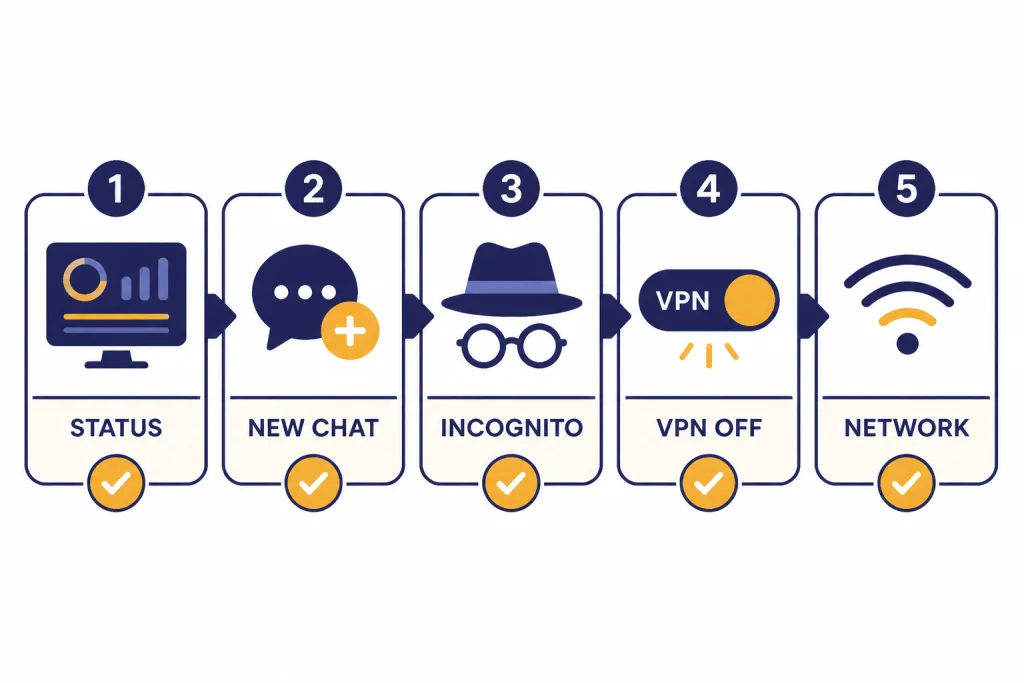
Common reasons ChatGPT is slow
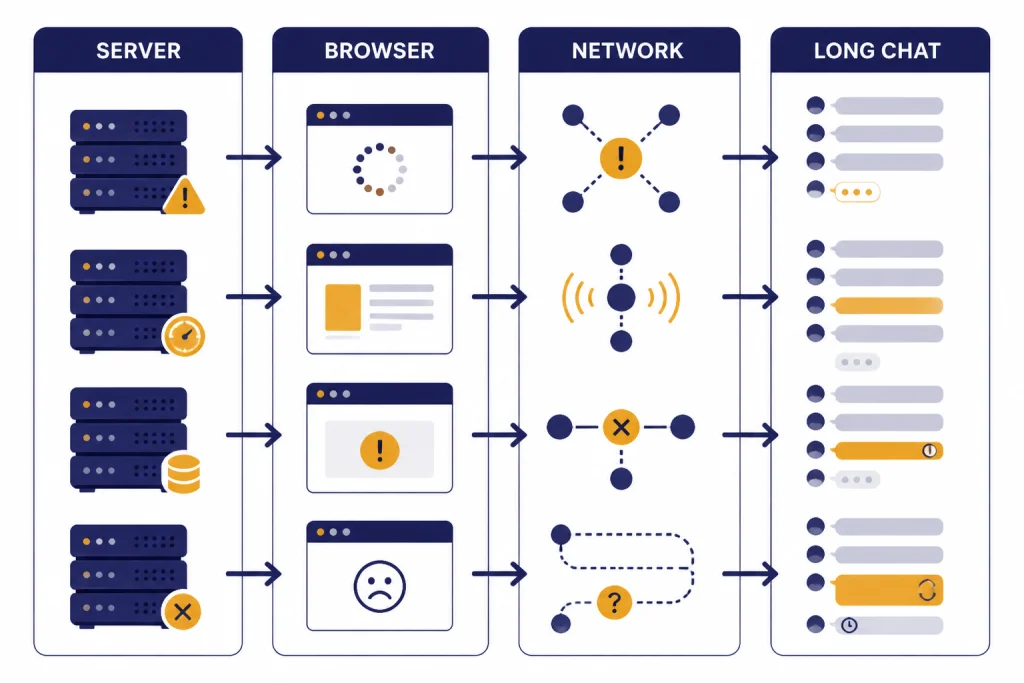
ChatGPT slowness usually looks like one problem, but it can come from several different layers. The visible symptom is the same: the message sits there, the spinner keeps moving, or the answer arrives one sentence at a time. The fix depends on where the delay starts.
| Symptom | Most likely cause | Best first fix | Related guide |
|---|---|---|---|
| Status page shows degraded ChatGPT service | OpenAI-side incident or capacity issue | Wait, retry later, or use a lighter workflow | current outage timelines |
| Only one conversation is slow | Long thread, many files, or heavy context | Start a new chat and summarize the prior thread | ChatGPT memory limit |
| ChatGPT is slow only in one browser | Cache, cookies, extensions, or site data | Use incognito, then clear site data | ChatGPT network error |
| ChatGPT is slow only on work Wi-Fi or VPN | Filtering, proxy routing, or flagged network path | Turn off VPN or test another network | ChatGPT not working with VPN |
| ChatGPT stops after repeated rapid prompts | Rate limiting or too many requests | Pause before retrying and reduce repeated sends | ChatGPT Error 429 Too Many Requests |
| App is slow but web is fine | Mobile app state, permissions, or device cache | Force quit, update, or test the browser version | ChatGPT app not working |
Server-side issues are the hardest to fix because you cannot clear them from your device. OpenAI’s status history includes degraded-performance incidents affecting ChatGPT web behavior, including a resolved incident where some users experienced empty responses in ChatGPT on the web.[3] When the service itself is degraded, repeated refreshing can make your own session messier without making OpenAI recover faster.
Local issues are more fixable. OpenAI’s error troubleshooting page lists network configuration, browser extensions, and transient server-side problems as common sources of ChatGPT technical issues.[2] That is why incognito testing is so useful. It temporarily removes most extension interference without forcing you to delete your setup.
Speed fixes that work most often
Start with the least destructive fixes. Refresh the page once. If the response is stuck, stop generation and resend the prompt in a new chat. If the new chat works, the original thread was probably the bottleneck. If the new chat is slow too, test the browser, app, network, and account layers.
Start a clean chat
A long working thread can become sluggish because ChatGPT has more conversation history and attachments to handle. You do not need to abandon the work. Ask ChatGPT to summarize the current state, copy that summary into a new chat, and continue from there. This is often faster than forcing one overloaded thread to keep going.
Use a private window
OpenAI recommends incognito or private browsing as a way to test whether the issue comes from browser settings or extensions.[1] If ChatGPT is fast in the private window, return to your normal browser and disable extensions in groups. Start with ad blockers, script blockers, privacy tools, password managers, coupon extensions, and anything that modifies page content.
Clear ChatGPT site data
If private browsing works but the normal tab stays slow, clear site data for ChatGPT and sign in again. OpenAI’s slow-response guidance specifically distinguishes clearing site data from merely clearing cache.[1] This matters because a broken session, stale cookie, or corrupted local state can survive a normal refresh.
Turn off VPN and security filtering
VPNs, proxies, secure DNS tools, and corporate filters can add latency or interfere with the connection. OpenAI’s error guidance tells users to disable VPNs, proxies, and secure DNS tools when troubleshooting slow, stuck, or unresponsive ChatGPT sessions.[2] If your organization requires a VPN, test from a personal network only if your data policy allows it.
Try another device or network
If ChatGPT is slow on your laptop but fast on your phone, the issue is probably browser, device, or local network related. If ChatGPT is slow on every device using the same Wi-Fi but faster on mobile data, the problem is probably your network path. OpenAI’s slow-response article recommends trying a different device or network and notes that company network or VPN policies can affect access.[1]
For a deeper network-specific checklist, use this guide to ChatGPT network error. If the problem appears after many rapid prompts, compare it with ChatGPT too many requests in one hour before you keep retrying.

Why long chats get slower
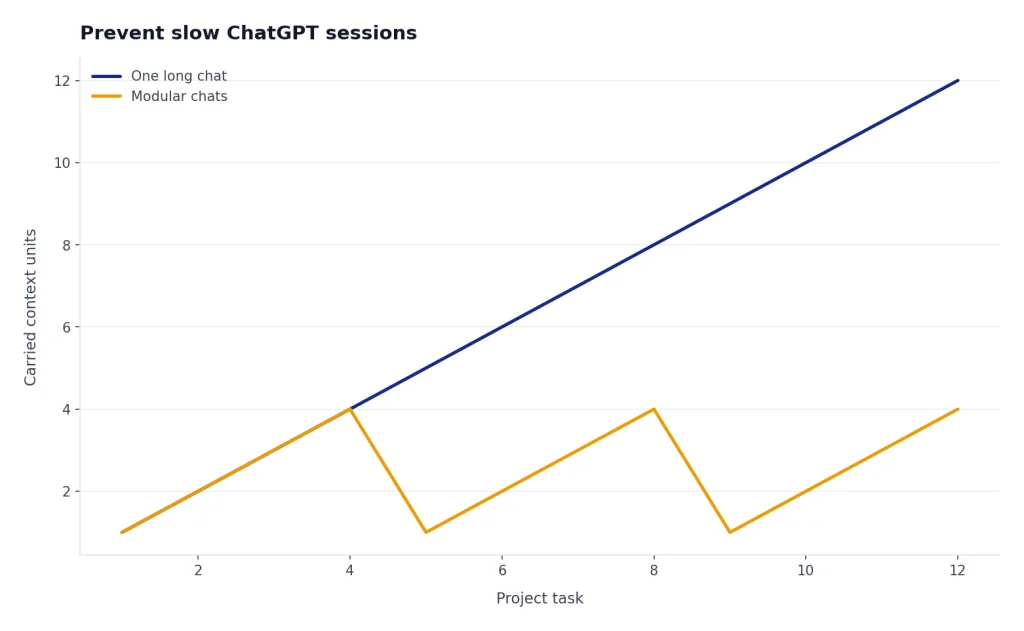
Long chats are convenient until they become a performance problem. A thread that contains many turns, pasted logs, files, code blocks, images, or back-and-forth revisions gives ChatGPT more context to process and gives your browser more content to display. OpenAI’s troubleshooting guidance for slow or unresponsive ChatGPT explicitly recommends starting a new chat when a conversation is long or has many turns.[2]
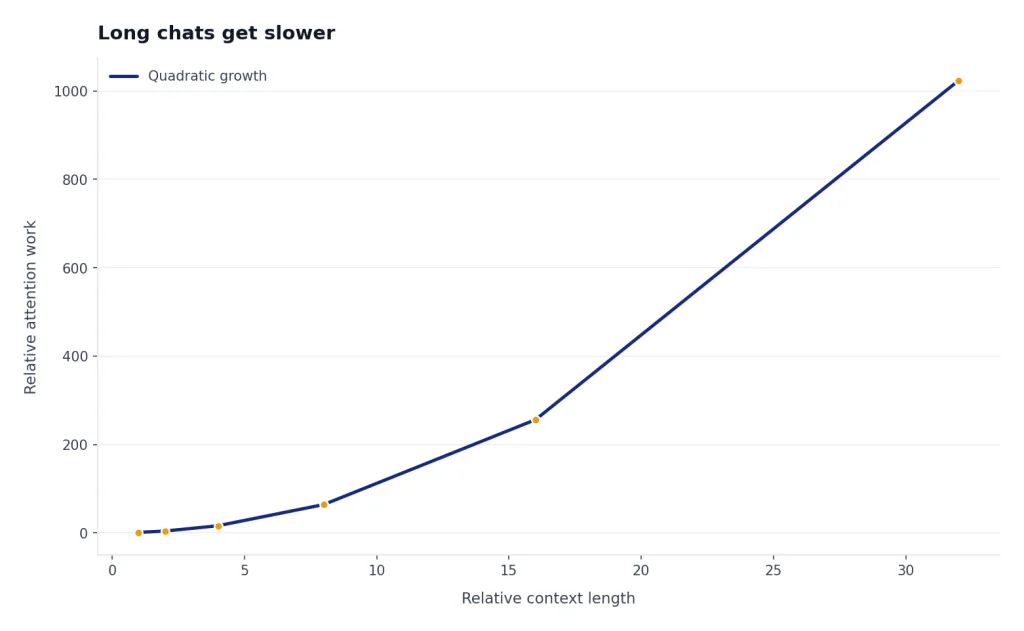
The best workaround is a controlled reset. Ask for a concise project handoff. Include the goal, current decision, important constraints, unresolved questions, and the next task. Then paste that handoff into a new chat. This preserves the useful state without forcing the interface to carry every prior message.
Use this prompt:
Summarize this conversation so I can continue in a new ChatGPT thread. Include the goal, key decisions, files or data used, constraints, open questions, and the next three actions. Keep it compact but complete.Then start a new chat with the summary and your next instruction. If you use memory heavily, remember that memory is not the same thing as full conversation history. Memory can help ChatGPT retain stable preferences or facts, but it does not replace a well-written handoff for a large project. For storage and recall behavior, see the ChatGPT memory limit breakdown.
Slow files, voice, images, and data analysis
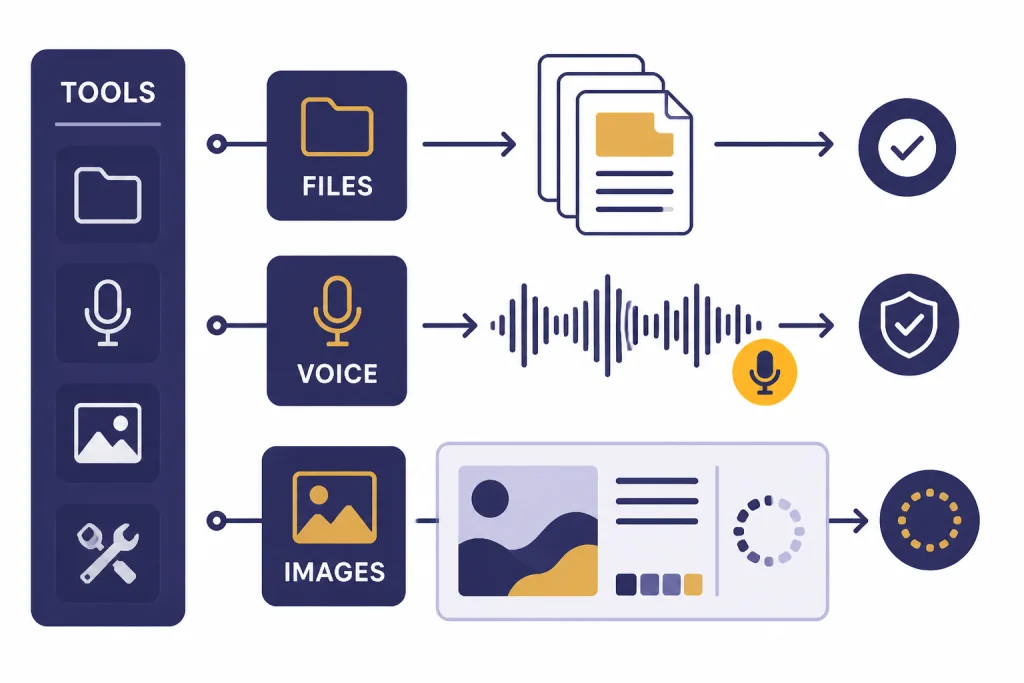
Some ChatGPT features feel slower because they do more work than a plain text reply. File analysis, image generation, voice mode, browsing, and data analysis can involve upload handling, tool calls, transcription, retrieval, or generated assets. Treat those delays differently from a slow answer to a simple text question.
Files and uploads
If a file-heavy chat slows down, test a small text-only prompt in a new chat. If that is fast, the file workflow is the likely issue. OpenAI’s ChatGPT release notes describe a File Library that saves uploaded or created files and lets users reference recent files or browse uploaded files from the Library on supported surfaces.[5] That convenience can make file workflows feel more persistent, but large or complex documents can still slow a session.
Use smaller batches. Rename files clearly. Ask one narrow question at a time. If uploads fail outright, use chatgpt file upload not working rather than treating the problem as simple slowness.
Voice mode
Voice mode adds microphone capture, speech understanding, model response, and spoken output. OpenAI says voice conversations are available to logged-in users in ChatGPT mobile apps and on desktop web, and that users may need to grant microphone permission.[6] If voice is slow, test normal text chat. If text is fast, check microphone permission, background audio, Bluetooth devices, and network stability.
OpenAI also notes that Voice mode does not yet support tools such as image generation, file uploads, or Code Interpreter.[6] If you are trying to combine voice with tool-heavy work, move back to a text chat. For persistent audio problems, use this ChatGPT voice mode not working diagnostic guide.
Images and generated files
Image generation can be slower than text because the system must create an asset, not just stream words. If image generation hangs, start a new chat with a shorter prompt and test whether normal text still works. If only images fail, use the ChatGPT image generator not working breakdown.
Data analysis and code execution
Data analysis can slow down when the task requires parsing files, running code, generating charts, or keeping a temporary execution session alive. If the session expires, do not keep hammering the same prompt. Save the important code or data notes, start a new analysis session, and compare the symptoms with code interpreter session expired.
When waiting is the right fix
Waiting is the right fix when the cause is clearly outside your device. If OpenAI’s status page shows a ChatGPT incident, if many users are reporting the same failure, or if ChatGPT works only intermittently across multiple devices and networks, local cleanup will not solve the core problem. You can still reduce frustration by saving drafts outside ChatGPT and avoiding repeated resubmission of long prompts.
OpenAI status incidents often move through investigation, mitigation, monitoring, and resolution. In the resolved ChatGPT web empty-response incident listed before this article’s publication, the status page showed investigation, mitigation monitoring, and full recovery updates for the affected ChatGPT component.[3] That pattern is common during service events: the service may improve gradually before it is formally marked resolved.
If you see explicit errors instead of simple slowness, switch guides. A gateway or server error is not the same as a slow model response. Use ChatGPT Error 502 Bad Gateway, chatgpt error 503 service unavailable, or chatgpt internal server error when the interface shows those messages.
If ChatGPT is slow but still responding, avoid turning one problem into several. Do not repeatedly paste the same large prompt into multiple tabs. Do not upload the same file again and again unless the first upload failed. Do not clear all browser data if incognito mode proves the issue is an OpenAI incident rather than your browser.
How to prevent slow ChatGPT sessions
You cannot prevent every ChatGPT slowdown, but you can make your sessions easier to recover. Keep large projects modular. Use one chat for planning, one for drafting, one for code review, and one for file analysis. Give each thread a clear purpose so you can restart only the slow part instead of losing the whole workspace.
- Save important prompts elsewhere. Keep critical instructions in a document you control.
- Summarize before a thread gets unwieldy. Move to a fresh chat when the page starts lagging.
- Use shorter prompts for testing. A simple prompt tells you whether ChatGPT works before you submit a large task.
- Keep extensions lean. Disable tools that inject scripts into every page if they interfere with ChatGPT.
- Separate tool workflows. Do file analysis, image generation, and voice work in separate chats when possible.
- Know your limits. If you are running into usage caps rather than slowness, check ChatGPT daily limit and how to bypass ChatGPT message limits legitimately.
The simplest habit is also the most effective: when ChatGPT gets slow, test a new chat before changing your system. That one step separates a heavy conversation from a broader outage, a bad browser state, or a network problem.
Frequently asked questions
Why is ChatGPT so slow today if my internet is fast?
Your internet can be fast while ChatGPT is slow because the delay may come from OpenAI service load, a specific model, your browser session, a long chat, or a network route between you and OpenAI. Test a new chat, incognito mode, and another network. Also check the OpenAI status page before changing your setup.
Does ChatGPT get slower in long conversations?
It can. OpenAI’s troubleshooting guidance recommends starting a new chat when the conversation is long or has many turns.[2] Ask for a handoff summary, paste it into a new thread, and continue there.
Should I clear cache or cookies when ChatGPT is slow?
Yes, but test incognito mode first. If ChatGPT works in incognito, clearing site data for ChatGPT is more likely to help. OpenAI specifically recommends clearing site data when ChatGPT is stuck or freezing.[1]
Can a VPN make ChatGPT slow?
Yes. VPNs and proxies can add latency, trigger extra checks, or conflict with workplace policies. OpenAI’s troubleshooting page recommends disabling VPNs, proxies, and secure DNS tools while diagnosing slow or stuck ChatGPT behavior.[2]
Why does ChatGPT say “Thinking” forever?
A stuck “Thinking” state can come from a stalled response, overloaded conversation, browser problem, network issue, or OpenAI incident. Stop generation, retry once, then start a new chat. If the issue follows you across devices and networks, check OpenAI status and wait.
Is upgrading the best way to make ChatGPT faster?
Not always. A paid plan may provide different access and limits, but it will not fix a bad browser session, VPN conflict, local network issue, or active service incident. Diagnose the cause first, then decide whether plan limits are actually the bottleneck.