

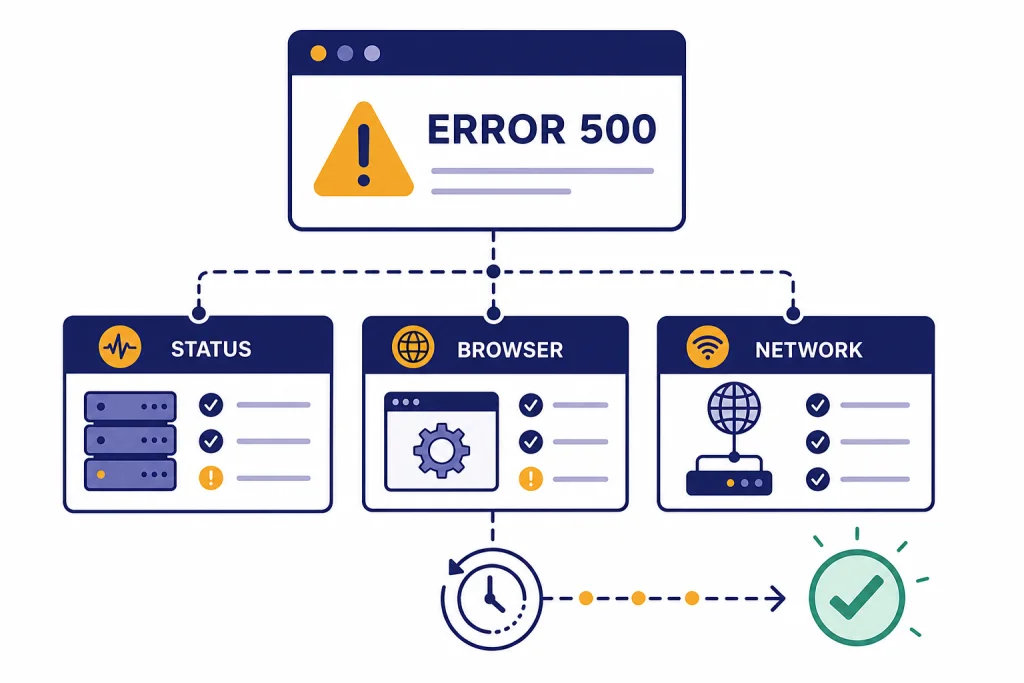
A ChatGPT error 500 means the request reached a server, but the server could not finish it because of an unexpected internal problem.[1] You usually cannot “fix” OpenAI’s side yourself, but you can rule out local causes in a few minutes. Start by checking OpenAI’s status page, refreshing or starting a new chat, trying an incognito window, disabling extensions, clearing site data, and turning off VPN or proxy tools.[2] If the same error appears across browsers, devices, and networks, treat it as a service-side incident and wait before retrying.
What ChatGPT error 500 means
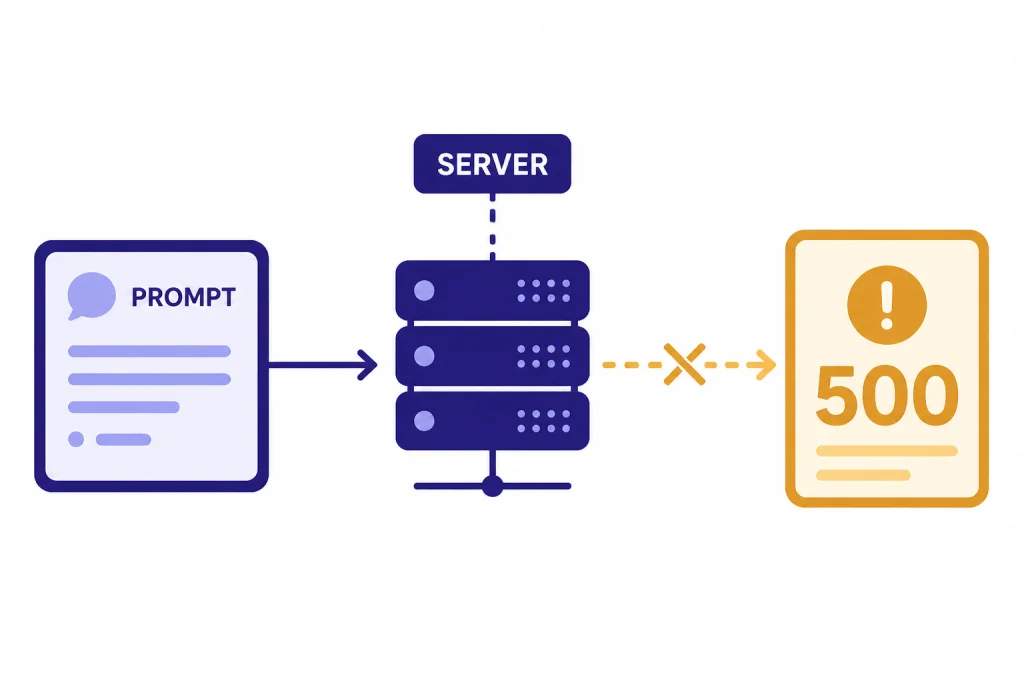
ChatGPT error 500 is the ChatGPT version of an HTTP 500 Internal Server Error. MDN describes HTTP 500 as a server error response used when the server hits an unexpected condition that prevents it from fulfilling the request.[1] In plain English, your prompt was not completed because something in the service path failed.
That does not prove the whole ChatGPT service is down. The failure can be limited to one conversation, one account tier, one model, one region, one browser session, or one feature such as file uploads. OpenAI’s status page also warns that availability metrics are reported at an aggregate level across tiers, models, and error types, so your experience can differ from the headline status shown on the page.[3]
OpenAI’s own ChatGPT troubleshooting guide groups many visible errors under temporary server issues, browser extensions, network configuration, VPNs, secure DNS tools, cache problems, and local browser state.[2] That is why the right fix is not one magic button. It is a short diagnostic sequence that separates a temporary OpenAI-side problem from something on your device or network.
If your screen says “Internal server error,” “Something went wrong,” “There was an error generating a response,” or simply fails after you send a message, use the same first checks. For related wording, compare this page with our chatgpt internal server error guide and the chatgpt something went wrong error checklist.
Fast fix checklist
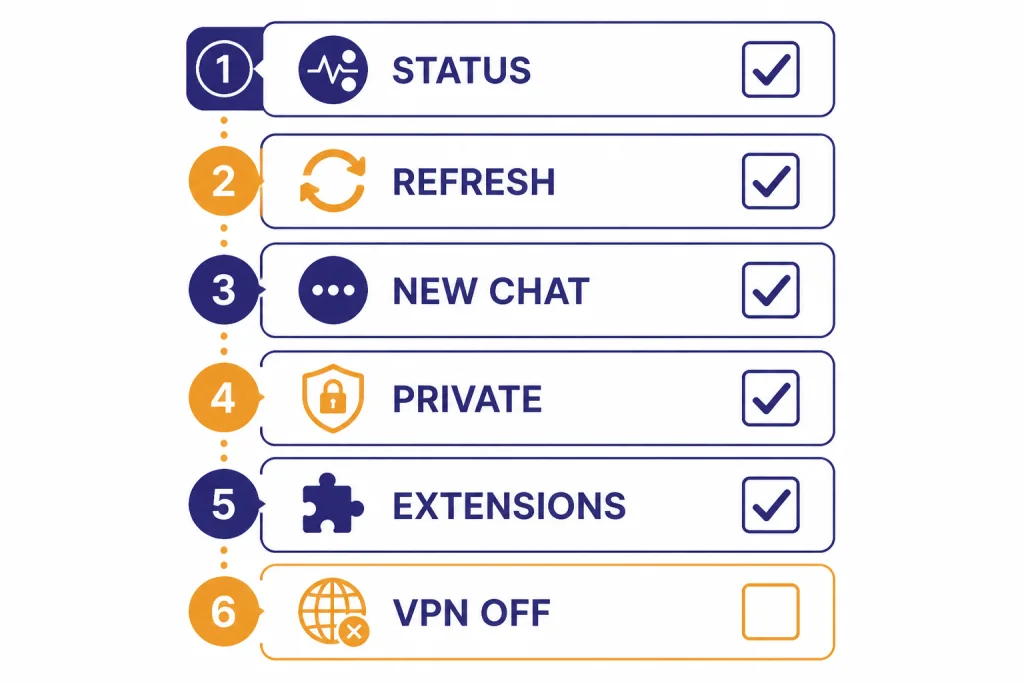
Work through these steps in order. Stop when ChatGPT starts responding again.
- Check OpenAI status. Look for an active ChatGPT incident, elevated error rate, degraded performance, or partial outage. OpenAI reported an Enterprise and Edu ChatGPT conversation error incident on March 9, 2026, with identified, monitoring, and resolved updates between 3:38 PM and 4:15 PM on that date.[4]
- Refresh once. Use a normal reload first. OpenAI’s ChatGPT error guidance recommends refreshing the page or starting a new chat for general errors.[2]
- Start a new chat. A single conversation can fail while the rest of ChatGPT works. Copy your prompt before leaving the broken thread.
- Use incognito or private browsing. OpenAI recommends private browsing as a way to test whether browser state or extensions are involved.[2]
- Disable extensions. Turn off ad blockers, script blockers, privacy extensions, AI page assistants, and security tools that modify web pages. OpenAI specifically calls out browser extensions and URL blockers as possible causes for page-loading and chat-preparation problems.[2]
- Turn off VPN, proxy, and secure DNS tools. OpenAI recommends disabling VPNs, proxy connections, secure DNS tools, and security filters when ChatGPT cannot connect reliably.[2]
- Clear ChatGPT site data. If the same browser keeps failing, clear cache, cookies, or site data for ChatGPT and sign in again. OpenAI recommends clearing browser cache and cookies for some ChatGPT error states.[2]
- Switch network or device. Try mobile data, another Wi-Fi network, or another device. If ChatGPT works there, the problem is likely local to your original setup.
If the error appears only during file work, see chatgpt file upload not working. If the page opens but responses cut off midstream, use our chatgpt error in message stream article instead.
How to tell if it is OpenAI or your setup
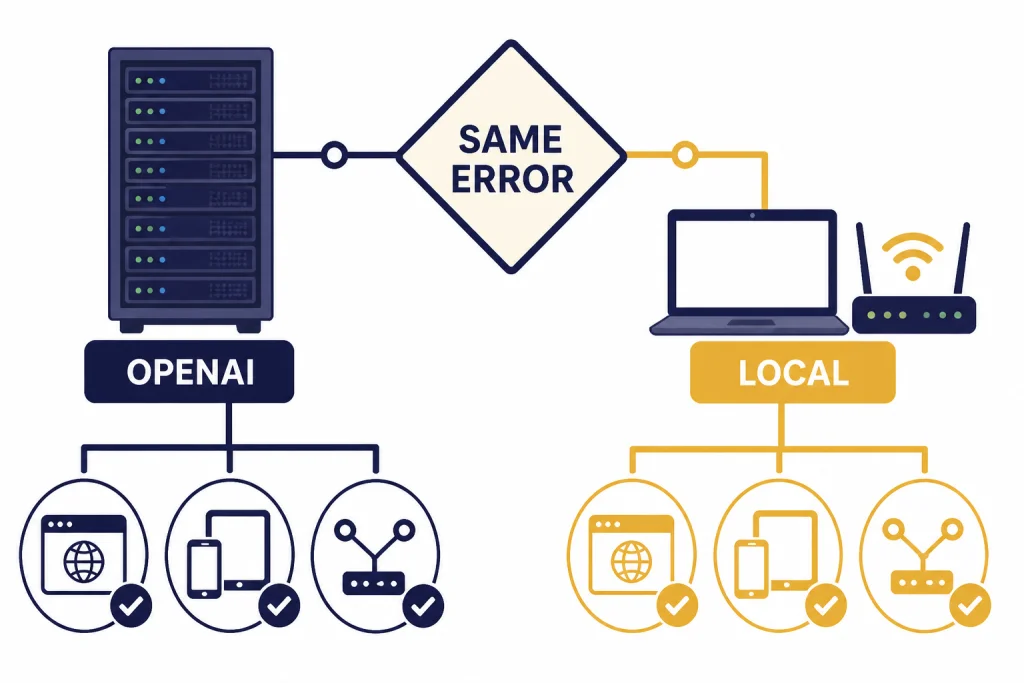
A 500 error points to a server-side failure, but ChatGPT is a web app with many layers between your browser and the model. Your browser session, login state, network route, extensions, corporate filters, and VPN exit node can still affect whether the request succeeds.
| What you see | Most likely cause | Best next move |
|---|---|---|
| Error appears on every device and network | OpenAI-side incident or model/service issue | Check status, wait, and retry later |
| Error appears only in one browser | Cache, cookies, extension, or browser profile problem | Try private browsing, disable extensions, clear site data |
| Error appears only on work or school Wi-Fi | Network filtering, proxy, DNS, or firewall issue | Try mobile data or ask the network admin |
| Error appears only with VPN enabled | VPN route, flagged exit IP, proxy conflict, or secure DNS issue | Turn off VPN or change exit region |
| Error appears only with files, images, voice, or one feature | Feature-specific failure | Check the feature-specific guide and OpenAI status |
| Error appears only in one long conversation | Thread state, large context, or conversation-specific failure | Start a new chat and paste the essential context |
OpenAI’s public status page is useful, but it is not a perfect mirror of your individual account. OpenAI says individual availability may vary by subscription tier, model, and API features in use.[3] That means a status page showing broad recovery does not guarantee that your exact workflow has recovered.
Use outside reports carefully. Social posts and outage trackers can confirm that other people are seeing failures, but they can also amplify unrelated local problems. The official status page and your own cross-device test matter more.
If OpenAI shows a current incident, avoid aggressive retrying. Save your prompt, wait, and try again after the incident moves to monitoring or resolved. For broader context, keep our ChatGPT outage history and chatgpt outages 2026 timelines handy.
Fixes by surface
The right next step depends on where you see the error. Use the closest match below.
ChatGPT in a web browser
Open ChatGPT in a private window. If it works there, return to your normal browser and disable extensions in groups. Start with privacy blockers, script blockers, coupon extensions, translation overlays, password managers with page injection, and security tools. Then clear ChatGPT site data and sign in again.
If the normal browser still fails, create a fresh browser profile. A clean profile is often faster than hunting through years of cookies, extension settings, and experimental flags.
ChatGPT mobile app
Force close the app, reopen it, and try a short prompt. Switch between Wi-Fi and cellular data. If the app still fails while the web version works, sign out and back in, then check for an app update. For a deeper phone-specific path, use chatgpt app not working.
VPN, proxy, or corporate network
Turn off the VPN or proxy and retry. If you need a VPN for work, change the exit region or ask your administrator whether ChatGPT traffic is being inspected, blocked, or rewritten. OpenAI’s help guidance recommends disabling VPNs, proxies, and security filters when connection problems occur.[2] Our chatgpt not working with vpn guide covers that path in more detail.
Files, images, voice, and tools
If normal text chat works but a tool fails, isolate the tool. Try a plain text prompt first. Then test the failing feature in a new chat with a small input. OpenAI had a March 2, 2026 incident affecting file uploads and file processing, which shows how feature-specific errors can occur even when the rest of ChatGPT is reachable.[8] For image-specific problems, see chatgpt image generator not working. For voice, see chatgpt voice mode not working.
If the error appears after a long delay, treat it as a slow-response or timeout problem. OpenAI recommends checking the status page, trying incognito, signing out and back in, and clearing site data when ChatGPT takes too long to respond.[6] You can also compare symptoms with why is my ChatGPT so slow and chatgpt network error.
API and developer fixes
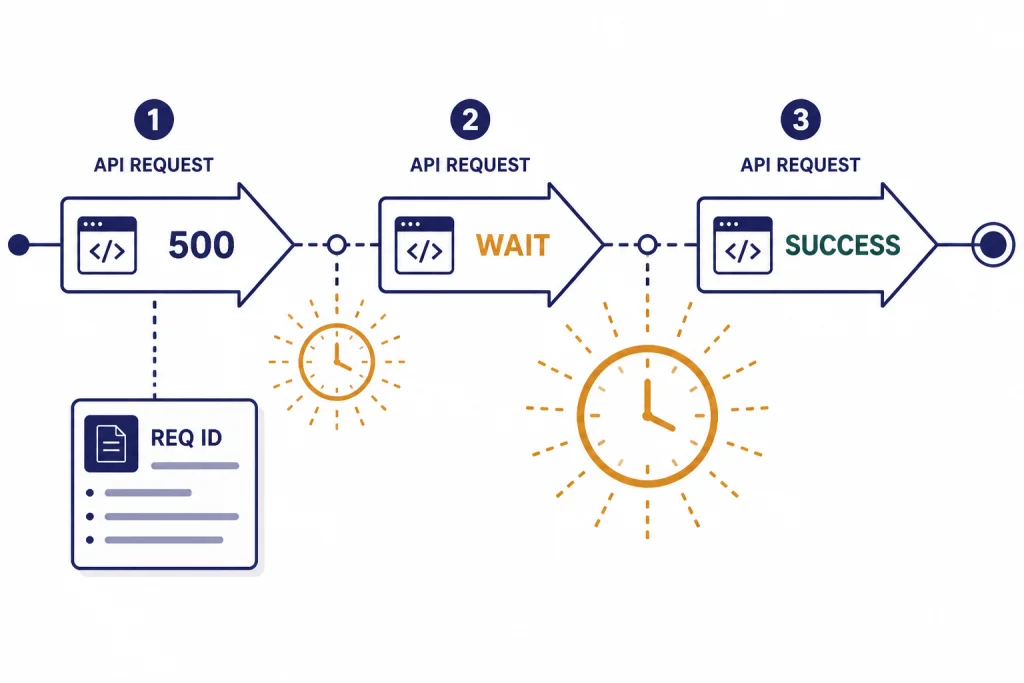
If you are seeing a 500 error through the OpenAI API rather than the ChatGPT web app, handle it differently. OpenAI’s API error documentation says a 500 response means the server had an error while processing your request, lists the cause as an issue on OpenAI’s servers, and recommends retrying after a brief wait, contacting OpenAI if it persists, and checking the status page.[5]
Do not treat API 500 errors like validation errors. A malformed request usually produces a client-side status such as bad request or authentication failure. A 500 from the API should be logged, retried safely, and monitored for rate spikes.
| Error family | Meaning for a developer | Retry? | What to log |
|---|---|---|---|
| 500 Internal Server Error | Server failed while processing the request | Yes, after a brief wait | Request ID, endpoint, model, timestamp, payload size |
| 503 Service Unavailable or overloaded | Service capacity or traffic issue | Yes, with backoff | Endpoint, model, retry count, latency |
| 429 rate limit | Requests are arriving too quickly or quota is exhausted | Only when rate-limited, not when quota is exhausted | Rate-limit headers, project, user action |
| 401 or 403 | Authentication, authorization, or access problem | No, not until configuration changes | Key source, organization, project, access policy |
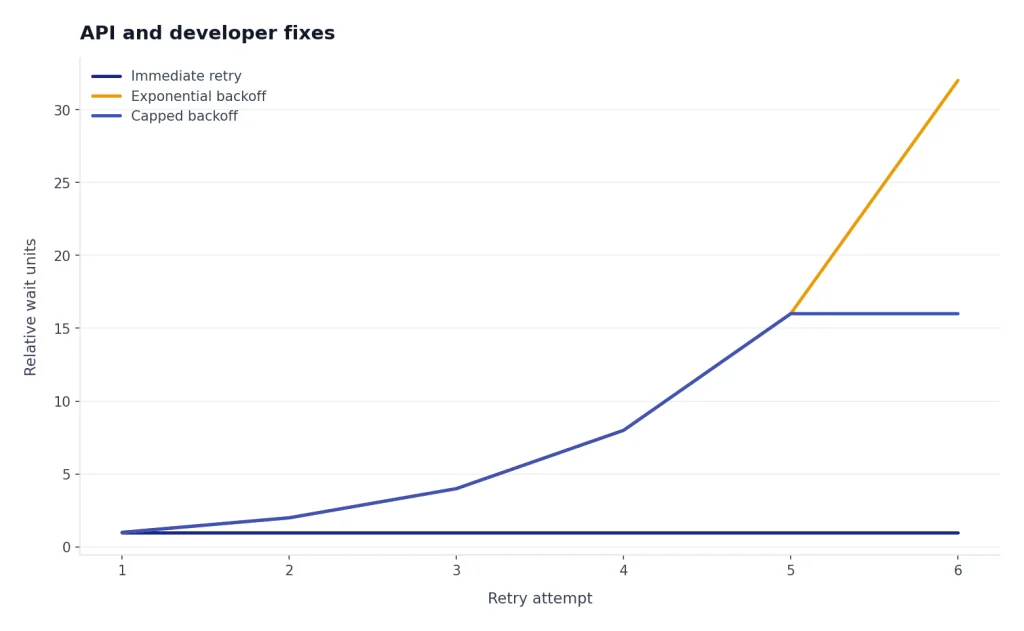
Use bounded retries. A simple pattern is to retry a small number of times with increasing delay, then fail gracefully. OpenAI has not published an official universal retry count for every ChatGPT or API workflow. The safe principle is to avoid retry storms, preserve user input, and expose a clear “try again later” state.
For production apps, record the request ID when it is available. OpenAI’s API error guidance says to contact support if an InternalServerError persists after retrying.[5] A timestamp, request ID, endpoint, model, and minimal reproduction will help support more than a screenshot alone.
What not to do
- Do not keep hammering Send. Repeated retries can make a temporary failure worse for your session and can create duplicate requests.
- Do not clear all browser data unless you need to. Clear ChatGPT site data first. A full browser wipe is rarely the first move.
- Do not assume a paid plan prevents server errors. OpenAI’s status page says availability can vary by tier, model, and API feature, but it does not promise that a paid plan avoids every incident.[3]
- Do not install random “ChatGPT fixer” extensions. Browser extensions are themselves a common source of web app problems.
- Do not paste private data into third-party outage checkers. You only need to know whether other users report failures. You do not need to share your prompt or account details.
Also avoid confusing nearby error codes. A ChatGPT Error 502 Bad Gateway often points to a gateway problem. A chatgpt error 503 service unavailable usually means the service is unavailable or overloaded. A ChatGPT Error 429 Too Many Requests means you are hitting a rate or quota boundary. They can feel similar, but the best fix is not identical.
When to contact support
Contact support when the error persists after you have tested another browser, another device, another network, and a private window. OpenAI’s troubleshooting guidance recommends collecting a HAR file and browser console errors with timestamps when an issue persists across browsers, devices, and networks.[2]
Include the exact error text, the time it happened, your browser or app version, whether VPN or proxy tools were enabled, and whether the problem affects all chats or only one thread. If the problem is tied to files, include the file type and approximate size. If it is tied to a custom GPT, say whether the same prompt works in a normal chat.
If the problem started during a known OpenAI incident, wait until the incident is resolved before filing a detailed ticket. If the incident is marked resolved but your account still fails across clean environments, that is the right time to escalate.
Frequently asked questions
Is ChatGPT error 500 my fault?
Usually, no. HTTP 500 means the server hit an unexpected condition that stopped the request.[1] Your browser or network can still contribute to the failure path, so it is worth testing incognito, another network, and another device before waiting on OpenAI.
How long should I wait before retrying?
OpenAI’s API guidance says to retry after a brief wait for a 500 server error, but it does not publish one universal wait time for every ChatGPT web error.[5] For the web app, wait long enough to avoid rapid repeated sends, then retry with a short prompt or a new chat.
Can a VPN cause ChatGPT error 500?
A VPN may not be the root cause of a true server error, but it can interfere with ChatGPT connectivity. OpenAI recommends disabling VPNs, proxies, secure DNS tools, and security filters when ChatGPT connection errors occur.[2] If turning off the VPN fixes it, use a different exit region or network.
Why does error 500 happen in only one conversation?
A single thread can fail because of conversation state, tool state, a very long context, or a temporary backend issue tied to that request. Start a new chat and paste only the essential context. If the new chat works, keep using it and archive the broken thread.
Is error 500 the same as ChatGPT being down?
Not always. A widespread set of 500 errors can be part of an outage, but the error can also affect only one feature, region, model, account type, or browser session. OpenAI’s status page reports availability at an aggregate level, so your exact experience may vary.[3]
Should I upgrade to fix ChatGPT error 500?
Do not upgrade just to fix a 500 error. A paid plan may have different capacity and model access, but server-side failures can still affect paid users. First confirm whether the issue is a status incident, browser problem, network problem, or feature-specific failure.