

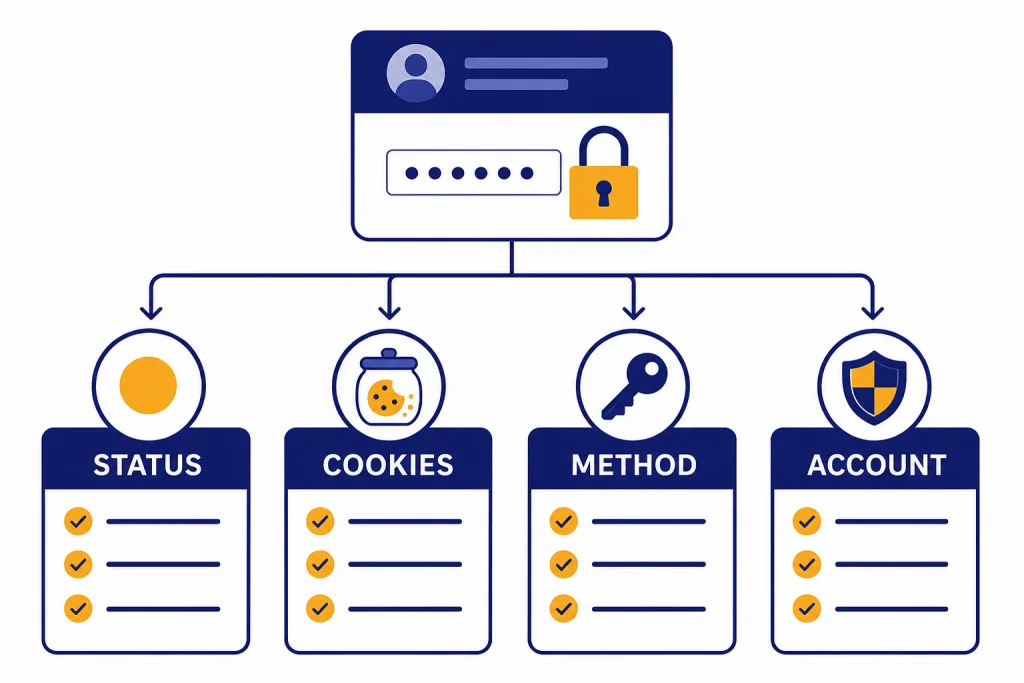
If ChatGPT login failed, start by separating a local sign-in problem from an OpenAI service problem. Check the OpenAI status page, then try a clean browser session, confirm you are using the same sign-in method you used to create the account, and disable VPNs, ad blockers, cookie blockers, or privacy extensions that can interrupt authentication. Most login failures come from stale browser data, the wrong Google, Microsoft, Apple, or password path, blocked cookies, repeated failed attempts, or a temporary ChatGPT incident. Use the steps below in order. They move from the fastest checks to the cases where you need OpenAI Support.
Quick diagnosis
A ChatGPT login failed message does not point to one single cause. It can mean ChatGPT is having an authentication incident, your browser is blocking part of the login flow, you picked the wrong sign-in provider, or OpenAI is asking for extra verification. The fastest fix is to identify which category you are in before you start changing settings.
Use the table below as a first pass. If the same login fails on several devices and networks, treat it like a service or account problem. If it works in a private window or on mobile data, treat it like a browser, extension, VPN, or network problem. If the issue appears only inside the mobile app, skip to the app section and test the web version before reinstalling anything.
| What you see | Most likely cause | First fix to try |
|---|---|---|
| Login page loops or returns to the start | Cookies, cached session data, or blocked scripts | Open a private window, then clear site data if it works |
| Wrong authentication method | You used a different sign-in method than the one used at signup | Use the original Google, Microsoft, Apple, or password method |
| Suspicious login behavior | Too many attempts, VPN use, unusual location, or device change | Stop retrying, switch networks, turn off the VPN, and wait |
| CAPTCHA repeats or never completes | VPN, proxy, extension, or unusual browser configuration | Disable VPN and privacy extensions, then try incognito mode |
| Mobile app fails but web works | App session, mobile browser handoff, or platform-specific setting | Update or reinstall the app after confirming the account works on web |
| Account deleted, deactivated, or unsupported region message | Account or location restriction | Do not keep retrying. Check the matching account or region guidance |

Check OpenAI status first
Before you troubleshoot your browser, check whether OpenAI has an active ChatGPT authentication incident. OpenAI’s help guidance tells users with generic login errors to check status.openai.com for an active service issue before going deeper into local fixes.[1] If there is a known incident, clearing cookies and reinstalling apps may not help until OpenAI resolves the server-side problem.
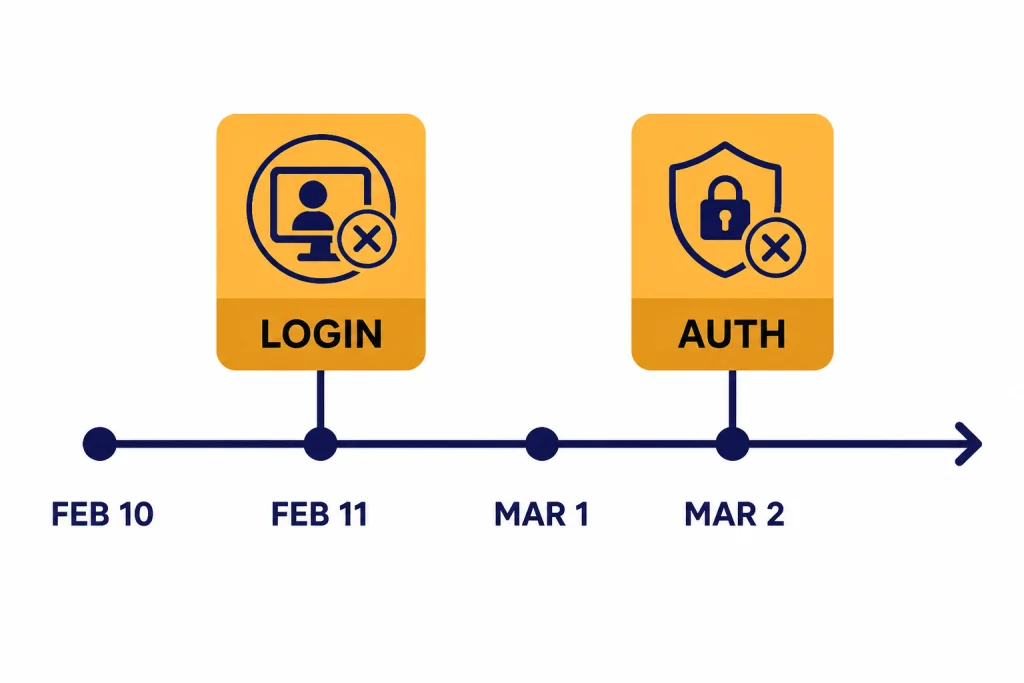
Login incidents do happen. OpenAI’s status page listed an “Increased login errors for ChatGPT” incident from February 10, 2026, 10:41 PM to February 11, 2026, 12:41 AM, with ChatGPT as the affected component.[7] It also listed an “Increased Authentication Failures Affecting Some Users” incident from March 1, 2026, 06:10 AM to March 2, 2026, 02:08 AM, again affecting ChatGPT.[6] These incidents are a reminder to verify the service state before assuming your password or device is broken.
If the status page shows a ChatGPT outage, partial outage, degraded performance, or authentication failure, wait and retry later. If the status page looks normal and other people on your network can log in, continue with local troubleshooting. For broader reliability context, see our ChatGPT outage history and the running ChatGPT outages 2026 timeline.
Fix browser and sign-in method problems
Most repeat login failures are caused by the browser session or by using the wrong authentication method. OpenAI recommends clearing cache and cookies, trying a desktop device, using an incognito window, trying a different browser or device, and checking the method used to create the account.[1] Follow that order. It avoids deleting more than you need.
Confirm the original login method
If you created the account with “Continue with Google,” “Continue with Microsoft,” or “Continue with Apple,” use that same option again. OpenAI says users who signed up with one of those providers must continue using the same method.[1] If you signed up with Apple and used Hide My Email, the account may be tied to an Apple private relay address, not the personal email you are typing into the password field.[1]
This is the most common non-outage mistake. A password reset will not fix an account that was created only through Google, Microsoft, or Apple. OpenAI’s password reset guidance says users who originally signed up with those providers do not have a ChatGPT password to reset and should reset the provider password through that provider if needed.[13]
Start with a clean session
Open a private or incognito window and sign in there. If that works, the problem is likely stored site data, a broken cookie, or an extension in your normal profile. Clear site data for ChatGPT and OpenAI, then sign in again. If the private window also fails, try a different browser before changing account settings.
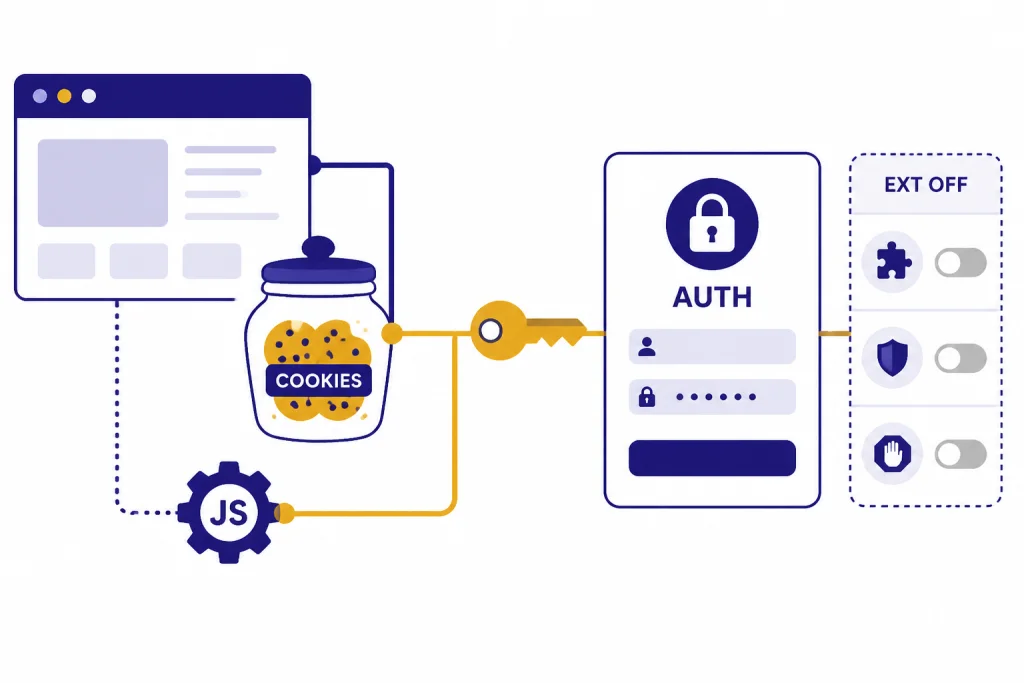
Make sure cookies and JavaScript are allowed for the login flow. OpenAI specifically calls out cookie-consent overlays, cookie managers, ad blockers, tracker blockers, VPNs, proxies, privacy tools, and script blockers as possible causes of login or verification failures.[1] If you use hardened browser settings, create a temporary clean profile with default cookie and JavaScript behavior and test there.
If you are on a work, school, hotel, or managed network, switch to mobile data. Corporate filters can interfere with verification pages or browser checks. If ChatGPT works on mobile data but not on the managed network, your device is probably fine. Ask the network administrator whether authentication or challenge pages are being blocked. If the symptom looks more like a general connectivity problem after login, compare it with our ChatGPT network error guide.
Handle CAPTCHA, verification, and suspicious login alerts
Some login failures are security checks, not ordinary errors. OpenAI may ask you to verify a login when you use a new or unrecognized device, log in from an unusual location, update sensitive account information, or request a security check.[5] Depending on your setup, the verification step may use a push notification in the ChatGPT mobile app or a one-time password sent by email.[5]
If you see a CAPTCHA loop
CAPTCHAs are normal sometimes. OpenAI says ChatGPT uses CAPTCHAs on web, iOS, and Android to reduce bot activity and spam.[3] You should not see them constantly. If you do, OpenAI recommends checking that you are not using a VPN, reviewing non-standard browser configurations such as extensions, trying incognito mode, and reporting persistent CAPTCHA issues with a screenshot of the puzzle.[3]
Do not keep refreshing a CAPTCHA page in a loop. That can make your session look more unusual. Instead, close the tab, turn off the VPN or proxy, disable privacy extensions for the login attempt, and start a new private window. If you use secure DNS or filtering software, temporarily test without it. For VPN-specific patterns, use our ChatGPT VPN troubleshooting guide.
If you see suspicious login behavior
OpenAI says suspicious activity alerts can appear for unusual sign-in behavior, inconsistent usage patterns, or more simultaneous sessions than usual.[4] OpenAI’s login help also says that multiple failed attempts can trigger temporary restrictions and recommends waiting up to 1 hour before trying again.[1] That waiting period matters. Repeated retries can extend the problem instead of solving it.
Use this sequence: stop retrying, turn off VPN, switch networks, clear cookies, then try a different browser or device after the wait. If you receive an email verification code, confirm that the email is legitimate before entering it. OpenAI says users who are unsure about a one-time password email should check that it came from one of OpenAI’s official OTP domains.[5]

Fix ChatGPT app login failures
If the ChatGPT app says login failed, test the web version first. A successful web login tells you the account is valid and narrows the problem to the app, the mobile browser handoff, or device settings. If web login fails too, go back to the browser, security, account, and status sections above.
On iPhone, OpenAI’s iOS app troubleshooting page tells users with app login issues to confirm they are using the same login method and to share screenshots, the email address used, the date and time, and when they last logged in if they contact support.[10] If the app crashes or behaves inconsistently, OpenAI also recommends relaunching the app, then uninstalling and redownloading it if needed.[10]
There is one iOS-specific trap with Google login. OpenAI says that if cookies are blocked, users will not be able to log in, and the “Cookies are disabled” error with Google authentication requires disabling the Safari “Block All Cookies” setting.[11] This can affect the app because mobile login often depends on a browser-based authentication step.

On Android, make sure you installed the official ChatGPT app published by OpenAI. OpenAI’s Android app FAQ says users can find it in Google Play by searching for “openai chatgpt,” and notes that the Android app attempts login with Chrome or Brave if those browsers are installed.[12] If those browsers are missing, disabled, outdated, or heavily restricted, fix that before assuming the account is locked.
If only one feature fails after login, you may not have a login problem. File uploads, image generation, voice mode, and code interpreter sessions can fail independently. Use our separate guides for ChatGPT file upload not working, ChatGPT image generator not working, ChatGPT voice mode not working, and Code Interpreter session expired.
When the account or region is the blocker
Some login failures cannot be fixed with a browser change. If the message says the account was deleted, deactivated, unsupported, or blocked, treat it as an account or eligibility issue. Do not create repeated login attempts across many devices. That makes the activity look less normal and rarely changes the result.
Deleted or deactivated account
OpenAI says a deleted account cannot be reactivated, but if the prior account was fully deleted rather than deactivated, you may create a new account with the same email address after 30 days.[9] The distinction matters. A self-deleted account and a policy-deactivated account are not the same thing.
Check your inbox and spam folder for messages from OpenAI. If the account was deactivated, the next step depends on the reason in the notice. If you cannot access the email address tied to the account, OpenAI says it cannot transfer ChatGPT history or workspaces to a new account.[14]
Unsupported country or travel issue
OpenAI publishes a list of countries and territories where ChatGPT access is supported, and says access outside the listed locations may result in the account being blocked or suspended.[8] If login fails while traveling, compare your current location with OpenAI’s supported-country guidance. Do not try to hide an unsupported location with a VPN. That can create both location and suspicious-login signals.
If your message is specifically about availability by location, see our ChatGPT region not supported guide. If you can log in but ChatGPT then returns server errors, compare the message with our guides to ChatGPT internal server error, ChatGPT error 503, and ChatGPT something went wrong.
What to send OpenAI Support
Contact OpenAI Support when the same account fails after you have tested status, a clean browser, the correct sign-in method, another network, and another device. Support can do more when you send precise evidence instead of a general “ChatGPT login failed” report.
- The exact error message on the screen.
- A screenshot of the error, with private information hidden if possible.
- The email address or sign-in provider you are trying to use.
- The device, operating system, browser, and app version if relevant.
- The date and time of the failed attempt, including your time zone.
- Whether the same account works in a private browser window.
- Whether the same account works on another network, such as mobile data.
- Whether you recently changed email, password, device, country, VPN, or security settings.
OpenAI’s iOS troubleshooting guidance specifically asks for screenshots, the email address used, the date and time, and the last time login worked when reporting app login issues.[10] Those same details help for web login failures too. If the failure is actually a rate or traffic problem after login, compare it with ChatGPT Error 429 Too Many Requests or ChatGPT too many requests in 1 hour.
Do not send passwords, one-time codes, backup codes, or full payment details in a support message. If you suspect account compromise, change the password from a trusted device and secure the email account attached to ChatGPT before continuing.
Frequently asked questions
Why does ChatGPT say login failed even though my password is correct?
Your password may be correct, but the login flow can still fail because of cookies, cached site data, blocked JavaScript, extensions, VPNs, or a temporary ChatGPT authentication incident. It can also happen if the account was created with Google, Microsoft, or Apple and you are trying to use the password path instead. Test a private browser window and confirm the original sign-in method first.
How long should I wait after suspicious login behavior?
OpenAI says multiple failed attempts can trigger temporary restrictions and recommends waiting up to 1 hour before trying again.[1] Use that wait to turn off VPN, switch networks if needed, and clear browser cookies. Do not keep retrying every few seconds.
Can I reset my password if I signed up with Google, Microsoft, or Apple?
Usually no. OpenAI says users who originally signed up with Continue with Google, Continue with Microsoft, or Continue with Apple do not have a ChatGPT password to reset.[13] Sign in with the same provider, or reset that provider account’s password directly.
Why does ChatGPT login work in incognito but not my normal browser?
That usually points to a local browser profile problem. Your normal profile may have stale cookies, cached login data, a blocker extension, a cookie manager, or a script setting that interrupts authentication. Clear ChatGPT and OpenAI site data, then disable extensions for the next login attempt.
Does a VPN cause ChatGPT login failed errors?
It can. OpenAI’s login and CAPTCHA guidance both call out VPNs, proxies, and unusual browser or network configurations as possible causes of login and verification trouble.[1] Turn the VPN off, restart the browser, and test from a normal home or mobile network.
What if my account was deleted?
A deleted account cannot be reactivated. OpenAI says you may create a new account with the same email address after 30 days if the prior account was fully deleted and not deactivated.[9] If the account was deactivated, follow the instructions in OpenAI’s email notice or contact support.