

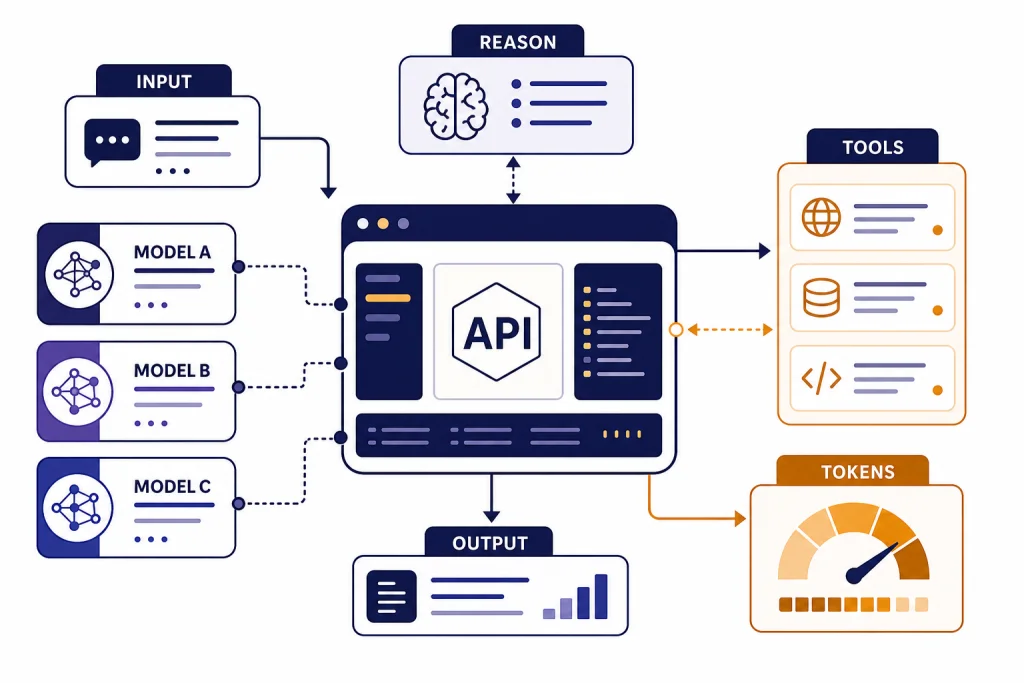
The GPT-5 API lets developers use OpenAI’s GPT-5 family in apps, agents, internal tools, and automated workflows. The shortest path is to create an OpenAI API key, install an official SDK, and call the Responses API with a GPT-5 model. From there, the important choices are model size, reasoning effort, output format, streaming, tool access, cost controls, and rate-limit handling. GPT-5 supports text input and output, image input, streaming, function calling, Structured Outputs, and several built-in tools through the Responses API.[1] This guide focuses on a practical first implementation, then shows the production decisions you should make before shipping.
What the GPT-5 API is
The GPT-5 API is access to OpenAI’s GPT-5 model family through OpenAI platform endpoints. In practice, most new projects should start with the Responses API because it supports text, image inputs, structured responses, conversation state, function calling, and built-in tools in one interface.[4] If you are migrating from older chat-style implementations, you can still use Chat Completions where supported, but new app architecture is usually cleaner with Responses.
GPT-5 is a reasoning model family. That matters because you can tune how much work the model spends on hard tasks, instead of treating every request the same. A short classification request may not need much reasoning. A code migration, policy analysis, or multi-step agent workflow may benefit from more reasoning and a stricter tool plan.
OpenAI’s GPT-5 model page describes GPT-5 as a model for coding, reasoning, and agentic tasks. The same page lists a 400,000-token context window, a 128,000-token maximum output, text and image input, text output, and support for streaming, function calling, and Structured Outputs.[1] For broader model selection beyond GPT-5, see our all GPT models compared side by side and our context window reference.
Choose a GPT-5 model and endpoint
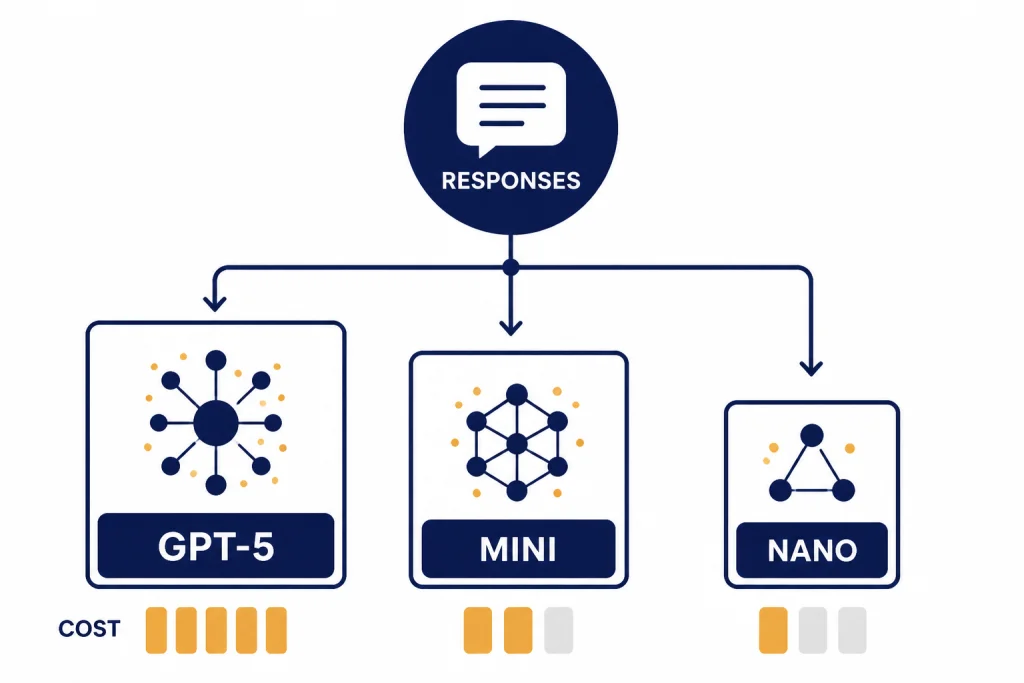
Start by choosing the cheapest model that passes your quality tests. GPT-5 is the general-purpose choice for complex reasoning, coding, and agentic work. GPT-5 mini is better for high-volume tasks that still need capable reasoning. GPT-5 nano is the cost-first option for narrow classification, extraction, and simple transformations. OpenAI lists GPT-5, GPT-5 mini, and GPT-5 nano in its GPT-5 model comparison, with lower input prices as you move from GPT-5 to mini to nano.[1]
For endpoint choice, use Responses API unless you have a specific reason not to. It gives you one path for normal text generation, image understanding, tool use, structured data, and streaming. If you already have a mature Chat Completions integration, you can phase migration over time. If you are building an assistant-style product, read our Responses API examples before reaching for the older Assistants API.
| Choice | Best fit | Why it matters | Starter recommendation |
|---|---|---|---|
| GPT-5 | Complex coding, reasoning, agents, long documents | Highest capability in the GPT-5 base family | Use for quality-sensitive flows first |
| GPT-5 mini | Summaries, support drafts, extraction, routing | Lower cost with enough capability for many production tasks | Test after GPT-5 establishes a quality baseline |
| GPT-5 nano | Simple classification, tagging, light rewrites | Lowest listed GPT-5-family input price | Use when outputs are short and easy to verify |
| Responses API | Most new applications | One interface for text, tools, state, streaming, and structured data | Default endpoint for new GPT-5 API work |
| Chat Completions | Existing chat integrations | Useful for compatibility with older code | Migrate when you need newer Responses features |
The key production habit is to benchmark with your own prompts. Public capability labels help you narrow the list, but your error rate, latency target, and cost ceiling should decide the final model. Use a small internal eval set before you switch model sizes in a live workflow.
Get an API key and run your first request
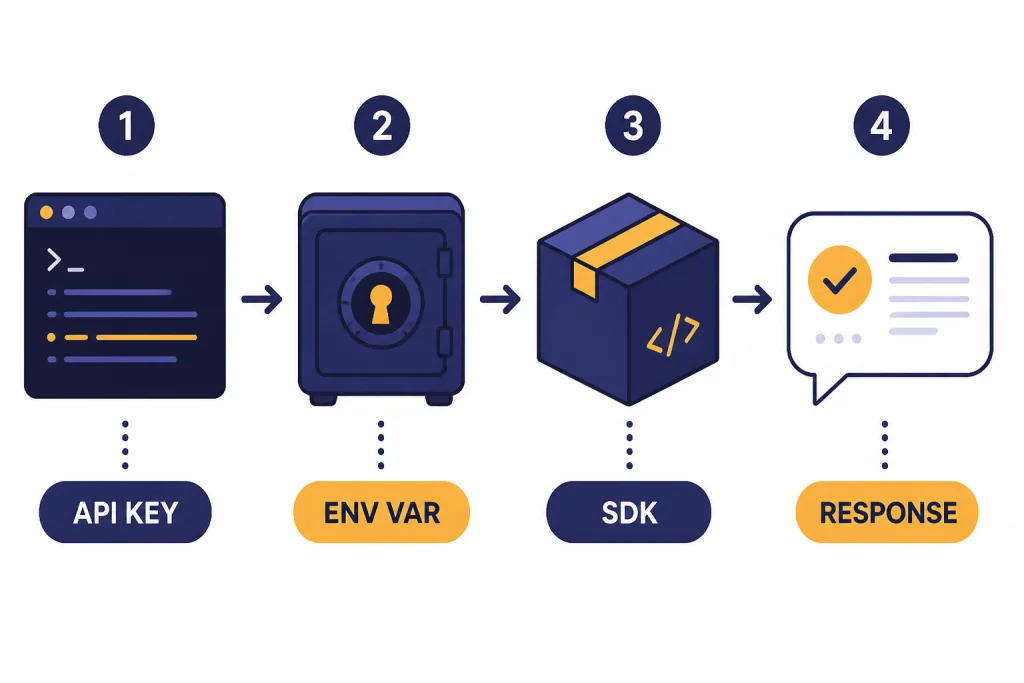
Create an API key in the OpenAI dashboard and store it as an environment variable. OpenAI’s quickstart shows the environment variable name OPENAI_API_KEY, and the official SDKs read it automatically from your system environment.[3] Do not paste API keys into frontend JavaScript, mobile apps, public repositories, screenshots, or support tickets. Keep calls on your server, or issue short-lived tokens from a controlled backend where the product architecture requires client interaction.
If you use ChatGPT Plus, do not assume that gives you API credits. ChatGPT subscriptions and API billing are separate products. We cover that distinction in Does ChatGPT Plus include API access? and in our ChatGPT API vs ChatGPT Plus comparison.
Python example
from openai import OpenAI

client = OpenAI()

response = client.responses.create(
    model="gpt-5",
    input="Write a concise onboarding checklist for a new API developer."
)

print(response.output_text)
JavaScript example
import OpenAI from "openai";

const client = new OpenAI();

const response = await client.responses.create({
  model: "gpt-5",
  input: "Write a concise onboarding checklist for a new API developer."
});

console.log(response.output_text);
Those examples do the minimum useful thing: they create a client, send one input, and print the text output. OpenAI’s quickstart uses the Responses API for first calls and shows the same pattern of creating a client, passing a model, sending input, and reading output_text.[3] Once this works locally, add logging, error handling, and request IDs before you add product logic.
Control reasoning, verbosity, and output shape
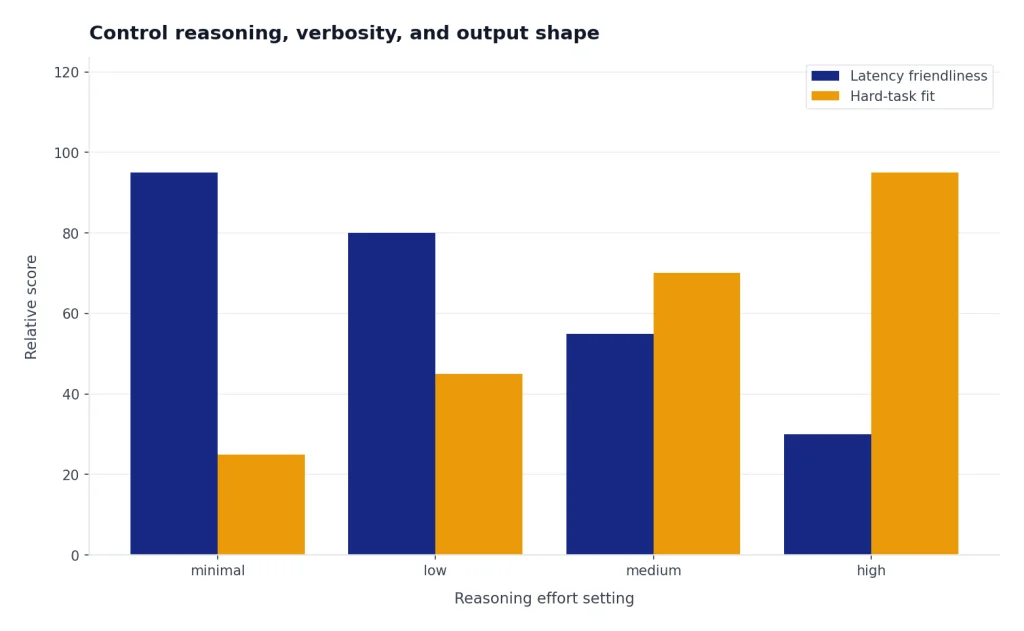
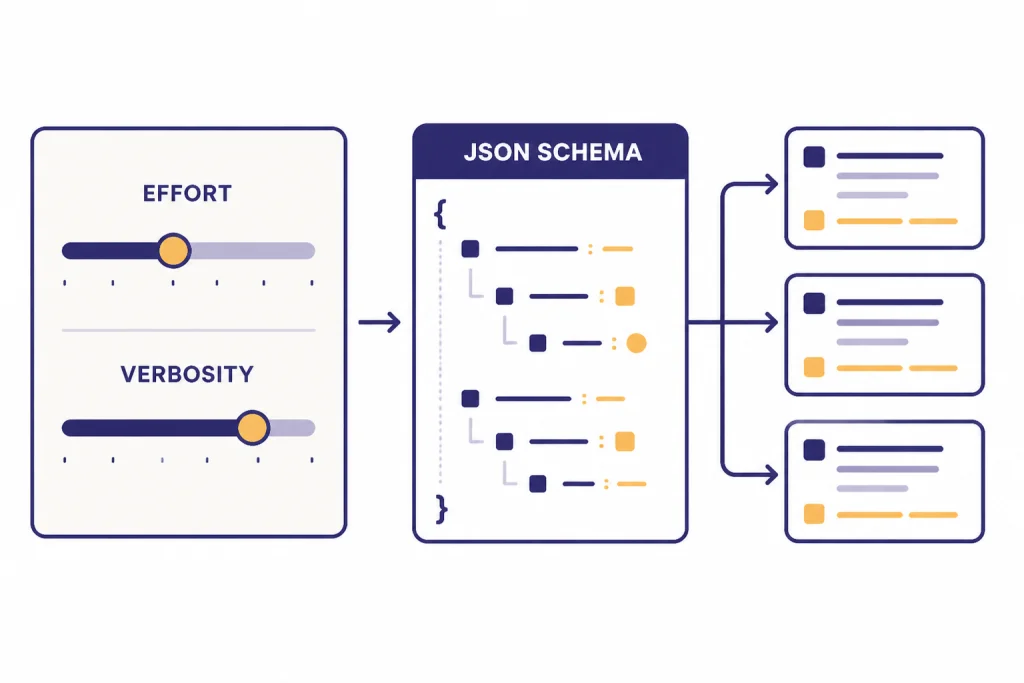
The GPT-5 API is not just a prompt box. You can change how the model approaches the task and how it formats the answer. OpenAI lists GPT-5 reasoning effort support for minimal, low, medium, and high.[1] Use lower effort for simple and latency-sensitive requests. Use higher effort for code review, planning, mathematical reasoning, multi-step tool use, and high-value decisions where a slower response is acceptable.
from openai import OpenAI

client = OpenAI()

response = client.responses.create(
    model="gpt-5",
    input="Review this database migration plan and list the highest-risk failure modes.",
    reasoning={"effort": "high"},
    text={"verbosity": "medium"}
)

print(response.output_text)
Verbosity controls how much text the model tends to produce. OpenAI’s GPT-5 guide describes verbosity as a control for output length, with lower verbosity suited to concise answers and higher verbosity suited to fuller explanations or larger code changes.[9] Treat it as a style and budget control, not a correctness guarantee. You should still give explicit instructions for length, format, and acceptance criteria.
For machine-readable output, use Structured Outputs instead of asking the model to “return valid JSON” in plain language. OpenAI describes Structured Outputs as a way to make model responses adhere to a JSON Schema, with benefits including type-safety, explicit refusals, and simpler prompting.[6] For a deeper implementation guide, see our article on structured outputs with the OpenAI API.
from openai import OpenAI
from pydantic import BaseModel

client = OpenAI()

class TicketTriage(BaseModel):
    priority: str
    category: str
    summary: str

response = client.responses.parse(
    model="gpt-5",
    input="Customer says checkout fails after entering a valid coupon code.",
    text_format=TicketTriage,
)

print(response.output_parsed)
Use function calling when the model needs to invoke your code. Use Structured Outputs when the model’s final answer must match a schema. The two patterns can work together, but they solve different problems. Our function calling guide walks through tool schemas, validation, and safe execution.
Add tools, images, and streaming
GPT-5 can use more than text prompts. OpenAI’s GPT-5 model page lists text input and output, image input, and support for web search, file search, image generation, code interpreter, and MCP when used through the Responses API.[1] That makes it suitable for workflows like “read this screenshot and file, call our inventory API, then return a structured recommendation.”
Image input is useful when the user supplies screenshots, diagrams, forms, receipts, or interface states. If your whole product centers on visual understanding, read our OpenAI Vision API guide as a companion to this article. Keep image prompts specific. Ask for observable facts first, then ask the model to reason from those facts.
Streaming is useful when the user is waiting in a UI. OpenAI’s quickstart shows server-sent streaming events for Responses API calls.[3] Stream long explanations, code generation, and assistant replies. Do not stream if your app needs the full JSON object before it can safely render anything. For implementation details, see streaming responses with the OpenAI API.

Tools require stricter design than normal prompts. Give each tool a narrow purpose, validate arguments on your server, enforce permissions outside the model, and log every tool call. If a tool changes user data, place a confirmation step between the model’s recommendation and the final action. GPT-5 may be better at tool use than older models, but your application still owns authorization, auditing, and rollback.
Understand pricing and rate limits
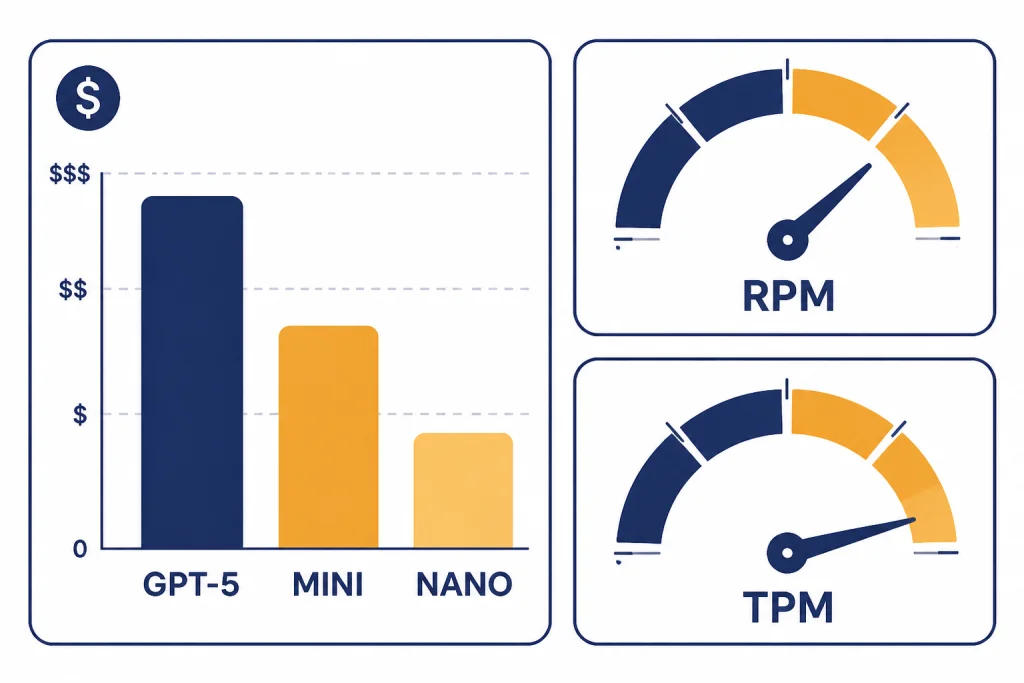
GPT-5 API billing is token-based. OpenAI’s pricing page lists GPT-5 at $1.25 per 1 million input tokens, $0.125 per 1 million cached input tokens, and $10.00 per 1 million output tokens.[2] The same pricing page lists GPT-5 mini at $0.25 input, $0.025 cached input, and $2.00 output per 1 million tokens, and GPT-5 nano at $0.05 input, $0.005 cached input, and $0.40 output per 1 million tokens.[2]
| Model | Input price | Cached input price | Output price | Good starting use case |
|---|---|---|---|---|
| GPT-5 | $1.25 / 1M tokens | $0.125 / 1M tokens | $10.00 / 1M tokens | Complex reasoning and coding |
| GPT-5 mini | $0.25 / 1M tokens | $0.025 / 1M tokens | $2.00 / 1M tokens | High-volume assistance and extraction |
| GPT-5 nano | $0.05 / 1M tokens | $0.005 / 1M tokens | $0.40 / 1M tokens | Short, narrow, easy-to-check tasks |
Output tokens cost more than input tokens for GPT-5, so do not ignore verbosity, maximum output length, and prompt design. Long hidden reasoning can also affect cost because OpenAI says reasoning tokens are billed as output tokens and occupy context window space.[2] Use our OpenAI API cost calculator and OpenAI API pricing guide when you estimate monthly spend.
Rate limits are separate from prices. OpenAI describes rate limits as caps measured by requests per minute, requests per day, tokens per minute, tokens per day, and images per minute.[5] The GPT-5 model page lists GPT-5 API rate limits by usage tier, including Tier 1 at 500 RPM and 500,000 TPM, Tier 2 at 5,000 RPM and 1,000,000 TPM, and Tier 5 at 15,000 RPM and 40,000,000 TPM.[1] Your actual limits can vary by organization, project, and model, so check the limits page in your OpenAI account before load testing.
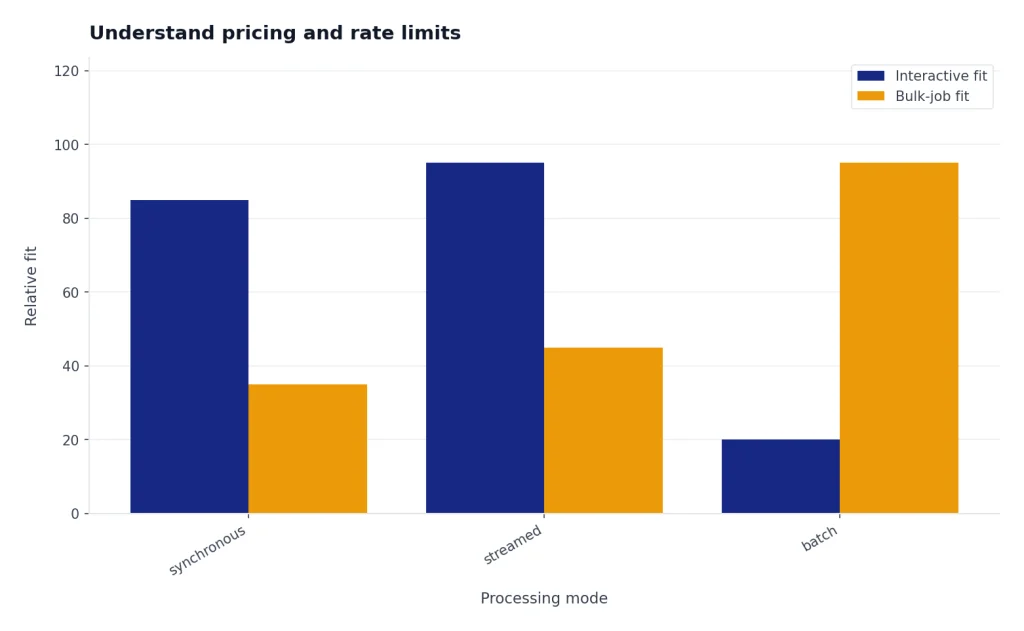
If you process large offline jobs, consider the OpenAI Batch API. Batch work is usually a better fit for nightly enrichment, backfills, and non-interactive analysis. If users are waiting on the result, keep the call synchronous or streamed, then optimize prompt size and model choice.
Production checklist for GPT-5 API apps
A working local demo is not a production integration. Before launch, decide how your app will handle secrets, retries, model fallbacks, safety checks, evals, logging, and cost spikes. This is where many GPT-5 API projects succeed or fail.
- Keep API keys server-side. Rotate keys when staff leave, when repositories leak, or when a service boundary changes.
- Set usage budgets. Track tokens per request, output length, tool calls, and spend by feature. Alert before a runaway job becomes a bill.
- Handle rate-limit errors. OpenAI recommends exponential backoff with random jitter for rate-limit mitigation and notes that unsuccessful requests still count against per-minute limits.[5] Our OpenAI API errors reference covers common failure cases.
- Cache stable context. Reuse system instructions and reference material where possible so cached input pricing can help.
- Validate structured data. Treat model output as untrusted until your schema parser, business rules, and permission checks pass.
- Evaluate model changes. Keep a fixed prompt-and-answer test set. Run it before switching from GPT-5 to GPT-5 mini, changing reasoning effort, or altering a tool schema.
- Separate user-visible and background work. Use streaming for interactive output and batch processing for non-urgent jobs.
- Review data handling. Confirm what you send to the API, how long your app stores it, and who can inspect logs.

Fine-tuning is not the first lever for GPT-5. OpenAI’s GPT-5 model page lists fine-tuning as not supported for GPT-5.[1] If you need domain consistency, start with better instructions, retrieval, examples, Structured Outputs, and evals. If you are considering custom training for another model, read our OpenAI fine-tuning guide.
For production architecture patterns, see our OpenAI API best practices for production. The short version is simple: constrain the model, measure it, and design every external action as if a normal software component could fail.
Frequently asked questions
Is the GPT-5 API the same as ChatGPT?
No. The GPT-5 API is a developer interface for building your own software with OpenAI models. ChatGPT is OpenAI’s user-facing app. They may use related models, but billing, limits, interface features, and product behavior are separate.
Which GPT-5 model should I start with?
Start with GPT-5 when quality matters and you do not yet know the minimum model size that will pass your tests. Then test GPT-5 mini and GPT-5 nano against the same examples. Move down only when the cheaper model meets your accuracy and safety bar.
Does GPT-5 support function calling?
Yes. OpenAI lists function calling as supported for GPT-5.[1] Use function calling when the model needs to call your code, query your systems, or request an action that your backend must execute.
Can I fine-tune GPT-5?
OpenAI’s GPT-5 model page lists fine-tuning as not supported for GPT-5.[1] Use prompting, retrieval, schemas, tools, and evals first. If fine-tuning is required, check OpenAI’s current fine-tuning model list before designing around it.
How much does the GPT-5 API cost?
OpenAI lists GPT-5 at $1.25 per 1 million input tokens, $0.125 per 1 million cached input tokens, and $10.00 per 1 million output tokens.[2] Your real cost depends on prompt size, output length, reasoning effort, tool use, retries, and traffic volume.
Should I use Responses API or Chat Completions for GPT-5?
Use Responses API for most new projects. It supports text and image inputs, text outputs, stateful interactions, built-in tools, and function calling in one interface.[4] Keep Chat Completions only when you have an existing integration or a compatibility reason.