


The OpenAI Batch API is the right choice when you need to run many API requests but do not need answers immediately. OpenAI gives eligible batch jobs a 50% cost discount compared with synchronous API calls, in exchange for asynchronous processing within a 24-hour completion window.[1] That trade works well for evaluations, dataset classification, embeddings, moderation passes, offline extraction, and nightly enrichment jobs. It is a poor fit for chat UIs, live agents, streaming responses, or anything a user is waiting on. The practical savings are simple: same model family, same token-based billing logic, slower delivery, lower price.
What the Batch API does
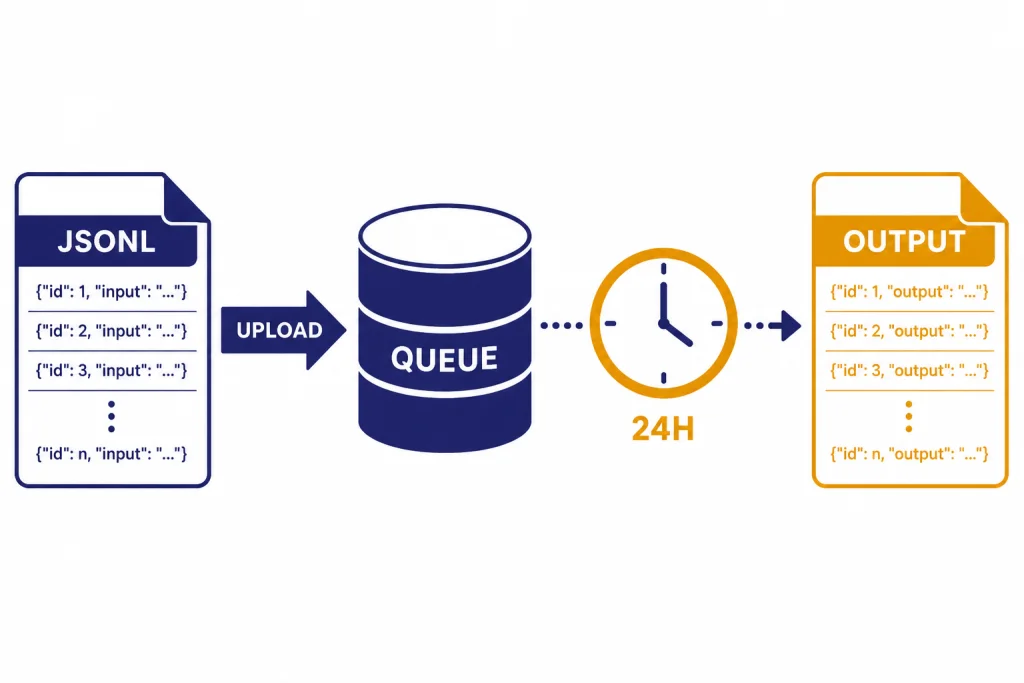
The Batch API lets you upload a file of API requests, create a batch job, wait for OpenAI to process it asynchronously, and download the output file when it finishes. OpenAI describes it as a way to process asynchronous groups of requests with lower costs, separate rate-limit headroom, and a 24-hour turnaround target.[1]
The key difference is control flow. With a normal API call, your application sends a request and waits for a response. With the Batch API, your application prepares many requests in a JSONL file, uploads that file with the purpose set to batch, creates the batch, and later retrieves results. This makes it closer to a queue than a live endpoint.
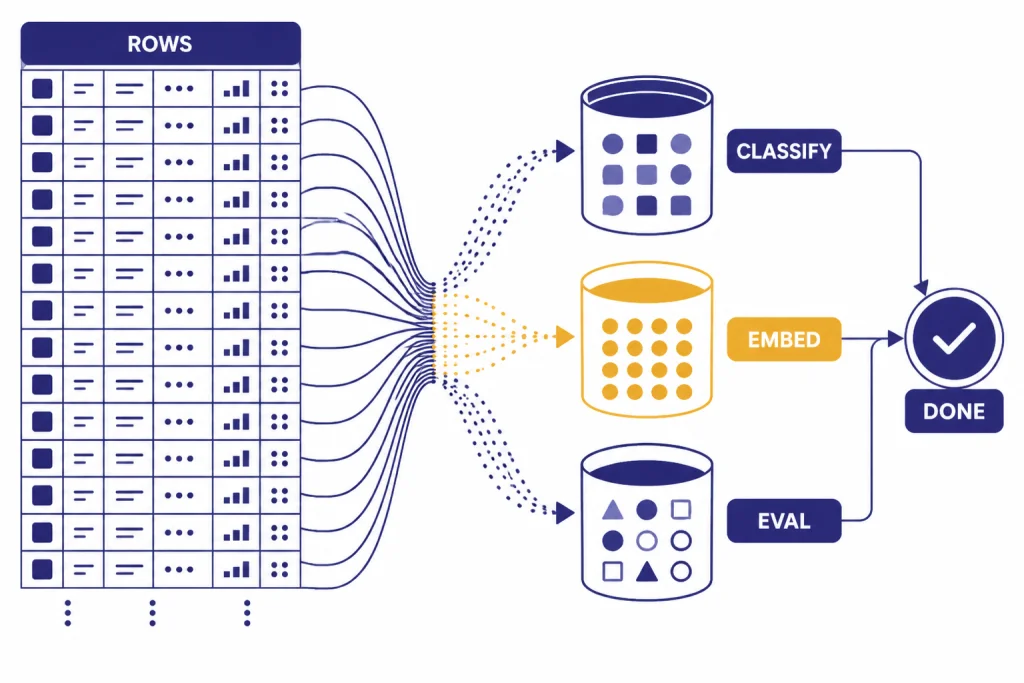
That design is especially useful when you already have a list of items to process. Examples include tagging product records, classifying support tickets, generating embeddings for a content repository, running evals against prompt variants, or applying the openai moderation api to archived user-generated content.
Batching does not make the model smarter. It changes the delivery and billing mode. You still need the same prompt design, schema validation, and production safeguards you would use with synchronous calls. If your batch asks for structured JSON, use structured outputs with the OpenAI API rather than hoping every row follows the format.
How the 50% discount works
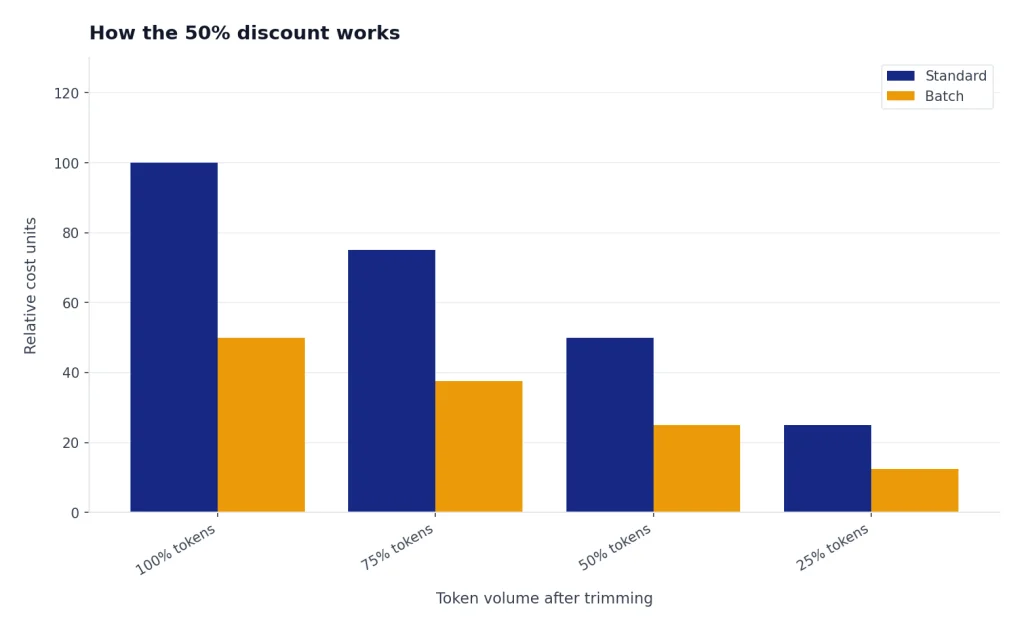
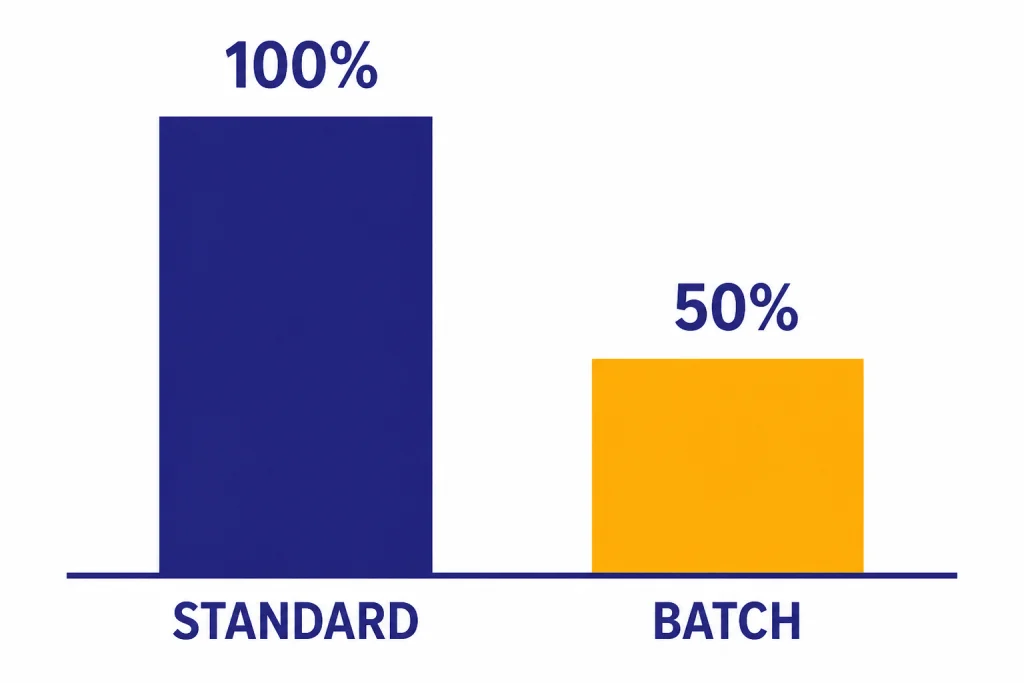
OpenAI states that each model offered through the Batch API receives a 50% cost discount compared with synchronous APIs.[3] In practical terms, a job that would cost a certain amount through the standard endpoint should cost half as much when the same eligible workload runs through Batch, assuming the same model, inputs, outputs, and tools.
The discount applies because you give up immediate response delivery. OpenAI can schedule the work more flexibly, and you receive a file of results later. The current specified time window is 24 hours, and OpenAI says it cannot be changed.[3]
The clean way to estimate savings is to calculate the synchronous cost first, then divide it by two. If your workload has 10 million input tokens and 2 million output tokens, price it with the same model’s normal input and output rates, then apply the 50% Batch discount.[3] For a more detailed bill projection, use an OpenAI API cost calculator and keep separate rows for standard and batch runs.
The discount does not excuse waste. Long prompts, unnecessary context, duplicate rows, and bloated outputs still cost money. Batch lowers eligible token prices, but it does not make bad prompt architecture free. For broader cost controls, pair batching with prompt caching where available, smaller models for routine work, output caps, deduplication, and the guidance in our OpenAI API pricing reference.
| Cost question | Standard API | Batch API |
|---|---|---|
| Price level | Full synchronous price | 50% discount vs. synchronous APIs[3] |
| Delivery time | Designed for immediate responses | Processed within a 24-hour window[3] |
| Best accounting method | Track request-by-request usage | Estimate one offline job, then compare half-price token cost |
| Main risk | Higher cost at scale | Late results are possible until the window closes |
Batch API vs. standard API
The Batch API is not a replacement for every API call. It is a separate operating mode for workloads that can wait. Use it when the user experience does not depend on a response in seconds.
For live applications, the standard API is still the default. Chat windows, copilots, autocomplete, voice assistants, and agent loops need low latency and may need streaming. OpenAI’s Batch API FAQ says streaming is not supported on Batch.[3] If streaming is central to your product, start with streaming responses with the OpenAI API instead.
| Dimension | Use the standard API | Use the Batch API |
|---|---|---|
| User waiting? | Yes. A person or service needs the answer now. | No. Results can arrive later. |
| Latency target | Seconds, or less for realtime UX | Within the 24-hour Batch window[3] |
| Streaming | Available on endpoints that support it | Not supported[3] |
| Input style | One direct request from your app | JSONL file with many request objects[1] |
| Rate limits | Uses standard per-model limits | Uses separate Batch rate limits[3] |
| Typical workload | Chat, agents, search, live tools | Evals, classification, embeddings, moderation, offline extraction |
The simplest rule is this: if a human is watching the spinner, do not batch it. If a cron job, queue worker, or data pipeline owns the task, Batch may be a strong fit.
Best use cases
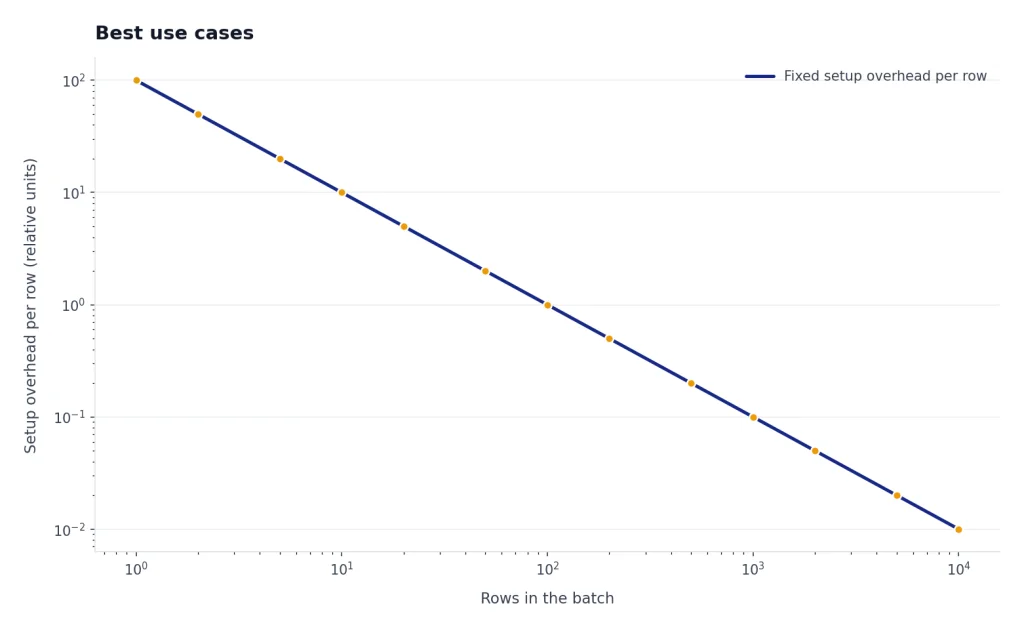
The best Batch API workloads share three traits. They have many similar rows, they do not need immediate answers, and they can tolerate file-based result handling.
Dataset classification
Batch is a good fit for classifying large tables of tickets, reviews, leads, documents, or product records. Each row becomes one request. The output file can be joined back to the original data using a stable custom_id.
Embeddings at scale
OpenAI names embedding content repositories as a Batch use case.[1] If you are building search, recommendations, or retrieval systems, Batch can reduce the cost of initial backfills. For the model and storage side of that workflow, see our OpenAI Embeddings API guide.
Evaluations and prompt testing
Batch is useful when you want to run the same evaluation set across prompts, model settings, or output schemas. You can generate expected outputs overnight, then score them in your own pipeline. This is usually cheaper and cleaner than firing thousands of synchronous requests from a laptop script.
Offline extraction
Extraction workloads often work well in Batch. For example, you can parse invoice text, extract entities from support transcripts, normalize job listings, or convert unstructured descriptions into a schema. If you need tool calls as part of the pattern, review function calling in the OpenAI API before batching the workload.
Batch is also useful as a cost-control layer for production systems. A live app can handle urgent requests synchronously and move lower-priority enrichment into a nightly Batch job. That split usually gives users the latency they need while keeping heavy offline work cheaper.
Limits and supported endpoints
OpenAI’s Batch guide lists these currently supported endpoints: /v1/responses, /v1/chat/completions, /v1/embeddings, /v1/completions, and /v1/moderations.[1] For new builds, the OpenAI Responses API is usually the first endpoint to consider because it is OpenAI’s newer general-purpose API surface.
The same OpenAI guide says a single batch may include up to 50,000 requests, the batch input file may be up to 200 MB, and embeddings batches are restricted to a maximum of 50,000 embedding inputs across all requests in the batch.[1] OpenAI’s FAQ also says embeddings APIs have a limit of 1 million enqueued requests at a time.[3] Treat those as different constraints: one applies to the batch file, and the other applies to what your account can have queued.
Batch rate limits are separate from existing limits.[3] That separation matters for teams that already hit synchronous throughput ceilings. You may be able to move bulk work to Batch without consuming the same per-model request and token budget used by your live application.
Each input file should contain requests for a single model.[1] If you want to compare several models, create separate input files and separate batch jobs. That makes result analysis cleaner and avoids mixing cost assumptions.
Model availability changes. OpenAI says the Batch API is widely available across most models, but not all, and directs developers to the model reference docs to confirm support.[3] If context length is the deciding factor for your workload, check our context window comparison before you generate a large batch file.
How to create a batch job
The workflow has four parts: create a JSONL input file, upload it through the Files API with the purpose set to batch, create a batch with the uploaded file ID, then retrieve the output file after completion.[1] The completion window is currently 24h.[2]
Prepare the JSONL file
Each line should be one request object. Use a stable custom_id so you can map the result back to your source row.
{"custom_id":"ticket-alpha","method":"POST","url":"/v1/responses","body":{"model":"YOUR_BATCH_SUPPORTED_MODEL","input":"Classify this support ticket into billing, bug, account, or other: ..."}}
{"custom_id":"ticket-beta","method":"POST","url":"/v1/responses","body":{"model":"YOUR_BATCH_SUPPORTED_MODEL","input":"Classify this support ticket into billing, bug, account, or other: ..."}}
Upload the file and create the batch
The endpoint you pass when creating the batch must match the URLs used inside the file. If the file contains /v1/responses requests, create the batch for /v1/responses.
import OpenAI from "openai";
import fs from "fs";

const client = new OpenAI();

const file = await client.files.create({
  file: fs.createReadStream("batch-input.jsonl"),
  purpose: "batch"
});

const batch = await client.batches.create({
  input_file_id: file.id,
  endpoint: "/v1/responses",
  completion_window: "24h"
});

console.log(batch.id);
Retrieve results
Poll the batch object until it reaches a terminal status. When it completes, download the output file and join each result back to your source data by custom_id. The Batch API FAQ says you can query the batch object for status updates and results.[3]
Do not assume output order matches input order. Build your post-processing around IDs, not row position. This small detail prevents painful data mismatches when a large job finishes.

Errors, statuses, and retries
Batch jobs have their own lifecycle. OpenAI lists these statuses: validating, failed, in progress, finalizing, completed, expired, canceling, and canceled.[3] Your orchestration code should treat those states explicitly instead of checking only for success or failure.
Validation failures usually mean the file shape is wrong, the endpoint does not match, the request body is invalid, or a model does not support the feature you tried to use. OpenAI’s FAQ calls out the error message The URL provided for this request does not prefix-match the batch endpoint as a sign that the request URL is incorrectly formatted for the Batch endpoint.[3]
Expired and canceled jobs need special handling. If a batch expires, OpenAI says remaining work is canceled, completed work is returned, and developers are charged for completed work.[3] The same completed-work billing rule applies when a batch is manually canceled.[3]
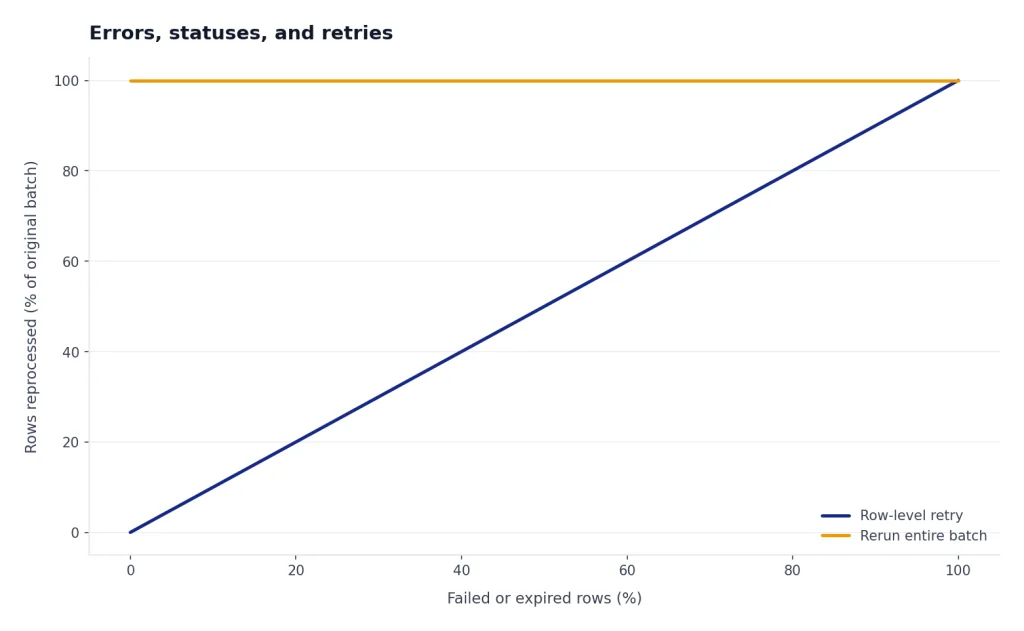
The safest retry pattern is row-level retry. Parse the output and error files, identify only the rows that failed or expired, generate a new JSONL file for those rows, and submit a new batch. Do not blindly rerun the entire input file unless duplicate processing is harmless. For general API fault handling, see our OpenAI API errors guide.
For production, log the batch ID, input file ID, output file ID, model, endpoint, creation time, and row counts. Those fields make it easier to investigate cost spikes, missing rows, and data-quality issues later. They also make Batch jobs easier to monitor under the broader OpenAI API best practices for production.
When not to use it
Do not use the Batch API for interactive chat, voice, live agents, user-facing search, or anything that needs streaming. OpenAI says Batch does not support streaming.[3] If the job drives a live product surface, synchronous APIs are the safer default.
Do not use Batch when you need a guaranteed result before a near-term business deadline. The window is 24 hours, and OpenAI says the current period cannot be changed.[3] If a report must be ready in 30 minutes, Batch is the wrong tool.
Do not use Batch as a substitute for queue discipline. You still need deduplication, input validation, retry logic, monitoring, and a rollback plan. Batching a messy workload can make failures cheaper, but it can also make them larger.
Finally, avoid Batch if your organization requires zero data retention for the endpoint. OpenAI’s FAQ says zero data retention is not supported on the Batch API.[3] If that requirement applies to you, confirm your compliance posture before uploading data.
Frequently asked questions
Does the Batch API really save 50%?
Yes, for eligible models and endpoints. OpenAI states that each model offered through Batch receives a 50% cost discount compared with synchronous APIs.[3] Your final bill still depends on input tokens, output tokens, tools, model choice, and whether the workload is actually supported.
How long does an OpenAI batch job take?
The specified completion window is 24 hours.[3] Some jobs may finish sooner, but you should design around the full window. If users need immediate answers, use the standard API instead.
Can I use images in a Batch API job?
OpenAI’s Batch API FAQ says images are supported.[3] Confirm that your chosen model and endpoint support the image input pattern you plan to use. For image understanding workflows, start with our OpenAI Vision API guide.
Does Batch API usage count against my normal rate limits?
No. OpenAI says Batch API rate limits are completely separate from existing limits.[3] That makes Batch useful for moving bulk jobs away from the same limits that protect your live application.
What happens if a batch expires?
If a batch expires, OpenAI says remaining work is canceled, completed work is returned, and you are charged for completed work.[3] Your retry code should resubmit only the missing or failed rows when possible.
Is the Batch API included with ChatGPT Plus?
No. ChatGPT subscriptions and OpenAI API billing are separate products. If you are comparing them, read Does ChatGPT Plus include API access? before planning a Batch workflow.