

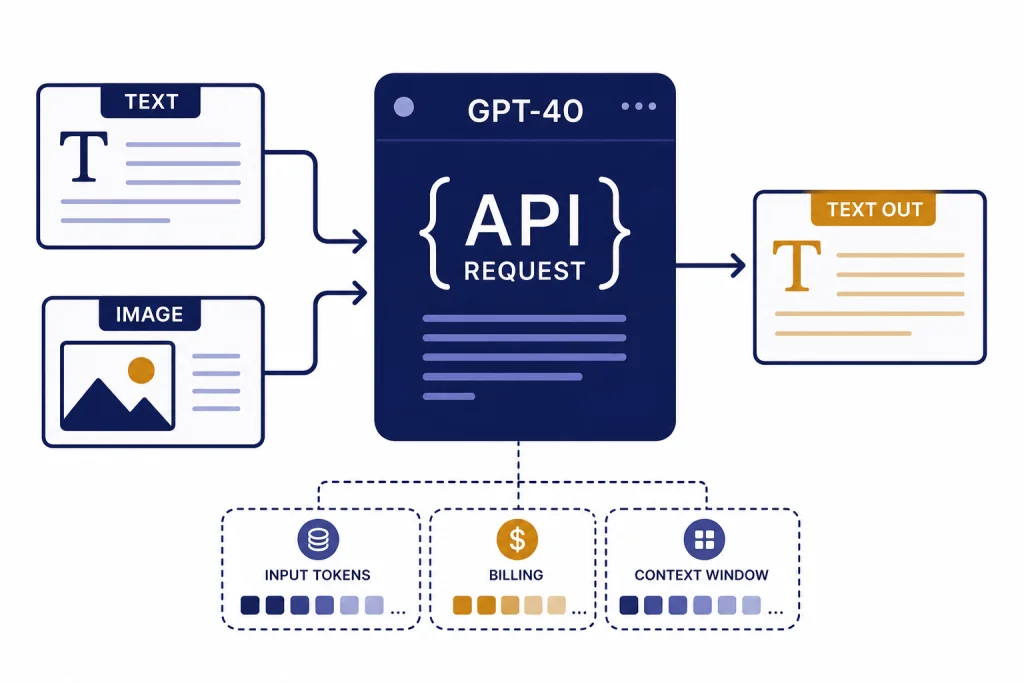
The GPT-4o API lets developers use OpenAI’s omni model for text generation, image understanding, streaming, function calling, structured JSON, Batch jobs, and fine-tuning. For new projects, use GPT-4o through the Responses API unless you have an existing Chat Completions integration to maintain. As of April 17, 2026, OpenAI lists GPT-4o with a 128,000-token context window, 16,384 maximum output tokens, text and image input, text output, and standard text pricing of $2.50 per 1 million input tokens and $10.00 per 1 million output tokens.[1][2] This guide shows the practical setup path, request patterns, cost controls, and when to choose another model.
What the GPT-4o API is
GPT-4o is OpenAI’s omni model. OpenAI describes GPT-4o as a versatile, high-intelligence flagship model that accepts text and image inputs and produces text outputs, including Structured Outputs.[1] The “o” stands for “omni,” and OpenAI introduced GPT-4o on May 13, 2024.[3]
For API developers, the important point is not the launch branding. GPT-4o is a general-purpose multimodal model for applications that need strong language ability and image understanding without moving to a reasoning-first model. It works well for support agents, document review, image QA, content transformation, classification, lightweight coding assistance, internal copilots, and structured data extraction.
GPT-4o is not the same thing as a ChatGPT subscription. ChatGPT Plus, Pro, Business, and Enterprise are product subscriptions for the chat app. API usage is billed separately through the OpenAI Platform. If you are unsure which purchase applies, see our guide to ChatGPT Plus API access.
The simplest way to use the GPT-4o API in 2026 is the Responses API. OpenAI describes Responses as its advanced interface for model responses, with support for text and image inputs, text outputs, stateful interactions, built-in tools, and function calling.[4] If you are starting fresh, read this article together with our OpenAI Responses API guide.
Quick start with the Responses API
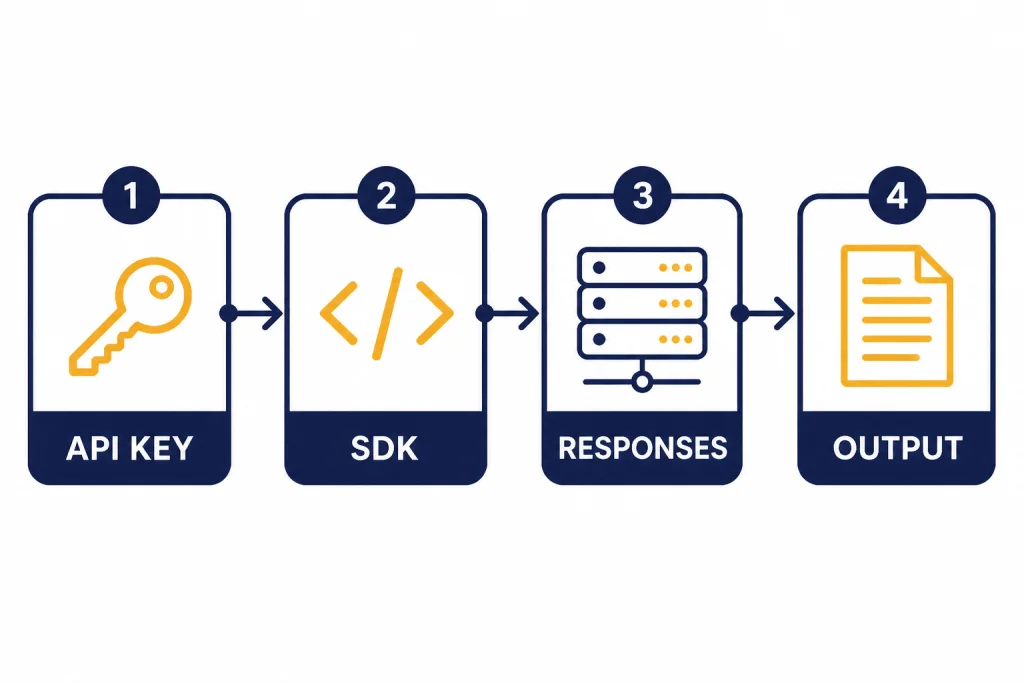
Start by creating an API key in the OpenAI dashboard, then export it as an environment variable named OPENAI_API_KEY. OpenAI’s SDKs are configured to read that environment variable automatically.[5] Do not paste your API key into frontend code, mobile apps, browser extensions, screenshots, or public repositories. OpenAI’s API reference says API keys should be loaded from an environment variable or key management service on the server.[6]
pip install openaiexport OPENAI_API_KEY="your_api_key_here"Here is a minimal Python request using gpt-4o with the Responses API. The instructions field sets the model’s behavior for the current request, and the input field contains the user task. OpenAI’s Responses API creates model responses at /v1/responses.[4]
from openai import OpenAI

client = OpenAI()

response = client.responses.create(
    model="gpt-4o",
    instructions="You are a concise technical assistant.",
    input="Summarize three risks of shipping untested API code."
)

print(response.output_text)
Use this shape for most text tasks. Keep system-level behavior in instructions. Put the user’s request in input. Read output_text when you expect a normal text answer. Add streaming, tools, or a schema only when the product needs them. For latency-sensitive interfaces, pair this setup with streaming responses in the OpenAI API.
Pricing, model IDs, and limits
OpenAI lists the main model alias as gpt-4o and also lists snapshots including gpt-4o-2024-11-20, gpt-4o-2024-08-06, and gpt-4o-2024-05-13.[1] Use the alias when you want OpenAI to route to the current compatible GPT-4o version. Use a dated snapshot when you need more stable behavior for tests, audits, or regulated workflows.
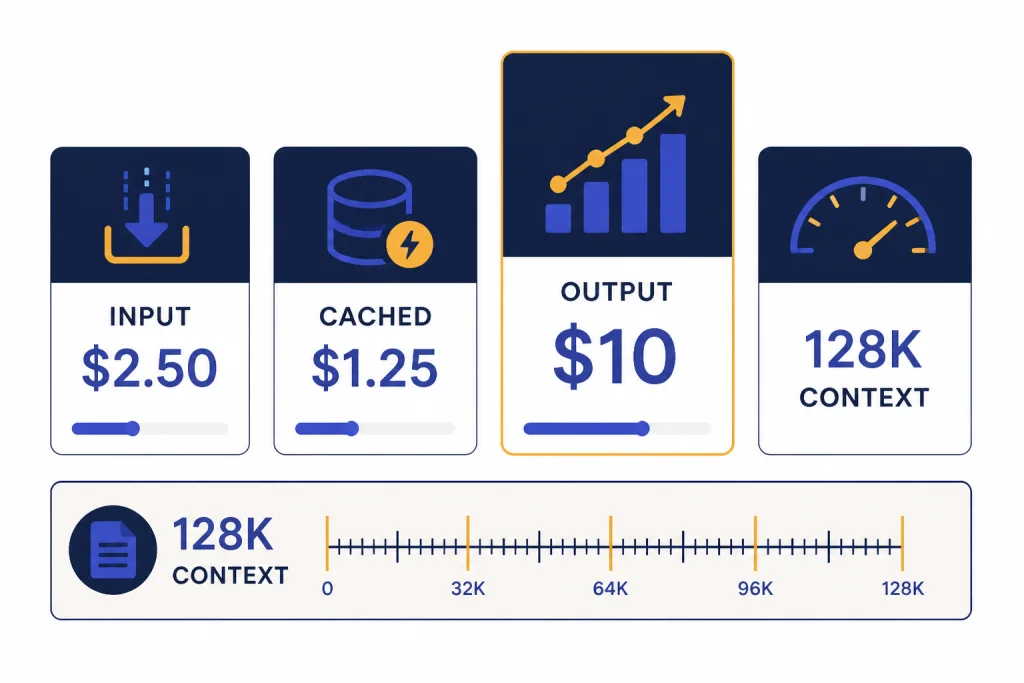
As of April 17, 2026, OpenAI lists GPT-4o with a 128,000-token context window, a 16,384-token maximum output, and an October 1, 2023 knowledge cutoff.[1] For a wider model-by-model view, use our context window comparison and GPT models comparison.
| Item | GPT-4o API value | How to use it |
|---|---|---|
| Primary model alias | gpt-4o[1] | Use for most production requests unless you require a pinned snapshot. |
| Stable snapshots | gpt-4o-2024-11-20, gpt-4o-2024-08-06, gpt-4o-2024-05-13[1] | Pin a version for regression testing or behavior consistency. |
| Context window | 128,000 tokens[1] | Use for long prompts, extracted documents, or multi-turn context. |
| Maximum output | 16,384 tokens[1] | Set your own output cap below this when you want predictable cost and latency. |
| Standard input price | $2.50 per 1 million tokens[2] | Multiply prompt tokens by this rate for uncached input cost. |
| Cached input price | $1.25 per 1 million tokens[2] | Useful when long shared prompt prefixes repeat across requests. |
| Standard output price | $10.00 per 1 million tokens[2] | Usually the larger cost driver for verbose generations. |
Those prices are token prices, not per-call prices. A short classification call can cost a fraction of a cent. A long extraction request with many output tokens costs more. If you need a spreadsheet-style estimate before launch, use our OpenAI API cost calculator and the broader OpenAI API pricing breakdown.
Batch processing can reduce cost when your workload does not need an immediate answer. OpenAI says the Batch API offers a 50% discount compared with synchronous APIs and a 24-hour turnaround window.[10] That makes it a better fit for offline tagging, nightly document extraction, evaluation runs, and large backfills. See our OpenAI Batch API guide before moving production jobs there.
Text, vision, and structured output examples
The GPT-4o API is strongest when you give it a precise task, a clear output contract, and only the context it needs. Do not ask the model to “analyze everything” if your app needs three fields. Ask for the fields directly, and use a schema when your downstream code depends on exact JSON.
Text generation
For ordinary text generation, send a string input. Use this for summarization, rewriting, answer drafting, policy explanation, data normalization, and code comments. Keep prompts short enough to fit comfortably inside the 128,000-token GPT-4o context window.[1] If you need to manage very large prompts, measure tokens before sending the request and trim old context aggressively.
response = client.responses.create(
    model="gpt-4o",
    instructions="Return a plain-English answer for a software engineer.",
    input="Explain why idempotency matters for payment webhooks."
)

print(response.output_text)
Vision input
GPT-4o supports image input through the API, but the base GPT-4o model’s output is text rather than image, audio, or video.[1] OpenAI’s vision guide says images can be provided by URL, Base64 data URL, or file ID, and that images count as tokens and are billed accordingly.[7] For a deeper treatment of image prompts, see our OpenAI Vision API guide.
response = client.responses.create(
    model="gpt-4o",
    input=[{
        "role": "user",
        "content": [
            {"type": "input_text", "text": "List visible defects in this product photo."},
            {"type": "input_image", "image_url": "https://example.com/product.jpg"}
        ]
    }]
)

print(response.output_text)
Use low image detail for broad visual questions. Use higher detail when the model must read small text, inspect layout, or compare fine visual elements. OpenAI’s vision documentation lists low, high, and auto detail levels.[7]
Structured JSON output
Structured Outputs are the right tool when your application needs predictable JSON. OpenAI says Structured Outputs ensure responses adhere to a supplied JSON Schema.[9] Use them for lead extraction, invoice fields, support ticket routing, product attributes, safety labels, and other tasks where invalid JSON would break a workflow. For more patterns, read our guide to structured outputs with the OpenAI API.
response = client.responses.create(
    model="gpt-4o",
    input="Extract the customer name and urgency: Jane needs a refund today.",
    text={
        "format": {
            "type": "json_schema",
            "name": "ticket_extract",
            "schema": {
                "type": "object",
                "properties": {
                    "customer_name": {"type": "string"},
                    "urgency": {"type": "string", "enum": ["low", "medium", "high"]}
                },
                "required": ["customer_name", "urgency"],
                "additionalProperties": False
            }
        }
    }
)

print(response.output_text)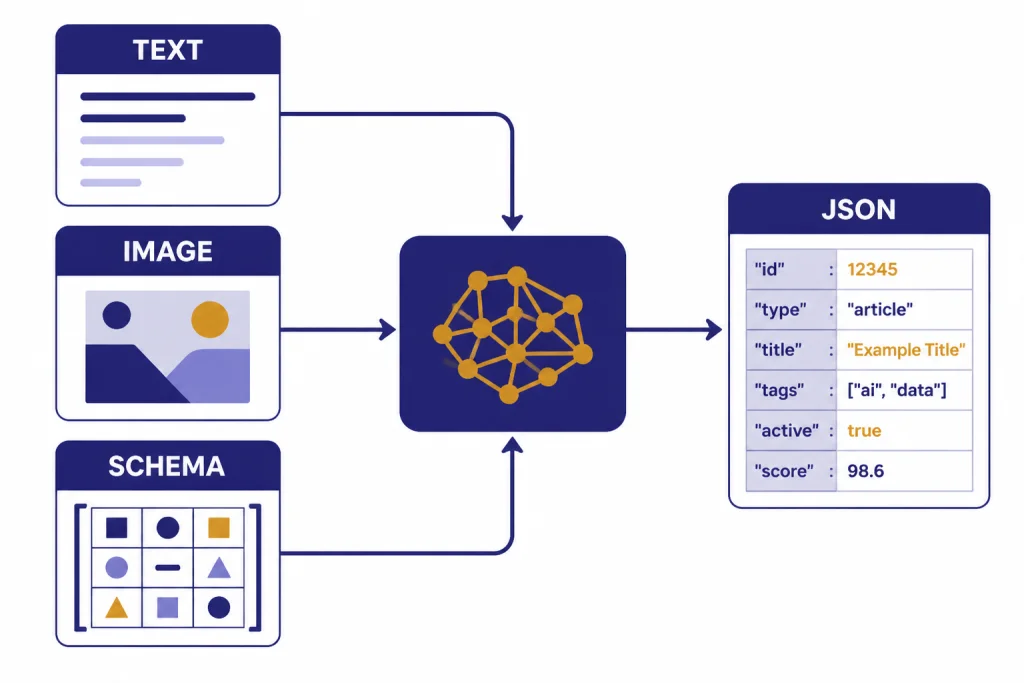
Endpoint choices for GPT-4o projects
GPT-4o appears across multiple OpenAI API surfaces. The model page lists support for Responses, Chat Completions, Realtime, Assistants, Batch, fine-tuning, and other endpoint categories.[1] Pick the endpoint based on the product workflow, not on habit.
| Use case | Best starting point | Why |
|---|---|---|
| New text or vision application | Responses API | OpenAI positions Responses as the advanced interface for generating model responses with text, image input, tools, and state.[4] |
| Existing chat app already using messages | Chat Completions | OpenAI still documents Chat Completions for conversation-style message lists, while recommending Responses for new projects.[8] |
| Offline high-volume processing | Batch API | Batch offers a 50% discount and a 24-hour completion window for asynchronous work.[10] |
| Tool-using workflow | Responses API with function calling | Function calling connects a model to external systems and data outside its training data.[9] |
| Agent-style application with platform tools | Responses or Assistants | Use the newer Responses pattern for new builds, and maintain Assistants where an existing integration depends on it. |
If you need the model to call your code, use function calling rather than asking the model to write pseudo-commands in plain text. Function calling gives your application a structured tool request that your server can validate and execute. See our function calling explanation before exposing database writes, account actions, or external API calls.
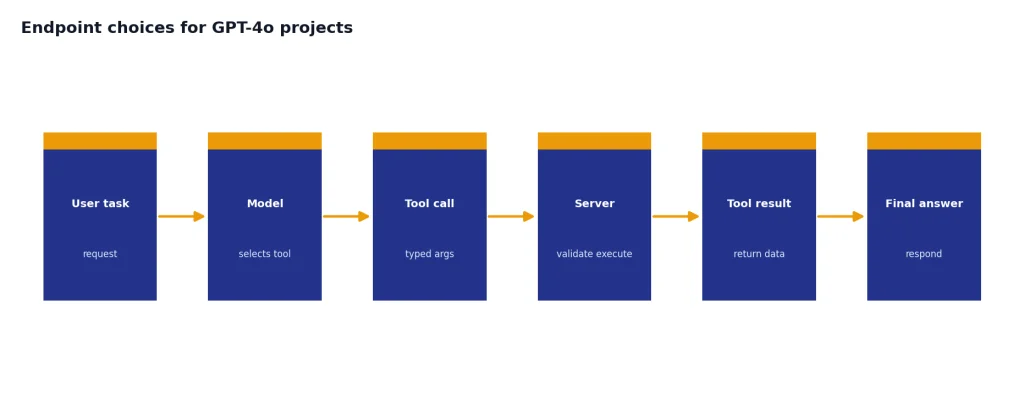
If your product already uses Chat Completions, you do not need to migrate everything in one sprint. OpenAI’s Chat Completions reference still documents the endpoint, but it also recommends trying Responses for the latest platform features when starting a new project.[8] A practical migration path is to build new workflows on Responses, then move older routes when you need state, tool handling, or cleaner structured output.
Production cost and reliability controls
GPT-4o is easy to call and easy to overspend on. Production systems need budget controls, rate-limit handling, logging, and prompt tests before public launch. Our broader checklist is in OpenAI API best practices for production, but the GPT-4o-specific controls below cover the most common failures.
- Cap output length. GPT-4o can produce up to 16,384 output tokens, so set a lower limit when your interface only needs a short answer.[1]
- Prefer schemas for machine-readable output. Schemas reduce retries caused by missing keys or malformed JSON.
- Use cached prefixes where possible. GPT-4o cached input is listed at $1.25 per 1 million tokens, compared with $2.50 per 1 million uncached input tokens.[2]
- Move offline work to Batch. The Batch API can reduce asynchronous costs by 50% when a 24-hour window is acceptable.[10]
- Separate user quotas from OpenAI limits. A customer-facing app should have its own per-user limits so one user cannot consume your organization’s rate or spend allowance.
- Log request IDs, model IDs, and token usage. This helps debug cost spikes, regressions, and support tickets.
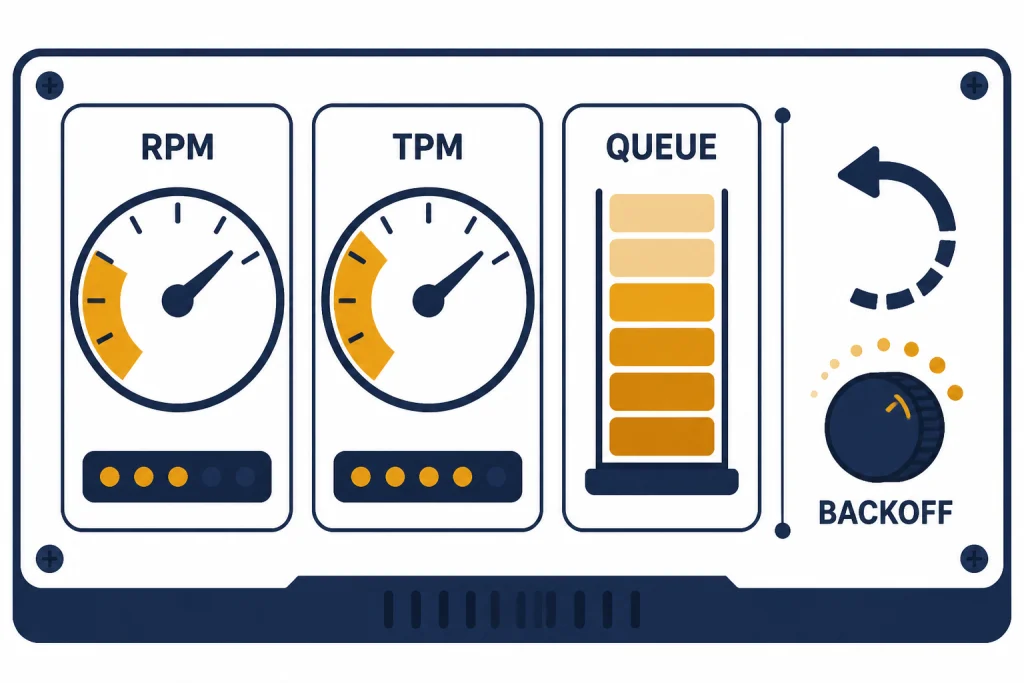
OpenAI rate limits are measured in requests per minute, requests per day, tokens per minute, tokens per day, and images per minute.[11] OpenAI also says limits are defined at the organization and project level, vary by model, and can increase as usage tier changes.[11] If you hit 429 responses, use exponential backoff with jitter and avoid immediate repeated retries. For detailed error handling, use our OpenAI API errors guide.
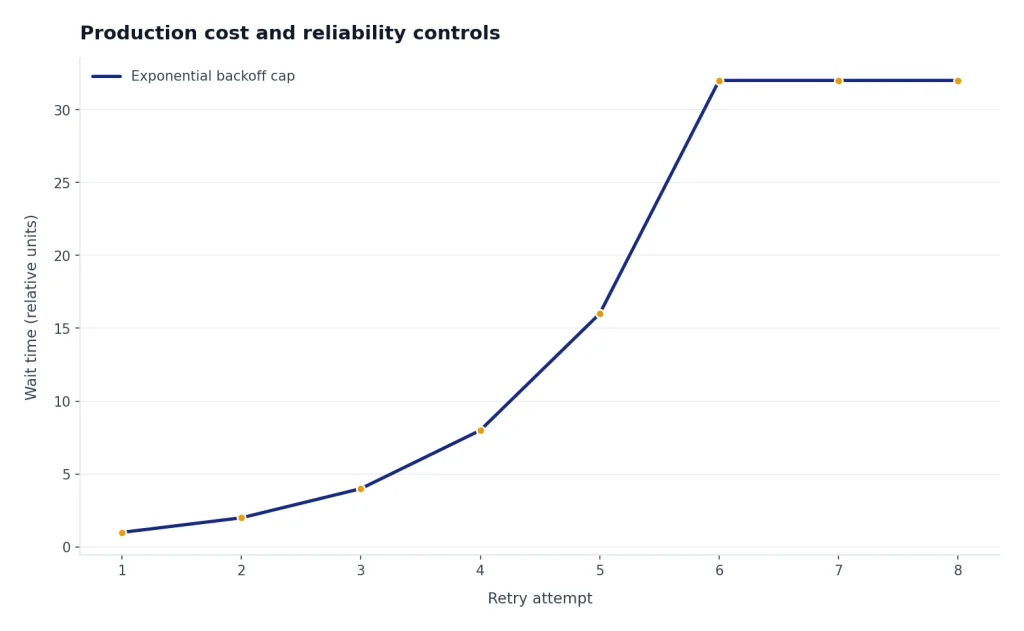
The GPT-4o model page lists example rate-limit tiers. For GPT-4o, Tier 1 shows 500 requests per minute and 30,000 tokens per minute, while Tier 5 shows 10,000 requests per minute and 30,000,000 tokens per minute.[1] Treat these as account-dependent limits, not universal guarantees. Always check the limits page in your own OpenAI Platform account before planning capacity.
When not to use GPT-4o
GPT-4o is a strong default, but it is not always the cheapest or most capable choice. Use a smaller model when the job is simple and high volume. Use a reasoning model when the task requires deeper multi-step reasoning, advanced coding, or difficult planning. Use a dedicated embeddings model for vector search. Use transcription, speech, image, or video models when the output modality requires it.
Do not use GPT-4o as a database, search index, policy engine, or sole source of truth. It can transform and reason over supplied context, but your application should still retrieve authoritative records, validate actions server-side, and enforce permissions outside the model. If you need semantic retrieval, start with our OpenAI Embeddings API guide rather than trying to paste an entire knowledge base into every GPT-4o request.
Do not choose GPT-4o solely because it has vision input. If your application only classifies small images at huge scale, compare total cost and accuracy against smaller vision-capable models. If your application needs image generation, GPT-4o is not the image generation endpoint. Use a dedicated image model and see our DALL-E API guide for image-generation workflows.
Finally, do not treat a pinned snapshot as permanent. Dated snapshots help with stability, but APIs evolve. Build evals, monitor quality, and schedule model reviews. A small benchmark suite with real inputs will catch more regressions than manual prompt tinkering.
Frequently asked questions
Is GPT-4o available in the API?
Yes. OpenAI lists gpt-4o as an API model and shows support across endpoints including Responses, Chat Completions, Assistants, Batch, and fine-tuning.[1] For new applications, the Responses API is usually the best starting point.
What is the GPT-4o API price?
As of April 17, 2026, OpenAI lists GPT-4o standard text pricing at $2.50 per 1 million input tokens, $1.25 per 1 million cached input tokens, and $10.00 per 1 million output tokens.[2] Your bill depends on actual token usage, not just request count.
Does GPT-4o support images in the API?
Yes. OpenAI lists GPT-4o with text input and output plus image input.[1] The vision guide says you can pass images by URL, Base64 data URL, or file ID, and that image inputs count as billable tokens.[7]
Should I use Responses API or Chat Completions for GPT-4o?
Use Responses API for new GPT-4o projects. OpenAI describes Responses as its advanced interface for model responses and recommends trying Responses for new projects that would otherwise use Chat Completions.[4][8] Keep Chat Completions when you are maintaining an older integration and do not need newer platform features yet.
Can I fine-tune GPT-4o?
OpenAI’s GPT-4o model page lists fine-tuning as supported for GPT-4o.[1] Fine-tuning is useful when examples consistently outperform prompting, but it adds training, evaluation, and deployment work. Start with prompt improvements and Structured Outputs before fine-tuning.
What is GPT-4o’s parameter count?
OpenAI has not published an official figure for this. Do not rely on unofficial parameter-count claims when making architecture, cost, or compliance decisions. Use published model behavior, pricing, context limits, and your own evals instead.