

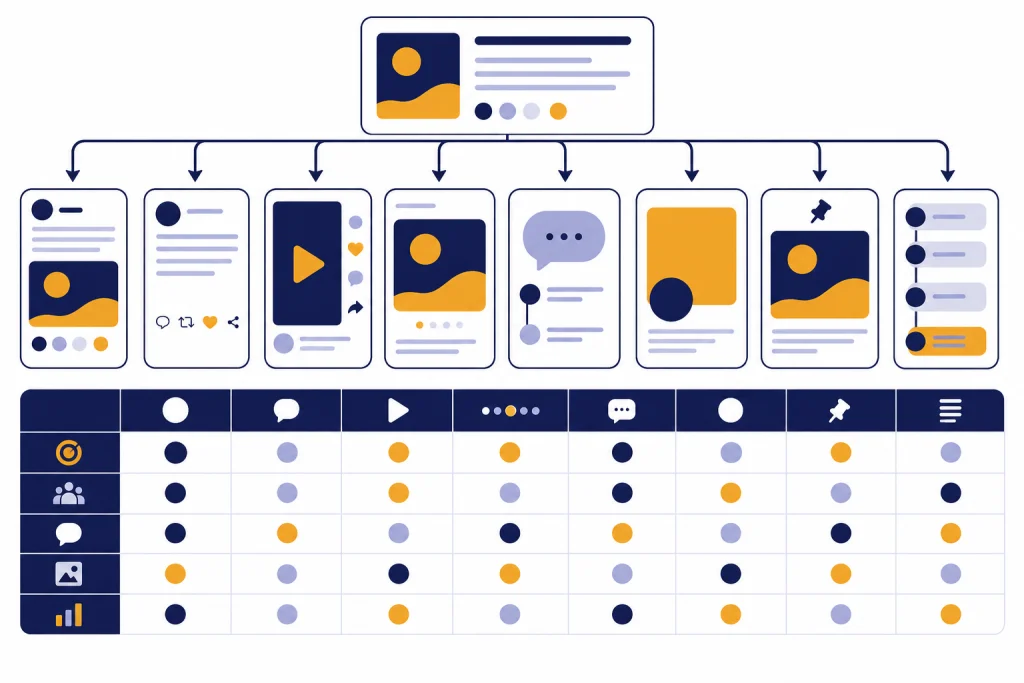
Use these ChatGPT social media prompts when you need platform-specific posts, captions, hooks, video ideas, carousels, threads, and repurposing workflows without starting from a blank page. The best prompts do not ask ChatGPT to “write a post.” They give it the platform, audience, offer, tone, format, proof points, and next action. This guide gives you copy-paste prompts for Instagram, TikTok, LinkedIn, X, Facebook, Threads, YouTube, and Pinterest, plus reusable editing prompts for hooks, calls to action, calendars, and quality checks. Treat the outputs as drafts. Then edit for accuracy, brand voice, and what your audience actually expects on each platform.
How to use these prompts
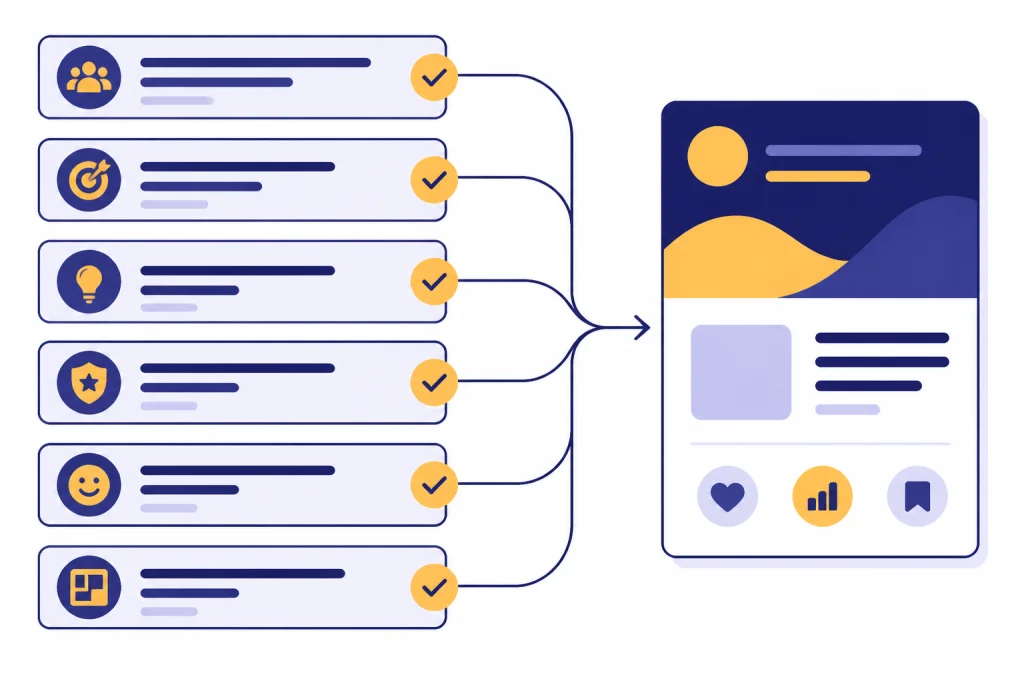
Start each prompt with a clear job. OpenAI’s prompt guidance says effective prompts should be clear, specific, and provide enough context for the model to understand the request.[1] For social media work, that context usually means the platform, audience, product, goal, tone, format, and the asset you already have.
Do not paste a vague request like “write me a social post.” Use a structured brief. It gives ChatGPT fewer decisions to guess and more useful constraints to follow. If you need a larger reusable system, build a saved prompt library with our chatgpt prompt generator.
The reusable brief
Act as a social media strategist for [brand].
Platform: [platform]
Audience: [who this is for]
Goal: [awareness, clicks, comments, saves, leads, sales]
Topic: [what the post is about]
Offer or takeaway: [what the reader gets]
Proof points: [facts, examples, data, testimonials, differentiators]
Tone: [clear, practical, witty, expert, warm, bold]
Format:
Constraints: [avoid claims we cannot prove, avoid jargon, keep it skimmable]
Output: Give me [number] options, each with a hook, body, CTA, and revision note.
After ChatGPT answers, ask for a second pass instead of accepting the first draft. Prompt engineering often benefits from iterative refinement: review the output, adjust the request, and add context or simplify the task.[1]
Platform fit table
Each platform rewards a different kind of writing. X standard posts sit inside a typical 280-character limit, while longer posts can reach 25,000 characters for X Premium users.[3] LinkedIn posts can be up to 3,000 characters, and LinkedIn points users toward articles when a post exceeds that limit.[4] Pinterest’s official Pin specs list a 100-character title maximum and allow descriptions up to 800 characters.[5] YouTube advises creators to write accurate, succinct titles and put the most important words near the beginning because viewers may only see part of the title.[6]
| Platform | Best ChatGPT output | Prompt priority | Official constraint to respect |
|---|---|---|---|
| Caption, Reel hook, carousel outline | Visual context and first-line hook | Verify current caption and hashtag behavior in the app before publishing. | |
| TikTok | Short-video script, caption, search phrase set | Opening beat, spoken line, retention cue | Keep captions natural and test in the composer before posting. |
| Professional post, founder note, document post | Credible point of view and practical lesson | Post limit: 3,000 characters.[4] | |
| X | Short post, thread, reply, quote-post angle | Compression, sharp opinion, thread structure | Typical limit: 280 characters; longer posts up to 25,000 for X Premium.[3] |
| Community post, event post, group discussion | Conversational context and comment prompt | Check page, group, and ad placement rules before posting. | |
| Threads | Conversational post, reply chain, casual opinion | Natural voice and low-friction discussion | Verify current text length and attachment behavior in the app. |
| YouTube | Title set, description, community post, Short idea | Title-thumbnail promise and search clarity | Titles should be accurate, succinct, and front-loaded.[6] |
| Pin title, Pin description, board description | Search intent and concrete keywords | Pin titles: 100 characters; descriptions: up to 800 characters.[5] |
The table is a guardrail, not a substitute for judgment. A good Instagram caption can fail if the image is weak. A good YouTube title can fail if the thumbnail promises something else. A good LinkedIn post can fail if it sounds like a brochure. Use ChatGPT to generate options, then choose the one that fits the platform’s native behavior.
Copy-paste prompts by platform
These chatgpt social media prompts are written for practical use. Replace the bracketed details with your own context. If you also create graphics, pair these with our best ChatGPT image prompts so the copy and visual direction support the same idea.
Instagram caption prompt
Write 10 Instagram caption options for this post.
Brand: [brand]
Image or Reel description: [describe the visual]
Audience: [audience]
Goal: [saves, comments, profile visits, clicks, DMs]
Core message: [message]
Tone: [tone]
Include: a strong first line, short body copy, one natural CTA, and a small set of relevant hashtag ideas.
Avoid: generic hype, fake urgency, unsupported claims, and captions that do not match the visual.
Instagram carousel prompt
Create an Instagram carousel outline about [topic] for [audience].
Goal: make people save the post.
Structure: cover slide, problem slide, three teaching slides, example slide, recap slide, CTA slide.
For each slide, give me: headline, one-sentence body copy, visual direction, and speaker note for the caption.
Make the advice specific to [industry or use case].
TikTok short-video prompt
Generate 12 TikTok video concepts for [brand/topic].
Audience: [audience]
Goal: [views, follows, comments, clicks, product awareness]
Style: [talking head, screen recording, demo, POV, myth-busting, storytime]
For each concept, include: opening line, visual action, key beats, caption, on-screen text ideas, and comment prompt.
Make each concept possible to film with [available resources].
LinkedIn post prompt
Write 6 LinkedIn post drafts for [person or brand].
Audience: [buyers, peers, candidates, founders, operators]
Topic: [topic]
Point of view: [belief or lesson]
Proof: [specific example, result, customer pattern, mistake, data point]
Tone: credible, plainspoken, useful.
Format options: one story post, one tactical list, one contrarian take, one question-led post, one founder note, and one short post.
End each with a comment-driving question that does not feel forced.
X post and thread prompt
Turn this idea into X content.
Idea: [idea]
Audience: [audience]
Goal: [discussion, clicks, follows, authority]
Create: 8 single-post options and 3 thread outlines.
For single posts, make each one sharp, specific, and easy to understand without extra context.
For threads, include the hook post, a logical sequence of replies, and a final CTA.
Avoid engagement bait and vague one-liners.
Facebook page or group prompt
Write 8 Facebook post options for [page or group].
Community: [who is in it]
Topic: [topic]
Goal: [comments, event signups, local awareness, support, sales conversation]
Tone: conversational and human.
Include: context, useful detail, one clear next step, and a discussion question.
Make the posts feel appropriate for a community feed, not a polished ad.
Threads prompt
Write 15 Threads posts from this viewpoint: [viewpoint].
Audience: [audience]
Voice: casual, clear, observant, not corporate.
Mix: quick opinion, mini-story, useful tip, question, reply bait that still has substance, and a soft CTA.
Make each post sound like a person talking, not a content calendar slot.
YouTube title and description prompt
Act as a YouTube packaging editor.
Video topic: [topic]
Target viewer: [viewer]
Video promise: [what the viewer will learn or feel]
Thumbnail concept: [describe the thumbnail]
Generate 20 title options in different styles: searchable, curiosity-led, direct benefit, mistake-focused, comparison, and beginner-friendly.
Then write a description that summarizes the video, includes key topics, and gives a clear next step.
Flag any title that overpromises or does not match the video.
YouTube’s own title guidance emphasizes accuracy and brevity, so use ChatGPT to produce choices rather than to chase the most dramatic line.[6] If YouTube is your main channel, use these prompts with our ChatGPT for YouTubers guide.
Pinterest prompt
Write Pinterest metadata for [URL, product, recipe, article, or idea].
Audience search intent: [what the user is trying to find]
Primary keyword: [keyword]
Secondary keywords: [keywords]
Create: 10 Pin titles, 5 Pin descriptions, and 5 board title ideas.
Make the wording specific, searchable, and useful.
Avoid keyword stuffing and vague lifestyle language.
Repurpose one idea across platforms
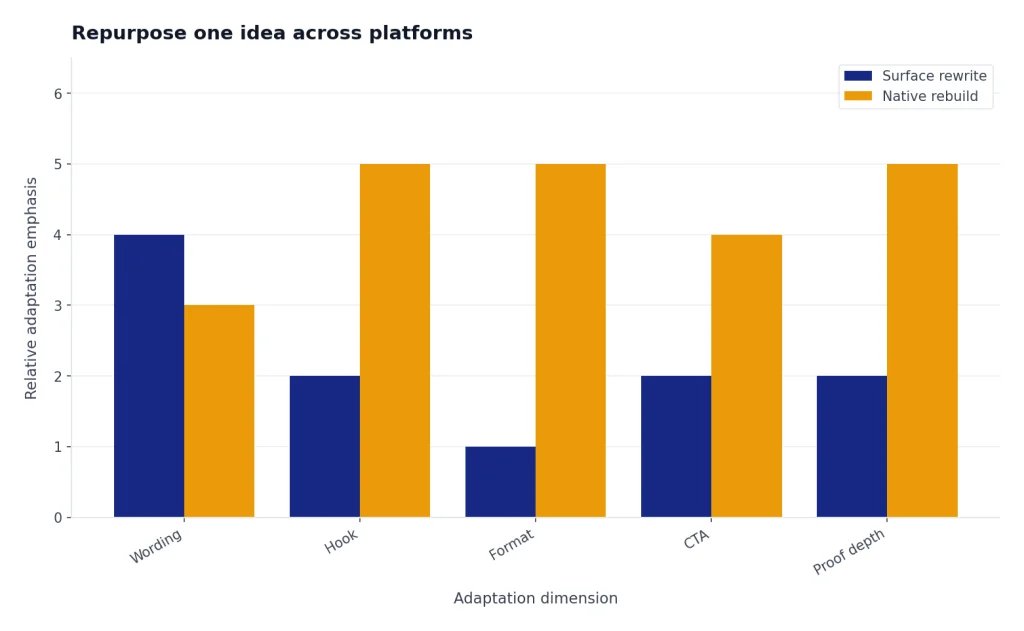
Repurposing works best when ChatGPT changes the format, not just the wording. A LinkedIn post should not become an Instagram caption by shrinking it. A YouTube description should not become a TikTok caption by removing paragraphs. Ask ChatGPT to identify the core idea first, then rebuild it for each platform.
Repurpose this source content for multiple social platforms.
Source content: [paste blog post, transcript, newsletter, webinar notes, or rough idea]
Brand voice: [voice]
Audience: [audience]
Core offer: [offer]
Platforms: Instagram, TikTok, LinkedIn, X, Facebook, Threads, YouTube, Pinterest.
Step 1: Extract the main argument, supporting points, strongest quote, best example, and likely objection.
Step 2: Create one native post for each platform.
Step 3: Explain what changed for each platform and why.
Step 4: Give me a publishing order for the week.
This workflow is useful for founders, marketers, creators, and local businesses that have one strong source asset but limited time. A webinar can become a LinkedIn lesson, a TikTok myth-buster, a YouTube Short, an Instagram carousel, a Pinterest Pin, and a Facebook discussion prompt. If your source content is search-driven, combine this workflow with ChatGPT SEO prompts that help you rank so the social copy keeps the same search intent.
Here is a second prompt for turning one successful post into variations without cloning it.
Analyze this high-performing post and create fresh variations.
Original post: [paste post]
What worked: [comments, saves, clicks, replies, watch time, or your best guess]
Audience: [audience]
Create 12 new angles that use the same underlying insight but different framing.
Use these angle types: mistake, lesson, checklist, unpopular opinion, before/after, customer story, data point, myth, tutorial, question, behind the scenes, and resource list.
Do not reuse the original wording.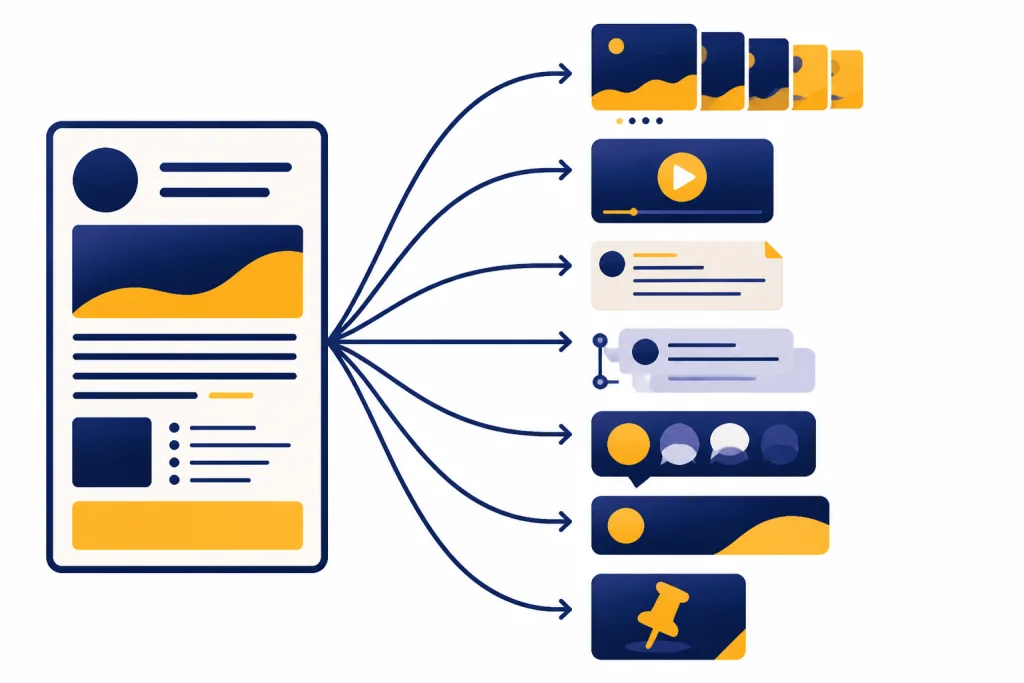
Prompts for hooks, CTAs, and captions
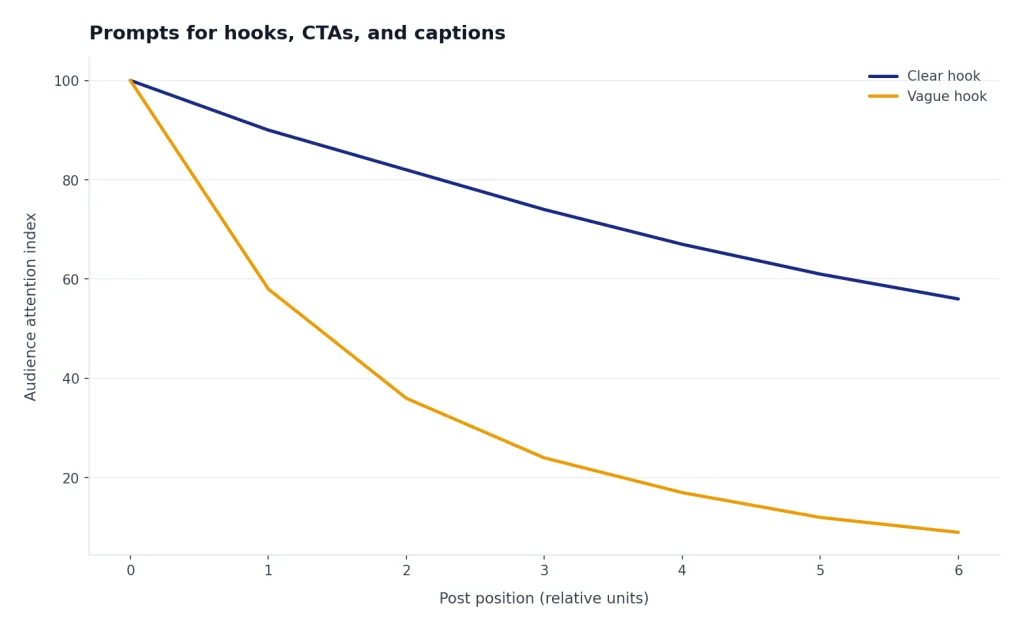
Most social posts fail before the main idea appears. The hook is not a gimmick. It is the first clear reason to keep reading or watching. Use ChatGPT to generate many hooks, then pick the one that matches the post, audience, and platform.
Hook generator prompt
Create 30 hooks for this social post.
Topic: [topic]
Audience: [audience]
Platform: [platform]
Goal: [goal]
Angle: [teaching, story, warning, comparison, opinion, curiosity, checklist]
Constraints: no clickbait, no fake statistics, no overpromising.
Group the hooks by style and mark the 5 strongest.
CTA prompt
Write 20 calls to action for this post.
Post summary: [summary]
Audience stage: [new visitor, warm follower, buyer, customer, community member]
Goal: [comment, save, share, click, DM, sign up, buy, watch next]
Tone: [tone]
Make the CTAs specific and low-friction.
Avoid: “link in bio” as the only option, generic “thoughts?”, and pressure-heavy sales language.
Caption cleanup prompt
Edit this caption for clarity and platform fit.
Platform: [platform]
Caption: [paste caption]
Audience: [audience]
Goal: [goal]
Keep: [phrases or facts that must stay]
Improve: hook, flow, specificity, CTA, and readability.
Return: revised caption, what changed, and 3 alternate first lines.
For sales-led posts, avoid turning every CTA into a hard pitch. Use proof, objections, and the buyer’s current problem. Our ChatGPT sales prompts for closers can help you write stronger conversion copy without flattening your social voice.
For customer-facing posts, write in the language people use when they ask for help. That matters for product updates, incident responses, FAQs, and support education. Use our ChatGPT customer service prompts and templates if your social content often overlaps with support.
Quality checks before you publish
ChatGPT is useful for drafts, but it is not a final approver. OpenAI says ChatGPT can produce incorrect or misleading outputs and encourages users to verify important information from reliable sources.[2] For social media, that means checking claims, dates, prices, policy-sensitive statements, product details, legal language, testimonials, and anything that could mislead a buyer.
Review this social media post before publication.
Platform: [platform]
Post: [paste post]
Brand rules: [rules]
Facts to verify: [facts]
Audience sensitivity: [anything to handle carefully]
Check for: unsupported claims, vague language, confusing CTA, platform mismatch, tone mismatch, accessibility issues, and risk of being misunderstood.
Return: pass/fail notes, suggested edits, and a final revised version.
Use a human review step for regulated or high-stakes content. Lawyers, HR teams, real estate agents, health professionals, finance teams, and public-sector communicators should treat AI output as draft material. For specialized workflows, see ChatGPT legal prompts, ChatGPT HR prompts for hiring and onboarding, and ChatGPT real estate prompts for agents.
Also check accessibility. Ask for alt text ideas, plain-language captions, and video description notes, but review them against the actual visual. ChatGPT cannot reliably describe an image it has not seen. If you paste the image or describe it carefully, the output will be more useful.
Create accessibility support copy for this social post.
Platform: [platform]
Visual description: [describe image or video]
Caption:
Create: alt text, plain-language summary, subtitle cleanup suggestions, and any visual details that should be mentioned in the caption.
Keep the alt text factual and concise. Do not add interpretation that is not visible.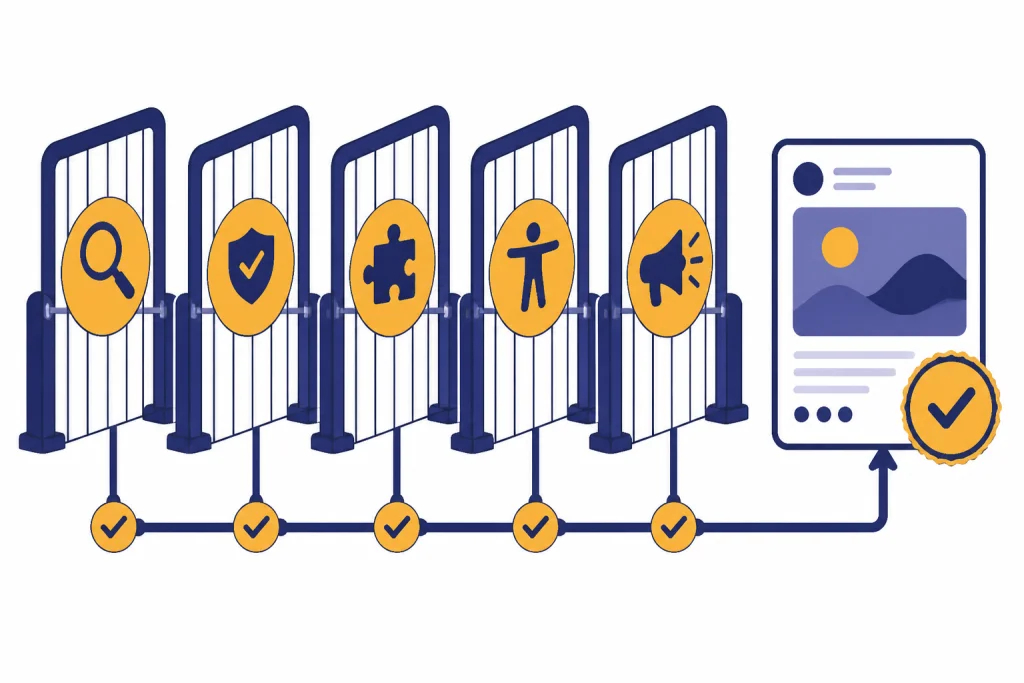
Frequently asked questions
What is the best ChatGPT prompt for social media?
The best prompt gives ChatGPT the platform, audience, goal, topic, proof points, tone, format, and constraints. A strong version is: “Act as a social media strategist for [brand]. Create [format] for [platform] aimed at [audience] with the goal of [goal]. Use these proof points: [proof]. Give me multiple options with hooks and CTAs.”
Can ChatGPT write posts for every platform?
Yes, ChatGPT can draft posts for major platforms, but the same message should not be copied everywhere. Ask it to adapt the format, hook, CTA, and level of detail for each platform. Then review the output for accuracy and brand fit.
Should I use hashtags from ChatGPT?
You can use ChatGPT to brainstorm hashtag ideas, but do not assume the list is current or effective. Ask for niche, relevant tags and remove anything too broad, banned, misleading, or unrelated. Always check platform behavior before publishing.
How do I make ChatGPT sound less generic?
Give it real inputs. Paste customer language, examples, objections, product details, and your preferred voice. Then ask it to remove filler, avoid generic hype, and rewrite with sharper nouns and specific examples.
Can ChatGPT create a social media content calendar?
Yes. Give it your goals, audience segments, offers, posting frequency, platforms, and campaign dates. Ask for themes, post formats, draft hooks, and repurposing notes rather than only a blank calendar grid. For broader workflows, see ChatGPT business prompts for owners and ChatGPT productivity prompts for daily workflow.
Do I need a separate prompt for each platform?
Usually, yes. A platform-specific prompt gives better results because each platform has different norms for length, tone, visual context, and calls to action. You can start with one master idea, but ask ChatGPT to rebuild the post natively for each channel.