

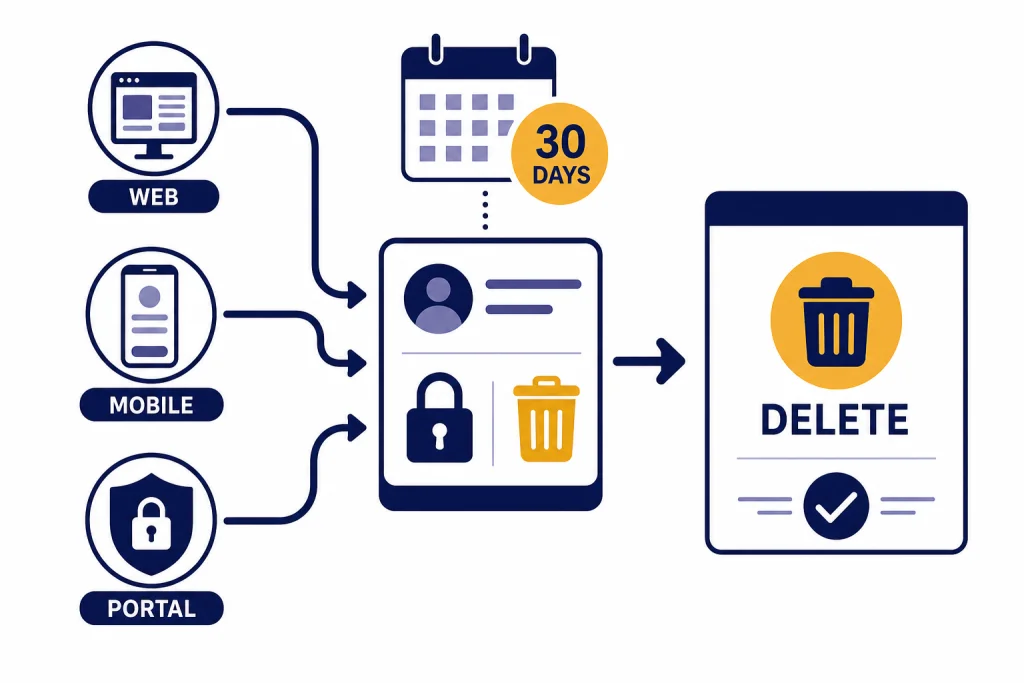
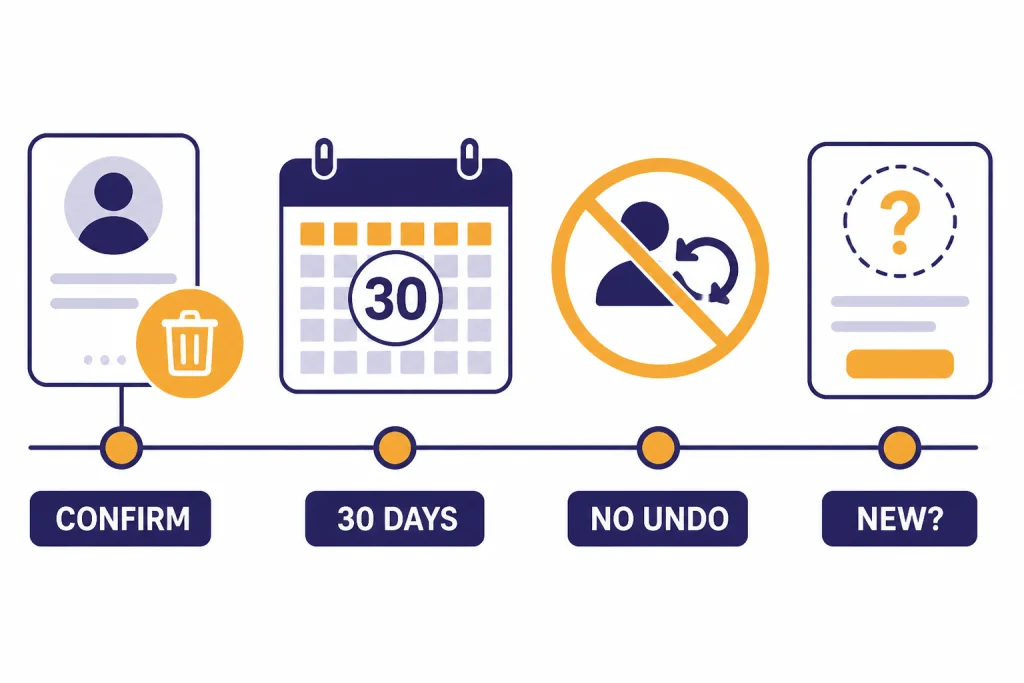
To delete your ChatGPT account permanently, sign in, open Settings, go to Account or Data Controls, choose Delete account, and complete the confirmation screen. OpenAI says account deletion is permanent, prevents access to OpenAI services such as ChatGPT and the API, and removes account data within 30 days except where longer retention is required or permitted by law.[1] Before you do it, export anything you need, cancel any Apple App Store or Google Play subscription separately, and assume you cannot undo the decision. OpenAI’s own help pages are not perfectly consistent about reuse of the same email, so treat deletion as final.[2][5]
Before you delete your ChatGPT account
Deleting a ChatGPT account is not the same as deleting the app, clearing your browser, deleting one chat, or canceling a paid plan. It is an account-level deletion request for the OpenAI account you use to access ChatGPT and related OpenAI services. OpenAI says deletion is permanent and cannot be undone.[1]
The safest order is simple: export or save the information you need, cancel any mobile-store subscription if applicable, then delete the account. If you only need a copy of your conversations, start with how to export your ChatGPT data. If you only need one important thread, use a local saved copy of a ChatGPT conversation or save the conversation as a PDF instead.
OpenAI says it deletes account data within 30 days, with exceptions for limited data it may retain longer when required or permitted by law.[1] OpenAI’s US privacy policy separately says that once you choose to delete personal data, OpenAI removes it from its systems within 30 days unless a listed exception applies or the data has already been de-identified and disassociated from your account.[6]
There is one important inconsistency in OpenAI’s published help pages. The general account deletion article and the reactivation article say you can create a new account with the same email address after 30 days if the prior account was fully deleted.[1][5] OpenAI’s iOS and Android deletion help pages say you will not be able to create a new account using the same email address.[2][3] Because those official pages disagree, do not delete your account if you are relying on guaranteed reuse of the same email later.
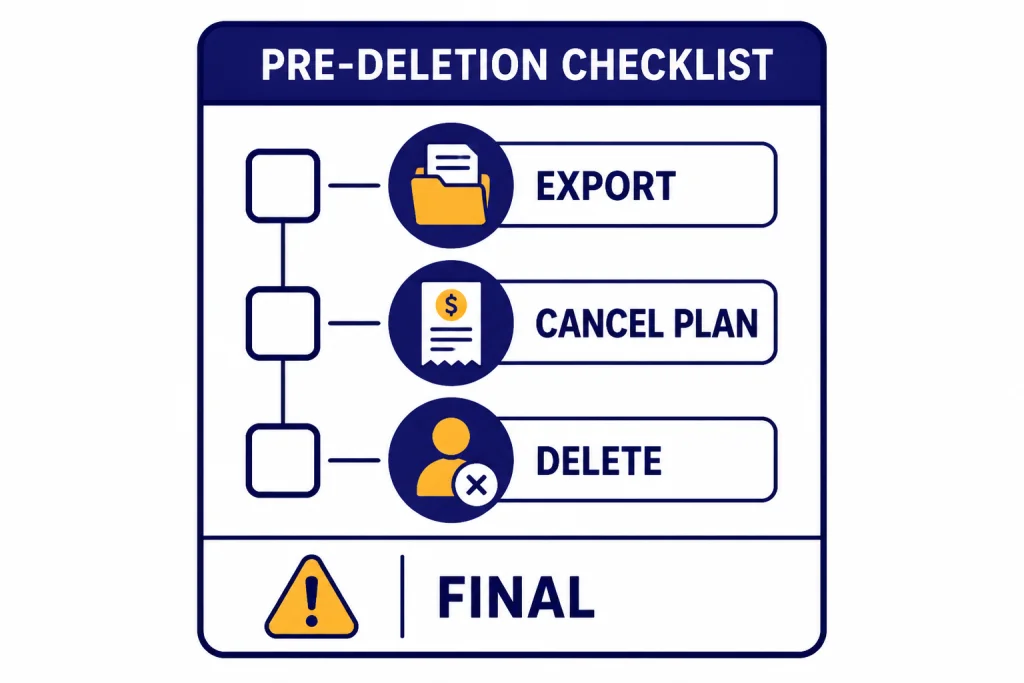
How to delete your ChatGPT account on the web
Use the web method if you can still sign in to ChatGPT in a browser. OpenAI’s account deletion article lists a self-serve deletion path inside ChatGPT.[1] If you cannot sign in, skip to the Privacy Portal section below.
- Sign in to ChatGPT. If sign-in is the blocker, use our ChatGPT login troubleshooting guide before starting deletion.
- Click your profile icon.
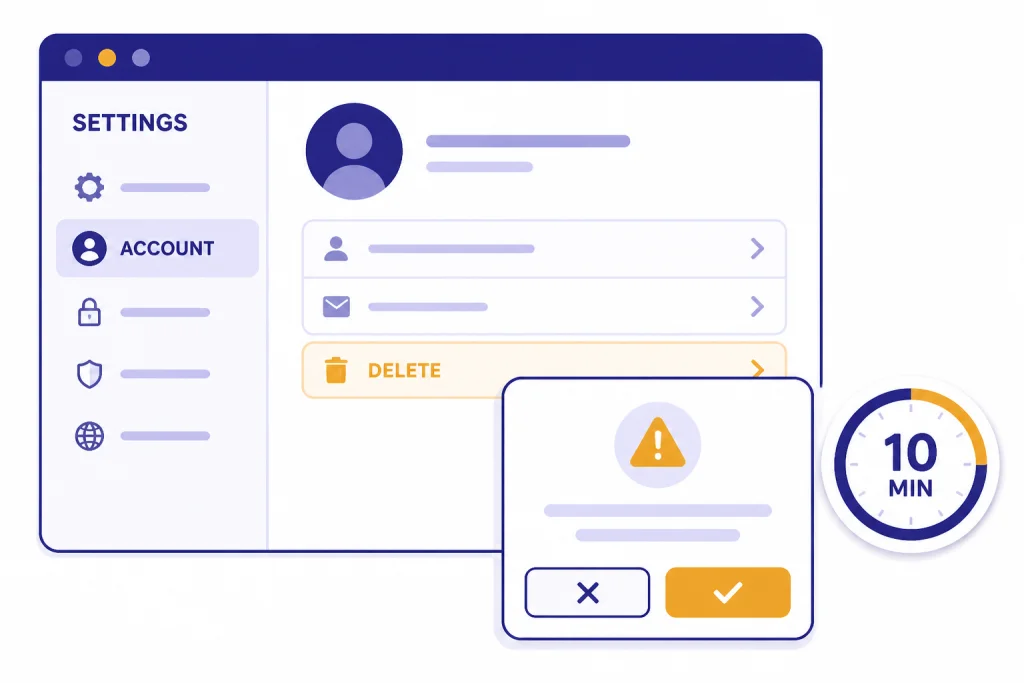
- Open Settings.
- Select Account.
- Find Delete account and click Delete.
- Complete the confirmation screen. OpenAI’s help page says the confirmation requires your account email and the word DELETE before the permanent deletion button unlocks.[1]
OpenAI says you may only delete your account if you have logged in within the last 10 minutes. If your session is older than that, you need to sign in again before you can continue.[1] This is a security step, not a sign that deletion is unavailable.
After you confirm deletion, stop using the account. Do not assume that opening a new browser tab or reinstalling the app will reverse the request. OpenAI says deleted accounts are not recoverable.[5]
How to delete your account on iPhone or Android
You can also delete your account from the official ChatGPT mobile apps. If you are not sure you have the official app, start with how to download the ChatGPT app, then come back to this section.
Delete on iPhone
- Open the ChatGPT app on your iPhone.
- Go to your account settings.
- Tap Data Controls.
- Select Delete Account.
- Confirm by tapping Delete Account, or choose Cancel if you change your mind.
Those are the steps OpenAI lists for deleting a ChatGPT account in the iOS app.[2] If you mainly want device-specific setup help before deciding, read how to use ChatGPT on iPhone.
Delete on Android
- Open the ChatGPT app on your Android device.
- Tap the two-line menu in the top-left corner.
- Tap the dots next to your name to open Settings.
- Go to Data Controls.
- Tap Delete Account.
- Confirm deletion in the modal that appears.
Those are the steps OpenAI lists for deleting a ChatGPT account in the Android app.[3] If you are comparing mobile behavior before deleting, see how to use ChatGPT on Android.
How to delete through the OpenAI Privacy Portal
The Privacy Portal is the better route if the in-app deletion button is unavailable, you cannot complete the self-serve flow, or you want to submit a privacy request instead of using ChatGPT settings. OpenAI’s deletion article lists the Privacy Portal as a supported account deletion method.[1]
- Go to OpenAI’s Privacy Portal.
- Choose Make a Privacy Request.
- Select the option for a consumer ChatGPT account.
- Choose Delete my ChatGPT account.
- Follow the verification and confirmation steps shown on screen.
You should have access to the email inbox or phone number associated with the account before starting any privacy request. OpenAI’s export instructions say ownership verification is required for data requests, and the same practical point applies before a deletion request.[4]
If the account was created with a work, school, or organization email, consider whether you still need access to related OpenAI services before deleting. Deletion can affect more than the ChatGPT interface. OpenAI says deleting the account prevents access to OpenAI services, including ChatGPT and the API.[1]
What happens to subscriptions and billing
Billing is where many users make mistakes. Deleting the account and canceling a subscription are related, but they are not always handled in the same place.
| Where you subscribed | What to do before deleting | Why it matters |
|---|---|---|
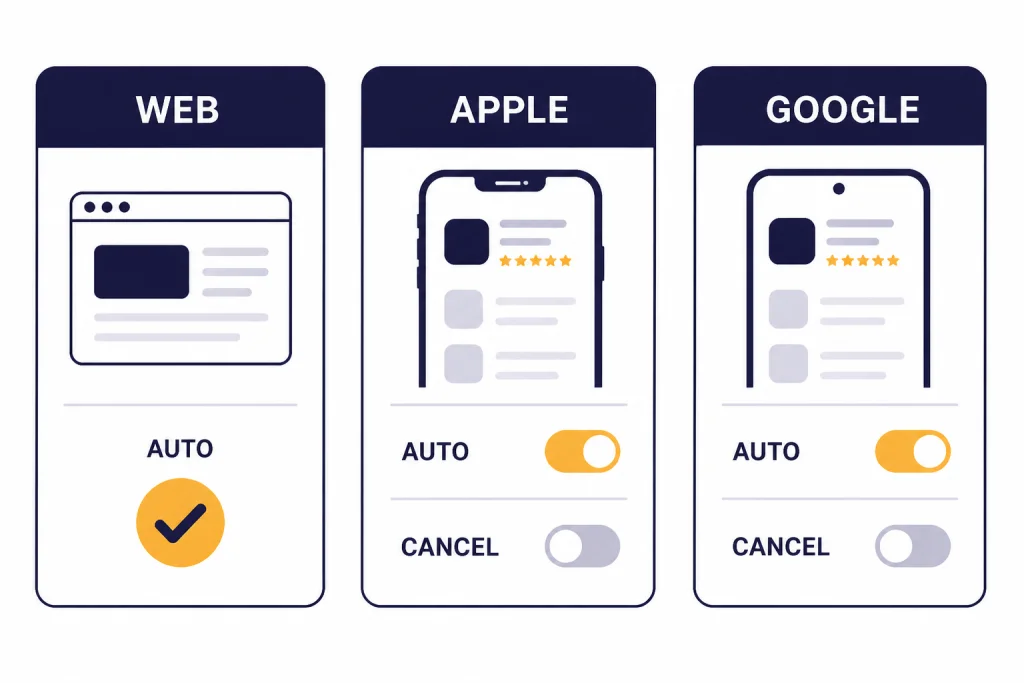
| ChatGPT on the web | Delete the account or cancel the plan in account settings. | OpenAI says deleting an OpenAI account automatically cancels an active ChatGPT Plus subscription linked to it.[1] |
| Apple App Store | Cancel the subscription in Apple’s subscription settings before or after deletion. | OpenAI says deleting your OpenAI account does not cancel an Apple App Store subscription.[2] |
| Google Play Store | Cancel the subscription in Google Play with the same Google account used to subscribe. | OpenAI says deleting your OpenAI account does not cancel a Google Play Store subscription.[3] |
| Not sure | Check your Apple, Google, and ChatGPT billing settings before deleting. | After deletion, you may have less account context available for support. |
If your goal is only to stop paying, do not delete your entire account first. Cancel the subscription instead. Account deletion is the right choice when you want to permanently remove the account, not just downgrade billing.
What to save before deleting your account
Export before deletion if you may need old prompts, responses, uploaded file context, or account records later. OpenAI’s data export article says you can request a copy through the Privacy Portal or through ChatGPT account settings.[4]
- Sign in to ChatGPT.
- Open your profile menu.
- Go to Settings.
- Open Data Controls.
- Choose Export under Export Data.
- Confirm the export.
- Use the email link to download the export.
OpenAI says the export email link expires after 24 hours, and the downloaded .zip file includes chat history in chat.html along with other account data on file.[4] The export feature is available on Free, Plus, and Pro plans, but not for logged-out users.[4]
If you only need a few conversations, a full export may be more than you need. Save the thread itself, copy important messages into a document, or create a PDF copy. If you often use ChatGPT for drafts, you may also want to preserve reusable prompts before deleting, especially if you have tuned them to make ChatGPT write more like a human.
What happens after deletion
After deletion, you should lose access to the deleted account across OpenAI services. OpenAI’s deletion article says deleting the account prevents you from using that account for ChatGPT and the API.[1] If you rely on API access, projects, billing records, or saved settings, treat those as affected by the same account-level decision.
OpenAI says deleted accounts cannot be reactivated.[5] Its reactivation article says that if you previously deleted an OpenAI account, you can sign up again with the same email address after 30 days.[5] As noted above, OpenAI’s mobile deletion pages conflict with that statement by saying you will not be able to create a new account with the same email address.[2][3]
OpenAI also says that if a ChatGPT consumer account was permanently deleted and was not disabled for a policy or terms violation, it removes the phone number from its system after 30 days.[1] That does not guarantee you will be able to recreate the same account experience. Saved history, settings, memories, custom workflows, and prior account state should be considered gone.
Memory deserves special attention. OpenAI says saved memories can be deleted individually, cleared, or turned off, and that turning off saved memory does not delete what has already been remembered.[8] If your concern is a specific remembered detail, manage memory directly before deciding whether full account deletion is necessary.
Alternatives to permanent account deletion
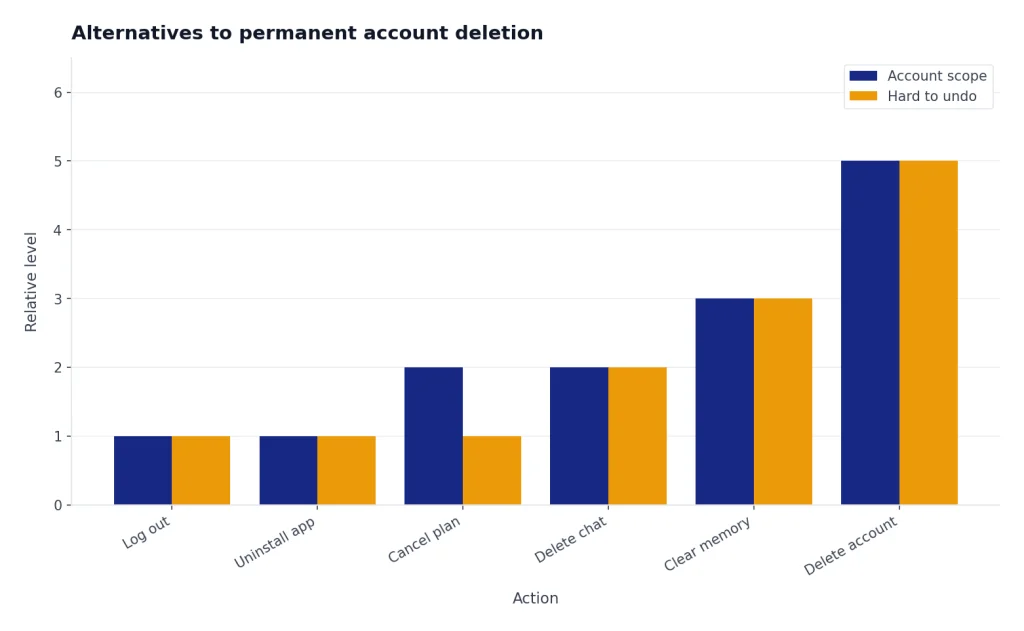
Permanent deletion is not always the best fix. Choose the smallest action that solves your problem.
| Your goal | Better first step | When deletion makes sense |
|---|---|---|
| Stop paying | Cancel the paid subscription. | Use deletion only if you also want the account removed. |
| Use ChatGPT less | Log out, uninstall the app, or remove shortcuts. | Use deletion if you do not want the account to exist. |
| Remove one conversation | Delete that conversation. | Use deletion if the whole account should be removed. |
| Reduce personalization | Clear saved memories and change personalization settings. | Use deletion if you want to leave the service entirely. |
| Use ChatGPT casually | Consider using ChatGPT without logging in, where available. | Use deletion if an existing account is no longer wanted. |
OpenAI says Data Controls let users turn off chat history, choose whether conversations are used to train models, export ChatGPT data, and permanently delete the account.[7] Those controls are worth checking before you choose the most destructive option.
If the issue is device access, not the account itself, you may prefer to change how you use ChatGPT. For desktop workflows, compare using ChatGPT on Mac with the browser version. If the issue is usage caps rather than privacy, deletion will not help; read legitimate ways to handle ChatGPT message limits instead.
Troubleshooting deletion problems
The delete button is locked
On the web, OpenAI says you can only delete your account if you logged in within the last 10 minutes.[1] Sign out, sign back in, then try the deletion flow again immediately.
You cannot sign in
Try the Privacy Portal route if you cannot use the in-app deletion flow. OpenAI lists the Privacy Portal as an account deletion option and says users who cannot log in should follow the outlined help steps from that flow.[1]
You subscribed through Apple or Google
Cancel the mobile-store subscription separately. OpenAI says account deletion does not cancel Apple App Store or Google Play Store subscriptions.[1]
You deleted the app but still have an account
Uninstalling the app removes software from your device. It does not submit an account deletion request. Use the web, mobile, or Privacy Portal steps above if you want the account deleted.
Frequently asked questions
Can I recover a deleted ChatGPT account?
No. OpenAI says deleted accounts are not recoverable and cannot be reactivated.[5] If you are unsure, export your data and wait before confirming deletion.
How long does ChatGPT account deletion take?
OpenAI says it deletes account data within 30 days, except that it may retain a limited set of data longer where required or permitted by law.[1] Its US privacy policy repeats the 30-day removal period for personal data after a deletion choice, with exceptions.[6]
Does deleting ChatGPT cancel my Plus subscription?
It depends where you subscribed. OpenAI says deleting an OpenAI account automatically cancels an active ChatGPT Plus subscription linked to it, but Apple App Store and Google Play Store subscriptions must be canceled through those stores.[1] Check your billing source before deleting.
Can I use the same email again after deleting my account?
OpenAI’s official pages disagree. The general deletion and reactivation articles say you can create a new account with the same email after 30 days if the prior account was fully deleted.[1][5] The iOS and Android deletion pages say you will not be able to create a new account using the same email address.[2][3] Treat reuse as uncertain.
Should I export my data before deleting ChatGPT?
Yes, if you may need your old chats or account records. OpenAI says the export download link sent by email expires after 24 hours and that the .zip includes chat history in chat.html plus other data on file.[4]
Is deleting a conversation the same as deleting my account?
No. Deleting a conversation removes a chat thread, while deleting the account removes your access to the account and OpenAI services tied to it. Use conversation deletion when you only want to remove one thread; use account deletion when you want to leave the account entirely.