

ChatGPT Translate is not a separate app. It is a practical way to use ChatGPT as a translator for text, documents, screenshots, and spoken conversations. OpenAI lists translation between languages as one of ChatGPT’s core capabilities, and the strongest results come when you give context, audience, tone, terminology, and a clear output format.[1] ChatGPT is most useful when you need more than a direct word swap: it can explain idioms, compare alternate phrasings, preserve a brand voice, simplify a translation, or flag uncertain passages. It still needs review for legal, medical, certified, or high-stakes work.
What ChatGPT Translate is
ChatGPT Translate means using ChatGPT’s language ability to convert text from one language to another. It is not a dedicated product name, a browser extension, or a menu item called “Translate.” You type or upload the material, tell ChatGPT the target language, and specify how literal, polished, formal, or localized the result should be.
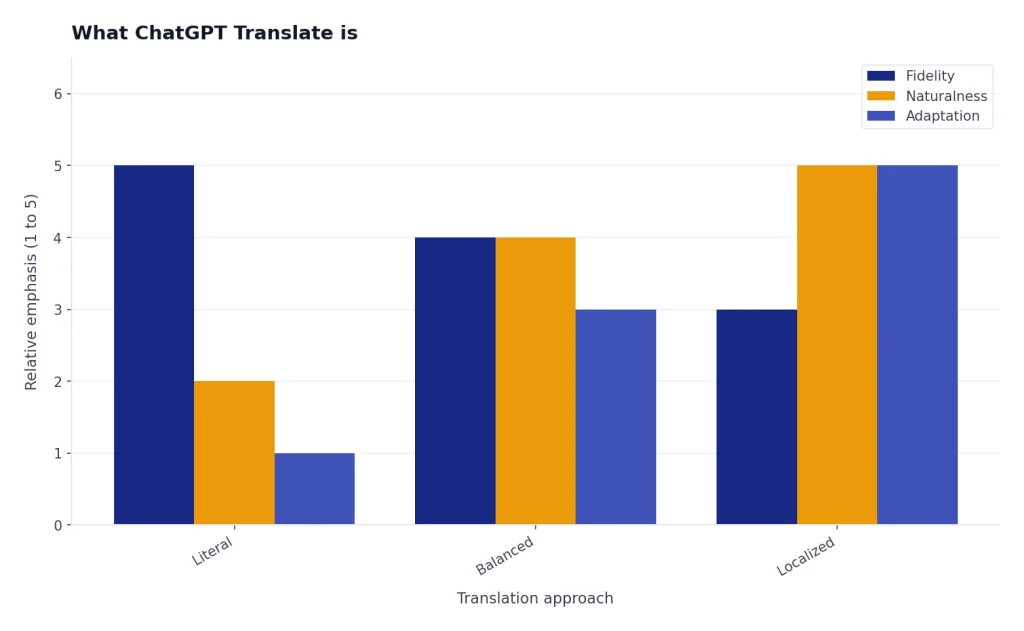
The difference from a conventional translator is the conversation around the translation. You can ask why a phrase changed, request a more natural version, keep certain terms unchanged, or compare regional choices such as Mexican Spanish versus Castilian Spanish. You can also keep working in the same thread, which helps when you are translating a campaign, a support article, a travel note, or a set of recurring product terms.
OpenAI also documents a language setting for the ChatGPT interface. That setting changes the app language when supported, and logged-in users can select a preferred language under Settings → General → Language.[2] That is separate from translation. You can use the English interface and translate into Japanese, or use a Spanish interface and translate into English.
Quick start: translate text in ChatGPT
The fastest prompt is simple:
Translate this into French. Keep the tone professional and natural. Preserve product names and URLs exactly.
Paste the source text under the instruction. If the source is long, ask ChatGPT to translate by section and wait for your confirmation before continuing. This makes review easier and reduces the chance that you miss a mistranslated paragraph.
For short phrases, ask for options instead of a single answer. A good prompt is: “Give me three natural Spanish translations for this button label, with notes on where each would fit.” This works well for interface copy, ads, email subject lines, and subtitles where the best translation depends on space, tone, and intent.
If you are new to ChatGPT itself, start with what ChatGPT is and how it works. If you mainly translate on a phone, compare the official mobile options in our guide to the best ChatGPT app. Desktop users may prefer the ChatGPT Windows app for repeated file and clipboard work.
The prompt formula that improves translation quality
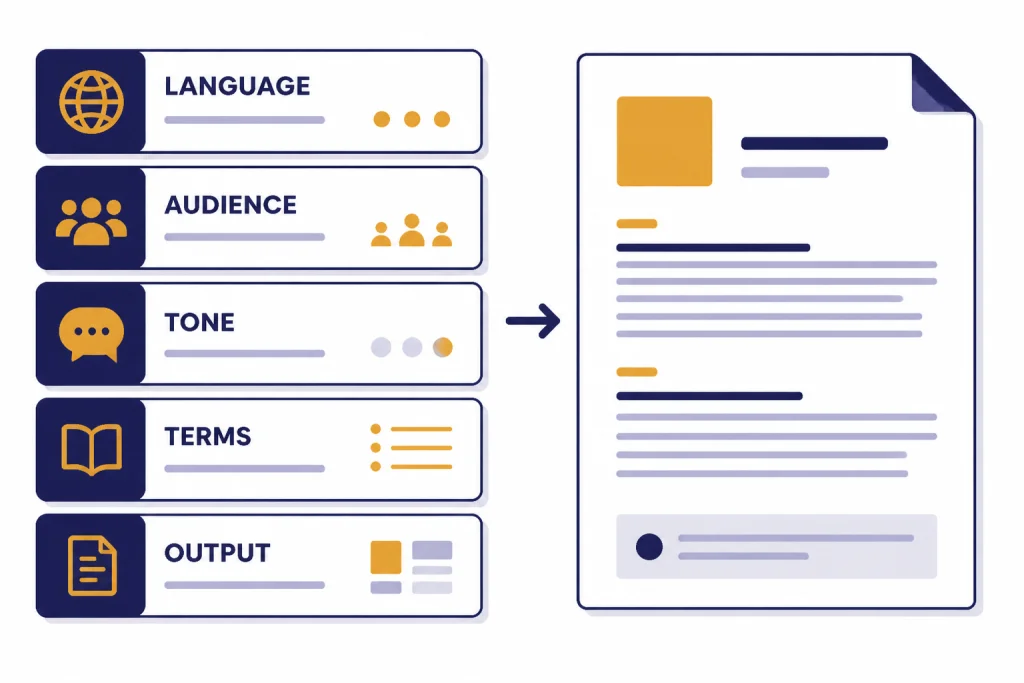
A strong translation prompt gives ChatGPT the information a human translator would ask for before starting. The core formula is: source language, target language, audience, tone, terminology rules, and output format.
| Prompt element | What to write | Why it helps |
|---|---|---|
| Target language | “Translate into Brazilian Portuguese.” | It avoids generic language choices and sets the locale. |
| Audience | “For first-time customers reading a help article.” | It controls vocabulary and assumed knowledge. |
| Tone | “Friendly, concise, and not salesy.” | It prevents stiff or overly literal phrasing. |
| Terminology | “Keep ‘workspace,’ ‘API key,’ and ‘billing cycle’ in English.” | It protects product terms and technical labels. |
| Output | “Return a table with original, translation, and notes.” | It makes review faster and shows uncertain choices. |
Here is a reusable prompt:
Translate the text below from [source language] to [target language and locale]. The audience is [audience]. Use a [tone] tone. Preserve these terms exactly: [terms]. If a phrase has no direct equivalent, choose the most natural wording and add a short note. Return the result in a table with source, translation, and notes.
For recurring work, save your preferences in ChatGPT Custom Instructions. You can tell ChatGPT that you usually translate into Canadian French, prefer plain language, and want terminology notes only when something is ambiguous. If you manage several translation projects, ChatGPT Projects can keep files, instructions, and conversations together.
Translate text, files, and images
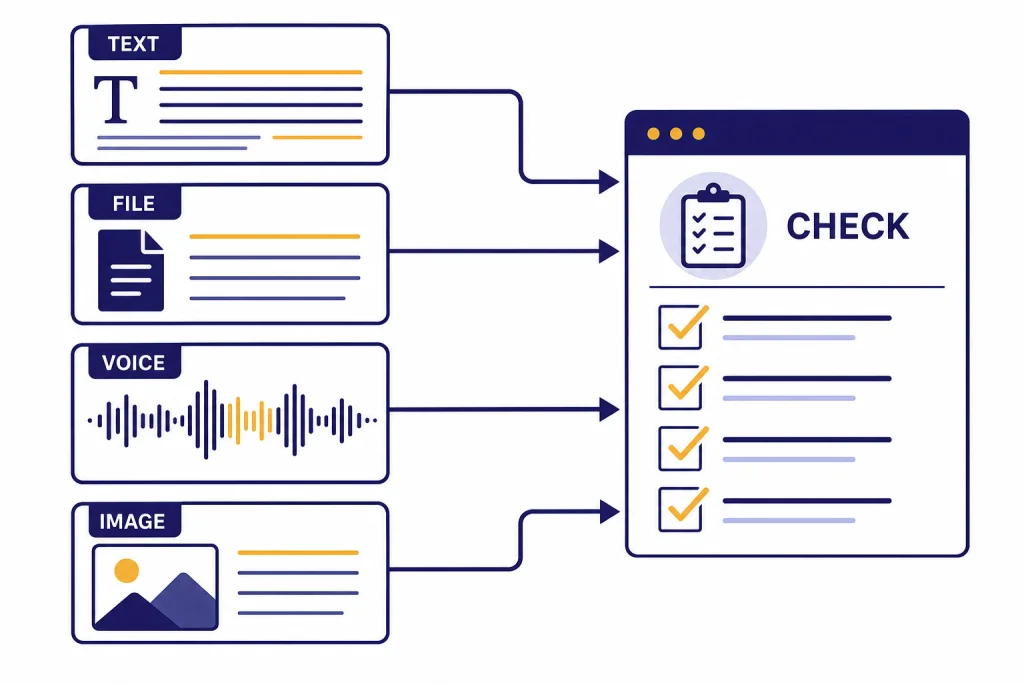
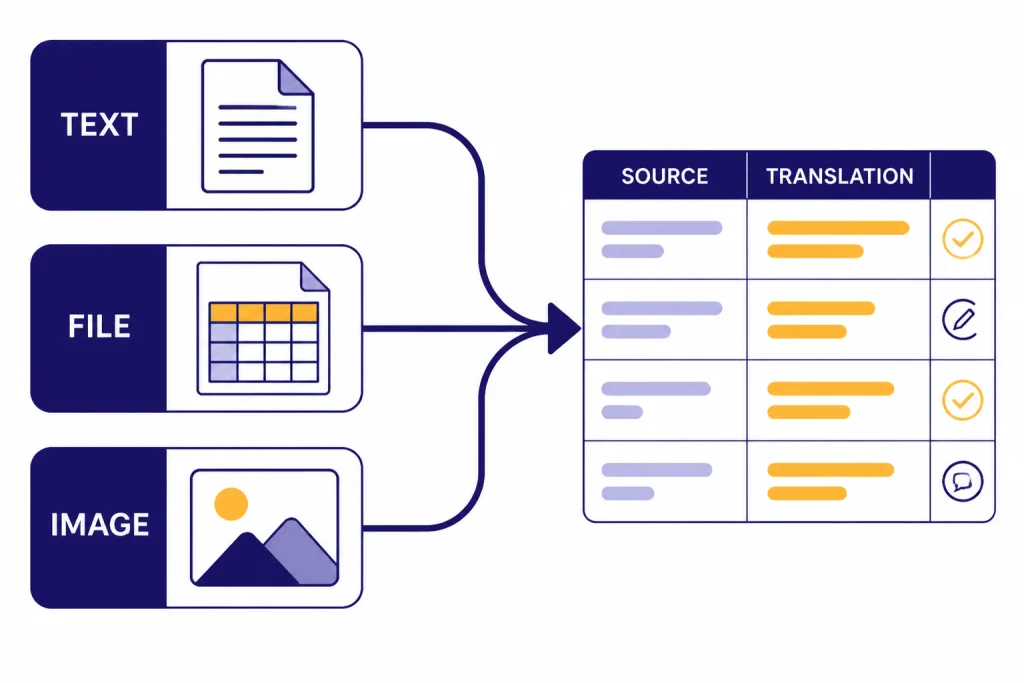
ChatGPT can translate pasted text, but that is only one workflow. OpenAI says ChatGPT can analyze uploaded images, diagrams, screenshots, and charts, and can extract or interpret visual content from them.[1] For image inputs specifically, OpenAI says users can upload a photo, ask about objects or documents, and add more images later in the conversation.[7]
For documents, use file upload when you want ChatGPT to translate a whole brief, extract terminology, summarize before translating, or preserve a rough structure. OpenAI’s file support page says common text, spreadsheet, presentation, and document extensions are supported, including XLSX, XLS, CSV, TSV, DOCX, PPTX, PDF, and TXT.[5] A good file prompt is: “Translate this PDF into English. Keep headings and bullet structure. First give me a terminology table, then translate section by section.”
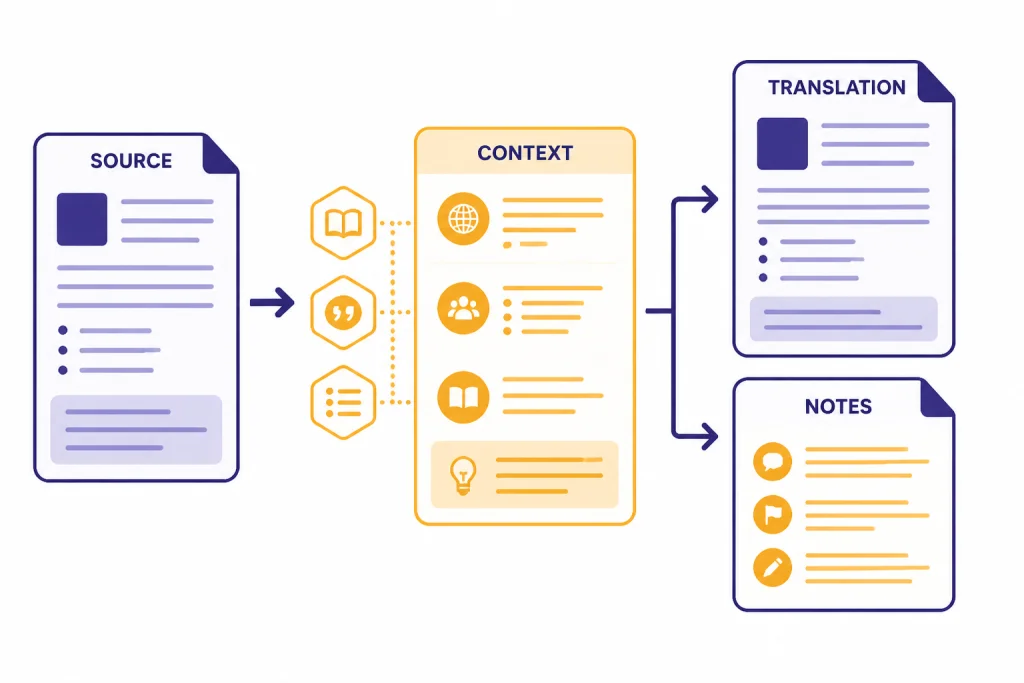
For screenshots, menus, signs, packaging, and scanned pages, upload the image and ask for both transcription and translation. This is safer than asking only for a translation because you can inspect what ChatGPT thinks the source text says. OpenAI notes that ChatGPT image inputs support static image processing and lists PNG, JPEG, and non-animated GIF as supported image file types.[7] For a deeper visual workflow, see our ChatGPT Vision guide.
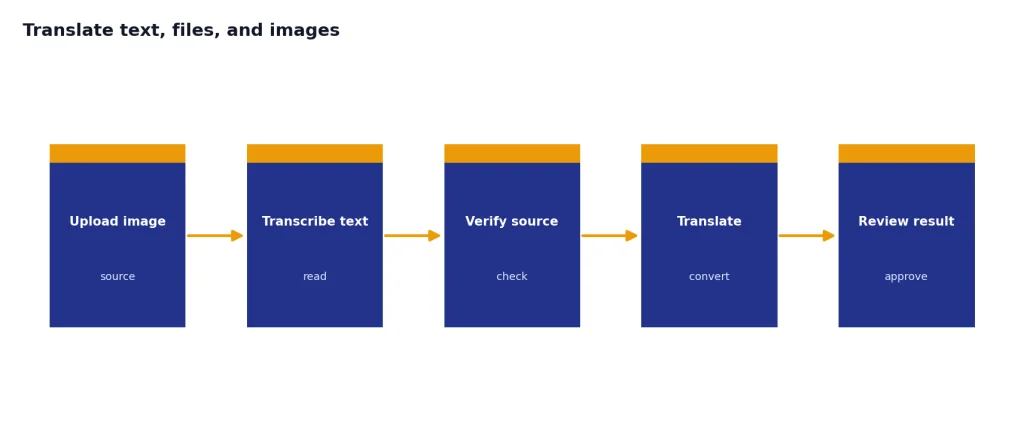
File and image workflows have limits, and those limits can change by plan, file type, and system conditions. OpenAI’s File Uploads FAQ says file size restrictions and usage caps apply.[6] If a document is important, split it into logical sections and ask for a confirmation after each section. That gives you checkpoints for tone, terminology, and missing text.
Use ChatGPT Voice as a live interpreter
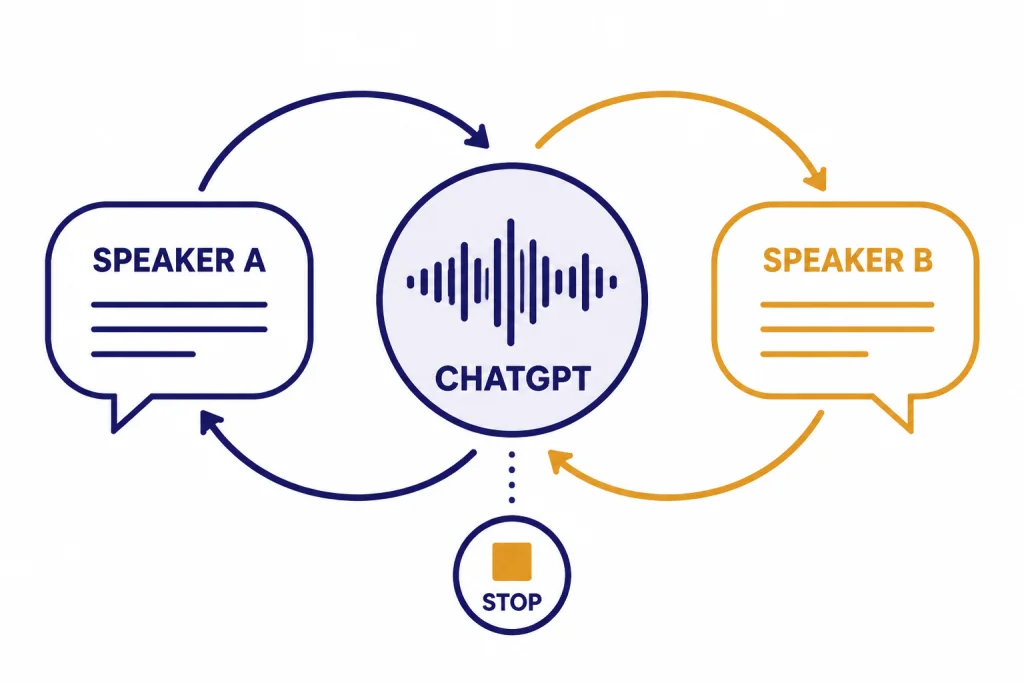
ChatGPT Voice can be useful when you need spoken translation during a live conversation. OpenAI’s Voice Mode FAQ says voice conversations let users speak to ChatGPT and receive spoken responses, and that voice is available to logged-in users in the mobile apps and on desktop web at ChatGPT.com.[4]
The practical prompt is direct: “Act as an interpreter between English and Portuguese. Translate everything I say into Portuguese and everything the other person says into English. Do not answer questions yourself unless I ask you to stop interpreting.” OpenAI’s release notes say Voice can keep translating throughout a conversation until you tell it to stop or switch, and also note that voice translation improvements rolled out beyond paid users while free-user rate limits stayed the same.[3]
Use voice translation for travel, casual meetings, language practice, and low-risk conversations. Do not rely on it as the only interpreter for medical consent, legal advice, immigration interviews, emergency instructions, or binding negotiations. Voice mode can be convenient, but it is still an AI system that can misunderstand speech, accents, names, or context.
If your main need is turning audio into text before translating it, read our guide to ChatGPT audio transcription and our separate explainer on ChatGPT Whisper transcription. Transcription first is often better for interviews, meetings, and podcasts because you can review the source transcript before translating it.
How to check and refine a translation
Do not treat the first draft as the final draft. OpenAI’s accuracy guidance says ChatGPT can produce incorrect or misleading outputs and recommends checking important information from reliable sources.[8] Translation errors can be subtle. A sentence may sound fluent while changing emphasis, politeness, obligation, or technical meaning.
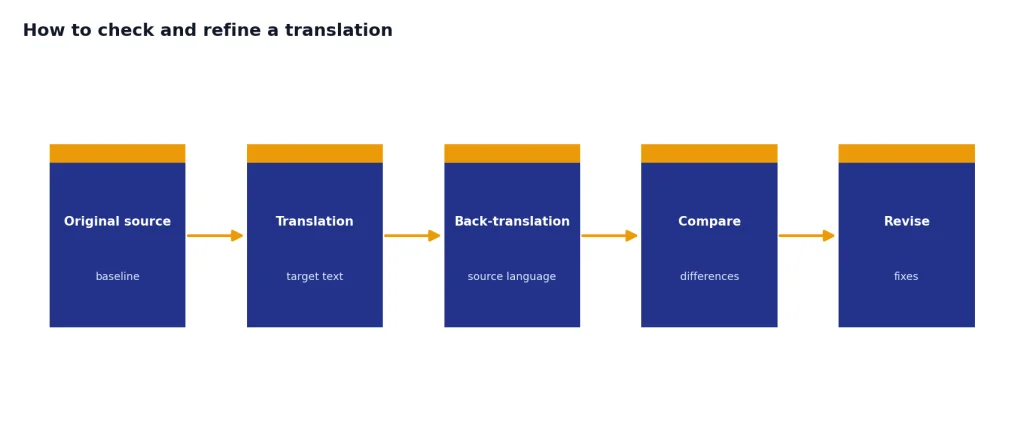
Ask ChatGPT to review its own translation in a structured way. Use prompts such as: “Check this translation for mistranslated terms, omitted details, unnatural phrasing, and tone mismatches.” Then ask for a revision only after you read the notes. This separates diagnosis from rewriting.
Back-translation is also useful. Ask ChatGPT to translate the result back into the source language without seeing the original, then compare. Back-translation will not prove accuracy, but it often reveals changed meaning, missing qualifiers, and awkward sentence structure.
For technical content, give ChatGPT a glossary. For marketing content, give it examples of approved copy. For customer support content, ask it to keep steps short and preserve UI labels exactly. If you need current facts while translating a news item, policy page, or product page, use source-backed research through ChatGPT Search or ChatGPT web browsing before finalizing the translated text.
Privacy and sensitive text
Translation often involves personal data: contracts, immigration papers, medical notes, private messages, customer tickets, and employee records. Before you paste or upload that material, decide whether it belongs in a consumer AI chat at all. When in doubt, remove names, addresses, account numbers, and internal identifiers before translating.
OpenAI’s Data Controls FAQ says users can choose whether conversations help improve models, and signed-in users can turn off “Improve the model for everyone” under Data Controls.[9] The same FAQ says Temporary Chats are deleted from OpenAI systems after 30 days, while the Temporary Chat FAQ says a safety copy may be kept for up to 30 days and that Temporary Chats are not used to improve models.[9][10]
Those controls help, but they do not turn ChatGPT into a certified translation service or a private legal vendor. For regulated work, use your organization’s approved tools and policies. For documents that must be accepted by a court, school, government agency, or medical provider, ask the receiving institution whether it requires a certified human translation.
Be careful with sharing translated conversations. If you need to send a result to someone else, copy only the final text or use a controlled document workflow. If you share full chats, understand how ChatGPT Shareable Links expose conversation content to anyone with access to the link.
ChatGPT vs. translation apps
ChatGPT is not always the fastest translator. Dedicated translation apps are better for instant, repetitive, low-context lookups. ChatGPT is better when the translation needs judgment, editing, explanation, or a consistent style across a longer piece.
| Need | Use ChatGPT | Use a dedicated translation app |
|---|---|---|
| Single word or phrase | Useful if you want examples and nuance. | Usually faster. |
| Long document | Better when you need structure, glossary control, and notes. | Better when you need quick raw output. |
| Brand or product copy | Strong when you provide tone, audience, and approved terms. | Often too literal without extra editing. |
| Live conversation | Useful through Voice when you want conversational interpreting. | Useful when the app is optimized for travel mode. |
| Certified translation | Not enough by itself. | Not enough by itself unless the provider offers certification. |
| Learning a language | Strong for explanations, alternate phrasings, and practice dialogs. | Strong for quick dictionary-style checks. |
The best workflow is often mixed. Use a dedicated app for quick comprehension. Use ChatGPT when you need to understand why a phrase works, adapt it for a reader, or turn a rough translation into publishable prose. If you are building translation into software rather than using the ChatGPT app, compare model costs and tradeoffs in our OpenAI API pricing guide.
Frequently asked questions
Is ChatGPT Translate a real feature?
There is no separate OpenAI product called ChatGPT Translate. The phrase usually means using ChatGPT’s built-in language ability to translate text, files, images, or speech. OpenAI lists translating between languages as a core ChatGPT capability.[1]
Can ChatGPT translate a PDF?
Yes, if your plan and file type support upload. OpenAI says common document formats, including PDF, DOCX, PPTX, TXT, and spreadsheet formats, are supported for file uploads.[5] For best results, ask ChatGPT to translate section by section and preserve headings.
Can ChatGPT translate text in an image?
Yes, ChatGPT can work with image inputs and interpret images added to a conversation.[7] Ask it to first transcribe the visible text, then translate it. That lets you catch recognition errors before you rely on the translation.
Can ChatGPT translate live speech?
ChatGPT Voice can support spoken conversations, and OpenAI says Voice can keep translating during a conversation until you tell it to stop or switch.[3] Use a clear interpreter prompt before the conversation starts. Review important details afterward if the conversation has consequences.
Is ChatGPT accurate enough for professional translation?
It can be useful for drafts, internal comprehension, and editing support. It is not a replacement for a qualified translator when accuracy, liability, certification, or cultural nuance matters. OpenAI warns that ChatGPT can be wrong and recommends verifying important information.[8]
How do I get a more natural translation?
Specify the target locale, audience, tone, and purpose. Ask for a natural translation rather than a literal one, and request notes for idioms or phrases that have no direct equivalent. If the output sounds stiff, ask ChatGPT to revise it as a native speaker would write it for that exact context.