

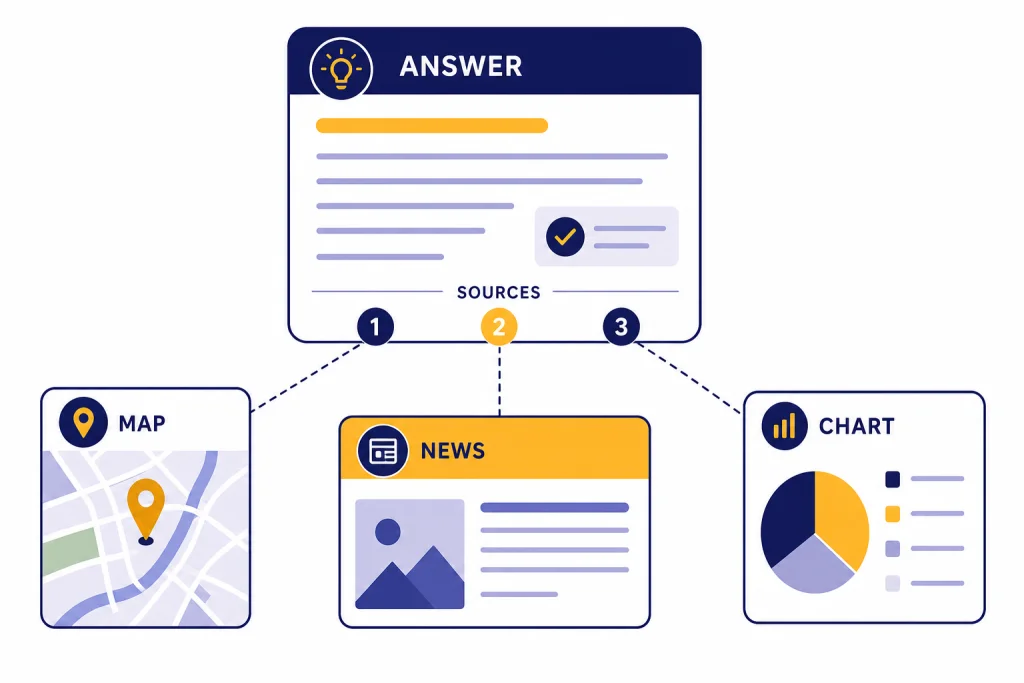
ChatGPT Search is the built-in web search feature that lets ChatGPT answer with current information, source links, local results, maps, images, and follow-up context instead of relying only on the model’s stored knowledge. It is available in ChatGPT on the web, desktop apps, and mobile apps, and OpenAI says it is available to Free, Plus, Team, Edu, and Enterprise users, including logged-out free users where ChatGPT is available.[1] Use it for news, prices, local recommendations, weather, stock quotes, sports, product research, and any question where the date matters. Treat it as a research assistant, not a final authority. You still need to open sources for high-stakes facts.
What ChatGPT Search is
ChatGPT Search is a web-connected answer mode inside ChatGPT. It lets ChatGPT search the internet, read or summarize relevant results, and respond in a conversational format. OpenAI introduced the feature on October 31, 2024, after testing SearchGPT as a prototype that began on July 25, 2024.[2][3]
The key difference from a traditional search engine is the response format. A standard search engine gives you a ranked list of pages. ChatGPT Search tries to synthesize an answer, preserve the context of your conversation, and link back to sources. That can save time when your question needs comparison, filtering, or a plain-English explanation.
OpenAI says the search model introduced with ChatGPT Search was a fine-tuned version of GPT-4o, post-trained with synthetic data generation techniques, including distillation from OpenAI o1-preview.[2] That matters because ChatGPT Search is not just a search box placed next to a chatbot. It is designed to combine retrieval from the web with the model’s ability to interpret the question, ask more targeted queries, and summarize what it finds.
If you want the broader history of browsing in ChatGPT, see our chatgpt web browsing guide. Search is the more direct, consumer-facing version for quick web answers. Browsing is the broader idea of using the web from inside ChatGPT.
How to use ChatGPT Search
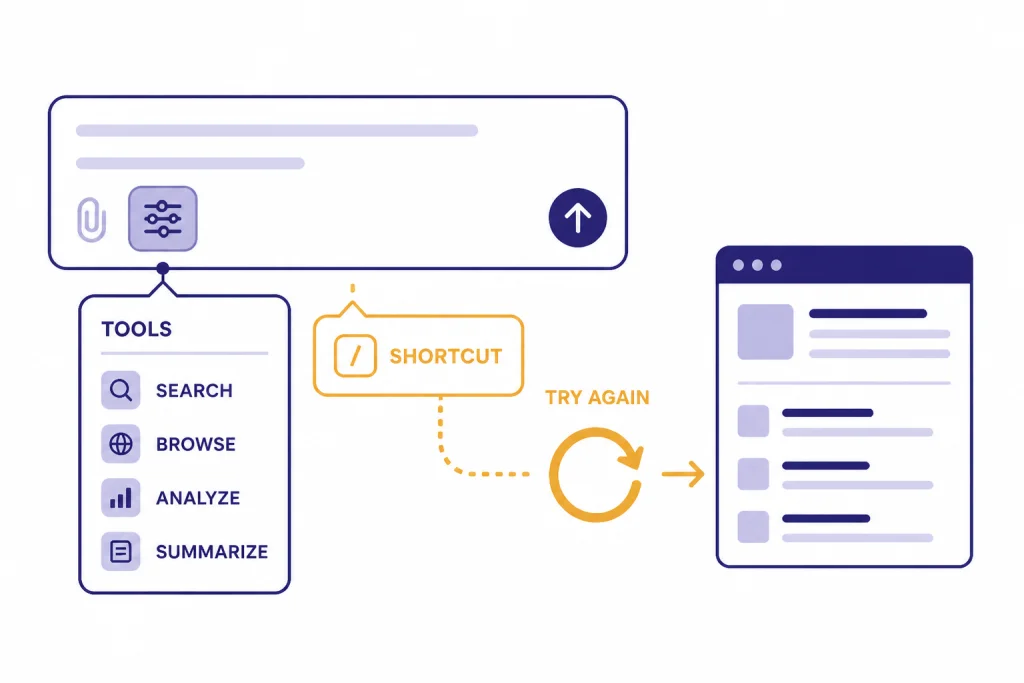
You can start ChatGPT Search from chatgpt.com, the desktop apps, or the mobile apps.[1] OpenAI’s Help Center says to select View all tools, choose the Search icon, and enter your query.[1] ChatGPT may also search automatically when it decides your question would benefit from web information.[1]
There are several practical ways to trigger it:
- Ask a timely question. “What changed in the new IRS mileage rate?” is more likely to use Search than “Explain compound interest.”
- Choose Search from tools. This is the clearest option when you know you need current sources.
- Use the slash shortcut. OpenAI says you can type “/” and select Search from the pop-up menu.[1]
- Regenerate with Search. If a normal answer looks stale, use the refresh option and try again with web search.[1]
- Use voice when available. OpenAI says voice chats with search are rolling out, and voice search is subject to ChatGPT usage limits.[1]
You can also set ChatGPT Search as your default search option in Chrome by installing OpenAI’s Chrome extension, then searching directly from the browser URL bar.[1] OpenAI says you can redirect a URL-bar query to Google by typing !g before the query.[1]
On mobile, ChatGPT Search is most useful for questions that mix local intent and follow-up context. For example, you can ask for “quiet coffee shops near me with outlets,” then narrow the answer to places open after dinner. If you rely on ChatGPT from a phone, compare app options in our best ChatGPT app guide and our ChatGPT mobile widget setup guide.
How results and citations work
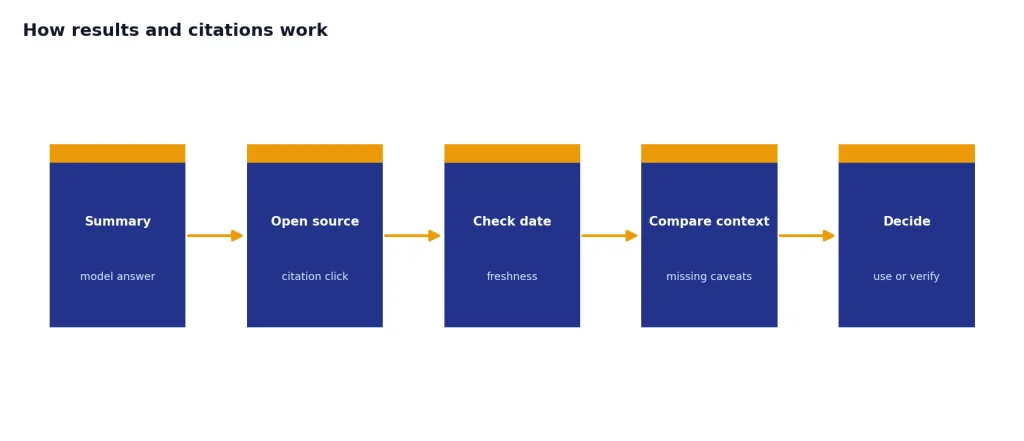
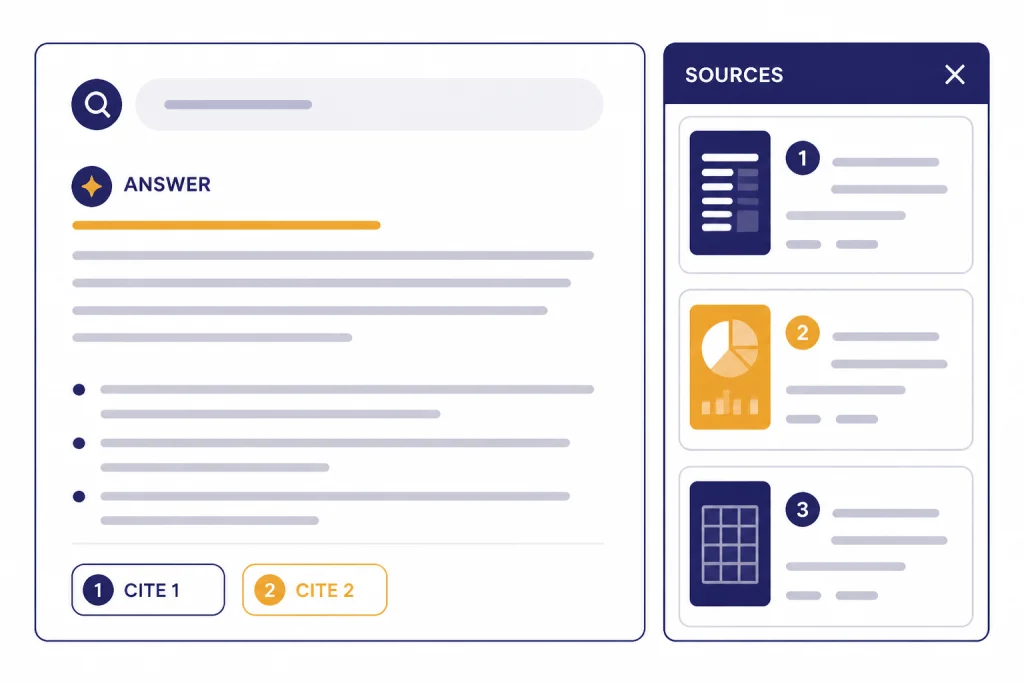
When ChatGPT Search uses the web, the answer may include inline citations. OpenAI says you can hover over a citation on desktop web to learn more and click it to open the source.[1] If inline citations are not shown, you can use the Sources button below the response to open a panel with cited sources and related links.[1]
The source links are the most important part of the feature. They let you check whether ChatGPT understood the page, whether the source is current, and whether the answer left out important context. For factual work, do not stop at the summary. Open the source if the answer affects money, health, law, travel, work, or safety.
ChatGPT Search can also return specialized result formats. OpenAI says search results may include images at the top of the response, with citations available from the image.[1] On iOS and Android, OpenAI says search results may show a map when a map is appropriate.[1] Restaurant results can also include clickable restaurant names and, in some cases, a reservation flow through a third-party provider.[1]
That makes ChatGPT Search useful for “answer plus action” tasks, but it also creates room for mistakes. If you reserve a table, OpenAI says prompt details such as party size, date, or time do not currently carry over to the reservation app or flow, so you should confirm those details before booking.[1]
Privacy, location, and memory
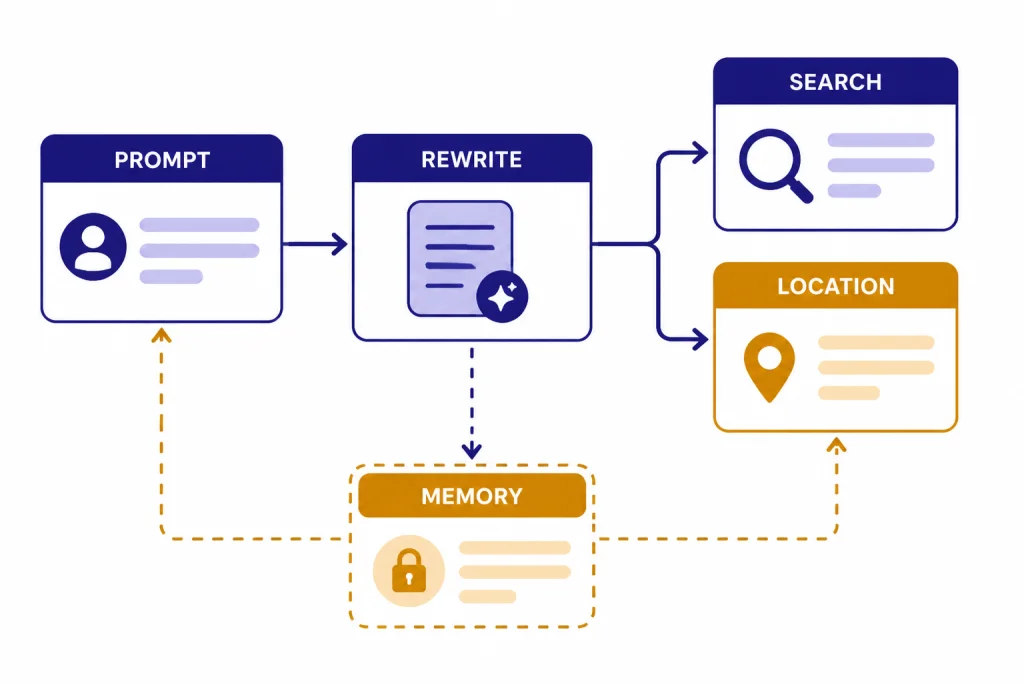
Search changes what ChatGPT may send outside the chat. OpenAI says ChatGPT Search sometimes works with other search providers and typically rewrites your prompt into one or more targeted queries before sending those queries to providers.[1] For example, a broad question may become a more precise search phrase that includes the key entity, date, location, or topic.
OpenAI says ChatGPT may collect general location information based on your IP address and may share that general location with third-party search providers to improve results, but it does not share the IP address itself or your ChatGPT account information to run the search.[1] This is relevant for restaurants, local news, weather, and “near me” searches.
Precise device location is separate. OpenAI says device location sharing is optional and off by default, and that you can turn it on or off in settings.[1] If precise location is enabled, OpenAI says ChatGPT uses the device’s precise location to provide a more relevant response and then deletes that precise location data.[1] The resulting conversation may still contain place names, map results, or other location-related response text unless you delete the conversation.
Memory can also shape search. OpenAI says that if Memory is enabled, ChatGPT Search may use relevant memories when rewriting a prompt into a better search query.[1] That can make local and preference-based answers better, but it can also make a query more personalized than you expected. If that matters, review our ChatGPT Memory guide before using Search for sensitive topics.
Best uses and limits
ChatGPT Search is strongest when the answer requires both current information and synthesis. It is weaker when you need exhaustive recall, database-grade precision, or guaranteed completeness.
Use it for:
- Current explanations. Ask what changed, why it matters, and which sources support the answer.
- Local decisions. Ask for options, hours, maps, and trade-offs, then verify before leaving.
- Product research. Ask it to compare recent reviews, official specs, and price ranges, then open the sources.
- News catch-up. Ask for a dated timeline and request citations for each major claim.
- Travel planning. Ask for restrictions, schedules, and alternatives, then confirm with official operators.
- Source discovery. Ask for official pages, government sources, primary documentation, or publisher reporting.
Do not use it as the only source for medical decisions, legal advice, tax filing, financial trades, or emergency information. In those cases, Search is a starting point that can help you find authoritative sources. It is not a substitute for a professional, an official agency, or your own review of the linked material.
Search queries are also subject to your ChatGPT plan’s usage limit, but OpenAI’s public Help Center page does not publish a universal numeric limit for ChatGPT Search queries.[1] If you hit a limit, the practical fix is to wait, switch to a lower-cost workflow, or use a normal search engine for the next batch of lookups. For general limit strategies, see our guide to legitimate ChatGPT message-limit workarounds.
Search is not the same as image lookup, video analysis, or file analysis. If your input is visual, start with ChatGPT Image Search or ChatGPT Vision. If your source is a document, spreadsheet, or PDF, use ChatGPT File Upload instead of trying to search around it.
ChatGPT Search vs. other options
ChatGPT Search is one tool in a larger research workflow. It is best for conversational web answers. It is not always the best first stop.
| Option | Best for | Main advantage | Main limitation |
|---|---|---|---|
| ChatGPT Search | Timely questions that need a summarized answer | Combines web results with follow-up context | May miss sources or oversimplify the evidence |
| Traditional search engine | Manual source hunting and broad discovery | Shows many results quickly | You must synthesize the answer yourself |
| ChatGPT without Search | Stable explanations, drafting, brainstorming, and tutoring | Fast and conversational | Can be stale for current facts |
| File upload | Analyzing your own PDFs, spreadsheets, and documents | Works directly on supplied files | Does not automatically solve web freshness |
| Voice mode | Hands-free questions and quick spoken follow-ups | Natural conversation while mobile | Search availability and limits can vary by account |
| Atlas browser | Using ChatGPT while browsing the web | Keeps web pages and chat closer together | Depends on browser support and site behavior |
If you want a browser-centered workflow, read our ChatGPT Atlas for Windows installation guide. If you prefer voice-first research, compare the experience in our ChatGPT Voice Mode review. If you want scheduled reminders based on information you already know, ChatGPT Tasks is the better feature.
Publisher and site owner notes
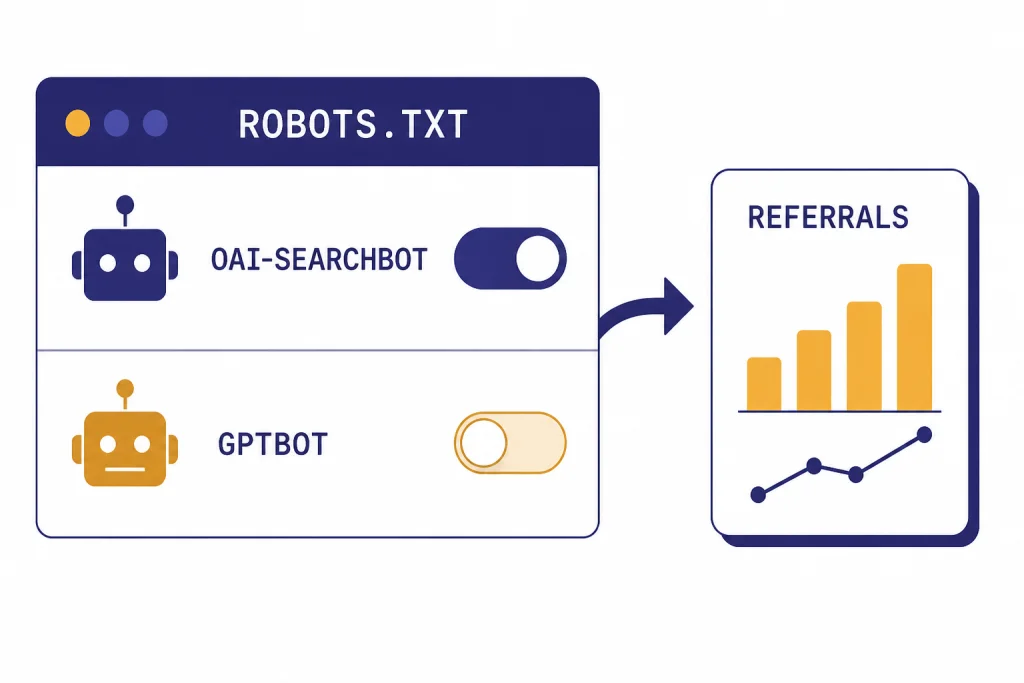
ChatGPT Search also matters for publishers, site owners, and developers. OpenAI says OAI-SearchBot is the crawler used to surface websites in ChatGPT search features.[4] OpenAI also says webmasters can allow OAI-SearchBot for search visibility while disallowing GPTBot if they do not want their content used for training OpenAI’s generative AI foundation models.[4]
That distinction is important. Search inclusion and model training are not the same control. OpenAI says sites opted out of OAI-SearchBot will not be shown in ChatGPT search answers, though they can still appear as navigational links.[4] OpenAI also says it can take about 24 hours after a robots.txt update for its systems to adjust for search results.[4]
OpenAI’s publisher FAQ says any public website can appear in ChatGPT Search and recommends not blocking OAI-SearchBot if you want content discovered, surfaced, cited, and linked.[5] The same FAQ says publishers who allow OAI-SearchBot can track referral traffic from ChatGPT because referral URLs include the utm_source=chatgpt.com parameter.[5]
For site owners, the practical checklist is simple. Keep pages crawlable. Use clear titles and structured pages. Avoid hiding critical information behind scripts that crawlers cannot access. Use noindex when you do not want a page surfaced. Monitor analytics for ChatGPT referral traffic. None of this guarantees placement, and OpenAI says there is no way to guarantee top placement in ChatGPT Search.[1]
Practical prompts
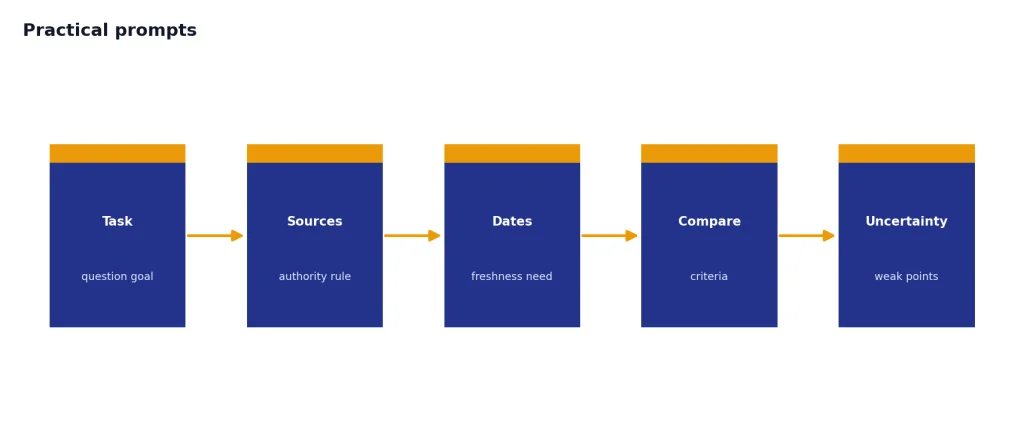
Good ChatGPT Search prompts ask for sources, dates, and uncertainty. They also tell ChatGPT how to compare results. Start with one of these patterns:
- For news: “Search the web and summarize the latest verified developments on [topic]. Give me a dated timeline and cite each major claim.”
- For local decisions: “Find three options near [place] that match [constraints]. Include hours, distance, price signals, and source links.”
- For shopping: “Compare current official specs and recent reputable reviews for [product A] and [product B]. Separate confirmed facts from reviewer opinions.”
- For travel: “Search official sources first. Tell me the current rules for [route or destination], then list what I should verify before booking.”
- For work research: “Find primary sources on [topic]. Summarize the consensus, disagreements, and the strongest source for each point.”
- For fact-checking: “Search for this claim: [claim]. Tell me whether it is supported, contradicted, or unresolved, and link to the best sources.”
If ChatGPT gives a confident answer without enough citations, ask it to search again with stricter rules. A useful follow-up is: “Only use official sources or primary documents. If you cannot find one, say that clearly.” For repeat workflows, save your preferred sourcing rules in ChatGPT Custom Instructions.
The best habit is to ask ChatGPT Search to show its uncertainty. Try: “What would change this answer?” or “Which source is weakest?” That turns Search from a shortcut into a more disciplined research assistant.
Frequently asked questions
Is ChatGPT Search free?
OpenAI says ChatGPT Search is available to Free, Plus, Team, Edu, and Enterprise users, and that logged-out free users also have access where ChatGPT is available.[1] Usage can still be limited by your plan. OpenAI has not published a single universal numeric search limit on the public ChatGPT Search Help Center page.
Does ChatGPT Search replace Google?
It can replace some simple searches, especially when you want a summarized answer with follow-up questions. It does not replace manual source review. Use a traditional search engine when you want to scan many results yourself or compare how different pages frame the same topic.
Does ChatGPT Search show sources?
Yes, search answers may include inline citations, and OpenAI says the Sources button can open a panel with cited sources and other relevant links.[1] You should click through for important facts. The summary is only as good as the sources and the way ChatGPT interpreted them.
Can ChatGPT Search use my location?
Yes. OpenAI says ChatGPT may use IP-based general location for relevance, and precise device location is optional and off by default.[1] You can manage location services in ChatGPT settings or device settings. Precise location can improve local results, but you should only enable it when the benefit is clear.
Can websites opt out of ChatGPT Search?
Site owners can manage search crawling with OAI-SearchBot, according to OpenAI’s crawler documentation.[4] OpenAI says OAI-SearchBot is separate from GPTBot, which is associated with training controls.[4] A site can allow one and disallow the other depending on its goals.
When should I avoid ChatGPT Search?
Avoid using it as your only authority for legal, medical, financial, tax, or emergency decisions. It can help find and summarize sources, but it can still miss context or cite weak pages. For high-stakes questions, open the cited source and consult the relevant professional or official agency.