

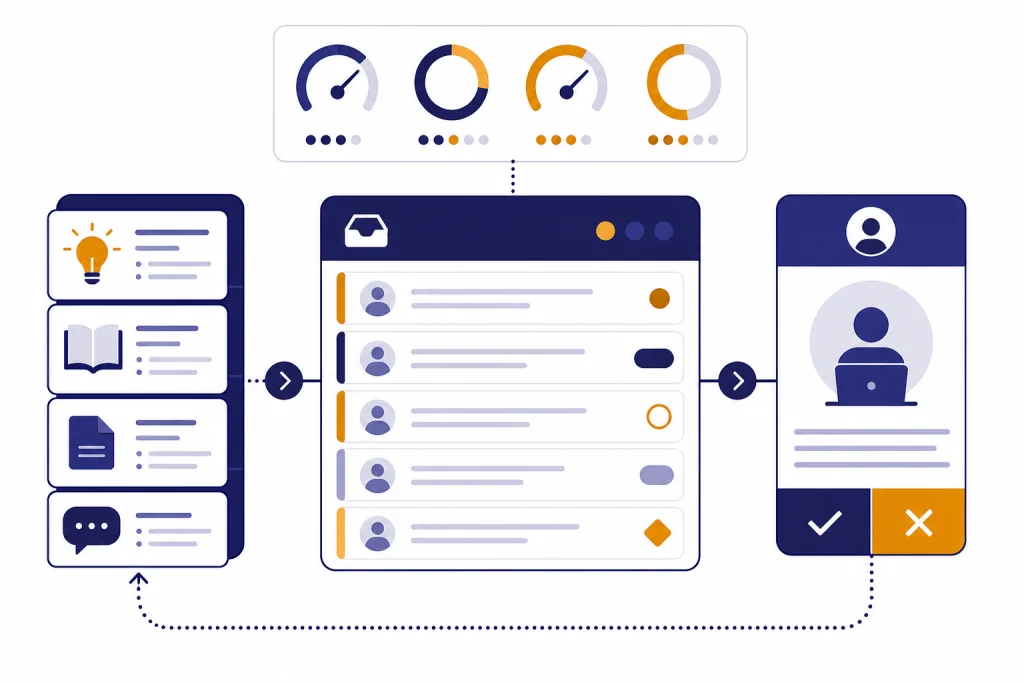
ChatGPT for customer service works best when teams use it to speed up support work, not replace judgment. The strongest use cases are ticket summarization, reply drafting, help center updates, escalation preparation, QA review, and trend analysis across conversations. Teams can start inside ChatGPT Business or Enterprise for internal workflows, then move to API-based automation when they need tight helpdesk integration, custom routing, or customer-facing agents. The main rule is simple: keep humans accountable for refunds, account access, legal commitments, safety issues, and emotionally sensitive replies. Used well, ChatGPT becomes a support operations layer that makes agents faster, managers better informed, and customers less likely to wait for basic answers.
Where ChatGPT fits in customer service
ChatGPT is most useful in the spaces between a customer question and a final support decision. It can read messy context, convert long threads into short summaries, draft answers in a brand voice, compare a case against policy, and turn repeated issues into product feedback. That makes it useful for human agents, team leads, enablement teams, and support operations.
OpenAI’s own support operations article describes a shift beyond using AI only as a chatbot for deflecting tickets. The article frames support as a system of interactions, evaluations, internal tools, and feedback loops that improve over time.[1] That is the right mental model for most teams. The goal is not just fewer tickets. The goal is better answers, cleaner escalations, faster learning, and more consistent policy application.
For smaller teams, ChatGPT can start as an internal assistant. Agents paste a ticket, ask for a concise summary, and request a draft reply. For larger teams, ChatGPT can connect to support data and internal knowledge. OpenAI’s Help Scout app page says ChatGPT can query and summarize Help Scout conversations and threads, draft replies for issues such as refunds or bugs, and review patterns across conversations.[2]
If your team is still learning the basics, start with what ChatGPT is and how it works. If you want a deeper helpdesk buildout, pair this use-case article with our chatgpt customer service implementation guide.
Best use cases for support teams
The best ChatGPT use cases share three traits. They use existing support context. They save time on reading or writing. They leave final judgment with a trained person when the answer affects money, access, safety, or trust.
| Use case | What ChatGPT does | Human check required | Best starting point |
|---|---|---|---|
| Ticket summarization | Condenses long threads into facts, timeline, customer ask, and next step. | Yes, for accuracy before escalation. | Agent-facing workflow. |
| Reply drafting | Writes a first draft using policy, tone, and known facts. | Yes, before sending. | Macros plus prompt templates. |
| Help center updates | Turns repeated tickets into article outlines, missing screenshots, and FAQ drafts. | Yes, by documentation owner. | Weekly support-content review. |
| Escalation prep | Packages logs, repro steps, customer impact, and unresolved questions. | Yes, by support lead. | Bug and billing escalation forms. |
| Quality review | Checks replies against tone, completeness, and policy adherence. | Yes, for coaching decisions. | QA sampling and coaching notes. |
| Trend analysis | Clusters recurring issues and turns them into product or policy insights. | Yes, by support operations. | Weekly or monthly support report. |
Ticket summarization is usually the easiest first win. Customer threads often include duplicate details, emotion, missing context, internal notes, and outdated assumptions. Ask ChatGPT to produce a case brief with fields for issue, account state, attempted fixes, promised actions, open questions, and risk level. That gives the next agent a fast handoff.
Reply drafting works when the model has the right source material. Do not ask for a generic apology. Give ChatGPT the support policy, customer facts, tone rules, and what the agent is allowed to offer. The draft should be treated like a prepared paragraph, not an autonomous decision.
Help center maintenance is often overlooked. Support teams see repeated confusion before product and marketing teams do. OpenAI’s Help Scout app examples include turning conversations into a help center article outline and finding refund patterns that could reduce ticket volume.[2] That is a good model for content operations: use tickets as evidence, not as copy to publish unchanged.
Escalation prep is useful because engineers, finance teams, and trust teams need structured facts. ChatGPT can rewrite a rambling ticket into a concise internal escalation. It can separate observed facts from customer claims and list what evidence is still missing.
Quality review helps managers coach consistently. Ask ChatGPT to score whether a reply answered the actual question, followed policy, acknowledged emotion, and gave a clear next step. Use the output as a coaching aid, not as the only basis for performance management.
Trend analysis turns support from a reactive queue into a signal source. A manager can ask for recurring themes by tag, customer segment, plan, or product area. OpenAI says ChatGPT apps can reference internal knowledge, and its prompt examples include drafting updates, synthesizing documents, and generating tables from connected information.[3]
What a safe workflow looks like
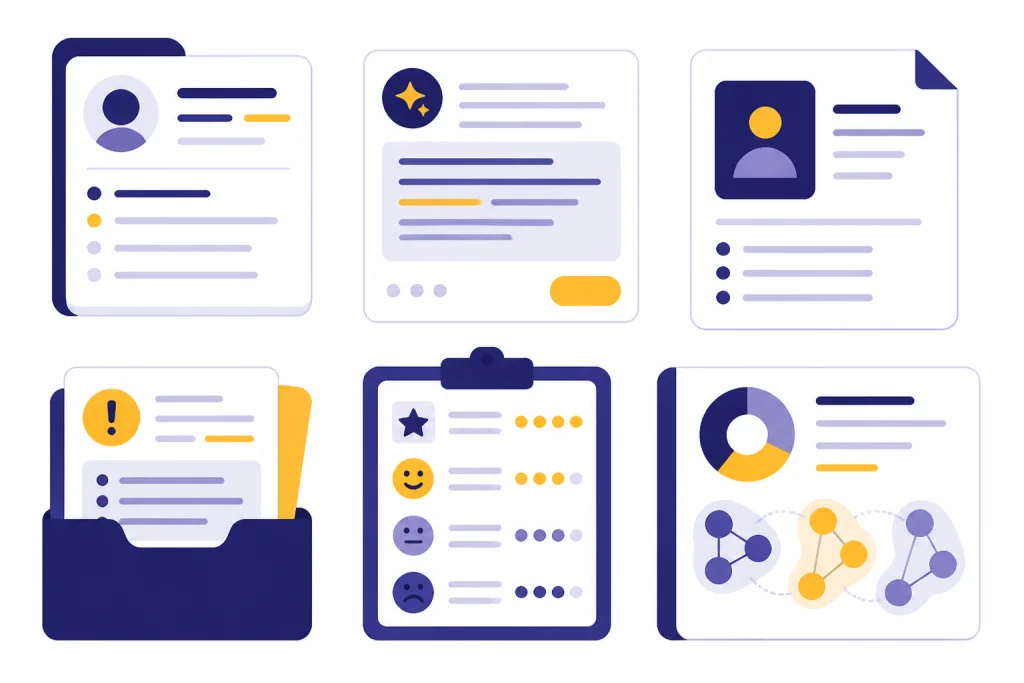
A safe customer service workflow makes ChatGPT helpful before and after the human decision. It does not let the model independently approve refunds, change account access, make legal statements, diagnose safety-sensitive issues, or send messages that could materially affect the customer relationship.
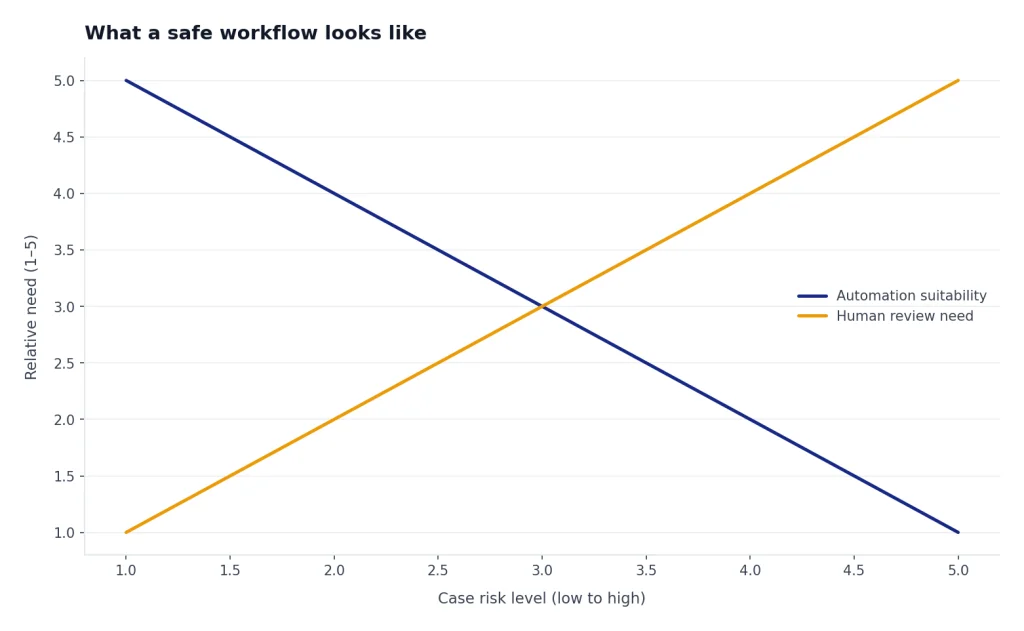
Use this operating pattern:
- Collect context. Pull the ticket, account facts, previous conversations, relevant policy, and known product status.
- Ask for structured analysis. Request a summary, missing facts, policy match, and suggested next step.
- Generate a draft. Ask for a customer-facing response that cites only approved policy and avoids promises the agent cannot keep.
- Review before action. The agent checks facts, edits tone, and confirms the offer or decision.
- Log the outcome. Save the final decision, tag the reason, and record whether the AI suggestion helped.
Privacy controls matter. OpenAI’s ChatGPT Enterprise page says business data from ChatGPT Enterprise, including inputs and outputs, is not used to train or improve models by default. The same page lists enterprise controls such as encryption at rest and in transit, SAML SSO, SCIM provisioning, role-based access controls, and usage analytics.[9] Those controls do not remove your own responsibilities. Teams still need data minimization, access rules, retention rules, and a policy for sensitive customer information.
Support leaders should also create a “never automate without review” list. Put refunds outside normal policy, account recovery, legal threats, regulated advice, harassment, self-harm, fraud, and severe outages on that list. ChatGPT can summarize and prepare these cases. It should not be the final authority.
If your team plans to train people to write stronger prompts, use a lightweight internal standard before paying for credentials. Our guide to prompt engineering certification can help managers decide when formal training is worth it.
ChatGPT workspace vs API build
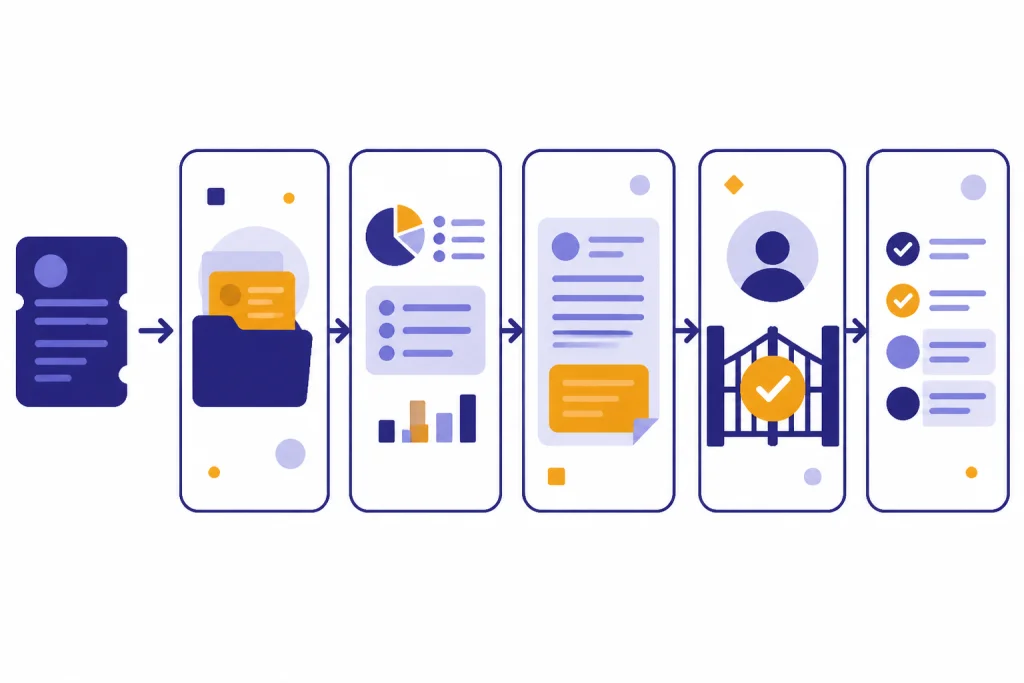
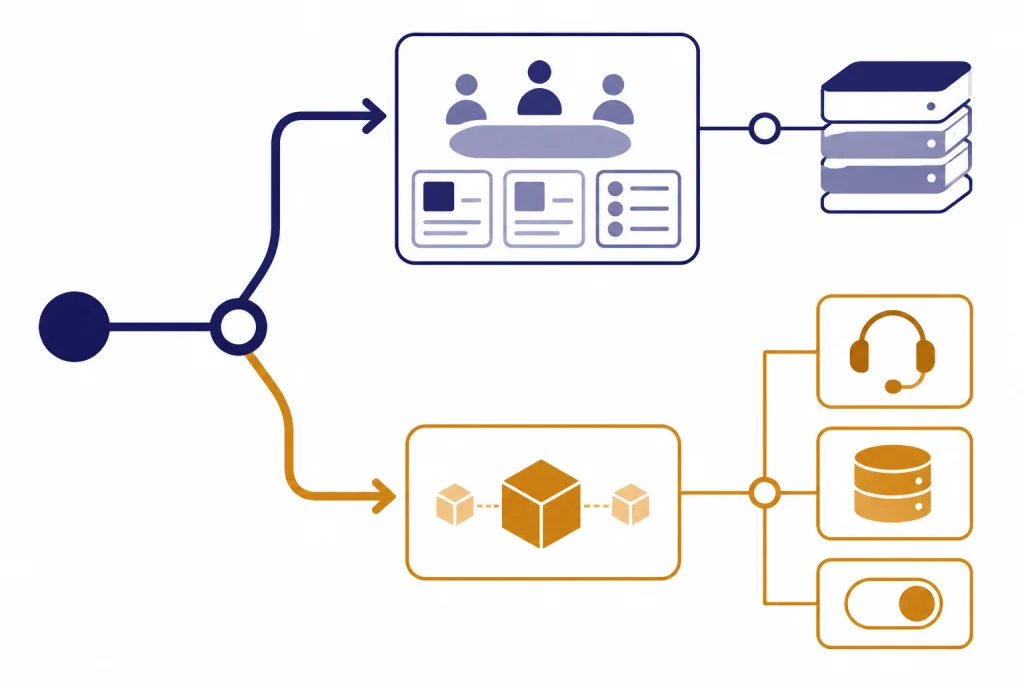
Customer service teams have two common paths. They can use ChatGPT as a secure workspace for support staff, or they can build an integrated AI layer with the OpenAI API. The right choice depends on volume, risk, engineering capacity, and whether customers will interact with the system directly.
ChatGPT Business is the practical starting point for many teams because it gives support staff a shared workspace, admin controls, and access to connected knowledge. OpenAI’s Help Center says that for most countries, ChatGPT Business pricing is USD $25 per user per month on monthly billing or USD $20 per user per month on annual billing; it also notes a USD $5 per month reduction announced on April 2, 2026.[4] OpenAI’s business pricing page also lists the Business plan at USD $20 per user per month when annual billing is selected.[5]
An API build makes sense when the workflow must live inside your product, helpdesk, phone system, or routing engine. The OpenAI tools documentation says the API can use tools such as web search, file search, function calling, remote MCP servers, image generation, code interpreter, computer use, apply patch, and shell.[6] For support, the key pieces are usually retrieval, function calling, and strict approval gates.
| Option | Best for | Strengths | Watchouts |
|---|---|---|---|
| ChatGPT Business or Enterprise workspace | Agent assistance, internal research, QA, content drafts, team adoption. | Fast rollout, lower engineering lift, useful for many departments. | Less control over embedded product workflows than a custom integration. |
| Helpdesk app or connector | Teams that need ChatGPT to work with existing support conversations. | Can summarize threads, draft replies, and inspect patterns from real tickets. | Requires careful permissions, tagging discipline, and review workflows. |
| Custom API implementation | Customer-facing agents, automated routing, product-specific actions, complex approvals. | Highest control over data flow, prompts, tools, logging, and guardrails. | Needs engineering, monitoring, evaluation, incident response, and cost tracking. |
Retrieval is the backbone of accurate support answers. OpenAI’s retrieval guide shows a pattern where a query searches a vector store and the model synthesizes a grounded response from the returned results.[7] In customer service, those sources might be policy pages, help center articles, product docs, known incident notes, shipping rules, or internal troubleshooting guides.

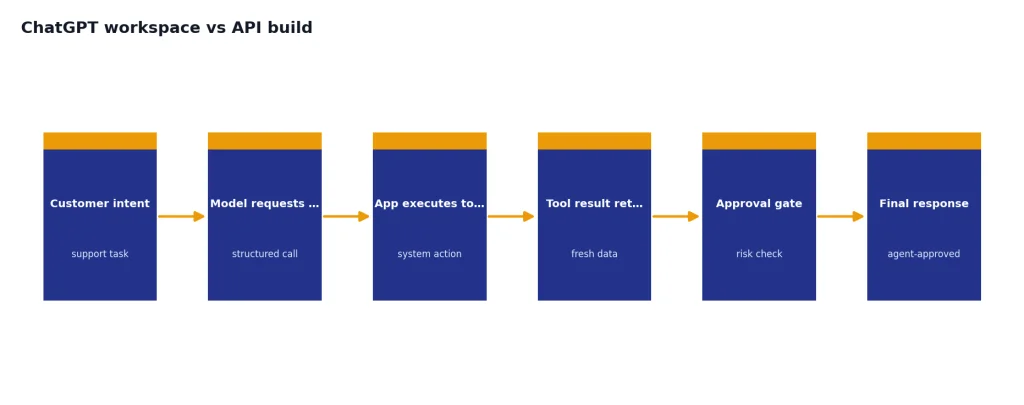
Function calling is what lets an AI system ask your software to do something specific. OpenAI’s function calling guide describes tool calling as a multi-step conversation between your application and a model, where the model requests a tool, your application executes it, and the tool output is passed back.[8] In support, that might mean looking up an order, checking subscription status, creating a return label, or opening an escalation. High-risk actions should require explicit approval.
API teams should also plan for failures. Build fallbacks for timeouts, missing knowledge, ambiguous policy, and rate limits. Our OpenAI API errors guide explains common failure modes, while the OpenAI API pricing breakdown can help finance and engineering teams model costs before usage grows.
Prompts your team can adapt
Good support prompts are specific. They tell ChatGPT what role to play, what sources to use, what output format to follow, and what not to decide. Keep reusable prompts short enough for agents to understand and structured enough for managers to audit.
Ticket summary prompt
You are assisting a customer support agent. Summarize this ticket in five fields: customer issue, timeline, actions already taken, customer sentiment, and recommended next step. Do not invent facts. If a fact is missing, write “missing.”
Policy-based reply prompt
Draft a customer-facing reply using only the policy text below and the ticket facts provided. Tone: calm, concise, accountable. Include one clear next step. Do not promise refunds, credits, timelines, or exceptions unless the policy explicitly allows them.
Escalation prompt
Prepare an internal escalation for engineering. Include expected behavior, actual behavior, reproduction steps, customer impact, affected account details, evidence, and unresolved questions. Separate confirmed facts from assumptions.
QA review prompt
Review this agent reply against the support policy and tone guide. Return: strengths, risks, missing information, policy concerns, and a revised version. Do not criticize the agent personally. Focus on coaching and customer outcome.
Store prompts in a shared support playbook. Review them when policies change. If your company has multiple brands, regions, or product lines, create variants instead of forcing one generic prompt to cover every case.
Prompt work can become a real support operations skill. If you are hiring for it, compare role expectations with our guides to prompt engineering jobs and prompt engineering salary in 2026.
A practical rollout plan
Start with a narrow workflow, not a broad AI mandate. The safest first pilot is usually agent-facing summarization or reply drafting for a single queue. Choose a queue with enough volume to learn from, but not so much risk that every mistake becomes a customer incident.
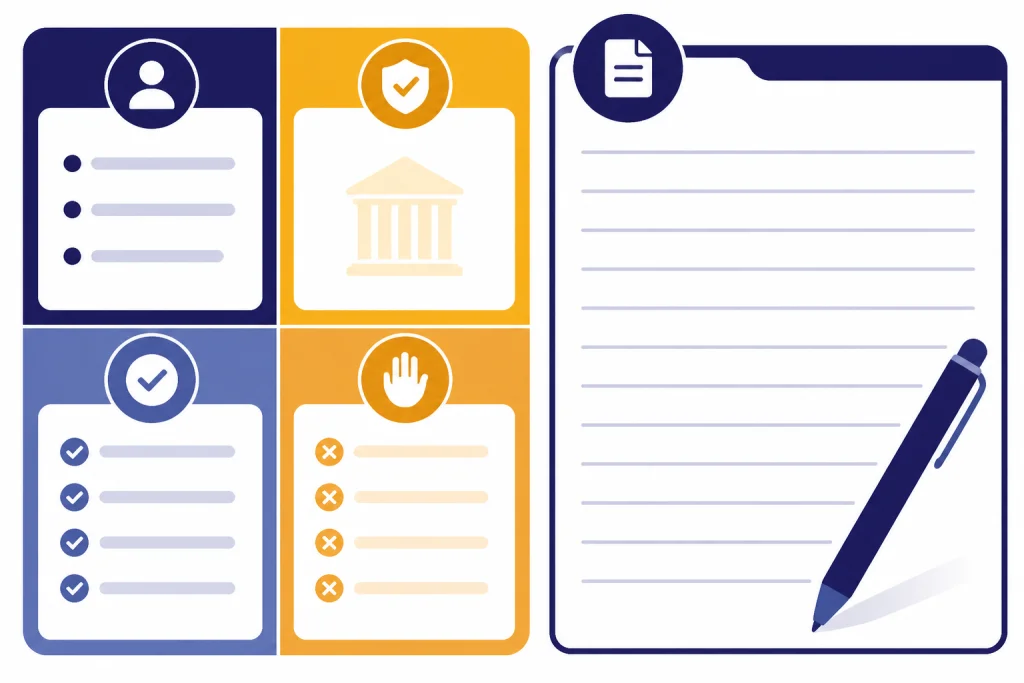
In the first phase, define the allowed tasks. For example: summarize tickets, draft replies, identify missing facts, suggest help center articles, and prepare escalation notes. Define the forbidden tasks just as clearly. For example: send replies without review, approve refunds, change account access, or make exceptions to policy.
In the second phase, create a small evaluation set. Pick real historical tickets that represent common issues, edge cases, angry customers, policy ambiguity, and escalations. Ask experienced agents to create ideal summaries and replies. Then compare ChatGPT-assisted outputs against those examples.
In the third phase, train the team. Teach agents how to provide context, how to challenge the draft, and how to spot hallucinated facts. Make it normal to reject the AI output. A support culture that treats ChatGPT as a junior drafting assistant will make better decisions than one that treats it as an oracle.
In the fourth phase, connect knowledge sources carefully. Start with approved help center articles and internal policies. Add ticket history only after permissions, retention, and privacy reviews are complete. OpenAI’s app and connector materials emphasize using connected tools and internal knowledge in ChatGPT workflows.[3]
In the final phase, decide whether to automate more. Some teams will stay with agent assistance. Others will build routing, suggested macros, or customer-facing agents. If your support team also handles screenshots, damaged-item photos, or identity document workflows, read our OpenAI Vision API guide before designing image review processes.
Metrics to watch
Do not judge ChatGPT only by ticket deflection. Deflection can hide bad experiences if customers give up or reopen cases. Track quality, speed, customer trust, and agent workload together.

| Metric | What it tells you | How to use it |
|---|---|---|
| First response time | Whether drafting and summarization reduce waiting. | Compare pilot queue trends against a similar non-pilot queue. |
| Resolution quality | Whether the customer received the right answer. | Audit sampled tickets for correctness, completeness, and policy fit. |
| Reopen rate | Whether answers actually solved the issue. | Watch for polished but incomplete replies. |
| Escalation quality | Whether internal handoffs contain enough facts. | Ask engineering, billing, or trust teams to rate handoff usefulness. |
| Agent edit distance | How much agents change AI drafts before sending. | Use high-edit examples to improve prompts and source material. |
| Customer sentiment | Whether speed gains hurt or help tone. | Review low-rated conversations for over-automation signals. |
Managers should also track agent experience. If ChatGPT reduces repetitive writing but adds review anxiety, the process needs adjustment. If agents over-trust drafts, the training needs adjustment. The operating goal is balanced assistance: less busywork, more attention to judgment.
For business owners comparing AI support work with other AI revenue ideas, see our guide to how to make money with ChatGPT in 2026. For teams writing formal plans around support automation, our ChatGPT business plan generator can help structure assumptions and milestones.
Frequently asked questions
Can ChatGPT replace customer service agents?
It should not fully replace agents in most support environments. ChatGPT is strongest as a drafting, summarization, retrieval, and analysis layer. Humans should still own decisions involving money, account access, exceptions, legal risk, safety, and customer trust.
What is the easiest first use case?
Ticket summarization is usually the easiest starting point. It has low customer-facing risk and gives agents immediate time savings. It also creates better handoffs between shifts, tiers, and escalation teams.
Should we use ChatGPT Business or build with the API?
Use ChatGPT Business or Enterprise when your main need is internal agent assistance, shared prompts, and connected knowledge. Build with the API when the workflow must be embedded inside your product, helpdesk, routing system, or customer-facing automation. Many teams start with a workspace and move selected workflows to the API later.
How do we reduce hallucinations in support replies?
Ground prompts in approved policies, help center articles, and ticket facts. Require the model to mark missing information instead of guessing. Keep a human review step before replies are sent, especially for billing, account, and policy exceptions.
Can ChatGPT analyze support trends?
Yes, if it has access to clean support data and the right permissions. It can group repeated issues, identify confusing policies, suggest help center updates, and prepare summaries for product teams. A manager should validate the patterns before changing policy or roadmap priorities.
What should not be automated?
Do not fully automate high-risk decisions such as refunds outside policy, account recovery, fraud handling, legal threats, medical or financial advice, or severe incident communications. ChatGPT can prepare the case and draft options. A trained person should make and approve the final decision.