

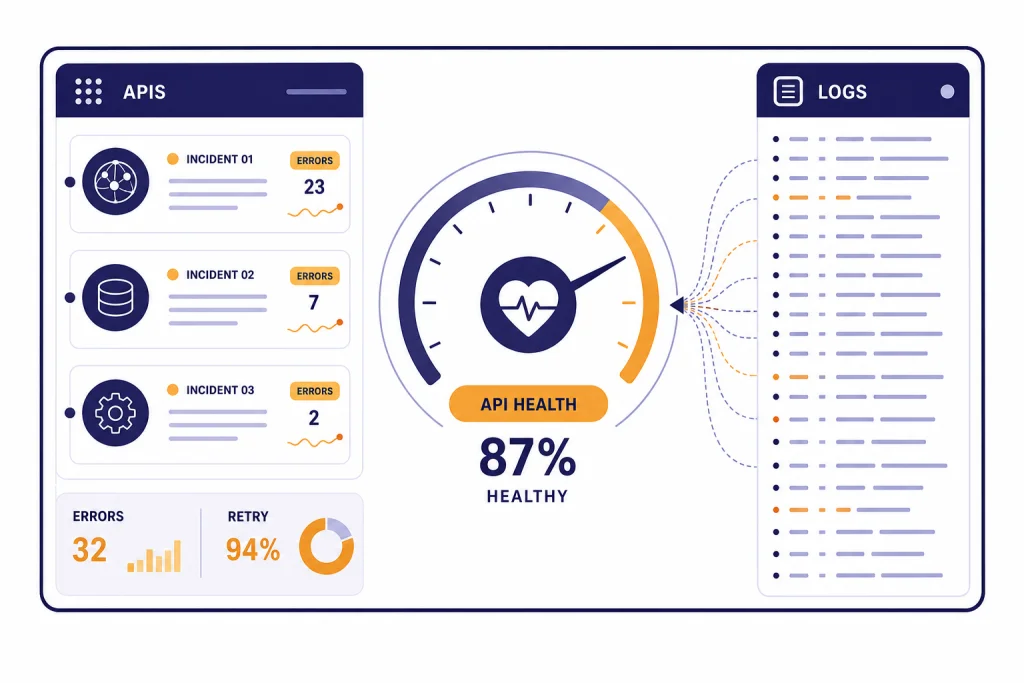
OpenAI API status is best checked on OpenAI’s official status page, then confirmed against your own logs. A green status page does not prove your integration is healthy, because OpenAI reports availability at an aggregate level across tiers, models, and error types, and your project can still hit a model-specific, region-specific, quota, authentication, or rate-limit problem.[1] Start by checking the APIs component, then compare your error codes, request IDs, latency, and affected endpoints. If only your app fails, debug keys, billing, limits, and recent deploys. If many endpoints fail with server-side errors, treat it as an incident and fail gracefully.
Check OpenAI API status first
The fastest way to answer “is the OpenAI API down right now” is to open the official OpenAI Status page and inspect the APIs component. The page separates OpenAI systems such as APIs, ChatGPT, Codex, and other service areas, so do not assume a ChatGPT problem means the API is also down.[1]
If you run a production integration, treat the public page as one signal, not the whole investigation. The status page can lag a developing incident, and it may not reflect every model, endpoint, region, SDK, usage tier, or customer path. OpenAI states that availability metrics are aggregate and that individual availability can vary by subscription tier, model, and API feature.[1]
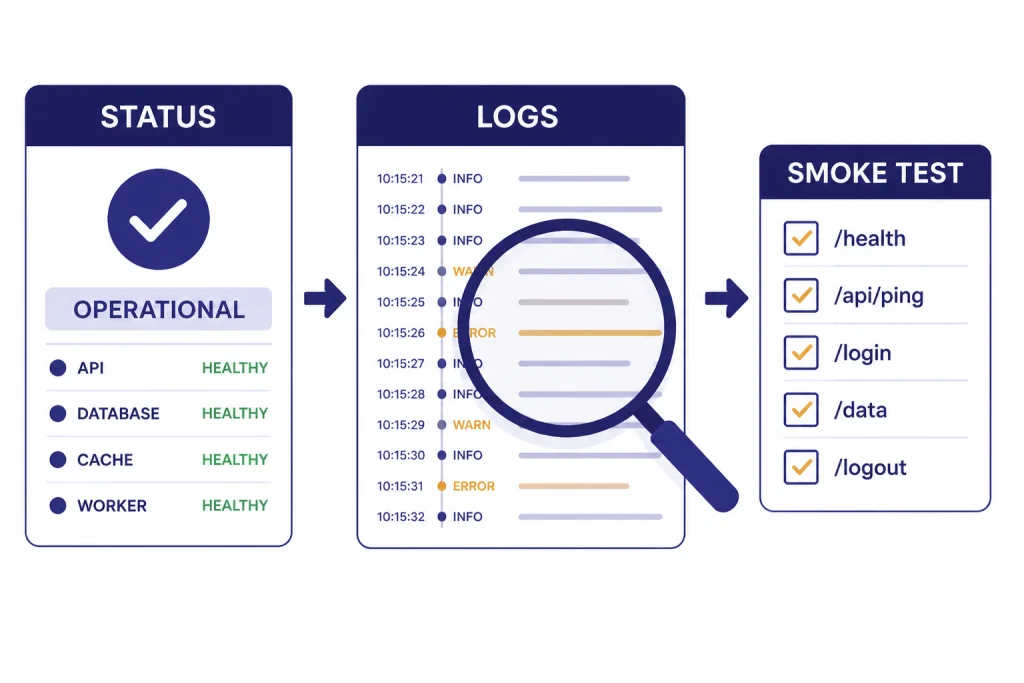
Use this order of operations:
- Check the official OpenAI Status page.
- Open the history view if the main page looks normal but errors started recently.
- Check your application logs for error code, endpoint, model, request ID, latency, and retry count.
- Compare failures across at least one simple request and one request that matches your production workload.
- Look for local causes: bad API key, expired billing, changed project, rate-limit spike, SDK upgrade, network egress issue, or malformed payload.
For a broader list of failure codes, keep this guide to OpenAI API errors open while you investigate. For deployment-side controls, our OpenAI API best practices for production guide covers retry policy, key handling, monitoring, and graceful degradation.
Read the status page correctly
The OpenAI status page is useful because it gives you a central view of active incidents and historic events. It is less useful if you read it as a binary green-or-red answer. A partial disruption in one API feature may not affect your endpoint. A resolved incident may still explain a burst of failures in your logs from earlier in the day. A ChatGPT incident may have no effect on your API traffic.
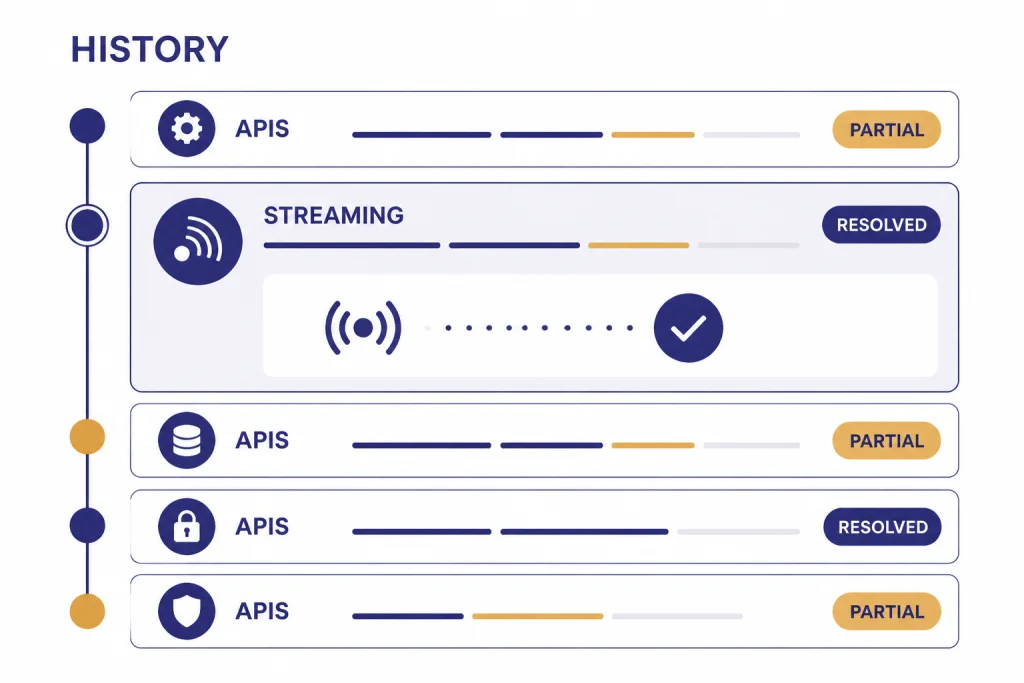
OpenAI’s history page lists past incidents and recovery updates. It can show API-specific events, model-specific events, and feature-specific events such as Responses API streaming or image generation. That history is important when your monitoring shows a short spike and the main status page has already returned to normal.[2]
For example, OpenAI published a resolved “Responses API Streaming Error” incident that affected some customers using the OpenAI Java SDK with Responses API streaming.[3] That kind of incident does not mean every API endpoint is unavailable. It means you should compare the affected feature in the incident text with the exact feature you use in production.
| Status clue | What it usually means | What to do next |
|---|---|---|
| APIs component shows an active disruption | OpenAI has acknowledged a platform-side API issue. | Pause noisy retries, monitor updates, and switch to degraded mode. |
| Only ChatGPT shows a disruption | The consumer ChatGPT app may be affected, but your API may still work. | Run a direct API smoke test before declaring an API outage. |
| History shows a resolved API incident | Your earlier errors may match a short-lived incident. | Mark the incident window in your logs and check for recovery. |
| Status page is green, but your app fails | The issue may be local, model-specific, project-specific, or not yet posted. | Check error codes, limits, billing, keys, recent deploys, and network path. |
| Many users report server errors at the same time | A broader outage may be developing before public confirmation. | Reduce traffic pressure and keep collecting request IDs. |
If your application depends on the OpenAI Responses API, streaming responses with the OpenAI API, or the OpenAI Realtime API, read incident descriptions closely. Streaming and real-time systems can fail differently from ordinary request-response calls.
Decide whether it is an outage or a local failure
The most common mistake is to call every failed API request an outage. Many failures are caused by your account, project, request shape, traffic pattern, or model choice. The practical question is not only “is OpenAI down.” It is “is this failure outside my control.”
OpenAI’s error-code documentation lists authentication problems under 401 responses, rate and quota problems under 429 responses, server-side processing errors under 500 responses, and overload under 503 responses.[4] These groups point you toward different actions. A 401 usually needs a key or organization fix. A 429 needs throttling, budget, quota, or usage-tier review. A 500 or 503 is more likely to deserve retries and status-page monitoring.
| Symptom | Likely owner | First action | Retry? |
|---|---|---|---|
| 401 invalid authentication | Your account or configuration | Check API key, organization, project, and secret store. | No. Fix configuration first. |
| 403 unsupported country or permission issue | Your environment or access policy | Check region, permissions, and project access. | No. Fix access first. |
| 429 rate limit reached | Your traffic pattern or assigned limits | Throttle requests and inspect rate-limit headers and project limits. | Yes, with backoff. |
| 429 quota or billing limit | Your billing or monthly usage controls | Check billing, credits, and usage limits. | No, unless quota is restored. |
| 500 server error | Usually OpenAI or transient infrastructure | Retry after a short delay and check the status page. | Yes, with capped backoff. |
| 503 overloaded | Usually OpenAI capacity or transient load | Back off, reduce concurrency, and monitor status. | Yes, with capped backoff. |
Rate limits deserve special attention. OpenAI says API rate limits are measured in requests per minute, requests per day, tokens per minute, tokens per day, and images per minute.[5] OpenAI also says rate limits are defined at the organization and project level, not the user level.[5] That means a new deployment, worker queue, or teammate’s job can break your requests even if your code did not change.
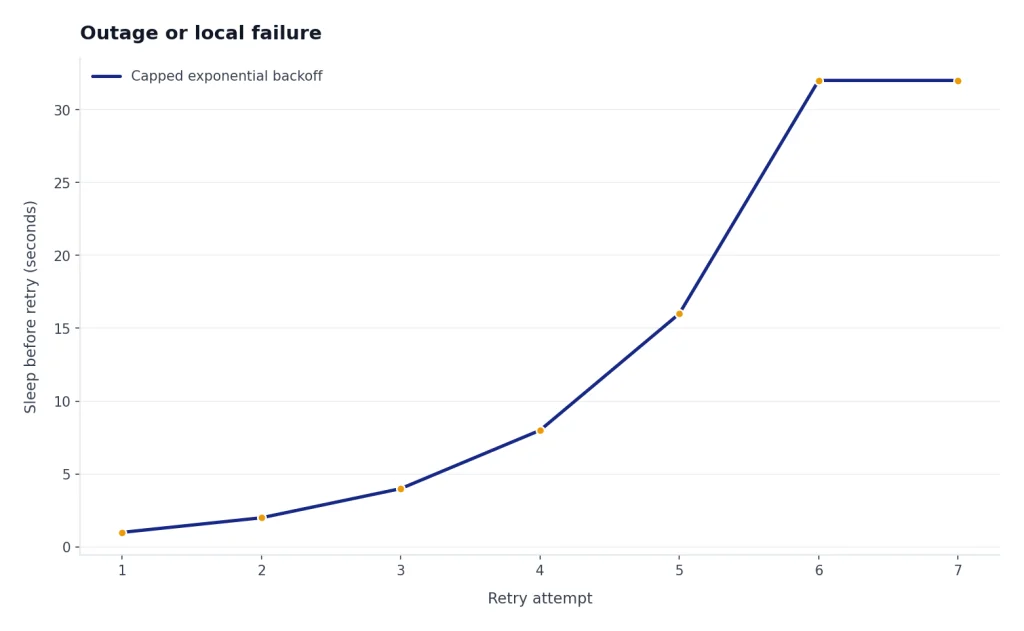
OpenAI’s help article on 429 errors recommends exponential backoff: retry after a short sleep, then increase the delay if the request still fails, until the request succeeds or you hit a maximum retry count.[6] If you need a deeper cost and limit review, use our OpenAI API pricing overview and the OpenAI API cost calculator before you raise throughput.

Use this diagnostic checklist
When users are waiting, you need a repeatable checklist. Start with the smallest possible test, then add complexity until the failure appears. This prevents you from blaming OpenAI for a bad payload or blaming your app for a real platform incident.
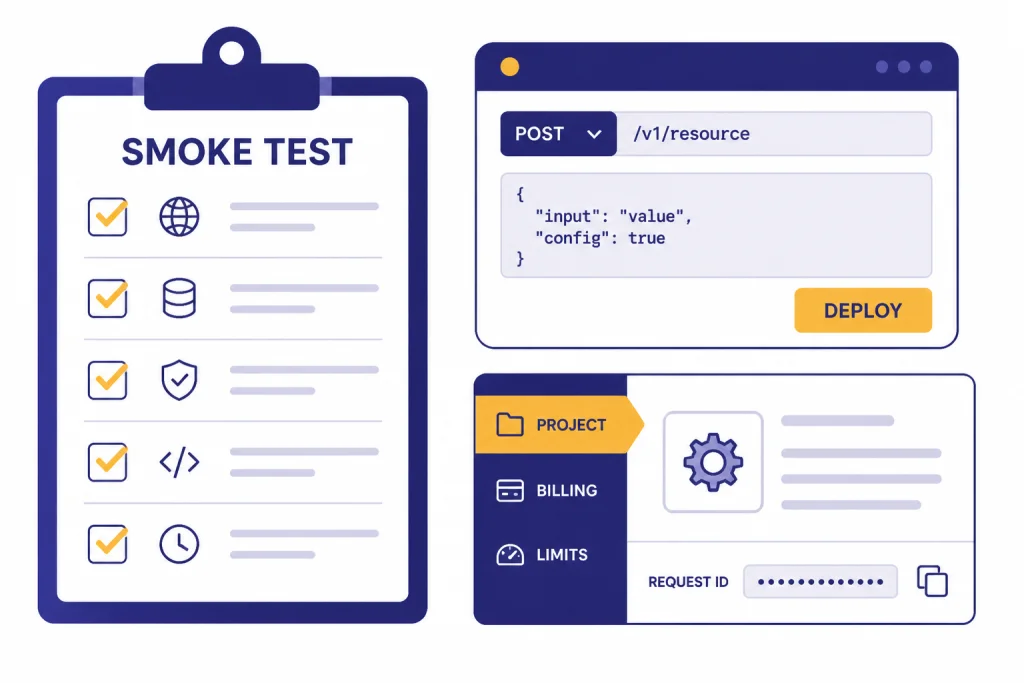
Run a clean smoke test
Send a minimal request from the same environment that production uses. Use the same project and API key class if possible, but remove optional tools, long prompts, large files, streaming, function calling, and structured constraints. If the clean request works, your problem may be tied to payload size, endpoint behavior, model support, or an advanced feature.
Compare endpoints and features
If your app uses tools, JSON schemas, retrieval, streaming, or audio, test each separately. A structured output failure may not look like a plain text failure. If your incident is tied to JSON schema enforcement, our structured outputs with the OpenAI API guide can help you narrow the request shape. If it appears during tool execution, check function calling in the OpenAI API for schema and argument pitfalls.
Check account, project, and budget settings
OpenAI projects let organizations manage access and limits, provision service accounts, and track usage within a constrained scope such as models, capabilities, fine-tuning, storage, or assistants.[7] If a project was archived, moved, budgeted, restricted, or stripped of model access, production can fail while another project still works.
Inspect request IDs and error bodies
Store the request ID, model, endpoint, HTTP status, error type, and error message for each failed request. Do not collapse all failures into “OpenAI failed.” Separate authentication, quota, validation, rate limit, timeout, server error, and stream disconnect events. This makes your support ticket and postmortem much clearer.
Check recent changes
Review deploys, SDK upgrades, model changes, environment variables, proxy rules, firewalls, DNS, queue workers, and background jobs. Many “API down” pages start as a local change that increased concurrency or switched traffic to a model with tighter limits. If you recently changed models, compare behavior against all GPT models side by side and verify context needs with our context window sizes for every GPT model guide.
What to do during an API incident
During a real incident, your job is to protect users and avoid making the outage worse. Aggressive retry loops can amplify load and burn budget. Silent failures can destroy trust. The right response is controlled degradation.

- Stop infinite retries. Use capped exponential backoff and jitter. Retrying every failed request immediately can turn a partial incident into a queue storm.
- Reduce concurrency. Lower worker counts and queue intake if failures are widespread.
- Preserve user input. Save drafts, uploads, and jobs so users can resume later.
- Switch modes. Disable nonessential AI features, lower generation length, or route only critical jobs.
- Communicate clearly. Tell users the feature is degraded, not broken forever.
- Record evidence. Keep request IDs, timestamps, affected models, affected endpoints, and sample error bodies.
If you use batch processing, consider whether delayed processing is acceptable. The OpenAI Batch API can fit offline workloads, but it is not a real-time incident escape hatch for user-facing actions. If you serve voice, video, image, or embedding workflows, define separate degradation paths for the Whisper API, DALL-E API, Sora API, and OpenAI embeddings API.
Do not promise users a recovery time unless OpenAI has published one. The official help center says the status page contains current and historic uptime details, and that people can subscribe to receive related notifications for status changes.[8] For customer communications, link to your own status page and summarize the impact in plain language.
Design your app for future outages
You cannot prevent upstream incidents, but you can decide how your product behaves when they happen. A resilient OpenAI integration has observability, traffic shaping, fallback modes, and clear user messaging before the first outage.
At minimum, track success rate, latency, timeout rate, retry count, HTTP status, error type, model, endpoint, project, and cost per request. Keep those metrics separate by feature. A support chatbot, an internal summarizer, and a background embedding job should not share one anonymous “AI failed” graph.
Set explicit timeouts. Do not let a web request hang while a model call retries in the background. Put long jobs into queues. Make user-facing requests cancelable. When possible, return a partial result, a saved draft, or a “try again later” state instead of a blank error.
Build fallback choices by feature, not by vendor slogan. A critical moderation gate may need a stricter fail-closed path. A writing assistant may fail open with manual editing. A search feature can use cached embeddings. A voice feature may need to disable live audio while keeping text available. The right fallback depends on user harm, compliance risk, and business impact.
Finally, rehearse your incident process. Decide who watches the status page, who owns customer updates, who can reduce queue concurrency, and who can roll back a bad deploy. The best time to write those steps is before the OpenAI API status page turns yellow.
Frequently asked questions
Is the OpenAI API down if ChatGPT is down?
Not necessarily. OpenAI separates service areas on its status page, including APIs and ChatGPT.[1] Check the APIs component and run a direct API smoke test before assuming your integration is affected.
Why does the status page say operational while my API calls fail?
The public page reports aggregate availability, and OpenAI says individual availability can vary by subscription tier, model, and API feature.[1] Your issue may also be local, such as an invalid key, project restriction, quota limit, rate limit, bad payload, or network problem.
Which error codes usually indicate a real OpenAI outage?
Server-side 500 errors and 503 overload errors are stronger signs of an upstream problem than 401 or 403 errors.[4] A 429 can be either a traffic-limit problem or a quota problem, so read the full error body before deciding.
Should I retry failed OpenAI API requests?
Retry transient failures, but do it carefully. OpenAI recommends exponential backoff for 429 rate-limit errors, with increasing sleep time until the request succeeds or a maximum retry count is reached.[6] Do not retry invalid authentication, unsupported access, or malformed request errors until you fix the cause.
Where can I see past OpenAI API outages?
Use the OpenAI status history page. It lists past incidents and recovery messages, including API-specific and feature-specific events.[2] This is useful when your logs show a short failure window that is already resolved.
What should I include in an OpenAI support report?
Include request IDs, timestamps, endpoint, model, project, HTTP status, error type, error message, SDK version, and whether the failure reproduces with a minimal request. Also include whether the official status page showed an incident at the time. This helps separate platform incidents from account or implementation problems.