

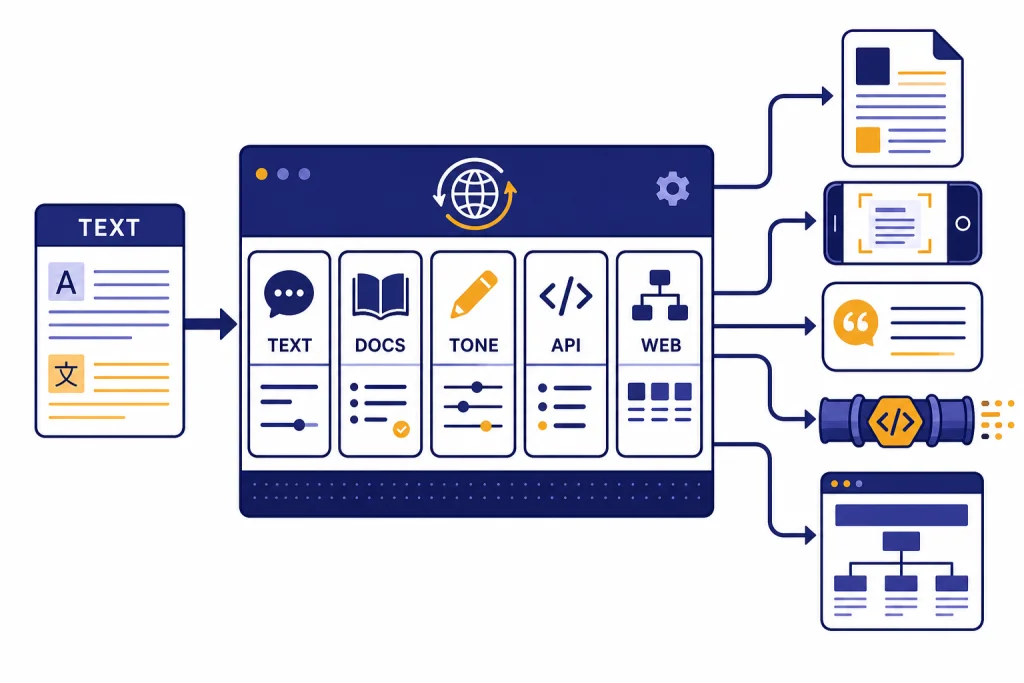
The best AI translation tools are not interchangeable. DeepL produced the most polished business-style drafts in our testing. Google Translate was the easiest free choice for travel, images, websites, and quick comprehension. ChatGPT was strongest when the job required tone control, explanation, or a reviewer’s pass rather than a literal one-click translation. For developers, Google Cloud Translation, Azure Translator, and Amazon Translate were better fits than consumer apps because they expose usage-based APIs, glossaries, and batch workflows. For websites and product teams, Weglot, Phrase, and Lokalise solved the larger localization problem: translation memory, review, SEO, and workflow ownership.
Quick picks
If you need one recommendation, start with DeepL for polished business translation, Google Translate for free everyday use, and ChatGPT for translation plus editing. Those three cover most individual workflows. Teams should decide based on where the translated text will live: a website, a product UI, a support queue, a document repository, or an application API.
- Best overall draft quality: DeepL. It handled formal business prose, support replies, and document-style phrasing with the least cleanup in our tests.
- Best free tool: Google Translate. Google says the Translate app can handle text, handwriting, photos, and speech in over 200 languages.[1]
- Best for tone and meaning: ChatGPT. Use it when you need a translation, a register change, and a short explanation of alternatives. OpenAI lists Free and paid ChatGPT plans on its pricing page.[11]
- Best developer default: Google Cloud Translation. Its Basic NMT tier includes the first 500,000 characters per month as a credit and then lists $20 per million characters for the next usage band.[3]
- Best Microsoft-stack API: Azure Translator. Its free tier lists 2 million characters per month for standard translation and related training usage.[6]
- Best AWS-stack API: Amazon Translate. AWS lists standard text translation at $15 per million characters, with a 2 million character monthly free tier for the first 12 months.[8]
- Best website localization: Weglot. Its pricing table starts with a free plan for 2,000 words and one translated language.[13]
- Best localization management system: Phrase or Lokalise. Phrase is stronger for mature localization operations; Lokalise is easier to recommend for software teams that need app, web, and product copy workflows.
How we tested the tools
We tested the tools with practical translation jobs, not isolated word lists. The set included a customer support reply, a product interface string, a marketing paragraph, a policy-style sentence, a travel phrase, and a short document-style passage with formatting cues. We looked for meaning preservation, tone, fluency, terminology consistency, formatting, and ease of correction.
We did not treat raw machine output as final professional translation. AI translation is best viewed as a draft generator, comprehension aid, or workflow accelerator. A human reviewer still matters for contracts, medical instructions, legal documents, immigration filings, safety warnings, literary work, and high-value marketing copy.
We also separated translation tools from localization platforms. A translator converts text. A localization platform manages the full process around the translation, including glossaries, review states, website routing, translation memory, team permissions, and integrations. This distinction matters. A freelancer translating a proposal needs a different tool than a SaaS team shipping product copy in multiple languages.
For more general AI writing work, see our best AI writing tools compared in 2026. If your workflow starts with long source material, our Best AI Summarizer Tools for Long Documents may be a better first step before translation.
AI translation tools compared
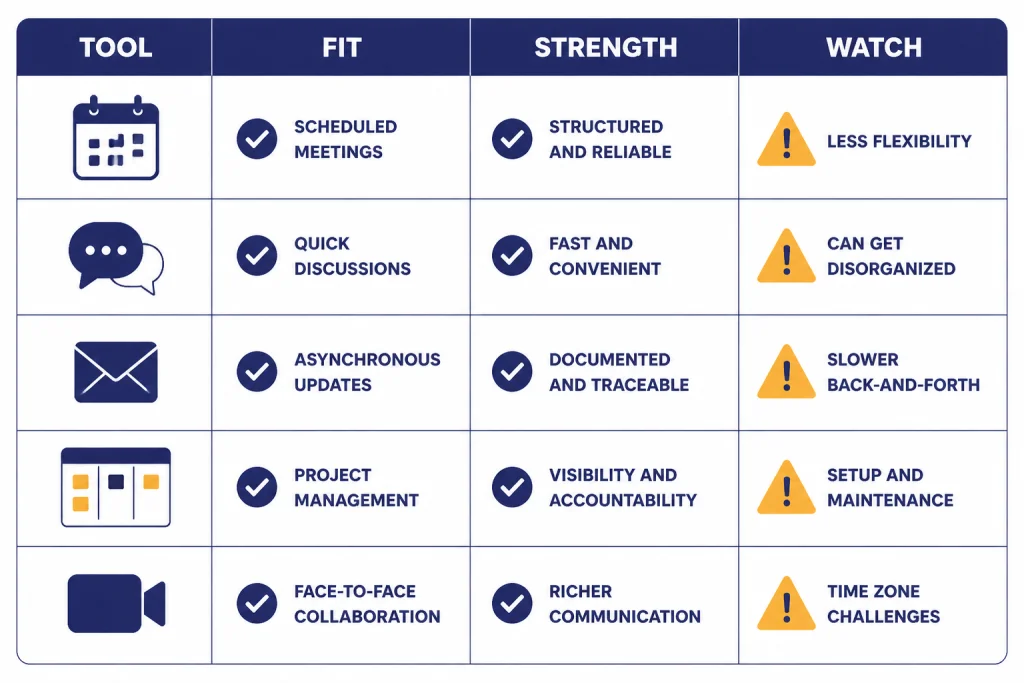
This table summarizes the tools we would actually shortlist. The right choice depends less on headline quality and more on workflow fit.
| Tool | Best fit | Strengths in testing | Watch-outs |
|---|---|---|---|
| DeepL | Business documents and polished drafts | Natural phrasing, strong formal tone, useful API path. DeepL says its API Free plan allows up to 500,000 characters per month.[4] | Language coverage and workflow depth depend on the plan and use case. |
| Google Translate | Free everyday translation | Fast comprehension, camera, web, document, conversation, handwriting, and offline-style mobile features.[2] | Output can sound generic. Review important text before publishing. |
| ChatGPT | Context, tone, alternatives, and review | Good at explaining choices, adapting register, and rewriting awkward literal output. OpenAI’s pricing page lists Free, Go, Plus, Pro, Business, and Enterprise options.[11] | Less convenient for bulk repeatable translation unless you build a controlled workflow. |
| Google Cloud Translation | Apps and automated translation pipelines | Clear pricing model, NMT and LLM translation options, document translation, and glossaries. Google lists Translation LLM pricing at $10 per million input characters and $10 per million output characters for TextTranslation.[3] | Cloud billing and implementation are more complex than a consumer translator. |
| Azure Translator | Microsoft and enterprise environments | Free tier, Azure billing, document and custom translation options. Microsoft says the free subscription stops when it reaches 2 million characters in a subscription month.[7] | Some pricing tables vary by region and agreement. |
| Amazon Translate | AWS applications and batch jobs | Good for S3-driven batch translation, custom terminology, parallel data, brevity, profanity masking, and formality controls.[10] | Better as infrastructure than as a casual writing assistant. |
| Weglot | Website translation and multilingual SEO | Easy website deployment, glossary rules, translated URLs, visitor language redirection, and translation memory. Paid plans begin at $17 per month in its pricing table.[13] | Word-count pricing can rise quickly for content-heavy sites. |
| Phrase | Localization teams | Strong translation management, workflow, AI-powered machine translation customization, glossaries, LQA, and vendor management. Phrase lists its Team plan at $1,245 per month billed annually.[12] | Too much platform for a solo user who only needs quick translation. |
| Lokalise | Software and product localization | Product-friendly localization workspace with trial access. Lokalise says trial users get Enterprise features for 14 days before downgrading to the Free plan.[14] | Pricing and value depend on team size, content volume, and review process. |
Best overall: DeepL
DeepL was the easiest tool to recommend for people who need a finished-sounding translation draft. It was especially good with formal business language, polite customer support phrasing, and medium-length paragraphs where sentence rhythm matters. In our tests, it usually needed fewer edits than the tools optimized for quick comprehension.
The best reason to pick DeepL is not that every output is perfect. It is that its defaults often sound closer to something a fluent professional would send. That matters for proposals, emails, HR notices, product documentation, and knowledge base articles. DeepL also has a developer path. Its help center says DeepL offers API plans for developers and users who want to integrate the REST API into products, platforms, or CAT tools.[5]
DeepL is not the best universal translator. If you need the widest language coverage, a travel camera translator, or instant website translation, Google Translate is more convenient. If you need a translation with a detailed explanation, ChatGPT is often better. If you need massive batch processing inside a cloud stack, Google, Microsoft, or AWS will usually be easier to govern.
Use DeepL when you want a strong first draft and a clean editing experience. Do not use it as the only reviewer for regulated, contractual, or safety-critical content.
Best free translator: Google Translate
Google Translate remains the best free AI translation tool for everyday use. It is fast, available everywhere, and useful in situations where the text is not already in a neat document. Google’s own Translate page highlights camera translation, offline language downloads, conversation mode, transcribe, tap-to-translate, handwriting, document translation, and website translation.[2]
In testing, Google Translate was the best tool for quick understanding. It was the tool we would use to read a sign, understand a product page, scan a message, or get the gist of a document before deciding whether a higher-quality translation is worth paying for. It is also a good fallback when a language pair is not available in a more specialized tool.
The weakness is style. Google Translate often produced output that was understandable but not publication-ready. That is acceptable for travel and reading. It is not ideal for brand copy, sales pages, executive emails, or anything where tone carries business risk.
If your translation job includes images, audio, or quick mobile use, start here. If your job includes public copy, run the output through a second pass with DeepL, ChatGPT, or a human reviewer.
Best for context and tone: ChatGPT
ChatGPT is not a traditional translation tool. That is why it is useful. It can translate, explain its choices, adjust register, preserve terminology, and produce variants for different audiences. OpenAI says the free version of ChatGPT is available to everyone, and that paid plans are priced per user per month.[11]
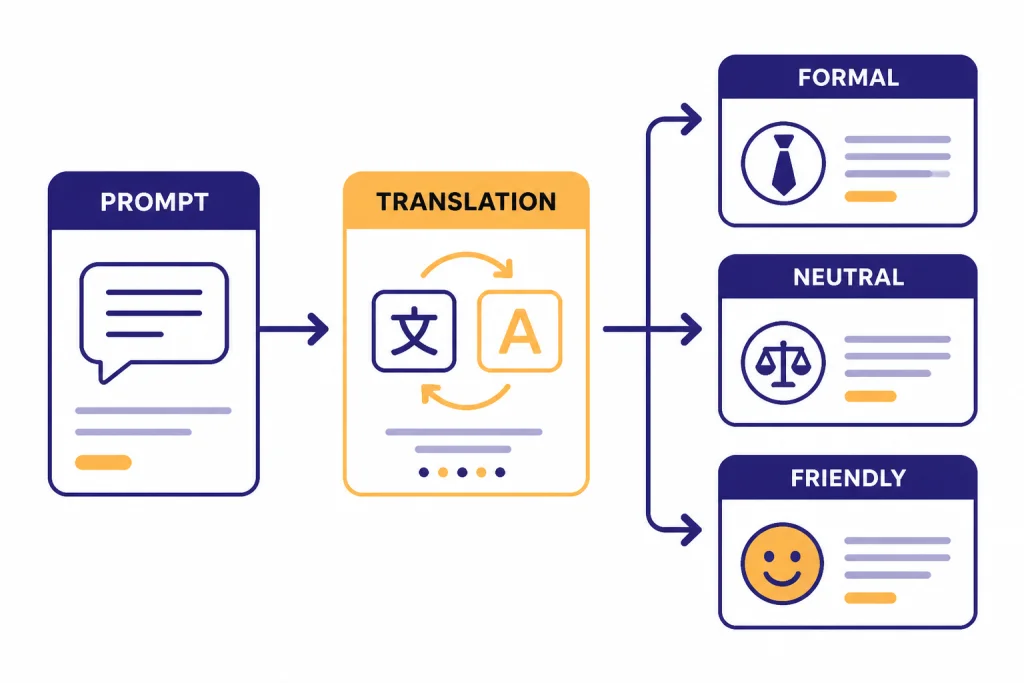
ChatGPT performed best when the prompt included context. A basic prompt such as “Translate this into Spanish” was less reliable than a structured prompt: “Translate this support email into neutral Mexican Spanish. Keep the tone polite but not overly formal. Preserve product names. Return a short note if any phrase has no direct equivalent.”
That makes ChatGPT valuable for editors, marketers, support teams, and founders who need more than a literal translation. It is also useful as a review layer. You can paste a translation from Google Translate or DeepL and ask ChatGPT to flag awkward phrasing, ambiguous terms, and register mismatches.
The tradeoff is repeatability. For production localization, you need glossaries, translation memory, review status, permissions, and audit trails. ChatGPT can help generate and refine text, but it is not a full localization management system by itself. If you build translation into an app, pair it with careful prompt design, logging, review workflows, and cost tracking. Our OpenAI Token Counter Tools and Best OpenAI API Cost Calculator Tools guides can help with that planning.
Best API translation tools
Use an API when translation is part of a product, not a one-off task. APIs are better for support tickets, search indexes, knowledge bases, chat apps, document queues, and automated publishing systems. The main choices are Google Cloud Translation, Azure Translator, Amazon Translate, DeepL API, and model-based workflows built with ChatGPT or another LLM.
Google Cloud Translation
Google Cloud Translation is a strong default for developers who want broad language support and clear pricing. Google states that Cloud Translation Basic charges by processed content and lists NMT usage after the monthly credit at $20 per million characters up to the next major usage band.[3] It also lists LLM translation options, including TextTranslation pricing that charges both input and output characters.[3]
Azure Translator
Azure Translator is the best fit when your organization already uses Microsoft infrastructure. It supports standard translation, language detection, bilingual dictionary, transliteration, document translation, and custom translation within the Azure pricing model.[6] Microsoft also states that every Unicode code point counts as a character for Translator text translation billing.[7]
Amazon Translate
Amazon Translate is the natural choice for AWS-heavy teams. It supports real-time translation, batch translation, real-time document translation, and active custom translation.[8] AWS documentation also lists customization features such as do-not-translate tags, custom terminology, brevity, profanity masking, formality, and parallel data.[10]
DeepL API
DeepL API is best when quality matters more than broad platform integration. DeepL says its API Free plan supports up to 500,000 characters per month, while API Pro uses a monthly fixed price plus usage-based translated-character costs.[4] That makes it a good candidate for document workflows, CAT-tool integrations, and internal tools where tone is important.
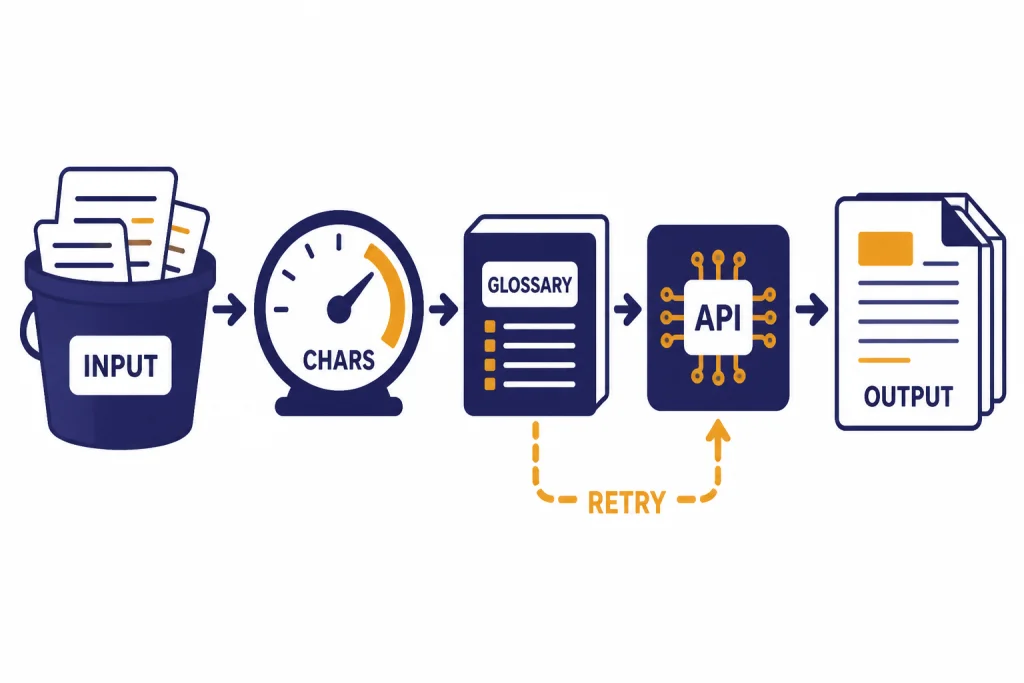
If your API translation system uses OpenAI models, plan for retries, latency, cost monitoring, and failure handling. Our OpenAI API Errors guide explains common API failure modes, and our openai batch api guide is useful when translation jobs can run asynchronously.
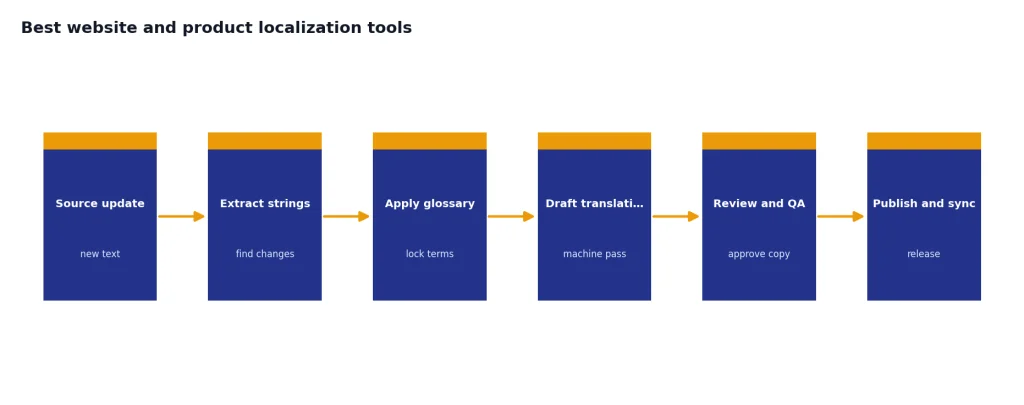
Best website and product localization tools
Website and product localization require more than translation quality. You need to decide where translated pages live, how reviewers approve changes, how source text updates trigger retranslation, and how brand terms stay consistent. That is where Weglot, Phrase, and Lokalise are stronger than standalone translators.
Weglot for websites
Weglot is the easiest website-first recommendation. Its pricing page includes a free plan, paid plans based on translated words, language limits, translated URLs, glossary rules, visitor language redirection, media translation, and translation memory.[13] It is a better fit for marketing sites than for complex software localization because it focuses on getting multilingual pages live and manageable.
Phrase for localization operations
Phrase is built for organizations with established localization processes. Its pricing page lists unlimited TMS seats on business plans, managed words, processed words, machine translation units, AI units, workflows, LQA, vendor management, integrations, glossaries, and AI-powered machine translation customization.[12] It is expensive for a small team, but the structure makes sense when translation is part of release management.
Lokalise for product teams
Lokalise fits product and engineering teams that need app strings, website copy, review states, and automation in one place. Lokalise says users can sign up without a credit card and use a 14-day trial, then move to the Free plan if they do not choose a paid plan.[14] It is not the cheapest way to translate text, but it is a practical way to keep translations tied to product releases.
If your localization work includes audio or video, translation is only one layer. See our best AI voice tools and voice cloning software and best AI video tools of 2026 guides for adjacent workflows.
How to choose the right tool
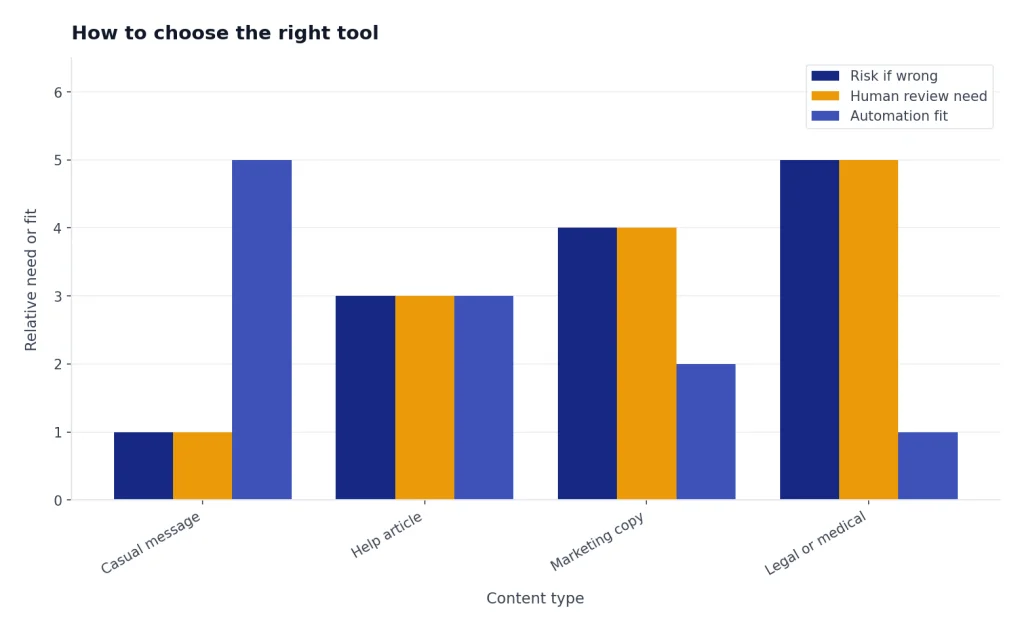
Choose by risk and workflow. For low-risk comprehension, use Google Translate. For polished drafts, use DeepL. For context-sensitive rewriting, use ChatGPT. For automated products, use a translation API. For websites and app localization, use a localization platform.
Also decide whether your source text is ready. AI translation amplifies unclear writing. Short sentences, consistent terminology, and plain structure produce better translations. If you start with vague copy, no tool will reliably infer your intended meaning.
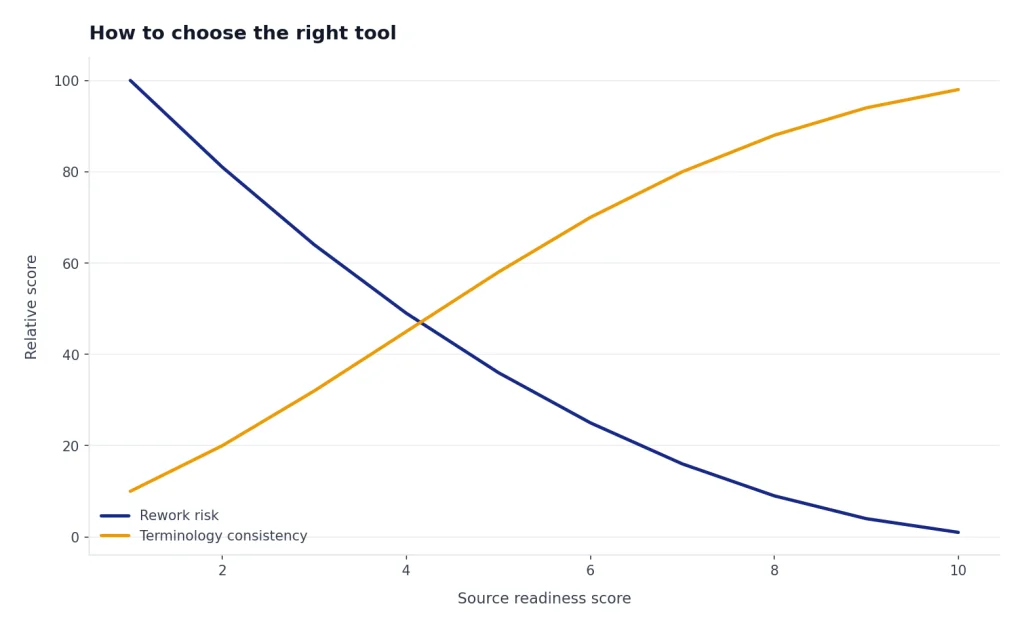
Use glossaries when names, product terms, and industry phrases matter. Amazon Translate, Phrase, Weglot, DeepL, and other platforms all approach terminology control differently, but the principle is the same: define what must stay fixed before translation begins. Without that step, the same English term may become several different target-language terms across pages or releases.
Finally, define the review standard. A casual message may need only comprehension. A public help article may need a bilingual review. A legal or medical document needs a qualified professional. AI translation tools are useful, but they do not transfer accountability away from the person or organization publishing the text.
If your translation workflow also includes image assets, see our Best AI Image Tools. If you are translating academic material, our Best AI Research Tools for Academics guide may help with citation-aware reading before translation. For prompt design, see Best ChatGPT Prompt Generator Tools.
Frequently asked questions
What is the best AI translation tool overall?
DeepL is the best overall choice for polished written translation drafts. Google Translate is better for free everyday use, images, travel, and broad access. ChatGPT is better when you need tone control, rewriting, or an explanation of translation choices.
Is AI translation accurate enough for professional work?
It can be accurate enough for first drafts, internal understanding, support triage, and low-risk business copy. It should not be treated as final for contracts, legal filings, medical instructions, safety warnings, or regulated content. Use a qualified human reviewer when mistakes could create real harm or liability.
Is Google Translate still worth using?
Yes. Google Translate is still the best free general-purpose option because it works across text, speech, handwriting, photos, websites, and documents.[2] Its main weakness is style, so do not publish important copy without review.
Should I use ChatGPT instead of DeepL?
Use ChatGPT when the job includes context, tone, editing, or multiple versions. Use DeepL when you want a clean one-step translation draft. Many workflows benefit from both: translate with DeepL, then ask ChatGPT to review tone and flag awkward phrasing.
Which AI translation tool is best for developers?
Google Cloud Translation is the broadest default, Azure Translator is best for Microsoft environments, Amazon Translate is best for AWS workflows, and DeepL API is strong when translation quality is the main requirement. Pricing, governance, and language coverage should drive the final choice.
What is the best AI translation tool for websites?
Weglot is the simplest website-first option because it combines translation, translated URLs, glossary rules, visitor language routing, and translation management.[13] Phrase and Lokalise are better when the website is part of a larger product localization workflow.