

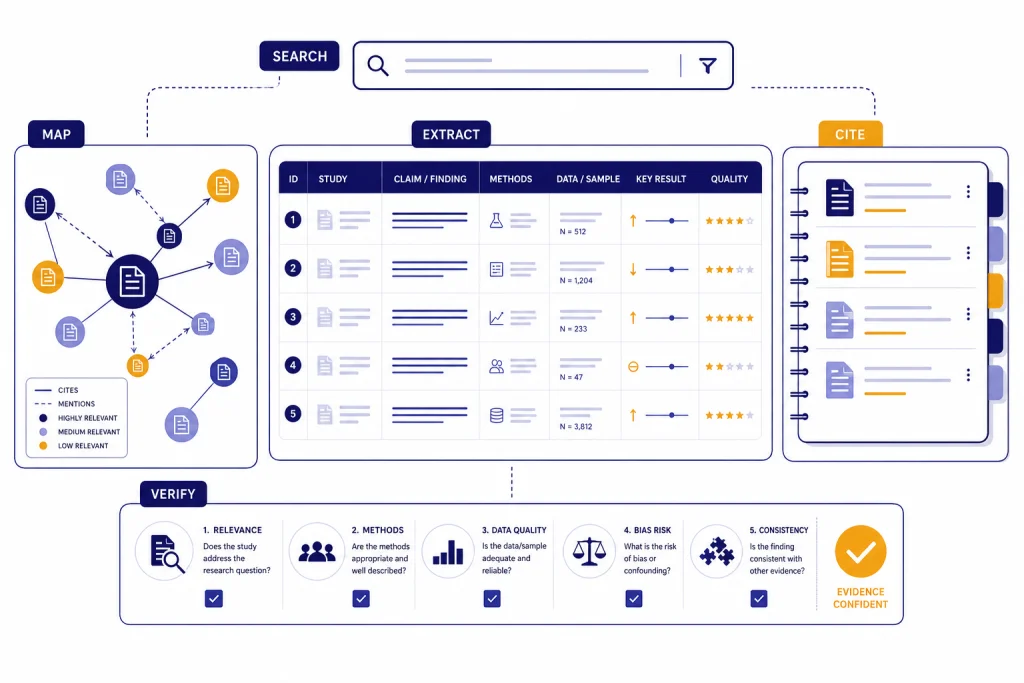
The best AI research tools for academics are not one single app. Use Elicit or Consensus when you need evidence synthesis, Semantic Scholar when you need a free scholarly search engine, Scite when citation context matters, ResearchRabbit or Litmaps when you need to map a field, NotebookLM when you already have a source set, Zotero when you need citation control, and ChatGPT Deep Research when you need broad web research with citations. The safest workflow combines several of them. Let AI speed up discovery, screening, extraction, and summarization. Keep humans responsible for search strategy, inclusion decisions, source verification, and final claims.
Quick picks by academic task
If you only want one starting point, choose the tool that matches the bottleneck in your research process. The wrong AI tool can feel impressive while still wasting time. A general chatbot is useful for planning and rewriting, but it is not a substitute for a structured literature search, a reference manager, or a citation audit.
- Best for systematic-review style screening: Elicit. Its official pricing page lists a dedicated systematic review workflow on the Pro plan, including screening up to 5,000 papers and structured extraction columns.[1]
- Best for evidence-backed answers: Consensus. Its free tier includes unlimited paper searches, while its paid Pro plan adds unlimited Pro messages and 15 Deep reviews per month.[2]
- Best free scholarly search engine: Semantic Scholar. It describes itself as a free AI-powered search and discovery tool for scientific literature.[6]
- Best for citation context: Scite. Its Smart Citations classify whether papers support, contrast, or mention a claim, and Scite says its database analyzes and classifies 1.4 billion-plus citations across 200 million-plus sources.[3]
- Best for visual literature discovery: ResearchRabbit for broad free mapping, or Litmaps if you want stronger alerting and shareable maps. ResearchRabbit says its free tier includes unlimited searches and up to 50 seed articles, while RR+ defaults to USD $10 per month in the United States and similar markets.[4] Litmaps lists a free plan with 100 articles per map and a Pro education plan at $10 per month when billed annually.[5]
- Best for working inside your own documents: NotebookLM. Google says NotebookLM lets you upload PDFs, websites, YouTube videos, audio files, Google Docs, or Google Slides and chat with grounded in-line citations.[8]
These tools overlap with broader AI writing and summarization categories, but academic research has stricter needs. If your main problem is condensing long PDFs rather than finding papers, compare this list with our Best AI Summarizer Tools for Long Documents. If your institution worries about student submissions, use this alongside our guide to AI detectors for teachers, not as a replacement for academic judgment.
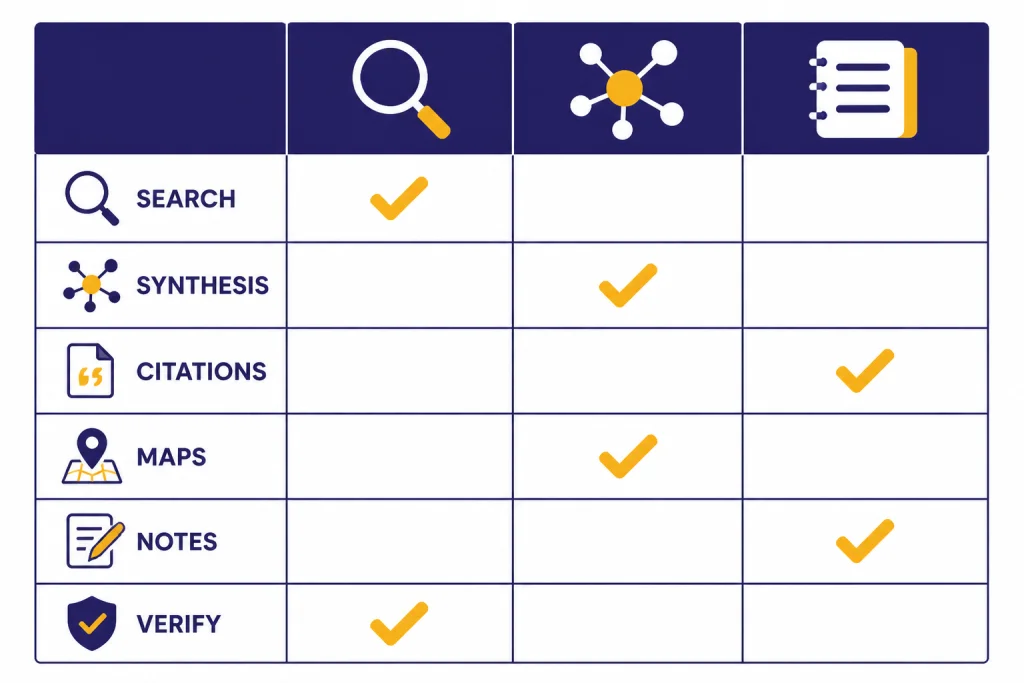
AI research tools compared
The table below groups the strongest academic AI tools by job. It is not a generic ranking. A PhD student writing a dissertation proposal, a librarian supporting faculty, and a lab team running a systematic review should not buy the same stack.
| Tool | Best use | Strength | Main limitation | Pricing signal |
|---|---|---|---|---|
| Elicit | Structured literature review and extraction | Turns paper sets into tables, reports, and extraction workflows | Still requires human screening and protocol discipline | Basic is free; Pro is listed at $49 per user/month when billed annually.[1] |
| Consensus | Fast evidence-backed answers from papers | Good for answer-first exploration and quick paper triage | Can hide search-strategy nuance if you accept summaries too quickly | Free tier is $0; Pro is $15/month or $120/year; Deep is $65/month or $540/year.[2] |
| Semantic Scholar | Free academic search and AI-assisted discovery | Strong search, feeds, TLDRs, and API ecosystem | Not a full review-management system | Free search and discovery tool.[6] |
| Scite | Citation context and claim checking | Shows support, contrast, and mention patterns around citations | Coverage varies by publisher access and indexed citation context | Personal and institutional pricing should be checked directly with Scite; the official public page emphasizes trials and organization plans.[3] |
| ResearchRabbit | Visual discovery from seed papers | Good for finding adjacent papers and author clusters | Maps can reflect citation structure, not methodological quality | Free tier; RR+ default is USD $10/month in the United States and similar markets.[4] |
| Litmaps | Literature maps and alerts | Useful for keeping a map updated as new papers appear | Free plan is limited for large projects | Free plan; Pro education plan is listed at $10/month on annual billing.[5] |
| NotebookLM | Question answering over your own sources | Grounded chat and citations against uploaded material | Only as good as the sources you provide or discover | Google help documents the feature set, not a single academic-only paid tier.[8] |
| Zotero | Reference management and citation control | Reliable library, annotation, collaboration, and citations | Not primarily an AI synthesis tool | Free app; Zotero supports more than 9,000 citation styles.[7] |
| SciSpace | Research agent, PDF chat, literature review, and writing utilities | Broad workspace for reading, drafting, extraction, and citations | Broad platforms need careful verification because workflows are bundled | SciSpace describes its platform as handling research tasks with citation-backed results and lists a 280 million-paper research surface.[9] |
| ChatGPT Deep Research | Broad web research and synthesis | Strong for multi-step investigation across web sources and uploaded files | Not a discipline-specific database and can still make errors | OpenAI says deep research can take 5 to 30 minutes and produces cited reports.[10] |
For most academics, the practical stack is smaller than the table. Start with Semantic Scholar or your library database for discovery. Use Zotero for your permanent library. Add Elicit or Consensus when you need synthesis. Add Scite when the quality of citation relationships matters. Add ResearchRabbit or Litmaps when you are learning the shape of a field.
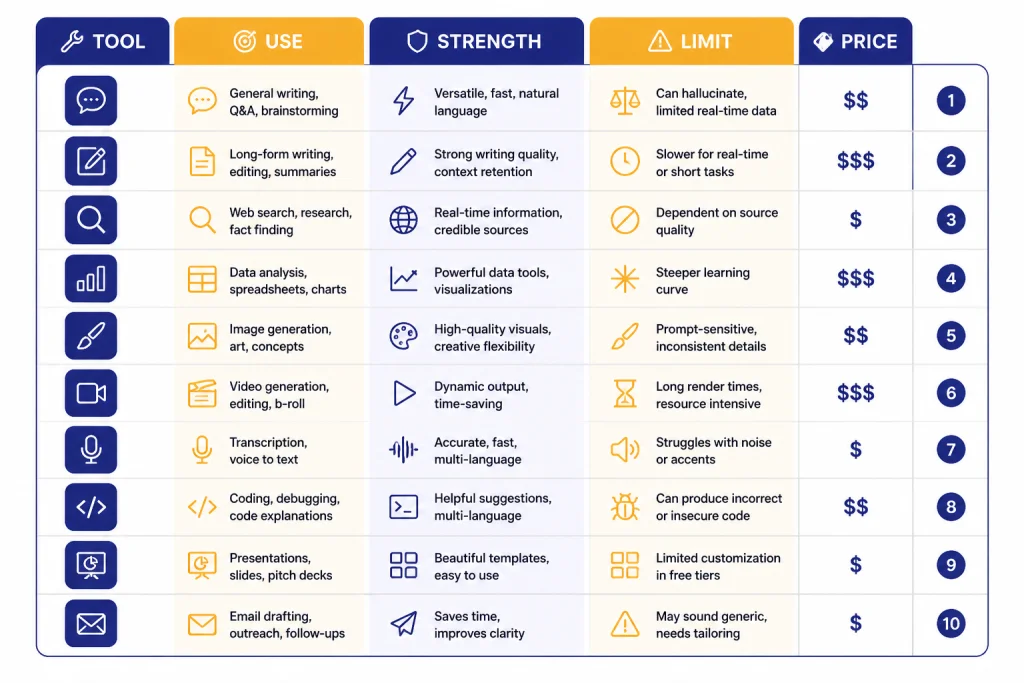
Best tools for literature reviews and evidence synthesis
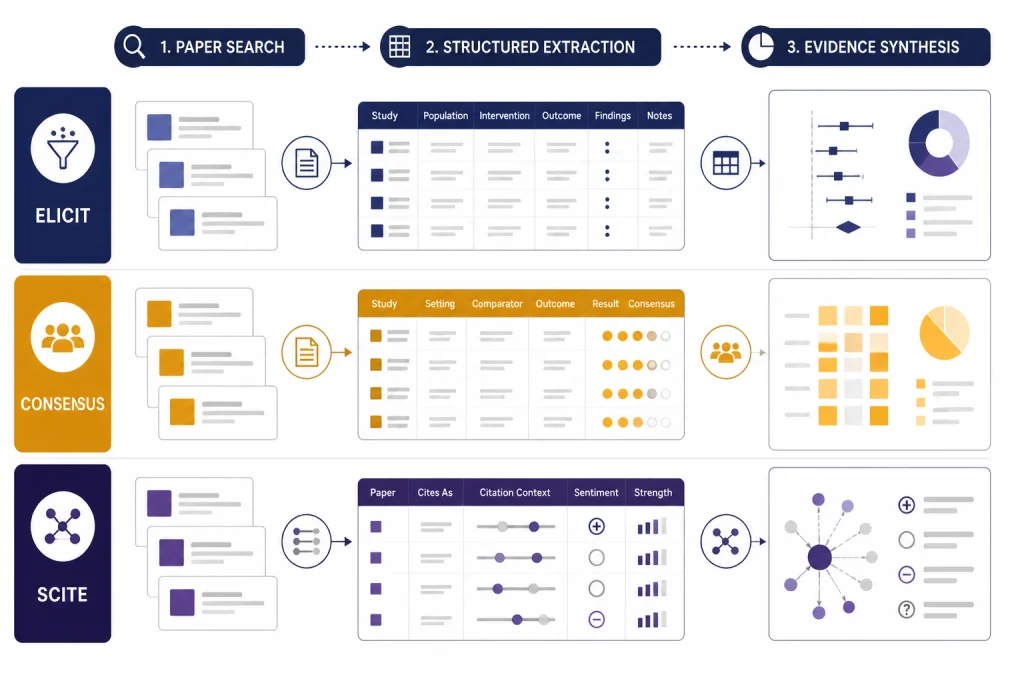
Elicit is the strongest pick when your work resembles a literature review table. It is built around papers, questions, extraction, and structured outputs rather than open-ended conversation. The official pricing page says the Basic plan includes unlimited search across more than 138 million papers, unlimited summaries across selected papers, full-text paper chat where available, Zotero import, and two automated reports per month.[1] That matters because academic synthesis usually fails at the table stage. Researchers need comparable columns, not just a fluent paragraph.
Use Elicit for scoping reviews, evidence matrices, intervention comparisons, and early systematic-review preparation. Do not let it decide inclusion criteria for you. Write your research question, databases, filters, and exclusion rules before you run large extractions. Treat every extracted field as a draft. AI can miss population details, misread outcomes, and flatten methodological caveats.
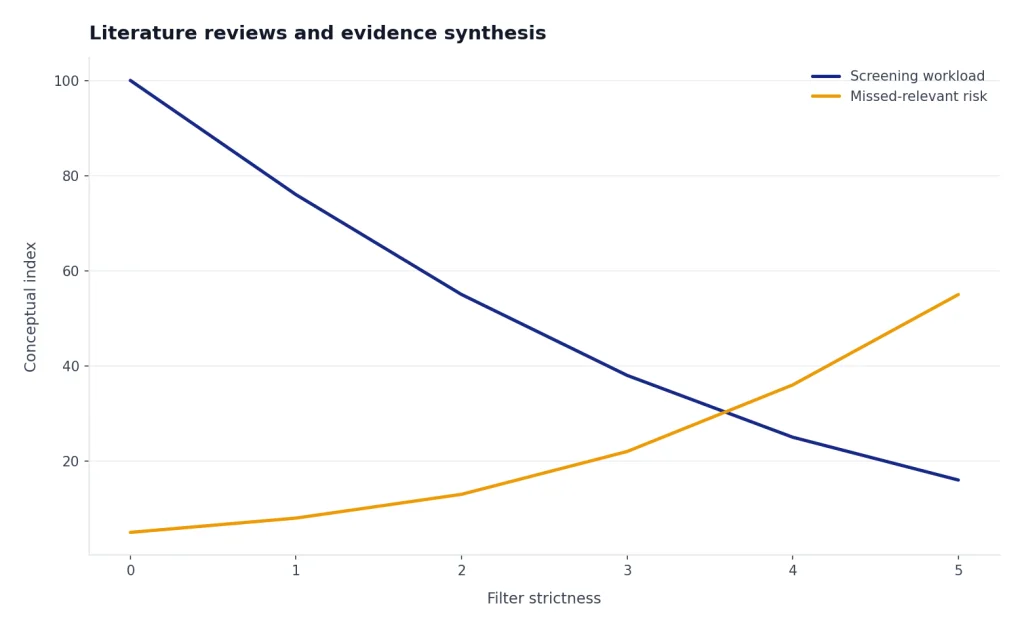
Consensus is better when you want an answer-first interface. Its help center says the free tier includes unlimited paper searches, 15 Pro messages per month, three Deep reviews per month, and 10 Study Snapshots per month.[2] The paid Pro plan lists unlimited Pro messages and 15 Deep reviews per month, while the Deep plan lists 200 Deep reviews per month.[2] This makes Consensus useful for quick questions such as whether a claim has support in peer-reviewed literature, which studies dominate a topic, or what a paper set says at a high level.
Scite fills a different gap. It helps you evaluate how a claim travels through the literature. Citation counts alone do not tell you whether later studies support or challenge a result. Scite’s Smart Citations are designed to classify citation context as supporting, contrasting, or mentioning.[3] That is valuable when you are checking a famous paper, writing a related work section, or reviewing a manuscript that cites old claims without context.
SciSpace is the broadest workspace in this category. Its homepage presents a research agent with tools for Chat with PDF, Literature Review, AI Writer, Find Topics, Paraphraser, Citation Generator, Extract Data, and AI Detector.[9] That breadth is useful for students who want one place to read and draft. It is less ideal for rigorous evidence synthesis unless you impose your own review protocol. When a platform combines discovery, writing, and citation tools, the convenience can blur the line between source-based synthesis and generated prose.
If your main task is writing rather than research design, compare these tools with our AI writing tools comparison. If you only need better prompts for a research assistant workflow, use our ChatGPT prompt generator tools guide to build reusable prompts for screening, extraction, and critique.
Best tools for citation networks and discovery maps
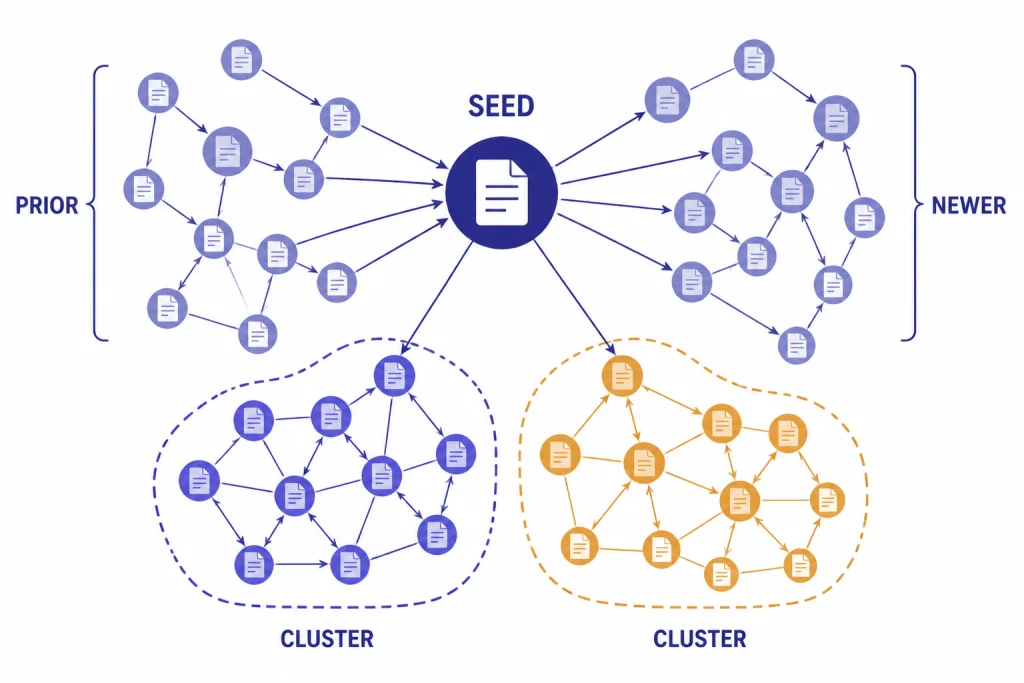
Academic search is not only keyword search. Fields have neighborhoods. Papers cite older work, respond to competing methods, and cluster around labs, instruments, datasets, and theories. Network tools help you see those relationships faster than a linear database results page.
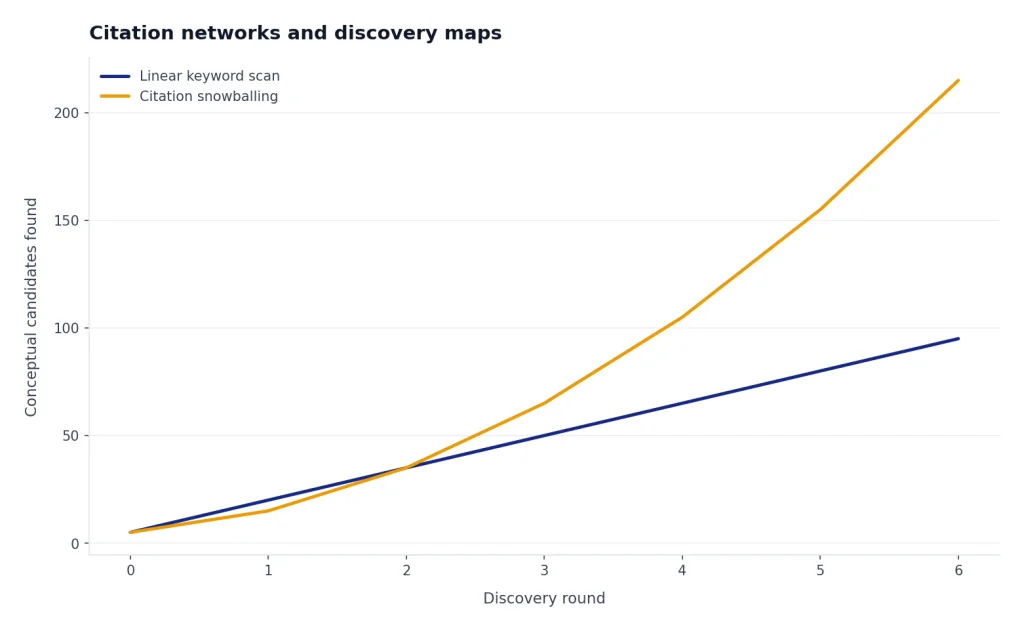
ResearchRabbit is the easiest recommendation for researchers who want a visual discovery layer without paying immediately. Its pricing page says the Free Forever tier includes unlimited searches, unlimited library and collections, collaboration by sharing collections, and up to 50 seed articles.[4] That seed-paper approach is helpful when you already have a few anchor articles and need to find adjacent work. It is especially useful for dissertation topic scans, grant background sections, and interdisciplinary projects where one database vocabulary is not enough.
Litmaps is better when alerts and map maintenance matter. Its free plan lists 100 articles and one Litmap, while the Pro education plan lists unlimited articles, unlimited Litmaps, and configurable alerts at $10 per month on annual billing.[5] Use it when you want to revisit the same research map over time and see new papers appear around it. That is useful for active labs, living reviews, and fast-moving topics.
Semantic Scholar should stay in the stack even if you use a visual mapper. It offers AI-powered scholarly search and discovery, API access, downloadable datasets updated monthly, Research Feeds, and Semantic Reader features such as skimming highlights with Goal, Method, and Result labels on supported papers.[6] It is also a common backbone for other discovery tools, which means it can function as both a user-facing search engine and a data layer.
The main risk with citation maps is false confidence. A central paper is not automatically a good paper. A dense cluster is not automatically a complete literature. Citation networks can reproduce field bias, language bias, venue bias, and popularity effects. Use maps to discover candidates. Use methods appraisal to decide what belongs in your argument.
Best tools for reading, notes, and source management
Zotero remains essential even in an AI-heavy workflow. It collects, organizes, annotates, cites, syncs, and shares research materials. Zotero says it is free, supports Mac, Windows, Linux, iOS, and Android, and can create references and bibliographies in more than 9,000 citation styles.[7] That is not glamorous, but it is what keeps your research auditable. An AI summary is temporary. A clean Zotero library is infrastructure.
NotebookLM is the best AI layer when your source set is already known. Google describes it as an AI-powered research assistant that can upload PDFs, websites, YouTube videos, audio files, Google Docs, and Google Slides, then answer with grounded in-line citations.[8] It also supports more than 80 languages.[8] Use it for seminar reading lists, grant background packets, lab onboarding folders, and source comparison. It is less useful as the only discovery tool unless you use its source discovery features and still verify the coverage.
A good reading workflow looks like this: discover sources in databases and AI search tools, save them to Zotero, read and annotate the most important papers, then use NotebookLM or a PDF chat tool for question answering over a defined set. Do not reverse the order. If you start by asking an AI to write the literature review, you may never know which papers it ignored.
Reference integrity also matters for plagiarism and authorship review. AI research tools can help you read faster, but they do not excuse unattributed paraphrase or sloppy citation practices. For manuscript checks, pair your reference manager with our best plagiarism checkers guide. For long manuscripts, token budgeting can also matter when moving text into AI tools; see our OpenAI token counter tools roundup.
Where ChatGPT Deep Research fits
ChatGPT Deep Research is useful for broad investigative work, but it should not be treated as a replacement for discipline-specific databases. OpenAI describes Deep Research as an agentic capability that conducts multi-step internet research, finds, analyzes, and synthesizes hundreds of online sources, and produces documented reports with citations.[10] OpenAI also says it can access the open web and uploaded files, and that tasks may take 5 to 30 minutes.[10]
That makes it useful for grant landscape scans, policy backgrounders, market context around research translation, and interdisciplinary overviews. It is less reliable as the final authority on peer-reviewed coverage because it searches the web, not only curated academic indexes. Use it to generate a starting map, identify organizations, locate reports, and summarize debates. Then verify scholarly claims in Semantic Scholar, PubMed, Web of Science, Scopus, your library databases, or the original publisher pages.
OpenAI also lists limitations. Its Deep Research page says the tool can still hallucinate facts or make incorrect inferences, may struggle to distinguish authoritative information from rumors, and can fail to convey uncertainty accurately.[10] That warning should shape academic use. Ask for uncertainty. Ask for source categories. Ask it to separate peer-reviewed studies, preprints, reports, news, and commentary. Never paste unverified Deep Research references into a manuscript.
If your research workflow depends on paid API calls, model choice, or batch processing, review costs before scaling. Our OpenAI API pricing, API cost calculator tools, and OpenAI Batch API guides are more relevant for labs building custom pipelines than for individual scholars using web apps.
A safe academic workflow
The best AI research workflow is explicit. Write down what each tool is allowed to do. Keep a human-readable audit trail. Save the search query, date, database, filter choices, inclusion criteria, and rejection reasons. This is slower than asking a chatbot for a literature review, but it protects the work.
- Define the question. Write the population, method, intervention, phenomenon, corpus, or time range before using AI. Broad prompts produce broad omissions.
- Run conventional searches. Use library databases, Google Scholar, PubMed, arXiv, Semantic Scholar, or field-specific indexes. Export citations to Zotero.
- Use AI for expansion. Run seed papers through ResearchRabbit or Litmaps. Ask Consensus or Elicit for related studies and terms. Add candidates to your library only after checking metadata.
- Screen with rules. Use Elicit, spreadsheets, or review software to apply inclusion and exclusion criteria. Do not accept AI screening without human review.
- Extract into tables. Pull methods, sample, data, measures, findings, limitations, and funding. Verify every extracted row against the PDF.
- Synthesize cautiously. Let AI draft comparison language, but keep the claim strength tied to the evidence base. Separate findings from speculation.
- Audit citations. Check DOI, title, authors, year, journal, and whether the cited page supports the sentence.
This caution is not theoretical. A 2025 JMIR Mental Health experimental study found that 35 of 176 citations generated by GPT-4o were fabricated, and 77 of the 141 nonfabricated citations contained bibliographic errors.[11] The same problem can appear in any workflow that lets a generative model create references rather than retrieve them. AI can help with research, but reference verification remains a human responsibility.
The same principle applies beyond text. If your research involves images, video, translation, or code, use specialized tools and verify outputs in context. We cover adjacent categories in our guides to AI image tools, AI video tools, AI translation tools, and AI coding assistants.
How to choose the right tool
Choose based on workflow fit, not feature count. A tool with 150 features can still be worse than a simple search engine if it hides sources, exports poorly, or encourages unsupported claims. For academic work, the buying checklist should be conservative.
- Source visibility: Can you open the paper, citation context, or source passage behind the answer?
- Export options: Can you export RIS, BibTeX, CSV, PDF, DOCX, or another format your workflow needs?
- Library integration: Does it work with Zotero or your institution’s library access?
- Review transparency: Can you see why a paper was included, excluded, summarized, or ranked?
- Data policy: Does the tool say whether uploaded drafts, PDFs, or notes are used for training?
- Collaboration: Can a supervisor, librarian, coauthor, or lab member inspect the same evidence trail?
- Cost at scale: Does the paid plan limit reports, deep reviews, extraction columns, seed papers, or seats?
For a solo graduate student, the best starting stack is usually Zotero, Semantic Scholar, one visual mapper, and one synthesis tool. For a lab, add shared Zotero libraries, institutional Scite or Consensus access if available, and a written AI-use policy. For systematic reviews, do not rely on a consumer AI tool alone. Use established review methods, document the protocol, and treat AI as assistance rather than authorship.
The short version is simple. Use AI to find more candidates, read faster, and structure notes. Do not use it to decide truth by itself. The best AI research tools make your evidence trail easier to inspect. If a tool makes the trail harder to inspect, it does not belong in serious academic work.
Frequently asked questions
What is the best AI research tool for academics overall?
There is no single best tool for every academic task. Elicit is strongest for structured review tables, Consensus is strong for evidence-backed answers, Semantic Scholar is the best free search layer, and Zotero remains essential for citation management. Most academics should combine two or three tools rather than depend on one platform.
Can AI tools write my literature review?
They can help draft summaries and compare papers, but they should not replace your review method. A literature review needs a defensible search strategy, inclusion criteria, source appraisal, and citation checking. Use AI for acceleration, not for unsupervised authorship.
Which AI research tools are best for systematic reviews?
Elicit is the most directly aligned with systematic-review style workflows because it supports structured extraction and screening-style tables. Consensus and Scite can help with claim checking and citation context. For formal systematic reviews, still use established protocols and human verification.
Are AI-generated citations safe to use?
No citation generated by AI should be used without verification. Check the title, author list, year, journal, DOI, and whether the source supports the sentence you wrote. This is especially important because peer-reviewed research has documented fabricated and inaccurate citations in LLM outputs.
Is ChatGPT Deep Research enough for academic research?
ChatGPT Deep Research is useful for broad web research and synthesis, but it is not a substitute for scholarly databases or original papers. Use it to scope a topic and identify leads. Verify academic claims in primary literature and library databases before citing them.
What is the best free AI research stack?
Start with Semantic Scholar for discovery, Zotero for reference management, and ResearchRabbit’s free tier for citation maps. Add NotebookLM if you need AI question answering over a defined source set. This free stack is strong enough for many student and early-stage faculty workflows.