

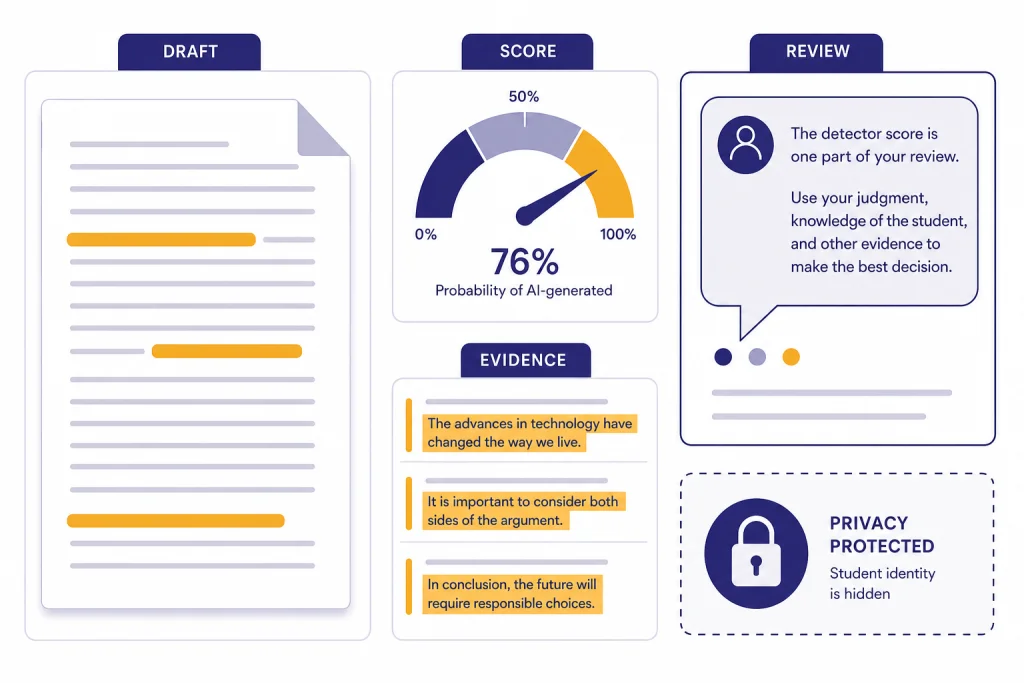
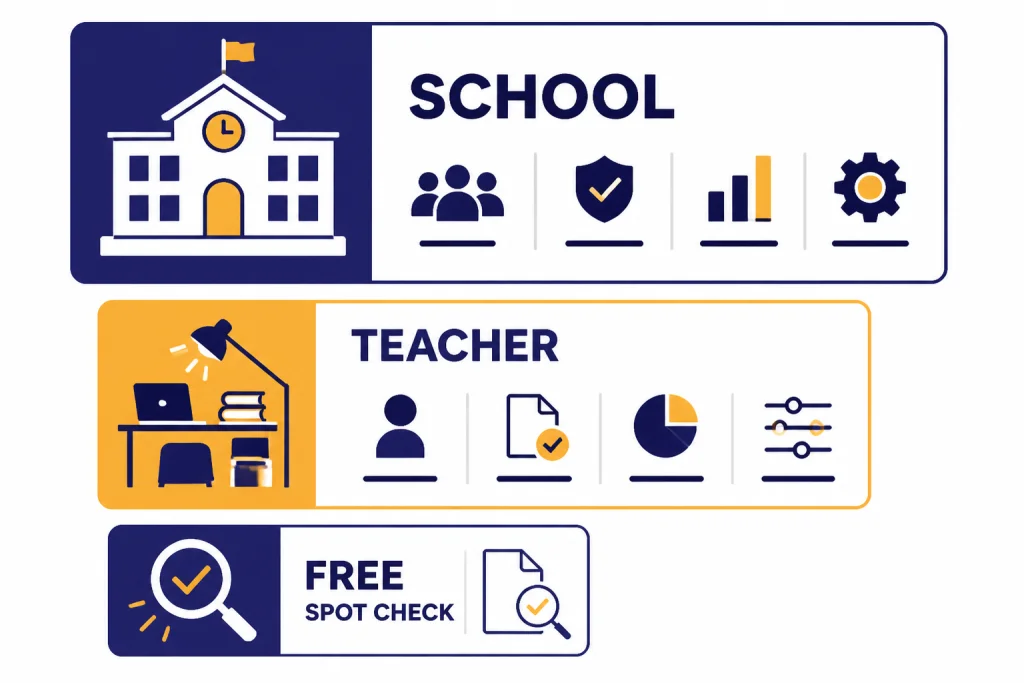
The best AI detector for teachers is not the one with the boldest accuracy claim. It is the one that fits your school’s workflow, protects student privacy, explains its scores clearly, and does not turn a probability into a misconduct finding. For most schools, Turnitin is the practical choice when it is already built into the learning management system. GPTZero is a better self-serve option for individual teachers. Copyleaks is strong for institutions that want AI and plagiarism checks in one report. Originality.ai and Winston AI are useful for smaller teams, while Scribbr is best treated as a free spot-checker. None should be used as the sole evidence that a student cheated.
Quick picks
If your school already pays for Turnitin, start there. Its biggest advantage is not magic accuracy. It is workflow. Teachers can review similarity, AI-writing signals, submission history, rubric context, and institutional policy in the same system. Turnitin’s AI report also suppresses scores below 20% to reduce false-positive risk, and the report supports up to 30,000 words of qualifying text.[2]
If you are an individual teacher without a district tool, GPTZero is the easiest classroom-first pick. Its support documentation says the paid plan for educators uses education-specific data and a threshold tuned for teacher expectations.[8] That does not make it proof. It makes it more suitable than generic content-marketing detectors.
If you need both AI detection and plagiarism checking outside Turnitin, compare Copyleaks with Originality.ai. Copyleaks sells education plans with LMS integrations and custom pricing, while its individual plans start at $16.99 per month or $13.99 per month when billed annually.[9] Originality.ai publishes education positioning, a claimed 99%+ accuracy and <1% false-positive rate for its Academic Model, and warns that an AI score should not be the only indicator of cheating.[10]
If you only need an occasional free check, Scribbr is useful but limited. It allows unlimited free checks up to 1,200 words per submission and says no AI detector can guarantee complete accuracy.[13] For broader originality workflows, pair this article with our Best Plagiarism Checkers and best AI writing tools compared in 2026 guides.
How to choose an AI detector for teachers
A good ai detector for teachers should answer a narrow question: does this writing contain patterns that deserve closer review? It should not answer the broader academic-integrity question by itself. That broader question requires assignment instructions, draft history, student explanation, source use, prior writing, and your school’s AI policy.
Use five criteria before you buy or adopt a tool.
- Evidence quality. The tool should show highlighted passages, confidence bands, or category breakdowns. A single percentage is too easy to overread.
- School workflow. LMS integration matters for large schools. Manual copy-paste checks create privacy and recordkeeping problems.
- Privacy posture. Do not paste student work into random web tools unless your school has approved the vendor and data use.
- False-positive handling. The vendor should acknowledge that human writing can be flagged.
- Appeal process. The tool should support a conversation, not replace one.
Teachers also need to separate AI detection from plagiarism detection. Plagiarism checkers compare submitted text with known sources. AI detectors estimate whether the style resembles machine-generated or machine-refined writing. Scribbr explains this distinction plainly: AI detectors measure text characteristics such as structure, length, word choice, and predictability, while plagiarism checkers compare against databases of sources.[13] If source copying is the concern, read our best plagiarism checkers breakdown. If prompt design and allowed AI use are the concern, start with Best ChatGPT Prompt Generator Tools.
AI detector comparison table
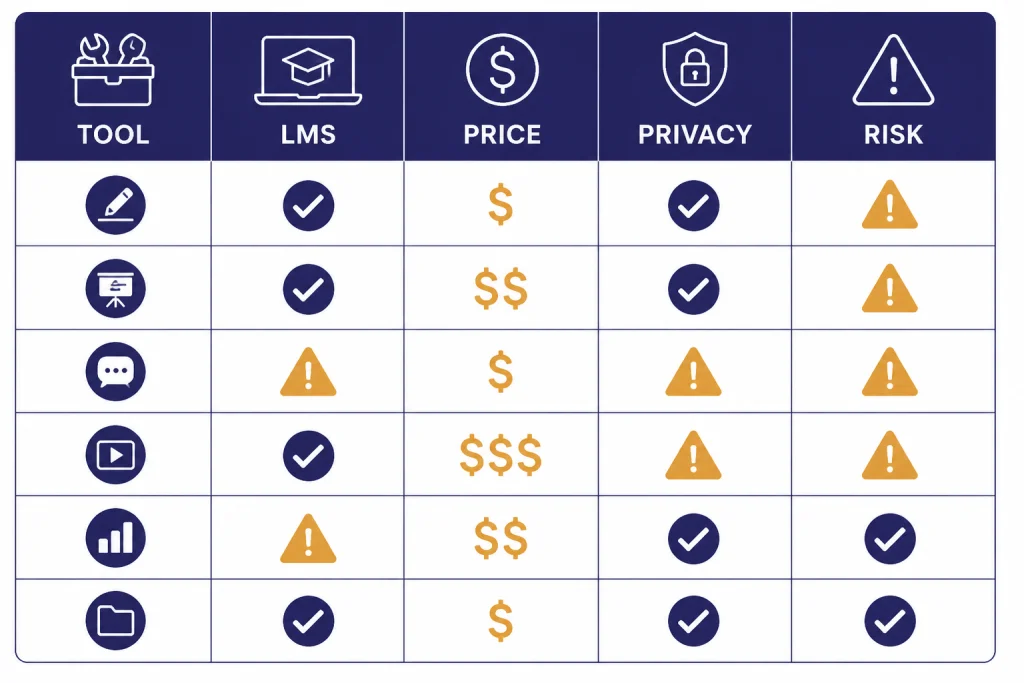
The table below focuses on teacher and school fit, not vendor marketing. Pricing and limits were checked for this article on April 19, 2026. Schools should still request current quotes before buying.
| Tool | Best fit | Key strengths | Pricing signal | Main caution |
|---|---|---|---|---|
| Turnitin | Schools already using Turnitin | LMS workflow, similarity context, AI categories, institutional administration | Institutional pricing; no public self-serve teacher price found | Scores still need human review |
| GPTZero | Individual teachers and small departments | Education-oriented thresholds, reports, classroom familiarity | Free tier and paid plans; custom options for large-scale use[7] | Do not treat one score as a verdict |
| Copyleaks | Districts needing AI plus plagiarism | AI and plagiarism in one report, LMS integrations, education plans | Individual plans from $16.99 monthly; education pricing is custom[9] | Institutional quote needed for schools |
| Originality.ai | Small teams, publishers, and teacher groups | Academic model, shareable scans, plagiarism and readability tools | Pay-as-you-go is $30; Pro is $14.95 monthly; Enterprise is $179 monthly[11] | Built more broadly than K-12 classroom workflow |
| Winston AI | Teachers checking text, files, OCR, and images | Document scans, OCR, AI image detection, PDF reports | Monthly plans shown from $18 to $49 after the free trial[12] | Credit system may require training |
| Scribbr | Free spot checks | No sign-up, paragraph feedback, multilingual support | Free checks up to 1,200 words per submission[13] | Not an institutional enforcement tool |
Best AI detectors for teachers and schools
1. Turnitin: best for schoolwide academic-integrity workflow
Turnitin is the safest first recommendation for schools that already use it because it lives where many teachers already review submissions. Its AI writing report shows an overall percentage and separates likely AI-generated text from likely AI-generated text that was AI-paraphrased.[2] That matters because the modern classroom problem is not only raw ChatGPT output. It is also AI drafting followed by paraphrasing, polishing, translation, or grammar cleanup.
Turnitin is also one of the few vendors that publishes practical interpretation guidance. It reports a document false-positive rate below 1% for documents with 20% or more AI writing, and a sentence-level false-positive rate around 4%.[3] More important for teachers, Turnitin says instructors should use its information to start a conversation, not to draw a conclusion.[3]
Choose Turnitin if your school needs a consistent process across courses. Avoid using it as a private gotcha machine. Department chairs should define what happens after a high score appears, who reviews the case, and what evidence the student can provide.
2. GPTZero: best self-serve AI detector for teachers
GPTZero remains a practical choice for individual teachers because it is built around classroom use rather than only publishing or SEO review. The official pricing page lists a free plan with 1 AI detection scan per month and a Pro plan with unlimited AI detection scans.[7] Its support center says the educator paid plan uses education-specific data and a detector threshold better matched to teacher expectations.[8]
GPTZero is most useful when a teacher wants a fast second signal before requesting drafts, document history, or a short oral explanation. It is less useful as a districtwide solution unless your school has a contract, a privacy review, and a documented appeal route.
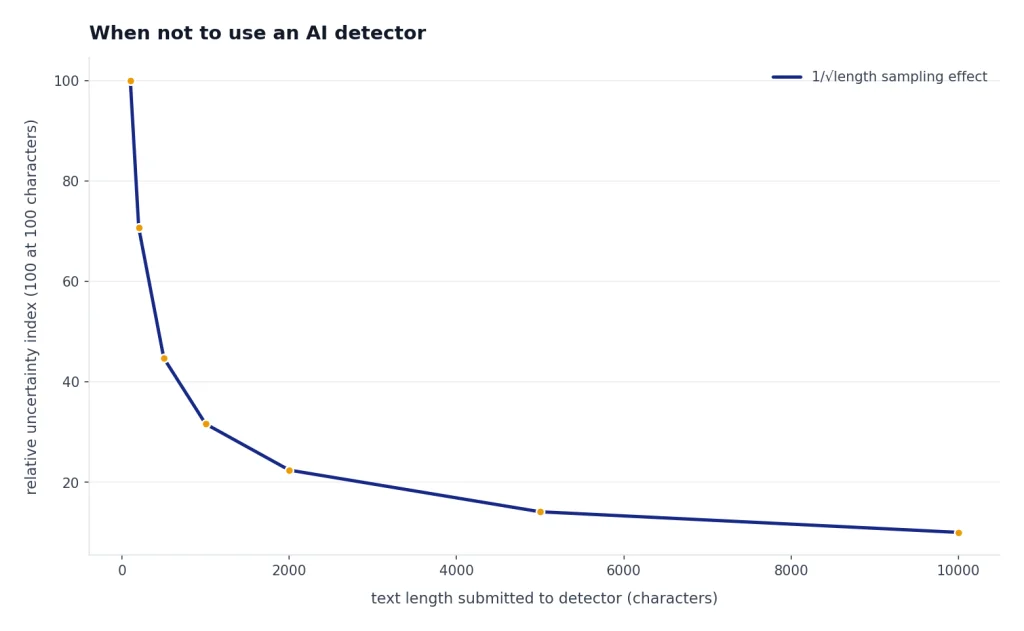
Teachers who use GPTZero should scan longer writing samples rather than isolated paragraphs. Short passages are more likely to produce misleading results across detector systems. OpenAI made the same warning about its own discontinued classifier, saying it was very unreliable on short texts below 1,000 characters.[1]
3. Copyleaks: best Turnitin alternative for AI plus plagiarism
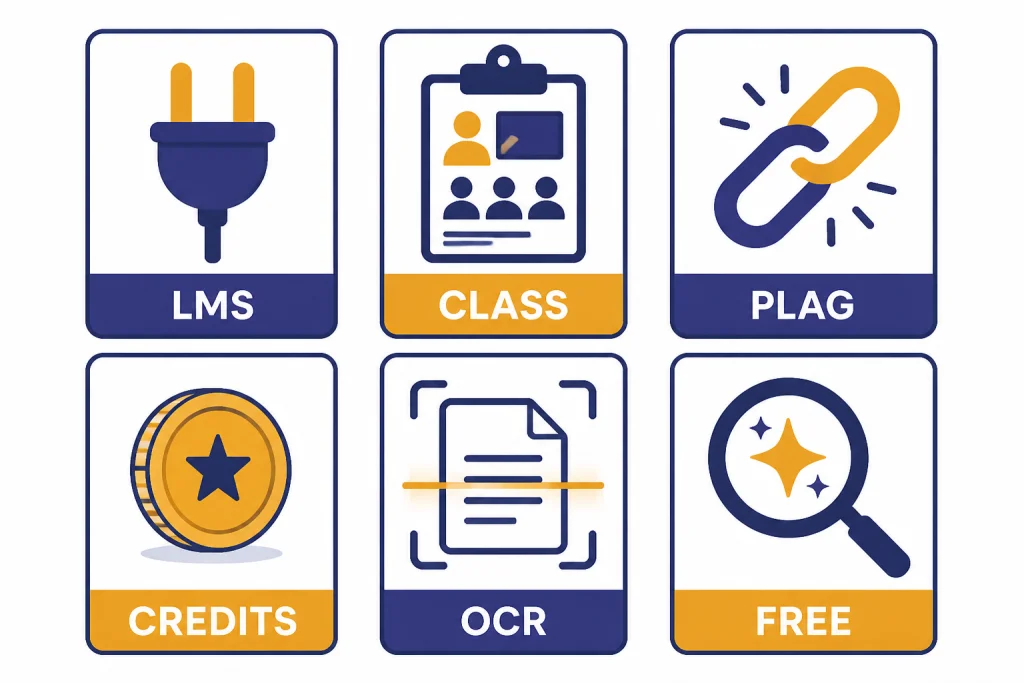
Copyleaks is a strong option for schools that want one originality report covering AI-generated text and plagiarism. Its pricing page says users can scan for AI-generated text and potential plagiarism in a single report, and its education plan integrates with Canvas, Moodle, D2L Brightspace, Schoology, Sakai, Edsby, and Blackboard.[9]
The public individual plans are not the real school product. Copyleaks lists Personal at $16.99 per month or $13.99 per month annually, Pro at $99.99 per month or $74.99 per month annually, and education pricing as custom.[9] Schools should request a quote based on full-time student count, LMS needs, storage requirements, and administrative reporting.
Choose Copyleaks if your school wants centralized control but does not want to rely on Turnitin. Teachers using Copyleaks individually should still avoid pasting protected student work into the tool without approval.
4. Originality.ai: best for transparent low-cost scans
Originality.ai is not only an education product, but it has a dedicated education page and an Academic AI Detector positioned for teachers and students. The company claims 99%+ accuracy and a false-positive rate below 1% for its Academic Model, while also stating that false positives are part of AI detection and that a score should not be the only indicator of cheating.[10] That combination is useful: the vendor makes a strong claim but still cautions against overuse.
Originality.ai’s public pricing is clearer than most. It lists Pay As You Go at $30 for 3,000 credits, Pro at $14.95 per month, and Enterprise at $179 per month; 1 credit equals 100 words.[11] This makes it easier for a department chair or writing center to estimate cost before a pilot.
Choose Originality.ai if you need shareable scans and predictable pricing. Do not choose it if your main requirement is deep LMS integration across a district.
5. Winston AI: best for mixed document review
Winston AI is useful when teachers need more than plain text detection. Its pricing page lists AI content detection, AI image and deepfake detection, document scans, OCR for pictures and handwriting, shareable PDF reports, and plagiarism features across paid tiers.[12] That can help in classes where students submit screenshots, PDFs, scanned worksheets, or image-heavy projects.
The credit model needs explanation before a school adopts it. Winston lists AI detection at 1 credit per word, plagiarism checking at 2 credits per word, and AI image detection at 300 credits per image.[12] That is manageable for a teacher who checks occasional work, but a department should estimate volume before buying.
Choose Winston AI if your review process includes files and OCR. If you only need AI text detection inside the LMS, Turnitin or Copyleaks will usually be easier for administrators.
6. Scribbr: best free AI detector for spot checks
Scribbr is the best free option in this roundup for teachers who need a quick, low-stakes check. It allows unlimited free AI checks with a 1,200-word limit per submission, requires no sign-up, and says it does not store or share submissions.[13] It also supports English, Spanish, German, and French.[13]
Use Scribbr for curiosity, not discipline. Its own page says no AI model on the market can guarantee 100% accuracy and recommends scanning longer pieces instead of individual sentences or paragraphs.[13] For teachers working with multilingual students, compare this with our best AI translation tools tested guide because translation and AI refinement can complicate detection results.
Accuracy limits teachers need to understand
AI detectors are probability tools. They do not prove authorship. OpenAI’s own history is the clearest warning. OpenAI shut down its AI classifier on July 20, 2023 because of a low rate of accuracy, and its limitations page said human-written text could sometimes be incorrectly but confidently labeled as AI-written.[1]
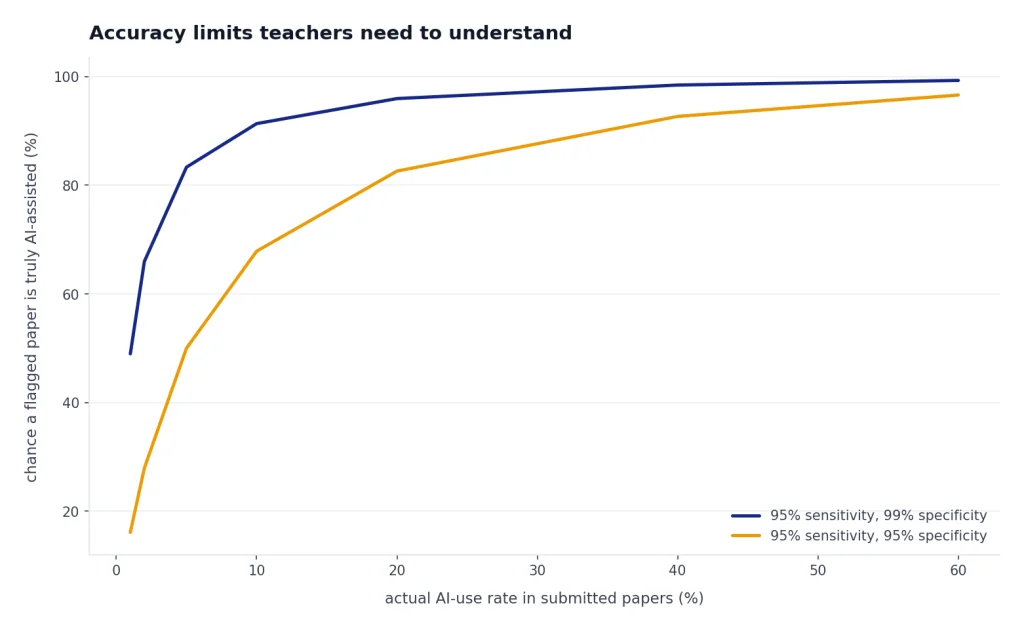
Independent research also supports caution. Stanford HAI reported that AI detectors classified more than half of TOEFL essays written by non-native English students as AI-generated, with a 61.22% rate in that tested set.[5] The same article said all 7 tested detectors unanimously identified 18 of 91 TOEFL essays as AI-generated, and at least 1 detector flagged 89 of 91 essays.[5] That is the strongest reason not to use detector scores as automatic misconduct evidence.
A broader study in the International Journal for Educational Integrity found that detection remains challenging and that performance drops when AI-generated text is paraphrased or rewritten.[6] In other words, detectors can miss polished AI writing while also flagging careful human writing. That is a poor foundation for punishment without supporting evidence.
Vanderbilt’s guidance is also blunt. It says publicly available AI detection tools may compromise student privacy and lists flaws including privacy issues, limited public methodology, and bias against non-native English speakers.[4] Teachers should treat those concerns as operational risks, not abstract ethics.
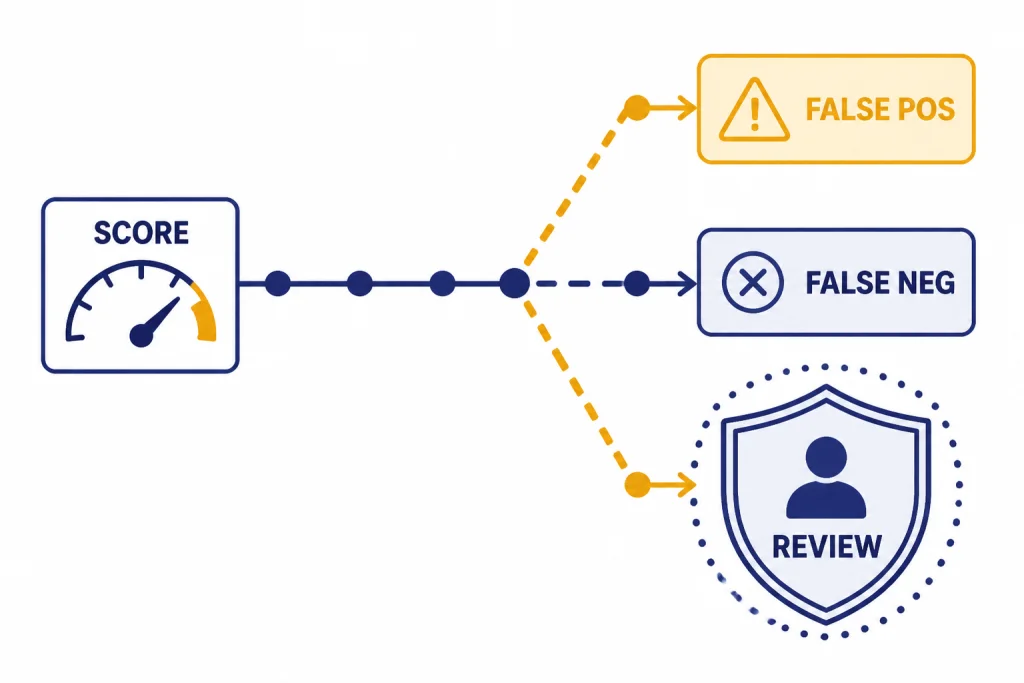
This does not mean detectors are useless. It means they belong in a review process. They can help teachers notice an unusually polished section, a sudden style shift, or a mismatch between a student’s draft and final submission. They cannot replace teaching, interviewing, drafting, and grading judgment.
A fair classroom workflow
The best way to use an AI detector is to lower the stakes of the first scan. A score should trigger review, not punishment. This workflow works for middle school, high school, and college courses with minor adjustments.
- Publish the AI policy before the assignment. State what is allowed: brainstorming, outlining, grammar checking, translation, citation help, or no AI at all.
- Collect process evidence. Ask for outlines, notes, source logs, drafts, or document history. This reduces the need to rely on detectors.
- Use the detector only after reading the work. Look for style shifts, source gaps, impossible claims, and mismatch with the student’s known writing.
- Review highlighted passages manually. A highlighted sentence is a clue. It is not a confession.
- Ask the student to explain the work. A short conference often reveals whether the student understands the argument, sources, and revision choices.
- Offer a path to revise when appropriate. If your course allows some AI help, the better response may be disclosure and revision, not discipline.
- Document the whole basis for any misconduct referral. Include drafts, rubric issues, source problems, student statements, and policy language. Do not submit only a detector score.
This approach also helps students use legitimate tools responsibly. A student might use a grammar assistant, summarizer, translation tool, or research assistant without understanding where your course draws the line. Our guides to Best AI Summarizer Tools for Long Documents, Best AI Research Tools for Academics, and ai resume builder tools compared can help teachers distinguish learning support from authorship substitution.
For school leaders, the most important policy sentence is simple: an AI detector score alone is not sufficient proof of academic misconduct. This aligns with Turnitin’s own recommendation to use AI writing information to initiate a conversation, not to draw a conclusion.[3]
When not to use an AI detector
Do not use an AI detector when the assignment is too short. OpenAI warned that its classifier was very unreliable below 1,000 characters, and that even longer text could be mislabeled.[1] Short responses, exit tickets, discussion posts, and worksheet answers are poor detector inputs.
Do not use an AI detector when student privacy has not been reviewed. Vanderbilt warns that third-party tools may have unknown privacy and data-use policies and that entering student data into such tools may violate FERPA protections.[4] A free web box is not automatically safe because it is convenient.
Do not use a detector to police students who write in a formal, simple, multilingual, translated, or highly structured style. The Stanford HAI findings on non-native English writing show why this can be unfair.[5] Teachers should be especially careful with English learners, students with disabilities, and students who have been explicitly taught formulaic academic writing.
Do not use detectors as a substitute for better assignment design. Ask for local evidence, personal reflection, class data, oral defense, annotated sources, staged drafts, or in-class writing. These approaches make unauthorized AI use less attractive and make legitimate student work easier to verify.
The best ai detector for teachers is a limited instrument inside a larger teaching system. Used carefully, it can point you toward a conversation. Used carelessly, it can damage trust and misidentify the students who most need fair treatment.
Frequently asked questions
What is the best AI detector for teachers?
For schoolwide use, Turnitin is usually the best choice if the school already licenses it because it fits existing submission and review workflows. For individual teachers, GPTZero is the most practical self-serve option. For AI plus plagiarism outside Turnitin, Copyleaks and Originality.ai are the strongest alternatives.
Can teachers prove ChatGPT use with an AI detector?
No. An AI detector can provide a probability-based signal, not proof of authorship. A fair case should include drafts, document history, assignment fit, source review, and a student conversation. A detector score alone is too weak for discipline.
Are free AI detectors accurate enough for school discipline?
No. Free tools can help with low-stakes review, but they should not be used as the basis for academic misconduct findings. Scribbr itself says no AI detector can guarantee complete accuracy.[13] Free tools also raise privacy questions if teachers paste student work into unapproved websites.
Which AI detector works best with Canvas or Moodle?
Turnitin and Copyleaks are the main options to evaluate for LMS-based school workflows. Copyleaks lists integrations with Canvas, Moodle, D2L Brightspace, Schoology, Sakai, Edsby, and Blackboard.[9] Turnitin is also widely used through institutional academic-integrity workflows.
Do AI detectors flag Grammarly or paraphrasing tools?
They can. Turnitin’s AI report includes a category for likely AI-generated text that was likely revised with an AI paraphrasing tool or word spinner such as QuillBot.[2] Schools should define whether grammar correction, paraphrasing, translation, and rewriting tools are allowed before the assignment is submitted.
Should teachers tell students they use AI detectors?
Yes. Transparency is better than surprise enforcement. Tell students which AI uses are allowed, which are banned, what evidence they should keep, and how concerns will be reviewed. This makes the tool part of an academic-integrity policy rather than a hidden trap.