


ChatGPT outages in 2026 have not followed one pattern. Some incidents affected login, some hit file uploads, some degraded conversations, and some were narrow enough to affect only web, VPN users, free users, or specific workspace flows. This timeline covers public OpenAI status incidents involving ChatGPT from January 2026 through April 7, 2026, the publication date of this article.[23] Use it to match your symptom to a known incident, decide whether the problem is likely local, and pick the right fallback instead of repeatedly refreshing a broken chat.
How this timeline is scoped
This article tracks public incidents listed on OpenAI’s status site that affected ChatGPT users or ChatGPT-adjacent surfaces. It includes degraded performance, partial outages, full outages where relevant, and narrow feature failures when the affected component was ChatGPT.
It does not treat every slow answer as an outage. ChatGPT can feel broken because of a browser extension, a stale session, a corporate firewall, a VPN exit node, a rate limit, or a device-specific app bug. OpenAI’s own status pages also warn that availability metrics are aggregated across tiers, models, and error types, so one user’s experience can differ from another user’s experience during the same window.[1]
The practical rule is simple. If OpenAI has an active or recently resolved incident that matches your symptom, wait or switch workflows. If the status history does not match your symptom, move to local troubleshooting. For broader historical context outside this year, see our ChatGPT Outage History guide.
ChatGPT outage timeline for 2026
The table below lists public ChatGPT-related incidents through April 7, 2026. Times are shown as reported by OpenAI’s status pages. Some status pages display local Statuspage timestamps, while official write-ups often use PT or PST. When OpenAI published a formal write-up, this timeline gives the write-up extra weight.
| Date | Incident | What users likely saw | Status-page takeaway |
|---|---|---|---|
| Jan. 8, 2026 | Increased error rate for ChatGPT and API prompts with images | Image prompts failed or returned errors. | OpenAI listed failures when images were sent to the model.[2] |
| Jan. 14, 2026 | Elevated error rates for ChatGPT users | General ChatGPT failures or retries. | OpenAI marked the incident resolved at 1:03 AM.[3] |
| Jan. 26, 2026 | Availability degraded for free and logged-out users | Free users and logged-out users saw elevated errors. | OpenAI identified elevated errors for logged-out and free users and worked on mitigation.[4] |
| Jan. 30–31, 2026 | Subscription renewal issues | Some paid users had renewal or billing-status problems. | OpenAI marked affected ChatGPT subscription renewals recovered on Jan. 31.[5] |
| Feb. 3, 2026 | Elevated error rates for ChatGPT and Platform users | Login, account creation, and conversation availability degraded. | OpenAI said a configuration change caused elevated errors across ChatGPT plan types.[6] |
| Feb. 4, 2026 | ChatGPT availability impacted | Some users saw 403 errors, especially on web. | OpenAI reported a 9:06 AM to 9:59 AM PT incident, about 53 minutes, with a peak global error rate of about 18%.[7] |
| Feb. 10, 2026 | GPT 5.2 elevated error rates | Paid ChatGPT conversations failed more often. | OpenAI said paid ChatGPT plans were affected from 8:03 AM to 9:48 AM PST because demand exceeded available GPT 5.2 serving capacity.[8] |
| Feb. 10–11, 2026 | Increased login errors for ChatGPT | Some users could not sign in. | OpenAI marked the login incident resolved at 12:41 AM on Feb. 11.[9] |
| Feb. 11–12, 2026 | Issues starting conversations in ChatGPT | New chats failed or stalled at the start. | OpenAI marked the incident resolved on Feb. 12 after earlier investigating issues starting conversations.[11] |
| Feb. 12, 2026 | ChatGPT conversation issues | Conversation requests failed for some users. | OpenAI said a deployment issue caused elevated conversation errors between 1:20 PM and 1:40 PM PST.[10] |
| Feb. 26, 2026 | Issue with some ChatGPT apps | Some app users saw elevated errors. | OpenAI identified elevated errors for affected services and later marked recovery complete.[12] |
| Mar. 2, 2026 | File uploads and file processing failing | Uploads failed or newly uploaded files took too long to process. | OpenAI said elevated errors started around 6:45 AM PT and affected file uploads and processing.[13] |
| Mar. 5, 2026 | ChatGPT issues sending messages | Some users could open ChatGPT but could not send messages. | OpenAI investigated an issue where some users were unable to send messages.[14] |
| Mar. 10–12, 2026 | Increased errors on ChatGPT file uploads | File uploads failed, with some EU workspace impact noted during mitigation. | OpenAI marked the file-upload incident resolved on Mar. 12.[15] |
| Mar. 10–12, 2026 | Increased errors with ChatGPT file downloads | Generated files or attached files failed to download. | OpenAI marked file-download errors recovered on Mar. 12.[16] |
| Mar. 11, 2026 | Elevated conversation errors for ChatGPT | Message generation failed or returned intermittent errors. | OpenAI identified elevated errors for ChatGPT conversations and worked on mitigation.[17] |
| Mar. 17, 2026 | Elevated errors affecting ChatGPT Free and Guest plan users | Free and guest users were more likely to fail than paid users. | OpenAI said the incident affected ChatGPT Free and Guest plan users.[18] |
| Mar. 20–21, 2026 | Pinned chats not loading on web browsers | Pinned conversations failed to appear in the browser. | OpenAI marked the pinned-chat issue resolved after investigation and mitigation.[19] |
| Mar. 29, 2026 | Account creation and login unstable across all surfaces | Signup and login failed across ChatGPT entry points. | OpenAI identified account creation and login issues and later marked recovery complete.[20] |
| Mar. 31, 2026 | Enterprise and Edu SSO workspace join failures | Some users saw authentication errors such as registration_disallowed after SSO. | OpenAI said some Enterprise and Edu users had failures joining workspaces through SSO.[21] |
| Apr. 6, 2026 | Empty response from ChatGPT on web | The browser returned blank or empty model responses. | OpenAI marked the web empty-response incident resolved at 8:35 AM.[22] |
| Apr. 7, 2026 | Issues accessing the ChatGPT website on VPN | Some VPN users could not access the ChatGPT website. | OpenAI marked the VPN access incident resolved at 11:49 AM.[23] |
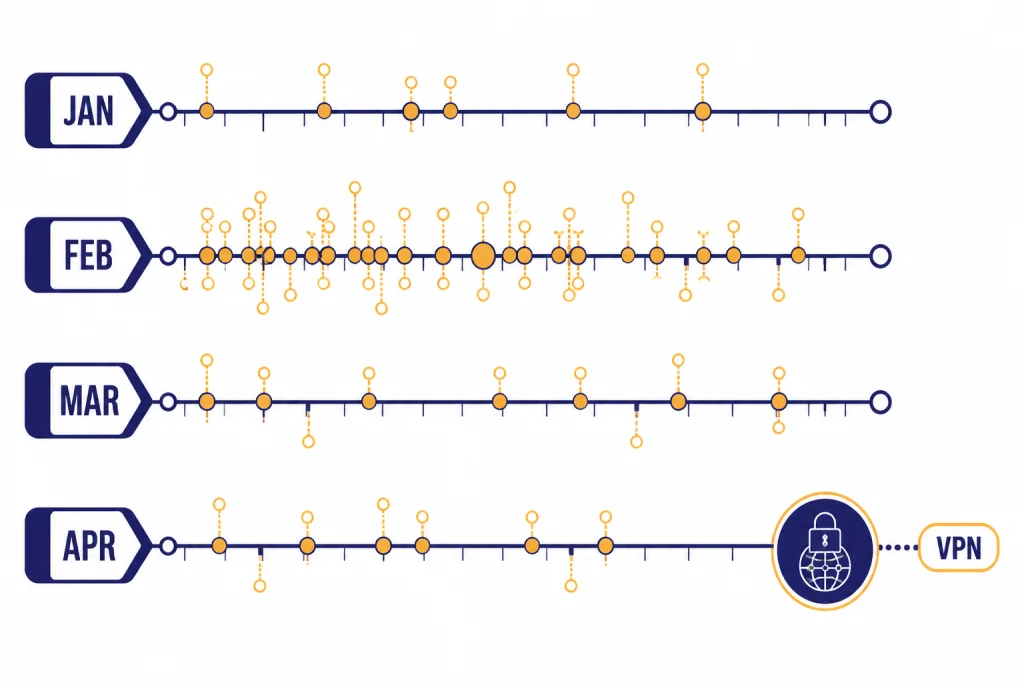
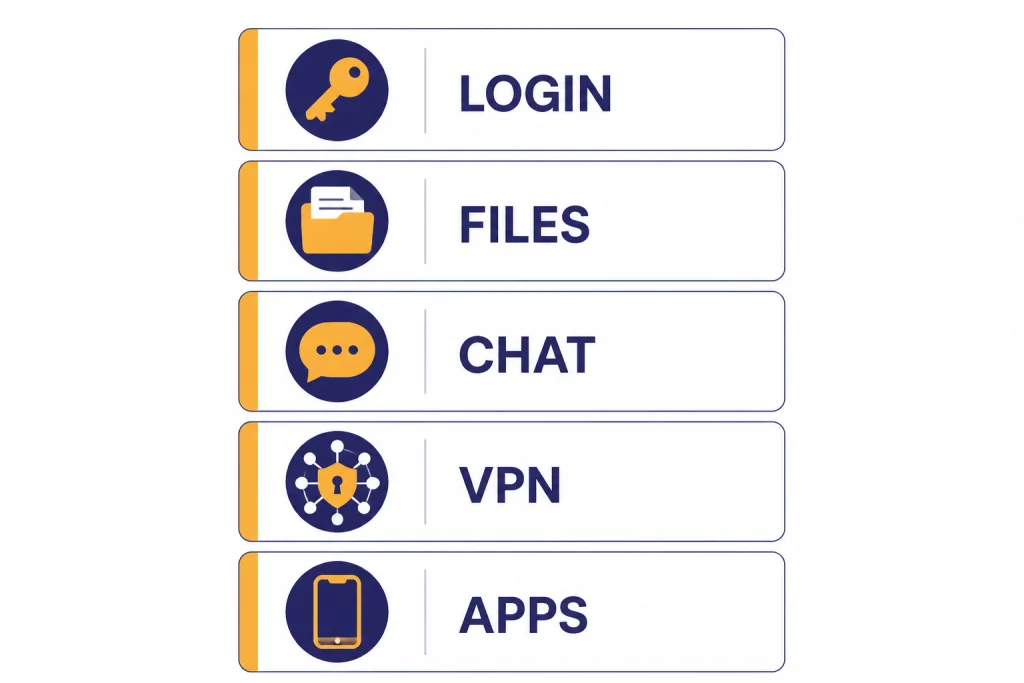
The busiest stretch in this timeline is not a single global blackout. It is a cluster of smaller failures that hit different parts of ChatGPT: authentication, model serving, file handling, web rendering, app access, and workspace joining. That matters because a user who cannot upload a spreadsheet is not facing the same operational problem as a user who cannot log in.
What the 2026 incidents have in common
The 2026 incidents show that “ChatGPT is down” is often too broad. The same status page can show ChatGPT affected while plain text chats still work, or while the API path behaves differently from the consumer web app.
Authentication has been a recurring failure mode. The Feb. 3 incident affected login functionality, account creation, and conversation availability after a configuration change.[6] The Feb. 10–11 incident focused on login errors.[9] The Mar. 29 incident affected account creation and login across surfaces.[20] The Mar. 31 Enterprise and Edu SSO incident was narrower, but it still blocked users from joining workspaces after single sign-on.[21] If your symptom is a login loop, do not start by reinstalling the app. Check status first, then test a private window and another network.
Files were another clear theme. OpenAI logged file-upload and file-processing failures on Mar. 2.[13] It then logged separate upload and download incidents around Mar. 10–12.[15][16] That means file workflows can break even when ordinary chat still works. If your only issue is upload, use our chatgpt file upload not working guide before assuming a full outage.
Model capacity also appeared in the timeline. On Feb. 10, OpenAI said paid ChatGPT plans saw elevated errors because demand exceeded available capacity in a GPT 5.2 model fleet.[8] That is different from a bad browser cache. A capacity issue usually requires OpenAI-side mitigation, such as reallocating capacity or bringing additional serving engines online.
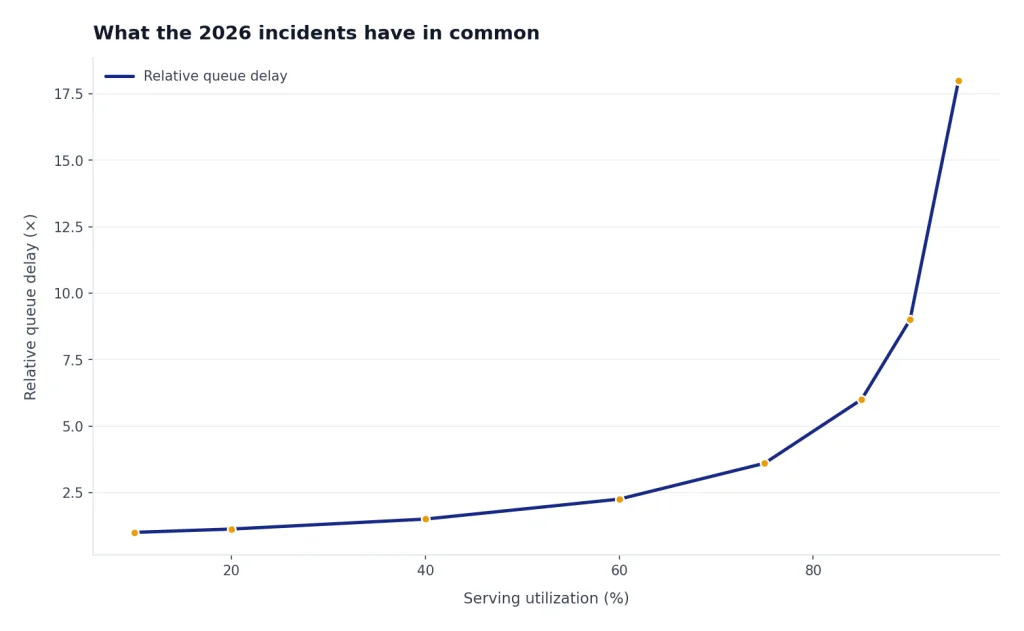
Finally, several incidents were plan-specific, surface-specific, or network-specific. Jan. 26 affected free and logged-out users.[4] Mar. 17 affected Free and Guest plan users.[18] Apr. 7 affected some VPN users trying to access the ChatGPT website.[23] When an incident is that narrow, another plan, device, browser, or network may still work.
| Incident type | Common symptom | Best first move | When to stop troubleshooting locally |
|---|---|---|---|
| Login or signup | Login loop, failed account creation, SSO error | Check status history, then test private browsing | When OpenAI lists a matching authentication incident |
| Conversation errors | Message fails, empty response, stalled generation | Start a new chat and test another device | When the same prompt fails across devices |
| File handling | Upload, processing, or download fails | Try a small file and a plain text chat | When file incidents appear but text chat works |
| VPN or network access | Site will not load on one network | Disable VPN or switch exit region | When OpenAI lists VPN-specific access issues |
| App-only errors | Mobile or desktop app fails but browser works | Try web, update app, clear app cache | When the status page names app impact |
How to tell whether ChatGPT is down or your setup is broken
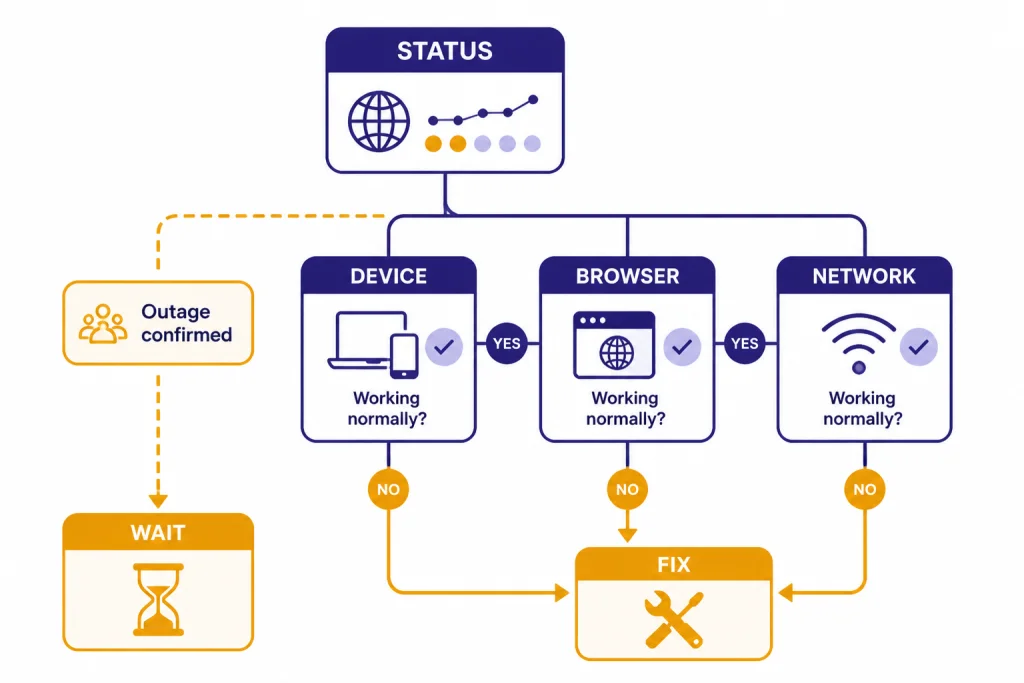
Start with symptom matching. If the status page says file uploads are failing and your normal chats work, you have a feature outage, not a total ChatGPT outage. If the status page says account creation and login are unstable and you are stuck at sign-in, local cache cleanup may not help until OpenAI recovers the service.
Next, test across surfaces. Use the same account on web, mobile, and a private browser window. If only one browser profile fails, suspect cookies, extensions, or local storage. If every surface fails at the same time, a service-side incident is more likely.
Then test across networks. The Apr. 7 incident shows why this matters: OpenAI logged a partial outage for some users accessing the ChatGPT website on VPN.[23] If ChatGPT works on mobile data but fails on a VPN, the fix is different from a conversation outage. Our ChatGPT not working with VPN guide covers that path in more detail.
Finally, look at the error class. A 500, 502, or 503 error points toward server or gateway trouble. A 429 error points toward rate limiting. A 403 can come from access, authentication, policy, or infrastructure paths. During the Feb. 4 incident, OpenAI specifically reported 403 errors for some ChatGPT users between 9:06 AM and 9:59 AM PT.[7] For focused fixes, use our guides to chatgpt error 500 internal server, ChatGPT Error 502 Bad Gateway, chatgpt error 503 service unavailable, and ChatGPT Error 429 Too Many Requests.
What to do during a ChatGPT outage
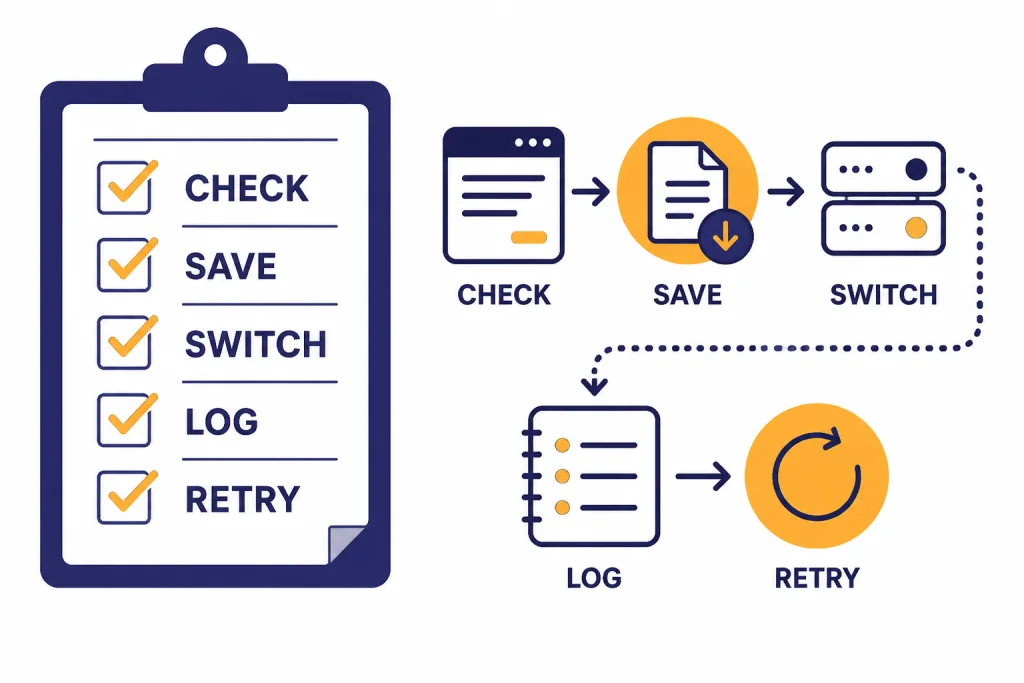
Do not spend the first half hour deleting settings. Use a fast triage sequence.
- Open the status page and history page.
- Match the incident title to your symptom.
- Test another surface: browser, mobile app, or private window.
- Test another network if access fails.
- Save your prompt, attachments, and error text outside ChatGPT.
- Wait if the incident is active and matches your problem.
- Use a backup workflow if the task is urgent.
If the problem is slow generation rather than failure, see Why Is My ChatGPT So Slow? 8 Easy Fixes. If the message fails mid-stream, see chatgpt error in message stream. If ChatGPT returns a vague failure banner, our chatgpt something went wrong error guide is the better next step.
For business-critical work, keep a lightweight incident log. Record the time, device, browser, network, account type, model or tool in use, file type if relevant, and exact error. That log helps you decide whether the problem is reproducible and gives your IT team better evidence than “ChatGPT is down.”
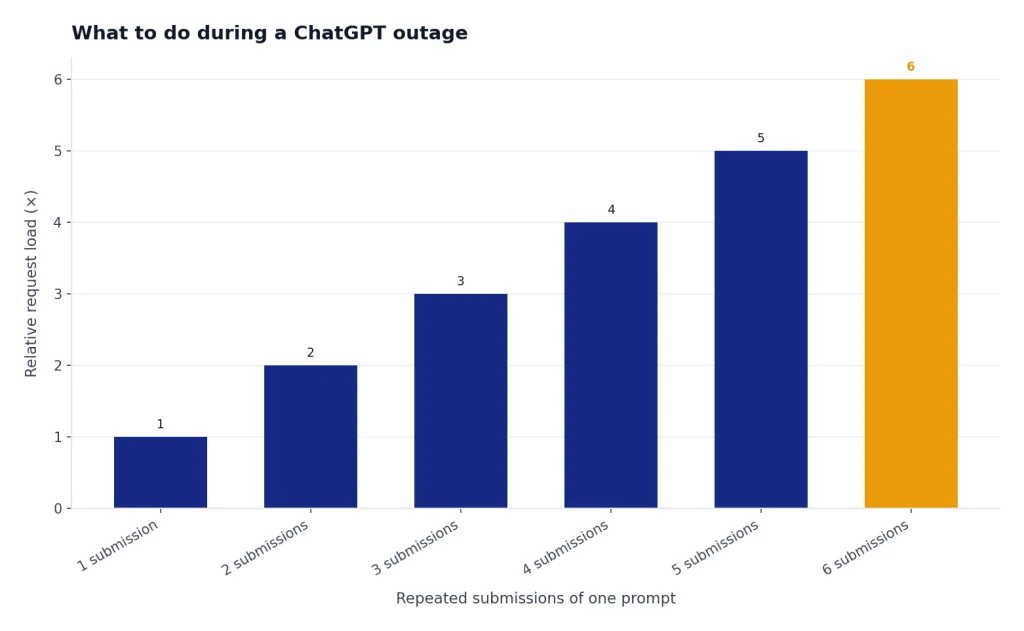
Do not repeatedly submit the same long prompt during an active outage. Retries can amplify load, and OpenAI’s Feb. 3 and Feb. 4 write-ups both describe retry behavior as part of the pressure during recovery.[6][7] Copy the prompt to a note, wait for monitoring or resolved status, and retry once the service stabilizes.
Feature-specific troubleshooting links
Use the timeline first, then switch to the fix guide that matches your symptom. If the current status page shows no matching incident, local troubleshooting becomes more useful.
- Login fails, loops, or account creation breaks: chatgpt login failed.
- The mobile app fails but the website works: chatgpt app not working.
- File uploads or processing fail: this guide to chatgpt file upload not working.
- Image generation fails while text chat works: chatgpt image generator not working.
- Voice mode fails or will not connect: chatgpt voice mode not working.
- You see a server-side error: chatgpt internal server error.
- You hit rate limits instead of an outage: chatgpt too many requests in 1 hour.
- You need to understand message caps rather than downtime: chatgpt daily limit.
The main lesson from the 2026 timeline is that ChatGPT outages are increasingly narrow. The right fix depends on whether the failing layer is login, conversation serving, file handling, app access, VPN routing, or plan-specific capacity.
Frequently asked questions
Was ChatGPT down in 2026?
Yes. OpenAI’s public status history shows multiple ChatGPT-related incidents in 2026, including conversation errors, login issues, file upload failures, app issues, and VPN access problems. Not every incident was a full outage, and several affected only a subset of users.
What was the biggest ChatGPT outage listed here?
By public detail, the Feb. 3 and Feb. 4 incidents stand out because OpenAI published formal explanations for broad ChatGPT impact. The Feb. 4 write-up reported 403 errors for about 53 minutes and a peak global error rate of about 18%.[7] The Feb. 3 write-up described login, account creation, and conversation availability problems across ChatGPT plan types.[6]
Why does ChatGPT work for one person but not another during an outage?
OpenAI reports availability across aggregated tiers, models, and error types, so a single status label can hide differences by plan, region, model, or feature.[1] Some incidents also name specific affected groups, such as free users, guest users, web users, VPN users, or Enterprise and Edu SSO users.
Should I clear my browser cache during a ChatGPT outage?
Only after checking status. If OpenAI lists a matching active incident, clearing cache is unlikely to fix the upstream problem. If there is no matching incident and ChatGPT works in a private window, then clearing site data or disabling extensions can help.
Are file upload failures the same as ChatGPT being down?
No. The 2026 timeline includes file-specific incidents where uploads, processing, or downloads failed while other ChatGPT features could still work. Treat file failures as a feature-specific outage unless plain text conversations also fail.
Does the API always go down when ChatGPT goes down?
No. ChatGPT web, ChatGPT apps, Codex, and OpenAI APIs can fail differently. OpenAI’s Feb. 4 write-up said web experienced the highest impact while API services were not affected.[7]