


The ChatGPT error in message stream usually means the reply stream was interrupted before ChatGPT could finish sending the answer. The cause can be local, such as a browser extension, VPN, unstable network, stale session, or overlong conversation. It can also be on OpenAI’s side during degraded performance, routing problems, capacity pressure, or a failed deployment. The fastest fix is to stop the reply, copy anything important, refresh, try a new chat, and check whether the same prompt fails on another browser, device, or network. If the error appears across clean sessions and devices, treat it as a service-side problem and wait for OpenAI to recover.
What the error means
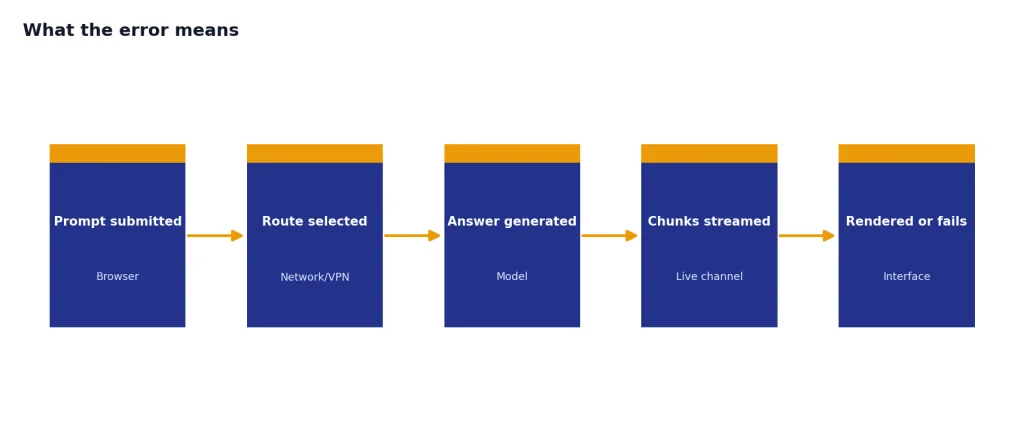
The message stream is the live channel that carries a response from ChatGPT to your screen as it is being generated. When that stream breaks, the interface may show error in message stream, a partial answer, a stuck “generating” state, or a failed retry button. The error does not always mean your prompt is bad. It means ChatGPT did not complete the response delivery.
OpenAI’s troubleshooting guidance groups similar failures around network configuration, browser extensions, and temporary server-side problems. It also recommends practical checks such as refreshing the page, starting a new chat, checking service status, clearing cache and cookies, using a private window, disabling extensions, turning off VPNs or secure DNS tools, and switching networks when needed.[1]
In practice, the same visible error can come from several layers. The request may reach ChatGPT, but the response may fail while streaming back. Your browser may block a script. A VPN may route traffic through an unstable or flagged path. A long chat may become harder to resume. Or OpenAI may be experiencing elevated conversation errors. That is why the fix should start with isolation, not random clearing of every setting.
If you see related messages such as chatgpt network error, chatgpt something went wrong error, or chatgpt conversation not found error, use this same diagnostic order first. These errors overlap because they all sit near the boundary between the browser session, the conversation state, and OpenAI’s backend.

Quick diagnosis
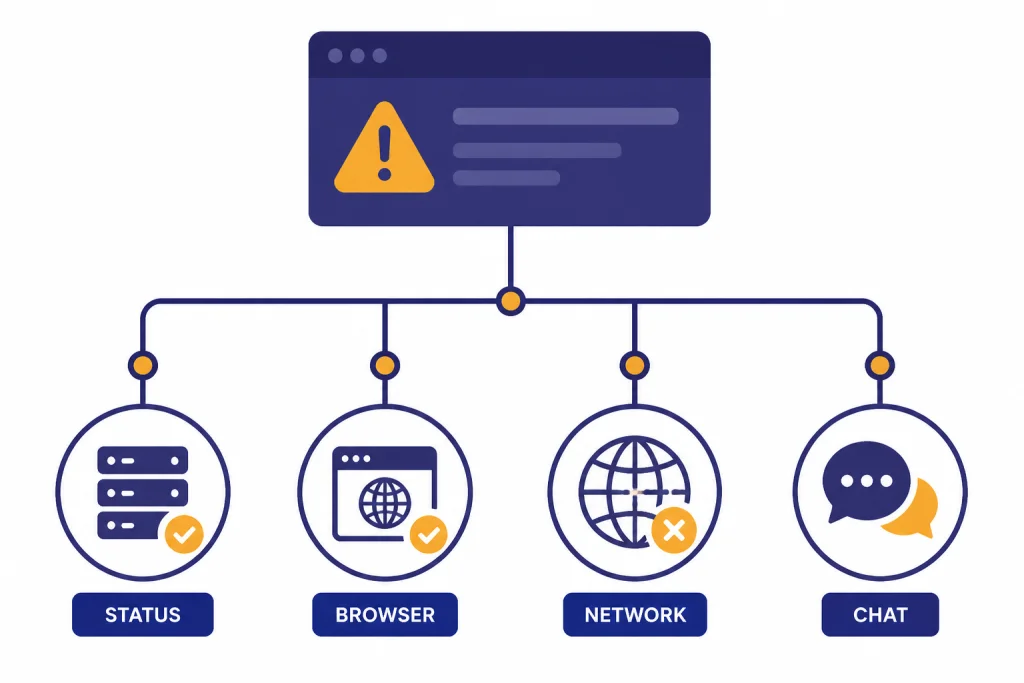
Do not start by deleting all browser data. First decide whether the problem is local, conversation-specific, prompt-specific, or service-side. That choice prevents wasted retries and protects important work in the chat.
| Signal | Likely source | Best first action |
|---|---|---|
| Only one chat fails | Conversation state, long context, or one stuck turn | Copy the last useful answer and start a new chat |
| Every chat fails in one browser | Browser cache, extension, content blocker, or profile issue | Try a private window with extensions disabled |
| ChatGPT works on mobile data but not Wi-Fi | Network, DNS, firewall, proxy, or VPN route | Switch networks and disable VPN or secure DNS tools |
| The answer starts, then cuts off | Streaming interruption or timeout | Stop generating, wait briefly, then regenerate or simplify the prompt |
| Many users report errors at the same time | OpenAI degraded performance | Check status and wait before repeatedly retrying |
| File, image, voice, or code tasks fail separately | Tool-specific component issue | Use the relevant guide for that feature |
A clean test has four parts. Open a new chat. Ask a short plain-text prompt. Use a private window or a different browser. Try a different network. If the short prompt works, your original conversation or prompt probably triggered the failure. If the short prompt fails everywhere, the issue is probably account-side or service-side.
Feature-specific failures deserve separate handling. If uploads fail, use our chatgpt file upload not working checklist. If image tasks fail, use the chatgpt image generator not working guide. If the mobile app fails while web works, move to chatgpt app not working. If a VPN changes the result, see chatgpt not working with vpn.
Fixes that work most often
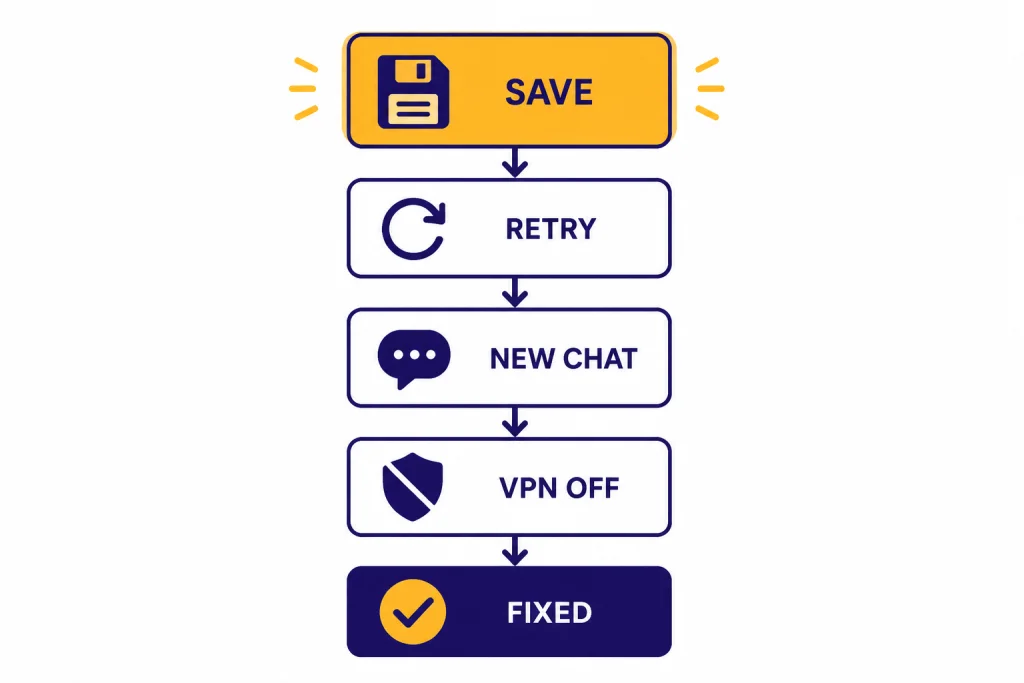
Use this order. It moves from low-risk recovery to deeper changes. Stop after the first fix that works.
- Copy anything important. Save the partial answer and your prompt before refreshing. A failed stream can disappear after a reload.
- Click Stop generating, then retry. OpenAI recommends waiting 30–60 seconds when ChatGPT hangs, then stopping generation and regenerating if needed.[1]
- Refresh the page or restart the app. A stale session can keep trying to use a broken stream.
- Start a new chat. This is especially useful when the old conversation is long, tool-heavy, or repeatedly failing.
- Use a private window. Private mode removes many extension, cookie, and profile variables from the test.
- Disable extensions that modify pages or traffic. Start with ad blockers, privacy tools, script blockers, grammar tools, and security extensions.
- Turn off VPNs, proxies, secure DNS filters, and Web Protect-style tools. OpenAI specifically lists VPNs, proxies, secure DNS, and security filters among the items to test when connection or response errors persist.[1]
- Switch networks or devices. Test mobile data, another Wi-Fi network, or a second device. This separates a network path issue from a ChatGPT account issue.
- Clear only ChatGPT site data if needed. Do this after easier tests. Clearing all browser data is disruptive and usually unnecessary.
If you are seeing an HTTP-style error instead of a stream error, move to the matching status guide. We maintain separate fixes for chatgpt error 500 internal server, ChatGPT Error 502 Bad Gateway, chatgpt error 503 service unavailable, and ChatGPT Error 429 Too Many Requests. Those errors can look similar to users, but the best action differs.
When OpenAI is the cause
Sometimes the correct fix is to stop troubleshooting locally. OpenAI has recorded incidents where ChatGPT conversation delivery failed for many users, including one status incident titled “ChatGPT errors (Error in message stream).” In that incident, OpenAI said users noticed increased “Error in message stream” errors starting at 11:50 AM PDT on June 11, 2025, and that full recovery was reached at 12:15 PM PDT after a rollback.[2]
Large outages can also surface as message stream failures even when the incident title does not use that exact phrase. In a June 2025 OpenAI write-up, ChatGPT error rates reached about 35% at peak, API error rates reached about 25% at peak, and the highest impact window ran from 2:00 AM to 8:00 AM PDT on June 10, 2025.[3] If you are trying to work through a similar period, repeated regeneration can waste time without changing the result.
OpenAI’s past postmortems also show why a stream error can have several backend causes. On June 17, 2024, OpenAI reported elevated ChatGPT errors from 11:39 AM to 2:02 PM PT, involving an inference engine issue, cascading event bus problems, and a bug that caused empty completion responses.[4] On February 12, 2026, OpenAI reported elevated conversation error rates from 1:20 PM to 1:40 PM PST after a routine service deployment caused some production clusters to reject requests; successful conversation request rates dropped by about 35% during the peak window.[5]
That history matters because it changes your behavior. If multiple devices fail, the official status page shows degraded performance, and other users report the same symptom, wait. Do not clear every cookie, reinstall every app, or rewrite a working prompt. Check our chatgpt outages 2026 tracker for current incident context and the broader ChatGPT Outage History page for older patterns.
OpenAI’s status pages also warn that availability metrics are aggregate across tiers, models, and error types, and that individual availability can vary by subscription tier, model, and feature.[2] That means a friend may be able to use one model or feature while your chat still fails. Partial recovery is common during degraded performance.
Prompt and conversation fixes
If ChatGPT works in a fresh chat but fails in the original one, assume the problem is tied to conversation state or prompt shape. This is common with long research threads, repeated file work, code sessions, giant pasted documents, and prompts that ask for several outputs at once.
Break the task into smaller replies
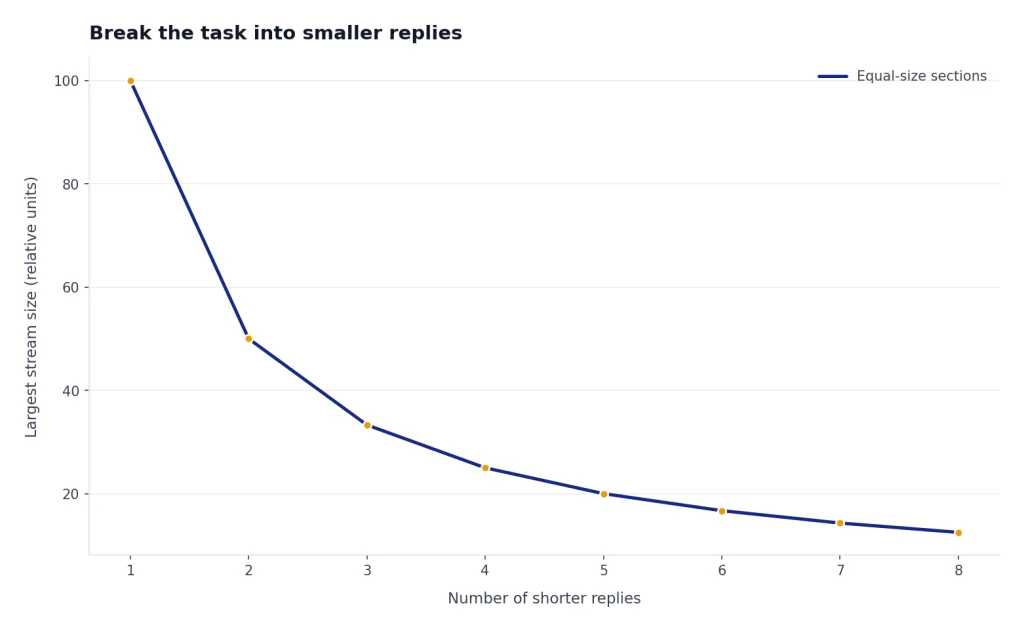
Ask for one section, one table, or one code block at a time. Long responses create more opportunities for the stream to break. A useful rewrite is: “Answer in three short sections. Stop after the first section and wait for me to continue.” This lowers the amount of text ChatGPT must deliver in one stream.
Remove fragile formatting
Heavy Markdown tables, nested JSON, long code fences, and copied HTML can make a response harder to render. If the stream fails near the same point, ask for plain text first. Then ask ChatGPT to convert the finished text into a table or code format after the content is stable.
Move old context into a short brief
When a conversation has become unreliable, start a new chat with a summary rather than continuing the old thread. Use this format: “Here is the project brief, the current decision, and what I need next.” Paste only the facts needed for the next answer. This often works better than dragging a long context forward.
Separate tools from text generation
If the failing message uses files, code, image generation, browsing, or voice, test a plain text prompt first. If plain text works, the problem may be with the tool path rather than ChatGPT conversation delivery. For code sessions that expire or fail separately, use our code interpreter session expired guide.
Browser, app, VPN, and network checks
Local problems usually come from one of four places: browser state, app state, traffic filtering, or network quality. The goal is to change one variable at a time.
| Area | What to test | What the result means |
|---|---|---|
| Browser profile | Open ChatGPT in a private window | If it works, an extension, cookie, or profile setting is likely involved |
| Extensions | Disable content blockers, script blockers, privacy tools, and grammar overlays | If errors stop, re-enable extensions one at a time |
| VPN or proxy | Turn it off, then reload ChatGPT | If the error disappears, the route or IP reputation may be the trigger |
| Network | Switch from Wi-Fi to mobile data or another network | If only one network fails, check DNS, firewall, router, or ISP filtering |
| Desktop or mobile app | Force quit, update, and reopen the app | If web works but the app fails, the local app state may be stale |
| Account session | Sign out and sign back in | If this fixes it, the session token or workspace state may have been stale |
Do not assume a VPN is always bad. It can help if your normal network blocks or degrades ChatGPT. It can also hurt if the VPN endpoint is overloaded, flagged, or breaks streaming connections. The useful test is not “VPN on or off” in general. The useful test is whether the same clean prompt works when the route changes.
For mobile users, compare the app against a browser session. If the app fails but the web version works, force quit the app, update it, and try again. If both fail on the same network, test mobile data. If only login fails, use chatgpt login failed instead of this stream-error guide.

What to send support
Contact support when the error persists across browsers, devices, and networks, or when it blocks paid work for an extended period. OpenAI asks users with persistent cross-device problems to collect a HAR file, browser console errors with timestamps, the model used, and the conversation URL or ID before contacting support.[1]
Send a concise report. Include the exact error text, your local time, the browser or app version if you know it, whether a private window worked, whether a different network worked, whether a new chat worked, and a short version of the prompt that triggers the error. Do not send passwords, API keys, private documents, or unrelated browser logs.
A good support summary looks like this: “ChatGPT shows ‘error in message stream’ after starting to answer. It happens in Chrome private mode and the iOS app, on home Wi-Fi and mobile data. A new chat with a short prompt also fails. First observed April 13, 2026, 9:10 AM ET. HAR file and console errors attached.” This gives support enough context to separate a local browser problem from a wider service issue.
If you are blocked during an outage, preserve your work first. Copy the prompt, save the partial response, and make a short project brief that you can paste into a new chat later. For deadline work, keep an offline draft or notes app open. ChatGPT is useful, but it should not be the only copy of your task state.
Frequently asked questions
Does error in message stream mean ChatGPT is down?
Not always. It can mean ChatGPT is degraded, but it can also come from your browser, VPN, network, or one damaged conversation. Test a new chat in a private window and on another network before assuming a full outage.
Should I clear my browser cache immediately?
No. Start with refresh, regenerate, private browsing, and a new chat. If those fail, clear ChatGPT-specific site data or cookies rather than wiping your entire browser history and saved sessions.
Why does the error happen after a long answer starts?
The response may be generating correctly, but the stream can fail before the full answer reaches your screen. Long outputs, complex formatting, unstable networks, and backend timeouts make that more likely. Ask for shorter sections and regenerate only the failed part.
Can my prompt cause this error?
Yes, indirectly. Very long prompts, pasted documents, nested formatting, large code blocks, or requests for many deliverables can increase the chance of a failed response. Simplify the prompt and ask for one output at a time.
Why does ChatGPT work on my phone but not my laptop?
That usually points to a browser profile, extension, cookie, device setting, or network route on the laptop. Try a private window, disable extensions, sign out and back in, and compare Wi-Fi with mobile hotspot. If the phone uses mobile data, the network difference may be the key clue.
When should I stop retrying?
Stop retrying when the same short prompt fails across devices, browsers, and networks, or when the status page shows degraded ChatGPT performance. At that point, repeated regeneration usually adds noise. Save your work and try again after the service stabilizes.