

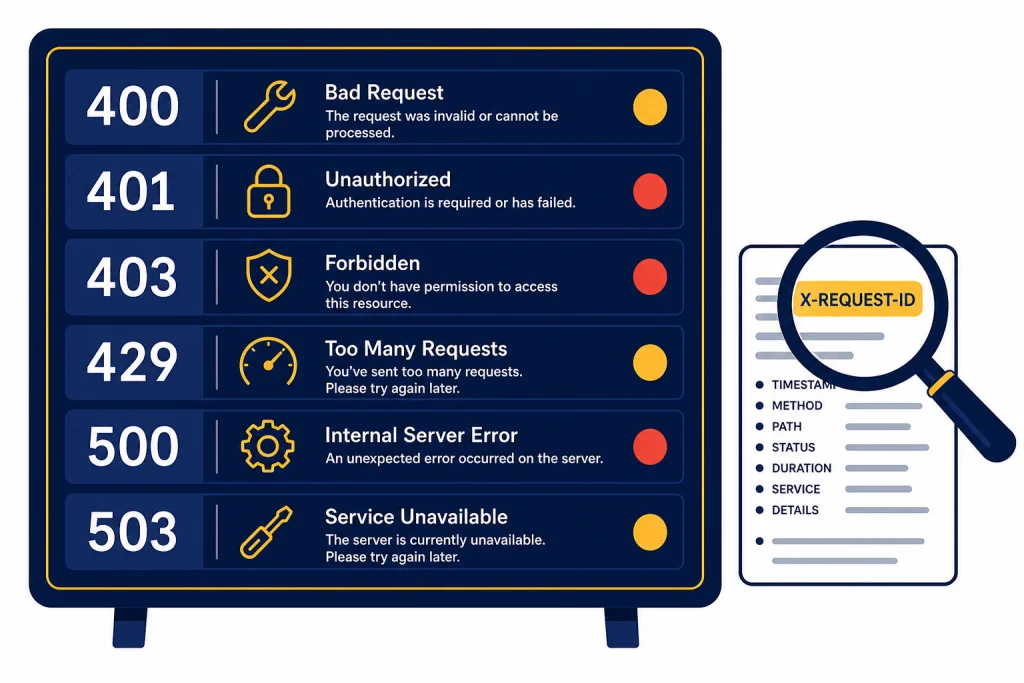
OpenAI API errors usually fall into a small set of causes: a malformed request, a bad API key, missing permissions, a missing resource, a rate or quota limit, a temporary server issue, or a network failure. The fastest fix is to read the HTTP status code, inspect the structured error body, log the request ID, and decide whether the request should be corrected, retried, slowed down, or escalated. This guide gives you a practical reference for the main OpenAI API errors, including SDK exception names, common messages, and fixes you can apply in production systems.
Quick diagnosis
Start with the status code. A client-side 4xx error usually means your app sent a request OpenAI cannot accept as written. A server-side 5xx error usually means the service could not complete a valid request at that moment. OpenAI’s official error guide lists common API errors such as invalid authentication, unsupported country or region, rate limits, quota exhaustion, server errors, overload, and sudden request spikes.[1]
Then inspect the error body. OpenAI error payloads commonly include a human-readable message plus fields such as type, param, and code. In the Responses API, the response object can also include an error object with a code and message when generation fails.[2]
Finally, log the request metadata. OpenAI documents response headers for debugging, including x-request-id, rate limit headers, and processing metadata. The request ID is the one support will usually need if a persistent issue is not reproducible from your own logs.[3]
OpenAI API error code reference
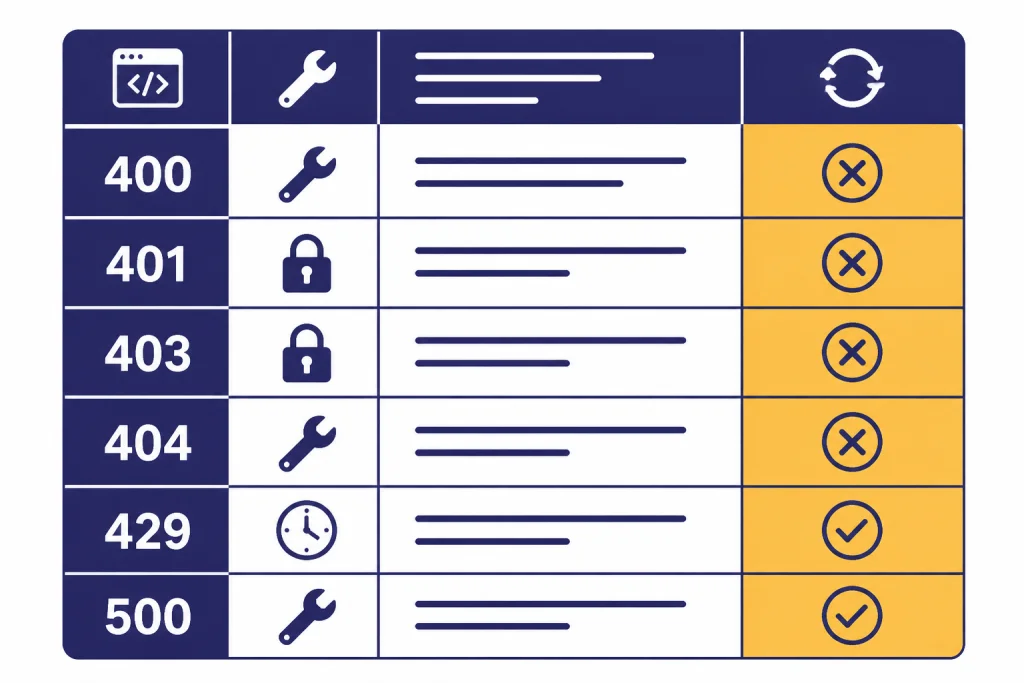
The table below combines OpenAI’s API error guide with the official Python and JavaScript SDK error mappings. It is intentionally practical. Some status codes appear in SDK documentation even when the public error-code guide focuses on the most common messages.[1][7][8]
| Status or class | Common SDK type | What it usually means | First fix | Retry? |
|---|---|---|---|---|
400 | BadRequestError | The request is malformed or invalid. | Validate JSON, parameter names, model compatibility, file format, and schema rules. | No, unless you change the request. |
401 | AuthenticationError | The API key is missing, invalid, expired, revoked, or belongs to the wrong org or project. | Use the correct key, organization, and project. Rotate the key if needed. | No. |
403 | PermissionDeniedError | The account, project, region, or IP does not have permission. | Check project access, model access, IP allowlists, and supported countries. | No, unless access changes. |
404 | NotFoundError | The requested object, model, file, response, thread, or route was not found. | Check the ID, endpoint path, project, and object lifecycle. | No, unless the resource is expected to appear later. |
409 | ConflictError | The request conflicts with the current state of the resource. | Refresh state, serialize writes, or retry after the conflicting operation completes. | Often yes. |
422 | UnprocessableEntityError | The request is well-formed but cannot be processed. | Check semantic constraints, file contents, tool outputs, and object state. | Usually no without a request change. |
429 | RateLimitError | You exceeded a rate limit, quota, or monthly usage limit. | Slow down, reduce token use, check billing, or request higher limits. | Yes for rate limits. No for exhausted quota until billing changes. |
500 or higher | InternalServerError | OpenAI had a server-side problem or overload condition. | Retry with backoff, check status, and fail gracefully. | Yes. |
| N/A | APIConnectionError | Your app could not reach the API. | Check network, proxy, DNS, firewall, TLS, and timeout settings. | Yes. |
If you are choosing an endpoint for a new application, build on the current Responses API unless you have a specific reason to use an older or specialized interface. If your request depends on strict JSON, pair error handling with structured outputs so your validation failures are easier to reproduce.
Authentication and permission errors
401: invalid authentication or incorrect API key
A 401 means OpenAI cannot authenticate the request. OpenAI lists several variants, including invalid authentication, an incorrect API key, and the requirement that the account be a member of an organization.[1]
- Confirm that
OPENAI_API_KEYis set in the runtime environment, not only in your local shell. - Make sure your server is not sending a ChatGPT session token instead of an API key.
- Check whether the key belongs to the organization and project your app is using.
- Rotate the key if it was copied from a stale secret store, revoked, or exposed.
- Do not ship API keys to browsers, mobile apps, or logs.
403: permission denied, unsupported region, or IP not authorized
A 403 means authentication may have worked, but the request is not allowed. OpenAI’s error guide includes unsupported country, region, or territory as a 403 case, and it also documents an IP allowlist error when the request IP does not match the configured project or organization allowlist.[1]
For region issues, check OpenAI’s supported countries and territories list. OpenAI says API services are available only in the listed locations, and separate Help Center guidance warns that using ChatGPT or the API from unsupported countries may result in blocked or suspended accounts.[11]
For IP allowlist issues, compare the public egress IP of your production worker, serverless function, or NAT gateway against the allowlist. This is a common mismatch after cloud migrations. It can also happen when a vendor proxy, edge function, or preview deployment sends requests from a different region than production.
Rate limit and quota errors
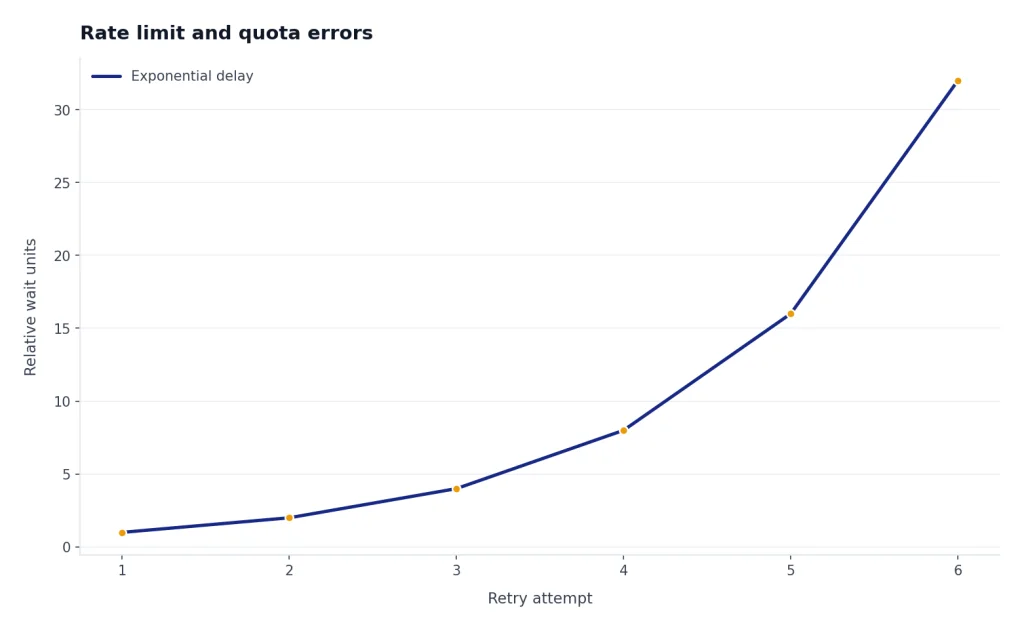
A 429 is the most misunderstood OpenAI API error. It can mean the app is sending too many requests too quickly, using too many tokens in a short window, or hitting a usage quota. OpenAI’s error guide separates “rate limit reached for requests” from “you exceeded your current quota,” and the fixes are different.[1]
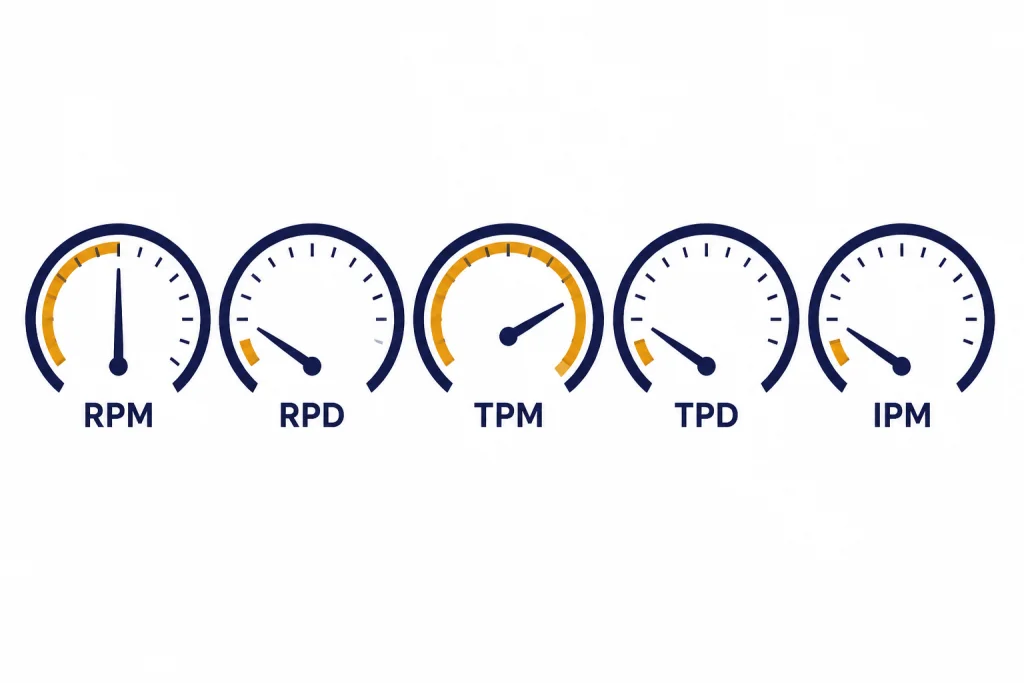
OpenAI’s rate limit guide says limits are measured in RPM, RPD, TPM, TPD, and IPM. It also says limits are defined at the organization and project level, vary by model, and can be shared across model families.[4]
| Limit | Meaning | Typical failure pattern | Fix |
|---|---|---|---|
RPM | Requests per minute | Many small calls fail even though token use is low. | Batch small tasks into fewer calls or add a queue. |
RPD | Requests per day | The app works early in the day and fails later. | Reduce request count, cache results, or request higher limits. |
TPM | Tokens per minute | Large prompts or long outputs fail during bursts. | Shorten context, cap output, or spread traffic over time. |
TPD | Tokens per day | High-volume workloads fail after sustained use. | Move offline jobs to Batch API or increase limits. |
IPM | Images per minute | Image generation bursts fail while text calls succeed. | Queue image jobs separately from text jobs. |
Use response headers to distinguish the problem. OpenAI documents headers for request and token limits, remaining request and token capacity, and reset timing. These include x-ratelimit-limit-requests, x-ratelimit-remaining-requests, x-ratelimit-reset-requests, and the corresponding token headers.[3]
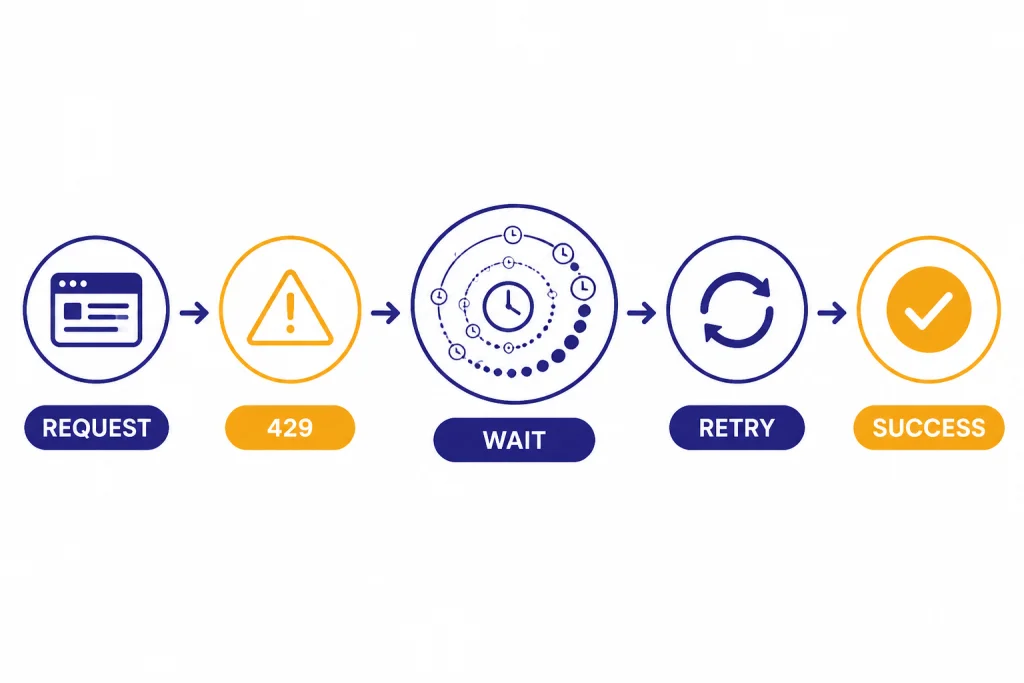
For rate limits, retry with random exponential backoff. The OpenAI Cookbook recommends exponential backoff for 429 errors and notes that unsuccessful requests still count against per-minute limits, so tight retry loops make the problem worse.[5]
import random
import time
from openai import OpenAI, RateLimitError, APIConnectionError, InternalServerError

client = OpenAI()

def call_with_backoff(payload):
    delay = 1
    for attempt in range(4):
        try:
            return client.responses.create(**payload)
        except (RateLimitError, APIConnectionError, InternalServerError):
            if attempt == 3:
                raise
            time.sleep(delay + random.random())
            delay *= 2
For quota errors, do not keep retrying. Check billing, prepaid credits, monthly spend limits, and project-level usage limits. If your app has real-time user traffic and offline work, move non-urgent work to the OpenAI Batch API so spikes do not compete with synchronous requests. If cost is the real constraint, use an OpenAI API cost calculator and set a hard budget before increasing limits.
Server, network, and timeout errors
Server and network failures need a different policy from validation errors. OpenAI’s error guide lists 500 server errors, 503 overload, and 503 “Slow Down” as temporary conditions where your app should wait, reduce pressure, and retry if appropriate.[1]
The official Python SDK raises subclasses of openai.APIStatusError for non-success HTTP responses and APIConnectionError for connection failures. The official JavaScript SDK similarly throws subclasses of APIError when it cannot connect or receives a non-success status code.[7][8]
OpenAI’s SDK documentation says connection errors, request timeouts, conflicts, rate limits, and internal errors are retried by default. You should still wrap calls in your own business-level retry policy so you can stop retrying when a user cancels, a job deadline passes, or an operation is not safe to repeat.[7][8]
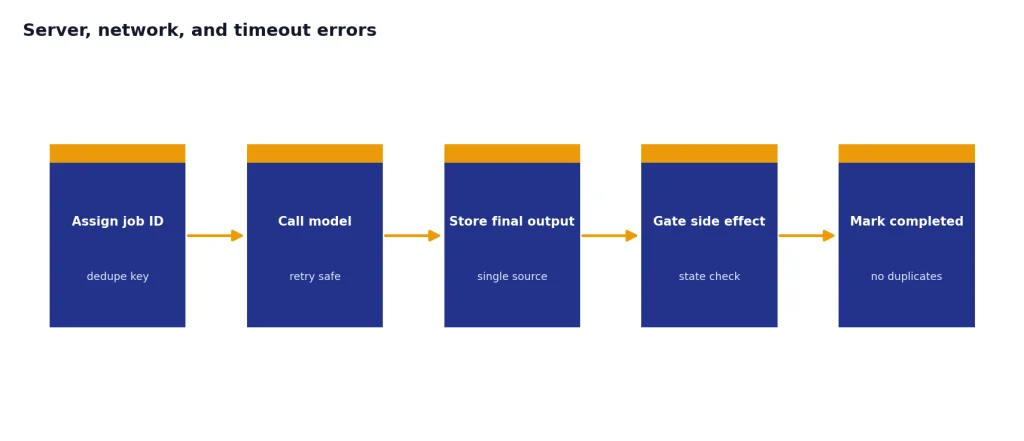
Use idempotency at the application layer. For example, if your system charges a customer, sends an email, writes a database record, or triggers a webhook after a model response, do not repeat the side effect just because the model call was retried. Store a job ID, state, and final output. Then make downstream actions conditional on that stored state.
Also check OpenAI’s status page when server errors rise across many requests, models, or projects. OpenAI states that status availability metrics are aggregate-level metrics across tiers, models, and error types, so your own telemetry remains the source of truth for your specific workload.[12]
For production systems, pair this article with our OpenAI API best practices for production and streaming responses with the OpenAI API guides. Those decisions affect how visible errors are to users.
Request validation and context errors
A 400 or 422 usually means retrying the same payload will fail again. Fix the request before sending it again. The official SDKs map 400 to BadRequestError and 422 to UnprocessableEntityError.[7][8]
Common causes include a typo in a parameter name, a value outside an allowed enum, a model that does not support the requested modality, an invalid JSON schema, a missing tool output, a bad file purpose, or a request that exceeds the model’s usable context. OpenAI has not published one universal public list of every possible 400 sub-code, so treat the message, param, and endpoint documentation as the authoritative details for that specific failure.
Use a validation layer before the OpenAI call. This is especially important for function calling, embeddings, vision inputs, DALL-E image generation, Whisper transcription, and Realtime API applications because each endpoint has its own shape and constraints.
function classifyOpenAIError(err) {
  const status = err.status || err.status_code;
  if (status === 400 || status === 422) return "fix_request";
  if (status === 401 || status === 403) return "fix_access";
  if (status === 404) return "check_resource";
  if (status === 429) return "slow_or_check_quota";
  if (status >= 500) return "retry_later";
  return "inspect_logs";
}
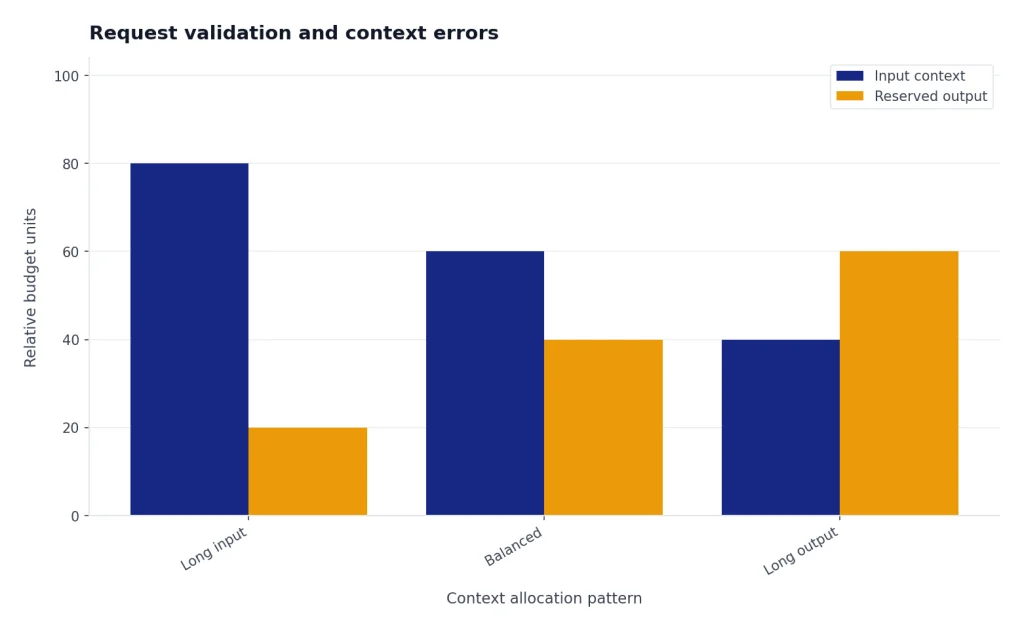
For context-window failures, do not only increase the output cap. Reduce the input. Summarize older turns, retrieve fewer documents, trim tool output, and reserve space for the expected answer. If you are not sure which model fits the prompt, use our context window comparison before changing application logic.
Streaming and Batch API errors
Streaming errors
Streaming changes where errors appear. A normal request returns one complete response or one error. A streaming request can start successfully and then emit an error event while your app is already processing partial output. OpenAI’s streaming guide lists common Responses API events such as response.created, response.output_text.delta, response.completed, and error.[9]

OpenAI’s streaming API reference defines the error event with fields including code, message, param, sequence_number, and type.[10]
- Buffer partial output until you know whether it is safe to show.
- Handle
errorevents inside the stream loop, not only around stream creation. - Save the final state as completed, failed, or cancelled.
- Give users a clean recovery path if the stream fails mid-answer.
Batch API errors
The Batch API has job-level states and per-line request results. OpenAI documents batch statuses including validating, failed, in_progress, finalizing, completed, expired, cancelling, and cancelled.[13]
OpenAI also documents that failed requests in a batch are written to an error file referenced by error_file_id, and that a per-request batch error can include a code such as batch_expired when the request could not be executed before the completion window expired.[13]
Design batch jobs so every input line has a stable custom_id. OpenAI notes that output order may not match input order, so the custom ID is what lets you match results and errors back to your source records.[13]
Production error handling checklist
A production-grade OpenAI integration should not treat all failures the same way. Use a small decision tree that separates access failures, request failures, throttling, transient server failures, and downstream application failures.
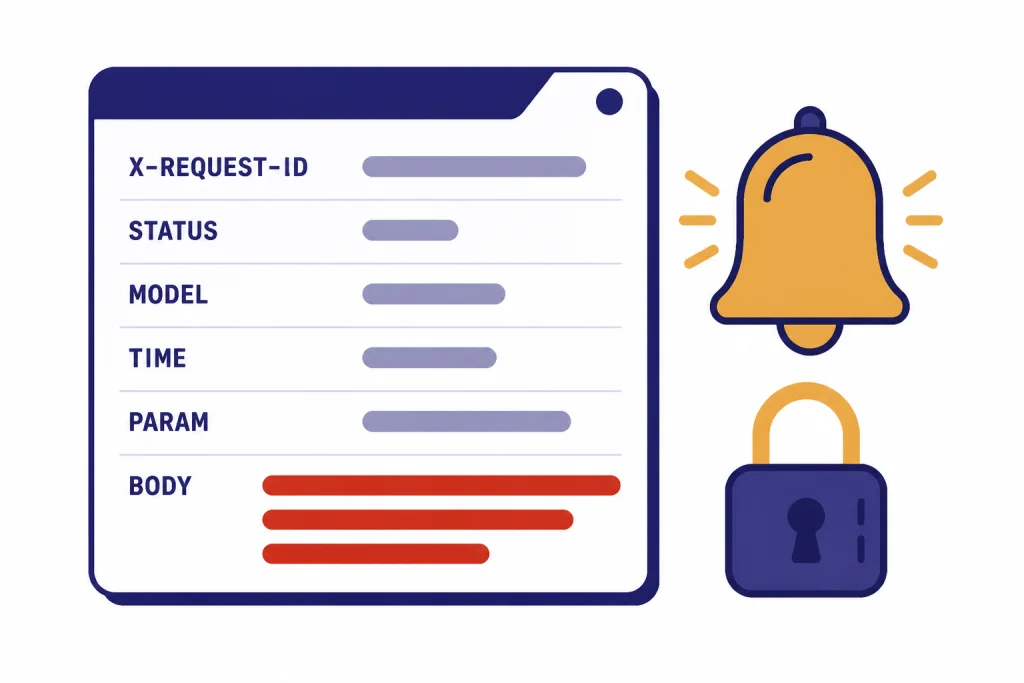
- Log request IDs. Capture
x-request-idfor failures and successful calls that later cause user-visible issues. OpenAI recommends logging request IDs for production troubleshooting.[3] - Record the status code and error fields. Store
message,type,param, andcodewhen available. - Separate retryable and non-retryable errors. Retry connection failures,
409,429rate-limit cases, and server errors. Do not blindly retry400,401,403, or exhausted-quota failures. - Use queues for spikes. If user traffic bursts exceed request or token limits, queue work and drain it according to remaining capacity.
- Cap output size. Set output limits close to the expected answer length so one request does not consume more token budget than needed.
- Degrade gracefully. Use a smaller task, shorter context, cached result, or background job rather than showing raw exceptions to users.
- Protect secrets. Redact API keys, prompts with sensitive data, file contents, and user identifiers from logs.
- Alert on patterns, not one-offs. A single
500may be normal. A sudden increase in429,500, or stream failures should trigger an alert.
Here is a compact Node.js pattern that classifies SDK errors without losing the details you need for logs.
import OpenAI from "openai";

const client = new OpenAI();

try {
  const response = await client.responses.create({
    model: process.env.OPENAI_MODEL,
    input: "Return a short status message."
  });
  console.log(response.output_text);
} catch (err) {
  if (err instanceof OpenAI.APIError) {
    console.error({
      request_id: err.request_id,
      status: err.status,
      name: err.name,
      code: err.code,
      param: err.param,
      message: err.message
    });
  }
  throw err;
}
If you are still deciding whether API access is the right product, read ChatGPT API vs ChatGPT Plus and Does ChatGPT Plus include API access?. Many “API error” reports come from mixing ChatGPT subscription expectations with separate API billing and project permissions.
Frequently asked questions
What does OpenAI API error 429 mean?
It means your request hit a rate limit or quota-related limit. Check the error message and rate-limit headers. If the message says you exceeded your current quota, fix billing or usage limits before retrying. If it is a per-minute rate limit, slow down and retry with exponential backoff.
Should I retry every OpenAI API error?
No. Retry transient failures such as connection errors, conflicts, rate limits, and server errors. Do not retry malformed requests, bad API keys, permission denials, or missing resources unless something has changed. Blind retries waste tokens and can make rate limits worse.
Where do I find the OpenAI request ID?
Look for the x-request-id response header. The official SDKs also expose request ID fields on response or error objects. Log it with the status code, endpoint, model, and timestamp so you can debug failures later.
Why do I get 401 even though my API key looks correct?
The key may belong to a different organization or project, may have been revoked, or may not be present in the runtime where the code actually runs. Print only a safe key fingerprint, never the full key. Then check your deployment environment, secret manager, and project headers.
Why does a streaming request fail after it starts?
Streaming responses can emit an error event after the connection has already opened. Handle errors inside the stream loop and keep track of whether the response completed. Do not assume stream creation means the whole answer will succeed.
What should I send OpenAI support for a persistent API error?
Send the request ID, timestamp with timezone, endpoint, model, status code, error message, and a sanitized version of the request body and headers. Do not send API keys or sensitive user data. Include whether the issue is isolated to one project, one model, one region, or all traffic.