

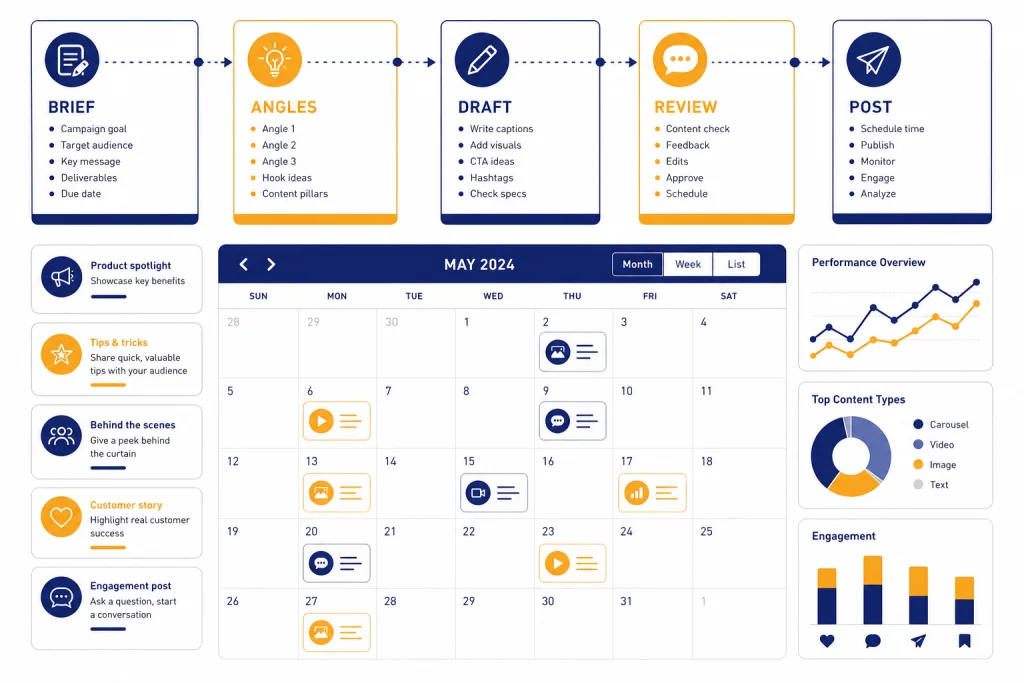
ChatGPT for social media works best as a planning, drafting, repurposing, and review assistant, not as an autopilot that publishes for you. Use it to turn campaign goals into content pillars, convert one idea into platform-specific posts, draft captions in your brand voice, outline short-form video scripts, create creative briefs, and analyze exported performance data. ChatGPT can help with writing, web search, file uploads, data analysis, image work, Canvas, and memory depending on your plan and settings.[1] The quality still depends on your inputs, review process, and judgment. The safest workflow is simple: brief it clearly, ask for options, edit aggressively, verify claims, and publish only after a human review.
Where ChatGPT fits in a social media workflow
ChatGPT is useful anywhere a social media manager needs structured thinking or many draft options. It can help you brainstorm angles, turn a rough note into a caption, rewrite posts for different audiences, summarize a campaign brief, and critique a draft before it goes live. OpenAI describes ChatGPT as an assistant for tasks such as answering questions, drafting, rewriting, summarizing, translating, and creative ideation.[1] That makes it a strong partner for the work around publishing, even when the final post still needs a person.
The best use case is not “write me a viral post.” That prompt gives ChatGPT too little context and pushes it toward generic content. A better use case is “act as a social media strategist for a regional accounting firm; write LinkedIn post options for small-business owners who are anxious about quarterly taxes; keep the tone calm, practical, and nonjudgmental.” The second prompt defines the role, platform, audience, emotional context, subject, and voice.
ChatGPT also pairs well with adjacent marketing tasks. If you need campaign positioning first, start with chatgpt for marketing. If the social campaign supports organic search, use chatgpt for seo before drafting posts. If the campaign needs a longer owned-media asset, build the article with chatgpt for blog writing, then repurpose it into social posts.
Treat ChatGPT as a production multiplier. It can create more starting points, but it cannot replace taste, customer knowledge, compliance review, product accuracy, or cultural judgment.
A repeatable workflow for social posts
A good ChatGPT workflow starts before the caption. Give it a compact brief, ask for strategy choices, choose one direction, then draft and revise. This reduces bland output and makes the model work from your actual business context.
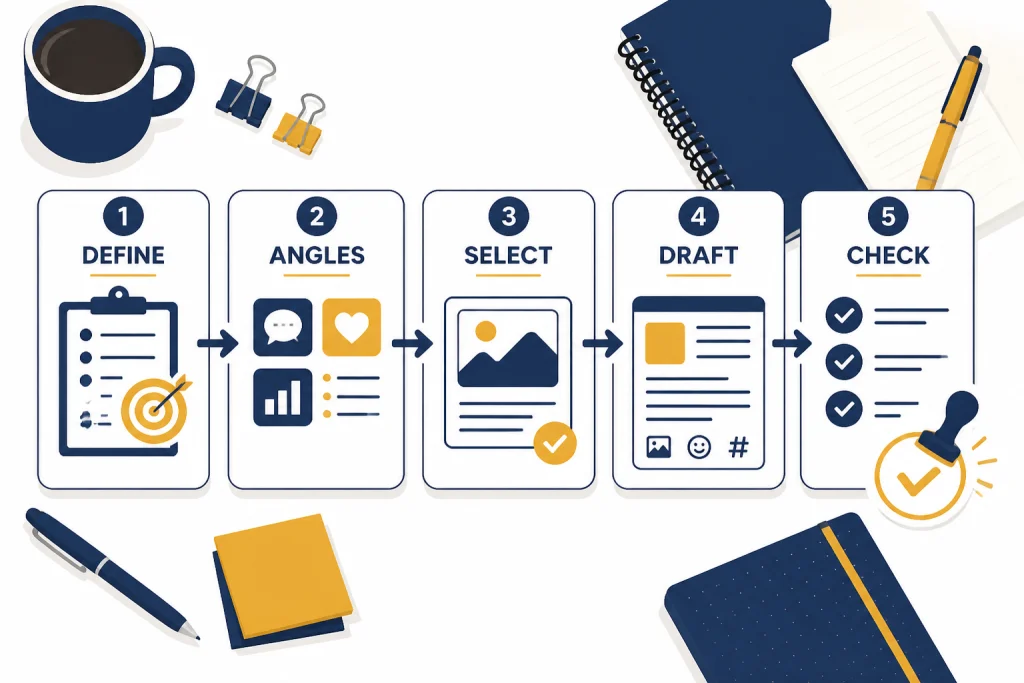
Use this sequence for most posts:
- Define the job. Tell ChatGPT the campaign goal, audience, offer, platform, and constraints.
- Ask for angles. Request distinct post angles before writing full copy.
- Select the strongest angle. Pick the angle that fits your brand and business goal.
- Draft multiple versions. Ask for variants by tone, length, hook, or call to action.
- Review against a checklist. Check accuracy, tone, claims, disclosures, links, and platform fit.
Here is a reusable starter prompt:
You are my social media content strategist. I will give you a campaign brief. First, identify the strongest audience pain points, then propose post angles. Do not draft captions until I choose an angle. Brand: [brand]. Audience: [audience]. Platform: [platform]. Goal: [goal]. Offer: [offer]. Voice: [voice]. Avoid: [words, claims, topics].
For a recurring publishing system, keep a short “brand packet” you paste into every new chat. Include your audience, point of view, forbidden phrases, preferred calls to action, approved product descriptions, and examples of posts you like. If you use ChatGPT memory, remember that OpenAI describes memory as a feature that can retain useful facts such as preferences or goals to personalize future responses when memory is turned on.[1] For sensitive client work, use a deliberate project or chat setup instead of relying on memory alone.
Prompts for platform-specific content
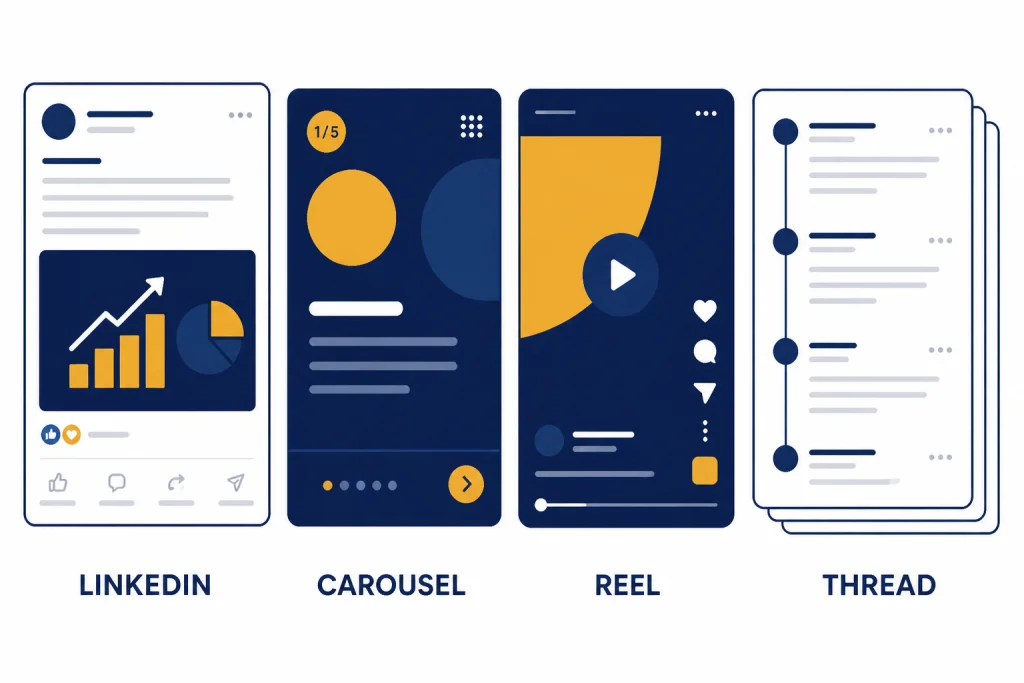
Different platforms reward different shapes of content. ChatGPT is helpful because it can preserve the same strategic idea while changing the format, rhythm, and call to action. Do not ask it to “make this work everywhere.” Tell it what each platform needs.
| Platform goal | What to ask ChatGPT for | Useful prompt instruction | Human review focus |
|---|---|---|---|
| LinkedIn thought leadership | A clear point of view, business context, and discussion prompt | “Open with a practical tension my audience recognizes. Avoid fake vulnerability.” | Credibility, specificity, and claim accuracy |
| Instagram carousel | Slide-by-slide structure with one idea per slide | “Write each slide as a short visual statement, then add speaker notes for the designer.” | Visual pacing and whether each slide earns attention |
| TikTok or Reels script | A hook, scene beats, on-screen text, and caption | “Use a fast opening, show the problem visually, and keep the spoken lines natural.” | Authenticity, feasibility, and creator fit |
| X thread | A compressed argument broken into linked points | “Make each post stand alone but create momentum across the thread.” | Clarity, repetition, and whether the thread overclaims |
| YouTube community or Shorts support | Polls, teaser copy, and short script variations | “Create options that point back to the main video without sounding like an ad.” | Audience fit and connection to the video topic |
If video is central to your channel, combine this article with ChatGPT for YouTubers. For design-heavy campaigns, hand the social copy and visual notes to a designer using the workflow in ChatGPT for Designers. For newsletters and lifecycle sequences that support a social launch, use ChatGPT for Email Writing That Converts.
When you ask for platform-specific content, include the post’s place in the funnel. A top-of-funnel post should earn attention and trust. A mid-funnel post should explain a problem or method. A bottom-of-funnel post should make the next step obvious. ChatGPT can draft all three, but it needs to know which one you want.
Turn one idea into a campaign
One of the highest-value uses of ChatGPT for social media content creation is repurposing. A single webinar, customer story, research note, podcast episode, or blog post can become a week of posts if you split it by audience need and format.
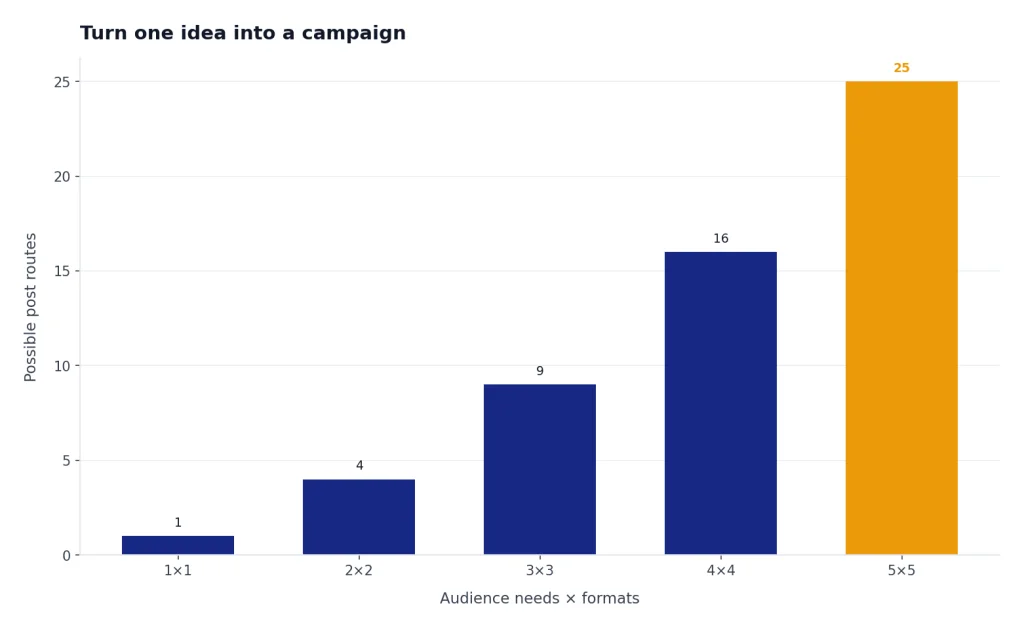
Start with the source asset. Paste a summary, transcript excerpt, outline, or approved article section. Then ask ChatGPT to extract the main claims, supporting examples, quotable lines, objections, and practical tips. If the source is long, ask for a content map before drafting posts.
Turn this source material into a social campaign map. Identify the core idea, three audience pains, three proof points, three short-form video concepts, three carousel concepts, and five caption angles. Do not write final copy yet. Flag any claims that need verification.
Then choose a theme for each day or post type. For example, a product demo can become a problem post, a myth-busting post, a behind-the-scenes post, a customer objection post, and a direct call-to-action post. This keeps the campaign coherent without repeating the same caption with different emojis.
Repurposing works especially well when you already have research. Use ChatGPT for Market Research and Surveys to turn customer language into social angles. Use chatgpt for research when you need a stronger source base before making claims. If you often reuse prompts across campaigns, build a reusable library with the chatgpt prompt generator.
Use ChatGPT for visuals and creative briefs
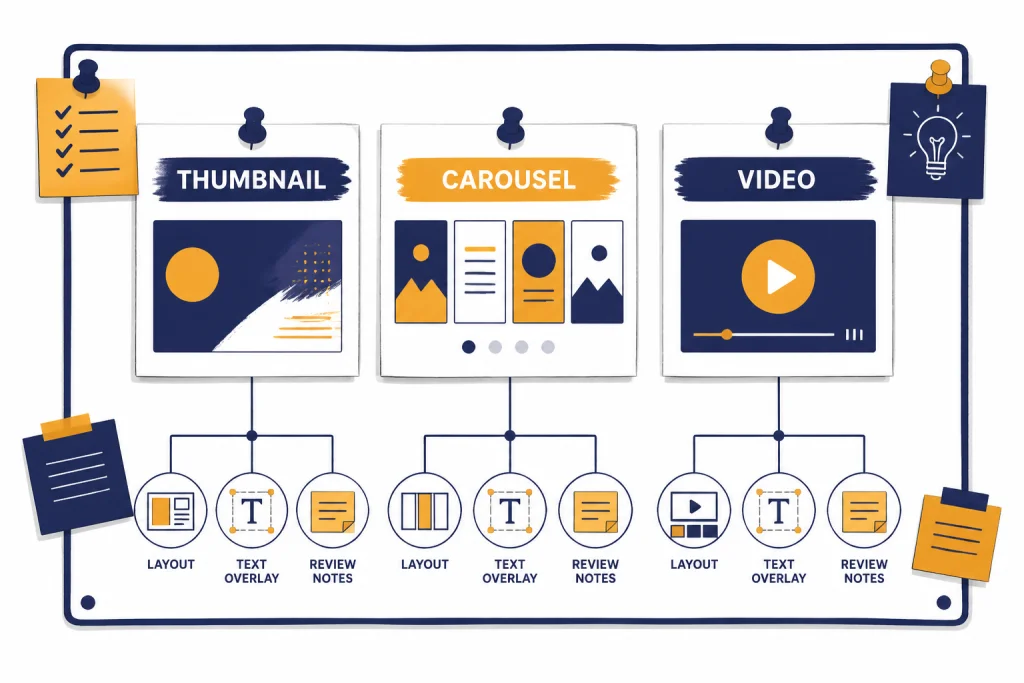
Social content is rarely just copy. ChatGPT can help you brief the visual asset before a designer, editor, or creator starts production. OpenAI’s help center says ChatGPT can analyze uploaded images and generate or edit images through natural-language instructions, depending on availability and settings.[3] That is useful for mockups, visual directions, carousel outlines, thumbnail ideas, and ad concept boards.
For professional work, separate concepting from final art. Ask ChatGPT for a creative brief first. A good brief should include the objective, audience, format, core message, visual metaphor, layout notes, text overlays, accessibility notes, and what to avoid. Then a designer or creator can decide what is realistic and on brand.
Create a creative brief for an Instagram carousel about [topic]. Include the audience, promise, slide sequence, visual direction, suggested on-slide text, alt text notes, and design constraints. Keep the copy concise and avoid stock-photo concepts.
For thumbnails, ask ChatGPT to produce several concept routes instead of one answer. Example routes might include “before and after,” “single surprising number,” “object close-up,” “mistake to avoid,” and “process diagram.” The point is not to let ChatGPT decide the final creative. The point is to widen the option set before your team chooses.
Be cautious with AI-generated people, product claims, public figures, medical outcomes, financial outcomes, and customer likenesses. Synthetic images can create trust problems if they imply real events, real users, or real endorsements that did not happen.
Use ChatGPT to review performance data
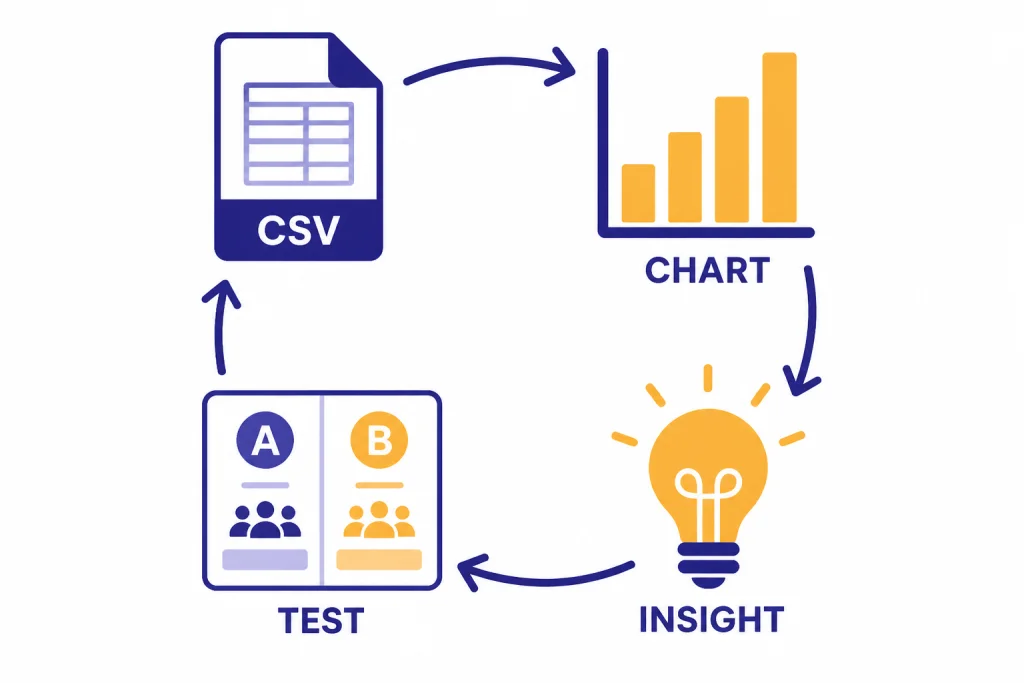
ChatGPT can help you move from “what should we post?” to “what did we learn?” Export your social platform data, clean the column names, and ask ChatGPT to identify patterns. OpenAI says ChatGPT data analysis can work with uploaded data files such as spreadsheets and CSVs, create tables and charts, and help summarize trends.[2] This is useful for reviewing hooks, formats, topics, posting times, and calls to action.
A practical analytics prompt looks like this:
I uploaded a CSV of social posts. Analyze performance by content pillar, format, hook type, and call to action. Show the strongest and weakest patterns. Do not assume causation. Give me test ideas for next month and list any data quality issues you notice.
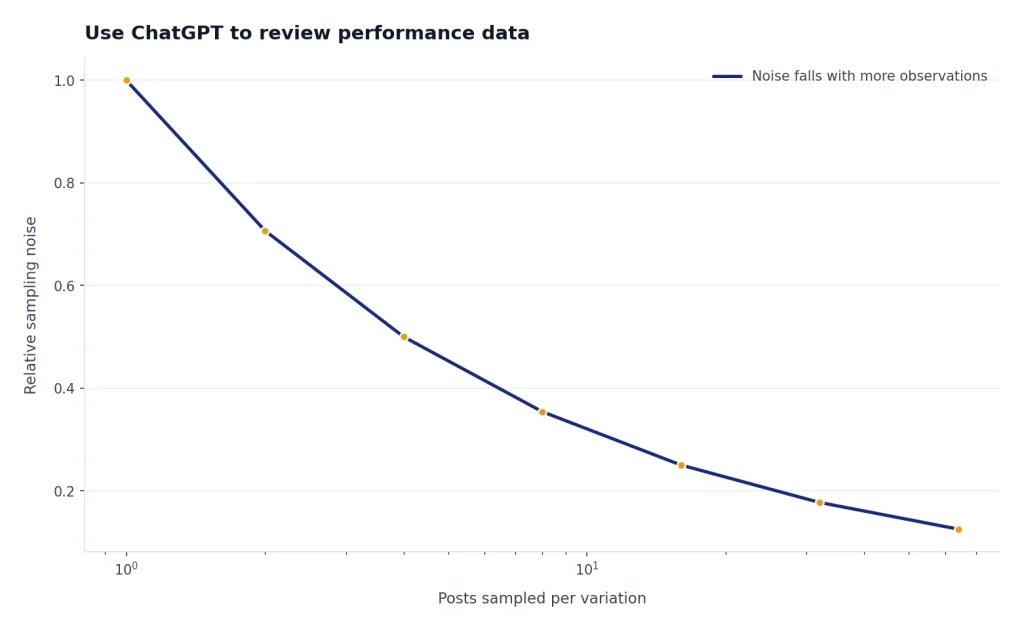
The phrase “do not assume causation” matters. Social media data is noisy. A post can perform because of timing, distribution, creative, audience mood, paid support, a creator’s delivery, or luck. Ask ChatGPT for hypotheses and test ideas, not universal rules.
You can also use ChatGPT to create a content retro. Paste a set of posts and performance notes, then ask it to sort the posts into “repeat,” “revise,” and “retire.” This gives your team a shared language for decisions. For deeper spreadsheet workflows, the ideas in chatgpt for excel pair well with social reporting exports.
Guardrails for brand, accuracy, and disclosure
ChatGPT can produce confident language that still needs verification. OpenAI states that ChatGPT can produce incorrect or misleading outputs and recommends verifying important information from reliable sources.[4] For social media, that means checking statistics, quotes, customer claims, product details, legal statements, medical statements, financial statements, and anything that could affect a buying decision.
Use a pre-publish checklist for every AI-assisted post:
- Brand voice: Does the post sound like your brand, or like generic AI copy?
- Truth: Are all factual claims verified against primary or approved sources?
- Specificity: Does the post include concrete examples instead of vague benefits?
- Disclosure: Does sponsored, affiliate, or AI-generated content need a clear label?
- Rights: Do you have permission for images, music, customer quotes, and likenesses?
- Safety: Could the post mislead, exploit, shame, or impersonate someone?
- Accessibility: Are captions, alt text, contrast, and text overlays usable?
OpenAI’s sharing and publication policy says posting your own prompts or outputs to social media is generally permitted, but it also says users should manually review each generation before sharing and indicate that content is AI-generated in a way users cannot reasonably miss or misunderstand.[5] That policy is not the only rule that matters. Your employer, client contract, platform rules, and local law may be stricter.
For sponsored content, the FTC says creators should disclose a material connection to a brand, including financial, employment, personal, family, free-product, or discounted-product relationships.[6] Put disclosures where people will actually see them. Do not bury them in a hashtag block or behind a “more” click.
Platform rules also matter. YouTube provides an altered-content setting for content that is meaningfully altered or synthetically generated.[7] Meta describes labeling AI-generated content across its platforms, including Facebook, Instagram, and Threads.[8] TikTok says people must label realistic AI-generated content and notes that some AI effects may be labeled automatically.[9] If a post uses synthetic people, voices, events, or endorsements, check the current platform policy before publishing.
A practical team process
Teams get better results when they assign clear roles to ChatGPT. Do not make one chat responsible for strategy, copy, compliance, design, analytics, and approval all at once. Break the work into stages.
A small team can use this operating model:
- Strategist: Uses ChatGPT to turn goals into content pillars, angles, and campaign maps.
- Writer: Uses ChatGPT to draft captions, hooks, threads, and video scripts.
- Designer or editor: Uses ChatGPT to create creative briefs, shot lists, and revision notes.
- Reviewer: Uses a checklist to verify claims, disclosures, approvals, and brand fit.
- Analyst: Uses ChatGPT to summarize exported performance data and propose tests.
Canvas can help when a post, thread, script, or campaign brief needs several rounds of editing. OpenAI describes Canvas as an interactive workspace for co-writing, editing, and revising work with ChatGPT.[1] Use it for long captions, multi-post campaigns, and scripts where small wording changes affect the whole piece. For a deeper editing workflow, see the ChatGPT Tutorial: Build Documents in Canvas.
Keep a prompt library for repeatable tasks. Useful categories include campaign brief, post angles, carousel outline, short-form video script, hook variants, comment replies, community management escalation, monthly retro, and creative brief. Review the library monthly. Delete prompts that produce bland output. Improve prompts that consistently save time.
The strongest social media teams use ChatGPT to speed up low-leverage production work and reserve human attention for judgment. Let the tool create options. Let the team decide what deserves to represent the brand.
Frequently asked questions
Can ChatGPT create a full social media calendar?
Yes. Give it your goals, audience, content pillars, offer, key dates, and posting cadence. Ask for a calendar with post goal, format, draft hook, asset needed, and approval owner. Review the plan manually so it does not overfocus on repetitive promotional posts.
Should I let ChatGPT write captions without editing?
No. Use ChatGPT captions as drafts. Edit for voice, accuracy, platform fit, and specificity before publishing. The best posts usually combine ChatGPT’s structure with a human’s lived context, examples, and taste.
Can ChatGPT help with comments and community management?
Yes, but keep a human in the loop. It can draft polite replies, escalation language, and response templates for common questions. Do not use it to invent policy answers, handle sensitive complaints, or impersonate a real support agent without disclosure.
Is it okay to use ChatGPT for influencer content?
It can help draft briefs, talking points, captions, and disclosure reminders. The influencer’s endorsement still needs to reflect their honest experience, and material connections must be disclosed. Always follow the creator contract, platform rules, and applicable advertising law.
How do I make ChatGPT sound less generic?
Give it real inputs: customer quotes, product details, objections, examples, brand phrases, and posts you like. Ask it to avoid clichés and explain why each draft fits the audience. Then edit the best version until it sounds like something your brand would actually say.
Can ChatGPT analyze social media analytics?
Yes, if you provide clean exported data and clear questions. Ask for patterns, anomalies, and test ideas rather than absolute conclusions. Social analytics rarely prove one cause, so treat ChatGPT’s output as a starting point for experiments.